Best AI Website Redesign Tools in 2026: 5 AI Tools Compared
Updated September 2026
A website redesign used to mean weeks of wireframes, mockups, revisions, development, and testing.
AI is changing that process.
Today, some AI website tools can analyze an existing website, use its URL as a starting point, generate a new design direction, and let you refine the result before publishing. Others are better suited to rebuilding an existing website inside WordPress or creating a completely new design from a visual reference.
But there is an important distinction:
An AI website builder creates a website from an idea. An AI website redesign tool starts with something that already exists and helps you improve or rebuild it.
That distinction matters if you already have a website with valuable content, traffic, rankings, customers, or an established brand.
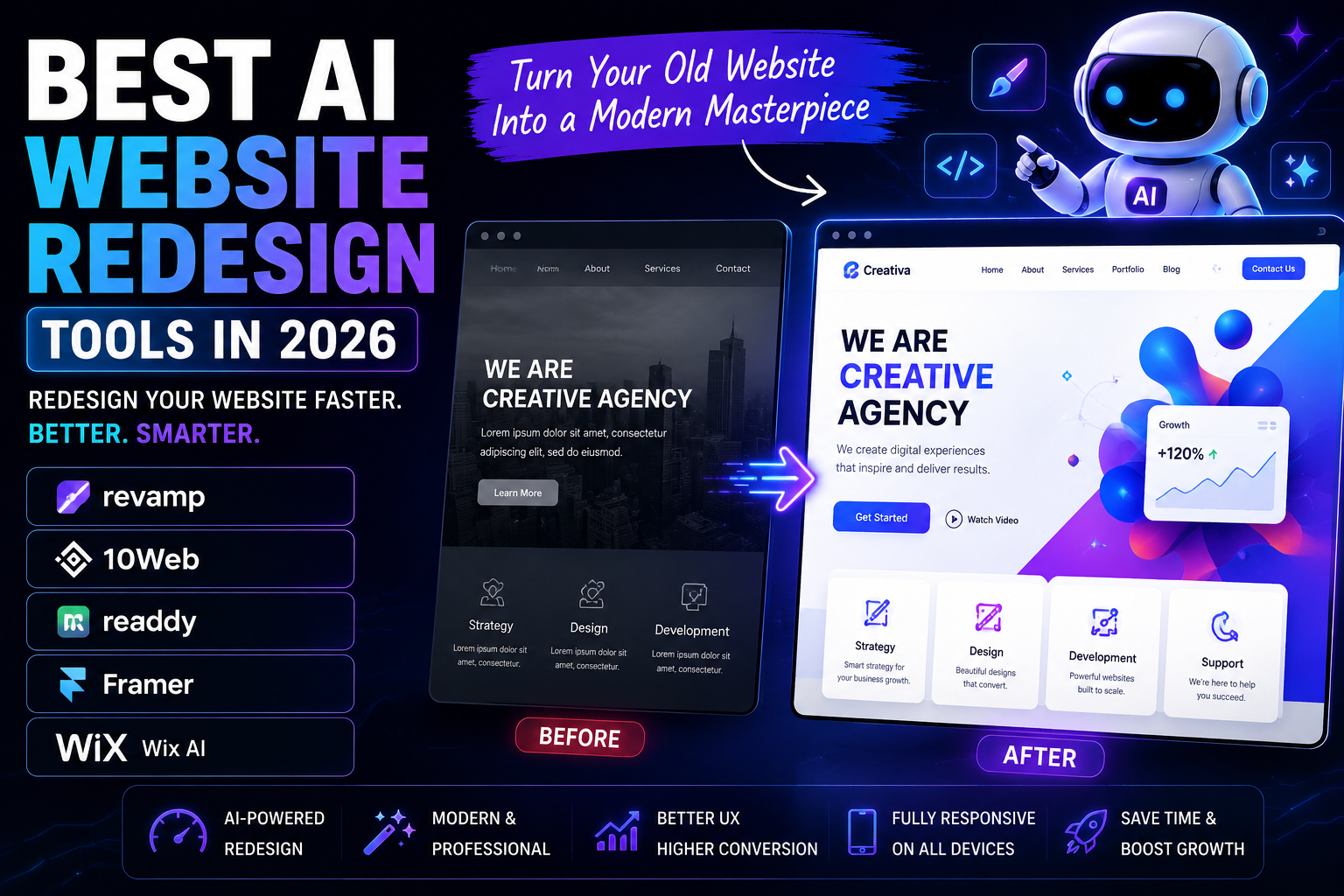
In this guide, we compare five tools that can help with different parts of the redesign process:
- Revamp — Best dedicated AI redesign workflow
- 10Web — Best for WordPress websites
- Framer — Best for design-focused redesigns
- Readdy — Best for URL and visual-reference redesigns
- Wix AI — Best for businesses that want a broader website platform
The right choice depends less on which tool has the most AI features and more on what you are trying to change.
Quick Comparison: Best AI Website Redesign Tools
| Tool | Best For | Existing URL | AI Editing | WordPress | Design Control | Hosting |
|---|---|---|---|---|---|---|
| Revamp | Dedicated website redesign | Yes | Yes | Not required | High | Yes |
| 10Web | WordPress redesign | Yes | Yes | Yes | High | Yes |
| Framer | Design-led rebuilding | Limited | Yes | No | Very high | Yes |
| Readdy | URL/reference-based redesigns | Yes | Yes | No | High | Yes |
| Wix AI | All-in-one business websites | Not as a direct AI redesign workflow | Yes | No | High | Yes |
Our picks
- Best dedicated AI redesign tool: Revamp
- Best for WordPress: 10Web
- Best for design control: Framer
- Best for turning references into a new website: Readdy
- Best all-in-one business platform: Wix
One important clarification: Wix’s AI Website Builder is primarily designed to create new sites. Wix says its AI Website Builder cannot directly edit an existing site, although AI tools inside the Wix Editor can help redesign pages and site elements.
1. Revamp — Best AI Website Redesign Tool Overall
If your main goal is:
“Take my existing website and show me what a modern version could look like.”
Revamp is the most directly aligned tool on this list.
The workflow starts with an existing website URL. Revamp uses the site as context for generating a redesigned version that you can review and refine before deciding whether to publish it. The company says the existing website can remain live while you work on the redesign.
Why Revamp Stands Out
Most website builders begin with a blank canvas.
Revamp starts with the website you already have.
That makes it particularly useful for:
- Outdated business websites
- SaaS websites
- Local businesses
- Service companies
- Freelancers
- Agencies
- Website redesign proposals
- Businesses that want to preview a new direction before rebuilding
The workflow is essentially:
Existing URL → AI redesign → preview → refine → publish
That is a much closer match to a traditional redesign project than starting with a blank AI-generated website.
Key Features
- Redesign from an existing URL
- AI-generated layouts
- Visual editing
- Conversational website changes
- Responsive design
- Shareable previews
- Website code export
- Custom-domain publishing
- Hosting and security
- AI-assisted SEO
- Visitor analytics
- Business integrations
Revamp’s current pricing starts at $29/month for Studio, which includes 200 monthly credits and code export. Its Grow plan is $99/month and adds custom-domain publishing, hosting, SEO tools, analytics, business features, and integrations. New accounts can start with 30 one-time credits without entering a credit card.
Pros
- Specifically designed around website redesign
- Starts from an existing URL
- Preview-first workflow
- Useful for agencies and freelancers
- Lets you refine the result before publishing
- Code export available
- Can continue being used after the redesign
- Hosting and business functionality available
Cons
- A generated redesign still needs human review
- Complex custom functionality may require additional work
- A better-looking design does not automatically produce more conversions
- SEO improvements are not guaranteed
- The most complete business features require the higher plan
Who Should Use Revamp?
Choose Revamp if you already have a website and want to modernize it without treating the project like a completely new website.
It is particularly attractive when you want to see the redesign before committing to implementation.
For agencies, that preview can also become part of the sales process: instead of explaining what a client’s outdated website could look like, you can show them a redesigned direction.
Best for: Existing websites, redesign previews, agencies, freelancers, and businesses that want an AI-assisted redesign workflow.
2. 10Web — Best AI Website Redesign Tool for WordPress
If your existing website runs on WordPress, 10Web deserves serious consideration.
Its 2026 AI platform includes a Redesign Agent that can take a live website URL and generate a modernized version while keeping the existing content and structure as a starting point.
How 10Web’s Redesign Agent Works
The process is simple:
- Open the AI Website Builder.
- Select the redesign option.
- Enter the URL of the existing page.
- Generate the redesigned version.
- Review and edit the result.
10Web describes the Redesign Agent as keeping the existing content and structure while applying a new design language.
However, there is an important limitation.
The Redesign Agent is currently page-level rather than a complete-site redesign workflow.
10Web also says the feature is intended for initial generation and is not yet available as an editing-interface workflow.
That distinction makes the original article’s claim that 10Web can simply redesign an entire existing site too broad.
Why 10Web Is Strong for WordPress
The biggest advantage is the WordPress foundation.
A redesign can remain connected to an ecosystem that includes:
- WordPress CMS
- Plugins
- WooCommerce
- SEO plugins
- Custom post types
- Themes and visual editing
- Custom functionality
10Web also supports URL-based cloning, Figma-to-WordPress workflows, AI editing, managed hosting, and WooCommerce functionality.
Current pricing information lists AI Premium at $15/month on the displayed monthly pricing, while agency plans start at $42.50/month when billed annually. Plans and promotions can change, so check the current pricing page before purchasing.
Pros
- Strong WordPress integration
- Dedicated redesign functionality
- URL-based workflows
- AI editing
- WooCommerce support
- Managed WordPress hosting
- Figma-to-WordPress capability
- Useful for agencies
Cons
- The Redesign Agent is page-level
- AI output still requires review
- WordPress adds its normal maintenance complexity
- Redesign and cloning are different workflows
- Some advanced capabilities depend on the plan
Who Should Use 10Web?
10Web makes the most sense if your website is already based on WordPress or you specifically want the final website to be WordPress.
Best for: WordPress businesses, agencies, freelancers, WooCommerce sites, and companies that want AI-assisted redesign without abandoning WordPress.
3. Framer — Best for Design-Focused Website Redesigns
Framer is not primarily a URL-first redesign service.
Instead, it is a strong option when you want to rebuild or rethink the visual experience of an existing website.
That distinction is important.
If your priority is:
“Take my URL and automatically redesign it.”
Revamp or 10Web may be a better starting point.
If your priority is:
“I want to completely rethink the design and have strong control over the result.”
Framer becomes much more attractive.
Framer’s AI Capabilities
Framer’s 2026 AI agents work directly inside the design environment.
The AI can help generate pages and sections, build layouts, create interactions, write content, and even review a website for issues such as:
- Contrast problems
- Missing alt text
- SEO gaps
- Typos
- Inconsistent styles
Framer also provides AI-assisted analytics that can help identify traffic patterns, drop-offs, search intent, and conversion opportunities.
Why We Like Framer for Redesign Projects
A redesign is not always about preserving the old structure.
Sometimes the old structure is exactly what needs to change.
For example, a company may need to:
- Simplify navigation
- Rebuild the homepage
- Improve visual hierarchy
- Create a stronger brand identity
- Improve responsive layouts
- Add better animations
- Reorganize content
- Create a more modern landing-page experience
Framer gives you significant control over those decisions.
Pricing
Framer currently offers a free plan and paid plans including Basic at $10/month and Pro at $30/month, with Enterprise available on custom pricing. AI work uses an AI credit system.
Pros
- Excellent design control
- Strong visual editing
- AI agents integrated into the workflow
- Responsive design controls
- Animations and interactions
- CMS functionality
- AI-assisted website review
- Strong choice for modern marketing websites
Cons
- Not a dedicated URL-to-redesign tool
- Existing WordPress websites do not simply become native Framer sites
- Complex applications may require additional development
- More design involvement may be necessary
- Migration can require more planning
Who Should Use Framer?
Choose Framer if the goal is a genuine visual transformation, not simply a cosmetic refresh.
Best for: Startups, SaaS companies, creative businesses, designers, agencies, and marketing teams that prioritize visual quality and control.
4. Readdy — Best for URL and Visual-Reference Redesigns
Readdy takes a different approach.
You can use a website URL, screenshot, image, Figma frame, template, or text prompt as the starting point for a new website.
Its URL workflow is particularly relevant to website redesign.
You provide a public URL, and Readdy analyzes visible design signals such as navigation, spacing, colors, typography, and section flow.
It then creates a new website direction rather than simply duplicating the original.
Readdy explicitly describes this as inspiration rather than duplication: the resulting site can have original copy, new visuals, and its own layout.
Why This Matters
This makes Readdy useful when you have a website whose:
- Layout you like
- Navigation you want to improve
- Visual style you want to reinterpret
- Structure you want to use as inspiration
It can also work from screenshots and other visual references.
Key Features
- Website generation from URL
- Screenshot-to-website
- AI website generation
- Visual editing
- Responsive layouts
- Built-in hosting
- Custom domains
- SEO controls
- Forms
- Database functionality
- Integrations
- Code export
- White-label options
Readdy currently allows users to generate websites for free, with paid plans available for custom domains and additional functionality.
Pros
- Flexible reference-based workflow
- URL input
- Screenshot support
- Visual editing
- Original output rather than direct duplication
- Built-in hosting
- SEO controls
- Code export
- Useful for agencies and creators
Cons
- Not WordPress-first
- Complex systems may require additional work
- Reference-based generation is not the same as a full migration
- Generated content and functionality still need review
Who Should Use Readdy?
Readdy is a strong option if you want to use an existing website as a design reference while producing a new editable website.
Best for: Designers, creators, agencies, startups, and businesses experimenting with new website directions.
5. Wix AI — Best All-in-One Option for Business Websites
Wix belongs on this list, but with an important qualification.
It is not the strongest choice if your only goal is automatically redesigning an existing website from its URL.
Wix’s current AI Website Builder is primarily designed to create new websites. Wix’s own documentation states that the AI Website Builder cannot directly edit existing sites. Instead, existing Wix sites can be improved using AI tools within the Editor.
That makes Wix better described as an AI-powered website platform than a dedicated AI website redesign engine.
Where Wix Makes Sense
A business redesign often involves more than design.
You may also need:
- Hosting
- SEO
- Forms
- Bookings
- Ecommerce
- Payments
- Marketing
- Analytics
- Customer management
Wix combines these functions into one ecosystem.
Its newer Wix Harmony Editor, introduced in 2026, also incorporates AI into the site creation and editing workflow through its Aria AI capabilities.
Existing Wix Websites
If you already have a Wix website, you can update its design and content using the editor and available AI tools.
However, Wix currently does not provide a simple “take my existing site and convert it into a completely new AI-generated template” workflow.
That is why we would not rank it above dedicated redesign tools for a pure redesign project.
Pricing
Wix pricing varies by location and plan. Current business-plan examples include Light at around $17/month, Core at around $29/month, Business at around $39/month, and Business Elite at around $159/month, based on Wix’s August 2026 pricing information.
AI credits are also used for certain AI features, and Wix notes that AI-generated results should be reviewed before publishing.
Pros
- Beginner-friendly
- Large business ecosystem
- AI website creation
- Ecommerce
- Bookings
- Forms
- Marketing tools
- Hosting
- SEO functionality
Cons
- Not a dedicated URL-to-redesign tool
- Existing-site redesign requires more manual work
- Platform lock-in can be a consideration
- Pricing depends on the plan and location
- AI output still needs human review
Who Should Use Wix?
Choose Wix if your project is broader than redesign.
For example:
“I want to modernize my website and also add bookings, payments, ecommerce, marketing, and other business features.”
That’s where Wix becomes much more compelling.
Best for: Small businesses, service companies, local businesses, consultants, ecommerce businesses, and beginners who want an all-in-one platform.
Which AI Website Redesign Tool Should You Choose?
The best tool depends on what you already have and what you want to change.
You already have an outdated website and want a redesign from its URL
Start with Revamp.
Its workflow is specifically built around taking an existing website as the starting point for a redesign.
Your website runs on WordPress
Start with 10Web.
Its Redesign Agent is specifically designed to modernize existing pages while keeping the content and structure as a starting point.
You want to completely rethink the visual design
Consider Framer.
It gives you more control over the visual system and now includes AI agents for design, content, website review, and analytics.
You want to use another website as a visual reference
Consider Readdy.
It can work from URLs, screenshots, images, and other references while generating a new editable website rather than simply copying the source.
You want a website plus business functionality
Consider Wix.
It’s better suited to an all-in-one business website than to automated URL-based redesign.
How to Redesign Your Website With AI
Choosing the tool is only half the job.
The bigger mistake is assuming that AI-generated design automatically equals a better website.
Use this process instead.
Step 1: Audit Your Existing Website
Before changing the design, identify what is already working.
Review:
- Organic traffic
- Top landing pages
- Search rankings
- Backlinks
- Conversion pages
- Lead-generation forms
- Sales pages
- Important URLs
- Internal links
- Mobile usability
- Page speed
- Analytics data
- Existing customer journeys
A page that looks outdated may still be one of your most valuable SEO or conversion assets.
Don’t delete it simply because it looks old.
Step 2: Decide What Should Stay
Separate the redesign into two categories:
Things you can change
- Colors
- Typography
- Spacing
- Layout
- Navigation presentation
- Images
- Visual hierarchy
- CTA placement
- Page sections
Things that may need to be protected
- High-performing URLs
- Valuable content
- Search rankings
- Backlinks
- Conversion paths
- Product information
- Forms
- Structured data
- Important metadata
- Internal links
This prevents the common mistake of treating a redesign as a blank-slate project.
Step 3: Give the AI a Specific Brief
Don’t simply write:
“Make my website better.”
Give the AI measurable design goals.
For example:
Redesign this website with a modern professional visual system. Preserve important content and the existing information architecture where possible. Improve mobile usability, visual hierarchy, typography, spacing, navigation clarity, trust signals, and CTA visibility. Do not remove important SEO content or conversion elements without explaining why.
The more specific the brief, the easier it is to judge the result.
Step 4: Compare the New Version With the Old One
Don’t ask:
“Does this look cooler?”
Ask:
- Is the value proposition clearer?
- Can visitors understand the business faster?
- Is navigation easier?
- Are important CTAs easier to find?
- Is the mobile experience better?
- Is important content still available?
- Are trust signals more visible?
- Is the page easier to scan?
- Does the new design reduce friction?
A visual redesign should solve problems, not simply change colors and fonts.
Step 5: Test Mobile Before Launch
Never judge an AI redesign only on desktop.
Check:
- Navigation
- Font sizes
- Button sizes
- Forms
- Images
- Hero sections
- Horizontal scrolling
- CTA visibility
- Page loading
- Content hierarchy
A design that looks impressive on a large monitor can become frustrating on a phone.
Protect Your SEO During an AI Website Redesign
This is one of the most important parts of the process.
A redesign can improve a website’s appearance while damaging its organic traffic if important pages, URLs, content, or internal links are removed.
Before launching a redesigned website:
Preserve important URLs
If a valuable URL does not need to change, don’t change it unnecessarily.
Create redirects when URLs change
If an old URL must be replaced, map it to the most relevant new URL using appropriate redirects.
Preserve valuable content
Don’t automatically replace existing copy with AI-generated text.
First determine whether the current content is already attracting search traffic or backlinks.
Review title tags and meta descriptions
AI can rewrite them, but human review is still necessary.
Check internal links
Make sure important pages remain discoverable.
Review structured data
If the existing site uses relevant structured data, confirm that it survives the migration.
Test indexing
After launch, check important pages in Google Search Console and monitor crawling and indexing.
Compare analytics
Watch organic traffic, conversions, engagement, and landing-page performance after launch.
The objective isn’t simply:
New design = successful redesign
It is:
Better experience + preserved search visibility + improved business performance.
Common AI Website Redesign Mistakes
1. Replacing the live website immediately
Don’t.
Generate the new version in a staging or preview environment first.
Review it before changing production.
2. Confusing better design with better conversion
A visually impressive website can still have:
- Weak messaging
- Poor CTAs
- Unclear pricing
- Weak trust signals
- Too much friction
- Poor product-market positioning
Design supports conversion. It does not guarantee it.
3. Letting AI rewrite every piece of content
Your existing website may contain content that already performs well in search.
Before replacing it, look at:
- Search traffic
- Rankings
- Backlinks
- Conversion rates
- Engagement
- Business importance
Use AI where it adds value rather than rewriting everything simply because it can.
4. Ignoring accessibility
Check:
- Color contrast
- Keyboard navigation
- Form labels
- Heading hierarchy
- Alt text
- Focus states
- Text readability
AI can help identify some issues, but don’t assume an AI-generated website is automatically accessible.
5. Ignoring mobile performance
A redesign should be tested across different screen sizes.
Mobile layout isn’t a final polish step.
It should be part of the redesign process from the beginning.
6. Forgetting redirects
Changing URLs without a migration plan can create broken links and unnecessary SEO problems.
Map old URLs to relevant new destinations before launch.
7. Using AI-generated visuals everywhere
AI-generated imagery can be useful, but a business website should not necessarily look like it was generated entirely by AI.
Original photography, product screenshots, customer evidence, diagrams, interface screenshots, and authentic brand assets can often create more credibility.
How to Evaluate an AI Website Redesign
A useful redesign should be evaluated on more than appearance.
Use this checklist:
| Area | Question |
|---|---|
| Clarity | Can visitors understand the business quickly? |
| Navigation | Can users find important pages easily? |
| Mobile | Does the site work well on phones? |
| Accessibility | Is the content usable by a broad range of visitors? |
| SEO | Were important URLs and content protected? |
| Performance | Does the redesigned site load efficiently? |
| Conversion | Are important actions obvious? |
| Trust | Does the design make the business look credible? |
| Content | Is the information useful and accurate? |
| Brand | Does the site actually represent the company? |
This is a better evaluation framework than simply giving a website a visual score.
Are AI Website Redesign Tools Worth It?
For many websites, yes.
But their biggest advantage isn’t necessarily that they can produce a design quickly.
The bigger advantage is iteration.
A traditional redesign can require a significant amount of time before a business owner gets something concrete to review.
AI tools can shorten the distance between:
“Our website needs improvement.”
and
“Here is a possible new direction.”
That makes it easier to explore ideas, compare approaches, and communicate with designers or developers.
Revamp, for example, positions its workflow around generating a redesign preview before the user decides how to proceed.
But there is an important limitation:
AI cannot automatically know whether a redesign will increase revenue.
That requires real-world data.
The best redesign process therefore combines:
AI + design judgment + SEO knowledge + analytics + user feedback.
Final Verdict
| Rank | Tool | Best For |
|---|---|---|
| 1 | Revamp | Dedicated AI website redesign |
| 2 | 10Web | WordPress redesign |
| 3 | Framer | Design-focused rebuilding |
| 4 | Readdy | URL and visual-reference redesign |
| 5 | Wix AI | All-in-one business websites |
Our #1 Choice: Revamp
If your starting point is an existing website and your main question is:
“Can AI redesign my current website and give me a better version to review?”
Revamp is the first tool we would test.
Its URL-first workflow is directly aligned with that use case, and the platform now goes beyond generating a redesign by offering publishing, hosting, SEO, analytics, integrations, and ongoing editing.
If you’re already using WordPress, however, 10Web may be the more practical choice because the redesign workflow connects directly to its WordPress platform.
If your main goal is a complete visual transformation, Framer deserves serious consideration because of its strong design controls and newer AI agents.
And if you want to use another website as a visual reference while creating a new editable site, Readdy offers one of the more flexible workflows.
The most important lesson is simple:
Don’t redesign your website just because AI makes redesigning easy. Redesign it because the new version solves a real problem for your visitors and your business.
Frequently Asked Questions
What is an AI website redesign tool?
An AI website redesign tool uses artificial intelligence to help analyze, rebuild, or visually improve an existing website. Depending on the platform, you may be able to provide an existing URL, screenshot, design file, or website brief as the starting point.
Can AI redesign my existing website from a URL?
Yes, some tools can. Revamp and 10Web provide URL-based redesign workflows, while Readdy can use a website URL as a design reference for creating a new website. The exact workflow and level of preservation differ between platforms.
Can AI redesign a WordPress website?
Yes. 10Web is particularly relevant because its AI platform is built around WordPress and includes a dedicated Redesign Agent.
Will an AI redesign improve my SEO?
Not automatically.
A new design can improve usability, mobile experience, content hierarchy, and technical implementation, but changing URLs, removing content, breaking internal links, or creating poor pages can also hurt organic visibility.
SEO should therefore be treated as part of the redesign project, not as an automatic benefit of using AI.
Will an AI redesign increase conversions?
There is no guarantee.
Conversion depends on many factors, including the offer, messaging, traffic quality, pricing, trust, UX, and calls to action.
The best way to determine whether a redesign works is to measure actual user and business outcomes after launch.
Should I redesign my entire website at once?
Not necessarily.
For larger websites, it can be safer to start with important pages, test the new design, monitor performance, and then expand the redesign.
What is the best AI website redesign tool in 2026?
For a dedicated URL-first redesign workflow, Revamp is our top choice.
For WordPress, 10Web is a strong alternative.
For design-heavy projects, Framer is worth considering.
For URL and visual-reference-based website generation, Readdy is another strong option.
Related Articles
- Best AI Website Builders in 2026
- Best AI Landing Page Builders in 2026
- Best AI SEO Tools in 2026
- Best AI Marketing Tools in 2026