Best AI Landscape Design Tools in 2026: 5 Tools for Garden & Yard Design
Updated September 2026
Planning a backyard makeover is difficult when you cannot visualize the result.
You may know that you want a modern patio, a Mediterranean garden, more plants, a fire pit, a new lawn, or a low-maintenance outdoor space—but it is much harder to know how those ideas will look together before you spend money on materials and landscaping.
That is where AI landscape design tools can help.
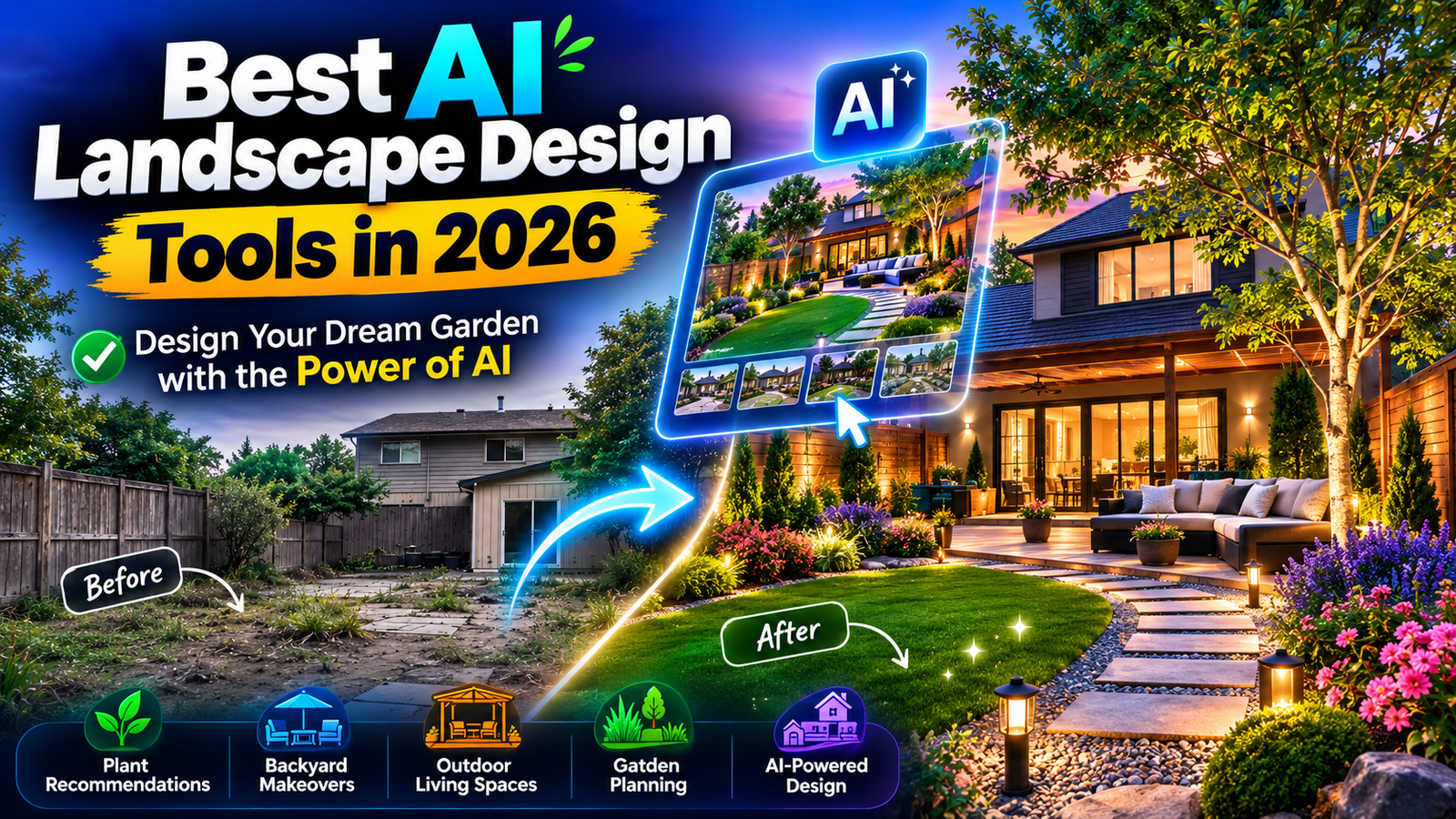
Instead of starting with a blank page, many of these tools let you upload a photo of your existing yard and generate one or more redesigned versions. Others combine AI with 2D editors, plant libraries, 3D visualization, or augmented reality.
But there is an important distinction:
An AI landscape render is a visualization, not automatically a construction plan.
A generated image may look realistic while still getting important details wrong, including plant suitability, mature plant size, drainage, dimensions, property boundaries, slopes, or construction requirements.
For that reason, this guide does not rank tools simply by how attractive their generated images look. Instead, we compare them based on the type of job they are designed to solve, the amount of control they provide, their planning features, and how useful they are for different types of users.
Important: Product features and pricing can change. The recommendations below are based primarily on capabilities documented by the companies and their current product information. They should not be interpreted as a claim that every tool was independently tested by the author.
Quick Comparison: Best AI Landscape Design Tools in 2026
| Tool | Best For | AI Redesign | 2D / 3D Tools | AR | Plant / Landscape Controls |
|---|---|---|---|---|---|
| Hadaa | Complete AI landscape workflow | Yes | Yes | Limited / not the main focus | Strong |
| Neighborbrite | Fast AI yard makeovers | Yes | Limited | No | Strong |
| DreamzAR | AI + AR landscape visualization | Yes | Yes | Yes | Strong |
| iScape | Designing directly over a real property photo | Some AI capabilities | Yes | Yes | Very strong |
| Remodel AI | Fast landscape concepts | Yes | Limited | No | Basic to moderate |
Our Picks
- Best Overall: Hadaa
- Best for Simple AI Yard Makeovers: Neighborbrite
- Best AI + AR Combination: DreamzAR
- Best for Real-Property Visualization and Control: iScape
- Best for Fast AI Concepts: Remodel AI
What Is AI Landscape Design?
AI landscape design uses artificial intelligence to help visualize or develop ideas for outdoor spaces.
The simplest tools work like an AI image editor:
Upload a yard photo → choose a style → generate a redesigned version.
More advanced platforms go further by allowing users to:
- modify specific areas
- add or remove landscape elements
- place plants and hardscape materials
- create 2D or 3D designs
- visualize designs with augmented reality
- generate multiple design alternatives
- create planting information
- prepare project documentation
The important point is that these capabilities are not identical across every product.
Some tools are primarily AI visualization apps, while others are closer to digital landscape design software.
That difference should influence which tool you choose.
How AI Landscape Design Tools Work
Although each platform has a different workflow, the basic process is usually straightforward.
1. Photograph Your Yard
Start with a clear photo of your backyard, front yard, garden, patio, or another outdoor space.
A wide, well-lit image generally gives an AI system more useful visual context than a dark or heavily obstructed photograph.
2. Upload the Image
The platform analyzes the photograph and identifies the existing visual structure of the space.
Depending on the tool, you may also be able to upload additional images, use an existing photo, or begin from a sketch.
3. Choose a Design Direction
You can usually choose a style such as:
- Modern
- Minimalist
- Mediterranean
- Japanese
- Cottage
- Tropical
- Desert
- Natural
- Contemporary
- Low-maintenance
Some platforms also let you describe the changes using natural language.
4. Generate Design Concepts
The AI creates one or more visual alternatives.
This is particularly useful during the early planning stage because you can compare several directions before deciding what you actually want.
5. Refine the Design
Depending on the platform, you may be able to change:
- Plants
- Trees
- Grass
- Paths
- Patios
- Furniture
- Fences
- Lighting
- Pools
- Fire pits
- Ground materials
- Other garden elements
6. Verify the Design Before Building
This is the step people should not skip.
Before purchasing expensive materials or plants, verify:
- actual dimensions
- sunlight exposure
- soil conditions
- drainage
- irrigation
- mature plant size
- local climate
- plant suitability
- property boundaries
- building requirements
- electrical and plumbing considerations
An attractive AI image should be treated as a design concept, unless the platform provides additional planning documentation that has been independently checked.
1. Hadaa — Best AI Landscape Design Tool Overall
Hadaa stands out because it attempts to connect AI visualization with additional landscape-planning information.
Its Garden Autopilot workflow is designed to generate multiple landscape views from uploaded yard photos. Hadaa currently describes a workflow that can produce 22 photorealistic renders, together with a planting guide, contractor-oriented blueprint, and bill of quantities.
That makes it different from a simple AI image generator.
What Hadaa Does
Hadaa can start from a yard photo and generate landscape concepts in different styles.
Its current product information also describes:
- AI yard redesign
- multiple design styles
- multiple viewpoints
- seasonal views
- text-based design changes
- plant recommendations
- zone-based plant information
- planting guides
- blueprint generation
- bills of quantities
- sketch and CAD-based workflows
The company also says its planting system checks recommendations against USDA hardiness-zone information.
Why Hadaa Is Our Overall Pick
The main reason is not simply image quality.
It is the breadth of the workflow.
A typical AI image generator answers:
“What could my backyard look like?”
Hadaa attempts to answer a broader set of questions:
“What could it look like, what plants could be used, and how could the project be documented?”
That makes it particularly interesting for homeowners who have moved beyond pure inspiration and are starting to plan an actual project.
Key Features
- AI landscape design
- Garden Autopilot
- Multiple landscape concepts
- Multiple viewpoints
- Seasonal visualization
- Plant recommendations
- Planting guide
- Blueprint generation
- Bill of quantities
- Photo-to-landscape design
- Sketch-to-3D workflows
- Text-based design modifications
Pros
- Goes beyond basic image generation
- Designed specifically around landscape projects
- Multiple views can help with visualization
- Includes additional planning-oriented outputs
- Useful for homeowners and landscaping professionals
- Can start from photographs or sketches
Cons
- AI-generated documentation still needs verification
- Accurate site measurements remain important
- Plant recommendations should not replace local horticultural advice
- More advanced workflows may be unnecessary for someone who only wants visual inspiration
Who Should Use Hadaa?
Hadaa is a strong choice for:
- Homeowners planning a significant yard renovation
- DIY landscaping projects
- People who want more than a single AI image
- Landscaping professionals creating concepts
- Users interested in combining visualization with planning information
Who Should Choose Something Else?
If your goal is simply:
“I want to upload my backyard and see a few different styles.”
You may not need a full planning-oriented workflow.
A simpler tool such as Neighborbrite or Remodel AI may be sufficient.
Our Take
Hadaa is the strongest choice in this list for users who want AI landscape visualization combined with additional project-planning information.
The important caveat is that “contractor-ready” or similar terminology should not be interpreted as a guarantee that an AI-generated plan satisfies every local engineering, permitting, construction, or horticultural requirement.
2. Neighborbrite — Best for Simple AI Yard Makeovers
Neighborbrite focuses heavily on making landscape visualization accessible to ordinary homeowners.
Its current website says users can upload a yard photo, select a garden style, and generate a new design. The company currently reports more than 800,000 registered users and more than 20 million generated designs.
What Neighborbrite Does
The basic workflow is simple:
- Upload a photograph.
- Choose a style.
- Generate a landscape concept.
- Explore different possibilities.
This makes Neighborbrite particularly appealing when the main goal is inspiration rather than technical planning.
Why We Recommend It
Neighborbrite is easy to understand.
You do not need to learn CAD software, create a detailed 3D model, or manually place every plant before you can see an idea.
That makes it useful for someone who is still asking:
“What style would actually look good in this yard?”
The platform also provides plant-related information and professional-oriented features, although the exact workflow depends on the product experience you use.
Key Features
- AI landscape redesign
- Photo-based yard visualization
- Multiple garden styles
- Plant-related recommendations
- Location-oriented plant information
- Landscape inspiration
- Professional landscaping workflows
Pros
- Simple workflow
- Good starting point for homeowners
- Fast visual experimentation
- Large design community
- Easy to use without specialist design software
Cons
- AI images are not construction drawings
- Generated designs may still require practical adjustments
- Detailed site planning is not the same as visual inspiration
- Advanced professional capabilities may require a different workflow
Who Should Use Neighborbrite?
It is a good fit for:
- Homeowners
- DIY gardeners
- People planning small or medium visual changes
- Anyone looking for landscaping inspiration
- Landscapers who need quick concept ideas
Who Should Choose Something Else?
Choose a more structured design platform if you need detailed placement, 3D visualization, extensive object libraries, or project documentation.
Our Take
Neighborbrite is one of the easiest starting points if your primary goal is to visualize a different yard style quickly.
Its strength is accessibility rather than technical landscape planning.
3. DreamzAR — Best AI + AR Landscape Design Tool
DreamzAR takes a different approach by combining AI landscape generation with traditional editing and augmented reality.
Its current product information describes three major components:
- AI landscape generation
- a 2D design editor
- 3D augmented-reality visualization
The platform also advertises a library of more than 2,000 plants and landscape elements.
What DreamzAR Does
You can begin with a photo of your yard and generate an AI landscape concept.
After that, you can continue refining the project using the platform’s editing tools.
DreamzAR also supports augmented reality, allowing users to visualize landscape elements at scale in their actual environment.
Why AR Matters
A normal landscape render can show you what a tree or patio might look like.
AR can answer a different question:
“How large does this actually feel when I see it in my own space?”
That can be particularly useful when thinking about:
- tree placement
- plant scale
- garden features
- pathways
- outdoor structures
- spatial relationships
However, AR visualization should still not be confused with professional surveying or construction documentation.
Key Features
- AI landscape generation
- Natural-language design refinement
- 2D editor
- 3D landscape visualization
- Augmented reality
- Large plant library
- Plant placement
- Hardscape elements
- Design sharing
- Area and perimeter tools
Pros
- Combines AI with manual editing
- AR can improve understanding of scale
- Large plant and landscape-element library
- Useful for experimenting with actual spaces
- Suitable for homeowners and landscape professionals
Cons
- More features can mean a steeper learning curve
- AR depends on compatible hardware and platform support
- Visualization does not guarantee construction accuracy
- Not necessary if you only want quick AI-generated images
Who Should Use DreamzAR?
DreamzAR is especially interesting for:
- Homeowners
- DIY gardeners
- Garden enthusiasts
- Landscape professionals
- Users who want AR visualization
- People who want both AI generation and manual control
Who Should Choose Something Else?
If you want the fastest possible AI makeover with minimal interaction, a simpler photo-to-design tool may be more convenient.
Our Take
DreamzAR is the strongest option in this list for people who specifically want AI combined with interactive landscape visualization and AR.
4. iScape — Best for Visualizing Your Actual Yard
iScape is different from AI-first landscape generators.
Rather than relying primarily on generative AI to invent a complete garden, it gives users tools to design directly over a photograph of the actual property.
The company says iScape has more than 4 million downloads and supports 2D and 3D augmented-reality landscape design. It also provides a large library of plants, materials, hardscape elements, and outdoor objects.
What iScape Does
The basic idea is:
Take a photo → add landscape elements → position and adjust them → visualize the result.
This approach can be valuable when you already know what you want to add.
For example, you might want to compare:
- a patio versus lawn
- different plants
- pavers
- outdoor furniture
- trees
- decorative materials
Instead of asking AI to invent the entire design, you can work more directly with the space.
Why We Recommend It
The major advantage is control.
Generative AI is excellent for exploring possibilities, but sometimes you do not want the system to redesign everything.
You may want to keep the existing:
- house
- fence
- patio
- trees
- walls
- driveway
and experiment only with the areas that need changing.
That is where iScape’s more controlled workflow can be useful.
Key Features
- Photo-based landscape design
- 2D design
- 3D visualization
- Augmented reality
- Plant library
- Hardscape library
- Material visualization
- Object placement
- Project sharing
- Professional proposal tools
Pros
- Strong control over individual elements
- Designed around real properties
- Large plant and material library
- 2D and 3D capabilities
- AR visualization
- Useful for professional landscape workflows
Cons
- More hands-on than simple AI generators
- Can take longer to learn
- Requires more user involvement
- Visualizations still do not replace accurate site measurements
Who Should Use iScape?
It is a good choice for:
- Homeowners
- Landscape contractors
- Designers
- DIY gardeners
- Users comparing actual materials and plants
- Professionals creating visual proposals
Who Should Choose Something Else?
If your priority is simply generating several AI concepts from one photo, a generative AI-first tool may be faster.
Our Take
iScape makes the most sense when control matters more than automation.
It is less about asking AI to invent an entire garden and more about helping you visualize what you want to put into the space you actually have.
5. Remodel AI — Best for Fast AI Landscape Concepts
Remodel AI is a broader home-design platform rather than a landscape-only product.
Its current product information includes landscape design alongside interior design, exterior design, virtual staging, object removal, and other home visualization tools. The company says its landscape functionality supports multiple garden styles and photo-based transformations.
What Remodel AI Does
The landscape workflow is designed around photo transformation.
You provide a photograph, select or describe the type of landscaping you want, and generate a new concept.
The platform also supports masking and more targeted landscape changes, allowing users to identify the area they want redesigned rather than necessarily replacing the entire image.
Why We Recommend It
Not everyone needs a dedicated landscape-planning platform.
Sometimes the goal is simply:
“Show me what this backyard could look like with a different landscape style.”
For that use case, a broader AI home-design platform can be convenient.
Key Features
- AI landscape redesign
- Photo-based transformations
- Landscape styles
- Custom prompts
- Masking
- Object replacement
- Outdoor-space visualization
- Broader home-design tools
Pros
- Simple workflow
- Fast visual concepts
- Beginner-friendly
- Useful for early-stage inspiration
- Landscape design is part of a broader home-design platform
Cons
- Less specialized than dedicated landscape platforms
- Limited technical planning
- AI can introduce unrealistic elements
- Not a replacement for construction drawings or professional site planning
Who Should Use Remodel AI?
It is useful for:
- Beginners
- Homeowners
- People exploring different landscape styles
- Early-stage renovation planning
- Users who also want interior and exterior home visualization
Who Should Choose Something Else?
If you need extensive plant information, detailed landscape planning, AR, or professional design documentation, a specialized tool may be a better fit.
Our Take
Remodel AI is best treated as a fast visualization and idea-generation tool rather than a complete landscape-planning system.
Which AI Landscape Design Tool Should You Choose?
There is no single best tool for every project.
Your choice should depend on what you actually need.
You Want the Most Complete AI Landscape Workflow
Choose Hadaa.
It is the strongest option in this comparison if you want AI visualization combined with plant information and additional project-oriented outputs.
You Want a Simple AI Yard Makeover
Choose Neighborbrite.
It is a strong starting point for homeowners who mainly want to see how their yard could look in different styles.
You Want AI + Augmented Reality
Choose DreamzAR.
Its combination of AI generation, 2D editing, and AR makes it particularly interesting for users who want to interact with their landscape concept.
You Want More Direct Control Over the Actual Property
Choose iScape.
It is better suited to users who want to place and manipulate individual landscape elements rather than simply accept a complete AI-generated redesign.
You Want Fast Visual Concepts
Choose Remodel AI.
It is useful when your main goal is quick experimentation rather than detailed landscape planning.
AI Landscape Design vs. Professional Landscaping
AI can dramatically improve the visualization stage of a landscape project.
It does not automatically replace the technical work required to build the project.
A real landscape may involve:
- Site measurements
- Soil conditions
- Drainage
- Irrigation
- Sun exposure
- Slope
- Climate
- Plant hardiness
- Mature plant dimensions
- Property boundaries
- Electrical systems
- Plumbing
- Structural considerations
- Local permits or regulations
A photograph also does not provide reliable measurements by itself.
For example, an AI render might show a beautiful large tree close to a house. The image may look perfectly realistic, but the mature tree could eventually interfere with structures, utilities, views, or other plants.
The same applies to patios, retaining walls, pools, drainage systems, electrical features, and other construction elements.
So the safest workflow is:
Use AI to explore → compare ideas → refine the concept → verify the details → build the final project properly.
For significant construction or landscaping work, involve an appropriately qualified local professional where necessary.
How to Get Better AI Landscape Designs
The quality of the input can have a major effect on the usefulness of the output.
1. Take a Clear Photo
Use good lighting and avoid photographs where most of the yard is hidden by objects.
2. Show as Much of the Space as Possible
A wider view gives the tool more context.
If the platform supports multiple photos, additional angles can help communicate the shape of the space.
3. Tell the AI What Must Stay
For example:
Keep the existing fence, mature tree, patio and driveway. Redesign only the lawn area.
This can produce a more useful concept than asking for a completely new garden.
4. Describe Your Climate and Location
If the tool supports location or hardiness information, provide it.
This matters particularly when you are asking for plant recommendations.
5. Explain Your Maintenance Preferences
Instead of simply saying:
Make it beautiful.
Try:
Create a low-maintenance garden using drought-tolerant plants and limited lawn.
The second instruction provides a much clearer design constraint.
6. Mention How You Use the Space
For example:
Create a family-friendly backyard with an outdoor dining area, shade, and enough open space for children.
Lifestyle requirements can be more useful than aesthetic instructions alone.
7. Generate Multiple Concepts
Do not automatically choose the first attractive render.
Compare different approaches such as:
- Modern
- Natural
- Mediterranean
- Japanese
- Cottage
- Low-maintenance
Then identify which elements actually work for your property.
Common Mistakes to Avoid
1. Trusting AI Plant Recommendations Without Checking Them
A plant can look perfect in a generated image and still be unsuitable for your climate, soil, sunlight, or maintenance conditions.
Use the AI suggestion as a starting point and verify the species before buying it.
2. Assuming the AI Knows Your Exact Dimensions
A photograph does not automatically provide accurate measurements.
If a project depends on precise distances, measure the property separately.
3. Treating an AI Render as a Construction Plan
A beautiful render is not automatically an engineering or construction document.
This is especially important for:
- retaining walls
- drainage
- electrical work
- irrigation
- pools
- structural structures
- major hardscaping
4. Ignoring Mature Plant Size
A young plant may look small in a visualization.
The mature plant may eventually be much larger.
Always check mature height and spread before planting.
5. Forgetting Drainage
AI can generate a visually attractive patio, lawn, or garden without understanding how water actually moves across your property.
Drainage needs to be considered in the real site.
6. Designing for Appearance Alone
A garden can look impressive while being difficult to maintain.
Consider:
- watering requirements
- pruning
- mowing
- seasonal cleanup
- shade
- plant growth
- accessibility
A simpler garden that fits your lifestyle may be better than a more impressive render.
What Makes a Good AI Landscape Design?
A good AI landscape design is not necessarily the one with the most plants or the most impressive image.
A useful concept should answer practical questions:
Does it fit the existing property?
The design should respect major structures and the shape of the available space.
Does it match the homeowner’s lifestyle?
A family backyard, rental property, entertaining space, and low-maintenance garden have different requirements.
Can the suggested plants realistically grow there?
Climate, sunlight, soil, water availability, and mature size matter.
Is the design maintainable?
A garden that requires significantly more work than the homeowner wants is not necessarily a good design.
Can the concept be translated into a real project?
This is where measurements, material availability, budget, drainage, local requirements, and professional input become important.
Are AI Landscape Design Tools Worth Using?
For many homeowners, yes—particularly during the idea and visualization stage.
The biggest advantage is not that AI eliminates the need for professional landscaping.
It is that AI makes experimentation much easier.
Instead of trying to imagine several different possibilities in your head, you can create visual concepts and compare them.
For example:
Modern → Mediterranean → Japanese → Natural → Low-maintenance
That can make conversations with family members, designers, or contractors much easier.
The important limitation is that the image is only one part of the process.
The closer you get to spending significant money, the more important real measurements and expert verification become.
Frequently Asked Questions
What is the best AI landscape design tool in 2026?
Hadaa is our overall pick for users who want a broad AI landscape workflow that combines visualization with additional planting and project-oriented information.
However, Neighborbrite may be better for simple inspiration, DreamzAR for AI plus AR, iScape for hands-on property visualization, and Remodel AI for quick concepts.
What is the easiest AI landscape design tool?
Neighborbrite is one of the easiest options for homeowners who simply want to upload a yard photo and explore different landscape styles.
Can AI design my entire backyard?
AI can generate a visual concept for an entire backyard, but that does not mean the resulting design is technically ready to build.
You should verify measurements, plant suitability, drainage, materials, and other site-specific requirements.
Can AI recommend plants for my yard?
Some specialized platforms provide plant recommendations or plant libraries.
However, recommendations should be verified against your actual climate, soil, sunlight, water availability, mature plant size, and local growing conditions.
Can AI landscape design replace a landscape architect?
Not reliably for complex projects.
AI is highly useful for visualization, inspiration, and communication, but professional landscape planning may require site analysis, measurements, technical drawings, engineering considerations, plant expertise, and knowledge of local requirements.
Can I use an AI landscape design for construction?
Usually, you should not rely on a generated image alone.
If a platform provides additional planning documents, treat them as supporting information and verify the relevant measurements, specifications, materials, and site conditions before construction.
Which tool is best for landscape professionals?
That depends on the workflow.
iScape can be useful for visual proposals and direct placement of landscape elements, DreamzAR combines AI with interactive visualization, and Hadaa focuses more heavily on AI-generated landscape concepts and project-oriented outputs.
Is AI landscape design free?
Some tools offer free access or free trials, while others use subscriptions, credits, or project-based pricing.
Because pricing changes frequently, check the provider’s current pricing page before making a purchase.
Final Verdict
| Rank | Tool | Best For | Our Verdict |
|---|---|---|---|
| 1 | Hadaa | Complete AI landscape workflow | Best Overall |
| 2 | Neighborbrite | AI yard makeovers | Best for Simple Visualization |
| 3 | DreamzAR | AI + AR | Best Interactive Option |
| 4 | iScape | Real-property visualization | Best for Control |
| 5 | Remodel AI | Fast concepts | Best for Quick Inspiration |
Our Overall Pick: Hadaa
Hadaa is our overall choice because it attempts to cover more of the journey from visual concept to project information than a basic AI image generator.
But that does not make it the right choice for everyone.
Choose Neighborbrite if you mainly want quick yard inspiration.
Choose DreamzAR if augmented reality and interactive visualization are important to you.
Choose iScape if you want more direct control over plants, materials, and placement in your actual property.
Choose Remodel AI if you want fast AI-generated landscape concepts as part of a broader home-design workflow.
The most important point is this:
The best AI landscape design tool is not necessarily the one that creates the prettiest image. It is the one that helps you make a better decision about your real outdoor space.
Use AI to explore possibilities. Then use measurements, horticultural knowledge, site conditions, and professional advice when the project moves from visualization to construction.