Best AI Avatar Generators in 2026: 5 AI Talking Avatar Tools Compared
AI avatar generators have changed the way businesses, educators, marketers, and content creators produce video.
Instead of hiring presenters, renting a studio, recording voiceovers, and spending hours editing footage, you can now create presenter-led videos from a written script. Modern platforms can generate digital presenters, synchronize speech with facial movements, translate videos into multiple languages, and create reusable avatars for recurring content.
But choosing an AI avatar generator is not as simple as picking the platform with the largest avatar library.
Some tools are better for corporate training. Others are designed for creators and marketing teams, while some are particularly useful for turning photos into talking characters or converting existing educational material into videos.
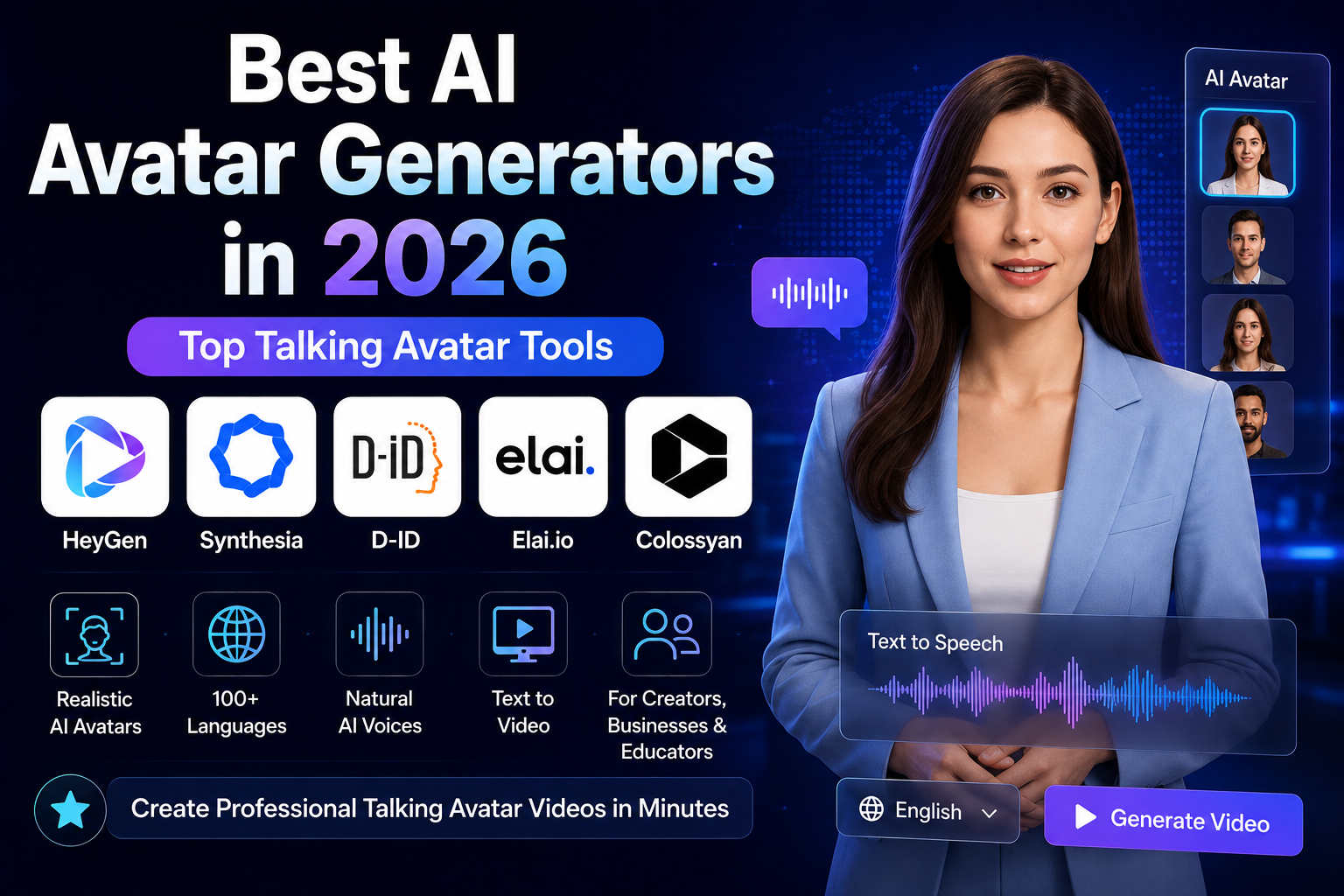
In this guide, we compare five of the leading AI avatar platforms in 2026:
- HeyGen — Best overall for creators and businesses
- Synthesia — Best for professional business and training videos
- D-ID — Best for talking photos and digital humans
- Elai.io — Best for education and document-to-video workflows
- Colossyan — Best for workplace training and collaborative video creation
We compare them by their current features, pricing, avatar capabilities, language support, customization options, and the types of users they are best suited for.
Last reviewed: August 2026
Method: Feature and pricing comparison based primarily on the platforms’ official documentation and pricing pages. Prices and feature limits can change, so check the provider’s website before purchasing.
Quick Comparison
| AI Avatar Generator | Best For | Free Option | Languages | Voice / Custom Avatar | Starting Paid Price* |
|---|---|---|---|---|---|
| HeyGen | Overall use, marketing & creators | Yes | 170+ | Yes | $29/month |
| Synthesia | Business & corporate training | Yes | 160+ | Yes | $29/month |
| D-ID | Talking photos & digital humans | Trial/options vary | 119+ | Yes | Varies |
| Elai.io | Education & courses | Yes | 75+ | Yes | $29/month |
| Colossyan | Workplace learning & training | Yes | 120+ | Yes | $27/month |
*Pricing shown is based on publicly available plans at the time of review and may change. Annual billing can reduce the effective monthly price.
1. HeyGen — Best Overall AI Avatar Generator
Best for: Creators, marketers, small businesses, sales teams, and companies that want a flexible AI video platform.
HeyGen is our top overall choice because it combines a relatively simple workflow with a broad set of AI video features.
The platform is designed around creating videos without a camera or production crew. Users can start with an AI avatar, script, voice, or other source material and produce presenter-led videos for marketing, training, sales, localization, and social media.
HeyGen currently says its platform supports video creation in 170+ languages and dialects. Its pricing page also lists a free plan with up to three videos per month and paid plans beginning at $29/month for the Creator tier.
Why HeyGen stands out
The main advantage is versatility.
A creator can use HeyGen for short-form content, while a business can use the same platform for product explainers, sales videos, training material, or localized content.
The current Free plan includes three videos per month with videos up to one minute. The Creator plan is listed at $29/month and includes longer videos, 1080p export, faster processing, and watermark removal. Pro starts at $49/month, while Business starts at $149/month.
Key features
- AI presenter videos
- 500+ stock video avatars listed on the current pricing page
- Photo avatars
- Custom video avatars
- AI voice features
- Multilingual video creation
- Video translation and localization
- 1080p and 4K export on applicable plans
- Team collaboration
- Brand customization
Pros
- Excellent all-around feature set
- Strong choice for both creators and businesses
- Free plan available
- Broad language support
- Multiple avatar formats
- Straightforward workflow
- Strong localization capabilities
Cons
- Advanced features require paid plans
- Higher-volume production can become expensive
- The large feature set can be more than a casual user needs
Pricing
HeyGen currently offers:
- Free: $0/month
- Creator: $29/month
- Pro: $49/month
- Business: $149/month
- Enterprise: Custom pricing
Annual billing can reduce the effective monthly cost.
Best for
Choose HeyGen if you want one platform that can handle:
- YouTube videos
- Social media content
- Marketing videos
- Sales presentations
- Training
- Product demonstrations
- Multilingual video campaigns
Our verdict
HeyGen is the best overall choice for most users.
Its biggest advantage isn’t one individual feature. It’s the combination of avatars, voices, localization, editing, and business-oriented video creation in one platform.
2. Synthesia — Best for Business and Corporate Training
Best for: Corporate training, employee onboarding, internal communication, e-learning, and professional presentations.
Synthesia takes a more business-focused approach than many creator-oriented AI video platforms.
Instead of positioning itself primarily as a social media video generator, Synthesia is built around professional video production for organizations. This makes it particularly useful for training departments, HR teams, sales organizations, and companies producing educational content at scale.
Synthesia currently advertises AI video creation in 160+ languages. Its current pricing structure includes a free Basic plan, Starter at $29/month, Creator at $89/month, and custom Enterprise pricing.
Why Synthesia stands out
The platform is particularly strong when consistency matters.
A company can create training videos using professional AI presenters and then update the script later without organizing another filming session.
That can be useful for:
- Employee onboarding
- Compliance training
- Product education
- Customer education
- Internal communications
- Sales enablement
Key features
- Professional AI presenters
- 160+ languages
- AI video assistant
- AI dubbing
- Custom/on-brand avatars
- Personal avatars on applicable plans
- Templates
- Collaboration
- Branded video pages
- Interactive video features on higher plans
Synthesia’s current plan comparison lists more than 125 avatars on Starter and more than 180 on Creator, with broader avatar access available on Enterprise.
Pros
- Excellent for professional business communication
- Strong multilingual workflow
- Good corporate training capabilities
- Structured video creation process
- Custom avatar options
- Enterprise features
Cons
- Creator pricing is considerably higher than entry-level plans
- More business-oriented than entertainment-focused
- Some advanced features are reserved for higher plans
Pricing
Current publicly listed pricing includes:
- Basic: Free
- Starter: $29/month
- Creator: $89/month
- Enterprise: Custom pricing
Annual billing lowers the effective monthly cost.
Best for
Synthesia is particularly suitable for:
- HR departments
- Corporate training
- Universities
- Enterprise communication
- Sales teams
- Customer education
- Employee onboarding
Our verdict
If your priority is professional business video production rather than social-media-first content, Synthesia is one of the strongest options available.
3. D-ID — Best for Talking Photos and Digital Humans
Best for: Talking photos, digital humans, personalized videos, and creative avatar experiences.
D-ID has a different identity from traditional AI presenter platforms.
Its Creative Reality Studio can turn images or avatars into talking digital characters and combine them with scripts, voices, and animation. The company describes the platform as an all-in-one environment for creating videos with moving and talking avatars.
This makes D-ID particularly interesting if you don’t simply want a traditional stock presenter.
What makes D-ID different?
The platform supports avatar creation from images and also offers personal-avatar workflows.
D-ID currently states that its Creative Reality Studio supports 119 languages, while its broader product information describes support for voice cloning and different avatar quality tiers.
Voice cloning is available on applicable paid plans, and D-ID requires users to provide consent when submitting a voice for cloning.
Key features
- Talking photo generation
- AI digital humans
- Personal avatars
- Voice cloning
- Multilingual video creation
- AI-generated presenters
- Video translation
- API access
- Business integrations
- Creative Reality Studio
Pros
- Strong talking-photo capabilities
- Flexible avatar creation
- Voice cloning available
- Useful for creative storytelling
- Suitable for business and creator workflows
- API options for developers
Cons
- Pricing depends heavily on the required workflow and plan
- Some advanced capabilities require paid tiers
- Users focused purely on corporate training may prefer Synthesia or Colossyan
Best for
D-ID is particularly useful for:
- Educational projects
- Historical storytelling
- Marketing campaigns
- Personalized videos
- Talking portraits
- Digital-human experiences
- Interactive business applications
Our verdict
Choose D-ID when the avatar itself is the creative centerpiece.
If your project starts with a photograph, custom digital character, or personalized digital human rather than a conventional corporate presenter, D-ID deserves serious consideration.
4. Elai.io — Best for Education and Online Courses
Best for: Educators, course creators, trainers, coaches, and organizations converting written material into video.
Elai.io focuses heavily on turning existing information into presenter-led educational videos.
This makes it especially interesting for people who already have written material such as presentations, lessons, documents, or scripts and want to transform that material into video.
Why Elai.io stands out
The platform offers AI avatars, voice and language options, and workflows designed for educational and training content.
Its current pricing page lists:
- Free: $0
- Creator: $29/month
- Team: $125/month
- Enterprise: Custom pricing
The Free plan includes one minute of video, 80+ avatars, and 75+ languages. The Creator plan includes up to 15 minutes per month and Full HD video, while the Team plan adds features such as 4K output, a selfie avatar, and voice cloning.
Key features
- AI presenters
- Text-to-video
- Educational video creation
- PowerPoint-based workflows
- Document-to-video capabilities
- Voice cloning on applicable plans
- Custom avatars
- Interactive learning features
- Team collaboration
Pros
- Strong education focus
- Simple video creation workflow
- Useful for course creators
- Free plan available
- Good multilingual support
- Document-based workflows
Cons
- Creator plan has a monthly video-minute limit
- Some advanced features require higher plans
- Not necessarily the best choice for highly cinematic content
Best for
Elai.io is a good fit for:
- Teachers
- Online course creators
- Universities
- Corporate trainers
- Coaches
- Consultants
- E-learning companies
Our verdict
Elai.io is one of the most interesting options for education-focused video production.
If your starting point is already a collection of written lessons, presentations, or training materials, its workflow can be more useful than choosing a platform based solely on avatar realism.
5. Colossyan — Best for Workplace Training
Best for: Employee training, learning and development teams, onboarding, and collaborative workplace video creation.
Colossyan is designed around video-based learning and workplace training.
The platform combines AI presenters with features such as interactive videos, course creation, collaboration, localization, and SCORM support.
Its current pricing page lists a free Starter option with 20 minutes per month using the NEO Standard model. The Professional plan is listed at $59/month when billed annually and includes 30 minutes with NEO plus 10 minutes with the NEO2 advanced model.
Why Colossyan stands out
Colossyan isn’t simply an avatar generator.
Its stronger selling point is the combination of AI video creation and learning workflows.
For example, a company can create training content, add interactive elements, collaborate with other team members, translate content, and use SCORM exports for learning-management workflows on applicable plans.
Key features
- AI presenters
- 300+ stock avatars
- 120+ languages and accents
- Custom avatars
- Voice cloning
- Interactive videos
- Quizzes and branching scenarios
- Course creation
- PPT/PDF import
- SCORM export
- Team collaboration
- Video analytics on applicable plans
Pros
- Excellent for workplace learning
- Strong collaboration features
- Interactive training capabilities
- Large avatar library
- Multilingual workflows
- SCORM support
Cons
- More focused on business learning than social content
- Advanced features require higher plans
- Casual creators may not need its full training feature set
Best for
Colossyan is particularly useful for:
- HR departments
- Learning and development teams
- Employee onboarding
- Corporate training
- Compliance education
- Customer education
- Sales enablement
Our verdict
Colossyan is one of the best choices when AI video is part of a larger employee-learning workflow.
If you only want to create short social media videos, another platform may be simpler. For structured workplace learning, however, Colossyan offers a strong combination of video and training functionality.
HeyGen vs. Synthesia vs. D-ID vs. Elai.io vs. Colossyan
The best platform depends more on your workflow than on the number of avatars advertised.
Choose HeyGen if:
You want the most flexible all-around platform for marketing, social media, business videos, and multilingual content.
Choose Synthesia if:
Your main goal is professional corporate communication, training, or enterprise video production.
Choose D-ID if:
You want to animate photographs, create digital humans, or build more personalized avatar experiences.
Choose Elai.io if:
You are an educator or course creator and want to turn existing educational material into video.
Choose Colossyan if:
You are creating structured employee training and want interactive learning and collaboration features.
How We Evaluated These AI Avatar Generators
Rather than ranking platforms only by the number of avatars they advertise, we used a broader set of criteria.
1. Avatar and presentation quality
We considered how each platform approaches AI presenters, custom avatars, facial animation, and digital-human creation.
2. Language and localization
Multilingual support is increasingly important for businesses producing the same content for different markets.
3. Customization
We looked at features such as custom avatars, voice cloning, branding, backgrounds, and presentation controls.
4. Workflow
A powerful avatar is less useful if creating a video requires a complicated process. Ease of scripting, editing, translating, and exporting therefore matters.
5. Pricing and limits
We compared publicly listed plans and considered what users actually receive at entry-level and professional tiers.
6. Intended audience
Finally, we considered whether each platform is primarily suited to creators, educators, marketers, businesses, or enterprise training teams.
Important: Pricing and feature availability change frequently. Our comparison reflects the providers’ publicly available information at the time of review rather than treating every advertised feature as permanently available on every plan.
How to Choose the Right AI Avatar Generator
Before paying for an AI avatar platform, answer one question:
What type of videos are you actually going to produce?
A creator making three short videos per week has very different requirements from a company translating hundreds of training videos.
For social media and marketing
Look for:
- Fast generation
- Flexible avatars
- Short-form templates
- Good voice quality
- Easy editing
- Vertical video support
- Translation and localization
HeyGen is a strong starting point for this type of workflow.
For corporate training
Prioritize:
- Professional presenters
- Branding
- Collaboration
- Translation
- Course support
- Analytics
- LMS/SCORM compatibility
Synthesia and Colossyan are particularly strong here.
For education
Look for:
- Presentation imports
- Document-to-video workflows
- Educational templates
- Quizzes
- Multiple presenters
- Multilingual narration
Elai.io and Colossyan are worth considering.
For talking photos
If your project starts with an image rather than a conventional AI presenter, D-ID is the more natural choice.
How to Create Better AI Avatar Videos
The quality of the final video depends on more than the avatar.
Write for speech, not for reading
A paragraph that looks good on a webpage may sound unnatural when spoken.
Use shorter sentences, conversational wording, and clear transitions.
Instead of writing:
“The implementation of artificial intelligence technologies enables organizations to significantly optimize their communication processes.”
A presenter could say:
“AI can help companies communicate faster and more efficiently.”
The second version is easier to understand and usually sounds more natural when spoken.
Match the presenter to the audience
A corporate training video and a TikTok-style product video should not necessarily use the same presenter.
Consider:
- Age and appearance
- Clothing
- Tone
- Background
- Speaking style
- Industry
Keep important information on screen
Don’t rely entirely on the presenter.
Use:
- Charts
- Product screenshots
- Key statistics
- Captions
- Diagrams
- Demonstrations
The avatar should support the information rather than replace it.
Review pronunciation before publishing
Always check names, technical terms, company names, numbers, and abbreviations.
A visually convincing avatar can still produce a poor video if the narration contains pronunciation errors.
Use captions
Captions make videos easier to follow and more accessible, particularly when viewers watch without sound.
Common Mistakes to Avoid
Choosing a tool based only on avatar realism
A realistic avatar is useful, but it isn’t necessarily the most important feature.
If you need SCORM exports, multilingual training, collaboration, or document-to-video workflows, those capabilities may matter more.
Ignoring video-minute limits
A low monthly subscription can look attractive until you realize that your planned production volume exceeds the included minutes.
Calculate your expected monthly output before choosing a plan.
Making every video look identical
AI makes it easy to create content at scale, but repetitive videos can become boring.
Change presenters, layouts, visuals, examples, and pacing when appropriate.
Writing overly long scripts
Long scripts can make AI-presenter videos feel monotonous.
Break large subjects into shorter videos or chapters when possible.
Publishing without human review
AI-generated content should still be reviewed before publication.
Check:
- Facts
- Pronunciation
- Timing
- Visuals
- Captions
- Brand information
- Links
- Claims
Are AI Avatar Generators Worth It?
For many businesses and creators, yes—but the value depends on production volume.
If you only need one video every few months, paying for a subscription may not make financial sense.
For organizations producing training, marketing, localization, or educational videos every week, the economics can be different.
The main benefit isn’t simply replacing a camera.
AI avatar platforms can make it easier to:
- Update videos
- Localize content
- Create multiple versions
- Maintain consistent branding
- Produce training material
- Reuse scripts
- Scale video production
The best platform is therefore the one that reduces the specific production bottleneck you currently have.
Frequently Asked Questions
What is an AI avatar generator?
An AI avatar generator is software that creates videos featuring digital presenters or characters. Depending on the platform, the avatar can speak from a written script, use a generated or cloned voice, and appear in different languages.
Are AI avatar generators free?
Some platforms offer free plans, while others provide free trials or limited free usage.
For example, HeyGen currently offers a free plan with three videos per month, Synthesia offers a free Basic plan, Elai.io offers a free plan with one minute of video, and Colossyan provides a free Starter option.
Free plans are useful for testing, but serious production often requires a paid subscription.
Which AI avatar generator is best overall?
For the broadest combination of creator and business use cases, HeyGen is our overall pick.
Its combination of avatars, multilingual video creation, voice features, editing, and business functionality makes it suitable for a wide range of workflows.
Which AI avatar generator is best for businesses?
Synthesia is an excellent choice for organizations focused on corporate training, onboarding, internal communication, and professional presentations.
Colossyan is another strong option when interactive learning and workplace training are central to the workflow.
Which AI avatar generator is best for talking photos?
D-ID is the strongest choice on this list for users whose projects revolve around talking photos and digital humans.
Its Creative Reality Studio combines avatar creation, face animation, scripts, voices, and multilingual video production.
Can AI avatars replace human presenters?
AI avatars can replace some types of presenter-led production, particularly repetitive training, explainer, localization, and informational videos.
However, they are not a universal replacement for human presenters.
Live events, interviews, emotionally sensitive communication, personal storytelling, and situations requiring genuine human interaction can still benefit from a real person.
Are AI avatar videos good for YouTube?
They can be.
The success of a YouTube video depends on the subject, script, visuals, pacing, thumbnail, title, audience, and overall usefulness—not simply whether the presenter is human or AI.
For educational or explainer channels, AI avatars can be a practical production option, but adding original research, demonstrations, screen recordings, and useful visuals can make the content substantially more valuable.
Final Verdict
AI avatar generators have moved beyond simple talking-head experiments.
In 2026, the strongest platforms are becoming broader video-production systems that combine digital presenters with voice generation, translation, branding, collaboration, and educational workflows.
Our picks are:
🏆 Best Overall: HeyGen
Best balance of flexibility, creator features, business use cases, and multilingual video production.
🏢 Best for Business: Synthesia
A strong choice for corporate training, professional presentations, and enterprise communication.
🖼️ Best for Talking Photos: D-ID
Particularly useful for digital humans, talking portraits, and personalized visual experiences.
🎓 Best for Education: Elai.io
Well suited to educators, trainers, and creators turning written material into video.
👥 Best for Workplace Training: Colossyan
A strong option for learning teams that need interactive videos, collaboration, localization, and training workflows.
The important lesson is that there is no single AI avatar generator that is best for everyone.
Before subscribing, define the type and volume of videos you plan to create, then compare the platform’s avatar quality, voice options, language support, customization, monthly video limits, export quality, and business features.
That approach will usually lead to a better decision than choosing a tool simply because it has the largest avatar library.
Sources and Official Documentation
The information above was checked against the providers’ official documentation and pricing pages:
- HeyGen pricing
- HeyGen platform overview
- Synthesia pricing
- Synthesia pricing documentation
- D-ID FAQ and product information
- D-ID AI product information
- Elai.io pricing
- Colossyan pricing
Editorial note
Prices, language counts, avatar libraries, and feature availability can change. Readers should verify the current plan details on the provider’s website before purchasing.
About our methodology
This comparison prioritizes information published by the AI platforms themselves. Rankings such as “Best Overall” and “Best for Education” are editorial judgments based on the documented feature set, target audience, workflow, pricing structure, and practical use case—not claims that one platform is objectively superior for every user.
Related Articles
Continue exploring our expert AI software guides: