
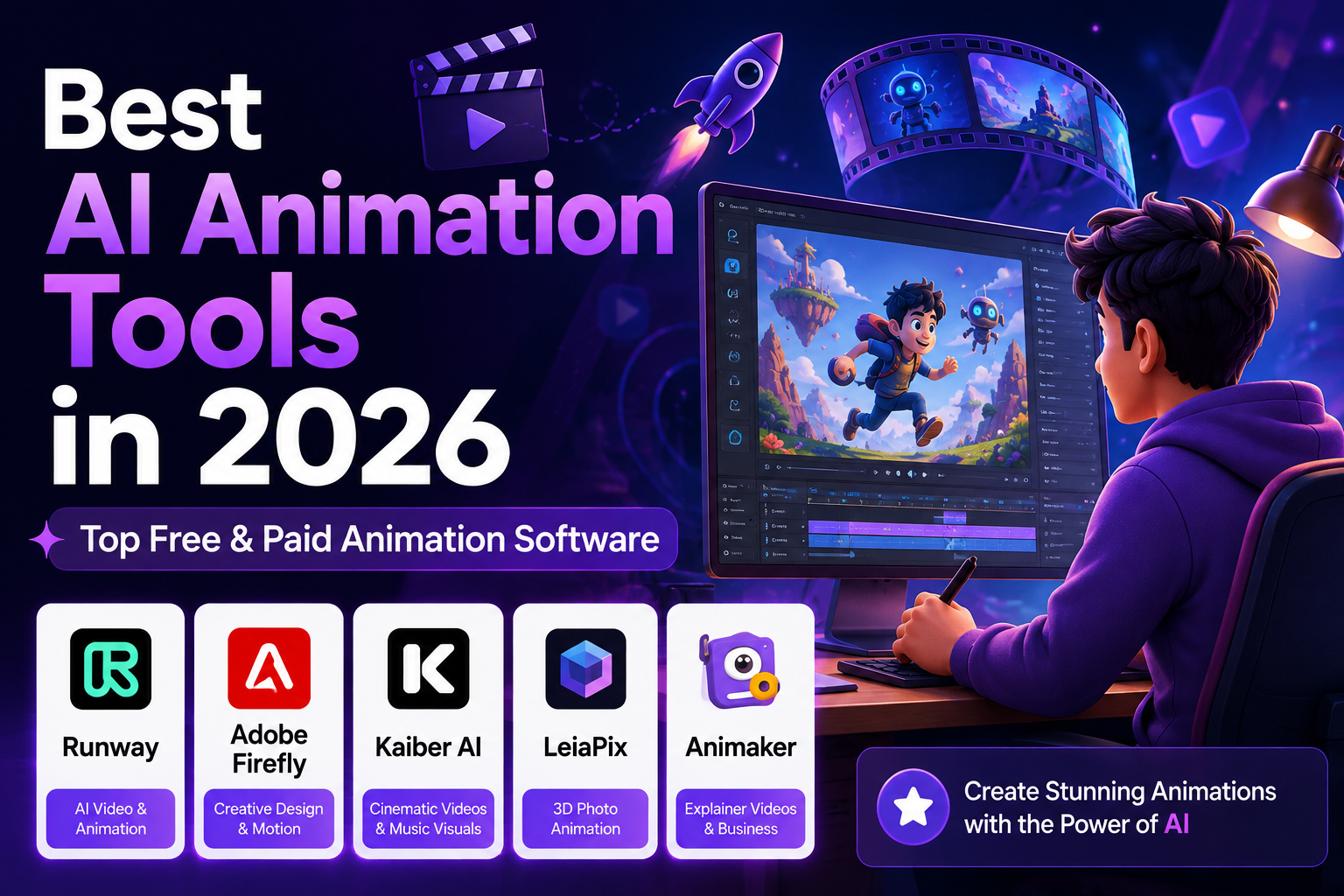
Best AI Animation Tools in 2026: 5 Tools Compared
| Updated September 10, 2026
AI animation has moved far beyond simple image effects. Today’s tools can generate video from text, animate still images, create characters and scenes, add motion to marketing assets, and turn scripts into complete animated videos.
But choosing an AI animation tool is not as simple as picking the platform with the most features.
A cinematic video generator is useful for a filmmaker, but it may be a poor choice for someone creating an explainer video. A business animation platform may be excellent for training content but unsuitable for realistic AI-generated scenes.
For this guide, we compared five AI animation tools across the factors that matter most in real-world use: animation capabilities, creative control, ease of use, workflow, pricing, and the type of content each platform is best suited to create.
Our shortlist includes Runway, Adobe Firefly, Kaiber, Animaker, and Kling AI.
Quick Comparison
| Tool | Best For | Main Strength | Free Option | Best For Beginners |
|---|---|---|---|---|
| Runway | AI video and cinematic animation | Advanced generative video workflow | Yes | Yes |
| Adobe Firefly | Creative professionals | Adobe integration and generative video | Yes | Yes |
| Kaiber | Music and artistic visuals | Creative video workflows | Trial available | Yes |
| Animaker | Explainer and business animation | Templates and 2D animation | Yes | Excellent |
| Kling AI | Generative video | Text/image-to-video generation | Availability varies | Yes |
Our overall pick: Runway
Best for Adobe users: Adobe Firefly
Best for business animation: Animaker
Best for artistic music visuals: Kaiber
Best for experimenting with generative video: Kling AI
1. Runway — Best Overall AI Animation Tool
Runway is our top choice for creators who want a broad AI video workflow rather than a traditional animation editor.
The platform combines generative video with creative tools that can be used to turn ideas, images, and prompts into short video sequences. Its plans are built around monthly generation credits, with higher tiers aimed at creators who need more production capacity.
What makes Runway particularly useful is its flexibility. You can use it for cinematic experiments, social-media clips, advertising concepts, product visuals, storytelling, and other forms of AI-generated video.
Why Runway Is Our Top Pick
The main advantage is not simply image quality. It is the combination of generation, experimentation, and creative workflow.
For example, a creator can start with an image, generate motion, test different visual directions, and then continue refining the result rather than treating AI generation as a one-click process.
Runway’s current Max plan is designed for high-volume creators and includes 9,500 monthly credits, access to the platform’s models, and one month of unused-credit rollover.
Key Features
- Text-to-video generation
- Image-to-video generation
- AI video creation and editing
- Generative visual effects
- Creative image tools
- Text-to-speech and custom voice features on supported plans
- Large monthly credit options for heavy users
- Web-based workflow
What We Like
- Broad range of AI video capabilities
- Strong option for cinematic experimentation
- Suitable for creators and professional workflows
- Multiple generation models and creative tools
- High-volume plans are available
What We Don’t Like
- Credits can be consumed quickly during experimentation
- Advanced production can become expensive
- Users need to understand the credit system
- AI-generated clips can still require human editing
Pricing
Runway currently offers a Free plan for trying the platform, while paid tiers provide more credits and production capacity. Its 2026 lineup includes Standard, Pro, and Max options, with Pro offering 2,250 monthly credits and Max offering 9,500.
Best For
Runway is a strong choice for:
- YouTube creators
- Filmmakers
- Social-media creators
- Advertising teams
- Creative agencies
- AI video experimentation
- Short-form video production
Our Verdict
Runway is the best overall choice if your priority is AI-generated video and creative flexibility.
It is particularly attractive for creators who want to experiment with multiple generation techniques rather than build conventional cartoon-style animations.
2. Adobe Firefly — Best for Creative Professionals
Adobe Firefly takes a different approach from dedicated AI video platforms.
Instead of focusing exclusively on standalone animation, Firefly is part of Adobe’s broader creative ecosystem. Its generative AI features can be used to create and edit images, video, audio, and other creative assets.
Adobe currently offers free daily generations as well as paid Firefly plans. The Firefly Standard plan is listed at $9.99/month, while Pro is $19.99/month; higher plans provide substantially more generative credits and video capacity.
Why We Picked Adobe Firefly
The biggest advantage is the connection between AI generation and an established professional creative workflow.
For someone already using Adobe products, Firefly can be more useful than a standalone AI animation generator because generated assets can fit into a broader design and video-production process.
Adobe also emphasizes commercial safety. The company says Firefly models are trained using content Adobe has permission or rights to use, including licensed and public-domain material, and that customer content is not used to train Firefly.
Key Features
- AI video generation
- Image generation
- Generative editing
- AI-assisted creative workflows
- Image-to-video capabilities
- Sound and audio generation
- Adobe Creative Cloud integration
- Content Credentials
- Commercially oriented workflows
What We Like
- Excellent fit for Adobe users
- Strong creative ecosystem
- Multiple types of generative content
- Clear focus on responsible commercial use
- Useful for marketing and design teams
What We Don’t Like
- Best experience often comes inside the Adobe ecosystem
- Generative credits can limit heavy usage
- It is not a replacement for a complete traditional animation application
- Advanced workflows may require additional Adobe software
Pricing
Firefly has a free option with limited daily generations.
Current paid plans include:
- Firefly Standard — $9.99/month
- Firefly Pro — $19.99/month
- Firefly Pro Plus — $49.99/month regular price
- Firefly Premium — $199.99/month regular price
Adobe notes that plan availability, promotions, and generation limits can change, so check the current plan page before subscribing.
Best For
- Graphic designers
- Marketing teams
- Video editors
- Adobe Creative Cloud users
- Agencies
- Brand teams
- Social-media creators
Our Verdict
Adobe Firefly is the strongest choice for creators who already work with Adobe tools or need AI generation as part of a broader professional creative workflow.
3. Kaiber — Best for Artistic and Music Visuals
Kaiber is more specialized than Runway or Firefly.
Its strongest use case is creative visual production: music visuals, stylized videos, experimental animation, and artistic content.
Kaiber’s current plans are structured around credits. Its Starter plan costs $10/month, Creator costs $29/month, and Pro costs $99/month when billed monthly. Annual pricing is lower.
Why We Picked Kaiber
Kaiber is useful when the goal is not necessarily photorealism.
For musicians, artists, and social-media creators, a distinctive visual style can be more valuable than trying to make every generated frame look like traditional live-action footage.
The platform also combines generation with editing and music-oriented features such as Beat Sync.
Key Features
- AI video generation
- Image and video-based creative workflows
- Canvas
- Video editing
- Beat Sync
- Auto-clipping
- Multiple generation models
- Creative visual styles
What We Like
- Strong artistic focus
- Useful for music-related content
- Simple creative workflow
- Good range of generation and editing features
- Commercial-use rights included on the Creator plan
What We Don’t Like
- Less suitable for traditional corporate animation
- Credit consumption needs to be monitored
- Not designed to replace a full professional video editor
- Best results depend heavily on the source material and prompt
Pricing
Current monthly plans include:
| Plan | Monthly Price | Credits |
|---|---|---|
| Starter | $10 | 500 |
| Creator | $29 | 1,500 |
| Pro | $99 | 5,000 |
| Visionary | Custom | Unlimited |
Kaiber says unused credits roll over from month to month, subject to its plan rules.
Best For
- Musicians
- Music-video creators
- Digital artists
- Social-media creators
- Experimental filmmakers
- Visual storytellers
Our Verdict
Choose Kaiber when visual style and artistic experimentation matter more than conventional business animation.
4. Animaker — Best for Explainer and Business Animation
Animaker is fundamentally different from Runway and Kaiber.
Rather than concentrating mainly on cinematic AI-generated footage, Animaker focuses heavily on 2D animation, explainer videos, presentations, training content, marketing videos, and business communication.
Its platform includes AI video generation, character creation, templates, AI voiceovers, subtitles, translation, and collaborative editing. Animaker says its platform includes more than 1,000 templates and supports 4K exports on applicable plans.
Why We Picked Animaker
Animaker makes sense for people who want structured animation rather than completely generated cinematic scenes.
For example, a company can create:
- Product explainers
- Training videos
- HR videos
- Educational animations
- Presentations
- Marketing videos
- Whiteboard animations
- Social-media videos
Its AI tools can generate scenes, characters, assets, voiceovers, and other elements from prompts.
Key Features
- AI text-to-animation
- 2D animation
- Character builder
- Explainer-video templates
- Whiteboard animation
- AI voiceovers
- Auto subtitles
- AI translation
- AI asset generation
- Collaboration
- Brand customization
What We Like
- Excellent for beginners
- Strong business use cases
- Large template library
- Character-based animation
- Useful AI voice and subtitle tools
- Structured editing workflow
What We Don’t Like
- Not designed primarily for cinematic AI video
- Premium features require paid plans
- Free exports have limitations
- Complex professional animation may require another tool
Pricing
Animaker has a free plan with limited functionality and watermarked exports.
Its current paid structure includes Starter, Pro, and Enterprise options. The published pricing page currently lists Starter at $45/month monthly or $25/month when billed annually, and Pro at $79/month monthly or $43/month annually.
Best For
- Small businesses
- Teachers
- Course creators
- HR departments
- Marketing teams
- Startups
- Corporate training
- Explainer videos
Our Verdict
Animaker is our recommendation for beginners and businesses that need structured 2D animation rather than cinematic AI video generation.
5. Kling AI — Best for Generative Video Experimentation
Kling AI has become another important option for creators interested in generative video.
Its platform includes image generation, video generation, motion control, and other AI creative tools.
The important distinction is that Kling is primarily a generative-media platform, rather than a traditional animation editor.
That makes it particularly interesting for creators who want to experiment with generated scenes, characters, camera movement, and image-to-video workflows.
Key Features
- AI video generation
- Image generation
- Image-to-video workflows
- Motion control
- Character-oriented generation
- Creative experimentation
What We Like
- Strong focus on generative video
- Useful for image-to-video experimentation
- Multiple AI creative capabilities
- Suitable for short-form content
What We Don’t Like
- Generation credits can become a limitation
- AI consistency still varies by scene
- Complex projects require external editing
- Pricing and availability can change as the platform evolves
Best For
- Short-form creators
- AI video enthusiasts
- Social-media content
- Visual experimentation
- Storyboarding and concept development
Our Verdict
Kling AI is worth considering if your main goal is experimenting with AI-generated video rather than building traditional 2D animations.
AI Animation Tools: Which One Should You Choose?
There is no single tool that is best for every type of animation.
Your choice should depend on what you are actually trying to produce.
| If you want to… | Start with… |
|---|---|
| Create cinematic AI video | Runway |
| Work inside Adobe’s ecosystem | Adobe Firefly |
| Create artistic music visuals | Kaiber |
| Make business/explainer animations | Animaker |
| Experiment with generative video | Kling AI |
For YouTube Creators
If your priority is cinematic short-form video, start with Runway or Kling AI.
If your channel uses cartoon characters, educational scenes, or explainer-style content, Animaker may be easier to manage.
For Businesses
Animaker is usually the better starting point for structured corporate content.
For companies already using Adobe Creative Cloud, Firefly may fit more naturally into the existing workflow.
For Musicians
Kaiber deserves special attention because of its music-oriented creative features and Beat Sync workflow.
For Professional Creators
Runway and Adobe Firefly are the strongest starting points when you need a broader creative workflow rather than a single animation effect.
How We Evaluated These AI Animation Tools
Rather than ranking tools only by how impressive their demos look, we considered five practical factors.
1. Animation and Video Quality
We considered how well each platform handles generated motion, visual consistency, camera movement, and overall output quality.
2. Creative Control
A good AI animation tool should give creators ways to influence the result instead of relying entirely on one prompt.
3. Ease of Use
A technically impressive tool is less useful if beginners cannot understand how to create and refine a project.
4. Workflow
We looked at whether the tool can fit into a real production process, including editing, exporting, voiceovers, subtitles, or integration with other creative software.
5. Pricing and Value
Instead of simply choosing the cheapest tool, we considered what users actually receive for the subscription price and how quickly generation credits can be consumed.
Important: AI tools change rapidly. Prices, available models, credits, and features can change without notice. Always verify the current pricing page before purchasing.
Tips for Getting Better Results From AI Animation Tools
Start With a Clear Shot Description
Instead of writing:
“A man walking in a city.”
Try describing the subject, environment, camera movement, lighting, and intended visual style.
For example:
“A young professional walking through a modern downtown street at sunset, slow tracking camera, warm cinematic lighting, realistic movement.”
The exact prompt structure varies between platforms, but giving the model more useful visual information generally gives you more control.
Generate Short Scenes
AI video generation works particularly well when projects are divided into manageable shots.
Instead of asking one model to create an entire five-minute video, create individual scenes and assemble them during editing.
Use Consistent Visual References
If a project contains recurring characters or locations, use reference images and consistent descriptions where the platform supports them.
This can reduce visual changes between shots.
Edit the AI Output
Do not publish every generated clip exactly as it comes out.
Add:
- Music
- Sound effects
- Captions
- Transitions
- Voiceover
- Color adjustments
- Branding
The difference between an AI-generated clip and a finished video often comes from the editing around it.
Common Mistakes to Avoid
Choosing Based Only on Demo Videos
A beautiful demo does not necessarily mean the tool fits your workflow.
Test the platform with the type of content you actually plan to create.
Ignoring Credit Consumption
Many AI video platforms use credits.
Generating multiple versions of the same scene can consume your monthly allowance quickly, so understand the credit system before committing to a subscription.
Expecting Perfect Character Consistency
AI-generated characters can change appearance, clothing, proportions, or details between shots.
For longer stories, test consistency before producing the entire project.
Using AI Without Editing
AI generation is only one part of production.
Adding narration, sound design, captions, pacing, and human editing can make the final video considerably more useful and watchable.
Using Copyrighted Material Without Checking Rights
AI tools do not automatically give you permission to use every image, character, song, logo, or reference you upload.
Check the platform’s terms and make sure you have the necessary rights for material used in your project.
Are AI Animation Tools Actually Worth It?
For many creators, yes—but their value depends on the task.
AI animation tools can reduce the amount of manual work involved in producing certain types of content. They are particularly useful for concept development, short-form videos, marketing assets, explainers, and visual experimentation.
However, they do not eliminate the need for creative decisions.
You still need to decide:
- What story you are telling
- Which shots you need
- What style fits your audience
- Whether the generated result is accurate
- How the final video should be edited
The best results usually come from treating AI as part of a production workflow rather than as a complete replacement for creative judgment.
Frequently Asked Questions
What are AI animation tools?
AI animation tools are software platforms that use artificial intelligence to generate or modify animated content. Depending on the platform, they can create video from text, animate images, generate characters, produce 2D scenes, or assist with editing.
Are AI animation tools free?
Many have free plans or free trials, but free versions often include limitations such as credits, watermarks, lower export limits, or restricted features.
For example, Runway, Adobe Firefly, and Animaker all offer ways to start without immediately purchasing a full paid subscription.
Which AI animation tool is best overall?
For a broad AI video workflow, Runway is our overall pick.
It offers a strong combination of generative video capabilities, creative tools, and production-oriented plans.
Which AI animation tool is best for beginners?
For traditional 2D animation and explainers, Animaker is one of the easiest choices.
Its templates, characters, AI-assisted generation, voiceovers, and drag-and-drop workflow make it accessible to users without professional animation experience.
Is Adobe Firefly good for animation?
Yes. Firefly now includes generative video capabilities in addition to image and other creative AI tools. Its biggest advantage is its integration with Adobe’s wider creative ecosystem.
Can AI replace professional animators?
AI can automate parts of animation production, but it does not eliminate the need for professional creative skills.
Storytelling, art direction, character design, editing, timing, consistency, and client requirements can still require substantial human input.
Are AI animation tools good for YouTube?
Yes. They can be useful for Shorts, educational videos, explainers, visual storytelling, thumbnails, intros, and other content.
However, AI-generated visuals alone do not guarantee audience retention. Strong storytelling, pacing, sound, editing, and original ideas remain important.
Final Verdict
The best AI animation tool depends on what you want to create.
Runway is our overall choice for creators who want powerful generative video capabilities and a flexible creative workflow.
Adobe Firefly is particularly attractive for designers and teams already working with Adobe products, especially when commercial-use considerations and integration matter.
Kaiber is a strong option for musicians and creators who want highly stylized visual content.
Animaker is the better choice for businesses, educators, and beginners who need structured 2D animation and explainer videos.
Kling AI is worth exploring for creators who want to experiment with generative video and image-to-video workflows.
The most important lesson is that you do not need the most expensive platform. Start with the tool that matches your actual production workflow, test it with a real project, and upgrade only when its limitations begin to affect your work.
Sources and further reading
- Runway: official plans and product documentation.
- Adobe Firefly: official video features and pricing.
- Adobe Firefly responsible AI information.
- Kaiber: official plans and pricing information.
- Animaker: official features and pricing.
- Kling AI: official platform information.
- Google AdSense: eligibility and content-quality guidance.
- Google Search Central: people-first content guidance.
Related Articles
Continue exploring our AI video software guides:
- Best AI Avatar Generators
- Best AI Text to Speech Tools
- Best AI Voice Generators
- Best AI Subtitle Generators
- Best AI Productivity Tools


One Comment