
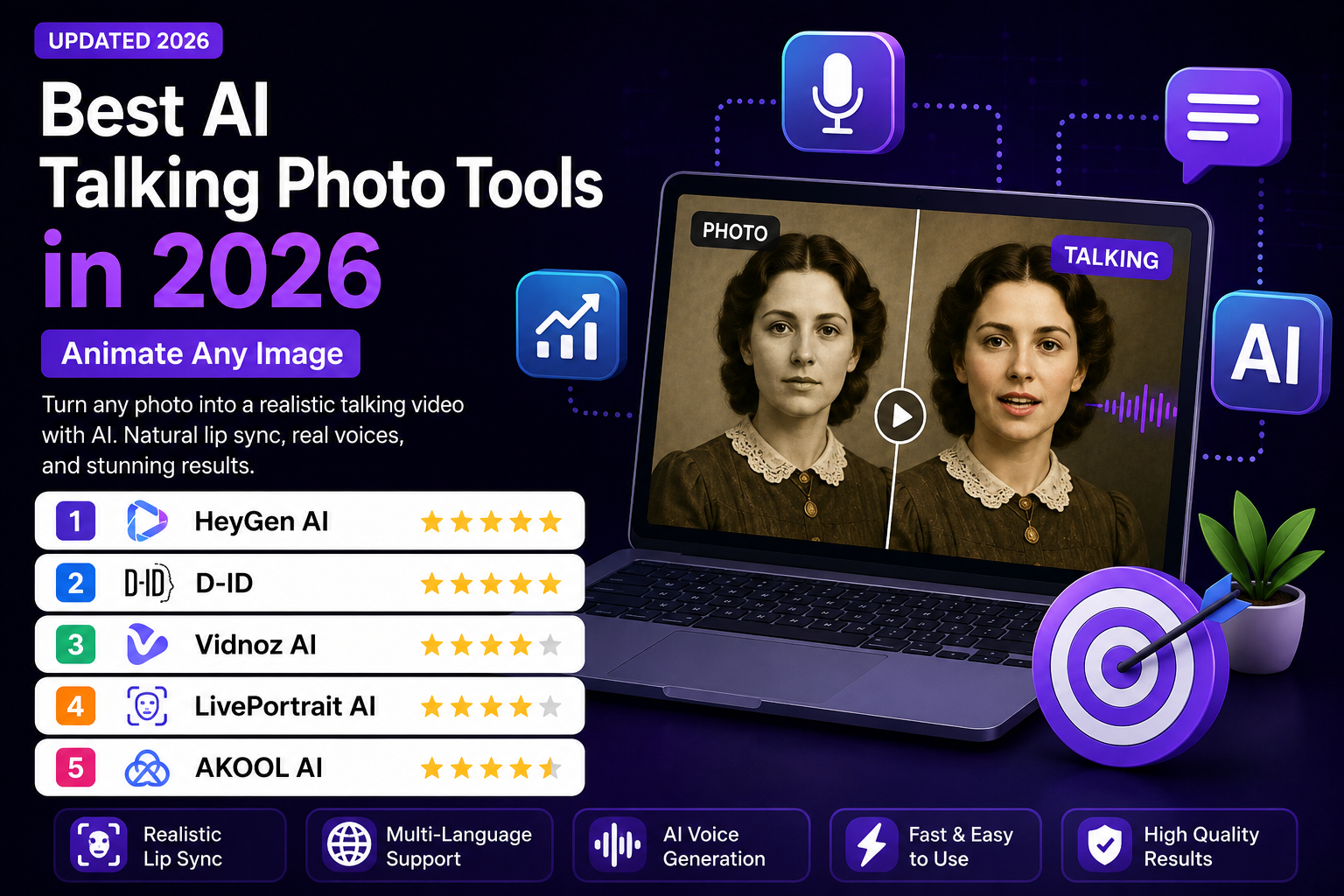
Best AI Talking Photo Tools in 2026: 5 Tools Compared
Turning a still portrait into a speaking video used to require animation software, video editing skills, and a lot of manual work. Today, AI talking photo tools can handle much of that process automatically.
You can upload a portrait, provide a script or voice, and generate a video with synchronized speech, facial movement, and—in some platforms—additional gestures or avatar animation.
The technology is useful for more than novelty videos. Businesses can use talking photos for presentations, training, product demonstrations, customer communication, and localized marketing. Creators can use them for YouTube videos, educational content, social media, and storytelling.
However, not every platform approaches the problem in the same way. Some focus on polished AI presenters, others specialize in animating existing portraits, while open-source projects such as LivePortrait give technically experienced users much more control.
In this guide, we compare five notable AI talking photo tools in 2026 and explain what each one is actually best suited for.
Editor’s note: This comparison focuses on current documented features, pricing information, workflow, and use cases. The recommendations are editorial picks rather than laboratory benchmark scores.
Quick Comparison
| Tool | Best For | Free Option | Main Strength |
|---|---|---|---|
| HeyGen | Overall talking photo videos | Yes | Polished avatars, photo animation and multilingual video |
| D-ID | Talking photos and digital humans | Trial available | Photo-based avatars and interactive video workflows |
| Vidnoz AI | Marketing and business content | Yes | Large template/avatar ecosystem |
| LivePortrait | Technical face animation | Open-source implementation | Motion transfer and portrait animation |
| AKOOL | Business localization | Free option | AI video localization and marketing workflows |
Pricing and plans can change. Check the provider’s current pricing page before purchasing.
1. HeyGen — Best Overall AI Talking Photo Tool
HeyGen is one of the strongest choices for creators and businesses that want a polished talking-photo or AI-avatar workflow without building the animation process themselves.
Its image-to-video tools can turn a photo into an animated presenter, while its broader platform includes AI voices, avatars, video translation, and other video-generation features.
The biggest advantage is workflow simplicity: users can start with a portrait, add a script and voice, and produce a finished video without traditional filming equipment.
HeyGen currently offers a free plan with up to three videos per month and videos up to one minute. Its Creator plan starts at $29/month and includes 600 credits, while Pro starts at $49/month with 1,000 credits and 4K export.
What makes HeyGen stand out?
- Photo-avatar generation
- AI-generated voices
- Voice cloning on supported plans
- Multilingual video creation
- Video translation
- Custom digital twins
- AI video generation
- 1080p and 4K export options depending on plan
- Credit-based generation system
HeyGen currently lists more than 175 languages and dialects on its Creator plan.
Pros
- Very easy for beginners
- Strong talking-avatar workflow
- Good choice for multilingual content
- Free plan available
- Professional export options
- Useful for both creators and businesses
Cons
- Heavy usage can become expensive
- Generation uses credits
- Some advanced features require higher plans
- It is primarily a cloud-based workflow
Pricing
Free: $0/month with up to 3 videos per month.
Creator: $29/month or $24/month with annual billing.
Pro: starts at $49/month.
Business: $149/month for the first seat, with additional seats available.
HeyGen’s official pricing page should be checked before publishing or purchasing because plans and credit allocations can change.
Best for
HeyGen is a strong choice for:
- YouTube creators
- Marketing teams
- Online educators
- Business presentations
- Social media content
- Sales videos
- Multilingual video production
2. D-ID — Best for Photo-Based Digital Humans
D-ID is particularly relevant if your main goal is to turn a portrait or digital character into a speaking presenter.
Its Studio workflow can combine an avatar or photo with a script, voice, and language to produce an avatar-led video. D-ID also offers API products for organizations that want to integrate AI video or digital humans into their own applications.
This makes D-ID more than a simple “make my photo talk” website. It can also serve as part of a larger digital-human workflow.
What makes D-ID useful?
- Talking-photo creation
- AI presenters
- Script-to-video workflows
- Multiple languages
- AI-generated presenters
- Voice features
- API access
- Digital-human applications
- Interactive AI experiences
D-ID’s current product ecosystem also includes Visual Agents, which combine a photorealistic digital face with an AI model and organization-specific knowledge.
Pros
- Strong focus on digital humans
- Good fit for photo-based presenters
- Browser-based workflow
- API options for developers
- Useful for education and business
- Can scale beyond simple talking photos
Cons
- Advanced features can become expensive
- Free/trial access is limited
- API products are better suited to organizations and developers
- Output quality can vary depending on the source image and generation settings
Pricing
D-ID’s current API pricing includes a $0 trial tier with limited video generation and a paid Build plan starting at $14.40/month when billed annually. Studio and API offerings should be checked separately because their limits and features differ.
Best for
D-ID is particularly useful for:
- Digital presenters
- Educational videos
- Corporate communication
- Interactive digital humans
- Developers
- Museums and storytelling projects
- Customer-facing AI experiences
3. Vidnoz AI — Best for Marketing and Business Videos
Vidnoz AI takes a broader approach than a dedicated talking-photo generator. The platform combines AI avatars, photo avatars, video templates, AI voices, text-to-video features, and other video creation tools.
That makes it useful for marketers and small businesses that want to produce several types of videos from one platform.
Vidnoz currently lists a free plan alongside paid plans and a large library of AI avatars and templates. Its current pricing page lists more than 1,800 AI avatars, thousands of templates, and hundreds of voices, although these numbers can change as the platform updates its catalog.
Key strengths
- AI talking photos
- Photo avatars
- AI presenters
- Text-to-video
- AI voices
- Video templates
- Automatic subtitles
- Marketing-oriented workflows
- Business video creation
Pros
- Free option available
- Beginner-friendly
- Broad video toolkit
- Large avatar and template ecosystem
- Useful for marketing teams
- Suitable for frequent content production
Cons
- Large feature set can feel overwhelming
- Some advanced features require paid plans
- Output quality can vary between avatars and generation modes
- Credit and usage limits need to be checked before large-scale production
Pricing
Vidnoz has a free plan, with paid options available for users who need higher limits, additional features, and higher-quality production. The provider’s current pricing page should be checked because promotional offers and plan limits can change.
Best for
Vidnoz is a good fit for:
- Small businesses
- Marketing teams
- Social media creators
- Sales teams
- Online educators
- Product demonstrations
- Training videos
4. LivePortrait — Best for Technical Portrait Animation
LivePortrait is different from the commercial platforms above.
Rather than being primarily a polished business video service, LivePortrait is an open-source portrait animation project from Kuaishou’s research team. Its official implementation focuses on efficient portrait animation, stitching, and retargeting control.
One of its most interesting capabilities is motion transfer: a source portrait can be animated using motion information from another video.
This gives technically experienced creators and developers much more flexibility than a standard drag-and-drop talking-avatar service.
What can LivePortrait do?
- Animate portraits
- Transfer facial motion
- Use driving videos
- Control facial movement
- Generate expressive portrait animation
- Run through open-source implementations
Pros
- Open-source implementation
- Powerful motion-transfer concept
- Interesting for developers and researchers
- More control than many simple web tools
- Can be run locally by technically capable users
Cons
- Less beginner-friendly
- Requires more technical knowledge
- Not a complete business video-production platform
- Setup can be more complicated
- Licensing must be checked carefully for commercial projects
The official repository is released under the MIT License, but the repository also notes that the included InsightFace models are for non-commercial research purposes unless the relevant detection models are replaced. Therefore, users should not assume that every component of a LivePortrait setup is automatically cleared for commercial use.
Best for
LivePortrait is best suited to:
- Developers
- AI researchers
- Technical creators
- Digital artists
- Experimental animation
- Local AI workflows
- Developers who want more control over portrait animation
5. AKOOL — Best for Business Localization and Marketing
AKOOL is aimed more heavily at business-oriented AI video production.
Its platform combines features such as AI avatars, face-related tools, video generation and localization, making it useful for companies producing content for different markets.
One of the main reasons to consider AKOOL is localization. Instead of producing separate videos manually for every language, businesses can use AI-powered workflows to adapt video content for different audiences.
AKOOL currently offers both free and premium access, with paid plans providing additional capabilities and higher limits.
Key features
- AI talking photos
- AI avatars
- Video translation
- Localization workflows
- Face-related AI tools
- AI voice features
- Marketing content creation
- Business-oriented workflows
Pros
- Strong business focus
- Useful for international campaigns
- Broad AI video toolkit
- Localization features
- Suitable for marketing teams
Cons
- Advanced features require paid access
- The platform covers many AI functions, which can increase complexity
- Exact usage limits depend on the selected plan
Pricing
AKOOL provides free and premium plans. Because its pricing and feature limits can change, check the official pricing page before making a purchasing decision.
Best for
AKOOL is particularly useful for:
- International marketing
- Marketing agencies
- E-commerce brands
- Sales teams
- Business presentations
- Training content
- Localized video campaigns
Which AI Talking Photo Tool Should You Choose?
There is no single best platform for every user.
Choose HeyGen if:
You want the easiest all-around solution for professional talking photos, AI avatars, multilingual videos, and business content.
Choose D-ID if:
Your priority is creating digital humans and turning portraits into speaking presenters.
Choose Vidnoz if:
You want a broader video-creation platform with a free option, templates, avatars, and marketing tools.
Choose LivePortrait if:
You are technically comfortable and want an open-source portrait-animation workflow with greater control.
Choose AKOOL if:
Your main goal is business video production, marketing, and localization for multiple markets.
What Makes a Good AI Talking Photo?
The quality of a talking-photo video depends on more than lip synchronization.
When comparing tools, look at five areas:
1. Lip Synchronization
The mouth should follow the spoken audio naturally without obvious delays or strange mouth shapes.
2. Facial Movement
Good systems should produce believable eye movement, expressions, and head motion instead of making the face appear frozen.
3. Voice Quality
Even excellent animation can look artificial if the voice sounds robotic or poorly matched to the presenter.
4. Source Image Quality
The starting portrait matters. A clear, front-facing image with good lighting generally gives an animation system more useful visual information.
5. Editing and Control
The ability to change the script, voice, background, timing, or presentation can be more useful than a small difference in facial realism.
How to Create a Better Talking Photo Video
A simple workflow can produce much better results than asking an AI platform to generate everything in one step.
Step 1: Choose the right portrait
Use a clear image with the face visible and enough resolution for the tool to process.
Step 2: Write a short script
Use conversational sentences rather than long, complicated paragraphs.
Step 3: Choose the voice carefully
Match the voice to the audience, topic, and personality of the presenter.
Step 4: Generate a short first version
Create a short test before producing a long video. This lets you identify pronunciation, facial-animation, or synchronization problems early.
Step 5: Review the output
Check:
- Lip synchronization
- Pronunciation
- Facial expressions
- Eye movement
- Head movement
- Voice pacing
- Background quality
Step 6: Edit the final video
Add captions, graphics, branding, B-roll, or transitions where appropriate.
Step 7: Check rights before publishing
If the photo belongs to someone else, make sure you have permission to use it. The same applies to cloned voices, branded characters, and other third-party material.
Common AI Talking Photo Mistakes
Using a Poor Source Image
A low-quality or badly framed portrait can make the generated animation less convincing.
Writing Scripts Like a Robot
Long sentences and unnatural wording can make even a good AI voice sound artificial.
Making Every Video Too Long
AI-generated presenters are often more effective when used for focused sections rather than forcing an entire long-form production into one continuous talking shot.
Ignoring Editing
AI generation is only one stage of production. Captions, B-roll, music, graphics, and cuts can make the final result considerably more useful.
Assuming AI Output Is Automatically Commercially Cleared
Commercial rights differ between platforms, plans, models, and third-party components. Always check the provider’s current terms before using generated material commercially.
Are AI Talking Photo Tools Good for YouTube?
They can be.
Talking-photo technology can be useful for:
- Educational explainers
- Historical storytelling
- Product presentations
- Tutorials
- News-style explainers
- Business videos
- Social media content
However, simply generating a talking portrait does not automatically make a video engaging.
For YouTube, the stronger approach is usually to combine the presenter with useful information, supporting visuals, captions, screenshots, B-roll, and good editing.
The AI presenter should support the content rather than become the entire content.
Can AI Talking Photos Replace Human Presenters?
For some simple production tasks, they can reduce the need for filming.
But they do not completely replace human presenters, actors, editors, or creative directors.
Human judgment is still important for:
- Storytelling
- Script quality
- Brand voice
- Emotional communication
- Fact checking
- Editing
- Visual direction
- Audience understanding
AI talking photos are best viewed as a production tool rather than a complete replacement for human creativity.
Frequently Asked Questions
What is an AI talking photo?
An AI talking photo is a video generated from a still image in which artificial intelligence creates facial movement and synchronized speech, making the person or character in the image appear to speak.
What is the best AI talking photo tool in 2026?
For most users, HeyGen is the strongest all-around choice because it combines photo avatars, AI voices, multilingual video capabilities, and a relatively simple workflow.
Are AI talking photo tools free?
Some platforms provide free plans, while others offer trials or limited free access. HeyGen, for example, currently provides a free plan with up to three videos per month. Vidnoz also offers a free plan.
Which tool is best for developers?
LivePortrait is particularly interesting for developers because its official implementation is open source and provides more technical control than typical browser-based avatar platforms. Commercial use requires careful review of the licenses of all included components.
Can I use an AI talking photo for business?
Yes, but commercial usage depends on the platform, plan, generated assets, and applicable rights. Before publishing commercial content, check the provider’s current terms and make sure you have permission to use the source photo, voice, trademarks, or other third-party material.
Can AI talking photos be used on YouTube?
Yes. They can be used for educational, marketing, storytelling, and explanatory videos. However, the value of the video still depends on the originality and usefulness of the content.
Final Verdict
AI talking photo technology has moved well beyond simple lip-sync experiments.
Today, creators can use AI to turn portraits into presenters, create multilingual videos, build digital humans, and experiment with automated video production.
HeyGen is our best overall choice for users who want a polished, beginner-friendly workflow. D-ID is particularly strong for photo-based digital humans and interactive applications. Vidnoz is a useful option for businesses that want a broad video toolkit and free access. LivePortrait is the most interesting choice for technically experienced users who want open-source portrait animation. AKOOL is worth considering for business marketing and localization workflows.
The right choice depends on what you actually need. If you want a simple professional workflow, start with a commercial avatar platform. If you want technical control, explore an open-source solution. And whichever tool you choose, treat AI generation as one part of the production process—not the entire creative process.
Pricing and features change frequently, so verify the provider’s current plan before purchasing.
Related Articles
Continue exploring our AI video software guides:

One Comment