Best AI Productivity Tools in 2026: 10 Apps Compared for Tasks, Scheduling, Meetings, and Workflows
Last updated: September 2026
AI productivity software has moved beyond simple chatbots and writing assistants. In 2026, productivity platforms can help organize projects, summarize meetings, plan calendars, find information, automate workflows, and turn conversations into actionable tasks.
But choosing the right tool is not as simple as picking the platform with the most AI features.
A scheduling assistant such as Motion or Reclaim solves a very different problem from a knowledge workspace such as Notion or Mem. Likewise, meeting assistants such as Otter and Fireflies are designed around conversations and transcripts rather than project management.
This guide compares 10 leading AI productivity tools in 2026 based on what each platform is primarily designed to do, where its AI features are most useful, its limitations, and its current pricing structure.
The goal is not to claim that one application is universally “the best.” Instead, this comparison helps you identify the tool that fits your actual workflow.
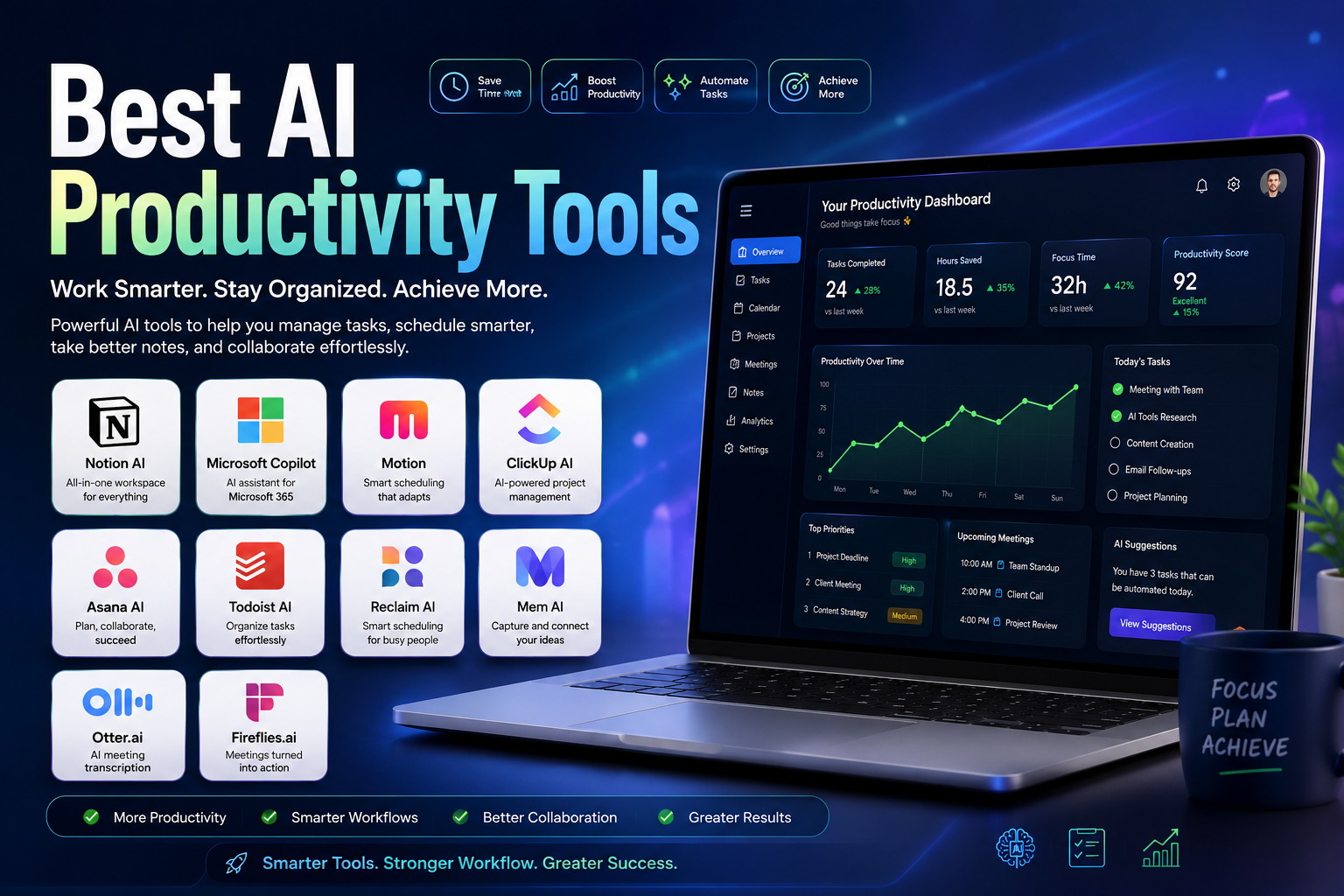
Quick answer: Notion is one of the most versatile choices for knowledge and workspace management, Microsoft 365 Copilot is particularly useful for organizations already using Microsoft 365, Motion and Reclaim are strong for AI-assisted scheduling, ClickUp and Asana are better suited to structured project management, Todoist is excellent for personal task management, Mem focuses on AI-powered personal knowledge, and Otter and Fireflies specialize in meetings.
Quick Comparison
| Tool | Primary Strength | Best For | Free Option | Main AI Use |
|---|---|---|---|---|
| Notion | Knowledge and workspace management | Individuals, creators, teams | Yes | Writing, search, notes, agents |
| Microsoft 365 Copilot | AI inside Microsoft 365 | Business users | Limited/trials vary | Documents, email, spreadsheets, meetings |
| Motion | AI scheduling and task planning | Busy professionals | Free trial | Calendar and task planning |
| ClickUp | Project and workflow management | Teams and agencies | Yes | Tasks, docs, automation, AI agents |
| Asana | Structured project management | Teams and organizations | Yes | Project insights and AI workflows |
| Todoist | Personal task management | Individuals and small teams | Yes | Task organization and natural-language input |
| Reclaim | Calendar optimization | Professionals and teams | Yes | Focus time, habits, meetings |
| Mem | Personal knowledge management | Researchers and knowledge workers | Yes | Notes, memory, search, tasks |
| Otter.ai | Meeting transcription | Meetings and interviews | Yes | Transcription and summaries |
| Fireflies.ai | Meeting intelligence | Sales and business teams | Yes | Transcripts, summaries, action items |
Important: AI productivity tools are not interchangeable. A meeting transcription platform will not replace a project-management system, and a task manager will not necessarily solve calendar overload.
What Are AI Productivity Tools?
AI productivity tools are software applications that use artificial intelligence to help people organize information, manage tasks, automate repetitive work, communicate more effectively, or make decisions faster.
Traditional productivity software generally requires users to manually create and organize everything. AI-enabled applications can increasingly interpret natural-language instructions, summarize information, identify tasks, suggest priorities, and connect information across a workspace.
Common applications include:
- Task and project management
- Calendar scheduling
- Meeting transcription
- AI-generated summaries
- Document creation
- Knowledge management
- Email assistance
- Workflow automation
- Information retrieval
- Research assistance
- Team collaboration
- Time management
The important distinction is that AI is becoming a layer inside productivity software, rather than a separate category of application.
For example, Asana uses AI within project workflows, Microsoft integrates Copilot throughout Microsoft 365, and Notion incorporates AI into its workspace. This means users can increasingly perform AI-assisted work without constantly switching between separate applications.
How We Evaluated These AI Productivity Tools
This comparison focuses on the practical problem each product is designed to solve rather than simply counting the number of AI features.
We considered:
- Primary productivity use case
- AI capabilities
- Task and project management
- Scheduling and calendar automation
- Meeting and note-taking capabilities
- Collaboration
- Integrations
- Free availability
- Pricing structure
- Ease of use
- Best-fit user
- Important limitations
Pricing and features can change frequently, so prices below should be treated as a September 2026 snapshot rather than permanent figures. Where companies use annual billing, per-seat pricing, AI credits, or separate AI add-ons, that distinction is noted.
This article is a product comparison based on publicly available product and pricing information. It does not claim first-hand testing of every platform.
Best AI Productivity Tools in 2026
1. Notion
Best for: Knowledge management, notes, documents, and flexible workspaces
Notion is one of the most flexible productivity platforms in this comparison. Rather than focusing on one specific productivity problem, it combines documents, databases, projects, notes, wikis, and collaboration in a single workspace.
Its AI capabilities extend that workspace by helping users work with information already stored in Notion and connected sources.
Notion’s current AI offering includes features such as Notion Agent, AI Meeting Notes, and Enterprise Search, while lower-tier workspaces can have limited trial access. Notion also offers AI-powered agents for more complex multi-step work on Business and Enterprise plans.
Why Notion stands out
Notion is particularly useful when your problem is not simply “I have too many tasks,” but rather:
“My information, notes, projects, documents, and knowledge are scattered everywhere.”
A well-organized Notion workspace can act as a central knowledge hub for a project or organization.
Best use cases
- Knowledge management
- Documentation
- Content planning
- Project organization
- Research notes
- Team wikis
- Personal organization
Advantages
- Highly flexible workspace
- Strong database and documentation features
- AI integrated into the workspace
- Useful for both individual and team workflows
- Strong knowledge-management capabilities
Limitations
- Highly flexible workspaces can require significant setup.
- Users looking only for a simple task manager may find Notion more powerful than necessary.
- AI availability depends on the plan and current AI usage model.
Pricing snapshot
Notion has a free plan. Plus is currently listed at $10 per member per month, while Business is $20 per member per month. Notion’s current documentation states that core AI capabilities are included with Business and Enterprise, while other plans receive limited AI trials.
Verdict: One of the best choices if you want one flexible workspace for information, documents, projects, and AI-assisted work.
2. Microsoft 365 Copilot
Best for: Professionals and organizations already using Microsoft 365
Microsoft 365 Copilot takes a different approach from standalone productivity apps. Instead of asking users to move their work into a new platform, it brings AI into applications such as Word, Excel, PowerPoint, Outlook, and Teams.
That makes it particularly relevant for businesses whose daily workflow already depends on Microsoft’s ecosystem.
Copilot can assist with document creation, spreadsheet analysis, email, presentations, meetings, and work-related information. Microsoft’s current business pricing page lists Microsoft 365 Copilot at $32 per user per month when paid yearly, with a monthly option also available.
Best use cases
- Business documents
- Email assistance
- Spreadsheet analysis
- Presentations
- Microsoft Teams workflows
- Enterprise productivity
Advantages
- Deep integration with Microsoft 365
- Works inside familiar applications
- Useful for organizations with existing Microsoft infrastructure
- Strong business-oriented ecosystem
Limitations
- The value is much higher if your organization already uses Microsoft 365.
- Pricing and licensing can be more complicated than a simple consumer productivity app.
- Users outside the Microsoft ecosystem may have less reason to choose it.
Pricing snapshot
Microsoft’s business pricing currently lists Microsoft 365 Copilot at $32/user/month with annual billing or $38.40/user/month with monthly billing for the listed business offering. Licensing can vary by Microsoft 365 setup and organization.
Verdict: A strong option for companies that already live inside Word, Excel, Outlook, PowerPoint, and Teams.
3. Motion
Best for: AI-powered scheduling and task planning
Motion focuses heavily on one of the biggest productivity problems: deciding when work should actually happen.
Instead of simply giving you a task list, Motion combines tasks, projects, meetings, calendars, and AI planning.
Its current Pro AI plan is listed at $19 per seat per month, while Business AI is $29 per seat per month on the pricing page. Both plans include AI-powered projects, tasks, calendar features, and planning tools.
Why Motion is different
Many task managers tell you what needs to be done.
Motion attempts to help answer:
“When should I do it?”
That distinction makes it particularly interesting for professionals with constantly changing schedules.
Best use cases
- Time blocking
- Task scheduling
- Calendar management
- Freelance work
- Entrepreneurship
- Busy professional schedules
Advantages
- AI-assisted scheduling
- Combines tasks and calendar
- Automatically adjusts planning around changing work
- Includes documents, notes, and collaboration features
Limitations
- It may be unnecessary if your schedule is already simple.
- Users who prefer manual calendar planning may find automated scheduling restrictive.
- Paid plans are more expensive than basic task managers.
Verdict: One of the strongest options for people whose biggest productivity problem is calendar overload.
4. ClickUp
Best for: Project management, team workflows, and AI-assisted work
ClickUp combines tasks, projects, documents, dashboards, collaboration, automation, and AI in one platform.
Its current AI offering has expanded beyond a basic writing assistant. ClickUp now offers AI capabilities such as AI chat, agents, AI notetaking, AI fields, automations, and AI-powered task assignment and prioritization.
Best use cases
- Project management
- Agencies
- Marketing teams
- Software teams
- Operations
- Complex workflows
Advantages
- Broad project-management functionality
- Large number of integrations
- AI embedded across tasks and documents
- Workflow automation
- Suitable for complex team operations
Limitations
- The large number of features can create a steeper learning curve.
- Pricing can become more complex when AI usage and credits are involved.
- Small teams may not need its full feature set.
Pricing snapshot
ClickUp currently lists a free plan and separate AI options. Its Brain AI plan is listed at $9 per user per month, while its Everything AI plan is listed at $28 per user per month on the current pricing page. AI usage can also involve Super Credits.
Verdict: A strong choice for teams that want project management and AI capabilities in the same environment.
5. Asana
Best for: Structured project management and team coordination
Asana is primarily a project-management platform, and its AI capabilities are built around that core.
Its current AI functionality includes smart summaries, smart status updates, AI-assisted project creation, smart fields, AI chat, risk reports, and AI-powered workflow creation.
This makes Asana particularly useful for teams that need visibility into projects rather than simply a personal task list.
Best use cases
- Project management
- Marketing teams
- Operations
- Cross-functional teams
- Large organizations
Advantages
- Clear project structure
- Strong team collaboration
- Advanced project views
- AI-powered summaries and workflow features
- Extensive integrations
Limitations
- More complex than a simple personal task manager.
- Some advanced functionality is aimed at teams and organizations.
- The platform can be excessive for users who only need a basic to-do list.
Pricing snapshot
Asana’s current Starter plan is listed at $10.99 per user per month when billed annually, or $13.49 monthly. Advanced is listed at $24.99 annually billed per user/month. AI functionality is integrated into the platform’s current plans and features.
Verdict: Excellent for teams that need structured projects, accountability, deadlines, and AI-assisted project intelligence.
6. Todoist
Best for: Personal productivity and straightforward task management
Todoist takes a simpler approach than ClickUp, Asana, or Notion.
Its strength is task management without requiring users to build an elaborate workspace.
Users can create tasks, organize projects, set reminders, use natural-language input, and connect their task system with other productivity services.
Todoist currently offers a free plan, while its Pro plan is listed at $5 per user per month when billed annually.
Best use cases
- Personal task management
- Students
- Freelancers
- Daily planning
- Simple project organization
Advantages
- Simple interface
- Easy task creation
- Strong cross-platform workflow
- Free plan available
- Lower complexity than enterprise project-management tools
Limitations
- Not designed to replace a full enterprise project-management system.
- Advanced AI and workflow requirements may be better served elsewhere.
- Users managing complex teams may need a more comprehensive platform.
Verdict: One of the better choices if you want productivity software that remains simple rather than turning your task list into a complicated project-management system.
7. Reclaim
Best for: Calendar automation and protecting focus time
Reclaim focuses on calendar optimization.
Its AI agents can manage focus time, habits, buffers, smart meetings, and meeting quality. The platform can also generate task recommendations from meeting action items.
This makes Reclaim especially useful for professionals whose calendars constantly change.
Best use cases
- Calendar management
- Focus time
- Recurring habits
- Meeting scheduling
- Remote work
- Time management
Advantages
- Strong calendar automation
- Focus-time protection
- Smart recurring events
- Meeting conflict management
- Integrations with popular productivity tools
Limitations
- Its core value is scheduling rather than general knowledge management.
- Users with simple calendars may not need advanced automation.
- Some advanced functionality is designed for teams.
Pricing snapshot
Reclaim currently offers a free plan. Its Starter plan is listed at $12 per seat per month, while Business is $18 per seat per month.
Verdict: A strong choice when calendar chaos—not task organization—is the main productivity problem.
8. Mem
Best for: AI-powered personal knowledge management
Mem is designed around the idea of an intelligent personal memory system.
Instead of forcing users to maintain a complicated folder hierarchy, Mem uses AI to help users capture information, find relevant notes, track tasks, and work with accumulated knowledge.
Its current free plan includes limited messages, notes, task/project tracking, and Voice Mode. Mem Plus starts at $9 per month, while Mem Pro is currently $29 per month.
Best use cases
- Research
- Writing
- Personal knowledge management
- Meeting notes
- Information retrieval
- Knowledge workers
Advantages
- AI-first note management
- Automatic task and project detection
- Voice capture
- Searchable personal knowledge
- Less dependence on traditional folder structures
Limitations
- It is more specialized than an all-purpose project-management platform.
- Teams looking for extensive project-management features may prefer Asana or ClickUp.
- Its value increases as you build a larger body of information inside it.
Verdict: Particularly interesting for people who accumulate large amounts of notes, research, ideas, and reference material.
9. Otter.ai
Best for: Meeting transcription and searchable conversations
Otter.ai specializes in turning spoken conversations into searchable digital information.
It can transcribe meetings, identify speakers, generate summaries, and help users search through conversations.
The current Basic plan is free and includes 300 monthly transcription minutes. Otter’s Pro plan is listed at $16.99 per user per month on monthly billing or a lower effective price with annual billing.
Best use cases
- Business meetings
- Interviews
- Classes
- Research
- Webinars
- Remote teams
Advantages
- Automatic transcription
- Speaker identification
- AI meeting summaries
- Searchable meeting history
- Mobile applications
Limitations
- It is primarily a meeting and transcription tool rather than a complete productivity suite.
- Transcription quality can vary with audio conditions, speakers, and language.
- Free usage has limits.
Verdict: One of the strongest options when the main productivity problem is converting meetings and conversations into useful information.
10. Fireflies.ai
Best for: Meeting intelligence, action items, and business conversations
Fireflies.ai is another meeting-focused platform, but it goes beyond transcription by adding business-oriented meeting intelligence.
It can record and transcribe meetings, generate summaries, extract action items, search conversations, and integrate with business workflows.
The current Free plan is available at no cost. Fireflies lists Pro at $10 per user per month when billed annually and Business at $19 per user per month annually, with monthly prices of $18 and $29 respectively.
Best use cases
- Sales teams
- Customer conversations
- Business meetings
- Project teams
- Meeting follow-up
- CRM workflows
Advantages
- Meeting transcription
- AI summaries
- Action-item extraction
- Meeting search
- Business integrations
- Conversation intelligence
Limitations
- Primarily focused on meetings rather than general productivity.
- Some advanced AI functionality can involve additional AI credits.
- Teams should review privacy and data-retention settings before connecting sensitive meetings.
Verdict: A strong option for organizations that want meetings to become searchable, actionable business data.
AI Productivity Tools by Use Case
Instead of asking which application is universally best, start with the productivity problem you want to solve.
| If You Need… | Consider |
|---|---|
| A flexible knowledge workspace | Notion |
| AI inside Word, Excel, Outlook, and Teams | Microsoft 365 Copilot |
| Automatic calendar planning | Motion |
| Complex project workflows | ClickUp |
| Structured team project management | Asana |
| A simple personal task manager | Todoist |
| Calendar optimization and focus time | Reclaim |
| AI-powered personal memory | Mem |
| Meeting transcription | Otter.ai |
| Meeting intelligence and action items | Fireflies.ai |
This approach is more useful than simply ranking tools from first to tenth because the platforms solve different problems.
AI Productivity Tools Pricing Comparison
Pricing is difficult to compare directly because some products charge per user, some include AI within higher-tier plans, and others sell AI capabilities separately.
The following is a current pricing snapshot based on official pricing pages:
| Tool | Free Option | Current Starting Reference |
|---|---|---|
| Notion | Yes | Plus $10/member/month; AI included primarily in Business/Enterprise |
| Microsoft 365 Copilot | Varies | Business Copilot $32/user/month annually |
| Motion | Free trial | Pro AI $19/seat/month |
| ClickUp | Yes | Brain AI $9/user/month |
| Asana | Yes | Starter $10.99/user/month annually |
| Todoist | Yes | Pro $5/user/month annually |
| Reclaim | Yes | Starter $12/seat/month |
| Mem | Yes | Plus $9/month |
| Otter.ai | Yes | Pro $16.99/user/month monthly |
| Fireflies.ai | Yes | Pro $10/user/month annually |
Sources: official product pricing pages for Notion, Microsoft, Motion, ClickUp, Asana, Todoist, Reclaim, Mem, Otter, and Fireflies.
Pricing note: Prices, plan names, AI limits, and billing structures can change. Always verify the official pricing page before purchasing.
Free vs. Paid AI Productivity Tools
A free plan can be enough if you only need basic task management, notes, or limited AI assistance.
However, paid plans become more valuable when you need:
- Higher AI usage limits
- Advanced automation
- Team administration
- More integrations
- Larger storage
- Advanced reporting
- Business security controls
- Meeting recordings
- AI agents
- Enterprise features
The important question is not whether a tool has a free plan.
Ask:
Does the free plan solve the specific productivity problem I have?
A free task manager may be better value than an expensive AI workspace if all you need is a reliable daily task list.
What Features Should You Look For?
The right features depend on your workflow, but several capabilities deserve attention.
1. AI Assistance
Look for AI that performs useful work rather than simply adding a chatbot to the interface.
Examples include:
- Summarizing information
- Finding relevant information
- Creating tasks
- Drafting documents
- Analyzing project data
- Prioritizing work
- Generating meeting summaries
2. Automation
Automation can be more valuable than AI writing.
Useful examples include:
- Automatically creating tasks
- Moving work between stages
- Scheduling recurring activities
- Generating meeting follow-ups
- Sending reminders
- Updating project information
3. Integrations
Your productivity system should connect to the applications you already use.
Depending on your workflow, useful integrations may include:
- Google Calendar
- Google Drive
- Microsoft 365
- Slack
- Zoom
- Google Meet
- CRM platforms
- Cloud storage
- Communication tools
4. Search and Knowledge Management
As the amount of digital information grows, finding information quickly becomes increasingly important.
AI-powered search can be particularly valuable for users who manage large collections of documents, notes, conversations, and projects.
5. Privacy and Security
Before putting sensitive business information into an AI productivity platform, review:
- Privacy policy
- Data retention
- AI training policies
- Encryption
- Access controls
- Two-factor authentication
- Compliance certifications
- Data export options
Do not assume that every AI application handles data in exactly the same way.
How to Choose the Right AI Productivity Tool
Step 1: Identify Your Biggest Productivity Problem
Start with the problem, not the software.
Is your biggest problem:
- Too many tasks?
- Too many meetings?
- Calendar overload?
- Disorganized notes?
- Poor project visibility?
- Repetitive administrative work?
- Difficulty finding information?
Your answer will immediately narrow the list.
Step 2: Choose One Primary System
Avoid adopting five different productivity platforms simultaneously.
For example:
- Use Notion as your knowledge hub.
- Use Todoist for personal tasks.
- Use Motion or Reclaim if scheduling is your main problem.
- Use Asana or ClickUp for structured team projects.
- Use Otter or Fireflies for meeting intelligence.
You can connect additional tools later if necessary.
Step 3: Test the Workflow, Not Just the Features
During a free trial, don’t simply click through the interface.
Try completing a real workflow.
For example:
- Create a project.
- Add tasks.
- Schedule deadlines.
- Connect your calendar.
- Hold a meeting.
- Generate a summary.
- Turn action items into tasks.
- Search for the information later.
A tool can have dozens of impressive features but still be a poor fit for your daily routine.
Step 4: Calculate the Real Cost
Do not look only at the advertised subscription price.
Consider:
- Number of users
- AI credits
- Storage
- Required add-ons
- Integrations
- Annual vs. monthly billing
- Migration costs
- Training time
A cheaper application is not necessarily cheaper if it creates additional work.
Practical AI Productivity Workflows
Workflow 1: Organizing a New Project
A useful AI-assisted project workflow can look like this:
Idea → Project → Tasks → Priorities → Schedule → Execution → Review
For example, instead of manually converting meeting notes into a project plan, an AI-enabled platform may help identify action items and organize them into tasks.
The human should still review deadlines, responsibilities, and priorities before execution.
Workflow 2: Meeting to Action Items
A meeting assistant can help transform:
Meeting → Transcript → Summary → Decisions → Action Items → Tasks
This is one of the clearest productivity applications of AI because it reduces the amount of manual administrative work after meetings.
Workflow 3: Weekly Planning
At the beginning of each week:
- Review unfinished tasks.
- Identify important deadlines.
- Remove low-value work.
- Protect time for important projects.
- Schedule meetings.
- Reserve focus periods.
- Review the plan at the end of the week.
Tools such as Motion and Reclaim are particularly relevant to the scheduling part of this workflow.
Common Mistakes When Using AI Productivity Tools
Using Too Many Apps
Adding more applications does not automatically create more productivity.
If tasks are in one application, notes in another, meetings in a third, and calendars somewhere else, you may spend more time maintaining the system.
Optimizing the System Instead of Doing the Work
Productivity software can become a distraction.
Spending hours redesigning dashboards, tags, folders, and workflows does not help if the important work remains unfinished.
Trusting AI Without Reviewing It
AI-generated summaries, schedules, task priorities, and documents can contain mistakes.
Review important information before acting on it.
Automating Everything
Automation should remove repetitive work, not eliminate human judgment.
Keep people involved when a task requires context, creativity, accountability, or an important decision.
Ignoring Privacy
Do not upload confidential information simply because a tool offers an AI feature.
Understand how your data is stored, processed, retained, and used before connecting sensitive information.
Are AI Productivity Tools Actually Worth It?
They can be—but only when they solve a real problem.
An AI productivity tool is valuable when it reduces work that you repeatedly perform or helps you make better use of limited time.
For example:
- A meeting assistant can eliminate manual note-taking.
- A scheduling assistant can reduce calendar management.
- An AI workspace can reduce time spent searching for information.
- A project-management platform can make responsibilities visible across a team.
- A task manager can reduce the mental effort of remembering everything.
However, AI does not automatically make an inefficient workflow efficient.
If your process is unclear, adding AI can simply make the inefficient process more complicated.
Pros and Cons of AI Productivity Tools
Advantages
- Reduce repetitive administrative work
- Speed up information processing
- Improve organization
- Automate scheduling
- Summarize meetings
- Turn conversations into tasks
- Improve project visibility
- Help users find information faster
- Support collaboration
- Reduce context switching in some workflows
Disadvantages
- Subscription costs can add up
- Some platforms have complex interfaces
- AI outputs can require verification
- Privacy considerations vary between providers
- Switching platforms can create migration costs
- Advanced features may require higher plans
- Too much automation can make workflows harder to understand
Frequently Asked Questions
What are AI productivity tools?
AI productivity tools are applications that use artificial intelligence to help users manage tasks, organize information, automate workflows, schedule work, summarize content, or collaborate more effectively.
What is the best AI productivity tool in 2026?
There is no single best tool for everyone.
Notion is a strong all-purpose workspace, Microsoft 365 Copilot is particularly useful for Microsoft users, Motion and Reclaim focus on scheduling, ClickUp and Asana are designed for project management, Todoist is excellent for personal tasks, and Otter and Fireflies focus on meetings.
Which AI productivity tool is best for beginners?
For simple personal task management, Todoist is a strong starting point because its core workflow is straightforward.
For users who want notes, documents, databases, and more flexibility, Notion is a better choice—but it may take longer to configure.
Which AI productivity tool is best for teams?
Asana, ClickUp, Microsoft 365 Copilot, and Notion can all work well for teams, but they serve different purposes.
Choose based on the workflow you need rather than the size of the feature list.
Which AI productivity tool is best for scheduling?
Motion and Reclaim are particularly focused on AI-assisted calendar planning and time management.
Motion combines scheduling with tasks and projects, while Reclaim is especially focused on optimizing calendar time, habits, focus periods, and meetings.
Which AI tool is best for meeting notes?
Otter.ai and Fireflies.ai are both strong options for transcription, summaries, and searchable meeting information.
Fireflies is particularly interesting for teams that want action items, integrations, and meeting intelligence, while Otter focuses heavily on transcription and meeting content.
Are AI productivity tools free?
Many offer free plans or trials, but free plans usually have limitations.
For example, Todoist, Reclaim, Mem, Otter, Fireflies, Notion, ClickUp, and Asana all provide some form of free access, although the included features and limits differ significantly.
Can AI replace a productivity system?
Not completely.
AI can automate parts of a productivity system, but users still need goals, priorities, judgment, and accountability.
The best results usually come from combining AI automation with a simple workflow that the user actually understands and maintains.
Are AI productivity tools safe?
Security varies by provider and plan.
Before storing sensitive information, review the provider’s privacy policy, security documentation, data-retention practices, access controls, and AI data-use policies.
Do not assume that two AI productivity platforms handle business data in exactly the same way.
Final Verdict: Which AI Productivity Tool Should You Choose?
The best AI productivity application depends on what is slowing you down.
If your main problem is scattered information, Notion is one of the strongest choices.
If your organization already relies heavily on Microsoft 365, Microsoft 365 Copilot can provide AI assistance directly inside the applications your team already uses.
If calendar management is consuming too much time, Motion or Reclaim may provide more value than a traditional task manager.
If you manage complex projects and teams, ClickUp or Asana are better suited to structured workflows.
If you want a simple personal task system, Todoist is a practical option.
If your work depends heavily on notes, research, and accumulated knowledge, Mem offers a more specialized AI-first approach.
For meetings, Otter.ai and Fireflies.ai can turn conversations into searchable transcripts, summaries, and action items.
The most important lesson is simple:
Don’t choose an AI productivity tool because it has the most AI features. Choose it because it solves a recurring problem in your workflow.
Start with one important bottleneck, test the tool using real work, and expand your productivity stack only when another application provides a clear benefit.
Related Articles
Expand your AI toolkit with these expert guides:
- Best AI SEO Tools
- Best AI Writing Tools
- Best AI Marketing Tools
- Best AI Video Tools
- Best AI Image Generator
- Best AI Email Subject Line Generator
These guides will help you discover the best AI software for content creation, digital marketing, SEO, and business growth.