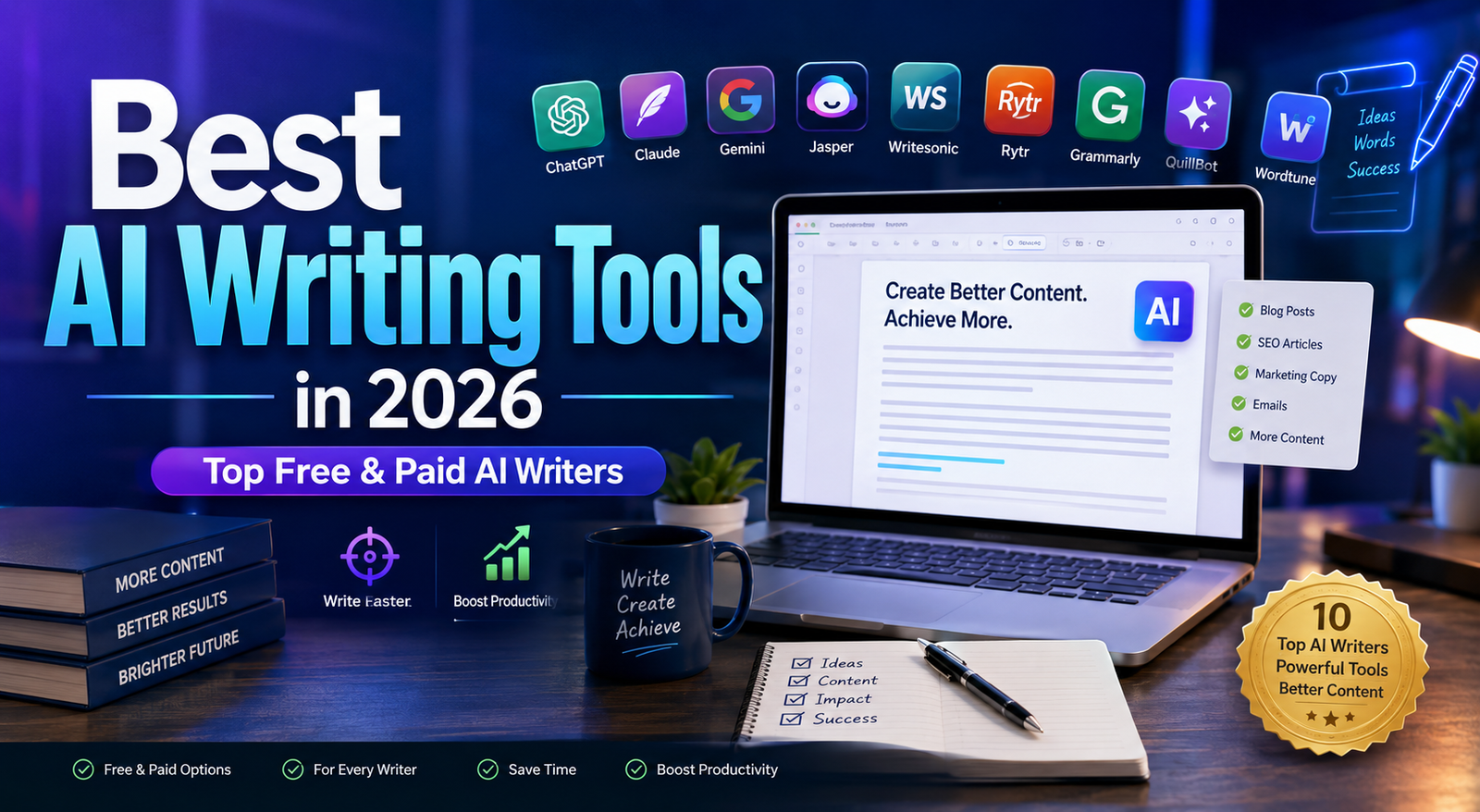
Best AI Writing Tools in 2026: 10 AI Writers Compared
Last updated: September 2026
AI writing tools have moved far beyond simple text generators. In 2026, they can help with everything from brainstorming and research to drafting, editing, rewriting, summarizing, storytelling, and marketing content.
But there is an important difference between generating text and producing useful content.
A good AI writing tool can save time and improve a writer’s workflow. It cannot automatically guarantee accurate information, original ideas, strong SEO performance, or content that deserves to rank in search results.
That is why choosing the right platform matters.
In this guide, we compare 10 of the best AI writing tools in 2026 based on what they are actually designed to do. Instead of treating every platform as an all-purpose writer, we look at where each tool fits best: long-form writing, marketing, editing, rewriting, research, SEO, or creative writing.
Quick Answer
If you want the shortest possible recommendation:
- Best overall: ChatGPT
- Best for long-form writing: Claude
- Best for Google ecosystem users: Gemini
- Best for marketing teams: Jasper
- Best for SEO and content workflows: Writesonic
- Best budget option: Rytr
- Best for editing and grammar: Grammarly
- Best for paraphrasing and rewriting: QuillBot
- Best for sentence-level rewriting: Wordtune
- Best for fiction writing: Sudowrite
There is no single AI writing tool that is best for every writer. Your ideal choice depends on the type of content you produce and how much control you want over the writing process.
What Are AI Writing Tools?
AI writing tools are software applications that use artificial intelligence to assist with written content.
Depending on the platform, they can help you:
- Generate drafts
- Brainstorm ideas
- Create outlines
- Rewrite existing text
- Correct grammar and spelling
- Improve sentence clarity
- Summarize documents
- Change tone and style
- Create marketing copy
- Write emails
- Develop stories
- Translate or adapt content
- Assist with SEO-related workflows
Some platforms are general-purpose AI assistants, while others are built around a specific job.
For example, ChatGPT and Claude are broad AI assistants that can handle many writing tasks. Grammarly focuses more heavily on editing and communication. Sudowrite is designed around fiction. Jasper is positioned toward marketing teams and brand content.
That distinction is important because a tool that is excellent for one workflow may be unnecessary for another.
How We Compared These AI Writing Tools
This is a category and workflow comparison, not a claim that every tool was tested under identical laboratory conditions.
We evaluated the platforms according to several practical questions:
- What type of writing is the tool designed to support?
- How useful is it for long-form content?
- Is it better for generation or editing?
- Does it provide specialized marketing or SEO features?
- Is it suitable for individuals or teams?
- Does it offer a free option or trial?
- What are its main limitations?
- Who is most likely to benefit from paying for it?
We also prioritize information from official product pages and documentation because AI tools change frequently. Features, usage limits, and pricing can change without notice.
1. ChatGPT — Best Overall AI Writing Tool
ChatGPT is one of the most versatile AI writing assistants available. Rather than focusing on a single type of writing, it can support the entire content workflow.
You can use it to brainstorm an article, create an outline, rewrite sections, summarize research, improve clarity, generate alternative headlines, draft emails, and review existing copy.
Its biggest advantage is flexibility.
For example, a blogger can use ChatGPT for research planning and drafting, while a marketing team can use it for campaign ideas, customer-facing copy, or content variations.
However, ChatGPT should not be treated as an automatic publishing machine. Generated information still needs to be checked, especially when an article contains statistics, product specifications, pricing, regulations, or other facts that can change.
Best for
- Bloggers
- Content marketers
- Freelancers
- Businesses
- Copywriters
- Researchers
- General-purpose writing
Main strengths
- Extremely flexible
- Useful for many writing formats
- Strong brainstorming capabilities
- Good at rewriting and editing
- Can adapt tone and structure
- Useful for both short and long-form work
Main limitation
Its flexibility can also be a weakness. You often need to provide clear instructions and your own editorial direction to get consistently strong results.
Best choice if…
You want one general-purpose AI assistant that can support many parts of your writing workflow.
2. Claude — Best for Long-Form and Detailed Writing
Claude is an AI assistant from Anthropic that is particularly well suited to long-form writing, document work, analysis, and detailed editing.
It can be useful when you need to work with large amounts of text or maintain consistency across a lengthy document.
For writers, this makes Claude particularly interesting for:
- Long articles
- Reports
- Documentation
- Research summaries
- Business documents
- Editing existing drafts
One of its biggest advantages is that it can help writers work through substantial amounts of material without reducing the task to a simple sentence-generation exercise.
Best for
- Long-form articles
- Reports
- Documentation
- Detailed editing
- Professional writing
Main strengths
- Strong long-form workflow
- Natural writing style
- Useful document analysis
- Good contextual understanding
Main limitation
Claude is not primarily a dedicated SEO platform. If your workflow requires specialized keyword research, content scoring, or search optimization, you may need another tool alongside it.
Best choice if…
Your priority is working with long documents and producing clear, detailed writing.
3. Google Gemini — Best for Google-Centered Workflows
Google Gemini is a general-purpose AI assistant that can help with writing, brainstorming, summarization, research, and productivity tasks.
Its biggest appeal is its connection to Google’s broader ecosystem.
For people already working heavily with Google products, Gemini can fit naturally into workflows involving documents, research, planning, and other productivity tasks, depending on the account and available features.
Best for
- Research assistance
- Business writing
- Productivity
- Google ecosystem users
- Brainstorming
Main strengths
- Broad AI capabilities
- Strong productivity orientation
- Useful for research and writing
- Multilingual support
Main limitation
Gemini is not a dedicated SEO content platform. If your primary goal is optimizing articles against a specific search strategy, a specialized SEO tool may provide more relevant features.
Best choice if…
You already work heavily inside the Google ecosystem and want AI assistance across writing and productivity tasks.
4. Jasper — Best for Marketing Teams
Jasper is designed with marketing teams and brand content in mind.
Instead of positioning itself simply as a general chatbot, Jasper focuses on marketing workflows, brand consistency, and content creation.
This can make it particularly useful for organizations producing large amounts of commercial content across different channels.
Potential use cases include:
- Blog content
- Advertising copy
- Landing pages
- Email marketing
- Social media
- Brand messaging
Jasper’s current pricing page lists a Pro plan at $69 per month when billed monthly or $59 per month when billed annually, with Business pricing available separately.
Best for
- Marketing teams
- Agencies
- Brand managers
- Businesses
- Professional marketers
Main strengths
- Marketing-focused workflows
- Brand voice capabilities
- Useful for teams
- Designed around commercial content
Main limitation
It can be difficult to justify the cost if you only need occasional writing assistance.
Best choice if…
You manage a marketing operation where consistency, brand voice, and repeatable workflows matter.
5. Writesonic — Best for SEO and Content Workflows
Writesonic has developed beyond being a basic AI article generator. Its current platform combines AI content creation with SEO and AI-search visibility features.
Its official pricing page currently lists a Starter plan at $79 per month when billed annually, including AI articles, site audits, and AI search visibility features. Pricing and included limits can change, so check the current plan before purchasing.
Writesonic can be useful for publishers and marketers who want more than a blank AI chat window.
Best for
- SEO-focused publishers
- Bloggers
- Content marketers
- Agencies
- Businesses working on search visibility
Main strengths
- Content and SEO workflows
- AI article generation
- Site-audit features
- AI search visibility tracking
- Marketing-oriented tools
Main limitation
A specialized content platform does not remove the need for editorial judgment. Automatically generated articles still need fact-checking, editing, and original value.
Best choice if…
Your main objective is building a repeatable content and SEO workflow rather than simply generating paragraphs.
6. Rytr — Best Budget-Friendly Option
Rytr focuses on practical AI-assisted writing for people who want a relatively simple writing platform without the complexity of larger marketing suites.
Its current pricing page lists a free plan, an Unlimited plan starting at $7.50 per month when billed annually, and a Premium plan starting at $24.16 per month when billed annually.
Rytr supports common writing tasks such as marketing copy, emails, social posts, ideas, and other short-form content.
Best for
- Beginners
- Freelancers
- Small businesses
- Budget-conscious users
- Short-form marketing content
Main strengths
- Accessible pricing
- Simple workflow
- Free option
- Multiple writing use cases
- Useful for everyday content
Main limitation
If you need advanced research, complex content workflows, or extensive long-form editing, a more capable general AI assistant may be a better fit.
Best choice if…
You want a simple and affordable writing assistant for everyday content.
7. Grammarly — Best for Editing and Writing Quality
Grammarly is best understood as an AI-powered writing and communication assistant rather than a traditional long-form article generator.
Its strength is what happens after you have written something.
Grammarly can help with grammar, spelling, tone, clarity, rewriting, and other aspects of communication.
The current Grammarly site lists a free plan and a Pro plan at $12 per member per month when billed annually or $30 monthly.
Best for
- Editing
- Business communication
- Emails
- Professional writing
- Grammar improvement
Main strengths
- Strong grammar assistance
- Writing suggestions
- Tone adjustment
- Sentence rewriting
- Useful across different writing environments
Main limitation
It is not the best choice if your primary requirement is generating a complete research-heavy article from scratch.
Best choice if…
You already write your own content and want an AI assistant that helps polish and improve it.
8. QuillBot — Best for Rewriting and Paraphrasing
QuillBot is especially useful for rewriting and refining existing text.
Its tools include paraphrasing, grammar checking, summarization, translation, citation-related tools, and other writing features.
The free version has usage limits, while Premium provides broader access. QuillBot’s current pricing can vary by billing cycle and region; its official pages currently show different promotional and plan prices, so users should check the live pricing page before subscribing.
Best for
- Rewriting
- Paraphrasing
- Editing
- Summarization
- Improving existing drafts
Main strengths
- Strong paraphrasing tools
- Grammar assistance
- Multiple rewriting modes
- Summarization
- Useful for editing existing text
Main limitation
Paraphrasing is not a substitute for original research or original ideas.
If you simply rewrite another website’s article with AI and publish it, you have not necessarily created valuable original content.
Best choice if…
You already have a draft and need help improving clarity, wording, or structure.
9. Wordtune — Best for Sentence-Level Rewriting
Wordtune focuses heavily on rewriting and improving written communication.
It can be particularly useful when a sentence is technically correct but sounds awkward, overly complicated, or unnatural.
The current free Basic plan includes limited daily rewriting and AI suggestions, while paid plans provide higher usage limits. Wordtune currently lists Advanced at $6.99 per month when billed annually and Unlimited at $9.99 per month when billed annually.
Best for
- Sentence rewriting
- Emails
- Business writing
- Editing
- Improving clarity
Main strengths
- Easy rewriting
- Grammar correction
- Clarity improvements
- Vocabulary suggestions
- Useful for professional communication
Main limitation
Wordtune is more specialized than general-purpose AI assistants, so it is not necessarily the best tool for building a complete article from an empty page.
Best choice if…
You frequently think, “I know what I want to say, but I want to say it better.”
10. Sudowrite — Best for Fiction Writers
Sudowrite is different from most tools on this list because it is built specifically around creative writing.
It focuses on helping authors brainstorm, overcome writer’s block, expand scenes, and develop longer fictional works.
Sudowrite currently offers plans based on monthly credit allowances. Its documentation lists Hobby & Student at $10/month when billed annually or $19/month monthly, Professional at $22 annually or $29 monthly, and Max at $44 annually or $59 monthly.
Best for
- Novelists
- Fiction writers
- Screenwriters
- Story development
- Creative writing
Main strengths
- Fiction-focused workflow
- Brainstorming
- Story development
- Long-form creative writing
- Writer’s block assistance
Main limitation
It is not designed primarily for SEO articles, business copy, or technical documentation.
Best choice if…
Your main goal is writing stories rather than marketing or informational content.
AI Writing Tools Compared by Use Case
Instead of asking which tool is “number one,” it is more useful to ask which tool fits your workflow.
| Writing goal | Recommended tool |
|---|---|
| General-purpose writing | ChatGPT |
| Long-form documents | Claude |
| Google-centered productivity | Gemini |
| Marketing teams | Jasper |
| SEO/content workflows | Writesonic |
| Affordable everyday writing | Rytr |
| Grammar and editing | Grammarly |
| Paraphrasing | QuillBot |
| Sentence rewriting | Wordtune |
| Fiction | Sudowrite |
This approach is more useful than simply ranking every tool from first to tenth because the tools solve different problems.
Which AI Writing Tool Should You Choose?
Choose ChatGPT if you need versatility
Choose ChatGPT if you want one platform that can assist with brainstorming, drafting, editing, research planning, summarization, and many other writing tasks.
It is the strongest starting point for users who do not want a highly specialized platform.
Choose Claude if you work with long documents
Claude is a strong option when your workflow involves lengthy documents, detailed analysis, or long-form writing.
Choose Gemini if you use Google’s ecosystem
Gemini makes the most sense for users whose daily workflow already revolves around Google’s productivity ecosystem.
Choose Jasper if you run marketing campaigns
Jasper becomes more attractive when you need structured marketing workflows, brand consistency, and content production across a team.
Choose Writesonic if SEO is central to your workflow
Writesonic is worth considering if you want content creation combined with SEO and AI-search visibility features.
Choose Grammarly if you already write your own content
If you do most of the writing yourself, Grammarly may provide more value than another article generator because its primary strength is improving the writing you already have.
Choose QuillBot or Wordtune for rewriting
Both are useful when the problem is not “What should I write?” but rather “How can I express this better?”
Choose Sudowrite for fiction
If you write novels, stories, or screenplays, a fiction-focused tool is more relevant than a marketing-oriented AI writer.
Do You Actually Need an AI Writing Tool?
Not necessarily.
This is one of the most important points that many AI-tool comparison articles overlook.
If you only write a few emails each week, paying for a specialized AI writing platform may not make financial sense.
A general AI assistant or free writing tool may be enough.
On the other hand, if you publish dozens of articles, manage marketing campaigns, write for several brands, or process large amounts of text every week, a specialized platform can save significant time.
The question should therefore be:
What part of my writing process is taking too much time?
If the answer is brainstorming, use an ideation-focused workflow.
If it is editing, use an editing tool.
If it is SEO research, use an SEO platform.
If it is repetitive marketing production, consider a marketing-focused platform.
This is usually a better way to choose software than simply buying the tool with the longest feature list.
Free vs. Paid AI Writing Tools
Many AI writing platforms offer some form of free access, but “free” does not always mean that you get the same capabilities as a paid subscriber.
Free plans may include:
- Usage limits
- Fewer AI generations
- Limited rewriting
- Restricted models
- Lower quotas
- Fewer advanced features
Paid plans may provide:
- Higher usage limits
- More capable models
- Advanced editing
- Team features
- Brand controls
- Specialized workflows
- More automation
For example, Rytr currently offers a free plan with a monthly character allowance, while Grammarly and Wordtune also provide free tiers with defined usage limits.
The best strategy is to test the free version when available and determine whether it solves your actual problem before paying.
How to Use AI for Better Writing
The biggest mistake is asking an AI tool to “write everything” and publishing the result without review.
A better workflow looks like this:
Step 1: Define the reader
Before generating anything, decide who the content is for.
For example:
Beginner bloggers who want to choose an AI writing tool without wasting money.
This produces a more focused article than:
Write an article about AI writing tools.
Step 2: Define the purpose
Decide whether the content should:
- Explain
- Compare
- Teach
- Help someone make a decision
- Sell a product
- Answer a question
Step 3: Build the structure
Ask the AI to create an outline before writing the full article.
This makes it easier to identify missing topics and remove unnecessary sections.
Step 4: Add real information
Provide facts, examples, product details, original observations, and useful comparisons.
This is where human input becomes especially important.
Step 5: Generate or improve the draft
Use AI to accelerate the writing process rather than replacing editorial judgment.
Step 6: Fact-check
Check:
- Prices
- Product features
- Dates
- Statistics
- Claims
- Links
- Product availability
This is particularly important for software articles because AI tools change quickly.
Step 7: Add original value
Ask:
What does this article tell the reader that a hundred other comparison pages do not?
The answer could be:
- A better decision framework
- Clearer comparisons
- Practical workflows
- Original examples
- Real limitations
- Better organization
- Specific recommendations by use case
That is much more valuable than simply adding another list of features.
Prompt Examples for Better Results
Blog Article
Instead of:
Write an article about AI writing tools.
Try:
Create an evidence-based comparison of AI writing tools for beginner bloggers. Explain what each tool is best at, its main limitation, who should use it, and when paying for it makes sense. Avoid generic claims and clearly distinguish general AI assistants from specialized writing platforms.
Product Comparison
Compare two AI writing tools for a small content team. Focus on long-form writing, editing, collaboration, workflow automation, pricing structure, and ease of use. Do not assume that the more expensive platform is better.
Editing
Edit the following article for clarity and readability without changing its factual meaning. Remove repetition, vague claims, unnecessary introductions, and generic filler. Flag any statement that requires fact-checking rather than inventing information.
Content Strategy
I run a website about AI tools. Create a content plan for beginners that covers writing, image generation, video generation, SEO, and marketing. Prioritize topics that solve specific user problems rather than generic AI news.
The quality of the prompt matters, but the quality of the information and editorial judgment surrounding the prompt matters even more.
AI Writing and SEO: What Website Owners Should Know
Using AI does not automatically make content good or bad for search engines.
The important question is whether the finished page provides real value to the reader.
Google’s guidance emphasizes helpful, reliable, people-first content and encourages creators to provide original information, analysis, or value rather than simply reproducing what already exists elsewhere. Google also warns against producing large amounts of content primarily to manipulate search rankings.
For an AI tools website, this distinction is especially important.
An article that says:
Tool A has feature X. Tool B has feature Y. Tool C has feature Z.
does not necessarily provide much value.
A stronger article explains:
- Which tool is better for which user
- Why one tool is better for a specific workflow
- What limitations the user should know about
- When paying is unnecessary
- How different tools fit together
- What information should be verified before purchase
That is the kind of editorial value that can make a comparison genuinely useful.
AI Content Does Not Remove the Need for Human Editing
AI-generated text can contain:
- Incorrect facts
- Outdated information
- Overconfident claims
- Repetition
- Generic language
- Missing context
- Incorrect product details
For that reason, the safest workflow is:
AI draft → human review → fact-checking → editing → original additions → final publication
Do not treat the first AI-generated response as the finished article.
Common Mistakes When Using AI Writing Tools
1. Publishing the first draft
The first draft is a starting point, not necessarily a finished article.
2. Using generic prompts
A vague prompt often produces vague content.
3. Trusting every factual claim
AI can generate convincing statements that are not accurate.
4. Using AI to rewrite other websites
Changing the wording of someone else’s content does not automatically create original value.
5. Writing only for search engines
A page should solve a reader’s problem first.
6. Choosing tools based only on price
The cheapest platform is not necessarily the best value if it does not fit your workflow.
7. Comparing tools that solve different problems as if they were identical
A grammar editor and a fiction-writing platform should not be judged by exactly the same criteria.
8. Ignoring privacy
Before uploading confidential business information, contracts, customer information, unpublished material, or sensitive documents, review the provider’s privacy and data-handling policies.
Can AI Replace Human Writers?
AI can automate parts of the writing process, but that does not mean it eliminates the need for human writers.
A strong writer still contributes:
- Subject knowledge
- Editorial judgment
- Original ideas
- Research decisions
- Fact-checking
- Audience understanding
- Brand perspective
- Experience
- Creativity
AI is often most useful when it removes repetitive work and gives the writer more time to focus on those higher-value activities.
For example, an AI tool can create ten headline ideas in seconds. A human editor still needs to decide which headline is accurate, useful, compelling, and appropriate for the audience.
Are AI Writing Tools Good for Businesses?
Yes, when they are used as part of a controlled workflow.
Businesses can use AI writing tools for:
- Email drafts
- Product descriptions
- Internal documentation
- Marketing ideas
- Social media drafts
- Customer communication
- Content outlines
- Meeting summaries
- Editing
However, businesses should establish clear rules around confidential information, factual verification, brand voice, and human approval.
The more sensitive the content, the more important human review becomes.
Frequently Asked Questions
What is the best AI writing tool in 2026?
There is no universal winner. ChatGPT is one of the strongest all-around choices, Claude is particularly useful for long-form work, Jasper is aimed at marketing teams, Grammarly focuses on editing, and Sudowrite specializes in fiction.
What is the best free AI writing tool?
Several platforms offer free access, but the limits differ. ChatGPT, Grammarly, Rytr, QuillBot, and Wordtune all provide free options or free tiers, although their capabilities and usage limits are different.
Which AI writing tool is best for blog posts?
For general blog writing, ChatGPT and Claude are strong starting points. If SEO and content workflow features are central to your process, Writesonic may be more appropriate.
Which AI writing tool is best for SEO?
There is no single answer. General AI assistants can help with outlines, drafts, and optimization ideas, while specialized platforms such as Writesonic provide dedicated content and SEO workflows.
Can AI write an entire blog post?
Yes, modern AI systems can generate complete drafts. However, a publishable article should still be reviewed for accuracy, originality, usefulness, and audience fit.
Is AI-generated content allowed by Google?
Google’s guidance focuses on the quality and value of the content rather than simply whether AI was used. Content should be helpful, reliable, original, and created for people rather than primarily to manipulate search rankings.
Should I use multiple AI writing tools?
Sometimes.
For example, a writer might use a general AI assistant for brainstorming, an SEO platform for search optimization, and Grammarly for final editing.
But using five different tools does not automatically produce better content. The best workflow is the one that solves your actual bottlenecks.
Is it worth paying for an AI writing tool?
It can be if you use it frequently enough to save meaningful time or improve your workflow.
If you only write occasionally, a free plan may be sufficient.
Final Verdict
The best AI writing tool in 2026 depends less on the number of features and more on the job you need to accomplish.
ChatGPT is the strongest all-around option for users who want flexibility.
Claude is particularly useful for long-form writing and detailed documents.
Gemini is a natural choice for people who work heavily within Google’s ecosystem.
Jasper is better suited to marketing teams that need brand-focused content workflows.
Writesonic is worth considering for publishers and marketers who want content creation combined with SEO and AI-search visibility features.
Rytr is a practical budget option for everyday writing.
Grammarly is strongest when your priority is improving existing writing rather than generating entire articles.
QuillBot is useful for paraphrasing, rewriting, and refining text.
Wordtune is particularly helpful for improving individual sentences and professional communication.
Sudowrite stands apart as a specialist tool for fiction and creative writing.
The important lesson is that you do not necessarily need the most powerful or expensive AI writer.
You need the tool that solves your specific problem.
For many users, a simple combination of one general AI assistant + one editing or specialized tool will be more practical than paying for a large collection of overlapping subscriptions.
Most importantly, use AI as an assistant—not as a replacement for research, judgment, fact-checking, and original thinking.
Official Sources and Further Reading
For current product features and pricing, always check the provider’s official website before making a purchase:
- OpenAI / ChatGPT
- Anthropic / Claude
- Google Gemini
- Jasper
- Writesonic
- Rytr
- Grammarly
- QuillBot
- Wordtune
- Sudowrite
For website owners, Google’s guidance on creating useful content and preparing pages for AdSense is also worth reviewing. Google specifically emphasizes unique, relevant content, clear navigation, good user experience, and original contributions rather than simply reproducing information from elsewhere.
Related Guides
To build a complete AI-powered workflow, explore our other guides:
- Best AI Image Generator
- Best AI Video Tools
- Best AI Marketing Tools
- Best AI Email Subject Line Generator
These resources will help you choose the best AI solutions for creating content, improving marketing campaigns, and growing your online business.