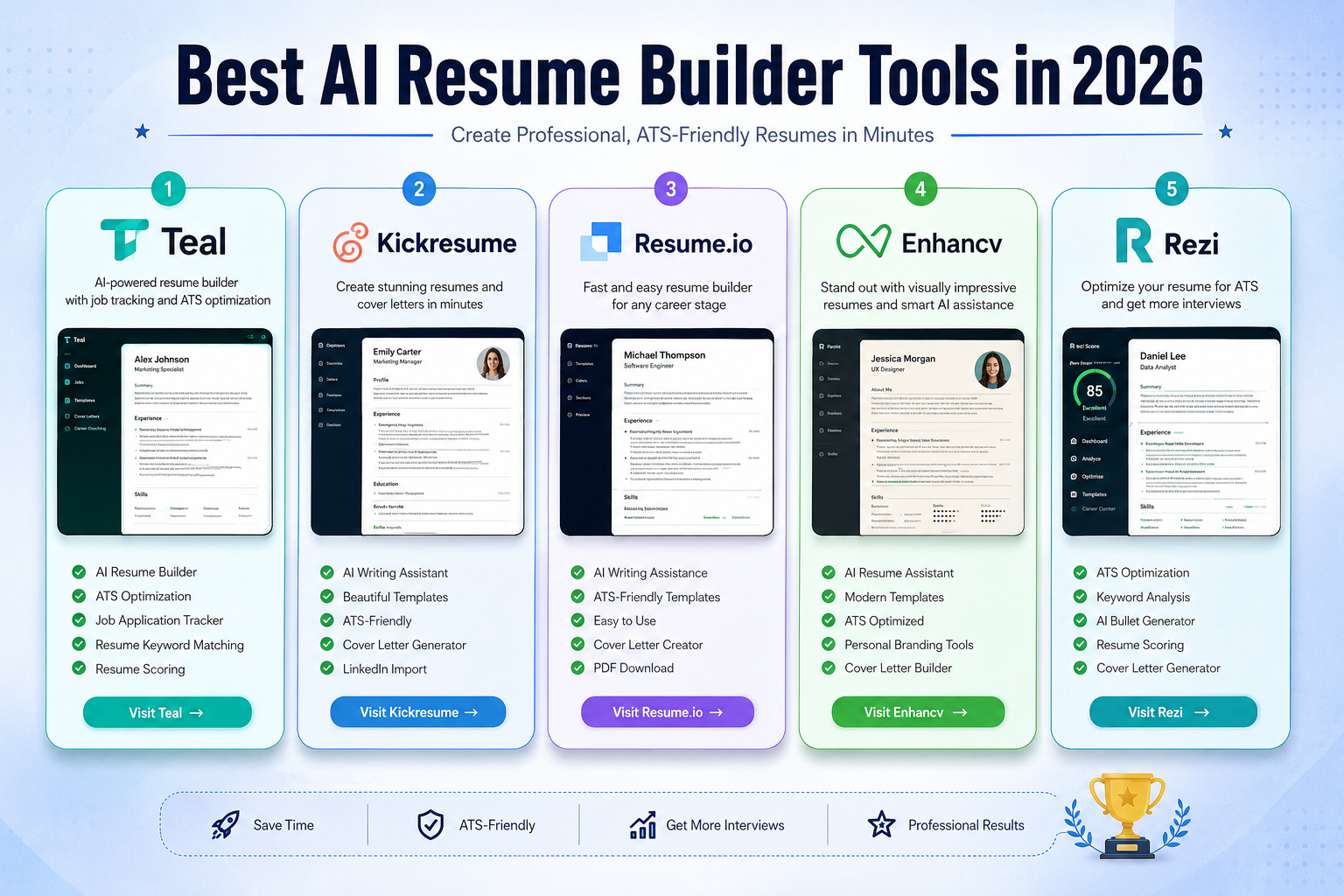
Best AI Resume Builder Tools in 2026: 5 Tools for Building Better Resumes
Finding a job is difficult enough without spending hours staring at a blank resume document.
An AI resume builder can make the process easier by helping you turn your work history, skills, and achievements into a structured resume. Depending on the platform, it can also analyze a job description, suggest relevant keywords, improve bullet points, check formatting, and help create different versions of your resume for different applications.
But there is an important distinction: an AI resume builder can improve the process, but it cannot guarantee an interview or guarantee that your resume will pass every Applicant Tracking System (ATS).
Different tools are designed for different priorities. Some are built around job tracking and tailoring, while others focus heavily on ATS analysis, visual design, or AI writing.
In this guide, we compare five AI resume builder tools worth considering in 2026 and explain what each one does best, where it falls short, and which type of job seeker should consider it.
Quick Comparison
| Tool | Free Option | Best For | Standout Feature | Paid Pricing* |
|---|---|---|---|---|
| Teal | Yes | Active job seekers | Job tracking + resume tailoring | From $13/week |
| Kickresume | Yes | Professional-looking resumes | AI Writer + templates | From $8/month annually |
| Resume.io | Yes | Beginners | Simple resume creation | From £2.95 trial |
| Enhancv | Yes | Design-focused resumes | Visual customization + ATS tools | From about $13.32/month |
| Rezi | Yes | ATS-focused applicants | Keyword targeting + Rezi Score | $29/month |
*Pricing can change by country, billing period, promotions, and currency. Check the provider before purchasing.
What Is an AI Resume Builder?
An AI resume builder is software that combines traditional resume-building features with artificial intelligence.
Instead of manually writing every section, you can provide information about your education, work history, skills, achievements, and target position. The tool can then help turn that information into resume content.
Depending on the platform, AI features may include:
- Resume bullet generation
- Professional summary writing
- Job-description analysis
- Keyword suggestions
- Resume scoring
- Content improvement
- Cover letter generation
- Resume tailoring
- Grammar and wording suggestions
- Interview preparation
The best tools don’t simply generate a resume and leave you with a generic document. They help you adapt your resume to the specific position you’re applying for.
That distinction matters because a resume written for a marketing manager should not look or read exactly like one created for a software engineer or entry-level analyst.
Why Use an AI Resume Builder?
AI resume builders can be useful, but their biggest benefit is usually reducing the amount of repetitive work involved in creating and tailoring applications.
1. Save Time
Starting from a blank document can take hours.
AI-assisted builders can provide a structured starting point, generate draft bullet points, and help organize sections so you can spend more time improving the actual content.
2. Tailor Your Resume to a Job
One resume rarely needs to be identical for every application.
Many modern resume platforms allow you to compare your resume with a job description and identify important terms, skills, or areas that may need more attention.
For example, if a job description emphasizes:
- Project management
- Stakeholder communication
- Salesforce
- Data analysis
a resume builder may help you identify where those skills are missing or underrepresented in your current version.
The important part is to only include keywords that genuinely describe your experience. Adding unrelated keywords simply to manipulate an ATS can make the resume less credible.
3. Improve Weak Resume Bullet Points
AI can be particularly useful when your experience is strong but your writing is vague.
Compare:
Responsible for managing social media.
with a more specific version based on real information:
Managed social media campaigns across three platforms, increasing monthly engagement by 32%.
The second example is more useful because it explains the work and provides measurable context.
AI can help you reach that level of specificity, but you still need to provide the facts.
4. Create Professional Formatting
Resume builders can handle spacing, typography, section organization, and page layouts for you.
This is especially useful if you don’t have much design experience.
However, visually impressive doesn’t automatically mean better. For many traditional corporate applications, a clean and readable layout is safer than an overly decorative design.
5. Build Multiple Resume Versions
Job seekers often apply to several types of positions.
Instead of maintaining one generic resume, you can create versions tailored to different roles.
For example:
- Marketing Manager
- SEO Specialist
- Content Strategist
- Digital Marketing Coordinator
A good resume builder makes it easier to maintain these versions without rewriting your entire career history each time.
The 5 Best AI Resume Builder Tools in 2026
1. Teal — Best Overall for Active Job Seekers
Teal is particularly interesting because it combines resume creation with job-search organization.
Its free version supports unlimited resume creation and exports, unlimited job tracking, and basic resume-building functionality. Teal+ adds more advanced AI generation, analysis, keyword matching, and other premium features.
Why Teal Stands Out
The biggest advantage is that Teal isn’t just a resume template website.
It is designed around the broader job-search workflow.
You can create different resumes, track applications, compare your resume with job descriptions, and use AI to improve specific sections.
That makes it particularly useful for someone applying to many positions.
Key Features
- AI resume builder
- Unlimited resume creation
- Job application tracking
- Job-description keyword matching
- Resume analysis
- AI-generated resume bullets
- Professional summary generator
- Cover letter generation
- Resume templates
- LinkedIn resume import
- AI interview practice
Pricing
Teal currently offers a free plan. Teal+ is listed at $13 every 7 days, $29 every 30 days, or $79 every 90 days. The free version still provides unlimited resume creation and job tracking, although premium AI and analysis features are limited.
Pros
- Strong job-search workflow
- Excellent resume tailoring features
- Unlimited resume creation on the free plan
- Useful job tracker
- Good balance between resume creation and application management
Cons
- Advanced AI features are limited on the free plan
- Premium pricing is based on relatively short billing periods
- Template selection is not the main reason to choose Teal
Best For
Active job seekers who are applying to multiple positions and want resume creation and job tracking in one place.
2. Kickresume — Best for Professional Templates and AI Writing
Kickresume takes a different approach.
It combines AI writing assistance with a strong collection of professionally designed resume and cover-letter templates.
The platform currently offers 40+ resume templates, 40+ cover-letter templates, an AI Writer, ATS Resume Checker, Career Map, LinkedIn/PDF import, and mobile apps for iOS and Android on its premium plans.
Why Kickresume Stands Out
If you care about the final appearance of your resume as much as the writing, Kickresume is one of the stronger choices in this list.
The AI Writer can generate resume content based on your job title and the position you’re targeting, while the template system lets you customize the presentation.
Key Features
- AI Resume Writer
- AI Cover Letter Writer
- ATS Resume Checker
- 40+ premium resume templates
- 40+ cover letter templates
- Career Map
- LinkedIn import
- PDF import
- Personal website templates
- Resume examples
- Mobile apps
Pricing
Kickresume has a free plan with four basic resume templates, four matching cover-letter templates, a basic website template, unlimited downloads, and other resources.
Premium is currently listed at $24/month, $18/month when billed quarterly, or $8/month when billed annually.
Pros
- Attractive professional templates
- Strong AI writing tools
- ATS checker
- Resume and cover-letter matching
- Mobile applications
- Useful for creating a personal website
Cons
- Most of the template variety is reserved for premium users
- The free plan is more limited in design flexibility
- Users who primarily care about ATS analysis may prefer a more specialized platform
Best For
Graduates, professionals, freelancers, and job seekers who want a polished resume without designing everything from scratch.
3. Resume.io — Best for Beginners
Resume.io is focused on making resume creation straightforward.
Its interface is designed for people who want to select a template, enter their information, improve the content, and produce a finished resume without dealing with complicated design software.
Why Resume.io Stands Out
The main strength of Resume.io is simplicity.
For someone creating a resume for the first time, a guided builder can be much less intimidating than starting with Microsoft Word or Google Docs.
The platform also provides resume examples, templates, an ATS scorer, and cover-letter tools.
Key Features
- Resume builder
- AI resume assistance
- ATS scoring
- Resume templates
- Cover-letter builder
- Resume examples
- Online editing
- Multiple resume versions
- PDF export on paid plans
Pricing
Resume.io currently offers a free plan, but it is limited to one resume and one cover letter, with downloads restricted to TXT format.
Its premium trial is listed at £2.95 for seven days, after which it automatically renews at £19.95 every four weeks unless cancelled. A quarterly option is listed at £49.95.
Because subscription structures can be easy to overlook, check the renewal terms before starting a trial.
Pros
- Beginner-friendly
- Fast resume creation
- Large template selection
- Guided editing
- Resume and cover-letter tools
Cons
- Free downloads are restricted
- Premium subscription is needed for full functionality
- Trial/renewal pricing requires attention
Best For
Students, graduates, first-time resume writers, and anyone who prioritizes simplicity.
4. Enhancv — Best for Design-Focused Resumes
Enhancv is aimed at people who want more control over the visual presentation of their resume.
The platform combines resume design tools with AI-powered content analysis, ATS checking, job-description tailoring, and other career features.
Why Enhancv Stands Out
Enhancv gives users more visual flexibility than a basic resume generator.
You can customize sections, colors, fonts, layouts, and other elements while still using tools designed to improve resume content.
That can be particularly useful for creative and marketing-oriented roles where presentation matters.
However, candidates applying to highly traditional industries should still prioritize readability and ATS compatibility over visual complexity.
Key Features
- AI resume feedback
- ATS checking
- Resume tailoring
- AI bullet-point generation
- Resume headline generation
- Resume objective generation
- Resume translation
- Job application tracking
- Cover-letter tools
- Extensive design customization
Pricing
Enhancv’s pricing varies by region and billing period. Its current help documentation lists Pro plans beginning around $13.32/month depending on the billing arrangement, while its pricing pages show different localized offers and trial options.
Pros
- Strong visual customization
- AI content feedback
- ATS checking
- Resume tailoring
- Useful for creative professionals
- Multiple resume sections and layouts
Cons
- Highly visual designs aren’t appropriate for every industry
- Pricing varies depending on billing period and region
- Can provide more design flexibility than some users actually need
Best For
Designers, marketers, creative professionals, managers, and candidates who want more control over their resume’s visual identity.
5. Rezi — Best for ATS-Focused Resume Optimization
Rezi takes a more ATS-focused approach.
Its platform includes AI resume writing, keyword targeting, resume analysis, AI editing, job-description matching, and a proprietary Rezi Score that evaluates a resume across multiple criteria.
Why Rezi Stands Out
Rezi is a good choice if your main concern is whether your resume is clearly structured and relevant to a particular job description.
Its keyword targeting system can identify important terms from a job posting and help you incorporate relevant language into your resume.
Again, this should be used intelligently. The goal isn’t to stuff a resume with keywords. The goal is to accurately describe your real experience using terminology relevant to the position.
Key Features
- AI resume writer
- AI resume editor
- Rezi Score
- AI keyword targeting
- Real-time content analysis
- Resume summary generator
- AI cover-letter writer
- ATS-focused templates
- AI interview practice
- Human resume review options
Pricing
Rezi offers a free plan at $0, with one resume, one AI interview, and three PDF downloads.
Its Pro plan is currently $29/month, while a lifetime plan is listed at $149 one time.
Pros
- Strong ATS-oriented workflow
- Detailed keyword targeting
- Resume scoring
- AI writing and editing
- Free plan available
- Lifetime option available
Cons
- Less focused on highly creative resume design
- Some advanced features require Pro
- ATS scores should be treated as guidance rather than a guarantee
Best For
Applicants targeting corporate, technology, administrative, and other roles where ATS-friendly formatting and job-description alignment are important.
Which AI Resume Builder Should You Choose?
There isn’t one perfect resume builder for everyone.
Your best choice depends on what part of the job-search process is causing the most difficulty.
| If you need… | Consider |
|---|---|
| Resume + job application tracking | Teal |
| Professional templates + AI writing | Kickresume |
| Simple resume creation | Resume.io |
| Visual customization | Enhancv |
| ATS and keyword optimization | Rezi |
Choose Teal if…
You are applying to many jobs and want one platform to manage resumes, job descriptions, applications, and career-related tasks.
Choose Kickresume if…
You want an attractive resume and cover letter with strong AI writing assistance.
Choose Resume.io if…
You want the easiest possible starting point and don’t want to spend time learning complicated design tools.
Choose Enhancv if…
Visual presentation is important to your target role and you want extensive customization.
Choose Rezi if…
Your biggest concern is optimizing resume content against specific job descriptions.
What to Look for in an AI Resume Builder
Before paying for any resume platform, evaluate more than the number of templates.
1. Job Description Matching
A useful builder should help you understand how your resume relates to the job you’re targeting.
Look for:
- Keyword analysis
- Job-description comparison
- Skill matching
- Missing-term suggestions
- Resume tailoring
2. Real AI Editing
Some tools advertise AI heavily but mainly provide templates.
Look for practical AI functions such as:
- Bullet rewriting
- Summary generation
- Content analysis
- Achievement suggestions
- Grammar improvements
- Job-specific tailoring
3. ATS-Friendly Formatting
An ATS generally needs to extract information from a resume accurately.
A simple, readable document is often safer than a resume overloaded with decorative elements.
Pay attention to:
- Clear section headings
- Consistent formatting
- Readable typography
- Logical structure
- Appropriate file formats
No resume builder can guarantee compatibility with every ATS configuration used by every employer.
4. Export Options
Before spending time building your resume, check what the free plan actually lets you download.
Some services restrict PDF or other export formats on free plans.
This is especially important when comparing tools that advertise a “free resume builder.”
5. Billing Structure
Don’t compare “$8/month” with “$29/month” without checking the billing period.
A service advertising $8/month may require an annual payment, while another service may charge monthly.
Always compare:
Total amount paid + billing frequency + renewal terms.
How to Use AI to Create a Better Resume
An AI resume builder is only as good as the information you give it.
Step 1: Start With Your Real Experience
Collect:
- Previous job titles
- Employers
- Employment dates
- Responsibilities
- Major achievements
- Skills
- Certifications
- Education
- Projects
- Relevant tools
Don’t let AI invent experience you don’t have.
Step 2: Find the Right Job Description
Choose a specific position you’re actually interested in.
The job description gives you useful information about:
- Required skills
- Responsibilities
- Industry terminology
- Preferred qualifications
- Technical requirements
Step 3: Tailor the Resume
Use the job description as a reference when editing your resume.
If you have experience with a required skill, make that experience easy to find.
If you don’t have the skill, don’t add it simply because an AI tool recommends it.
Step 4: Quantify Your Achievements
Numbers can make accomplishments more concrete.
Instead of:
Improved website performance.
Use accurate information such as:
Reduced average page load time by 28%.
Only use numbers that you can support.
Step 5: Review Every AI-Generated Sentence
AI-generated resume content can sound polished while still being inaccurate or exaggerated.
Look for:
- Incorrect dates
- Invented responsibilities
- Exaggerated achievements
- Generic phrases
- Repeated wording
- Skills you don’t actually possess
Your final resume should represent you, not the AI tool.
Common AI Resume Mistakes
Using the Same Resume Everywhere
A generic resume may fail to highlight the experience most relevant to a particular position.
Create a strong master resume, then tailor relevant sections for each important application.
Keyword Stuffing
Adding every keyword from a job description can make a resume unnatural.
Use relevant keywords only when they accurately describe your skills and experience.
Letting AI Invent Achievements
Never allow an AI tool to turn a normal responsibility into an impressive-sounding achievement that didn’t actually happen.
Accuracy is more important than impressive wording.
Overdesigning the Resume
Charts, icons, graphics, multiple columns, and unusual layouts can make a resume visually interesting but potentially harder to parse.
When in doubt, choose clarity.
Ignoring the Job Description
A resume should answer a simple question:
Why are you relevant to this particular role?
If your resume doesn’t make that clear, a beautiful template won’t fix the underlying problem.
AI Resume Builders vs. Traditional Resume Tools
| Feature | AI Resume Builder | Word Processor |
|---|---|---|
| AI writing assistance | Usually | Limited or external |
| Resume templates | Yes | Some |
| ATS analysis | Some platforms | Usually no |
| Job matching | Some platforms | No |
| Automatic formatting | Yes | Manual |
| Job tracking | Some platforms | No |
| Full design control | Varies | Usually high |
| Learning curve | Low | Moderate |
Traditional tools such as Word or Google Docs can still be excellent choices for people who want complete control.
The advantage of an AI resume builder is not that it makes traditional tools obsolete. Its advantage is that it combines several steps into one workflow.
Are AI Resume Builders Actually Worth It?
For many job seekers, yes—but not necessarily the most expensive plan.
A free version may be enough if you only need:
- Basic formatting
- A simple template
- One resume
- Basic editing
A paid plan becomes more useful if you are:
- Applying to many jobs
- Creating several resume versions
- Tailoring resumes frequently
- Using advanced AI writing
- Analyzing job descriptions
- Tracking applications
- Preparing cover letters
The key is to pay for a feature that solves a real problem in your job search.
Frequently Asked Questions
What is the best AI resume builder in 2026?
Teal is a strong overall choice for active job seekers because it combines resume building, job tracking, job-description matching, and AI-assisted editing.
However, Rezi may be a better fit if ATS analysis is your main priority, while Kickresume may be preferable if templates and visual presentation matter more.
What is the best AI resume builder for ATS optimization?
Rezi is one of the strongest options for ATS-focused workflows because it provides keyword targeting, resume scoring, content analysis, and job-description matching.
However, no tool can guarantee that a resume will pass every employer’s ATS.
Can AI write my entire resume?
Yes, AI resume builders can generate substantial portions of a resume, including summaries and bullet points.
But you should treat the output as a draft.
You remain responsible for checking every claim, date, achievement, qualification, and skill before submitting the document.
Are AI resume builders free?
Several of the tools in this comparison offer free options.
However, “free” can mean very different things. Teal provides unlimited resume creation and exports in its free version, Kickresume offers a free builder with basic templates, Resume.io restricts free downloads to TXT, and Rezi’s free plan limits resumes and PDF downloads.
Always check the current limitations before building your final resume.
Can an AI resume builder guarantee an interview?
No.
A resume builder can help improve structure, wording, relevance, and formatting, but interviews also depend on your qualifications, the role, competition, hiring decisions, and many other factors.
Be skeptical of any service suggesting that its AI can guarantee an interview.
Should I use AI-generated keywords?
Use relevant keywords when they accurately reflect your experience.
Don’t add skills you don’t have simply because they appear in the job description.
The goal is better communication between your real experience and the employer’s requirements—not keyword stuffing.
Final Verdict
AI resume builders have become useful career tools because they can combine several traditionally separate tasks: writing, formatting, tailoring, keyword analysis, and application management.
But the best tool isn’t necessarily the one with the most AI features.
Teal is our strongest overall choice for active job seekers who want resume creation and job-search organization in one platform.
Kickresume is a compelling option for people who care about professional templates and AI-assisted writing.
Resume.io is particularly approachable for beginners.
Enhancv stands out for candidates who want extensive visual customization alongside AI-assisted resume improvement.
And Rezi is one of the strongest options for people who want an ATS-focused workflow.
The most important thing to remember is that AI should assist your job search, not replace your judgment. Start with accurate information about your experience, tailor the resume to the position, verify every AI-generated claim, and choose a clean format that makes your qualifications easy to understand.
A better resume isn’t one that simply sounds more impressive.
It’s one that makes the right experience clear, relevant, and credible.
Editorial Methodology
We evaluate AI resume builders based on the features that matter most to job seekers:
- AI writing quality
- Resume customization
- Job-description matching
- ATS-oriented tools
- Template quality
- Export options
- Ease of use
- Free-plan usefulness
- Pricing structure
- Overall workflow
For pricing and feature claims, we prioritize current information published by the providers themselves. Prices and plan limits can change, so readers should verify the current offer before subscribing.
For future updates to this comparison, the most useful additional evidence would come from hands-on testing: creating the same resume in each platform, using the same job description, measuring the time required, comparing the resulting documents, and documenting differences with screenshots.
This approach is especially valuable because Google recommends that high-quality review content demonstrate expertise, explain meaningful differences between products, discuss benefits and drawbacks, and provide evidence for recommendations.
Related Articles
Continue building your AI-powered productivity toolkit: