
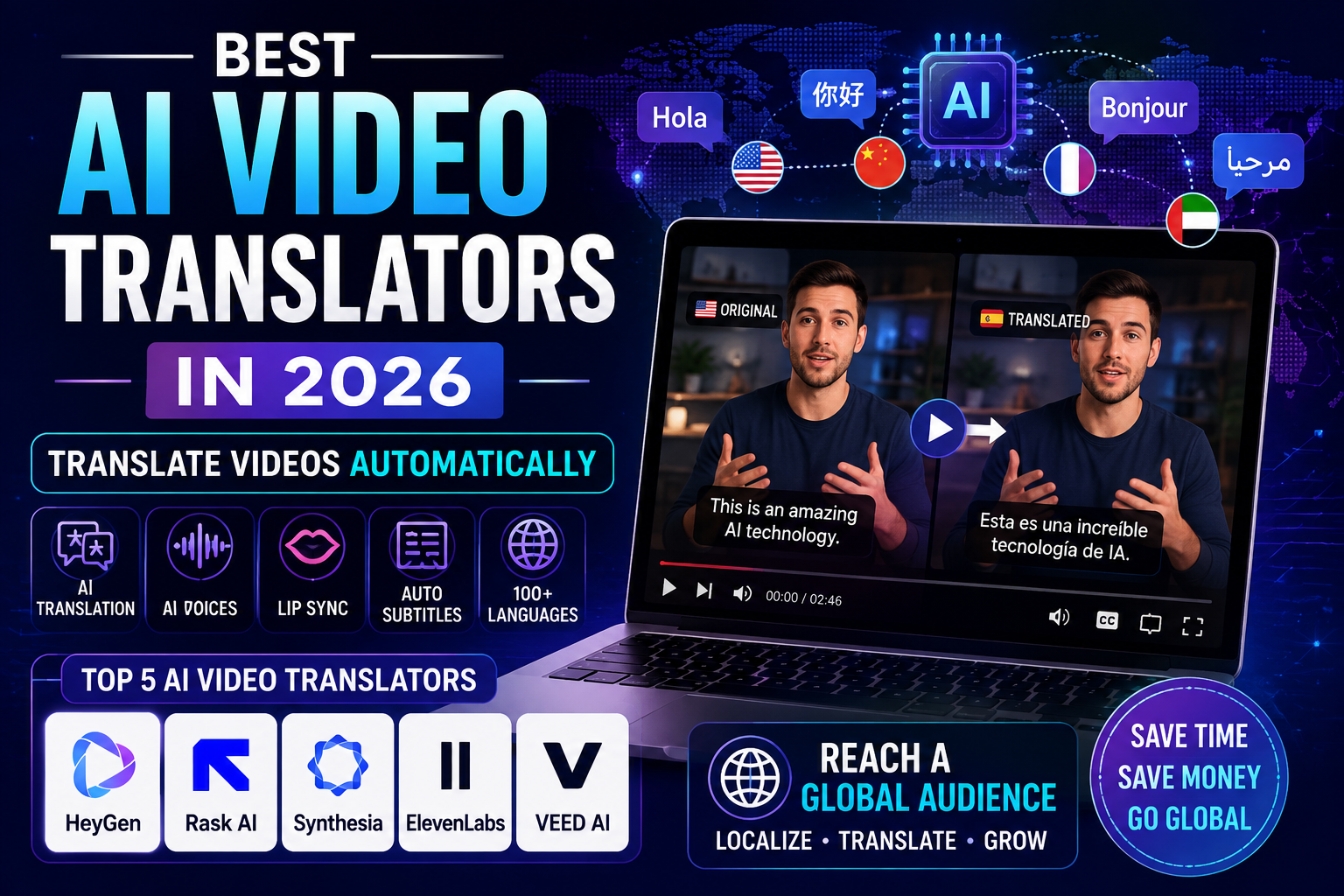
Best AI Video Translators in 2026: 5 Tools for Dubbing & Subtitles
September 10, 2026
Creating one video and reaching audiences in several languages used to require translators, voice actors, editors, and separate production workflows.
Today, AI video translators can automate much of that process. Depending on the platform, you can upload a video, generate a transcript, translate the spoken content, create dubbed audio, preserve the original speaker’s voice, generate subtitles, and sometimes synchronize the speaker’s lips with the translated speech.
But these features are not identical across platforms. Some tools are built primarily for AI dubbing and localization, while others are better for subtitles, business training, or voice-focused translation.
In this guide, we compare five popular AI video translation platforms:
- HeyGen — best for an all-in-one video translation workflow
- Rask AI — best for video localization and multilingual content
- Synthesia — best for business and training content
- ElevenLabs — best when voice quality is the priority
- VEED — best for browser-based translation and editing
Rather than assigning arbitrary star ratings, this comparison focuses on the features that actually matter when choosing a video translator: translation workflow, dubbing, voice preservation, lip synchronization, subtitles, editing, pricing, and intended use case.
Methodology: This guide compares current official product documentation, pricing information, advertised capabilities, and workflow fit. It is not a controlled laboratory benchmark of translation accuracy. Prices and feature availability can change, so check the provider’s current pricing page before purchasing.
Quick Comparison
| Tool | Best For | Translation / Localization | Voice Features | Lip Sync | Free Option |
|---|---|---|---|---|---|
| HeyGen | All-in-one video translation | 175+ languages/dialects on paid plans | Voice cloning | Yes | Yes |
| Rask AI | Content localization | 135+ languages | Voice cloning in selected languages | Yes | 3-minute trial |
| Synthesia | Business & training | 70+ languages on listed translation plans | AI voices / dubbing | Yes | Yes |
| ElevenLabs | Voice-focused dubbing | Multiple dubbing languages | Strong voice cloning and dubbing | Not its main focus | Yes |
| VEED | Online editing + translation | 125+ subtitle languages | Voice preservation in 29 languages | Available | Yes |
Language counts refer to different product capabilities and should not be interpreted as identical levels of dubbing or voice cloning support. Always check the target language you need before starting a project.
How We Evaluated These AI Video Translators
A video translator can look impressive on a feature list while still being the wrong choice for a particular project.
For this comparison, the most important factors are:
1. Translation workflow
A useful platform should make it easy to move from the original video to a translated version without requiring several unrelated tools.
2. AI dubbing and voice quality
For spoken videos, translated audio needs to sound natural and match the intended tone of the content.
3. Voice preservation
Some platforms can reproduce characteristics of the original speaker’s voice. This can make localized videos feel more consistent, but the quality and language coverage vary.
4. Lip synchronization
Lip sync matters most when the speaker’s face is clearly visible. It is less important for podcasts, screen recordings, presentations, or videos where the speaker is not constantly on camera.
5. Subtitle support
For many creators, subtitles are more important than full dubbing. A good subtitle workflow should let you review and edit translations before publishing.
6. Editing and publishing
Built-in editing can save time when you need to correct subtitles, adjust timing, resize the video, or prepare different versions for social platforms.
1. HeyGen — Best Overall AI Video Translation Workflow
HeyGen combines AI video creation with translation and localization features, making it one of the more complete options for creators and businesses that want both translated speech and synchronized video.
Its current plans use a credit system. The Free plan provides a limited way to test the platform, while paid plans add higher video limits, better exports, voice cloning, and broader language access. HeyGen’s current pricing page lists 175+ languages and dialects on Creator and higher plans.
One useful feature is the ability to choose different translation modes depending on how much synchronization you need. HeyGen currently documents audio-only dubbing as well as Speed and Precision modes with lip synchronization.
Why HeyGen stands out
The main advantage is the combination of several localization tasks in one workflow:
- Video translation
- AI dubbing
- Voice cloning
- Lip synchronization
- Subtitle and script editing
- AI avatars
- Multilingual video creation
- Team and business features
For example, a creator can translate a talking-head video into another language while keeping the translated speech synchronized with the speaker’s mouth movements.
Pricing
HeyGen currently lists:
- Free: $0/month
- Creator: $29/month
- Pro: $49/month
- Business: $149/month
- Enterprise: Custom pricing
The amount of video translation you can produce depends on the credits included with your plan and the translation mode you choose.
Best for
Choose HeyGen if you want: a broad localization workflow combining translation, AI voices, subtitles, and lip synchronization.
It is particularly useful for:
- YouTube creators
- Marketing teams
- SaaS companies
- Online educators
- Product demonstrations
- Multilingual business content
Potential drawback
The credit-based system means the practical cost depends on how much content you translate and whether you use audio-only or higher-quality lip-sync modes.
2. Rask AI — Best for Video Localization
Rask AI is focused heavily on video localization, making it a natural fit for creators and businesses that need to adapt existing video libraries for international audiences.
Rask currently says its platform can translate videos into more than 135 languages. However, its voice-cloning feature has narrower language coverage, currently listed at 32 languages. This distinction is important when comparing AI video translators.
Why Rask AI stands out
Rask combines several localization functions:
- Video translation
- AI voice cloning
- Dubbing
- Subtitle generation
- Built-in editing
- Multiple target languages
- API and business-oriented workflows
The platform is particularly interesting when you have a large amount of existing content rather than just one short video.
Pricing
Rask currently offers a free trial with 3 minutes included. Its Creator plan is listed at $60/month when billed monthly, or a lower effective monthly price when billed annually, depending on the current promotion.
Because Rask uses usage-based limits, the amount of content you can localize should be considered alongside the subscription price.
Best for
Rask is a strong fit for:
- YouTube channels with large libraries
- Media companies
- Online courses
- Marketing teams
- Businesses expanding into new markets
- Agencies handling multilingual content
Potential drawback
Not every supported language necessarily has the same voice-cloning capabilities. If preserving the original speaker’s voice is important, verify that your target language is supported by the specific voice feature you plan to use.
3. Synthesia — Best for Business and Training Videos
Synthesia is best known as an AI video creation platform with digital presenters, but it also includes AI dubbing and video translation.
This makes it especially relevant for organizations producing:
- Employee training
- Onboarding videos
- Product education
- Internal communications
- Presentations
- E-learning content
Synthesia’s current pricing page lists AI dubbing and translation capabilities, with language availability depending on the plan. Its current Basic plan is free, while the Starter plan is listed at $29/month when billed monthly.
Why Synthesia stands out
Unlike a tool designed only for dubbing, Synthesia can connect translation with an entire AI video production workflow.
That is useful when a company wants to create multilingual versions of instructional content rather than simply replace the audio track.
Synthesia also supports automated video translation workflows. However, some advanced translation functionality, including one-click translation and its multilingual video player, is currently restricted to Enterprise plans.
Key strengths
- AI video creation
- AI avatars
- AI dubbing
- Multilingual content
- Business collaboration
- Training and education workflows
- Enterprise features
Best for
Synthesia makes the most sense for organizations that already need an AI video creation platform and want multilingual versions of their training or presentation content.
Potential drawback
If your only goal is to dub a YouTube video into another language, a dedicated localization platform may provide a more focused workflow.
4. ElevenLabs — Best for Voice-Focused Video Dubbing
ElevenLabs is different from the other platforms on this list because its biggest strength is AI-generated and cloned speech.
Its Dubbing feature is designed to translate spoken content while maintaining important characteristics of the original audio.
That makes ElevenLabs particularly interesting for:
- Podcasts
- Interviews
- Documentaries
- YouTube videos
- Educational recordings
- Voice-heavy content
Why ElevenLabs stands out
If the audio is the most important part of your video, voice quality may matter more than avatar generation or complex video editing.
ElevenLabs’ dubbing workflow is usage-based. Its documentation explains that dubbing is charged according to the duration of the source media and the number of languages being generated. The exact rate depends on the dubbing model.
Where ElevenLabs fits best
Consider ElevenLabs when:
- You care heavily about natural-sounding speech.
- The speaker’s voice is central to the content.
- You are translating podcasts or interviews.
- You want to create multilingual audio versions.
- You already have a separate video-editing workflow.
Potential drawback
ElevenLabs is not primarily a complete video editor. If you need translation, timeline editing, visual changes, subtitles, and publishing in one browser application, a platform such as VEED may be more convenient.
5. VEED — Best for Online Video Translation and Editing
VEED combines video editing, subtitles, transcription, translation, and AI dubbing inside a browser.
Its current Video Translator page advertises 125+ subtitle languages and voice preservation across 29 languages. It also supports optional lip synchronization and background-audio preservation.
This distinction is important: 125+ subtitle languages does not mean that all 125+ languages have identical voice-cloning or dubbing capabilities.
Why VEED stands out
VEED is useful when translation is only one part of your editing process.
You can:
- Upload a video.
- Generate a transcript.
- Translate the subtitles.
- Generate translated speech where supported.
- Review the result.
- Edit the video.
- Export the finished version.
The platform also allows translated subtitle files to be exported in formats such as SRT, VTT, and TXT.
Best for
VEED is a good choice for:
- Social media creators
- YouTubers
- Short-form content
- Marketing videos
- Podcasts
- Simple multilingual video editing
Potential drawback
If your project depends heavily on highly controlled voice cloning or advanced lip synchronization, a dedicated dubbing/localization platform may be a better fit.
Which AI Video Translator Should You Choose?
The best option depends more on your workflow than on the number of supported languages.
| If you need… | Consider |
|---|---|
| Complete video translation + lip sync | HeyGen |
| Large-scale content localization | Rask AI |
| Corporate training and AI presenters | Synthesia |
| Natural AI dubbing and voice work | ElevenLabs |
| Browser-based translation + editing | VEED |
For YouTube creators
If your main goal is translating existing YouTube videos into several languages, start by comparing HeyGen and Rask AI.
For businesses
For internal training, onboarding, and presentation content, Synthesia can be more suitable because translation is part of a broader business video workflow.
For podcasts and interviews
If the speaker’s voice is the most important element, ElevenLabs deserves a closer look.
For quick subtitle translation
If you mainly need translated captions rather than full dubbing, VEED may be enough.
AI Video Translation vs. AI Dubbing vs. Subtitles
These terms are often used interchangeably, but they describe different workflows.
AI subtitle translation
The original speech remains unchanged while the spoken content is converted into translated text.
Best for: YouTube, educational content, accessibility, and low-cost localization.
AI dubbing
The original speech is replaced with translated speech generated by AI.
Best for: viewers who prefer listening in their native language.
Voice cloning
The translated speech attempts to preserve characteristics of the original speaker’s voice.
Best for: creators and brands that want a consistent voice across languages.
Lip synchronization
The video is modified so the speaker’s mouth movements better match the translated audio.
Best for: talking-head videos and presenters where the face is clearly visible.
A good AI video translator may combine all four, but the quality and language coverage can vary significantly between features.
Can AI Video Translators Replace Human Translators?
Not completely.
AI translation can dramatically reduce the amount of manual work required, but human review is still valuable for content where wording and context matter.
This is particularly important for:
- Legal terminology
- Medical information
- Technical documentation
- Brand messaging
- Humor and cultural references
- Names and places
- Industry-specific vocabulary
A machine translation can be grammatically correct while still sounding unnatural or changing the intended meaning.
For important videos, the best workflow is often:
AI translation → human review → final editing → publication
How to Get Better AI Video Translations
1. Start with clean audio
Background noise, overlapping speakers, poor microphones, and heavy accents can reduce transcription quality before translation even begins.
2. Review the transcript first
A translation cannot be better than the source transcript it is based on.
Correct names, technical terms, numbers, and unclear sentences before generating the final version.
3. Translate one language first
If you are localizing a large video, test one target language before processing the entire library.
This reduces wasted credits when the workflow needs adjustment.
HeyGen itself recommends testing one language before running multiple translations.
4. Check names and technical terms
AI systems can struggle with:
- Company names
- Product names
- Acronyms
- People’s names
- URLs
- Specialized terminology
Always review these before publishing.
5. Review lip synchronization
Lip sync is most noticeable when:
- The speaker faces the camera.
- The face occupies a large part of the frame.
- There are long speaking segments.
- The mouth is unobstructed.
Watch the translated video rather than judging the result from a still frame.
6. Compare the translated audio with the original
The translation should preserve the intended meaning, not merely produce grammatically correct sentences.
Common Mistakes to Avoid
Publishing without proofreading
Even strong AI translation can make contextual mistakes.
Assuming every language has identical features
A platform may support 100+ subtitle languages but offer voice cloning or lip sync for a smaller selection.
Choosing a tool based only on language count
“150 languages” sounds impressive, but it doesn’t tell you how good the dubbing, voice cloning, or lip sync is in your target language.
Translating low-quality audio
Poor source audio can create transcription errors before translation even starts.
Ignoring cultural context
A literal translation may not communicate the same meaning to a different audience.
Processing the entire video before testing
Create a short sample first. It is much easier to fix a workflow on a one-minute clip than after processing an entire course or video library.
Advantages and Limitations of AI Video Translation
Advantages
- Faster than traditional manual localization
- Supports multiple languages
- Automates transcription and subtitles
- Can generate dubbed audio
- Some tools can preserve the speaker’s voice
- Some platforms provide lip synchronization
- Useful for repurposing existing video libraries
- Can reduce the amount of repetitive editing work
Limitations
- Translation quality varies by language
- Human review may still be necessary
- Voice cloning is not available in every language
- Lip synchronization is not always perfect
- Pricing can increase with video length and number of languages
- Some features require higher subscription tiers
- Cloud-based workflows require uploading your content
Frequently Asked Questions
What is an AI video translator?
An AI video translator is software that can automatically transcribe spoken video content and translate it into another language. Depending on the platform, it may also generate subtitles, dubbed speech, voice cloning, and lip synchronization.
What is the best AI video translator in 2026?
There is no single best tool for every project. HeyGen is a strong all-around option for video translation and lip sync, while Rask AI is particularly focused on content localization.
What is the best AI video translator for YouTube?
For creators who want dubbed videos with synchronized speech, HeyGen and Rask AI are strong options. If you mainly need translated subtitles and editing, VEED can be simpler.
Can AI translate a YouTube video into another language?
Yes. AI video platforms can translate spoken content and create subtitles or dubbed versions. The exact workflow depends on the platform and the rights you have to use the source video.
Are AI video translators free?
Several platforms offer free plans or trials, but free usage is usually limited by video duration, credits, export quality, or available features.
HeyGen currently has a free plan, Rask provides a 3-minute trial, and Synthesia has a free Basic plan.
Can AI preserve my voice when translating a video?
Some platforms can preserve or clone characteristics of the original speaker’s voice. However, language availability varies. For example, Rask currently lists voice cloning in 32 languages even though its overall translation coverage is much broader.
Is AI dubbing better than subtitles?
It depends on the audience. Subtitles are cheaper and preserve the original performance, while dubbing can make content easier to consume for viewers who prefer listening in their native language.
Should I use AI translation without human review?
For casual content, you may be able to publish after checking the output yourself. For professional, educational, technical, legal, medical, or brand-sensitive content, human review is strongly recommended.
Final Verdict
AI video translation has moved beyond simple automatic subtitles. Modern platforms can combine transcription, translation, dubbing, voice preservation, subtitles, and lip synchronization into increasingly streamlined workflows.
HeyGen is the strongest choice if you want a broad all-in-one translation workflow with lip synchronization.
Rask AI is particularly suitable for creators and businesses managing multilingual video localization.
Synthesia makes more sense for organizations producing training, onboarding, and presentation videos.
ElevenLabs is worth considering when natural AI speech and dubbing are the main priorities.
VEED is a practical option when you want translation and video editing together in a browser.
The most important thing is not choosing the platform with the largest language number. Instead, check whether the specific language, voice, lip-sync mode, export quality, and pricing model match your project.
For important content, always preview one short section before translating an entire video library.
Sources and Official Documentation
The information above is based primarily on official documentation and pricing pages:
- HeyGen pricing
- HeyGen video translation documentation
- Rask AI pricing and language information
- Synthesia pricing
- Synthesia video translation guide
- ElevenLabs dubbing pricing documentation
- VEED Video Translator
- Google Search Central — Creating Helpful, Reliable, People-First Content
- Google AdSense — Make sure your site’s pages are ready for AdSense
One Comment