Best AI Voice Changers in 2026: 5 Tools for Real-Time Voice Changing and Voice Conversion
AI voice changers have evolved far beyond the simple pitch and echo effects that made older voice-changing software sound artificial.
Today, AI-powered tools can transform a speaker’s voice in real time, convert recorded audio into another voice, create character voices, and in some cases clone a voice with surprisingly natural results.
But choosing the right AI voice changer is not simply a matter of finding the tool with the largest voice library.
A gamer needs low latency and reliable microphone routing. A streamer may care more about soundboards and quick voice switching. A YouTube creator may prioritize natural voice conversion, while someone interested in voice cloning needs to pay much closer attention to consent, licensing, privacy, and usage limits.
To make the choice easier, I compared five popular AI voice-changing platforms based on their intended use, real-time capabilities, voice quality, customization, compatibility, free access, pricing structure, and suitability for different workflows.
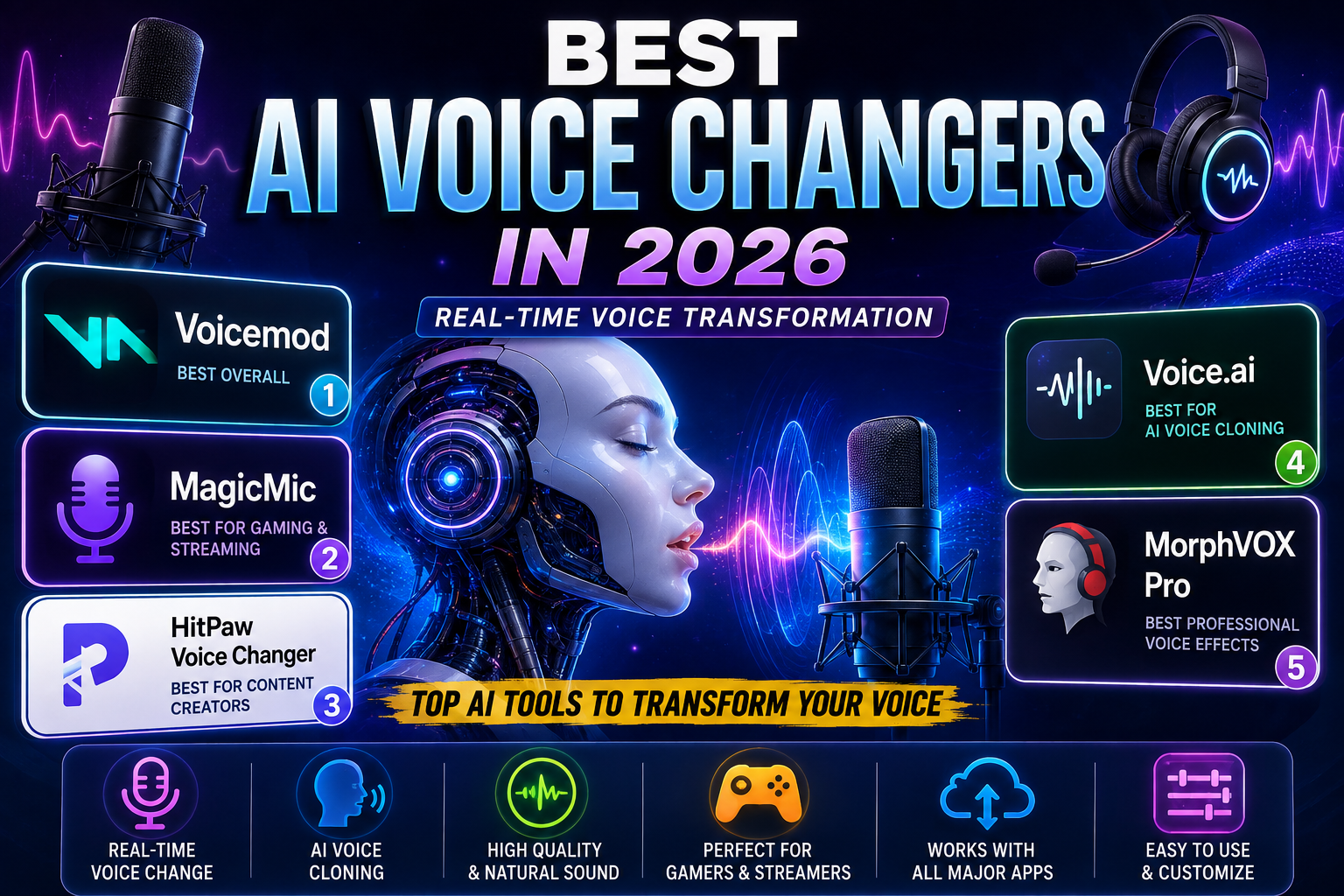
Quick answer: Voicemod is the strongest all-around choice for real-time gaming and streaming. MagicMic is a good option for users who want a large collection of effects. HitPaw VoicePea is aimed at creators who want voice changing plus additional AI audio features. Voice.ai is particularly relevant to users interested in AI voices and voice cloning. ElevenLabs is the strongest option in this list for high-quality recorded voice conversion and creative production.
Quick Comparison
| AI Voice Changer | Best For | Real-Time | Voice Cloning | Free Option | Main Strength |
|---|---|---|---|---|---|
| Voicemod | Gaming & streaming | Yes | Limited/varies by feature | Yes | Real-time experience |
| MagicMic | Voice effects & gaming | Yes | Custom voice features | Yes | Large effects library |
| HitPaw VoicePea | Content creators | Yes | AI voice features | Yes | All-in-one audio tools |
| Voice.ai | AI voices & cloning | Yes | Yes, on eligible plans | Yes | AI voice ecosystem |
| ElevenLabs Voice Changer | Professional recorded audio | Audio conversion | Yes | Free access available | Natural voice conversion |
Important: Features, pricing, usage limits, and available voices can change. Always check the provider’s current terms and pricing before purchasing.
How We Evaluated the AI Voice Changers
Instead of ranking these tools only by the number of voices they advertise, I looked at several practical factors:
- Real-time performance
- Voice quality
- Latency
- Voice customization
- Voice library
- Voice cloning availability
- Gaming and streaming support
- Recorded-audio conversion
- Ease of use
- Free access
- Pricing structure
- Commercial-use considerations
- Compatibility with common workflows
The most important distinction is use case.
There is no reason to choose a professional recorded-audio platform simply because it has a large voice library if your only goal is changing your microphone voice during a Discord gaming session.
Likewise, a gaming-focused voice changer may not be the best option for producing narration, character dialogue, or multilingual audio.
What Is an AI Voice Changer?
An AI voice changer is software that uses machine-learning or neural voice technology to transform a person’s speech into another voice or vocal style.
Traditional voice changers usually modify characteristics such as pitch, speed, distortion, or resonance.
AI voice conversion can work at a deeper level by analyzing the input speech and generating a different vocal output while attempting to preserve important parts of the original performance.
Depending on the tool, those characteristics can include:
- Timing
- Pronunciation
- Accent
- Emotional delivery
- Speaking rhythm
- Vocal expression
The technology is not identical across every platform, however. An application marketed as an AI voice changer may use a combination of neural conversion, voice effects, speech synthesis, or traditional audio processing.
That is why two tools can both claim to offer AI voice changing while producing noticeably different results.
AI Voice Changer vs. Traditional Voice Changer
The simplest way to understand the difference is to look at what happens to your original voice.
Traditional voice changer
A traditional system may apply an effect to the incoming audio:
Your voice → Pitch/effect processing → Modified voice
This can work well for simple effects, but aggressive processing can make speech sound artificial.
AI voice changer
An AI-based system may instead analyze the speech and generate a different vocal output:
Your voice → AI voice model → Converted voice
The goal is usually to create a more convincing result while retaining elements of your original delivery.
However, AI does not automatically mean perfect quality. Results depend on the model, microphone input, language, voice selected, processing method, and whether the tool is designed for live or recorded audio.
1. Voicemod — Best Overall AI Voice Changer for Gaming and Streaming
Best for: Gamers, streamers, Discord users, and real-time voice effects.
Voicemod is my top overall choice for users who primarily want to change their voice while speaking live.
Its main advantage is not simply the number of available voices. It is the combination of real-time processing, voice effects, customization, soundboard functionality, and integration with common gaming and streaming workflows.
The software is designed around a virtual microphone, allowing the processed output to be selected by applications that accept microphone input.
Why Voicemod stands out
Voicemod is particularly useful if you regularly use:
- Discord
- Gaming voice chat
- Twitch
- YouTube streaming
- Streaming software
- Character voices
- Sound effects
The platform also provides customization through its voice tools, allowing users to create or adjust effects rather than relying entirely on preset voices.
Pros
- Strong real-time workflow
- Excellent for gaming and streaming
- Soundboard functionality
- Voice customization
- Easy microphone-based setup
- Free option available
- Large voice ecosystem
Cons
- Some features require paid access
- More focused on real-time use than professional post-production
- Large feature sets can take time to explore
- Available voices and features can vary by plan
Pricing
Voicemod provides free access alongside paid functionality. Because pricing and included features can change, check the official Voicemod pricing page before purchasing.
Who should choose Voicemod?
Choose Voicemod if your main priority is:
Gaming + Discord + streaming + real-time voice effects.
If your primary goal is professional recorded voice conversion, another tool on this list may be a better fit.
2. MagicMic — Best for Gaming and Voice Effects
Best for: Gamers, streamers, Discord users, and people who want a large collection of voice effects.
MagicMic from iMyFone focuses heavily on real-time voice changing, sound effects, soundboards, and entertainment.
Its biggest advantage is variety.
The platform offers a free option with limitations and paid plans with a larger collection of voices and additional functionality.
Why choose MagicMic?
MagicMic makes sense when entertainment is more important than professional voice production.
For example, you might use it to:
- Change your voice during gaming
- Add character effects
- Use a soundboard
- Create humorous clips
- Experiment with different voices
- Use voice effects during live conversations
Pros
- Real-time voice changing
- Large collection of voice effects
- Soundboard functionality
- Custom voice features
- Gaming-oriented workflow
- Mobile support
- Free option available
Cons
- Free access is limited
- Some advanced features require payment
- Large libraries can feel overwhelming
- Not every effect is designed for realistic voice conversion
Pricing
MagicMic offers free and paid plans. Pricing and promotions can change, so verify the current price on the official website before purchasing.
Who should choose MagicMic?
MagicMic is a good choice if you want:
Gaming + entertainment + lots of voice effects.
For professional narration or serious voice production, a more production-focused platform may be preferable.
3. HitPaw VoicePea — Best for Content Creators
Best for: YouTubers, streamers, creators, and users who want voice changing plus additional AI audio features.
HitPaw VoicePea, formerly known as HitPaw Voice Changer, is positioned as an all-in-one real-time AI voice changer and soundboard.
The platform combines voice transformation with additional audio-related tools, making it more useful for creators who want several capabilities in one application.
HitPaw currently advertises more than 300 AI voices, real-time processing, noise reduction, soundboard functionality, and support for common communication and streaming workflows.
Why choose HitPaw VoicePea?
The biggest advantage is its broader feature set.
Instead of focusing exclusively on changing your microphone voice, it also provides tools related to:
- AI voice changing
- AI audio enhancement
- Sound effects
- AI covers
- Text-to-speech
- Soundboards
- Recorded audio
That can make it attractive to content creators who regularly work with different types of audio.
Pros
- Real-time AI voice changing
- Large advertised voice selection
- Noise reduction
- Soundboard
- Additional AI audio features
- Useful for creators
- Supports streaming and communication workflows
Cons
- Some advanced functionality requires payment
- The large feature set may feel less focused
- Not every feature is necessary for casual gamers
- Pricing differs by platform and license
Pricing
HitPaw currently offers several VoicePea licenses, including monthly, annual, and perpetual options. Its official pricing pages show different prices for Windows and Mac, and promotions may change.
Who should choose HitPaw VoicePea?
Choose it if you want:
Voice changing + AI audio tools + creator features in one application.
4. Voice.ai — Best for AI Voice Cloning
Best for: Users interested in AI-generated voices, voice cloning, and AI audio experimentation.
Voice.ai takes a different approach from traditional gaming voice changers.
Its platform includes online voice changing, text-to-speech, audio tools, and voice-cloning capabilities.
One important distinction is that voice cloning is not included in the free plan. According to the current pricing information, Instant Voice Clones begin with the Starter plan.
Current plan structure
The current Voice.ai pricing page lists:
- Free: $0/month with 5,000 credits and no Instant Voice Clones
- Starter: $5/month with 15,000 credits and 5 Instant Voice Clones
- Launch: promotional pricing may apply
- Core: $99/month
- Higher business plans are also available
These prices and limits can change, so verify them before making a purchase.
Why choose Voice.ai?
Voice.ai is particularly interesting if voice cloning is more important to you than traditional sound effects.
It can be useful for:
- AI voice experimentation
- Character creation
- Voice conversion
- Text-to-speech
- Audio projects
- Voice cloning
Pros
- Strong focus on AI voices
- Voice cloning available on eligible paid plans
- Free starting option
- Online voice changer
- Text-to-speech
- Additional audio tools
Cons
- Voice cloning requires a paid plan
- Credit-based usage can require some learning
- Advanced functionality may require payment
- Not necessarily the simplest option for basic gaming effects
Who should choose Voice.ai?
Choose Voice.ai if your main priority is:
AI voices + voice cloning + experimentation.
If you only want a simple gaming voice effect, Voicemod or MagicMic may be easier.
5. ElevenLabs Voice Changer — Best for Professional Voice Conversion
Best for: YouTube creators, voice actors, storytellers, multilingual content, and recorded audio.
ElevenLabs Voice Changer is fundamentally different from the gaming-focused tools above.
Its strength is high-quality voice conversion for recorded audio and creative production.
According to ElevenLabs’ documentation, Voice Changer is designed to transform source audio into another voice while preserving important elements of the original performance, including emotional delivery and vocal nuances.
This makes it especially interesting for:
- YouTube narration
- Storytelling
- Character dialogue
- Podcasts
- Audiobooks
- Voice acting
- Multilingual projects
- Recorded voice conversion
What makes ElevenLabs different?
Instead of focusing primarily on soundboards and live gaming effects, ElevenLabs emphasizes the quality of the converted performance.
Its documentation describes support for elements such as:
- Emotion
- Delivery
- Accents
- Whispers
- Laughs
- Other performance characteristics
The current multilingual Voice Changer documentation lists support for 29 languages in its multilingual model, including English, French, Spanish, Arabic, German, Hindi, Japanese, Korean, Portuguese, Italian, and others.
Pros
- High-quality voice conversion
- Strong preservation of performance characteristics
- Multilingual support
- Large voice ecosystem
- Useful for professional creators
- API availability
- Background-noise removal
Cons
- Not primarily a gaming voice changer
- Usage is based on processing/credit consumption
- Heavy usage can become expensive
- Better suited to recorded production than casual Discord effects
Pricing
ElevenLabs uses usage-based credits across its platform. Its current Voice Changer documentation states that processing is calculated according to audio duration/characters, so users should check the current pricing before estimating production costs.
Who should choose ElevenLabs?
Choose ElevenLabs if you care most about:
Natural voice conversion + recorded audio + professional content production.
Which AI Voice Changer Should You Choose?
The easiest way to decide is to start with your actual use case.
You are a gamer
Choose Voicemod.
It provides a strong combination of real-time voice changing, gaming compatibility, customization, and soundboard features.
You want lots of fun voice effects
Choose MagicMic.
It is designed heavily around variety, entertainment, effects, and real-time voice changing.
You create YouTube or social media content
Consider HitPaw VoicePea.
It combines voice changing with additional AI audio functionality.
You want voice cloning
Consider Voice.ai.
Its current paid plans specifically include Instant Voice Clones.
You need professional recorded voice conversion
Choose ElevenLabs.
Its main advantage is the quality and preservation of the original performance during voice conversion.
How to Choose the Right AI Voice Changer
1. Start With Your Use Case
Before looking at pricing or the number of voices, decide what you actually want to accomplish.
| Your Goal | Best Starting Point |
|---|---|
| Gaming | Voicemod |
| Discord | Voicemod |
| Streaming | Voicemod |
| Entertainment effects | MagicMic |
| Creator audio tools | HitPaw VoicePea |
| Voice cloning | Voice.ai |
| Professional recorded conversion | ElevenLabs |
| Multilingual voice production | ElevenLabs |
These are recommendations based on the tools’ current positioning and capabilities, not a claim that one product is objectively superior for every user.
2. Pay Attention to Latency
If you are speaking live, latency is critical.
A noticeable delay between your microphone input and the processed voice can make conversations, gaming, and live performances uncomfortable.
For real-time use, look for:
- Low-latency processing
- Stable microphone routing
- Reliable application compatibility
- A way to test the output before going live
A tool that produces excellent recorded audio may still be a poor choice for live gaming if its workflow is not designed for real-time communication.
3. Judge Voice Quality, Not Voice Count
A large voice library does not automatically mean better quality.
Instead, listen for:
- Natural pronunciation
- Clear consonants
- Stable output
- Low distortion
- Consistent volume
- Natural timing
- Appropriate emotional delivery
If possible, test several voices using the same recording.
That gives you a much better comparison than simply counting the number of voices advertised on a pricing page.
4. Understand Voice Cloning Before Using It
Voice cloning deserves more attention than simply asking whether a platform supports it.
Before cloning a voice, check:
- Who owns the source recording
- Whether you have permission
- Whether commercial use is allowed
- Where recordings are stored
- How long voice data is retained
- Whether the generated voice can be used commercially
- What restrictions apply to impersonation
The safest approach is to use your own voice or a voice for which you have explicit permission and appropriate rights.
5. Check Compatibility
Before paying for an AI voice changer, make sure it works with your actual setup.
Depending on your use case, check compatibility with:
- Windows
- macOS
- Discord
- OBS
- Twitch
- YouTube
- Zoom
- Microsoft Teams
- Your preferred games
Also check whether a feature is available on your specific operating system. Some products have different functionality or pricing between Windows and Mac.
6. Compare the Total Cost
A free plan can be useful, but it may include limitations such as:
- Fewer voices
- Daily limits
- Limited downloads
- Watermarks
- Restricted commercial rights
- Fewer voice-cloning options
- Lower usage limits
Don’t compare subscriptions based only on the monthly price.
Instead ask:
How much audio will I actually process each month, and which features do I really need?
For occasional gaming, a free plan may be enough.
For commercial content production, licensing and usage limits can matter more than saving a few dollars per month.
Tips for Getting Better Results
Use a Good Microphone
AI processing cannot completely repair heavily distorted or noisy input.
A clean microphone signal gives the system better material to work with.
You do not necessarily need expensive equipment. Even a decent microphone used in a quiet environment can make a noticeable difference.
Reduce Background Noise
Before blaming the AI model for poor results, check your input audio.
Try:
- Recording in a quieter room
- Positioning the microphone correctly
- Using appropriate microphone gain
- Enabling supported noise reduction
- Keeping the microphone away from obvious sources of noise
Some platforms also provide built-in noise-reduction tools.
Speak Naturally
A voice changer works with your input.
If you speak unnaturally, aggressively alter your pitch, or overload the microphone signal, the final result may also suffer.
For the best results:
Speak clearly + maintain a natural pace + avoid clipping the microphone.
Test Before Going Live
Before starting a stream or recording a public video:
- Select the desired voice.
- Test your microphone.
- Listen for latency.
- Test your target application.
- Record a short sample.
- Listen for distortion.
- Adjust the voice and microphone settings.
- Only then start streaming or recording.
A two-minute test can save you from discovering an audio problem after publishing an entire video.
Common AI Voice Changer Mistakes
1. Choosing Based Only on Voice Count
More voices do not automatically mean better voices.
Quality and suitability matter more than quantity.
2. Ignoring Latency
Real-time users should prioritize responsiveness.
A small delay may be acceptable for recorded content but frustrating during live conversation.
3. Using a Poor Microphone
AI cannot completely repair severe clipping, distortion, or extremely noisy input.
4. Choosing the Wrong Type of Tool
A gaming-focused voice changer may be excellent for Discord but unnecessary for professional recorded narration.
Likewise, a production-oriented platform may be excessive if you only want funny effects while gaming.
5. Ignoring Licensing
If you monetize videos, podcasts, games, or other content, read the platform’s current commercial-use terms.
A technically excellent voice is not automatically licensed for every type of commercial project.
6. Cloning a Person Without Permission
Do not assume that because technology allows you to reproduce a voice, you automatically have the right to use it.
Voice cloning can create privacy, identity, and legal concerns, particularly when the output is used to make someone appear to say something they never said.
Privacy and Responsible Voice Cloning
AI voice technology can be useful for creativity, accessibility, entertainment, and production, but voice data should be treated carefully.
Before uploading recordings to a voice-cloning service, review the provider’s:
- Privacy policy
- Data-retention practices
- Terms of service
- Commercial-use terms
- Voice ownership rules
- Consent requirements
Avoid using cloned voices to deceive people, impersonate real individuals, commit fraud, or create misleading content.
A simple principle is:
Use AI voice technology to create, not to deceptively impersonate someone else.
Are AI Voice Changers Free?
Some are.
Voicemod, MagicMic, HitPaw VoicePea, and Voice.ai all provide some form of free access or trial functionality, although the available features and usage limits differ.
For example, Voice.ai currently lists a $0/month plan with 5,000 credits, but Instant Voice Clones are excluded from that plan.
Free access is therefore best viewed as a way to test whether a tool fits your workflow rather than assuming that all important features will remain free.
Can AI Voice Changers Work in Real Time?
Yes.
Real-time voice transformation is one of the main use cases for products such as Voicemod, MagicMic, and HitPaw VoicePea.
However, “real-time” does not mean that every tool is equally suitable for live communication.
Latency, computer performance, microphone quality, application compatibility, and the selected voice model can all affect the experience.
ElevenLabs is more strongly positioned toward recorded voice conversion and creative production than traditional gaming voice chat.
Can AI Voice Changers Clone My Voice?
Some AI platforms support voice cloning.
However, cloning capabilities vary considerably between services.
Some require paid plans, some use credit systems, and commercial rights may differ between products.
If you want to clone your own voice, check the provider’s current requirements and terms before uploading recordings.
Can I Use an AI Voice Changer for YouTube?
Yes.
AI voice-changing technology can be useful for:
- Character voices
- Gaming videos
- Storytelling
- Narration
- Shorts
- Educational videos
- Voice acting
- Creative audio
The important issue is not simply whether AI was used.
You should also consider the originality of the content, the rights associated with the voice, the licensing terms of the software, and whether the final video provides genuine value to viewers.
For recorded creative work, ElevenLabs is particularly relevant because its Voice Changer is designed around preserving aspects of the original performance.
Can I Use AI Voice Changers on Discord?
Yes, real-time voice-changing tools can be used with compatible voice-chat workflows.
Voicemod and MagicMic are particularly oriented toward gaming and communication use cases.
Before installing anything, download software from the provider’s official website rather than from unknown third-party download sites.
Are AI Voice Changers Safe?
The answer depends on both the software and how you use it.
From a software perspective, downloading from an official provider is preferable to using unknown copies or modified installers.
From a privacy perspective, voice-changing and voice-cloning services can involve uploading or processing voice data.
Before using a cloning feature, review:
- Privacy policy
- Data retention
- Voice-data handling
- Commercial licensing
- Consent requirements
Do not assume that changing your voice makes you completely anonymous online.
Is AI Voice Cloning Legal?
There is no single worldwide rule that makes every type of voice cloning legal or illegal.
The legal and contractual issues can depend on:
- The country
- The person whose voice is involved
- Whether you have consent
- Whether the use is commercial
- Whether the output is deceptive
- How the generated voice is distributed
The safest approach is to use your own voice or a voice for which you have the necessary rights and permission.
For commercial projects or situations involving another person’s identity, obtain appropriate legal advice when necessary.
Final Verdict
The best AI voice changer depends on what you actually need.
There is a significant difference between real-time voice changing, voice effects, AI voice cloning, and professional recorded voice conversion.
After comparing the five tools in this guide, my recommendations are:
🏆 Best Overall: Voicemod
The strongest all-around choice for gamers, streamers, Discord users, and people who want real-time voice effects.
🎮 Best for Voice Effects: MagicMic
A good choice for users who prioritize entertainment, variety, soundboards, and real-time effects.
🎬 Best for Content Creators: HitPaw VoicePea
A useful all-in-one option for creators who want voice changing alongside additional AI audio features.
🧬 Best for Voice Cloning: Voice.ai
A strong option for users whose main interest is AI voices and voice cloning, particularly on plans that include Instant Voice Clones.
🎙️ Best for Professional Voice Conversion: ElevenLabs
The strongest choice in this comparison for creators who care about natural recorded voice conversion and preserving the performance of the original recording.
The simplest decision
Gaming → Voicemod
Voice effects → MagicMic
Content creation → HitPaw VoicePea
Voice cloning → Voice.ai
Professional recorded voice conversion → ElevenLabs
There is no single AI voice changer that wins every category.
The right tool depends on whether you care most about low-latency live performance, entertainment effects, voice cloning, creator features, or professional voice conversion.
Before purchasing, always check the provider’s current pricing, feature availability, licensing terms, and privacy policy because AI products change quickly.
Sources and Methodology
This comparison uses current information from the providers’ official product and pricing documentation, together with Google’s official guidance for publishers.
Key sources include:
- Google AdSense Help — publisher approval and content-quality guidance
- Google Publisher Policies
- Voice.ai — current pricing and feature information
- HitPaw — current VoicePea product and pricing information
- ElevenLabs — Voice Changer documentation
- Official product documentation from the other platforms discussed above
Related Articles
Explore more AI audio and creative tools: