Best AI Invoice Generators in 2026: 5 Tools Compared
Updated September 2026
Creating an invoice should not require rebuilding the same information from scratch every time a client needs to be billed.
Traditional invoicing software already makes the process easier than spreadsheets. But newer AI-powered tools can go further by turning notes, natural-language instructions, documents, or existing business data into structured invoice drafts.
That can make a meaningful difference if you regularly create invoices, bill by project, work from documents, or manage recurring clients.
However, there is an important distinction:
Not every invoicing platform with an AI feature is an AI invoice generator, and not every AI invoice generator is a replacement for accounting software.
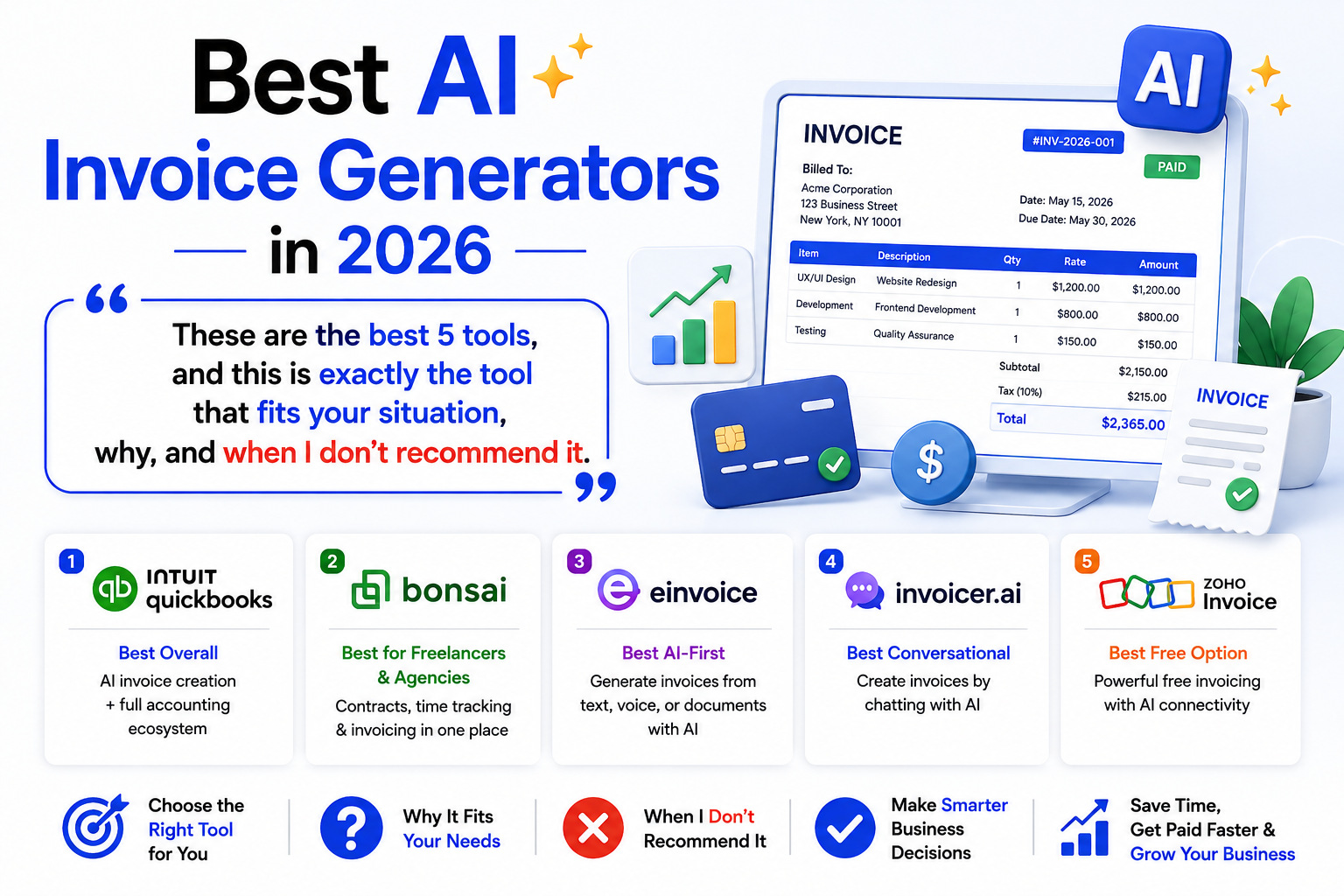
For this comparison, we looked at five tools that approach AI invoicing in different ways:
- QuickBooks — Best overall for AI invoicing and accounting
- Bonsai — Best for freelancers and agencies
- eInvoice — Best for AI-first invoice drafting
- Invoicer.ai — Best for conversational invoicing
- Zoho Invoice — Best free invoicing with AI connectivity
The right choice depends less on which product has the most AI features and more on where your invoice data comes from, how much accounting you need, and how much repetitive work you want to eliminate.
Disclosure: Product capabilities and pricing can change. Always verify the current plan, regional availability, taxes, and payment fees before purchasing.
Quick Comparison
| Tool | Best For | Main AI Advantage | Accounting | Free Option |
|---|---|---|---|---|
| QuickBooks | Businesses needing invoicing + accounting | AI-assisted invoice creation and financial automation | Excellent | Free AI invoice generator |
| Bonsai | Freelancers and agencies | Workflow automation around projects and billing | Moderate | Free trial |
| eInvoice | AI-first invoice creation | Text, voice and document-based drafting | Limited compared with accounting suites | Free AI tool |
| Invoicer.ai | Conversational invoicing | Natural-language commands and bulk invoice creation | Limited compared with accounting suites | Free trial |
| Zoho Invoice | Free professional invoicing | AI connectivity through Zoho MCP | Best paired with Zoho Books for accounting | Yes |
The products are not direct substitutes.
QuickBooks is primarily a broader financial management platform. Bonsai is built around client work and project management. eInvoice focuses heavily on AI-assisted document creation. Invoicer.ai emphasizes conversational automation. Zoho Invoice provides a mature free invoicing system with newer AI connectivity.
1. QuickBooks — Best Overall for AI Invoicing and Accounting
QuickBooks is our top overall choice for businesses that want AI-assisted invoicing without separating billing from accounting and financial management.
Its current AI capabilities go beyond simply filling out an invoice form. QuickBooks offers an AI invoice generator that can use job notes, estimates, website information, and other details to create a draft that you review before sending.
QuickBooks has also expanded its AI capabilities in 2026 through Intuit Intelligence, which can answer questions about business data and perform certain financial tasks with user permission.
Best for
- Small businesses
- Growing companies
- Freelancers who need accounting
- Businesses managing payments and invoices together
- Businesses that want AI-assisted bookkeeping and financial workflows
Why QuickBooks Stands Out
The biggest advantage is not the invoice generator by itself.
It is the connection between:
Invoice → Payment → Transaction → Accounting record → Financial reporting
QuickBooks’ current invoicing system supports online payments, payment tracking, automated reminders, billable hours, and bookkeeping workflows. Its Payments AI can also help draft payment reminders based on payment patterns.
In its August 2026 release, QuickBooks added more Intuit Intelligence functionality, including the ability to scan saved documents such as statements of work and sales orders and draft invoices for review.
That makes QuickBooks particularly useful for businesses that want AI to assist with the broader billing process rather than simply generate a PDF.
Key Features
- AI-powered invoice generator
- AI-assisted invoice drafting
- Intuit Intelligence
- AI-assisted accounting
- Payment reminders
- Online payments
- Invoice tracking
- Billable hours
- Expense management
- Financial reports
- Bank transaction automation
- Automated bookkeeping
Pros
- Strong combination of invoicing and accounting
- Increasingly sophisticated AI capabilities
- Payment and invoice workflows are connected
- Suitable for growing businesses
- Strong financial reporting
Cons
- More complicated than an invoice-only generator
- Can be unnecessary for someone who only creates a few invoices
- Some AI features depend on plan and availability
- Pricing and feature availability can vary by region
Pricing
QuickBooks provides a free AI-powered invoice generator that can be used to create and download invoices without signing up.
For full QuickBooks Online functionality, paid subscriptions are available. Current plan pricing and included AI features vary by plan and region, so check the current pricing page before subscribing.
Who Should Choose QuickBooks?
Choose QuickBooks if you want:
- AI-assisted invoicing
- Payment management
- Bookkeeping
- Expense tracking
- Financial reporting
- A platform that can grow with your business
Who Should Avoid It?
If your only requirement is:
“I need a simple invoice PDF once or twice a month.”
QuickBooks may be more software than you need.
Our Verdict
QuickBooks is the strongest overall choice when AI invoicing is part of a larger financial workflow.
2. Bonsai — Best for Freelancers and Agencies
Bonsai takes a different approach.
Instead of focusing primarily on accounting, it connects invoicing with the broader process of working with clients.
That makes it particularly useful for:
Proposal → Contract → Project → Time Tracking → Invoice → Payment
Bonsai’s current invoicing system supports one-time, scheduled, subscription, and recurring invoices.
It can also automatically create an invoice after a client accepts a proposal, which is useful for freelancers and agencies that sell predefined services or packages.
Best for
- Freelancers
- Consultants
- Creative professionals
- Small agencies
- Project-based businesses
Why Bonsai Stands Out
The value of Bonsai is less about having the most sophisticated invoice-generation AI and more about eliminating administrative steps around client work.
For example, if you track project hours, establish billable rates, manage proposals, and then invoice the client, keeping these activities in one workflow can reduce duplicate data entry.
Bonsai also added rate-card functionality in 2026 for standardized hourly billing across projects and team roles.
Key Features
- Invoicing
- Recurring invoices
- Scheduled invoices
- Time tracking
- Billable rates
- Rate cards
- Proposals
- Contracts
- Client management
- Project management
- Expense tracking
- Payment collection
- Client portal
- QuickBooks and other integrations
Pros
- Excellent freelancer workflow
- Strong project-to-invoice connection
- Contracts and proposals are integrated
- Useful time-tracking features
- Good fit for agencies
- Automatic invoice creation after proposal acceptance
Cons
- Not a replacement for a full accounting platform
- Less focused on conversational AI than Invoicer.ai
- Not designed primarily for inventory-heavy businesses
- Advanced functionality requires higher plans
Pricing
Bonsai’s current pricing page lists:
- Basic: $9/user/month when billed annually
- Essentials: $19/user/month annually
- Premium: $29/user/month annually
- Elite: $49/user/month annually
Monthly billing is priced higher. Invoicing and payments begin with the Essentials plan.
Bonsai also offers a free trial.
Who Should Choose Bonsai?
Choose Bonsai if:
- You sell services
- You manage client projects
- You track time
- You use proposals and contracts
- Your invoice is the final stage of a project workflow
Who Should Avoid It?
If your primary requirement is accounting, bank reconciliation, or complex financial reporting, a dedicated accounting platform such as QuickBooks may be more appropriate.
Our Verdict
Bonsai is one of the strongest choices for freelancers and agencies because it connects invoicing to the actual client work that produces the invoice.
3. eInvoice — Best for AI-First Invoice Drafting
eInvoice is the most AI-first option in this comparison.
Its approach is straightforward: instead of forcing you to start with a blank invoice form, you can provide information through text, voice, or documents, and the system can turn that information into an editable invoice draft.
According to its current 2026 documentation, the platform supports voice-based invoice drafting, PDF/photo extraction through OCR, editable fields, and PDF export.
Best for
- Freelancers
- Contractors
- Small service businesses
- People who hate manual invoice forms
- Users working from PDFs or photos
- Users interested in voice-to-invoice workflows
Why eInvoice Stands Out
Imagine having this information:
“Create an invoice for ABC Design for 12 hours of consulting at $100 per hour, due in 30 days.”
An AI-first invoice tool can interpret the information and structure it into fields instead of requiring you to manually populate every box.
eInvoice also promotes OCR-based extraction from existing documents, allowing information such as dates, vendors, line items, quantities, and totals to be extracted into editable invoice data.
Key Features
- AI invoice drafting
- Text-to-invoice
- Voice-to-invoice
- OCR
- PDF processing
- Photo-based extraction
- Editable invoice fields
- PDF export
- Bulk invoice generation
- Multi-client workflows
Pros
- Strong AI-first experience
- Voice input
- OCR/document workflows
- Useful for reducing manual typing
- Good fit for one-off and repetitive invoice creation
- Free AI invoice functionality is available
Cons
- Not a complete accounting platform
- Extracted information still needs verification
- Some capabilities are based on the vendor’s own AI workflow
- Businesses needing sophisticated accounting may need another platform
Pricing
eInvoice currently promotes a free AI invoice workflow. Its 2026 materials also describe paid plans for users who need additional capabilities such as bulk processing, OCR, and multi-client functionality. Verify the current pricing before subscribing because offers can change.
Who Should Choose eInvoice?
Choose it if your biggest problem is:
“I don’t want to manually type invoice information into a form.”
It is especially interesting if your source material is:
- Voice notes
- PDFs
- Photos
- Existing documents
- Plain-language descriptions
Who Should Avoid It?
If your business needs deep bookkeeping, bank reconciliation, payroll, or advanced accounting, an AI invoice generator alone is unlikely to be enough.
Our Verdict
eInvoice is one of the most interesting choices for users who specifically want AI to transform unstructured information into invoice drafts.
4. Invoicer.ai — Best for Conversational Invoicing
Invoicer.ai puts natural-language interaction at the center of its invoicing workflow.
Instead of navigating through multiple forms, you can use its AI Assistant to create and modify invoices through instructions.
For example:
“Create an invoice for ABC Design for 20 hours at $100 per hour, apply a 10% discount, and make it due in 30 days.”
Its current AI Assistant can create invoices and estimates, modify line items, taxes, discounts, payments, dates, currencies, and other invoice details.
Best for
- Small businesses
- Freelancers
- Contractors
- Users who prefer conversational interfaces
- Businesses with repetitive invoicing
Why Invoicer.ai Stands Out
The strongest differentiator is not simply that it has an AI chatbot.
The AI can actually perform invoicing actions.
According to Invoicer.ai’s current documentation, the assistant can create up to 50 invoices or estimates in a single request, as well as create or update clients and items in bulk.
That makes the product more interesting for businesses with repeated billing workflows.
It also includes AI-powered expense management and receipt extraction.
Key Features
- AI invoice generator
- AI Assistant
- Natural-language invoice creation
- Bulk invoice creation
- Estimates
- Recurring invoices
- Payment reminders
- Online payments
- Expense management
- AI receipt capture
- Multiple currencies
- Invoice tracking
- Branded templates
Pros
- Strong conversational workflow
- Can perform actions rather than only generate text
- Bulk invoice creation
- Useful for repetitive billing
- Online payments
- AI-powered expense management
- Unlimited invoices and clients are promoted on its current site
Cons
- Not a complete accounting replacement
- Financial information should still be reviewed
- Businesses with advanced accounting needs may require additional software
- AI processing involves business data, so privacy considerations matter
Pricing
Invoicer.ai currently offers a free trial with no credit card required. Its current website promotes unlimited invoices, estimates, and clients, but users should check the latest plan details before subscribing.
Who Should Choose Invoicer.ai?
Choose it if you think:
“I’d rather tell my invoicing software what I want than fill out another form.”
Who Should Avoid It?
Businesses that need full accounting, payroll, advanced bookkeeping, or sophisticated financial reporting should look beyond an invoice-focused platform.
Our Verdict
Invoicer.ai is particularly compelling for people who want to interact with their invoicing system using ordinary language.
5. Zoho Invoice — Best Free Professional Invoicing with AI Connectivity
Zoho Invoice deserves a place on this list for a different reason.
It is not the most AI-first invoice generator here.
Instead, it is a mature invoicing platform that has added an important AI integration layer in 2026.
Zoho announced support for Model Context Protocol (MCP) in Zoho Invoice, allowing compatible AI assistants to interact with business data and invoicing functions through a standardized connection.
Best for
- Freelancers
- Small businesses
- Users looking for free invoicing
- Existing Zoho users
- Businesses that want structured invoicing with AI connectivity
Why Zoho Invoice Stands Out
Zoho Invoice already provides many of the features small businesses expect from an invoicing platform:
- Professional invoices
- Recurring invoices
- Estimates
- Payment reminders
- Customer management
- Expense tracking
- Time tracking
- Multi-currency support
- Reports
- Online payments
Zoho’s current product information describes its invoicing service as free and includes scheduling and recurring invoice functionality.
The 2026 MCP integration adds another layer: AI assistants can interact with Zoho Invoice rather than merely generating invoice text outside the system.
Key Features
- Free invoicing
- Recurring invoices
- Estimates
- Payment reminders
- Customer management
- Expense tracking
- Time tracking
- Multi-currency support
- Client portal
- Reports
- AI connectivity through Zoho MCP
- Zoho ecosystem integrations
Pros
- Free professional invoicing
- Strong feature set
- Recurring invoices
- Good automation
- Established business ecosystem
- AI connectivity through MCP
Cons
- Less AI-first than eInvoice
- Less conversational than Invoicer.ai
- Full accounting may require Zoho Books
- Some functionality varies by country
Pricing
Zoho Invoice is available as a free invoicing product, although limits and availability can vary by country.
For businesses that need complete accounting rather than invoicing alone, Zoho positions Zoho Books as the broader accounting product.
Who Should Choose Zoho Invoice?
Choose it if:
- You want professional invoicing without a monthly subscription
- You need recurring invoices
- You want payment tracking
- You already use Zoho
- You are interested in connecting invoicing to AI assistants
Who Should Avoid It?
If your priority is simply:
“I want to describe an invoice in one sentence and have AI create it.”
A more AI-first product such as eInvoice or Invoicer.ai may feel more natural.
Our Verdict
Zoho Invoice is one of the strongest free choices, especially for users who want traditional invoicing capabilities plus newer AI connectivity.
Which AI Invoice Generator Should You Choose?
The best tool depends on the problem you are trying to solve.
Choose QuickBooks if You Need Accounting
Choose QuickBooks if you want:
AI invoicing + payments + bookkeeping + financial reporting
It is the strongest choice for businesses that don’t want invoicing to exist separately from their accounting system.
Choose Bonsai if You Are a Freelancer or Agency
Choose Bonsai if your workflow looks like:
Proposal → Contract → Project → Time → Invoice → Payment
Its biggest advantage is connecting client work with billing.
Choose eInvoice if You Want AI-First Invoice Creation
Choose eInvoice if your preferred workflow is:
Text / Voice / Document → AI → Invoice Draft
This is especially useful if you frequently work from notes, PDFs, photos, or spoken instructions.
Choose Invoicer.ai if You Want Conversational Automation
Choose Invoicer.ai if you prefer:
Natural-language instruction → AI action → Invoice
Its ability to create and modify multiple invoices through AI commands makes it particularly interesting for repetitive billing.
Choose Zoho Invoice if You Want Free Professional Invoicing
Choose Zoho Invoice if you want:
Free invoicing + recurring billing + payment management + AI connectivity
It is particularly attractive if you don’t need a full accounting platform.
Quick Decision Guide
| If You… | Best Choice |
|---|---|
| Need accounting + invoicing | QuickBooks |
| Want the strongest overall business platform | QuickBooks |
| Are a freelancer | Bonsai |
| Run a small agency | Bonsai |
| Need project-based billing | Bonsai |
| Want voice-to-invoice | eInvoice |
| Want PDF/document extraction | eInvoice |
| Want AI-first invoice drafting | eInvoice |
| Want conversational invoice creation | Invoicer.ai |
| Need bulk AI invoice creation | Invoicer.ai |
| Want free professional invoicing | Zoho Invoice |
| Want AI-connected invoicing | Zoho Invoice |
QuickBooks vs. Bonsai
These products solve different problems.
Choose QuickBooks if:
- Accounting is important
- You need bookkeeping
- You need financial reports
- You want payment management
- Your business is growing
- You want AI-assisted financial automation
Choose Bonsai if:
- You’re a freelancer
- You run an agency
- You manage client projects
- You use proposals and contracts
- You track billable time
Bottom line
Accounting → QuickBooks
Client-work management → Bonsai
eInvoice vs. Invoicer.ai
These are the closest competitors in this comparison.
Choose eInvoice if:
- You want voice input
- You work from PDFs or photos
- OCR matters
- You want document-based invoice generation
- You want an AI-first creation process
Choose Invoicer.ai if:
- You prefer conversational commands
- You want the AI to perform actions inside the invoicing system
- You create many invoices
- You want bulk AI operations
- You want AI-assisted expense management
Bottom line
Documents + voice → eInvoice
Conversation + automation → Invoicer.ai
Zoho Invoice vs. QuickBooks
This comparison comes down mainly to scope.
Choose Zoho Invoice if:
- You want free invoicing
- You don’t need full accounting
- You need recurring invoices
- You want a mature invoicing system
- You are interested in AI connectivity
Choose QuickBooks if:
- You need accounting
- You need bookkeeping
- You need financial reporting
- You need deeper financial automation
- You want invoicing integrated with accounting
Bottom line
Free invoicing → Zoho Invoice
Complete financial management → QuickBooks
How to Choose an AI Invoice Generator
Before choosing a tool, answer these five questions.
1. How Much Manual Data Entry Do You Actually Have?
If you send two invoices a month, advanced AI may not save much time.
If you create dozens or hundreds of invoices, automation becomes much more valuable.
Think about how your invoice starts:
- Blank form
- Project timesheet
- Spreadsheet
- Photo
- Voice note
- Natural-language instructions
The best tool is often the one that matches your starting point.
2. Where Does Your Invoice Data Come From?
This is one of the most useful questions to ask.
From project hours?
Consider Bonsai.
From accounting records?
Consider QuickBooks.
From PDFs or photos?
Consider an OCR-focused workflow such as eInvoice.
From natural-language instructions?
Consider Invoicer.ai or eInvoice.
From a structured invoicing system?
Zoho Invoice can be a strong free option.
3. Do You Need Accounting?
Invoice generation and accounting are not the same thing.
An invoice tool may create:
- Customer invoices
- Estimates
- Payment reminders
- Payment links
- PDF documents
Accounting software can additionally handle things such as:
- Expenses
- Bank transactions
- Reconciliation
- Financial statements
- Tax-related records
- Bookkeeping
If you need the second category, don’t choose a product based only on its AI invoice generator.
4. How Will Customers Pay You?
The invoice is only one part of the process.
A better workflow is:
Invoice → Payment → Payment tracking → Accounting record
Before choosing a platform, check whether it supports the payment methods your customers actually use.
5. Can the Tool Grow With You?
A simple invoice generator may be perfect when you have five customers.
It can become limiting when you have:
- 100+ clients
- Recurring billing
- Employees
- Multiple currencies
- Large invoice volumes
- Accounting requirements
- Multiple payment methods
Choose according to your expected workflow, not just your current number of invoices.
How to Use AI Invoice Generators Safely
AI can reduce repetitive work, but invoices are financial documents.
That means the final review should remain yours.
Verify the Customer
Check:
- Customer name
- Business name
- Billing address
- Email address
- Tax/VAT information where applicable
Verify the Numbers
Check:
- Quantity
- Unit price
- Discounts
- Subtotal
- Tax
- Total
Verify the Dates
Check:
- Invoice date
- Due date
- Service period
- Payment terms
Verify the Currency
A wrong currency can create unnecessary confusion, particularly with international clients.
Verify Tax Information
Do not assume that an AI system knows which VAT, GST, sales tax, withholding tax, or other rules apply to your particular business.
Tax requirements depend on factors such as jurisdiction, business type, customer location, and transaction type.
For important tax decisions, verify the applicable rules with an appropriate professional or official tax authority.
What Makes an AI Invoice Generator Actually Useful?
The word AI alone does not make an invoicing tool useful.
A useful AI workflow should reduce one or more meaningful tasks.
Good examples include:
Turning notes into an invoice
Instead of copying information manually, AI structures it.
Extracting data from documents
OCR can reduce retyping when the source is a PDF or image.
Creating recurring invoices
The system can automate repetitive billing.
Creating invoices from tracked work
The platform can convert time or project information into billable items.
Using natural-language commands
You can describe the action instead of navigating through multiple screens.
Connecting invoicing to accounting
This prevents duplicate financial data entry.
The best products combine several of these capabilities.
Common Mistakes to Avoid
Choosing a Tool Just Because It Says “AI”
Ask:
What exactly does the AI do?
If the answer is simply “it helps you write the description,” the time savings may be minimal.
Treating AI Output as Automatically Correct
AI-generated financial information still needs review.
Never assume a generated invoice is correct just because it looks professional.
Ignoring Payment Collection
Creating an invoice is not the final business objective.
Getting paid is.
Look for:
- Payment links
- Online payment options
- Reminders
- Payment status
- Recurring payments where relevant
Paying for Features You Don’t Need
If you send three invoices per month, you probably don’t need an enterprise accounting platform simply because it contains AI.
Ignoring Data Privacy
Invoices can contain sensitive business information and customer data.
Before uploading documents or connecting accounting systems, review:
- Privacy policies
- Data-processing terms
- AI data usage
- Retention policies
- Third-party integrations
- Account security
Pros and Cons of AI Invoice Generators
Advantages
- Less manual data entry
- Faster invoice creation
- Natural-language workflows
- Voice input
- OCR and document extraction
- Recurring billing automation
- Payment reminders
- Invoice tracking
- Better connection between billing and accounting
- Faster processing of repetitive tasks
Disadvantages
- AI can still make mistakes
- OCR accuracy depends on document quality
- Some tools have limited accounting functionality
- Advanced platforms can cost more
- Tax compliance still requires human verification
- Not every business needs AI
Frequently Asked Questions
What is the best AI invoice generator in 2026?
QuickBooks is our best overall choice for businesses that want AI-assisted invoicing together with accounting, payments, and broader financial automation. Its current AI capabilities include invoice drafting and newer Intuit Intelligence features.
If you only need AI invoice generation rather than accounting, an AI-first tool such as eInvoice or Invoicer.ai may be a better fit.
What is the best AI invoice generator for freelancers?
Bonsai is our top choice for freelancers and agencies whose invoices are connected to projects, contracts, proposals, and tracked work.
Its current platform supports several invoice types and can automatically create an invoice after a proposal is accepted.
What is the best free AI invoice generator?
There is no single answer for every workflow.
Zoho Invoice is one of the strongest free professional invoicing options, while QuickBooks provides a free AI invoice generator for creating individual invoices.
Zoho also added MCP support in 2026, allowing compatible AI assistants to interact with Zoho Invoice.
What is the best AI invoice generator for voice input?
eInvoice is our pick for voice-based invoice drafting because its current workflow supports describing invoice information by voice and turning that information into an editable draft.
Can AI create an invoice from a PDF?
Yes.
AI invoice systems can use OCR and document extraction to identify information such as:
- Customer/vendor information
- Dates
- Line items
- Quantities
- Prices
- Totals
However, extraction quality depends on the document, especially when dealing with blurry scans, unusual layouts, or handwriting. eInvoice currently promotes PDF and image-based invoice extraction.
Can AI calculate invoice taxes?
Some invoicing systems can apply configured tax rates and calculate totals.
But this is different from determining whether a particular tax treatment is legally correct.
Your business may have specific VAT, GST, sales-tax, withholding, or cross-border requirements. Always verify tax rules applicable to your situation.
Is an AI invoice generator safe?
It depends on the provider and how you use it.
Before uploading customer or financial information, review the provider’s privacy and security documentation.
Also check whether your AI-connected integrations require explicit permissions and what data the service can access.
Can AI invoice generators replace accounting software?
Usually, no.
An invoice generator primarily handles billing documents.
Accounting software can handle a much broader workflow, including expenses, bank transactions, reconciliation, bookkeeping, and financial reporting.
If you need those functions, choose a platform designed for accounting rather than relying on an invoice generator alone.
Final Verdict
There is no universal winner among AI invoice generators.
The best choice depends on what you want AI to automate.
Best Overall: QuickBooks
Best for: AI invoicing + accounting + payments
QuickBooks is the strongest all-around choice for businesses that want invoicing connected to a broader financial system.
Best for Freelancers and Agencies: Bonsai
Best for: Projects + contracts + time tracking + invoicing
Bonsai is particularly strong when billing is directly connected to client work.
Best AI-First Option: eInvoice
Best for: Text + voice + document-based invoice drafting
eInvoice is a strong choice if your main objective is reducing the manual work required to turn unstructured information into an invoice.
Best Conversational Option: Invoicer.ai
Best for: Natural-language commands + AI invoice automation
Invoicer.ai stands out because its AI Assistant can actually create and modify invoices and handle bulk operations rather than simply generating invoice text.
Best Free Invoicing: Zoho Invoice
Best for: Professional invoicing + automation + AI connectivity
Zoho Invoice is particularly attractive if you want a mature invoicing platform without paying for a traditional accounting subscription, while its 2026 MCP integration opens the door to AI-assisted workflows.
Our Recommendation by Situation
| Your Situation | Best Choice |
|---|---|
| Best overall | QuickBooks |
| Accounting + invoicing | QuickBooks |
| Freelancer | Bonsai |
| Agency | Bonsai |
| Project-based billing | Bonsai |
| AI-first invoice creation | eInvoice |
| Voice-to-invoice | eInvoice |
| PDF/photo invoice extraction | eInvoice |
| Conversational invoicing | Invoicer.ai |
| Bulk AI invoice creation | Invoicer.ai |
| Free professional invoicing | Zoho Invoice |
| AI-connected invoicing | Zoho Invoice |
The most important lesson is simple:
Don’t choose an AI invoice generator because it produces a beautiful invoice. Choose it because it removes repetitive work from your billing process.
For many businesses, the ideal workflow looks like this:
Work completed → Invoice data collected → AI creates a draft → You review it → Customer receives it → Payment is collected → Financial records are updated
That is where AI invoicing becomes genuinely useful: not because the invoice looks smarter, but because less of your time is spent creating it.
Editorial Methodology
For this comparison, we evaluated the tools based on:
- How directly AI contributes to invoice creation
- Natural-language or voice input
- Document and OCR capabilities
- Automation of repetitive billing
- Payment functionality
- Accounting capabilities
- Freelancer and agency workflows
- Free availability
- Ease of use
- Scalability
- The distinction between AI generation and broader financial automation
We also prioritized current first-party product information where available rather than relying only on generic software roundups.
Because invoicing software changes frequently, pricing, regional availability, integrations, and AI features should always be verified on the provider’s website before purchase.