Best AI Image Generator in 2026: Top AI Tools to Create Stunning Images
Artificial intelligence has completely transformed digital content creation, and the AI Image Generator is one of the most exciting innovations available today. Instead of spending hours designing graphics or hiring professional artists, anyone can generate high-quality images simply by describing what they want in plain text.
Whether you’re a blogger creating featured images, a marketer designing advertising campaigns, a YouTuber producing eye-catching thumbnails, or an e-commerce business owner showcasing products, an AI Image Generator can dramatically reduce your workload while improving the quality of your visuals.
Modern AI image generators use advanced machine learning models to understand detailed prompts and convert them into realistic photographs, digital paintings, illustrations, concept art, product mockups, logos, and much more. These tools continue to improve every year, making professional-quality image creation accessible to everyone—even users with no design experience.
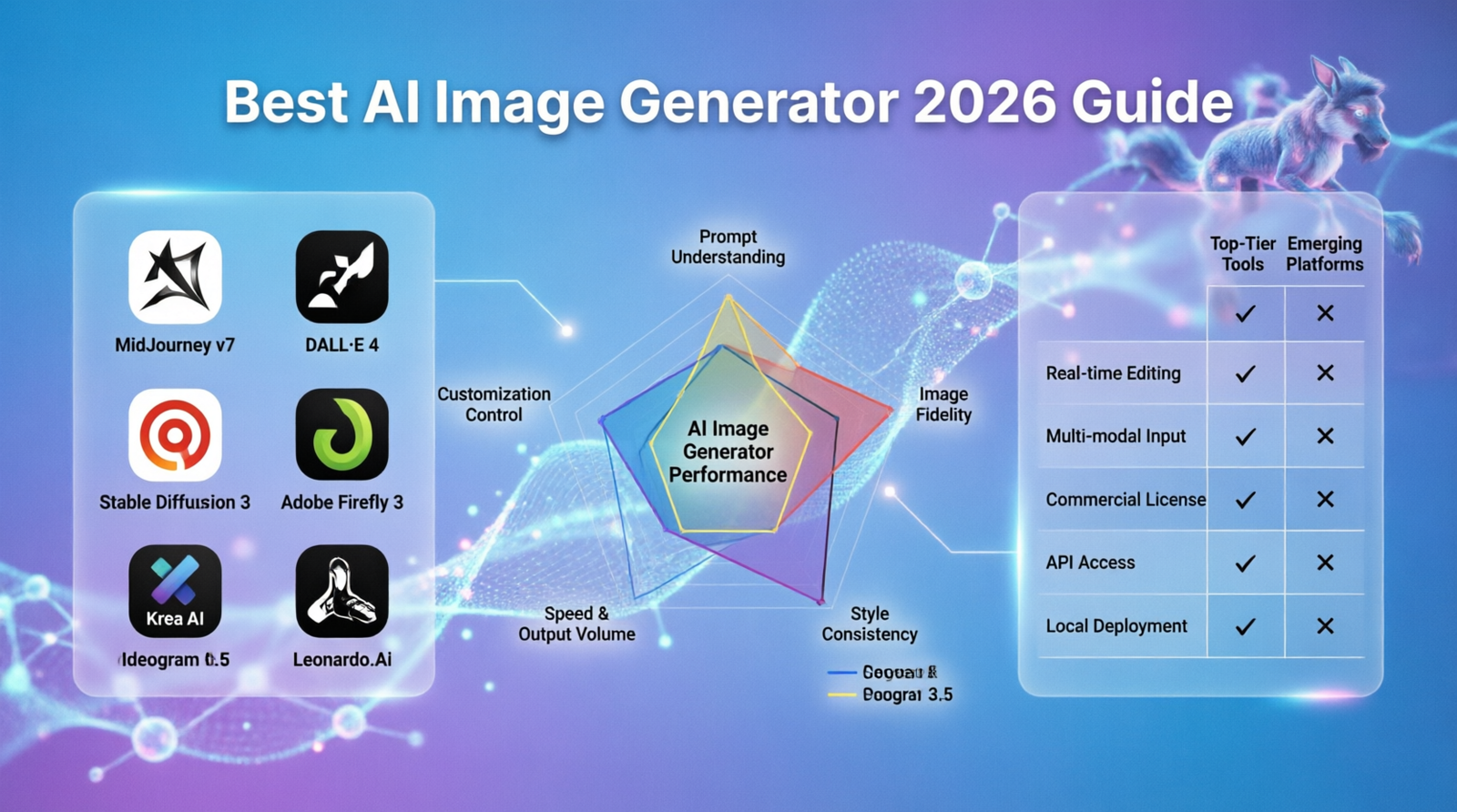
In this comprehensive guide, you’ll discover the best AI Image Generator tools in 2026, compare their features, pricing, strengths, and weaknesses, and learn how to choose the right platform for your personal or business needs. https://aitoolsformarketers.com/best-ai-writing-tools/
AI Image Generator creating digital artwork
Table of Contents
Quick Comparison Table
| AI Image Generator | Free Plan | Best For | Commercial Use | Ease of Use |
|---|---|---|---|---|
| ChatGPT Image Generation | ✅ Yes | All-purpose image creation | ✅ Yes | ⭐⭐⭐⭐⭐ |
| Midjourney | ❌ Trial Only | Artistic images | ✅ Yes | ⭐⭐⭐⭐ |
| Adobe Firefly | ✅ Yes | Professional designers | ✅ Yes | ⭐⭐⭐⭐ |
| Canva AI | ✅ Yes | Beginners | ✅ Yes | ⭐⭐⭐⭐⭐ |
| Leonardo AI | ✅ Yes | Game assets & illustrations | ✅ Yes | ⭐⭐⭐⭐ |
| Ideogram AI | ✅ Yes | Posters & typography | ✅ Yes | ⭐⭐⭐⭐ |
What Is an AI Image Generator?
An AI Image Generator is software powered by artificial intelligence that converts written descriptions into digital artwork. Instead of drawing images manually, users simply enter a text prompt describing the desired scene, and the AI creates a completely original image within seconds.
These systems are trained on millions of images and learn patterns such as lighting, composition, colors, textures, and artistic styles. As a result, they can generate everything from realistic portraits and landscapes to futuristic artwork, anime illustrations, product photography, and marketing graphics.
The popularity of AI image generators has exploded because they save time, reduce design costs, and allow anyone to produce professional-quality visuals without advanced graphic design skills.
Why Use an AI Image Generator?
Businesses, marketers, creators, and designers are rapidly adopting AI-powered image generation for several reasons.
Save Time
Designing images from scratch can take hours. AI creates high-quality visuals in just a few seconds.
Reduce Costs
Hiring graphic designers for every project can become expensive. AI helps businesses produce visuals at a fraction of the cost.
Increase Creativity
Need inspiration? AI can generate multiple creative concepts instantly, allowing you to experiment with different artistic styles.
Improve Marketing Campaigns
Custom visuals often perform better than stock images on websites, social media, and digital advertising campaigns.
Create Unlimited Variations
You can generate multiple versions of the same image simply by modifying your prompt.
No Design Experience Required
Modern AI image generators are designed for beginners and require only simple text descriptions.
Best AI Image Generator Tools
1. ChatGPT Image Generation
ChatGPT has become one of the most powerful AI image generation platforms available today. By simply describing what you want, ChatGPT can create highly detailed images suitable for blogs, YouTube thumbnails, advertisements, websites, presentations, social media posts, and business projects.
Its biggest advantage is prompt understanding. Even complex descriptions involving lighting, camera angles, artistic styles, emotions, and composition are interpreted remarkably well.chatgpt.com
Best For
- Bloggers
- Content creators
- Social media managers
- Marketing agencies
- Businesses
- YouTubers
Pros
- Excellent prompt understanding
- High-resolution images
- Fast generation
- Easy-to-use interface
- Suitable for beginners
- Supports many artistic styles
Cons
- Advanced features may require a paid subscription.
- Some image generations may require prompt refinement.
2. Midjourney
Midjourney remains one of the most respected AI image generators among artists and designers. It is famous for producing visually stunning artwork with incredible lighting, textures, and cinematic quality.
Unlike many competitors, Midjourney excels at fantasy art, concept art, architecture, fashion, landscapes, and highly artistic illustrations.
Professional designers frequently use Midjourney because its outputs often require very little editing.midgourney.com
Best For
- Digital artists
- Graphic designers
- Concept artists
- Architects
- Creative agencies
Pros
- Exceptional image quality
- Highly artistic results
- Realistic lighting
- Beautiful compositions
- Active creative community
Cons
- Slight learning curve
- Limited free access
3. Adobe Firefly
Adobe Firefly is Adobe’s AI-powered image generation platform designed specifically for creative professionals.
One of its biggest advantages is its seamless integration with Photoshop, Illustrator, and other Adobe Creative Cloud applications.
Because Adobe trains Firefly using licensed content, many businesses feel more comfortable using it for commercial projects.https://firefly.adobe.com/
Best For
- Professional designers
- Marketing teams
- Advertising agencies
- Brand designers
- Creative professionals
Pros
- Commercial-friendly licensing
- Excellent integration with Adobe products
- Fast rendering
- High-quality outputs
- Reliable editing tools
Cons
- Best experience requires Adobe subscription.
- More suitable for users already familiar with Adobe products.
4. Canva AI
Canva AI is one of the easiest AI image generators for beginners. It combines AI-powered image generation with Canva’s well-known drag-and-drop editor, making it simple to create social media graphics, presentations, business flyers, posters, banners, and marketing materials.
Users can generate an image, edit it immediately, add text, icons, animations, and publish designs without switching between different applications. https://www.canva.com/
Best For
- Beginners
- Bloggers
- Small businesses
- Teachers
- Students
- Social media creators
Pros
- Extremely beginner-friendly
- Ready-made templates
- Fast editing tools
- Built-in design editor
- Free plan available
Cons
- Advanced customization is more limited than professional design software.
- Some premium templates require Canva Pro.
Who Should Use an AI Image Generator?
AI image generators are valuable for almost anyone creating digital content, including:
- Bloggers
- YouTubers
- Graphic designers
- Digital marketers
- Content creators
- E-commerce stores
- Small businesses
- Advertising agencies
- Freelancers
- Web designers
- Social media managers
- Educators
Whether you need blog featured images, product mockups, promotional banners, website graphics, or YouTube thumbnails, AI image generation can significantly improve productivity while reducing production costs.
5. Leonardo AI
Leonardo AI has quickly become one of the most popular AI image generation platforms, especially among game developers, digital artists, and content creators. It offers powerful tools for creating concept art, character designs, game assets, product mockups, and highly detailed illustrations.
Unlike many competitors, Leonardo AI provides greater control over image generation. Users can fine-tune prompts, train custom models, and generate multiple image variations, making it an excellent choice for professional creative projects. https://leonardo.ai/
Best For
- Game developers
- Digital artists
- Concept artists
- Product designers
- Marketing teams
Pros
- High-quality image generation
- Custom AI model training
- Multiple artistic styles
- Fast rendering
- Free daily credits
Cons
- Advanced features require a paid plan.
- Beginners may need time to learn all available settings.
6. Ideogram AI
Ideogram AI is known for one feature that many AI image generators struggle with: creating accurate text inside images. This makes it a fantastic choice for posters, logos, advertisements, social media graphics, YouTube thumbnails, and marketing materials.
If your designs require readable typography combined with creative artwork, Ideogram AI is one of the best options available. https://ideogram.ai/
Best For
- Logo creation
- Posters
- Marketing graphics
- YouTube thumbnails
- Social media content
Pros
- Excellent text rendering
- Modern interface
- High-quality images
- Free plan available
- Fast generation
Cons
- Fewer editing tools than some competitors.
- Advanced options are available only on premium plans.
7. DALL·E
DALL·E is another leading AI Image Generator capable of transforming detailed text prompts into impressive artwork and realistic images. It is widely used for illustrations, blog graphics, educational content, product mockups, and creative experiments.
One of its biggest strengths is understanding complex prompts that combine multiple objects, artistic styles, lighting conditions, and perspectives. https://openai.com/
Best For
- Bloggers
- Marketing campaigns
- Educational projects
- Creative professionals
- Businesses
Pros
- Excellent prompt understanding
- Realistic image generation
- Multiple artistic styles
- Beginner friendly
- Commercial usage available
Cons
- Some advanced editing features depend on the platform where it is used.
- Results may occasionally require prompt refinement.
AI Image Generator Pricing Comparison
Choosing the right AI Image Generator also depends on your budget. While many platforms offer free plans, premium subscriptions unlock better image quality, faster generation, and additional creative features.
| Platform | Free Plan | Starting Price |
|---|---|---|
| ChatGPT Image Generation | Yes | From $20/month |
| Midjourney | Limited | From $10/month |
| Adobe Firefly | Yes | Varies by Adobe plan |
| Canva AI | Yes | From $15/month |
| Leonardo AI | Yes | From $10/month |
| Ideogram AI | Yes | Varies |
| DALL·E | Depends on platform | Varies |
Feature Comparison
| Feature | ChatGPT | Midjourney | Firefly | Canva | Leonardo | Ideogram |
|---|---|---|---|---|---|---|
| Text-to-Image | ✅ | ✅ | ✅ | ✅ | ✅ | ✅ |
| Photo Realism | ⭐⭐⭐⭐⭐ | ⭐⭐⭐⭐⭐ | ⭐⭐⭐⭐ | ⭐⭐⭐ | ⭐⭐⭐⭐⭐ | ⭐⭐⭐⭐ |
| Artistic Styles | ⭐⭐⭐⭐ | ⭐⭐⭐⭐⭐ | ⭐⭐⭐⭐ | ⭐⭐⭐ | ⭐⭐⭐⭐⭐ | ⭐⭐⭐⭐ |
| Easy to Use | ⭐⭐⭐⭐⭐ | ⭐⭐⭐ | ⭐⭐⭐⭐ | ⭐⭐⭐⭐⭐ | ⭐⭐⭐⭐ | ⭐⭐⭐⭐ |
| Commercial Use | ✅ | ✅ | ✅ | ✅ | ✅ | ✅ |
AI Image Generator Use Cases
AI-powered image creation has become an essential tool across many industries. Here are some of the most common ways people use AI-generated images:
Blogging
Create eye-catching featured images for articles that increase engagement and improve click-through rates.
Social Media
Generate unique visuals for Instagram, Facebook, LinkedIn, Pinterest, TikTok, and X (Twitter).
YouTube
Design professional thumbnails that attract more viewers and improve video performance.
E-commerce
Create product mockups, promotional banners, advertisements, and lifestyle images for online stores.
Digital Marketing
Produce visuals for Facebook Ads, Google Ads, email marketing campaigns, landing pages, and promotional content.
Business Presentations
Generate custom illustrations, infographics, and presentation graphics within minutes.
Book Covers
Authors can quickly create unique book cover concepts before finalizing their designs.
Graphic Design Inspiration
Professional designers frequently use AI image generators to brainstorm ideas before creating final artwork.
Free vs Paid AI Image Generators
Many users start with free AI image generators before upgrading to premium subscriptions.
Free Plans
Free versions are perfect for learning and experimentation. However, they usually include:
- Daily generation limits
- Lower image resolution
- Slower processing
- Limited editing options
- Watermarks on some platforms
Paid Plans
Premium subscriptions unlock many additional features, including:
- Higher image quality
- Faster image generation
- Commercial licenses
- Priority servers
- Advanced editing tools
- More creative control
- Larger generation limits
If you create content regularly for business or marketing, a paid plan is often worth the investment.
AI Prompt Examples
The quality of your AI-generated image depends heavily on the prompt you provide. Here are some examples:
Realistic Portrait
A realistic portrait of a young entrepreneur working on a laptop in a modern office, natural lighting, ultra detailed, 8K photography.
Fantasy Landscape
A magical floating island above the clouds with waterfalls, glowing trees, cinematic lighting, highly detailed fantasy art.
Product Photography
A luxury smartwatch on a black marble table with soft studio lighting, premium product photography, ultra realistic.
YouTube Thumbnail
A surprised businessman pointing at a glowing AI robot, colorful background, dramatic lighting, YouTube thumbnail style.
Social Media Post
Minimalist workspace with laptop, coffee cup, notebook, soft natural light, modern aesthetic, Instagram style.
Features to Look For
Before choosing an AI Image Generator, compare these important features:
- Text-to-image generation
- High-resolution downloads
- Multiple artistic styles
- Photo-realistic rendering
- Image editing tools
- Background removal
- Commercial licensing
- API integration
- Team collaboration
- Fast rendering speed
- Mobile compatibility
- Prompt enhancement tools
Choosing a platform with the right combination of these features will help you create better images while improving your overall workflow.
Tips for Better AI Image Generation
Creating amazing AI-generated images is not just about choosing the right platform. The quality of your results depends heavily on the prompts you write. Here are some practical tips to get better images every time.
1. Write Detailed Prompts
The more details you provide, the better the AI understands your request.
Instead of writing:
A cat
Try:
A fluffy white Persian cat sitting on a wooden chair near a window, golden sunset lighting, ultra-realistic photography, shallow depth of field, 8K.
2. Mention the Art Style
Specify the artistic style you want, such as:
- Realistic photography
- Digital painting
- Watercolor
- Oil painting
- Anime
- Cartoon
- Pixel art
- 3D render
- Cinematic
3. Describe the Lighting
Lighting has a huge impact on image quality.
Examples include:
- Golden hour
- Studio lighting
- Neon lighting
- Soft natural light
- Dramatic lighting
- Cinematic lighting
4. Include Camera Angles
For realistic images, camera angles help improve composition.
Examples:
- Close-up
- Portrait shot
- Wide-angle
- Aerial view
- Top-down view
- Low-angle shot
- Macro photography
5. Generate Multiple Versions
Don’t settle for the first result. Generate several variations and choose the best one.
Common Mistakes to Avoid
Many beginners don’t get the best results because they make simple mistakes.
Using Very Short Prompts
Short prompts provide little information, leading to generic images.
Ignoring Image Licensing
Always review the commercial usage policy before using AI-generated images in products, advertisements, or client work.
Choosing the Wrong Aspect Ratio
Select the correct image size for your platform.
Examples:
- 16:9 for YouTube
- 1:1 for Instagram
- 9:16 for TikTok and Shorts
Forgetting to Edit Images
Even the best AI-generated images can benefit from minor edits such as cropping, color correction, or adding text.
Expecting Perfect Results Immediately
Sometimes changing just a few words in your prompt can dramatically improve the output.
Pros and Cons of AI Image Generators
Advantages
- Save hours of design work.
- Produce professional-quality images.
- Affordable compared to hiring designers.
- Generate unlimited creative ideas.
- Beginner friendly.
- Suitable for businesses and marketers.
- Support multiple artistic styles.
- Improve productivity.
Disadvantages
- Some platforms require paid subscriptions.
- Licensing policies vary.
- Prompt writing requires practice.
- Occasionally produces inaccurate details.
- Complex scenes may need multiple attempts.
How to Choose the Right AI Image Generator
Choosing the best AI Image Generator depends on your goals.
Choose ChatGPT If…
- You want an all-purpose AI assistant.
- You need realistic images.
- You create blog graphics.
- You manage social media.
- You want an easy-to-use interface.
Choose Midjourney If…
- You are a digital artist.
- You love fantasy artwork.
- You need cinematic images.
- You prioritize artistic quality.
Choose Adobe Firefly If…
- You already use Photoshop.
- You work in professional design.
- You need commercial-friendly content.
Choose Canva AI If…
- You are a beginner.
- You create social media graphics.
- You design presentations.
- You want everything in one editor.
Choose Leonardo AI If…
- You create game assets.
- You design characters.
- You need advanced customization.
Choose Ideogram AI If…
- You create posters.
- You need accurate text inside images.
- You design advertisements.
Frequently Asked Questions
Are AI Image Generators Free?
Many AI image generators offer free plans with daily limits or limited features. Premium subscriptions usually provide faster generation, higher image quality, and commercial licenses.
Can AI-Generated Images Be Used Commercially?
Most premium platforms allow commercial use. However, you should always review each platform’s licensing terms before publishing, selling, or using AI-generated images in client projects.
Which AI Image Generator Is Best for Beginners?
Canva AI and ChatGPT are excellent options for beginners because they provide intuitive interfaces and require very little learning.
Which AI Image Generator Creates the Most Realistic Images?
ChatGPT, Midjourney, and Leonardo AI are among the best choices for creating highly realistic images.
Do I Need Graphic Design Experience?
No. Modern AI image generators are designed for everyone. If you can describe an idea in words, you can create impressive visuals.
Can AI Create Logos?
Yes. Many AI image generators can create logo concepts. However, professional refinement may still be necessary for branding purposes.
Are AI Images Copyrighted?
Copyright laws vary by country and platform. Always review the platform’s terms of service before using AI-generated images commercially.
Can AI Replace Graphic Designers?
AI is a powerful creative tool, but professional designers still play an essential role in branding, strategy, user experience, and advanced visual communication.
Which AI Tool Is Best for Marketing?
ChatGPT, Canva AI, and Adobe Firefly are excellent choices for creating marketing visuals, social media graphics, and advertising materials.
Are AI Image Generators Worth Paying For?
If you regularly create content for blogs, businesses, e-commerce stores, or marketing campaigns, a premium AI Image Generator can save significant time and improve productivity.
Final Verdict
The rapid evolution of AI image generation has completely changed the way individuals and businesses create visual content. Whether you need blog graphics, YouTube thumbnails, product images, advertising creatives, or digital artwork, today’s AI tools make professional-quality image creation faster and more accessible than ever.
If you’re looking for the best all-around solution, ChatGPT Image Generation offers an excellent balance of quality, ease of use, and versatility. For highly artistic creations, Midjourney remains a top choice. Adobe Firefly is ideal for professionals already working within the Adobe ecosystem, while Canva AI is perfect for beginners and marketers who need fast, polished designs. Leonardo AI excels in game art and advanced creative projects, and Ideogram AI stands out for producing images with accurate, readable text.
The best approach is to explore a few platforms, experiment with detailed prompts, and choose the AI Image Generator that best matches your workflow, creative goals, and budget.
With AI technology advancing rapidly, mastering these tools today will help you stay ahead in digital marketing, content creation, and visual storytelling for years to come.