
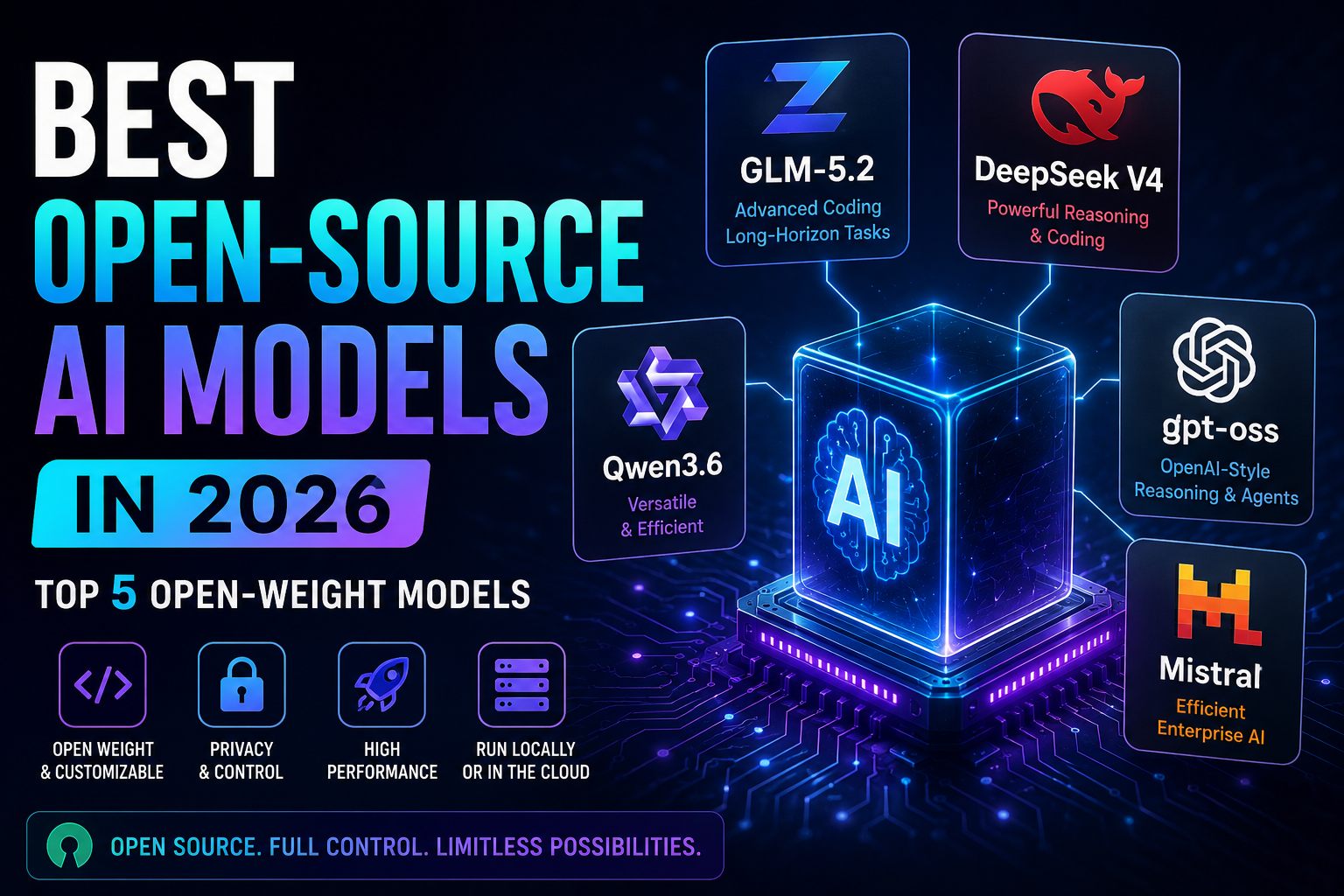
Best Open-Weight AI Models in 2026: 5 Powerful Models Compared
Updated September 2026
Open AI models have become significantly more capable in 2026.
Developers can now choose from models with downloadable weights, long context windows, advanced coding capabilities, multimodal reasoning, tool use, and support for local or private deployment.
But choosing an open model is not simply a matter of finding the model with the highest benchmark score.
A model can be extremely capable and still be a poor choice for your project if it requires too much memory, costs too much to operate, has licensing restrictions that do not fit your use case, or performs poorly on your specific workload.
That is why this guide focuses on practical model selection rather than a simple leaderboard ranking.
We compare five major open-weight model families based on capabilities, deployment flexibility, coding and reasoning use cases, context length, licensing, hardware requirements, and practical fit.
Important: “Open-source” and “open-weight” are not technically identical. This article uses “open-weight” when referring specifically to models whose trained weights are publicly available. Always review the license and model documentation for the exact version you plan to deploy.
Quick Answer: What Is the Best Open-Weight AI Model in 2026?
There is no universal winner.
The right model depends on what you are building, what hardware you have, and how much control you need over deployment.
| Model | Best for | Key advantage | Main consideration |
|---|---|---|---|
| GLM-5.2 | Long-context coding and reasoning | 1M-token context and long-horizon focus | Large infrastructure requirements |
| DeepSeek V4 | Reasoning, coding and agents | 1M context and multiple model variants | Flagship deployments are demanding |
| Qwen3.6 | Flexibility and local AI | Broad range of model configurations | More choices can make selection harder |
| gpt-oss | Local reasoning and tool use | Apache 2.0 and strong agentic capabilities | You manage the deployment |
| Mistral Small 4 | Multilingual, multimodal and enterprise workloads | 119B parameters with 6.5B active and 256K context | Hardware requirements vary by deployment |
Our practical recommendation
Choose the smallest model that reliably solves your real problem.
A model that is slightly less capable but runs quickly and economically can be much more useful than a larger model that consumes most of your hardware budget.
What Is an Open-Weight AI Model?
An open-weight AI model is a model whose trained weights are made available for developers to download and use under the applicable license.
Depending on the model and license, developers may be able to deploy it on:
- Personal computers
- Workstations
- Private servers
- Enterprise infrastructure
- Cloud GPUs
- Edge devices
This differs from a traditional hosted AI service where inference is primarily handled by the provider.
With an open-weight model, you may be able to control where inference happens, which infrastructure is used, and how the model is integrated into your application.
However, downloadable weights do not automatically mean that everything about the AI system is open or that deployment is free.
You still need to examine the license, model architecture, supporting software, hardware requirements, and any applicable usage policies.
Why Open-Weight Models Matter
More Deployment Control
Running an open-weight model can give you more control over where inference takes place and how the surrounding infrastructure is configured.
This can be particularly useful for companies with specific infrastructure or data-governance requirements.
More Customization
Depending on the model and tooling, developers may be able to fine-tune, quantize, modify, or otherwise adapt models for specialized applications.
More Data-Control Options
Organizations handling sensitive information may prefer private inference because it can reduce their dependence on external API infrastructure.
But local deployment does not automatically make an AI application private.
Security still depends on the complete system, including:
- Access controls
- Encryption
- Logging
- Network configuration
- Dependencies
- Storage
- Application permissions
Less Dependence on a Single API
Running a model yourself can reduce dependence on a provider’s API availability, pricing structure, rate limits, or model retirement schedule.
Potentially Better Economics at Scale
Self-hosting can become attractive for sufficiently large workloads.
However, the calculation should include the total cost of ownership:
- GPUs
- Electricity
- Cloud infrastructure
- Storage
- Networking
- Engineering
- Monitoring
- Maintenance
- Security
A model with free weights is therefore not necessarily a free AI solution.
Open-Source vs. Open-Weight AI: What’s the Difference?
The terminology around AI openness is confusing.
Open-weight generally means that trained model weights are publicly available under specified terms.
Open-source AI can imply a broader form of openness involving additional components such as source code, documentation, training information, datasets, or other artifacts.
These concepts should not automatically be treated as interchangeable.
For example, OpenAI describes gpt-oss as an open-weight model, while some projects use “open-source” more broadly.
The safest approach is to check:
- Are the model weights available?
- What license applies to the exact model?
- Is commercial use permitted?
- Are there additional usage policies?
- What other components are actually available?
- Are there restrictions on redistribution or modification?
This matters especially when the model will be incorporated into a commercial product.
How We Selected These Models
This is an editorial shortlist, not a claim that these are objectively the five highest-scoring models on every benchmark.
We considered:
- Current availability in 2026
- Model capabilities
- Coding and reasoning use cases
- Agentic capabilities
- Context length
- Deployment options
- Hardware requirements
- Licensing
- Ecosystem maturity
- Practical usefulness
We also looked beyond benchmark numbers.
A benchmark can be useful for comparing models under a particular evaluation setup, but it does not necessarily predict how a model will perform inside your application.
Model performance can change depending on:
- Prompt design
- Quantization
- Context length
- Inference settings
- Hardware
- Tool access
- Model version
- Evaluation methodology
For that reason, we recommend using benchmarks as supporting evidence rather than the final decision-making tool.
1. GLM-5.2 — Best for Long-Context Coding and Reasoning
GLM-5.2 is one of the most interesting open-weight models for developers working with long-running coding and reasoning tasks.
The official GLM-5.2 model card describes a 1-million-token context window, advanced coding capabilities, flexible reasoning effort, and a focus on long-horizon tasks. The published model is available under an MIT license.
Why GLM-5.2 Stands Out
Its main advantage is the combination of long context and an architecture designed for extended workflows.
The model is particularly interesting when an application needs to maintain a large amount of information across a long task.
Potential use cases include:
- Software engineering
- Large codebases
- Coding agents
- Technical research
- Long technical documents
- Complex reasoning
- Multi-step workflows
A million-token context can be useful for applications involving large repositories or long-running tasks.
However, a huge context window does not mean that every application should use it.
Long contexts can increase memory requirements, latency, and infrastructure costs.
Key Advantages
- 1M-token context
- Strong coding focus
- Long-horizon task capabilities
- Flexible reasoning effort
- MIT license
- Designed for advanced agentic workflows
Limitations
The main challenge is deployment.
Large models can require substantial computing resources, particularly when you need high throughput or multiple concurrent users.
This makes GLM-5.2 more interesting for developers with capable infrastructure than for users simply looking for a lightweight local chatbot.
Best For
Developers building advanced coding systems, long-context applications, and complex agentic workflows.
Our Take
GLM-5.2 is a strong candidate when your workload genuinely benefits from very long context.
If your application only needs short conversations or basic text generation, however, its additional infrastructure requirements may not provide enough practical benefit.
2. DeepSeek V4 — Best for Reasoning, Coding and Agents
The DeepSeek V4 family is another major option for developers interested in open-weight reasoning models.
DeepSeek’s V4 documentation identifies DeepSeek-V4-Pro and DeepSeek-V4-Flash, with a 1-million-token context window. The official model card states that the open-source repository assets, including weights and code, are released under the MIT license.
DeepSeek also launched V4-Pro GA on August 13, 2026, highlighting improved agent capabilities and configurable reasoning effort.
Why DeepSeek V4 Stands Out
The V4 family is interesting because it is not simply one model.
Different variants target different combinations of capability, speed, and deployment requirements.
The official documentation highlights:
- Reasoning modes
- Long-context processing
- Coding
- Agent workflows
- Tool-oriented applications
- Multiple model variants
DeepSeek also released V4.1-Flash in September 2026, showing that the V4 family is continuing to evolve.
Best Use Cases
DeepSeek V4 is worth considering for:
- Software development
- Coding agents
- Technical reasoning
- Research workflows
- Long-context applications
- Developer tools
- General-purpose AI agents
Key Advantages
- 1M-token context
- Multiple variants
- Strong reasoning focus
- Coding capabilities
- Agent-oriented features
- MIT license for the open-source V4 assets
Limitations
The largest versions are not designed for casual laptop deployment.
Infrastructure requirements can become significant when you need:
- High throughput
- Multiple simultaneous users
- Long context
- Production reliability
This is why choosing a smaller or more efficient variant can make more sense than automatically selecting the flagship.
Best For
Developers who want strong reasoning and coding capabilities and are prepared to manage a more demanding deployment.
Our Take
DeepSeek V4 is particularly compelling for developers who want open deployment options without giving up advanced reasoning and agent capabilities.
But remember:
A more capable model is not automatically the better business decision.
3. Qwen3.6 — Best for Model and Hardware Flexibility
Qwen is particularly valuable because its ecosystem gives developers multiple model configurations rather than forcing everyone toward one large model.
One example is Qwen3.6-35B-A3B, a multimodal mixture-of-experts model listed under the Apache 2.0 license.
Why Qwen3.6 Stands Out
The biggest advantage is flexibility.
Different Qwen configurations can target different combinations of:
- Model capability
- Memory usage
- Inference speed
- Multimodal workloads
- Coding
- Agentic applications
- Local deployment
That makes Qwen particularly interesting for developers who want to experiment with local AI.
Instead of asking:
“What is the most powerful model available?”
A better question is:
“What is the most capable model I can run efficiently?”
Best Use Cases
Qwen models are worth considering for:
- Coding
- Local AI
- Multimodal applications
- AI agents
- Research
- General-purpose assistants
- Private deployments
Key Advantages
- Broad ecosystem
- Multiple configurations
- Strong coding capabilities
- Multimodal options
- Apache 2.0 licensing for the cited Qwen3.6 model
- Good options for local experimentation
Limitations
The number of available variants can be confusing.
Before downloading a model, compare:
- Exact model version
- Total parameters
- Active parameters
- Context length
- Quantization
- Hardware requirements
- License
Do not assume that every model carrying the Qwen name has the same capabilities or licensing.
Best For
Developers who want flexibility and want to match model size to their hardware and workload.
Our Take
Qwen is one of the strongest ecosystems to explore if you are interested in local AI because it gives developers more choices than a single-model strategy.
4. gpt-oss — Best for Local Reasoning and Tool Use
OpenAI’s gpt-oss models are among the most notable open-weight releases from a major frontier AI company.
The family includes:
- gpt-oss-20b
- gpt-oss-120b
Both are available under the Apache 2.0 license. OpenAI describes them as open-weight reasoning models designed for customization, tool use, and deployment on infrastructure controlled by developers or through third-party providers.
gpt-oss-20b vs. gpt-oss-120b
| Model | Best suited to | Total parameters | Active parameters |
|---|---|---|---|
| gpt-oss-20b | Local and lower-resource deployment | 21B | 3.6B |
| gpt-oss-120b | Higher-end inference | 117B | 5.1B |
OpenAI states that gpt-oss-120b is designed to fit on a single 80GB GPU, while gpt-oss-20b can run in environments with around 16GB of memory under the stated configuration.
Why gpt-oss Stands Out
The models combine:
- Reasoning
- Tool use
- Function calling
- Structured outputs
- Agentic workflows
- Fine-tuning
- Local deployment
- Apache 2.0 licensing
They are especially interesting for developers building applications where the model needs to interact with tools rather than simply generate text.
Advantages
- Apache 2.0 license
- Reasoning capabilities
- Tool use
- Structured outputs
- Local deployment
- Fine-tuning
- Multiple model sizes
- Agent-oriented functionality
Limitations
The trade-off is operational responsibility.
If you deploy the model yourself, you become responsible for:
- Hardware
- Updates
- Security
- Monitoring
- Scaling
- Access control
- Data governance
Open weights reduce dependence on a hosted API, but they do not eliminate infrastructure costs.
Best For
Developers who want a customizable reasoning model for local deployment, tool use, and AI agents.
Our Take
For users interested in local AI, gpt-oss-20b is a particularly practical starting point.
Jumping directly to the largest model is not necessary unless your workload demonstrates a real quality improvement from the additional capacity.
5. Mistral Small 4 — Best for Multilingual, Multimodal and Flexible Deployment
Mistral is better understood as an ecosystem than as a single model.
Its portfolio includes models targeting different combinations of reasoning, coding, multimodal AI, agents, multilingual workloads, and deployment environments.
For this comparison, Mistral Small 4 is the most useful specific model to examine.
Mistral Small 4 is an Apache 2.0 model with 119 billion total parameters and approximately 6.5 billion active parameters, plus a 256K context window. Mistral describes it as a hybrid model combining instruction following, reasoning, coding, multimodal capabilities, and agentic functionality.
Why Mistral Small 4 Stands Out
Mistral Small 4 is designed to combine several capabilities that previously required different specialized models.
It supports workloads involving:
- General instruction following
- Reasoning
- Coding
- Multimodal input
- Tool use
- AI agents
- Document-related tasks
The broader Mistral ecosystem also includes smaller models for environments where a 119B-parameter model would be impractical.
Best Use Cases
Mistral is particularly interesting for:
- Enterprise AI
- Multilingual applications
- Coding
- Reasoning
- Document processing
- AI agents
- Private deployments
Advantages
- Apache 2.0 model
- Multimodal capabilities
- Coding and reasoning
- Agentic functionality
- 256K context
- Broad Mistral ecosystem
- Options for different deployment environments
Limitations
Do not treat “Mistral” as one performance category.
Different models in the ecosystem have different capabilities, sizes, licenses, and hardware requirements.
Always evaluate the exact model you plan to deploy.
Best For
Developers and organizations that value multimodal capabilities, multilingual applications, and deployment flexibility.
Our Take
Mistral is particularly attractive when the complete deployment picture matters more than winning a single benchmark.
Which Open-Weight Model Should You Choose?
Use your actual requirement as the starting point.
| If your priority is… | Consider |
|---|---|
| Long-context coding | GLM-5.2 |
| Advanced reasoning and coding | DeepSeek V4 |
| Model-size flexibility | Qwen3.6 |
| Local reasoning and tool use | gpt-oss |
| Multimodal and multilingual deployment | Mistral Small 4 |
| Smaller local deployments | Qwen, Gemma 4, Ministral or gpt-oss-20b |
This approach is more useful than declaring one model the overall winner.
What Is the Best Open Model for a Normal PC?
If you are using a normal consumer computer, do not start with the largest model you can find.
Hardware can completely change the answer.
Google’s Gemma 4 family is a good example. Google offers E2B and E4B models focused on memory and compute efficiency, alongside 12B, 26B, and 31B models designed for capable personal computers. Google also highlights multimodal reasoning, agentic workflows, fine-tuning, and support for 140 languages.
For local experimentation, consider smaller models from:
- Qwen
- Gemma
- Mistral
- gpt-oss
The best option depends on:
- GPU VRAM
- System RAM
- CPU
- Operating system
- Context length
- Desired generation speed
- Number of simultaneous users
Practical rule
Start with the smallest model that performs your task reliably.
Then move to a larger model only when testing shows a meaningful improvement.
What Hardware Do You Need?
There is no single hardware requirement for open-weight AI.
Memory usage depends on several factors, including:
- Parameter count
- Precision
- Quantization
- Context length
- Batch size
- Number of simultaneous requests
- KV-cache requirements
- Target generation speed
A simplified framework looks like this:
| Model size | Typical situation |
|---|---|
| Small | Often suitable for consumer hardware |
| Medium | Usually benefits from substantial GPU memory |
| Large | May require high-memory GPUs or multiple GPUs |
| Very large | Often better suited to dedicated servers or cloud infrastructure |
These are general categories, not guaranteed hardware specifications.
Two models with similar parameter counts can have very different practical requirements.
Why Quantization Matters
Quantization reduces the numerical precision used to represent model weights.
The main benefit is straightforward:
Lower precision can reduce memory requirements and make larger models easier to run.
This can allow a model that would otherwise exceed your hardware capacity to run locally.
However, quantization introduces trade-offs.
Depending on the model and quantization method, aggressive compression can affect output quality, speed, or numerical behavior.
The practical decision can therefore be viewed as:
Quality ↔ Memory ↔ Speed
That is why parameter count alone is not enough when evaluating a local model.
How Can You Run Open-Weight Models?
Several tools can make local inference easier.
Ollama
Ollama is designed to make local model deployment relatively simple.
It is useful for:
- Beginners
- Local experimentation
- Developer workflows
- Testing different models
LM Studio
LM Studio provides a graphical environment for downloading and experimenting with local models.
It can be useful if you prefer a desktop interface rather than command-line tools.
llama.cpp
llama.cpp is a flexible inference project widely used for local model execution.
It is particularly useful for developers who want more control over inference and hardware support.
vLLM
vLLM is more focused on efficient model serving and production inference.
It is particularly relevant for:
- APIs
- Production workloads
- Multiple users
- High-throughput inference
The gpt-oss ecosystem also has integrations with several local and serving tools, including Ollama, vLLM, llama.cpp and LM Studio.
Advantages of Open-Weight AI
1. Greater Deployment Control
You have more control over where the model runs and how it connects to your systems.
2. Customization
Depending on the model, you may be able to fine-tune or adapt it for specific tasks.
3. Deployment Flexibility
You can potentially deploy models on:
- Local computers
- Workstations
- Private servers
- Cloud GPUs
- Edge devices
- Third-party inference infrastructure
4. More Privacy Options
Private inference can reduce dependence on external API infrastructure.
But privacy is an application-level property, not simply a property of the model.
5. Offline Operation
Some open-weight models can operate without internet access after the necessary files and dependencies have been installed.
This can be useful for:
- Remote environments
- Private networks
- Edge computing
- Offline applications
6. Potentially Better Economics at Scale
Self-hosting may become attractive when request volume is sufficiently high.
But compare the complete cost of ownership rather than looking only at API pricing.
Disadvantages of Open-Weight AI
More control also creates more responsibility.
Hardware Costs
Large models can require expensive GPUs and significant memory.
Infrastructure Management
You may become responsible for:
- Deployment
- Updates
- Monitoring
- Scaling
- Security
- Backups
Quality Varies by Task
An open-weight model can outperform a proprietary model on one workload and perform worse on another.
There is no universal ranking that applies to every application.
Licensing Requires Attention
Never assume that every model described as “open” has the same commercial terms.
Read the license for the exact model version you intend to use.
Security Becomes Your Responsibility
Downloading a model does not remove security risks.
Your system can still face:
- Malicious inputs
- Data leakage
- Vulnerable dependencies
- Unsafe tool calls
- Excessive permissions
- Supply-chain risks
- Poor access controls
The model is only one component of the AI system.
Are Open-Weight Models Better Than ChatGPT or Claude?
Not universally.
Open-weight models can be preferable when you need:
- Local deployment
- More infrastructure control
- Customization
- Offline operation
- Private inference
- Greater control over the software stack
Hosted proprietary models can be preferable when you prioritize:
- Convenience
- Managed infrastructure
- Simple setup
- Integrated tools
- Minimal maintenance
- Provider-managed scaling
So the better question is not:
“Are open models better than closed models?”
It is:
“Which deployment model fits my workload?”
What About Security?
Security should be considered before deployment, especially when an AI model can access tools or sensitive systems.
Before deploying an open-weight model, consider:
- Where the model files came from
- Whether dependencies are trusted
- Who can access the model
- What data the application can access
- Whether prompts contain sensitive information
- Which tools the model can call
- How outputs are validated
- What activity is logged
- How updates are managed
The risk profile changes significantly when an AI system can take actions.
A text-only assistant has a different risk profile from an agent that can:
- Modify files
- Access databases
- Call external APIs
- Execute code
- Send messages
- Interact with production systems
Treat the model and the surrounding application as one security system.
How to Choose the Right Open-Weight Model
Before downloading a model, answer these questions.
1. What is my primary task?
Is the model mainly for:
- Coding?
- Writing?
- Reasoning?
- Research?
- Multimodal analysis?
- Customer support?
- AI agents?
Different workloads favor different architectures and model sizes.
2. What hardware do I have?
Check:
- GPU
- VRAM
- RAM
- CPU
- Storage
Choose the hardware target before downloading a huge model.
3. Do I need multimodal input?
If you need image, audio, or other modalities, verify that the exact model supports them.
Do not assume multimodal capabilities are shared across an entire model family.
4. How much context do I actually need?
A huge context window is valuable only when your workload uses it.
If your application rarely exceeds a few thousand tokens, paying for an extremely large context capability may provide little practical benefit.
5. Am I building a commercial product?
If yes, check:
- Model license
- Usage policy
- Redistribution terms
- Fine-tuning terms
- Trademark requirements where applicable
6. How many users will use the system?
A model that works well for one person may be inefficient for 100 simultaneous users.
Production inference introduces requirements around:
- Throughput
- Latency
- Scaling
- Monitoring
- Reliability
7. Do I actually need the largest model?
Usually not.
A smaller model may be:
- Faster
- Cheaper
- Easier to deploy
- Easier to maintain
- More than capable enough
A Practical Model Selection Framework
Instead of asking which model is “number one,” score each candidate against your own requirements.
For example:
| Factor | Questions to ask |
|---|---|
| Quality | Does it solve my actual tasks accurately? |
| Speed | Is latency acceptable? |
| Memory | Can my hardware run it comfortably? |
| Cost | What is the total operating cost? |
| Context | Do I need its full context window? |
| Tools | Does it support the tools my application needs? |
| Multimodal | Does it support the input types I need? |
| License | Can I legally use it for my intended purpose? |
| Reliability | Does it perform consistently? |
| Ecosystem | Are the frameworks and integrations mature enough? |
This creates a much more useful decision than simply copying a public benchmark ranking.
The Biggest Mistake When Choosing an Open Model
Do not choose a model solely because someone says:
“It beats GPT on benchmark X.”
Benchmarks are useful.
They can help you understand how a model performs under a specific evaluation setup.
But they do not tell you everything about your application.
You still need to ask:
- How fast does it run on my hardware?
- How much memory does it require?
- Does it support the languages I need?
- Can I use it commercially?
- Does it integrate with my software?
- Is it stable enough for production?
- How well does it perform on my real workload?
- What does deployment cost?
A benchmark winner can still be the wrong model for your project.
A Better Way to Test Open Models
Instead of downloading several models and judging them using random prompts, create a small evaluation set based on your actual work.
For example, if you are building a coding assistant, collect 20–50 representative tasks.
Then evaluate each model using the same general conditions.
Measure:
- Task accuracy
- Successful completion rate
- Response time
- Token usage
- Memory consumption
- Failure rate
- Human correction time
- Total operating cost
For an agent, also measure:
- Tool-call success rate
- Number of unnecessary tool calls
- Recovery from errors
- Permission failures
- Task completion without human intervention
This gives you something much more valuable than a generic leaderboard:
evidence about which model actually works best for you.
What About Gemma 4?
Although it is not in our main five-model shortlist, Gemma 4 deserves attention for local and edge deployments.
Google’s current Gemma 4 family includes E2B and E4B models focused on compute and memory efficiency, as well as 12B, 26B and 31B models aimed at capable personal computers. Google also highlights multimodal reasoning, agentic workflows, fine-tuning, and support for 140 languages.
This makes Gemma particularly interesting if your priority is intelligence relative to model size rather than simply choosing the largest available model.
For a user with limited hardware, a smaller efficient model can be much more useful than a massive model that is difficult to operate.
Our Practical Recommendations
Rather than assigning arbitrary star ratings, here is how we would categorize the models.
Best for long-context coding
GLM-5.2
Choose it when very long context and complex multi-step coding workflows are central to your application.
Best for reasoning and agentic workloads
DeepSeek V4
A strong option for developers interested in advanced reasoning, coding, long context and agent workflows.
Best for flexibility
Qwen3.6
A particularly useful ecosystem when you want to choose among different model configurations and hardware targets.
Best OpenAI open-weight option
gpt-oss
A compelling option for local reasoning, tool use, structured outputs and agentic applications.
Best for multimodal and multilingual deployment
Mistral Small 4
A strong choice when reasoning, coding, multimodal input and deployment flexibility are important.
Best alternative for efficient local AI
Gemma 4
Worth considering when hardware efficiency and local deployment are higher priorities than maximum model size.
Final Verdict
Open-weight AI has become a serious option for developers who want more control over where and how AI systems run.
GLM-5.2, DeepSeek V4, Qwen3.6, gpt-oss and Mistral Small 4 demonstrate different approaches to that opportunity.
But there is no single model that wins every category.
The best choice depends on:
Capability + hardware + cost + licensing + deployment + workload
If you are a beginner, start with a model your computer can run comfortably.
If you are a developer, test several models against your actual tasks rather than relying entirely on benchmark scores.
If you are building AI agents, evaluate tool use, reliability, permissions and security in addition to model intelligence.
If you are deploying commercially, treat licensing and total cost of ownership as technical requirements from the beginning.
The biggest change in 2026 is not simply that open-weight models are becoming more capable.
It is that developers now have more meaningful choices about where AI runs, how it can be customized, and how much control they retain over the underlying system.
Frequently Asked Questions
What is the best open-source AI model in 2026?
There is no universal winner.
GLM-5.2, DeepSeek V4, Qwen3.6, gpt-oss and Mistral Small 4 are all strong options, but they target different workloads and hardware environments.
If you mean “best open-weight model,” the answer depends on your use case.
What is the difference between open-source and open-weight AI?
Open-weight generally means that trained model weights are publicly available under a specific license.
Open-source can imply a broader level of openness involving code, data, documentation, or other components.
Always check the exact project documentation and license.
Can I run open-weight AI models on my own computer?
Yes, provided your hardware is sufficient for the particular model.
Smaller models are generally much easier to run locally than large flagship models.
Which open model is best for coding?
GLM-5.2, DeepSeek V4, Qwen3.6, gpt-oss and Mistral Small 4 are all worth considering for coding.
The best choice depends on your hardware, context requirements, development workflow and desired latency.
Which open model is best for beginners?
Start with a smaller model rather than a massive flagship.
Qwen, Gemma, Mistral and gpt-oss all have options worth exploring, depending on your hardware.
Are open-source AI models free?
The model weights may be available without a purchase price, but running a model can still cost money.
Potential expenses include:
- GPUs
- Electricity
- Cloud hosting
- Storage
- Networking
- Maintenance
Can I use open-weight AI models commercially?
Some models permit commercial use, but the terms vary.
For example, gpt-oss is released under Apache 2.0, while GLM-5.2 and DeepSeek V4 use MIT licensing for the cited open model assets. Qwen3.6-35B-A3B and Mistral Small 4 are examples of models released under Apache 2.0.
Always verify the license for the exact version before commercial deployment.
Can open models replace ChatGPT?
For some workloads, yes.
For others, a hosted proprietary model may remain more convenient or better suited to the task.
The better question is which approach fits your requirements for capability, privacy, cost, deployment and maintenance.
Is a larger AI model always better?
No.
Larger models can provide stronger performance on some tasks, but they can also require more memory, cost more to operate and produce slower responses.
A smaller model that reliably solves your workload may be the better choice.
What is the best open model for local AI?
There is no single answer.
For constrained hardware, look at smaller Qwen, Gemma, Ministral and gpt-oss variants rather than automatically choosing the largest available model.
Should I choose a model based on benchmark scores?
Benchmarks are useful, but they should not be your only criterion.
Create a small evaluation set based on your actual workload and compare models for:
- Accuracy
- Speed
- Memory usage
- Reliability
- Tool use
- Total operating cost
Your own workload should be the final test.
Sources and Further Reading
For model specifications, licensing and deployment information, consult the official documentation and model cards for:
- Z.ai — GLM-5.2
- DeepSeek — DeepSeek V4
- Qwen — Qwen3.6
- OpenAI — gpt-oss
- Google DeepMind — Gemma 4
- Mistral AI — Mistral Small 4
Model capabilities, versions, licensing terms and deployment requirements can change quickly. Always check the current official documentation before making a production or commercial decision.
🔗 Related Articles
- Best AI Chatbots in 2026: Top AI Assistants Compared
- Gemini 3.7 Flash: Features, Pricing, Benchmarks & How to Use It
- Best AI Agents in 2026



One Comment