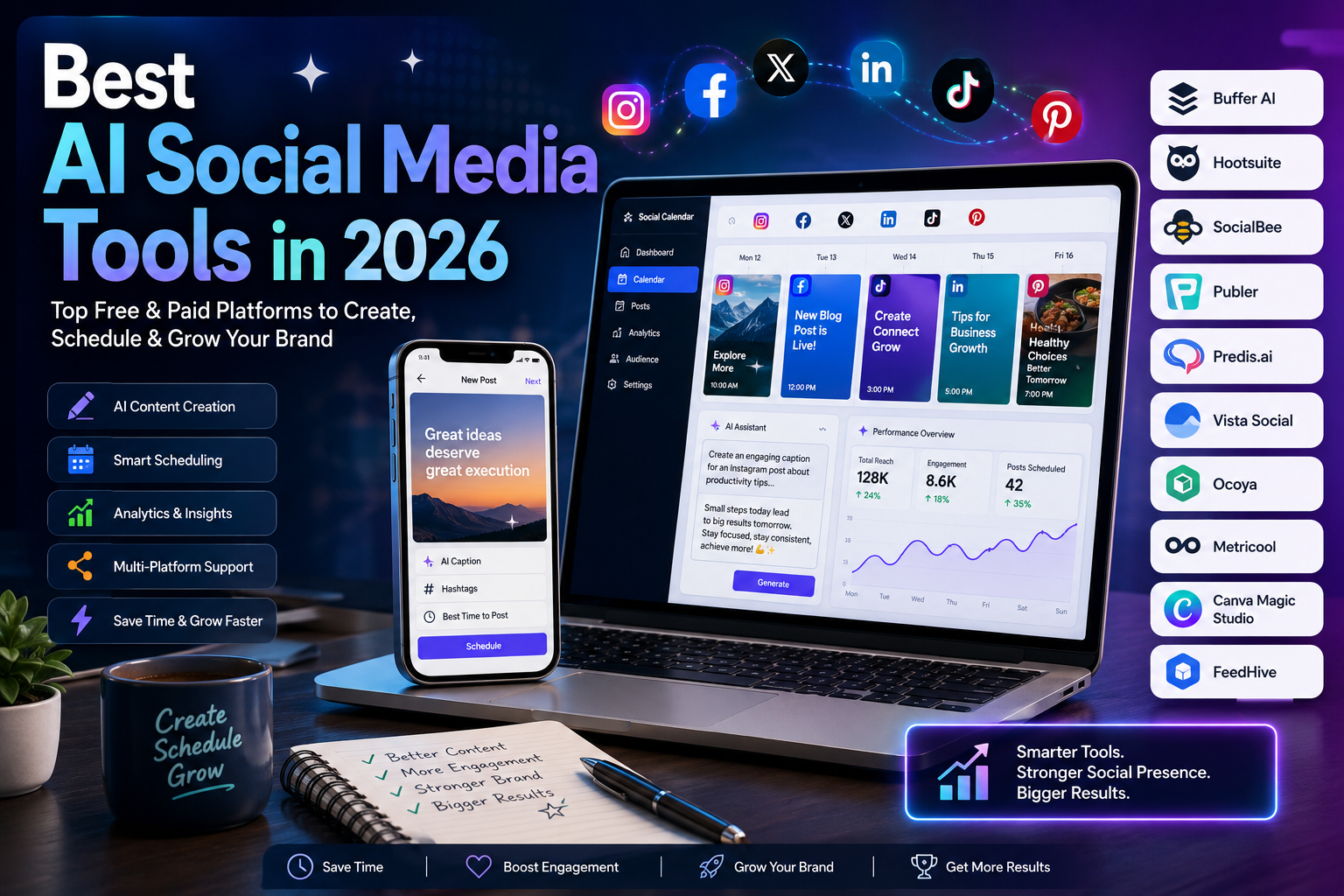
Best AI Social Media Tools in 2026: 10 Platforms for Content, Scheduling & Analytics
Last updated: September 2026
Managing social media has become much more than publishing a post every few days. Businesses and creators may need to write captions, adapt content for different platforms, schedule posts, respond to comments, analyze performance, create visuals, and maintain a consistent publishing schedule.
AI social media tools can reduce much of this repetitive work. Depending on the platform, they can help generate captions, rewrite posts, create visual content, recommend publishing times, organize content calendars, analyze performance, and automate parts of social media management.
However, these tools are not interchangeable. Some are primarily scheduling platforms with AI features, while others focus on AI-generated content, analytics, design, or automation.
In this guide, we compare 10 AI social media tools worth considering in 2026, explain what each platform does best, discuss its limitations, and show which type of user is most likely to benefit from it.
Important: Features, limits, supported networks, and prices can change. Pricing references in this guide are based on information available from official product pages checked in September 2026. Always verify the current plan before subscribing.
Quick Comparison
| Tool | Best For | Free Option | Main Strength |
|---|---|---|---|
| Buffer | Creators and small businesses | Yes | Simple scheduling and AI assistance |
| Hootsuite | Businesses and professional teams | Free trial | Social management, monitoring, and reporting |
| SocialBee | Consistent content publishing | Free trial | AI content generation and content categories |
| Publer | Creators and small teams | Yes | Affordable scheduling and automation |
| Predis.ai | AI-generated social content | Yes | Posts, creatives, videos, and AI content |
| Vista Social | Teams and agencies | Free trial | Publishing, engagement, analytics, and AI |
| Ocoya | Marketing and e-commerce | Free trial | Content creation plus scheduling |
| Metricool | Analytics-focused marketers | Yes | Analytics, scheduling, and competitor research |
| Canva Magic Studio | Visual content | Yes | AI-assisted graphic and video creation |
| FeedHive | Creators and agencies | Free trial | AI writing, automation, and publishing |
The tools above serve different purposes. A creator looking for simple scheduling may prefer Buffer, while an agency managing many brands may need a platform such as Hootsuite, Vista Social, or SocialBee.
What Are AI Social Media Tools?
AI social media tools are software platforms that use artificial intelligence to assist with one or more parts of social media marketing.
Depending on the product, AI can be used for:
- Writing captions
- Rewriting existing posts
- Generating content ideas
- Creating images or videos
- Suggesting hashtags
- Adjusting content for different platforms
- Generating social media replies
- Analyzing performance
- Identifying content trends
- Predicting or recommending publishing times
- Automating repetitive workflows
It is important to distinguish between AI content tools and social media management platforms.
For example, a platform may use AI to write a caption but still require you to manually schedule and publish the post. Another platform may combine AI generation, scheduling, analytics, engagement management, and automation in one dashboard.
That difference matters when choosing a tool.
How We Evaluated These AI Social Media Tools
This comparison focuses on practical features rather than simply listing platforms that advertise themselves as “AI-powered.”
We considered:
- AI content creation
- Scheduling and publishing
- Supported social networks
- Analytics and reporting
- Automation
- Team collaboration
- Ease of use
- Free options and trials
- Pricing structure
- Useful limitations to know before subscribing
The information was checked against current official product and pricing information available in September 2026.
This is also why some tools that are excellent for one specific task may not rank as the best overall platform. There is no single social media tool that is ideal for every workflow.
1. Buffer
Best for: Simple social media scheduling and small teams
Buffer is one of the easier platforms to understand if your main goal is planning and publishing content across multiple social networks.
Its current platform combines publishing, content ideas, analytics, community management, collaboration, and an AI Assistant. The free plan supports up to three channels and includes the AI Assistant, although scheduled-post limits apply. Paid plans add unlimited scheduled posts per channel and more advanced analytics.
Why Buffer Stands Out
Buffer’s biggest advantage is simplicity.
Instead of overwhelming users with a large number of enterprise features, it provides a relatively straightforward workflow for creating, planning, and publishing social media content.
The AI Assistant can help create, refine, and repurpose content, making it useful when you already have ideas but need help turning them into platform-ready posts.
Best For
- Content creators
- Bloggers
- Freelancers
- Small businesses
- Personal brands
Limitations
Buffer is not necessarily the best choice if you need extremely advanced social listening, enterprise reporting, or complex multi-brand workflows.
Pricing
Buffer offers a free plan. Paid plans are priced according to the number of channels and selected features; the Essentials plan currently starts at $5 per month for one channel when billed annually.
2. Hootsuite
Best for: Professional social media management
Hootsuite is designed for organizations that need more than basic post scheduling.
The platform combines publishing with features for social monitoring, inbox management, analytics, team workflows, and AI-assisted content creation. Its current plans include AI-generated posts and images, social monitoring, and different levels of automation and collaboration.
Why Hootsuite Stands Out
Hootsuite is particularly useful when social media is part of a larger marketing operation.
Teams can use it to manage multiple accounts, monitor conversations, coordinate content approvals, and analyze performance from a centralized platform.
Best For
- Marketing teams
- Agencies
- Established businesses
- Professional social media managers
Limitations
The platform can be more than a small creator needs. Its broader feature set and team-oriented workflows can also make it more expensive and complex than lightweight scheduling tools.
Hootsuite currently offers a 14-day free trial, with plan features varying by tier.
3. SocialBee
Best for: Consistent content publishing and AI-assisted content creation
SocialBee combines social media scheduling with content organization and AI-assisted content generation.
Its current plans include AI content generation, content categories, analytics, bulk editing, hashtag tools, and collaboration features. Depending on the plan, users can connect multiple social profiles and manage several workspaces.
Why SocialBee Stands Out
SocialBee is particularly useful for people who struggle with maintaining a consistent publishing schedule.
Its category-based approach lets marketers organize content into different types instead of treating every post as an isolated publication.
The platform also includes AI tools for generating captions and images.
Best For
- Small businesses
- Entrepreneurs
- Agencies
- Personal brands
- Social media managers
Limitations
SocialBee is more expensive than some lightweight scheduling tools, especially once you need additional profiles, workspaces, or team functionality.
Pricing
SocialBee currently starts at $29/month for its Bootstrap plan when billed monthly, with lower effective pricing available through annual billing. Paid plans include AI content generation.
4. Publer
Best for: Affordable social media scheduling
Publer is a social media management platform focused on scheduling, publishing, analytics, content recycling, and AI-assisted content creation.
One of its advantages is that it has a genuine free plan rather than only offering a temporary trial. The current free plan allows users to connect and schedule content for up to three social accounts, although X is excluded from that free allowance.
Why Publer Stands Out
Publer can be a practical choice for creators and small businesses that want a relatively affordable way to organize social media publishing.
It also supports features such as analytics reports, best-time-to-post recommendations, hashtag suggestions, and automatic post recycling.
Best For
- Content creators
- Freelancers
- Small businesses
- Social media managers
Limitations
Advanced functionality depends on the plan and the number of social accounts or team members you need.
Pricing
Publer’s free plan is available indefinitely. Its Professional plan currently starts at $5/month for one social account, while the Business plan starts at $10/month, with pricing increasing as additional accounts and members are added.
5. Predis.ai
Best for: Generating complete social media content with AI
Predis.ai takes a more content-generation-focused approach than traditional social media schedulers.
The platform can help create social media posts, advertising creatives, videos, and other content from prompts or marketing information. It also combines content generation with publishing and competitive analysis.
Why Predis.ai Stands Out
If your biggest problem is not scheduling but creating enough content, Predis.ai is worth considering.
Its plans use credits for AI generation, with different levels of image and video creation depending on the subscription.
The current Core plan starts at $24/month, billed annually at $288, while higher plans provide more brands, channels, credits, and automation.
Best For
- Instagram creators
- E-commerce businesses
- Small marketing teams
- Agencies
- Businesses producing large amounts of social content
Limitations
AI-generated visuals and copy still require human review. Content generated automatically can become repetitive or generic if you publish it without adapting it to your brand.
The credit-based system also means heavy users need to monitor how quickly they consume their monthly allowance.
6. Vista Social
Best for: Businesses and agencies that need publishing, engagement, and analytics
Vista Social is more than a scheduling tool. It combines publishing, engagement, analytics, social listening, review management, AI assistance, and automation.
Its current Professional plan supports up to 15 social profiles, while higher plans increase the number of profiles and users. The platform also provides AI credits for tasks such as generating captions and responses.
Why Vista Social Stands Out
Vista Social is especially interesting for teams that want to manage both publishing and audience interactions.
Its features include:
- Content scheduling
- AI-assisted captions
- AI-assisted replies
- Social inbox
- Analytics
- Social listening
- Review management
- DM automation
- Team workflows
Best For
- Businesses
- Marketing teams
- Agencies
- Multi-brand social media management
Limitations
Vista Social offers a broad feature set, which can make it more complex than a simple scheduler.
Its pricing also moves significantly upward as the number of profiles, users, and advanced features increases.
The Professional plan currently starts at $79/month, while Advanced and Scale plans start at $149 and $349/month respectively.
7. Ocoya
Best for: Combining AI content creation with social media publishing
Ocoya combines AI-assisted copywriting, content creation, design features, and social media scheduling.
It is particularly relevant to marketers and businesses that want to create promotional content and then publish it without moving between several different tools.
Why Ocoya Stands Out
Ocoya can be useful when your workflow looks something like this:
Idea → AI-generated copy → visual content → scheduled post
That makes it particularly attractive for e-commerce and marketing workflows.
Best For
- E-commerce businesses
- Marketing teams
- Agencies
- Entrepreneurs
- Freelancers
Limitations
Ocoya uses credits and plan-based limits, so users producing large quantities of content need to consider how much AI generation they actually require.
Pricing
Ocoya currently offers a 7-day free trial. Its Bronze plan starts at $15/month, followed by Silver at $39/month, Gold at $79/month, and Diamond at $159/month on monthly billing.
8. Metricool
Best for: Social media analytics and performance tracking
Metricool is particularly strong for marketers who want to understand what is happening after content is published.
The platform combines social media scheduling with analytics, competitor analysis, reporting, and other marketing tools.
Its current free plan allows users to manage one brand, schedule up to 20 posts per month, analyze five competitor profiles, access 30 days of analytics, and use its AI social media assistant.
Why Metricool Stands Out
Many social media tools focus heavily on content creation.
Metricool is valuable when the more important question is:
“What is actually working?”
Its analytics can help marketers compare content performance and make better decisions about future publishing.
Best For
- Digital marketers
- Agencies
- Bloggers
- Businesses
- Data-focused creators
Limitations
Users who mainly want AI-generated captions or graphics may find other platforms more focused on content creation.
Pricing
Metricool has a free plan. Its Starter plan currently begins at $20/month in the U.S. pricing view, with higher pricing depending on the number of brands and features selected.
9. Canva Magic Studio
Best for: Creating social media visuals with AI
Canva is not a traditional social media management platform, but it deserves a place in this comparison because visual content is a major part of social media marketing.
Magic Studio brings AI-powered tools into Canva’s design environment, helping users generate and edit content, produce first drafts, and accelerate visual creation.
Why Canva Stands Out
Canva is particularly useful when your social media strategy depends heavily on:
- Instagram graphics
- Social media banners
- Promotional designs
- Short videos
- Presentations
- Branded visual content
- Marketing materials
The major advantage is that users can combine AI assistance with a conventional visual editor rather than relying entirely on automatically generated designs.
Best For
- Creators
- Small businesses
- Designers
- Marketing teams
- Social media managers
Limitations
Canva is primarily a design and visual communication platform, so it should not be treated as a direct replacement for a full social media management system.
AI features and usage limits can also vary by plan.
10. FeedHive
Best for: AI-assisted publishing and social media automation
FeedHive combines content creation, scheduling, automation, analytics, and AI-assisted writing.
The platform is designed for creators, brands, and agencies that want to manage publishing while using automation to reduce repetitive work.
Why FeedHive Stands Out
FeedHive is particularly useful for users who want more than a basic content calendar.
Its current plans include features such as:
- AI writing assistance
- AI image generation
- AI hashtag generation
- Performance prediction
- Smart scheduling
- Automation workflows
- Social accounts management
- Team workspaces
The platform currently offers a 7-day free trial rather than a permanent free plan.
Best For
- Content creators
- Personal brands
- Marketing agencies
- Growing businesses
Limitations
FeedHive uses AI credits and different automation limits depending on the plan. Users with high publishing volumes should compare these limits before choosing a subscription.
Its Creator plan currently starts at €15/month when billed annually, while higher plans increase the number of accounts, workspaces, AI credits, and automation capacity.
Best AI Social Media Tools by Use Case
There is no universal winner. The best platform depends on what you are trying to accomplish.
| Goal | Recommended Tool |
|---|---|
| Simple scheduling | Buffer |
| Professional social management | Hootsuite |
| Content consistency | SocialBee |
| Affordable scheduling | Publer |
| AI-generated social content | Predis.ai |
| Engagement and team workflows | Vista Social |
| AI content + publishing | Ocoya |
| Analytics and reporting | Metricool |
| Social media graphics | Canva |
| Automation and AI publishing | FeedHive |
Free vs. Paid AI Social Media Tools
A free plan can be enough if you manage only one or two social accounts and publish relatively small amounts of content.
For example, Buffer has a free plan with three channels, while Metricool’s free plan supports one brand and up to 20 scheduled posts per month. Publer also offers a permanent free plan for up to three social accounts under its current limits.
Paid plans become more useful when you need:
- More social profiles
- Unlimited or higher-volume scheduling
- Advanced analytics
- Multiple users
- Approval workflows
- More AI generation
- Automation
- Social listening
- Client reporting
- Multiple brands
The cheapest plan is not necessarily the best value. A $10 tool that cannot connect the networks you use may be less useful than a $30 platform that handles your complete workflow.
What Features Should You Look For?
Before choosing an AI social media platform, consider these features.
1. Supported Social Networks
Check whether the platform supports the networks you actually use.
Do not assume that every tool supports Facebook, Instagram, TikTok, LinkedIn, YouTube, Pinterest, and X in exactly the same way.
Some platforms support direct publishing on certain networks while offering different workflows for others.
2. AI Content Generation
Look beyond the phrase “AI-powered.”
Ask what the AI actually does.
Can it:
- Write captions?
- Rewrite posts?
- Generate images?
- Create videos?
- Adapt content for different networks?
- Generate replies?
- Create content ideas?
The practical value depends on the specific tasks supported.
3. Scheduling
A useful scheduler should make it easy to:
- Plan content in advance
- Preview posts
- Organize a content calendar
- Reuse evergreen content
- Schedule different content for different platforms
4. Analytics
Analytics help answer questions that AI content generation cannot answer by itself.
Look for metrics such as:
- Reach
- Engagement
- Clicks
- Follower growth
- Content performance
- Competitor data
- Historical performance
5. Automation
Automation can reduce repetitive work, but it should be used carefully.
Good automation can handle routine tasks while leaving important decisions to a human.
For example, automatically organizing content is generally less risky than automatically publishing every AI-generated post without review.
6. Team Collaboration
If you work with other people, check whether the platform supports:
- Multiple users
- Permissions
- Approval workflows
- Client access
- Shared workspaces
- Internal notes
These features become increasingly important for agencies.
How to Choose the Right AI Social Media Tool
Start with your workflow rather than the tool’s feature list.
If you are a solo creator
Look for simplicity, scheduling, AI writing, and an affordable free or entry-level plan.
Buffer or Publer may be good starting points.
If content creation is your biggest problem
Prioritize platforms that generate captions, images, videos, and content ideas.
Predis.ai or Ocoya may be worth considering.
If analytics are your priority
Choose a platform with strong reporting and historical performance data.
Metricool is a strong option for analytics-focused users.
If you manage clients
Look for collaboration, approvals, reporting, multiple workspaces, and many social profiles.
Hootsuite, SocialBee, or Vista Social can be better suited to this type of workflow.
If visual content matters most
A design-focused platform may be more useful than a traditional scheduler.
Canva is particularly strong for creating social media graphics and other visual assets.
How to Use AI Social Media Tools Effectively
AI can speed up social media work, but it should not replace your judgment.
A practical workflow is:
Step 1: Define the objective
Decide whether the post is intended to educate, entertain, generate leads, promote a product, or start a conversation.
Step 2: Create the first draft
Use AI to generate ideas or a rough caption.
Step 3: Add your own perspective
Add information, examples, opinions, brand language, or experiences that make the post genuinely yours.
Step 4: Adapt it for the platform
A LinkedIn post does not necessarily need the same structure as an Instagram caption or TikTok description.
Step 5: Review the output
Check:
- Facts
- Tone
- Brand claims
- Grammar
- Links
- Images
- Hashtags
- Calls to action
Step 6: Schedule and publish
Use your social media platform to organize the publishing calendar.
Step 7: Analyze the results
Review performance and use the data to improve your next posts.
This creates a much better workflow than simply asking AI to “create 30 posts” and publishing everything automatically.
Common Mistakes When Using AI for Social Media
Publishing AI Content Without Reviewing It
AI can produce incorrect information, repetitive wording, or claims that do not fit your brand.
Always review important content before publication.
Using the Same Post Everywhere
Cross-platform publishing can save time, but copying the exact same content to every network can make your strategy feel generic.
Adapt the format and message to the platform.
Focusing Only on AI Generation
Creating more content does not automatically mean achieving better results.
A smaller amount of useful, relevant content can be more valuable than a large volume of generic posts.
Ignoring Analytics
Without measuring performance, you cannot know which content is actually helping your audience or business.
Automating Everything
Automation should remove repetitive work, not remove human judgment.
Especially for customer responses, sensitive topics, and brand communication, human review remains important.
Frequently Asked Questions
What is the best AI social media tool in 2026?
There is no single best tool for everyone.
Buffer is a strong choice for simple social media management, Metricool is particularly useful for analytics, Predis.ai focuses heavily on AI-generated content, and Canva is excellent for visual creation.
The right choice depends on your workflow.
What is the best free AI social media tool?
The answer depends on what you need.
Buffer, Publer, and Metricool all offer free plans with different limitations. Buffer’s free plan supports up to three channels, Publer’s free plan supports up to three social accounts under its current conditions, and Metricool’s free plan supports one brand with limited scheduling and analytics.
If you mainly need visual content, Canva also provides a free option.
Can AI create complete social media posts?
Yes.
Depending on the platform, AI can help generate captions, images, videos, hashtags, content ideas, and other parts of a social media post.
However, automatically generated content should be reviewed before publishing because AI output can be generic, inaccurate, or unsuitable for a particular audience.
Can AI automatically schedule social media posts?
Yes. Many social media management platforms combine AI-assisted content creation with scheduling.
The exact level of automation varies between platforms and plans.
Are AI social media tools worth paying for?
They can be, especially if you manage several social accounts or publish frequently.
A paid platform can save time through scheduling, automation, analytics, collaboration, and higher AI usage limits.
For a single creator with a small audience, however, a free plan may be enough.
Do AI social media tools replace social media managers?
No.
They can automate repetitive tasks, but strategy, brand positioning, audience understanding, creative judgment, community management, and important business decisions still require human input.
AI works best as an assistant rather than a complete replacement for marketing expertise.
Which AI social media tool is best for agencies?
Agencies usually need more than content generation.
They should prioritize:
- Multiple brands
- Multiple users
- Client approval workflows
- Reporting
- Collaboration
- Social listening
- Automation
- High account limits
Platforms such as Hootsuite, SocialBee, and Vista Social are worth comparing for these requirements.
Can AI social media tools improve engagement?
They can help improve the efficiency and consistency of your content workflow, but no tool can guarantee higher engagement.
Engagement depends on many factors, including the quality of the content, audience, platform, timing, topic, competition, and how people respond to the content.
Final Verdict
AI social media tools in 2026 are increasingly becoming complete marketing workspaces rather than simple caption generators.
The best choice depends on the job you need the software to perform.
- Best for simple scheduling: Buffer
- Best for professional social management: Hootsuite
- Best for content consistency: SocialBee
- Best affordable scheduler: Publer
- Best for AI-generated social content: Predis.ai
- Best for teams and engagement: Vista Social
- Best for AI content and publishing: Ocoya
- Best for analytics: Metricool
- Best for visual content: Canva
- Best for AI automation and publishing: FeedHive
For most beginners, it makes sense to start with a free plan or trial rather than immediately committing to an expensive subscription.
More importantly, choose a platform based on your actual workflow. If you mainly need scheduling, you do not necessarily need an expensive enterprise platform. If you manage multiple clients, however, collaboration, reporting, permissions, and automation may be worth paying for.
The goal of AI should not be to publish the maximum amount of content. It should be to help you create better content, maintain consistency, understand your results, and spend more time on the parts of social media marketing that require human judgment.
Related Articles
Continue exploring AI marketing and content creation with these guides: