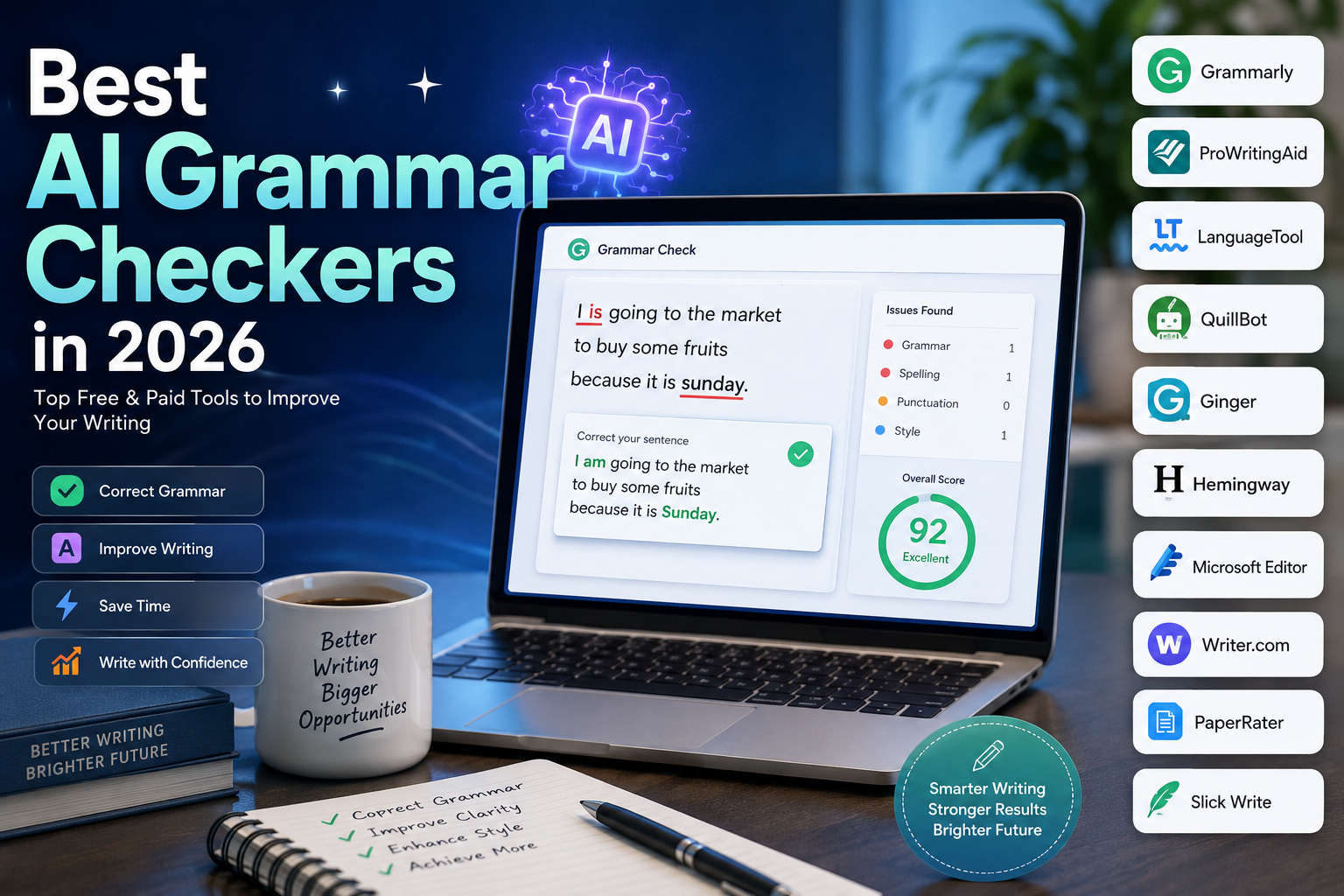
Best AI Grammar Checkers in 2026: 10 Tools for Better Writing
Writing clearly is harder than simply checking whether a word is spelled correctly.
A strong piece of writing needs correct grammar, natural sentence structure, appropriate word choice, consistent tone, and good readability. That is why modern AI grammar checkers have evolved beyond traditional spell-checking.
Today’s tools can identify grammar and punctuation problems, suggest clearer wording, rewrite sentences, adjust tone, analyze readability, and in some cases provide plagiarism or originality checks.
But these tools are not interchangeable.
A novelist may need detailed style analysis and long-document editing. A student may want quick grammar corrections and paraphrasing. A business team may care more about brand consistency and collaboration. A multilingual writer may prioritize language coverage.
This guide compares the best AI grammar checkers in 2026 by looking at their actual strengths, limitations, writing workflows, and pricing models.
Important: AI writing suggestions should be reviewed rather than accepted automatically. A grammatically correct sentence can still be inaccurate, misleading, or inappropriate for its context.
Quick Comparison
| AI Grammar Checker | Best For | Free Option | Main Strength |
|---|---|---|---|
| Grammarly | Most everyday writing | Yes | Broad writing assistance |
| ProWritingAid | Authors and long-form writing | Yes | Deep writing analysis |
| LanguageTool | Multilingual writing | Yes | Grammar and style across many languages |
| QuillBot | Students and rewriting | Yes | Grammar + paraphrasing |
| Microsoft Editor | Microsoft 365 users | Yes | Word and Microsoft integration |
| DeepL Write | Multilingual professionals | Yes | Natural rewriting and style |
| Wordtune | Rewriting and clarity | Yes | Sentence-level improvement |
| Hemingway Editor | Readability | Yes | Clearer, simpler writing |
| Ginger | Everyday English writing | Yes | Grammar and sentence correction |
| PaperRater | Basic academic checking | Yes | Grammar and plagiarism analysis |
The best tool depends on what you are trying to improve. A writer looking for detailed manuscript feedback needs a different solution from someone who simply wants to fix grammar in an email.
What Is an AI Grammar Checker?
An AI grammar checker is a writing assistant that analyzes text and identifies potential problems with grammar, spelling, punctuation, wording, sentence structure, and style.
Traditional spell checkers mainly look for misspelled words.
AI-powered writing tools can consider more context.
For example, instead of simply checking whether every individual word exists in a dictionary, a modern grammar assistant can flag problems involving:
- Subject-verb agreement
- Incorrect verb tense
- Punctuation
- Sentence structure
- Word choice
- Repeated words
- Awkward phrasing
- Passive constructions
- Unclear sentences
- Tone and formality
- Readability
Many tools also include additional AI features such as rewriting, paraphrasing, summarization, vocabulary suggestions, and tone adjustment.
However, “AI grammar checker” is now a broad category. Some products are primarily grammar tools, while others have expanded into full AI writing platforms.
How We Evaluated These Grammar Checkers
A useful comparison should go beyond asking whether a tool can find grammatical mistakes.
We considered several factors.
Grammar and spelling
Can the tool identify common grammatical, spelling, and punctuation problems?
Writing quality
Does it help improve clarity, conciseness, sentence structure, and word choice?
AI rewriting
Can it rewrite sentences without unnecessarily changing their meaning?
Readability
Does it help identify overly complicated or difficult-to-read writing?
Language support
How useful is the tool for people writing in languages other than English?
Integrations
Can you use it where you already write, such as a browser, Word, Google Docs, or email?
Long-form editing
Is it suitable for articles, books, reports, or other lengthy documents?
Privacy and data handling
For sensitive documents, users should review each provider’s current privacy and data-processing terms before submitting confidential material.
Pricing
We look at the current pricing structure while avoiding the assumption that promotional prices or regional prices are permanent.
1. Grammarly
Best for: General writing, professionals, students, marketers, and people who want an all-purpose writing assistant.
Grammarly remains one of the strongest general-purpose choices because it combines grammar correction with broader writing assistance.
Its free plan provides basic writing assistance, tone feedback, and a limited number of AI prompts. The current Pro plan includes features such as full-sentence rewriting, tone adjustment, brand-related controls, and a larger AI usage allowance. Grammarly currently lists Pro at $12 per member per month when billed annually, or $30 when billed monthly.
Why Grammarly stands out
- Grammar and spelling correction
- Sentence rewriting
- Tone suggestions
- AI writing assistance
- Browser-based writing support
- Broad range of integrations
- Suitable for many types of everyday writing
Limitations
Grammarly’s broad feature set can be more than casual users need. Some advanced capabilities require a paid subscription.
Best use cases
Grammarly is a particularly good fit for:
- Emails
- Blog posts
- Marketing copy
- Business documents
- Website content
- Everyday professional writing
Choose Grammarly if
You want one general-purpose writing assistant rather than a tool designed for only one type of writing.
2. ProWritingAid
Best for: Authors, long-form writers, editors, and users who want detailed analysis rather than only quick grammar corrections.
ProWritingAid takes a deeper approach to writing analysis.
Instead of focusing exclusively on individual mistakes, it provides numerous reports that examine readability, sentence structure, repeated words, style, pacing, and other characteristics of writing.
Its current free plan includes grammar, spelling, punctuation, a limited number of editing-report runs, and daily rephrasing. Premium adds unlimited editing reports, advanced style improvements, unlimited rephrasing, integrations, custom style guides, and other long-form writing features.
ProWritingAid is currently available for English varieties including US, UK, Australian, and Canadian English, rather than being a broad multilingual grammar platform.
Why ProWritingAid stands out
- Detailed writing analysis
- Long-form editing
- Readability reports
- Style analysis
- Repetition detection
- Rewriting tools
- Custom style guides
- Integrations for writers
Limitations
The number of reports and options can feel overwhelming for someone who only wants a quick spelling or grammar check.
Best use cases
- Books
- Novels
- Long articles
- Essays
- Manuscripts
- Detailed editing
Choose ProWritingAid if
You want to understand why your writing needs improvement rather than simply receiving a list of corrections.
3. LanguageTool
Best for: Multilingual writers, international teams, students, and professionals.
LanguageTool is one of the more useful options for people who write across multiple languages.
Its current platform supports more than 30 languages, while its Premium plan adds additional grammar, punctuation, and style checks in several major languages. Premium also provides AI-powered paraphrasing, a style guide, and browser integration.
That makes LanguageTool particularly useful for multilingual workflows where an English-only writing assistant may not be enough.
Why LanguageTool stands out
- 30+ language support
- Grammar and punctuation checking
- Style suggestions
- AI paraphrasing
- Browser extension
- Custom style guide
- Useful for international teams
Limitations
The depth of suggestions can vary between languages, and some advanced features require Premium.
Best use cases
- Multilingual websites
- International business
- Emails
- Student writing
- Professional documents
Choose LanguageTool if
Language support is one of your most important requirements.
4. QuillBot Grammar Checker
Best for: Students, researchers, and writers who want grammar correction combined with paraphrasing.
QuillBot has expanded beyond grammar checking into a broader collection of AI writing tools.
Its current free plan includes basic grammar correction and limited paraphrasing. Premium adds advanced grammar recommendations, unlimited paraphrasing modes, additional AI writing capabilities, and other tools. QuillBot currently lists its annual Premium price at about $8.33 per month, although pricing can vary by region and plan.
Why QuillBot stands out
- Grammar checking
- Paraphrasing
- Summarization
- Citation-related tools
- Translation
- AI writing assistance
- Student-friendly workflow
Limitations
QuillBot is broader than a traditional grammar checker, so users looking only for detailed editorial analysis may prefer ProWritingAid.
Best use cases
- Essays
- Student assignments
- Research writing
- Rewriting
- Draft improvement
Choose QuillBot if
You want grammar correction and paraphrasing in the same writing workflow.
5. Microsoft Editor
Best for: Microsoft 365 users, students, professionals, and people who primarily write in Word or Outlook.
Microsoft Editor is built into Microsoft’s broader productivity ecosystem.
It provides spelling and grammar assistance and can also offer refinements related to clarity, conciseness, vocabulary, and formality. Microsoft says Editor works across Word, Outlook, the web, and browser extensions, with more advanced functionality available through Microsoft 365.
Microsoft currently documents support for more than 20 languages, although the available grammar and refinement features differ by language.
Why Microsoft Editor stands out
- Built into Microsoft 365
- Word integration
- Outlook integration
- Browser extension
- Grammar and spelling checking
- Clarity and style suggestions
- Multilingual support
Limitations
It may not offer the same depth of dedicated writing analysis as specialist tools such as ProWritingAid.
Best use cases
- Word documents
- Emails
- Reports
- School assignments
- Microsoft 365 workflows
Choose Microsoft Editor if
You already spend most of your writing time inside Microsoft products and do not want another separate application.
6. DeepL Write
Best for: Multilingual professionals and writers who want grammar correction plus natural rewriting.
DeepL Write is particularly interesting because it focuses heavily on improving the way a sentence sounds rather than simply identifying mistakes.
It provides grammar, spelling, and punctuation corrections as well as alternative words and phrasing. Users can also select writing styles and tones depending on the language and platform.
DeepL documents support for languages including English, German, French, Spanish, Italian, Portuguese, Chinese, Japanese, and Korean, although specific writing features vary by language.
Why DeepL Write stands out
- Grammar and spelling correction
- Alternative wording
- Sentence rephrasing
- Writing styles
- Tone adjustments
- Multilingual support
- Browser and productivity integrations
Limitations
Some advanced features and higher limits require Write Pro.
Best use cases
- Business emails
- Professional communication
- Multilingual writing
- Translation-related workflows
- Polishing existing text
Choose DeepL Write if
Your biggest challenge is making your writing sound natural and polished, especially across multiple languages.
7. Wordtune
Best for: Rewriting, clarity, vocabulary improvements, and sentence-level editing.
Wordtune focuses strongly on helping users express the same idea more clearly.
Its free Basic plan currently includes unlimited spelling corrections and grammar checks, alongside limited daily rewriting and AI suggestions. Paid plans increase the available rewriting and summarization usage and add broader AI writing assistance. The current annual pricing page lists Advanced at $6.99 per month and Unlimited at $9.99 per month.
Why Wordtune stands out
- Sentence rewriting
- Grammar checking
- Vocabulary suggestions
- Clarity improvements
- Fluency improvements
- AI summarization
- Easy editing workflow
Limitations
Wordtune is more focused on rewriting and improving expression than deep manuscript-level analysis.
Best use cases
- Emails
- Marketing copy
- Blog posts
- Business writing
- Rewriting awkward sentences
Choose Wordtune if
Your writing is generally correct but you want it to sound clearer, smoother, or more natural.
8. Hemingway Editor
Best for: Readability, concise writing, bloggers, copywriters, and anyone who tends to write complicated sentences.
Hemingway Editor takes a different approach from conventional grammar checkers.
Its main purpose is to make writing easier to understand.
The editor highlights issues such as lengthy sentences, complicated wording, passive constructions, and other readability problems.
The current Hemingway Editor Plus plans also include AI sentence rewriting, advanced grammar fixes, tone and style adjustments, document feedback, and readability scoring. The Individual 5K annual plan is currently listed at $100 per year, equivalent to $8.33 per month.
Why Hemingway Editor stands out
- Readability analysis
- Sentence simplification
- Passive voice detection
- Wordiness detection
- AI rewriting
- Reading-level analysis
- Simple editing interface
Limitations
Hemingway is not intended to replace every feature found in a comprehensive grammar platform.
Best use cases
- Blog posts
- Web content
- Marketing copy
- Business communication
- Educational content
Choose Hemingway Editor if
Your main goal is to make writing clearer and easier to read, not simply to eliminate grammatical mistakes.
9. Ginger
Best for: Everyday English writing, sentence correction, and users looking for an alternative to larger writing platforms.
Ginger is an AI-powered writing assistant that focuses on grammar, spelling, sentence structure, and rewriting.
Its tools are designed for everyday writing rather than highly specialized manuscript analysis.
Why Ginger stands out
- Grammar correction
- Spelling correction
- Sentence rephrasing
- Writing suggestions
- Translation-related features
- Browser and desktop workflows
Limitations
Its feature depth and workflow may not be as compelling for professional writers who need advanced long-form analysis.
Best use cases
- Emails
- Everyday writing
- Short articles
- Student writing
- Non-native English writing
Choose Ginger if
You want a straightforward writing assistant for everyday English rather than a complex editorial platform.
10. PaperRater
Best for: Basic academic writing checks and users looking for a simple online analysis tool.
PaperRater combines grammar and spelling analysis with automated writing feedback and plagiarism checking.
The platform currently offers a free plan, while Premium increases document length limits, submission limits, plagiarism checks, and processing capabilities. PaperRater’s current pricing page lists Premium at $14.95 per month or $95.40 per year, while another annual presentation of the service advertises access from $7.95 per month when billed annually. Because these prices are inconsistent across the site’s current pages, users should verify the actual checkout price before purchasing.
Why PaperRater stands out
- Grammar checking
- Spelling analysis
- Plagiarism checking
- Automated scoring
- Academic-oriented workflow
- Free option
Limitations
Its interface and feature set are less modern than several newer AI writing platforms.
Best use cases
- Essays
- Basic academic proofreading
- Quick writing checks
- Plagiarism screening
Choose PaperRater if
You want a simple online writing-analysis tool and do not need the broader workflow offered by premium AI writing platforms.
Which AI Grammar Checker Is Best for Each Type of User?
Rather than choosing one universal winner, consider your actual writing workflow.
| If You Are… | Consider |
|---|---|
| A general professional writer | Grammarly |
| A novelist or long-form writer | ProWritingAid |
| A multilingual writer | LanguageTool |
| A student who also needs paraphrasing | QuillBot |
| A Microsoft 365 user | Microsoft Editor |
| A multilingual professional | DeepL Write |
| Focused on rewriting | Wordtune |
| Focused on readability | Hemingway Editor |
| Looking for basic academic checking | PaperRater |
| Looking for everyday English correction | Ginger |
This approach is more useful than simply asking which product has the longest feature list.
AI Grammar Checker Pricing
Pricing for writing software changes frequently, and several providers use regional pricing, promotional discounts, credits, or different monthly and annual rates.
Some current reference prices include:
| Tool | Current Pricing Reference |
|---|---|
| Grammarly Pro | $12/month per member when billed annually |
| ProWritingAid Premium | $7.50/month when billed annually |
| QuillBot Premium | About $8.33/month when billed annually |
| Hemingway Editor Plus | From $8.33/month when billed annually |
| Wordtune Advanced | $6.99/month when billed annually |
| Wordtune Unlimited | $9.99/month when billed annually |
| PaperRater Premium | Pricing varies by current offer; verify at checkout |
Do not treat these figures as permanent prices. AI software companies frequently change plans, promotions, usage limits, and regional pricing.
What Features Should You Look For?
The right grammar checker depends on the problems you need it to solve.
Grammar and punctuation
This is the foundation.
Look for accurate suggestions involving:
- Verb agreement
- Tenses
- Articles
- Prepositions
- Sentence fragments
- Commas
- Apostrophes
- Capitalization
Context-aware suggestions
A good writing assistant should consider the surrounding sentence rather than treating every word independently.
Rewriting
Rewriting can be useful when you want to:
- Simplify a sentence
- Make text more concise
- Improve fluency
- Change tone
- Rewrite awkward wording
Readability
Readability tools help identify sentences that may be unnecessarily difficult to understand.
Style control
Some tools let you choose between styles such as:
- Formal
- Casual
- Academic
- Business
- Concise
Language support
If you write in multiple languages, verify that the tool supports grammar checking, not just translation.
These are not the same thing.
Integrations
Check whether the tool works where you actually write:
- Chrome
- Edge
- Microsoft Word
- Google Docs
- Gmail
- Outlook
- Desktop applications
Privacy
If you work with confidential business documents, unpublished research, client information, or private correspondence, read the provider’s current privacy documentation before submitting the text.
Free vs. Paid AI Grammar Checkers
Are Free Grammar Checkers Good Enough?
For many users, yes.
If your primary requirement is catching spelling and common grammar mistakes, a free plan may be enough.
For example, Grammarly, QuillBot, LanguageTool, Microsoft Editor, Wordtune, and other platforms provide some level of free access.
The important question is not simply whether a tool is free.
Ask:
What does the free plan actually allow me to do?
A free plan may restrict:
- Number of AI rewrites
- Daily usage
- Document length
- Advanced suggestions
- Plagiarism checks
- AI generation
- Style analysis
When Should You Pay?
A paid plan can make sense when writing is an important part of your work.
Consider upgrading when you regularly need:
- Long-document analysis
- Advanced rewriting
- More AI usage
- Detailed style reports
- Plagiarism checking
- Custom style guides
- Team features
- Professional integrations
Do not pay simply because a tool advertises more features.
Choose the plan that solves a problem you actually have.
How to Choose the Right AI Grammar Checker
1. Identify Your Main Writing Problem
Are you mainly struggling with:
- Grammar?
- Spelling?
- Readability?
- Sentence structure?
- Rewriting?
- Academic writing?
- Multilingual writing?
- Long-form editing?
Your answer should influence your choice.
2. Consider Your Writing Length
A tool that works well for a 300-word email may not be the best choice for a 100,000-word manuscript.
Long-form writers should look for document-level analysis and useful integrations.
3. Check Language Support
Do not assume that a product supporting many languages provides the same level of grammar analysis in each language.
Check the exact language and features you need.
4. Think About Where You Write
If you write primarily in Word, an integrated Microsoft solution may be more convenient.
If you write in a browser, a browser extension can save time.
If you write books, desktop and document-level integrations may matter more.
5. Test Before Paying
Most major writing tools offer some type of free access or trial.
Use the same piece of writing in several tools and compare:
- Errors detected
- False positives
- Rewriting quality
- Context awareness
- Readability suggestions
- Ease of editing
This is much more reliable than choosing based only on marketing claims.
How to Get Better Results From AI Grammar Checkers
Review the original sentence first
Before accepting a correction, make sure you understand what was wrong.
Do not accept every suggestion
AI can misunderstand context.
For example, technical terminology, brand names, product names, dialect, quotations, and intentionally informal writing can trigger suggestions that should be ignored.
Preserve your voice
If every sentence is rewritten by AI, your writing can become generic.
Use AI to improve your writing rather than erase your personal style.
Check facts separately
A grammar checker is not automatically a fact-checker.
A sentence can be grammatically perfect and still contain a false statistic or incorrect claim.
Read the final version yourself
Text-to-text correction cannot replace a final human review.
Read the entire document from beginning to end after applying important changes.
Common Mistakes to Avoid
Mistake 1: Treating grammar correction as proofreading
Grammar tools can identify many issues, but they may not notice a logical contradiction or incorrect fact.
Mistake 2: Accepting every AI rewrite
A rewrite may sound smoother while subtly changing the original meaning.
Mistake 3: Optimizing everything for readability
Shorter is not always better.
Academic, legal, scientific, and technical writing sometimes requires terminology that a readability tool may consider complicated.
Mistake 4: Ignoring language differences
Grammar rules differ between languages and sometimes between regional varieties of the same language.
Mistake 5: Comparing tools only by price
A $5 tool is not automatically better value than a $15 tool.
What matters is whether it solves your specific problem.
Mistake 6: Uploading confidential information without checking privacy terms
Before submitting sensitive documents, review how the provider handles submitted content.
Are AI Grammar Checkers Always Accurate?
No.
AI grammar checkers are useful, but none should be treated as an infallible authority.
A suggestion can be technically grammatical but inappropriate for the context.
For example, an AI tool might recommend replacing an informal phrase with a more formal one even when the original tone is intentional.
This is why the best workflow is:
AI suggestion → human review → final decision
The writer should remain responsible for the final text.
AI Grammar Checkers vs. Traditional Spell Checkers
Traditional spell checkers are primarily designed to identify obvious spelling mistakes and basic grammatical problems.
AI writing assistants generally attempt to provide more contextual suggestions.
| Capability | Traditional Spell Checker | AI Grammar Checker |
|---|---|---|
| Spelling | Yes | Yes |
| Basic grammar | Usually | Yes |
| Punctuation | Basic | More advanced |
| Rewriting | No | Often |
| Tone suggestions | No | Often |
| Readability | Limited | Often |
| Paraphrasing | No | Some tools |
| Style analysis | Limited | Some tools |
| AI writing assistance | No | Often |
This does not mean AI tools are always more accurate.
It means they generally attempt to solve a broader writing problem.
Frequently Asked Questions
What is the best AI grammar checker in 2026?
There is no single best tool for everyone.
Grammarly is a strong general-purpose option, ProWritingAid is particularly useful for long-form writers, LanguageTool is attractive for multilingual users, and Microsoft Editor is convenient for people already working in Microsoft 365.
What is the best free AI grammar checker?
Several tools provide useful free plans.
Grammarly, LanguageTool, QuillBot, Microsoft Editor, Wordtune, and others offer free access with different limitations. The best choice depends on whether you prioritize grammar, rewriting, language support, or integration.
Is Grammarly better than ProWritingAid?
They serve somewhat different audiences.
Grammarly is designed as a broad writing assistant for everyday professional and personal writing.
ProWritingAid offers deeper analysis that can be especially useful for authors and long-form writers.
Is LanguageTool good for multilingual writing?
Yes. LanguageTool supports more than 30 languages and provides grammar, punctuation, and style checking across multiple languages, although the depth of available features varies by language.
Can AI grammar checkers rewrite sentences?
Yes.
Many modern tools can rewrite or paraphrase text.
Grammarly, QuillBot, LanguageTool, DeepL Write, Wordtune, and Hemingway Editor all provide some form of AI-assisted rewriting or refinement.
Can grammar checkers detect plagiarism?
Some can, but plagiarism detection is a separate capability from grammar checking.
If plagiarism detection is important, check exactly what the provider scans, how the service defines a match, and what limits apply to your plan.
Which grammar checker is best for students?
QuillBot is useful for students who want grammar correction alongside paraphrasing and summarization.
Grammarly is another strong option for general academic and everyday writing.
Students should still follow their school’s rules regarding AI-assisted writing.
Which grammar checker is best for authors?
ProWritingAid is one of the strongest choices for authors because it provides detailed reports and long-form writing analysis. Its feature set is designed around deeper editing rather than only quick grammar correction.
Can an AI grammar checker replace a human editor?
Usually not.
AI tools are excellent for finding common problems and speeding up editing, but professional editing can involve structure, logic, factual accuracy, audience expectations, voice, and context.
For important publications, human review remains valuable.
Final Verdict
AI grammar checkers have evolved from simple spell-checking utilities into broader writing assistants.
The best tool depends on the kind of writing you do.
Grammarly is a strong all-around option for everyday writing and professionals.
ProWritingAid is better suited to authors and people who want detailed long-form analysis.
LanguageTool is a strong choice for multilingual writing.
QuillBot is useful for students and anyone who wants grammar checking combined with paraphrasing.
Microsoft Editor makes the most sense for people already working heavily inside Microsoft 365.
DeepL Write is particularly useful for multilingual professionals who want more natural wording and tone control.
Wordtune is a good choice when rewriting and sentence clarity are the main priorities.
Hemingway Editor is valuable when readability and concise writing matter more than traditional grammar checking alone.
The important thing is not to find the tool with the longest feature list.
Find the one that fits your writing workflow.
A good editing process is:
Write → Check → Review → Verify → Edit → Publish
AI can make that process faster, but the final responsibility for accuracy, meaning, and quality remains with the writer.
Related AI Writing Guides
Continue exploring other AI tools for writing and content creation: