Best AI Customer Service Tools in 2026: 10 Platforms Compared
Last updated: September 2026
AI is changing customer service from a reactive support function into a more automated, data-driven operation. Instead of using AI only for simple chatbots, businesses can now use it to answer customer questions, summarize conversations, classify tickets, recommend replies, automate workflows, and resolve some requests without human intervention.
But choosing an AI customer service platform is not as simple as picking the tool with the most AI features.
A small online store may need an affordable chatbot and Shopify integration. A SaaS company may care more about knowledge-base answers and human handoff. An enterprise support team may need advanced routing, analytics, security controls, and multilingual automation.
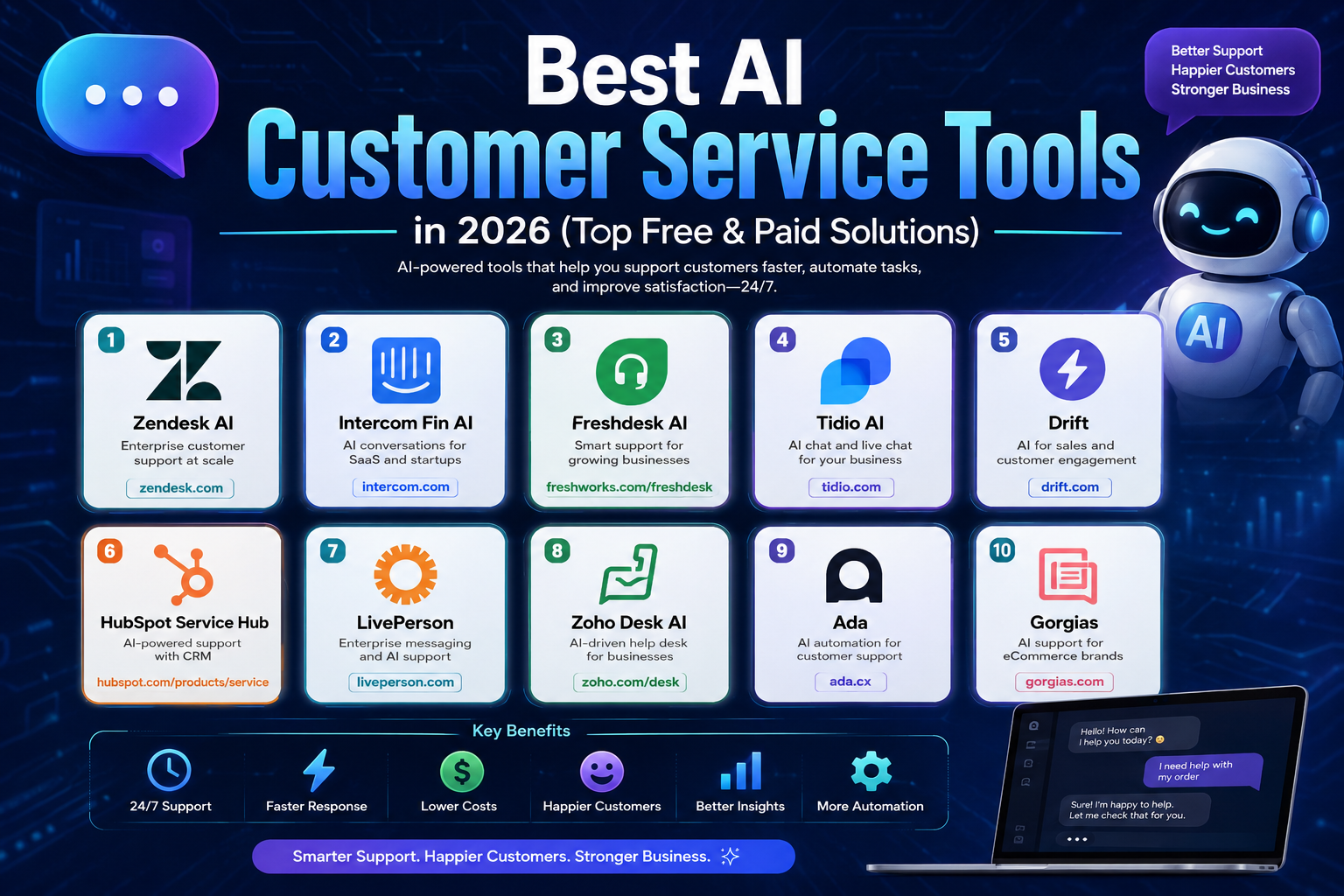
This guide compares 10 of the best AI customer service tools in 2026 based on their primary use cases, automation capabilities, integrations, scalability, pricing approach, and limitations.
The goal is not to declare one universal winner. Instead, the list helps you identify which platform fits your particular support workflow.
Important: AI customer service tools can automate many conversations, but they should not be treated as infallible. Businesses should monitor automated responses, maintain accurate knowledge bases, and provide an easy path to human support for complex or sensitive issues.
Quick Comparison
| Tool | Best for | AI approach | Free option | Pricing approach |
|---|---|---|---|---|
| Zendesk AI | Enterprise support | AI agents, routing, automation | Trial | Per-agent plans + AI usage |
| Intercom Fin | SaaS and modern support teams | AI agent and automated resolutions | Trial | Seats + AI outcomes |
| Freshdesk / Freddy AI | Growing support teams | AI agents and agent assistance | Trial | Per-agent + AI usage |
| Tidio / Lyro | Small businesses and eCommerce | AI agent + live chat | Yes | Subscription + AI usage |
| HubSpot Service Hub | CRM-centered support | Customer Agent + automation | Yes | HubSpot plans + credits |
| Zoho Desk / Zia | Value-focused support teams | AI assistance and automation | Trial/free options vary | Plan-based |
| Gorgias | eCommerce brands | AI Agent + helpdesk | Trial | Ticket/helpdesk + AI usage |
| Ada | Enterprise automation | AI agents | Demo/trial depending on plan | Usage-based/custom |
| Drift | B2B conversational sales | AI conversations | Demo/trial | Custom |
| LivePerson | Large-scale messaging | Conversational AI | Demo | Custom |
Pricing and included features can change frequently, so treat the figures and pricing models below as a September 2026 snapshot, not a permanent price list.
What Are AI Customer Service Tools?
AI customer service tools are software platforms that use artificial intelligence to help businesses manage customer conversations and support operations.
Depending on the platform, AI may be used for:
- Answering frequently asked questions
- Searching a company knowledge base
- Suggesting responses to support agents
- Summarizing long conversations
- Classifying and routing tickets
- Detecting customer sentiment
- Automating repetitive workflows
- Resolving certain support requests
- Translating conversations
- Collecting customer information
- Escalating complicated cases to human agents
- Analyzing support performance
This is different from a basic chatbot that simply follows a fixed decision tree.
Modern customer service platforms increasingly combine AI agents, help desk software, knowledge bases, automation, analytics, and human support in one workflow.
The most useful question is therefore not:
“Which AI customer service tool is the best?”
It is:
“Which tool can automate the part of my customer support operation that is costing my team the most time?”
How We Evaluated These AI Customer Service Tools
This comparison focuses on practical differences rather than simply counting features.
The main criteria are:
1. AI automation
Can the platform answer questions, perform actions, classify requests, or resolve conversations rather than simply generate text?
2. Human handoff
What happens when the AI cannot confidently solve a customer’s problem?
3. Knowledge-base integration
Can the AI use company documentation, help-center articles, policies, and product information?
4. Help desk functionality
Does the platform also manage tickets, inboxes, workflows, assignments, and support operations?
5. Integrations
How well does it connect with CRM, eCommerce, communication, and business applications?
6. Scalability
Is the platform appropriate for a small support team, a growing company, or a large enterprise?
7. Pricing structure
Is pricing based on seats, conversations, tickets, AI outcomes, usage, or a combination?
8. Practical limitations
A useful comparison should also explain where each product may not be the best choice.
1. Zendesk AI
Zendesk is one of the strongest options for organizations that need a complete customer service platform rather than an AI chatbot alone.
Zendesk combines help desk functionality with AI agents, knowledge management, routing, messaging, analytics, and other support tools.
Its current Suite Team plan includes AI Agents, AI Knowledge Base, Action Builder, omnichannel routing, messaging/live chat, and telephony. Zendesk also introduced automated-resolution billing for AI agents, meaning AI usage can be measured by successfully resolved requests rather than simply by messages.
Best for
- Medium-sized businesses
- Large support teams
- Enterprise organizations
- Omnichannel customer service
- Companies already using Zendesk
What makes it useful
Zendesk is particularly strong when AI needs to operate inside an established support workflow.
Instead of having an AI chatbot disconnected from the help desk, businesses can combine automation with ticket management, routing, knowledge management, and human escalation.
Pricing
Zendesk’s current public pricing starts at $19 per agent/month for Support Team when billed annually, while Suite Team is listed at $55 per agent/month and includes AI Agents and additional support channels. AI-agent usage can also involve automated-resolution charges.
Main limitation
Zendesk can be more platform than a small business actually needs. Costs and configuration complexity can also increase as teams add agents, channels, and AI usage.
Best choice if
You need a mature help desk with AI built into a larger customer-support operation.
2. Intercom Fin AI Agent
Intercom takes a different approach by combining its customer communication platform with Fin, its AI agent.
Fin can answer customer questions, work with existing support systems, perform configured procedures, and hand conversations to human agents when necessary.
One important difference is its pricing model: Fin is priced by outcome rather than simply charging for every message. Intercom currently lists Fin at $0.99 per outcome, with additional seat costs for Intercom plans.
Best for
- SaaS companies
- Startups
- Product-led businesses
- Customer success teams
- Modern support organizations
What makes it useful
Fin is particularly attractive when a business wants AI to become part of the actual support workflow rather than simply provide scripted answers.
It can work with Intercom’s inbox and help-center environment, while human agents remain available for conversations that require escalation.
Pricing
The Essential Intercom plan is currently listed from $29 per seat/month when billed annually, while Fin adds usage-based charges starting at $0.99 per outcome. Higher Intercom plans cost more and add workflow, security, collaboration, and multibrand capabilities.
Main limitation
Usage-based AI pricing means businesses need to understand how automated outcomes are counted before estimating their monthly costs.
Best choice if
You want AI-first customer support combined with a modern conversational inbox.
3. Freshdesk with Freddy AI
Freshdesk is a strong option for businesses that want traditional help desk functionality combined with modern AI automation.
Freshdesk’s AI capabilities are provided through Freddy AI, which can assist with automated resolutions, agent responses, summaries, sentiment analysis, routing, and reporting.
Freshworks currently lists Freshdesk Growth at $19 per agent/month billed annually, with the first 500 Freddy AI Agent sessions included. Additional AI-agent sessions are charged separately. Pro is listed at $55 per agent/month and Enterprise at $89 per agent/month on annual billing.
Best for
- Growing support teams
- Small and medium-sized businesses
- Help desk operations
- Companies moving from manual ticket handling to automation
What makes it useful
Freshdesk provides a practical middle ground between lightweight customer-support tools and large enterprise platforms.
Freddy AI can assist both customers and support agents, which is important because not every business wants to automate customer conversations completely.
Pricing
The Growth plan currently starts at $19 per agent/month billed annually. AI-agent usage beyond the included sessions is charged separately, and additional AI capabilities such as Freddy AI Copilot are available as add-ons on certain plans.
Main limitation
Businesses with high AI usage should calculate the additional session costs instead of comparing only the base subscription price.
Best choice if
You want a conventional help desk with increasingly capable AI automation.
4. Tidio and Lyro AI
Tidio is particularly attractive to small businesses and online stores that want live chat and AI support without deploying a large enterprise service platform.
Its AI agent, Lyro, can answer customer questions using a company’s support information and can hand conversations over to human agents.
Tidio currently lists its Starter platform plan from $24.17/month when billed annually, while Lyro can be purchased separately from $32.50/month for an initial allocation of AI conversations.
Best for
- Small businesses
- Online stores
- eCommerce websites
- Startups
- Teams wanting simple deployment
What makes it useful
Tidio’s advantage is simplicity.
A small business may not need the extensive configuration and administration associated with a large enterprise help desk. Tidio focuses heavily on conversations, live chat, automation, and AI assistance.
Pricing
Tidio has a free plan, while paid plans and AI usage increase with conversation volume. The current pricing page lists Lyro from $32.50/month for a specified number of AI conversations.
Main limitation
As support operations become more complex, companies may eventually need more advanced ticketing, reporting, governance, or enterprise functionality.
Best choice if
You want a relatively simple way to add AI and live chat to a website.
5. HubSpot Service Hub
HubSpot is particularly useful for companies that already use HubSpot as their CRM.
Rather than treating customer service as an isolated application, HubSpot connects support activity with customer records, sales, marketing, and other CRM information.
Its current Service Hub pricing includes a free tier, Starter from $7 per seat/month, Professional from $90 per seat/month, and Enterprise from $150 per seat/month under the displayed annual-billing structure. AI features such as Customer Agent can also consume HubSpot Credits.
Best for
- HubSpot customers
- Growing companies
- CRM-centered support
- Sales and customer-success teams
What makes it useful
The biggest advantage is the connection between support and CRM data.
A support conversation can exist within a broader customer relationship rather than inside a separate help desk.
Pricing
HubSpot currently offers a free Service Hub option for up to two users. Paid tiers scale significantly as businesses require more advanced service capabilities, and AI agents can consume HubSpot Credits.
Main limitation
HubSpot becomes more expensive as businesses move into advanced tiers and add usage-based AI functionality.
Best choice if
Your company already uses HubSpot CRM and wants customer service inside the same ecosystem.
6. Zoho Desk with Zia
Zoho Desk is a strong option for businesses that want broad help desk functionality without automatically moving into enterprise-level pricing.
Zoho’s AI assistant, Zia, can help with ticket classification, summaries, sentiment analysis, response suggestions, knowledge-base answers, and automation.
Zoho also offers AI agents and additional automation capabilities within its higher editions.
Best for
- Small and medium-sized businesses
- Zoho customers
- Cost-conscious teams
- Businesses needing structured ticket management
What makes it useful
Zoho’s strength is breadth.
Instead of focusing only on an AI chatbot, Zoho Desk combines ticketing, automation, knowledge management, analytics, and AI assistance.
Zia can also use knowledge-base information to help generate customer and agent responses.
Pricing
Zoho offers multiple editions, including a low-cost Express option currently listed at $7/user/month billed annually. AI functionality varies according to the edition and data-center availability.
Main limitation
Some advanced AI capabilities are restricted to specific editions and regions, so businesses should check availability before choosing a plan.
Best choice if
You want a broad help desk platform with AI capabilities and strong value.
7. Gorgias
Gorgias is designed specifically around eCommerce customer service.
Its platform combines a help desk with AI automation and integrations designed for online retailers. The system can connect customer conversations with order and shopping information, allowing support teams to handle questions that go beyond simple FAQs.
Best for
- Shopify stores
- eCommerce brands
- Online retailers
- Direct-to-consumer businesses
What makes it useful
Gorgias is more specialized than general-purpose help desks.
For an eCommerce company, support questions often involve orders, shipping, refunds, returns, product information, and customer accounts. A specialized platform can make these workflows easier to manage.
Gorgias currently describes its AI Agent as being available across plans with usage charged when AI resolves a conversation. Its published AI pricing information says most plans use a per-resolved-interaction model, with rates varying by plan.
Pricing
Pricing depends on the help desk plan and AI usage. Gorgias does not simply price its AI by the number of seats; its AI Agent uses a resolved-interaction model.
Main limitation
Gorgias makes the most sense when eCommerce is central to the business. It is less compelling for companies that need a general-purpose enterprise help desk.
Best choice if
You run an online store and want customer support closely connected to eCommerce workflows.
8. Ada
Ada focuses heavily on enterprise customer-service automation.
Rather than positioning itself primarily as a traditional help desk, Ada focuses on AI agents that can automate customer conversations across channels.
Best for
- Large organizations
- Global companies
- High-volume support operations
- Businesses focused on AI automation
What makes it useful
Ada is particularly relevant when the objective is to automate a large percentage of repetitive customer conversations while maintaining governance around the AI operation.
The company describes both conversation-based and resolution-based pricing models, with conversation-based pricing being its standard model for many customers.
Pricing
Ada does not publish a simple small-business subscription price comparable to lightweight chat tools. Pricing depends on usage, deployment requirements, and enterprise needs.
Main limitation
Ada is generally a better fit for organizations with substantial customer-service volume than for a small website looking for an inexpensive chatbot.
Best choice if
Your priority is enterprise-scale AI customer-service automation.
9. Drift
Drift is best known for conversational engagement in B2B environments.
Although customer service can be part of the workflow, Drift is particularly useful where customer conversations overlap with sales qualification, lead routing, and meeting scheduling.
Best for
- B2B companies
- SaaS businesses
- Revenue teams
- Sales and marketing organizations
What makes it different
Drift should not be compared directly with every traditional help desk.
Its strength is conversational interaction around the customer journey, especially when support, sales, and lead qualification overlap.
Pricing
Drift’s pricing is generally oriented toward business and enterprise deployments, with pricing depending on the organization’s requirements rather than a simple low-cost public plan.
Main limitation
If your main requirement is ticket management and traditional customer support, a dedicated help desk may be a better fit.
Best choice if
You need conversational AI that connects customer interactions with B2B sales workflows.
10. LivePerson
LivePerson focuses on large-scale conversational customer engagement across digital channels.
It is aimed more toward organizations with complex messaging requirements than small companies looking for a basic website chatbot.
Best for
- Large enterprises
- Telecommunications
- Financial services
- Retail organizations
- High-volume customer communication
What makes it useful
LivePerson is relevant when customer conversations happen across multiple digital channels and need to be managed at significant scale.
Pricing
Enterprise conversational platforms such as LivePerson generally require a customized quote because implementation, volume, channels, and deployment requirements can substantially affect the total cost.
Main limitation
Its enterprise focus can make it unnecessary for small businesses with relatively simple support needs.
Best choice if
You need large-scale conversational customer engagement rather than a simple support chatbot.
Best AI Customer Service Tools by Use Case
There is no single winner for every business.
| If you need… | Consider |
|---|---|
| Enterprise customer support | Zendesk AI |
| AI-first SaaS support | Intercom Fin |
| Growing help desk | Freshdesk + Freddy AI |
| Simple website AI support | Tidio + Lyro |
| CRM-connected support | HubSpot Service Hub |
| Value-focused help desk | Zoho Desk + Zia |
| eCommerce support | Gorgias |
| Enterprise AI automation | Ada |
| B2B conversational engagement | Drift |
| High-volume digital messaging | LivePerson |
This approach is more useful than ranking the tools from 1 to 10 because the best platform depends heavily on the company’s existing software, support volume, customer channels, and automation goals.
AI Customer Service Pricing: What You Should Actually Compare
Looking only at the advertised monthly subscription can be misleading.
AI customer service software increasingly uses several different pricing models.
Per-agent pricing
You pay according to the number of human support agents using the platform.
Zendesk, Freshdesk, Intercom, and HubSpot all use versions of seat-based pricing in their service offerings.
Per-conversation pricing
Some AI platforms charge according to the number of conversations processed.
This can be attractive for businesses with predictable volumes but expensive if conversation volume grows quickly.
Per-resolution or outcome pricing
Some platforms charge when AI successfully resolves a customer request.
Intercom currently charges $0.99 per Fin outcome, while Gorgias uses a resolved-interaction model for its AI Agent.
Credit-based pricing
Some platforms use credits for AI actions.
HubSpot, for example, uses HubSpot Credits for certain AI capabilities, including Customer Agent.
The important calculation
Before buying a platform, estimate:
Total monthly cost = platform subscription + AI usage + additional channels + integrations + human agent seats
That number is much more useful than comparing the headline subscription price alone.
What Features Matter Most?
A long feature list does not automatically mean better customer service.
Focus on the capabilities that affect your actual workflow.
1. Knowledge-grounded answers
The AI should be able to use accurate company information rather than inventing policies, prices, product specifications, or procedures.
2. Human escalation
Customers should have a clear route to a human when the AI cannot solve the issue.
3. Action capability
The most useful AI agents can sometimes perform actions rather than simply write responses.
Depending on the platform, this may include:
- Checking order information
- Updating customer records
- Starting workflows
- Routing tickets
- Collecting information
- Triggering predefined procedures
4. Conversation history
AI becomes much more useful when it can understand relevant context instead of treating every message as a new conversation.
5. Analytics
Look for metrics such as:
- Resolution rate
- First response time
- Average resolution time
- Escalation rate
- Customer satisfaction
- Ticket volume
- AI containment
- Agent productivity
6. Integrations
Your customer-service platform should work with the systems your business already depends on.
Common examples include:
- CRM systems
- eCommerce platforms
- Knowledge bases
- Messaging platforms
- Communication tools
- Payment or order systems
7. Security and data controls
Businesses handling customer information should evaluate:
- Data retention
- Access controls
- Encryption
- Compliance requirements
- Audit capabilities
- Data-processing policies
Do not assume that every AI customer-service platform handles customer data in the same way.
How to Choose the Right AI Customer Service Tool
Step 1: Identify your biggest support problem
Start with the problem, not the software.
For example:
“Our agents answer the same 30 questions every day.”
That suggests knowledge-base automation.
Or:
“Customers repeatedly ask where their order is.”
That suggests an AI agent connected to order information.
Or:
“Our support team receives thousands of tickets and cannot prioritize them.”
That suggests routing, classification, and workflow automation.
Step 2: Measure your current support volume
Before choosing a platform, estimate:
- Monthly conversations
- Monthly tickets
- Number of agents
- Main communication channels
- Percentage of repetitive questions
- Average response time
- Current resolution rate
This gives you a baseline for calculating potential savings.
Step 3: Decide what AI should and should not handle
Do not automatically give AI control over every customer interaction.
A better approach is to divide requests into three categories:
Automate
Simple, repetitive, low-risk requests.
Assist
Questions where AI can prepare an answer but a human should review it.
Escalate
Complex, sensitive, unusual, or high-risk situations requiring human judgment.
This structure is usually safer and more practical than trying to maximize automation at all costs.
Step 4: Test the knowledge base
Before deployment, ask the AI questions using:
- Current product information
- Old information
- Ambiguous questions
- Questions outside the knowledge base
- Questions with missing information
The goal is not simply to see whether the AI sounds human.
You need to know whether it knows when it does not know.
Step 5: Calculate the real cost
Compare the total monthly cost against your existing support operation.
Consider:
- Software fees
- AI usage
- Agent seats
- Integration costs
- Setup time
- Training
- Maintenance
- Human escalation workload
An inexpensive chatbot that requires constant manual correction may cost more than a more expensive platform that reliably automates useful work.
How to Use AI Customer Service Tools Responsibly
AI automation works best when it is treated as part of a support system rather than as a replacement for the entire support team.
Keep the knowledge base current
If your product, return policy, pricing, or shipping rules change, update the information the AI relies on.
Review automated conversations
Look for incorrect answers, repeated escalations, customer frustration, and questions the AI cannot answer.
Create clear escalation rules
Customers should be able to reach a human when the automated system cannot solve their problem.
Monitor AI resolution quality
A high automation rate is not automatically a success.
If the AI technically closes conversations but customers return with the same problem, the automation is not actually improving the experience.
Protect customer information
Review how the platform stores and processes customer data before connecting it to sensitive systems.
Start with a limited use case
Instead of automating everything on day one, start with a group of repetitive questions and expand after measuring the results.
Common Mistakes When Implementing AI Customer Service
Choosing based only on the chatbot demo
A polished demo does not tell you how the platform will perform with your real knowledge base and customer questions.
Ignoring AI usage costs
A low monthly subscription can become expensive when AI conversations, outcomes, credits, or additional channels are added.
Automating too much too quickly
Some conversations require judgment, empathy, or access to information the AI does not have.
Using an outdated knowledge base
Even a capable AI agent can produce poor answers when its underlying information is incomplete or outdated.
Measuring automation instead of customer outcomes
The goal should not be “automate as many conversations as possible.”
The goal is better customer service at a sustainable cost.
Advantages and Limitations of AI Customer Service
Advantages
- Faster responses
- 24/7 availability
- Lower workload for support agents
- Automation of repetitive requests
- Faster ticket classification
- More consistent responses
- Better access to knowledge-base information
- Support for multiple languages on some platforms
- Improved support analytics
- Ability to scale customer service without increasing headcount at the same rate
Limitations
- AI can misunderstand unusual questions
- Incorrect knowledge-base information can lead to incorrect answers
- Complex cases still require human intervention
- AI usage can create additional costs
- Integrations may require technical work
- Poor implementation can frustrate customers
- Sensitive workflows require additional oversight
The important distinction is that AI can reduce repetitive work, but that does not mean every customer-service task should be automated.
Frequently Asked Questions
What are the best AI customer service tools in 2026?
The answer depends on the business.
Zendesk AI is a strong choice for mature support operations, Intercom Fin is well suited to SaaS and AI-first support, Freshdesk is attractive for growing help desks, Tidio works well for smaller businesses, HubSpot is useful for CRM-centered teams, and Gorgias is particularly relevant to eCommerce.
What is the best AI customer service tool for small businesses?
There is no universal winner, but Tidio, Zoho Desk, Freshdesk, and HubSpot’s lower-tier options are worth considering because they provide entry-level ways to build customer support without immediately adopting a large enterprise platform.
The right choice depends on conversation volume, integrations, and how much automation you actually need.
What is the best AI customer service tool for eCommerce?
Gorgias is one of the strongest specialized options because its platform is designed around eCommerce customer support.
Tidio can also be attractive for smaller online stores that prioritize live chat and simpler AI automation.
Can AI completely replace customer service agents?
For most businesses, no.
AI can handle repetitive questions and certain routine requests, but human agents remain important for complicated problems, exceptions, sensitive situations, complaints, and cases requiring judgment.
Are AI customer service tools free?
Some platforms offer free plans, trials, or limited free functionality.
However, advanced AI automation frequently uses paid subscriptions, agent seats, conversations, outcomes, credits, or other usage-based charges.
Always check the current pricing model before estimating your total cost.
Is a chatbot the same as an AI customer service platform?
No.
A chatbot is only one component.
A modern customer-service platform may combine:
- AI agents
- Ticket management
- Live chat
- Knowledge bases
- Workflow automation
- CRM integrations
- Analytics
- Human-agent tools
How accurate are AI customer service tools?
Accuracy depends heavily on the quality of the underlying information, configuration, integrations, and the type of question being asked.
An AI system can produce a fluent answer that is still wrong. Businesses should therefore monitor automated conversations and provide reliable source information.
Should every customer conversation be automated?
No.
A better strategy is to automate repetitive, predictable requests while keeping human support available for cases that require judgment or specialized knowledge.
Final Verdict
The best AI customer service tool in 2026 depends less on the number of AI features and more on how well the platform fits your existing support operation.
Choose Zendesk AI if you need a mature, scalable customer-service platform.
Choose Intercom Fin if you want AI-first conversational support, particularly for SaaS and modern digital products.
Choose Freshdesk with Freddy AI if you want a growing help desk with both AI-agent and agent-assistance capabilities.
Choose Tidio with Lyro if you are a smaller business looking for a simpler customer-service experience.
Choose HubSpot Service Hub if your customer support operation is closely connected to your CRM.
Choose Zoho Desk with Zia if you want broad help desk functionality and strong value.
Choose Gorgias if eCommerce is at the center of your customer-service operation.
Choose Ada if enterprise-scale AI automation is your main objective.
Choose Drift if customer conversations are closely connected to B2B sales and revenue workflows.
Choose LivePerson if your organization manages large volumes of digital customer conversations.
The most important lesson is that AI customer service is not simply about replacing human agents with bots. The strongest implementations combine automation, accurate business knowledge, useful integrations, measurable workflows, and human escalation.
Before committing to a platform, test it with your own customer questions, estimate the complete cost of ownership, and measure whether it actually improves resolution quality and customer experience.