Best AI Workflow Automation Tools in 2026: 10 Platforms Compared
Last updated: September 2026
Most businesses use multiple applications every day: CRM systems, email platforms, spreadsheets, project-management software, help desks, accounting tools, communication apps, and AI services.
The problem is that these applications do not always work together automatically.
Someone may have to copy a new lead from a form into a CRM, send a notification to a sales representative, update a spreadsheet, create a task, and generate a follow-up email. Repeating those steps manually wastes time and creates opportunities for mistakes.
AI workflow automation tools can connect these systems and automate parts of those processes. Modern platforms can do more than move data between applications. Depending on the product, they can use AI to classify information, generate content, extract data, make recommendations, interact with APIs, or determine which step should happen next.
However, not every automation platform is designed for the same type of work.
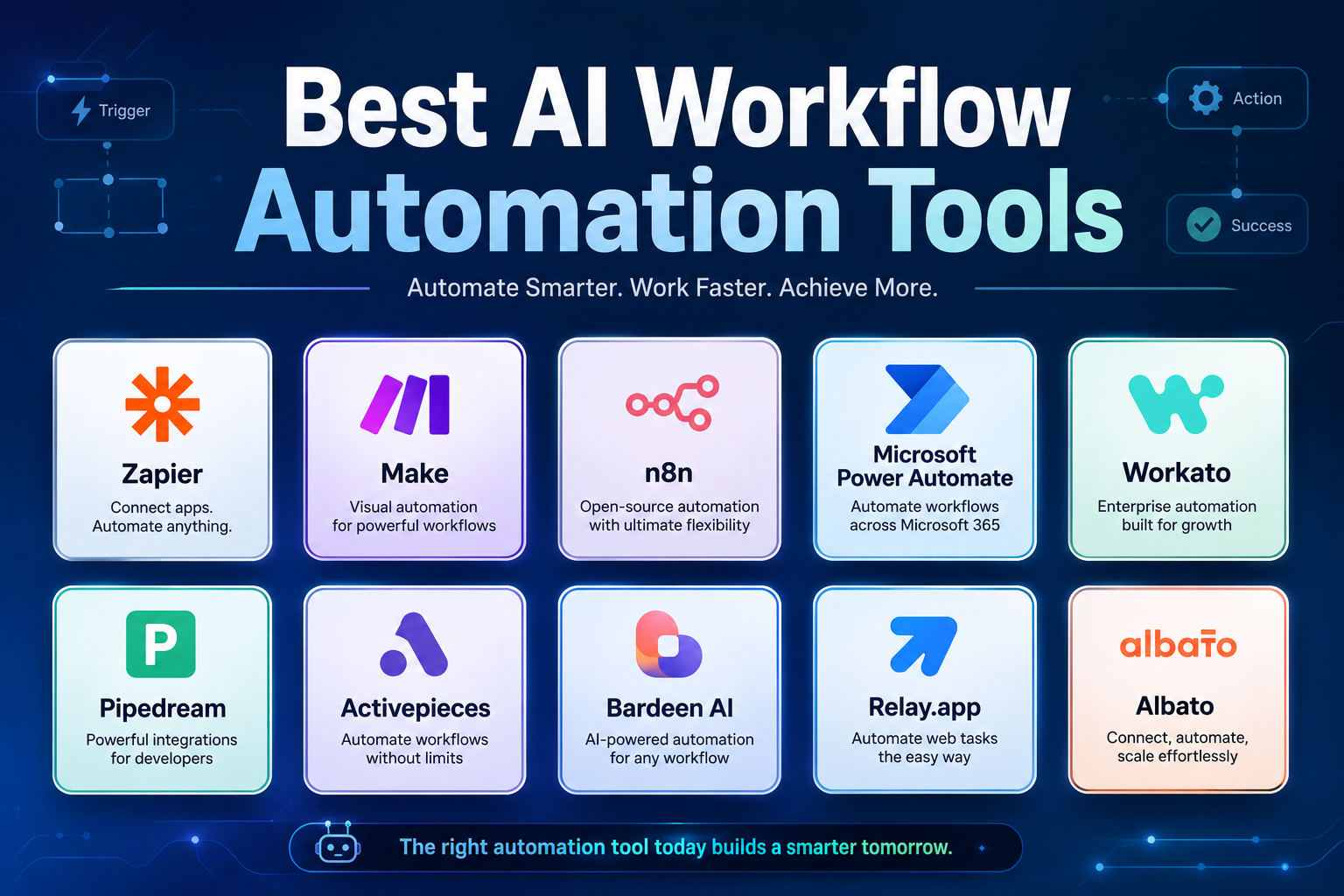
Zapier is optimized for accessibility and a large integration ecosystem. Make is better suited to users who want more visual control over complex scenarios. n8n gives technical teams much greater control and self-hosting options. Power Automate is particularly useful inside Microsoft environments, while Workato targets complex enterprise integration and orchestration.
This guide compares 10 AI workflow automation tools in 2026 and explains what each one is actually good at, who should use it, how its pricing works, and where its limitations matter.
Quick Comparison
| Platform | Best for | Technical level | Free option | Main strength |
|---|---|---|---|---|
| Zapier | General business automation | Beginner–Intermediate | Yes | Huge app ecosystem |
| Make | Complex visual workflows | Intermediate | Yes | Flexible scenario builder |
| n8n | Technical and AI workflows | Intermediate–Advanced | Self-hosted | Control and customization |
| Power Automate | Microsoft environments | Beginner–Advanced | Trial | Microsoft 365 + RPA |
| Workato | Enterprise automation | Advanced | Yes | Integration and orchestration |
| Pipedream | API and developer automation | Advanced | Yes | Code + APIs |
| Activepieces | Open-source automation | Beginner–Intermediate | Yes | Open-source + AI |
| Bardeen | Browser and data workflows | Beginner–Intermediate | Yes | Web automation |
| Relay.app | Human-in-the-loop workflows | Intermediate | Yes | Approvals and AI steps |
| Albato | Cost-conscious automation | Beginner–Intermediate | Yes | Flexible transaction pricing |
Pricing and limits can change, particularly for products that use credits, tasks, executions, or other usage-based billing. The pricing information in this article should therefore be treated as a September 2026 snapshot.
What Is AI Workflow Automation?
Workflow automation means using software to execute a sequence of tasks automatically when a particular event occurs.
For example:
New website form submission → create CRM contact → classify lead → notify sales team → create follow-up task.
Traditional automation usually relies on explicit rules:
If X happens, do Y.
AI can add another layer of flexibility.
For example:
New customer email → AI identifies the topic → extracts the order number → determines urgency → routes the message → drafts a response.
That distinction is important.
An automation platform does not become an AI platform simply because its website contains an AI assistant. The useful question is whether AI can actually participate in the workflow.
Depending on the platform, AI may be used for:
- Text classification
- Data extraction
- Summarization
- Content generation
- Information transformation
- Natural-language workflow creation
- Document processing
- Intelligent routing
- AI agents
- API interactions
- Decision support
The best platform depends on how much of this functionality you actually need.
AI Automation vs Traditional Automation
It is useful to separate three levels of automation.
Rule-based automation
The workflow follows fixed conditions.
Example:
When a new order is received, add it to a spreadsheet.
This is predictable and usually easy to troubleshoot.
AI-assisted automation
AI performs a task inside an otherwise structured workflow.
Example:
When a support email arrives, use AI to classify the request and then send it to the appropriate team.
The workflow remains structured, but AI handles an unstructured input.
Agentic automation
An AI system can choose actions or steps within defined boundaries.
Example:
Review a new sales lead, research the available information, update the CRM, prepare a personalized follow-up, and request approval before sending it.
This can be much more powerful, but it also requires stronger testing, permissions, monitoring, and human oversight.
Not every business needs agentic automation. In many cases, a simple rule-based workflow with one well-designed AI step is easier to maintain and more reliable.
How We Evaluated These Tools
Instead of ranking platforms solely by the number of integrations they advertise, this comparison considers several practical factors:
Automation flexibility
Can the platform handle simple triggers as well as multi-step workflows?
AI capabilities
Can AI classify, extract, generate, summarize, or make controlled decisions inside workflows?
Integrations
How easily can the platform connect the applications a business already uses?
Ease of use
Can non-technical users build workflows without programming?
Developer control
Does the platform support APIs, custom code, webhooks, or self-hosting?
Reliability and monitoring
Can users inspect executions, identify errors, replay failed workflows, and troubleshoot problems?
Pricing model
Does the platform charge by tasks, credits, executions, transactions, users, or another usage metric?
Scalability
Can the platform grow from a few personal automations into a larger business workflow environment?
1. Zapier
Zapier remains one of the easiest starting points for business workflow automation.
Its major advantage is the breadth of its integration ecosystem and its relatively accessible visual workflow builder. Zapier currently describes its platform as supporting 9,000+ integrations, while its free plan includes 100 tasks per month and two-step Zaps.
Zapier has also expanded beyond traditional “trigger + action” automation with Tables, Interfaces, MCP, and AI capabilities.
Best for
- Small businesses
- Marketers
- Freelancers
- Operations teams
- Non-technical users
- General business automation
Where Zapier stands out
The biggest advantage is not necessarily that every individual automation is more powerful than competitors.
It is that many users can connect the applications they already use without needing to understand APIs or infrastructure.
For example:
New Typeform response → AI classification → HubSpot contact → Slack notification → follow-up task.
AI capabilities
Zapier supports AI steps that can perform tasks such as classification, generation, and tool-assisted processing.
Its current AI-by-Zapier system uses different model tiers, with Standard, Advanced, and Premium tiers consuming different amounts of task usage.
Pricing
Zapier has a free plan with 100 tasks/month. Paid plans increase task capacity and unlock additional workflow capabilities. AI steps can consume different amounts of task usage depending on the selected model tier.
Limitation
The simplicity comes with a trade-off: complex workflows can become expensive or harder to manage when task usage grows substantially.
Best choice if
You want the easiest general-purpose starting point for connecting business applications.
2. Make
Make is one of the strongest alternatives to Zapier for users who want greater visual control over complicated workflows.
Instead of representing automation primarily as a linear list of actions, Make uses a visual scenario builder where users can create branches, routers, filters, transformations, and multiple paths.
Best for
- Power users
- Marketing operations
- Agencies
- Complex business workflows
- Users who want visual control
Where Make stands out
Imagine a lead arrives through a form.
Instead of simply sending it to a CRM, you might want to:
- Validate the information.
- Use AI to classify the lead.
- Route high-value leads to sales.
- Add lower-priority leads to a nurture campaign.
- Store the data in a spreadsheet.
- Notify the appropriate Slack channel.
Make is well suited to workflows like this.
Pricing
Make currently offers a free plan with 1,000 credits per month. Its Core plan starts at $12/month for 10,000 credits, while Pro starts at $21/month for 10,000 credits under the displayed pricing structure. Each module action generally consumes a credit.
Limitation
The visual flexibility also creates a steeper learning curve. Beginners can build simple scenarios quickly but may need time to understand advanced routing and data handling.
Best choice if
You need more control over workflow logic than a basic automation builder provides.
3. n8n
n8n is particularly attractive to developers, technical teams, and businesses that want greater control over their automation infrastructure.
The platform supports APIs, custom logic, AI integrations, webhooks, and self-hosting.
Best for
- Developers
- Technical teams
- AI builders
- SaaS companies
- Businesses requiring self-hosting
Where n8n stands out
n8n is less restrictive than many beginner-oriented automation tools.
Technical users can combine visual workflow nodes with code and API calls, making it possible to build workflows that would be difficult to reproduce in a basic no-code platform.
This is particularly useful for AI applications where a workflow might need to:
receive data → call an AI model → process the response → query another API → store results → trigger another service.
AI capabilities
n8n has become increasingly focused on AI workflows and agentic automation, allowing users to combine models, tools, APIs, memory, and workflow logic.
Pricing
n8n offers cloud plans as well as self-hosting options. Its Cloud Starter plan includes 2,500 workflow executions per month, unlimited users, and AI credits under the current plan structure.
Limitation
n8n’s flexibility means that users need a better understanding of workflows, data structures, APIs, and troubleshooting than they would with a beginner-focused platform.
Best choice if
You want maximum control over AI and API workflows without being locked into a purely no-code environment.
4. Microsoft Power Automate
Microsoft Power Automate is particularly compelling for organizations already using Microsoft 365, Azure, Teams, Excel, SharePoint, or other Microsoft services.
It supports cloud workflows as well as desktop automation and robotic process automation.
Best for
- Microsoft 365 users
- Enterprises
- Operations teams
- Finance departments
- IT departments
- RPA use cases
Where Power Automate stands out
Power Automate is not limited to moving data between cloud applications.
Its desktop automation capabilities can automate tasks performed on computers, making it relevant for processes involving older applications or systems without modern APIs.
Pricing
Microsoft currently lists Power Automate Premium at $15 per user/month when paid yearly. Power Automate Process is listed at $150 per bot/month, also under annual billing. A 30-day free trial is available.
Microsoft also offers Copilot Studio separately for more advanced generative and conversational AI scenarios.
Limitation
The platform becomes much more attractive inside the Microsoft ecosystem than outside it, and Microsoft’s licensing structure can take time to understand.
Best choice if
Your organization already depends heavily on Microsoft 365 and wants workflow automation plus RPA.
5. Workato
Workato targets organizations with complex integration and orchestration requirements.
It is not primarily designed as a lightweight tool for automating a few personal tasks.
Best for
- Enterprises
- IT teams
- Large operations departments
- Complex integration projects
- AI orchestration
Where Workato stands out
Workato focuses on connecting business systems at organizational scale.
Its platform supports enterprise integration, workflow orchestration, API management, data movement, and increasingly AI-agent workflows.
Pricing
Workato uses a usage-based pricing model consisting of a platform edition fee plus usage. Its Enterprise and Workato One editions are designed for more advanced orchestration and agentic capabilities.
Workato also offers a self-service model. Its current Pro plans start at $75/month for 2,500 credits, while the free option includes a one-time 50,000-credit allocation.
Limitation
Workato is generally excessive for a freelancer who only wants to connect Gmail and Google Sheets.
Its value becomes clearer when an organization has complex systems and significant automation requirements.
Best choice if
You need enterprise integration and orchestration rather than simple app-to-app automation.
6. Pipedream
Pipedream is designed for developers who want to automate APIs and build event-driven workflows.
Best for
- Developers
- SaaS companies
- API integrations
- Engineering teams
- Custom AI applications
Where Pipedream stands out
Pipedream allows developers to combine prebuilt integrations with custom code.
That makes it particularly useful when an application does not provide exactly the integration behavior you need.
A developer can receive a webhook, transform the data, call an external API, process an AI response, and send the result to another system within the same workflow.
AI capabilities
Pipedream can be used to connect AI models and tools to application workflows, making it useful for custom AI-powered backend processes.
Pricing
Pipedream offers free access with usage limitations and paid plans for higher workflow and development requirements. Because developer-focused pricing depends heavily on execution and compute usage, users should evaluate the current pricing page against their expected workload before committing.
Limitation
Pipedream is not the best choice for a non-technical user who wants to build everything through a simple drag-and-drop interface.
Best choice if
You need API-first automation with the ability to write custom code.
7. Activepieces
Activepieces is an open-source automation platform that combines a visual workflow builder with AI capabilities and self-hosting options.
Best for
- Small businesses
- Technical users
- Open-source enthusiasts
- Teams wanting self-hosting
- AI automation
Where Activepieces stands out
One of its biggest advantages is the combination of open-source architecture, cloud hosting, and self-hosting.
The platform also uses a credit-based pricing system rather than simply charging per workflow step.
Pricing
Activepieces currently offers a free plan with 100 credits per day. Its Plus plan is listed at $16/month when billed yearly, including 10,000 credits per month and support for up to five users. Team starts at $166/month billed yearly with 50,000 credits.
AI capabilities
Activepieces supports AI-powered automation and allows users on paid plans to bring their own AI keys.
Limitation
Its ecosystem is smaller than the largest automation platforms, so users should verify that the applications they depend on are supported.
Best choice if
You want an open-source-oriented automation platform with AI capabilities and self-hosting flexibility.
8. Bardeen
Bardeen focuses on automating tasks that involve websites, browser activity, data collection, and business workflows.
Best for
- Sales teams
- Marketers
- Recruiters
- Lead generation
- Web research
- Browser-based workflows
Where Bardeen stands out
Traditional automation tools often work best when applications expose APIs.
Bardeen is particularly useful when the work happens directly inside a browser.
For example, a team may need to collect information from websites, enrich leads, move information into a spreadsheet, and perform follow-up actions.
AI capabilities
Bardeen combines AI tools with web search, scraping, enrichment, and automation.
Pricing
Bardeen currently provides 100 free credits, while its Basic plan is listed at $10/month and Premium at $50/month. The platform uses credits for actions such as scraping, web search, enrichment, and AI tools.
Limitation
Browser automation can be more sensitive to changes in websites than stable API integrations.
Best choice if
Your workflow involves repetitive browser-based research, data collection, or lead-generation tasks.
9. Relay.app
Relay.app is designed around workflows that combine automation with human decision-making.
This makes it interesting for businesses that do not want AI to operate completely without supervision.
Best for
- Marketing teams
- Agencies
- Operations teams
- Approval workflows
- Human-in-the-loop automation
Where Relay.app stands out
Consider a marketing workflow that generates an AI-written social post.
Instead of automatically publishing it, the workflow can pause and ask a team member to approve or edit it.
The workflow then continues automatically after approval.
This model is particularly useful for tasks where AI can do the preparation but a human should make the final decision.
AI capabilities
Relay.app supports AI steps and human checkpoints, allowing teams to combine automated processing with approvals.
Limitation
Organizations with extremely complex enterprise integration requirements may need a more infrastructure-oriented platform.
Best choice if
You want AI automation with deliberate human approval points.
10. Albato
Albato is a general-purpose automation platform that connects business applications and provides AI automation features.
Best for
- Small businesses
- Agencies
- Marketing teams
- Cost-conscious users
- Multi-app automation
Where Albato stands out
Albato separates the platform plan from transaction volume under its newer pricing model.
This can make it easier for users to choose the working environment they need and then scale transaction capacity independently.
Pricing
Albato currently lists a free option and a Pro plan starting at $15/month when billed annually for the displayed 1,000-transaction package. Higher transaction packages can be selected independently, with the platform supporting up to millions of transactions.
Albato AI can also process tasks such as text generation, translation, parsing, and other data-processing operations.
Limitation
The platform is less dominant than Zapier or Make, so businesses should verify integration availability and workflow limits for their specific applications.
Best choice if
You want a flexible alternative to the largest automation platforms with transaction-based scaling.
Best AI Workflow Automation Tools by Use Case
Instead of asking which platform is universally number one, match the platform to the job.
| Use case | Strong options |
|---|---|
| Easiest general automation | Zapier |
| Complex visual workflows | Make |
| AI and developer workflows | n8n |
| Microsoft automation | Power Automate |
| Enterprise integration | Workato |
| API automation | Pipedream |
| Open-source automation | Activepieces |
| Browser automation | Bardeen |
| Human approval workflows | Relay.app |
| Flexible transaction-based automation | Albato |
This approach is more useful than a simple 1–10 ranking because a platform that is excellent for a developer may be unnecessarily complicated for a small business owner.
How Much Do AI Workflow Automation Tools Cost?
Pricing is one of the easiest parts of automation software to misunderstand.
Two platforms may both advertise a “10,000 automation” plan while measuring usage completely differently.
Common pricing models include:
Tasks
A task may represent a completed action within a workflow.
Zapier, for example, uses tasks as an important part of its usage model. Its free plan currently provides 100 tasks per month.
Credits
Make and Activepieces use credits to measure automation usage, although their definitions differ.
Make currently counts module actions as credits, while Activepieces describes one credit as covering a complete run, with AI steps adding additional credit usage depending on the model.
Executions
n8n’s cloud plans use workflow executions as an important usage metric.
Transactions
Albato uses transactions to measure successfully executed automation steps.
Usage-based enterprise pricing
Platforms such as Workato combine platform fees with usage-based charges.
The important lesson
Do not compare automation tools using the monthly subscription alone.
Estimate:
Total cost = platform fee + automation usage + AI usage + premium integrations + additional users + infrastructure
That gives you a much more realistic picture.
How to Choose the Right AI Workflow Automation Tool
1. Map the workflow before choosing the software
Write down the process you want to automate.
For example:
Lead form → CRM → AI qualification → Slack → sales task → email follow-up
Then identify which steps are:
- Data transfer
- Rule-based decisions
- AI processing
- Human approval
- External API calls
This immediately makes it easier to identify the right type of platform.
2. Decide how technical your team is
Beginners
Consider platforms such as:
- Zapier
- Make
- Relay.app
- Albato
Technical users
Consider:
- n8n
- Pipedream
- Activepieces
Enterprise teams
Consider:
- Power Automate
- Workato
- Enterprise versions of major automation platforms
3. Check the applications you actually use
Never choose an automation platform solely because it advertises thousands of integrations.
Check whether it supports the exact services you depend on.
Also verify:
- Available triggers
- Available actions
- Webhooks
- API access
- Authentication requirements
- Data limitations
An integration may exist while still lacking the specific action your workflow requires.
4. Decide whether you need AI
Not every workflow needs AI.
If your process is:
New order → add row → send notification
ordinary automation is enough.
If your process is:
Read customer email → understand intent → extract information → decide category → route request
AI becomes much more useful.
Using AI where a simple rule would work can add unnecessary cost and complexity.
5. Consider self-hosting
Self-hosting can be valuable when your organization requires greater control over infrastructure or data.
n8n and Activepieces are particularly relevant here because they provide self-hosting options.
However, self-hosting also means taking responsibility for:
- Updates
- Backups
- Security
- Monitoring
- Infrastructure
- Reliability
So self-hosting is not automatically better.
6. Examine failure handling
A workflow that works 99 times but silently fails on the 100th can cause serious operational problems.
Before deploying an automation, check whether the platform provides:
- Error notifications
- Execution logs
- Retry mechanisms
- Replay
- Conditional error handling
- Version history
- Monitoring
These features become increasingly important as automation becomes part of core business operations.
How to Build Better AI Workflows
Start with predictable tasks
Do not begin by automating your most complicated business process.
Start with a repetitive workflow where the desired outcome is clear.
Keep AI inside defined boundaries
Instead of telling AI:
“Decide what to do with this customer.”
Give it a constrained task:
“Classify this message as billing, technical support, sales, or other.”
Structured tasks are easier to test.
Require approval for important actions
For workflows involving:
- Payments
- Contracts
- Customer refunds
- Public communications
- Important business decisions
consider adding a human approval step.
AI can prepare the work without necessarily being allowed to execute the final action automatically.
Log important AI decisions
When an AI step affects a business process, keep enough information to understand:
- What input it received
- What output it produced
- Which action followed
- Whether a human approved it
This makes troubleshooting much easier.
Test unusual inputs
Do not test only perfect examples.
Try:
- Missing information
- Incorrect formatting
- Duplicate records
- Unexpected language
- Contradictory information
- Empty fields
- Very long text
A workflow is ready for production when you understand how it behaves when things go wrong—not only when everything works.
Common Automation Mistakes
Automating a broken process
Automation does not fix a poorly designed workflow.
If a process is inefficient manually, automating it may simply make the inefficiency happen faster.
Adding AI unnecessarily
AI should solve a problem that rules cannot handle efficiently.
If a simple filter works, use a filter.
Ignoring usage costs
AI calls, tasks, credits, transactions, and executions can increase costs as volume grows.
Giving AI too much authority
High-impact actions should have appropriate restrictions and human oversight.
Failing to monitor workflows
Automation should not be treated as “set it and forget it.”
Review failures and unexpected outputs regularly.
Choosing based only on integration count
The number of integrations is less important than whether the platform can perform the exact actions your workflow needs.
Advantages and Limitations of AI Workflow Automation
Advantages
- Reduces repetitive manual work
- Connects different business applications
- Speeds up information processing
- Supports scalable operations
- Can process unstructured information with AI
- Reduces manual data entry
- Creates repeatable business processes
- Helps teams focus on higher-value work
- Can operate continuously
- Makes complex workflows easier to standardize
Limitations
- AI outputs can be incorrect
- Complex workflows require testing
- Usage-based pricing can become expensive
- Integrations can change
- APIs can fail or impose limits
- Poorly designed workflows can create new problems
- Self-hosting requires technical maintenance
- AI should not automatically control every high-impact business decision
Automation is therefore most effective when it combines software efficiency with appropriate human oversight.
Frequently Asked Questions
What are AI workflow automation tools?
AI workflow automation tools connect applications and automate business processes while using artificial intelligence for tasks such as classification, generation, extraction, summarization, or controlled decision-making.
What is the best AI workflow automation tool?
There is no universal winner.
Zapier is a strong general-purpose choice, Make is better for visually complex workflows, n8n is attractive to technical users, Power Automate fits Microsoft environments, and Workato targets enterprise integration.
Is Zapier better than Make?
Not necessarily.
Zapier is generally easier for beginners and has a very broad application ecosystem. Make provides more visual control over complex scenarios.
The better choice depends on workflow complexity and how much control you need.
Is n8n completely free?
n8n provides self-hosting options and cloud plans. The economics depend on whether you host the platform yourself or use n8n Cloud. Cloud plans have execution and AI-credit limits, while self-hosting shifts more infrastructure responsibility to you.
Are AI workflow automation tools free?
Many offer free plans or trials.
For example, Zapier has a free plan, Make provides a free plan with 1,000 credits per month, Activepieces provides a free plan with 100 credits per day, and Workato offers a free self-service option with a one-time credit allocation.
Free plans usually have usage limits.
Do I need coding knowledge?
No.
Platforms such as Zapier, Make, Relay.app, and Albato are designed for no-code or low-code workflows.
However, coding knowledge becomes useful when you need custom APIs, advanced data processing, self-hosting, or specialized integrations.
Is AI necessary for workflow automation?
No.
Many excellent workflows are completely rule-based.
AI becomes valuable when the workflow needs to understand text, documents, images, natural language, or other information that is difficult to handle with fixed rules.
Can AI workflow automation replace employees?
Automation can reduce repetitive work, but it does not automatically replace the need for human judgment.
The most useful approach is usually to automate predictable tasks and allow people to handle exceptions, approvals, relationships, and decisions that require context.
What should I automate first?
Start with a repetitive, measurable process that happens frequently and has a predictable outcome.
Examples include:
- Lead routing
- Data synchronization
- Notifications
- Report generation
- Customer-email classification
- CRM updates
- Internal approvals
A simple workflow that saves your team time every week is usually a better starting point than an ambitious AI agent that tries to automate an entire department.
Final Verdict
The best AI workflow automation platform depends on the type of automation you are trying to build.
Zapier is one of the strongest choices for beginners and businesses that want broad application connectivity with minimal technical complexity.
Make is better when workflows require visual branching, filters, routers, and more sophisticated logic.
n8n stands out for developers and technical teams that need AI, APIs, custom logic, and self-hosting flexibility.
Microsoft Power Automate is particularly compelling for organizations already invested in Microsoft 365 and desktop automation.
Workato is designed for larger organizations that need enterprise integration, orchestration, and governance.
Pipedream is a strong developer-oriented option for API-heavy workflows.
Activepieces is worth considering when open-source architecture and self-hosting matter.
Bardeen is particularly useful for browser-based automation and web data workflows.
Relay.app is a good fit for workflows where AI and automation need human approval points.
Albato offers another flexible option for businesses that want transaction-based automation.
The biggest mistake is choosing an automation platform because it has the longest feature list.
Instead, identify the process you want to improve, determine whether it actually needs AI, estimate your expected usage, verify the integrations you require, and test the workflow with real-world edge cases.
The best automation is not the one that does the most.
It is the one that reliably removes repetitive work while keeping people in control of important decisions.