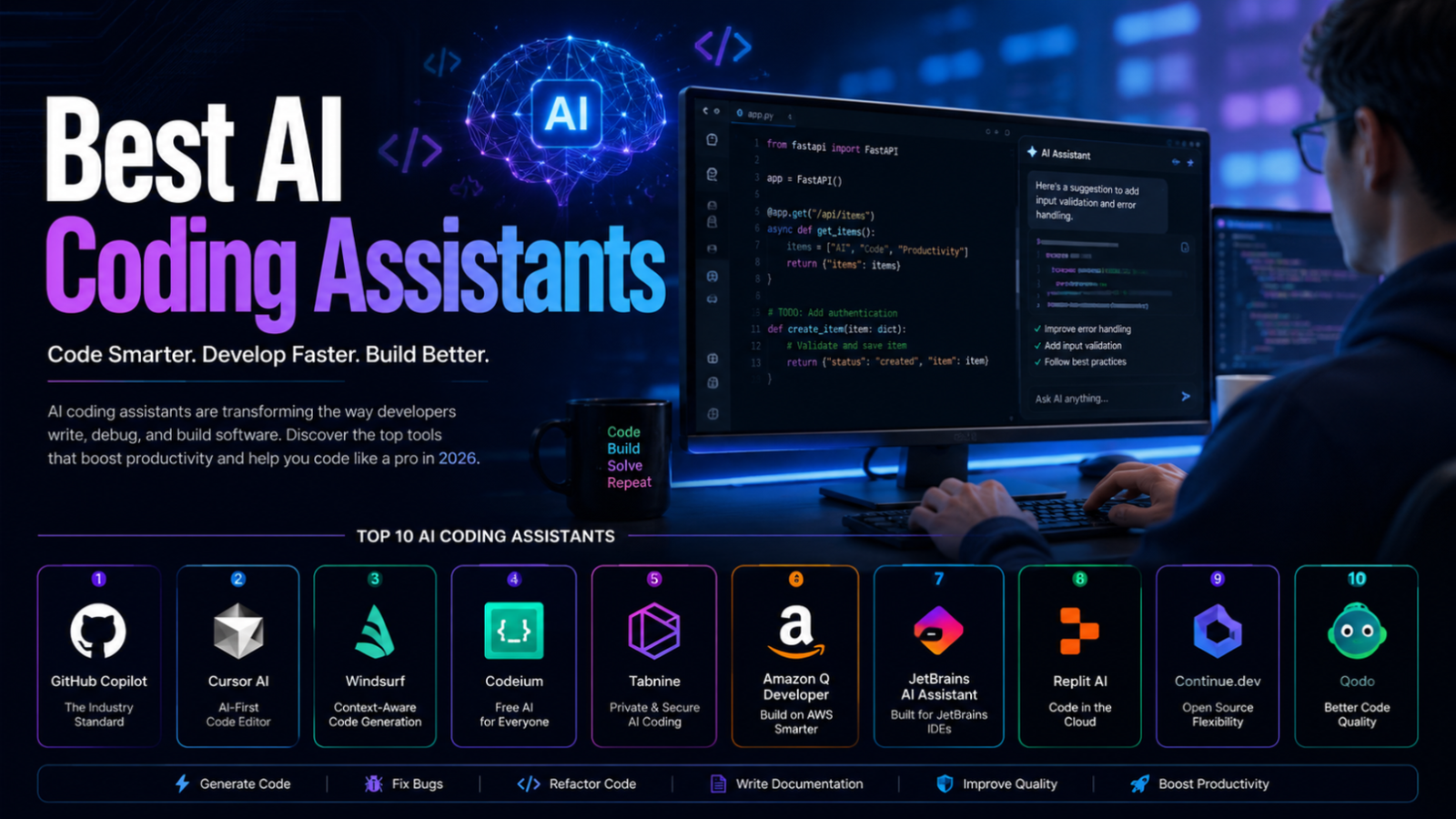
Best AI Coding Assistants in 2026: 10 Tools Compared
Last updated: September 2026
AI coding assistants have moved far beyond simple autocomplete. In 2026, the best tools can explain unfamiliar code, generate tests, refactor multiple files, review pull requests, work with project context, and carry out multi-step development tasks.
But they are not all designed for the same job.
Some tools are built around an existing IDE such as Visual Studio Code or JetBrains. Others are complete AI-first editors. Some focus heavily on cloud development, AWS, code review, or enterprise security. Others give developers more control over the models they use.
That makes choosing an AI coding assistant less about finding a single “best” tool and more about finding the right tool for your development workflow.
In this guide, we compare 10 notable AI coding assistants and coding platforms in 2026, focusing on what each tool does particularly well, its pricing model, limitations, and the type of developer who is most likely to benefit from it.
Quick Comparison
| Tool | Best for | Free option | Paid starting point* | Main strength |
|---|---|---|---|---|
| GitHub Copilot | General-purpose development | Yes | $10/month | Broad IDE and GitHub integration |
| Cursor | AI-first coding | Yes | $20/month | Project-aware agentic development |
| Windsurf | AI-assisted development | Yes | $20/month | Agentic editor and development workflow |
| Kiro | Spec-driven development | Yes | $20/month | Turning requirements into structured implementation |
| Tabnine | Enterprise and private AI coding | No permanent individual free tier highlighted | $39/user/month annually | Privacy, deployment and governance |
| Amazon Q Developer | AWS development | Yes | $19/user/month | AWS-aware coding and cloud assistance |
| JetBrains AI | JetBrains IDE users | Yes | $10/month | Deep JetBrains integration |
| Replit | Browser-based app development | Yes | $20/month | Build and deploy from the browser |
| Continue | Open-source/custom AI workflows | Open source | Depends on model/provider | Model and agent flexibility |
| Qodo | Code review and testing | 14-day trial | $30/month | AI-powered code quality and review |
*Pricing and limits can change. The figures above reflect official information available when this article was reviewed in September 2026.
What Is an AI Coding Assistant?
An AI coding assistant is a software tool that uses artificial intelligence to help with software development tasks.
Depending on the product, it may help you:
- Complete code while you type
- Generate functions or entire files
- Explain unfamiliar code
- Find potential bugs
- Refactor existing code
- Generate unit tests
- Write documentation
- Search and understand a codebase
- Review pull requests
- Work through multi-step development tasks
- Generate SQL queries, scripts, or configuration files
- Assist with terminal and command-line tasks
The important distinction is that an AI coding assistant is not automatically a replacement for a developer.
AI-generated code can contain logical mistakes, security vulnerabilities, incorrect assumptions, outdated APIs, or code that technically works but does not fit the architecture of the project.
The most effective workflow is therefore usually developer + AI, rather than AI working without supervision.
How We Evaluated These AI Coding Assistants
There is no single benchmark that can determine which coding assistant is best for everyone.
For this comparison, the tools were evaluated according to several practical criteria:
Coding capabilities
Can the tool generate, explain, edit, refactor, and test code?
Project context
How well can it understand files, repositories, dependencies, and the surrounding code?
Development environment
Does it work with popular IDEs, terminals, Git platforms, or browser-based environments?
Agentic capabilities
Can it perform multi-step tasks rather than simply returning a code snippet?
Model flexibility
Can developers choose between models or connect their own models and API keys?
Privacy and enterprise controls
Does the platform provide useful controls for organizations working with private code?
Pricing
Does the free tier provide meaningful value, and is the paid pricing predictable?
Best-fit use case
Instead of giving every product the same generic “pros and cons,” this guide focuses on where each tool has a practical advantage.
1. GitHub Copilot
Best for: General-purpose software development
GitHub Copilot remains one of the strongest all-around choices for developers who want AI assistance without changing their entire development environment.
Rather than requiring developers to move to a completely different editor, Copilot integrates into environments including VS Code, Visual Studio, JetBrains IDEs, Neovim, Eclipse, Xcode, and several other development environments.
Its capabilities have also expanded beyond autocomplete. Depending on the plan and environment, developers can use chat, agent mode, code review, cloud agents, CLI features, and third-party coding agents.
GitHub currently offers a Free plan with 2,000 code completions per month and limited AI usage. Copilot Pro starts at $10 per user per month, while Pro+ and Max provide substantially higher AI usage and additional capabilities.
What makes GitHub Copilot different?
Its biggest advantage is ecosystem integration.
If your development workflow already revolves around GitHub, pull requests, repositories, and a supported IDE, Copilot can fit naturally into that workflow instead of forcing you to rebuild it around another editor.
Strengths
- Strong IDE integration
- Deep GitHub integration
- Code completion and chat
- Agentic development features
- Code review and cloud-agent capabilities on supported plans
- Free plan available
- Suitable for individual developers and teams
Limitations
The amount of AI usage available depends on the plan and the features you use. Developers working heavily with agents and premium models need to pay attention to the included AI-credit allowances.
Best for
Developers who want a broadly compatible AI assistant integrated with their existing GitHub and IDE workflow.
2. Cursor
Best for: AI-first software development
Cursor is an AI-first code editor designed around the idea that AI should be deeply integrated into the development environment rather than added as a small autocomplete feature.
It provides features such as agent-assisted development, project context, code editing, model selection, MCP support, cloud agents, and automated bug-fixing capabilities.
Cursor offers a free Hobby option with limited agent usage. Its Pro plan is currently $20 per month, with higher tiers available for developers who need substantially more usage. Cursor also uses usage-based pricing for some services, so developers should consider both the subscription and model usage when estimating long-term costs.
What makes Cursor different?
Cursor is particularly attractive if you want the editor itself to become an AI development environment.
Instead of repeatedly copying code into a chatbot, you can ask the assistant to inspect the project, modify files, reason about related code, and work through a development task inside the editor.
Strengths
- AI-first development experience
- Strong project context
- Agentic coding
- Multiple model options
- MCP and tool integrations
- Cloud-agent capabilities
- Excellent for multi-file changes
Limitations
Heavy agent usage can consume included usage faster than simple autocomplete. Developers working on large projects should understand the product’s usage model before choosing a plan.
Best for
Developers who want an AI-native coding environment rather than a traditional IDE with an AI plugin.
3. Windsurf
Best for: Agentic coding inside an AI development environment
Windsurf is another AI-focused development environment aimed at developers who want AI to participate more actively in the coding workflow.
Its current platform combines an AI coding environment with integrations and development tools. The official product currently lists a Free plan and a Pro plan at $20 per month, with higher-cost options for heavier usage.
What makes Windsurf different?
Windsurf focuses heavily on an agentic development experience.
The goal is not simply to suggest the next line of code. AI can participate in broader development tasks while working with the surrounding project context and connected development tools.
Strengths
- AI-first development workflow
- Agentic capabilities
- Project-aware assistance
- Integrations with development tools
- Free entry point
- Suitable for developers working on larger coding tasks
Limitations
Developers who prefer a minimal AI autocomplete tool may find an AI-first environment more extensive than necessary.
Best for
Developers who want an AI-assisted editor capable of participating in larger development tasks.
4. Kiro
Best for: Structured, specification-driven development
Kiro is particularly interesting for developers who want to turn requirements into a more structured development process.
Instead of treating every request as a simple “write this code” prompt, Kiro emphasizes specifications, requirements, design, and implementation workflows.
Its current Free plan includes 50 credits. Paid plans start at $20 per user per month for Pro, with higher tiers at $40, $100, and $200 per month. Additional credits can also be purchased on paid plans.
What makes Kiro different?
The key difference is its emphasis on structured development.
That can be useful when building a feature that requires more than a single prompt—for example, a feature involving requirements, architecture decisions, implementation steps, and tests.
Strengths
- Specification-oriented workflow
- AI-assisted implementation
- Structured development process
- Free plan
- Multiple paid usage tiers
- Useful for larger feature requests
Limitations
It may feel less convenient than a simple autocomplete assistant for very small coding tasks.
Best for
Developers who want AI assistance throughout the process of turning requirements into implemented software.
5. Tabnine
Best for: Enterprise privacy and controlled AI development
Tabnine takes a different approach from many AI-first coding tools.
Its platform focuses strongly on enterprise development, privacy, governance, deployment options, and AI coding assistance. It provides code completion and AI chat while supporting private deployment options, including cloud, on-premises, and air-gapped environments.
Tabnine’s current Code Assistant pricing starts at $39 per user per month when billed annually, with a higher tier focused on agentic development and additional enterprise capabilities.
What makes Tabnine different?
For organizations, the important question is not always “Which assistant generates the most code?”
It can instead be:
Where does the code go, how is AI controlled, and how can the organization govern its use?
Tabnine is built heavily around those concerns.
Strengths
- Enterprise-oriented
- Private deployment options
- Governance controls
- Codebase-aware assistance
- Multiple model providers
- Agentic capabilities on higher tiers
- Suitable for strict organizational environments
Limitations
Its pricing is considerably higher than many individual-focused coding assistants.
Best for
Organizations that prioritize privacy, deployment control, governance, and enterprise AI development.
6. Amazon Q Developer
Best for: AWS development and cloud engineering
Amazon Q Developer is Amazon Web Services’ AI assistant for software development.
It can help with coding, debugging, AWS-related development, security-related tasks, and application modernization. It is available through IDE integrations and the command line.
Amazon Q Developer currently has a Free tier with limited agentic requests and a Pro tier priced at $19 per user per month. The Free tier includes 50 agentic requests per month, while Pro provides higher limits and additional enterprise capabilities.
What makes Amazon Q Developer different?
Its strongest advantage is its relationship with the AWS ecosystem.
If your work involves AWS services, cloud infrastructure, application modernization, or AWS-specific development problems, an assistant with that ecosystem context can be more useful than a generic coding chatbot.
Strengths
- Strong AWS integration
- IDE and CLI support
- Code generation
- Debugging assistance
- Cloud development support
- Security-related capabilities
- Free tier available
Limitations
Developers who rarely use AWS may get less value from its ecosystem-specific capabilities.
Best for
AWS developers, cloud engineers, and teams building or maintaining applications on AWS.
7. JetBrains AI Assistant
Best for: Developers using JetBrains IDEs
JetBrains AI Assistant brings AI directly into JetBrains development environments such as IntelliJ IDEA, PyCharm, WebStorm, GoLand, PhpStorm, Rider, and other supported IDEs.
The current JetBrains AI lineup includes AI Free, AI Pro, AI Ultimate, and enterprise options. AI Free provides 3 AI credits every 30 days, while AI Pro provides 10 credits per 30 days. JetBrains currently lists AI Pro at $100 per user per year for individual annual billing and AI Ultimate at $300 per year.
Developers can also connect supported third-party models or use their own API keys in supported configurations.
What makes JetBrains AI different?
Its biggest advantage is IDE integration.
For developers who already prefer the JetBrains ecosystem, using AI features directly inside the same environment can be more convenient than switching between an external coding assistant and the IDE.
Strengths
- Deep JetBrains integration
- AI chat
- Code completion
- Refactoring assistance
- Documentation and commit-message generation
- Agent support
- BYOK and external model options
Limitations
You need a supported JetBrains development environment, and the AI subscription does not replace the underlying IDE license when one is required.
Best for
Developers who already use IntelliJ IDEA, PyCharm, WebStorm, Rider, or another JetBrains IDE.
8. Replit
Best for: Browser-based development and rapid application building
Replit takes a different approach from traditional desktop coding assistants.
Instead of installing an IDE and configuring development tools locally, developers can build applications in a browser-based environment with AI assistance, collaboration, databases, and deployment capabilities.
Replit currently offers a free Starter plan. Its Core plan is listed at $20 per month, or $17 per month when billed annually, while Pro is $100 per month or $95 per month on annual billing.
What makes Replit different?
The development environment itself is hosted online.
That makes Replit particularly convenient for prototypes, educational projects, quick experiments, and teams that want to share development environments without requiring every contributor to configure the same local setup.
Strengths
- Browser-based development
- AI-assisted application building
- Built-in database capabilities
- Deployment options
- Collaboration
- Beginner-friendly workflow
- Free entry point
Limitations
Developers who require a highly customized local environment may prefer a traditional IDE.
Best for
Beginners, educators, prototyping teams, and developers who want to build and deploy applications from the browser.
9. Continue
Best for: Developers who want an open-source and customizable AI coding workflow
Continue is different from commercial coding assistants because its open-source approach gives developers more control over how their AI development environment is configured.
Its documentation describes Continue as an open-source AI coding assistant for VS Code and JetBrains, with chat, editing, autocomplete, agent capabilities, and a CLI.
There is an important 2026 development to understand: Continue has joined Cursor, while its open-source codebase remains available. The project documentation also states that the original Continue repository is no longer actively maintained and has reached its final 2.0.0 release.
What makes Continue different?
Its appeal is flexibility.
Developers can configure models, providers, tools, context, and agents rather than being tied to a single proprietary AI experience.
Strengths
- Open-source foundation
- Customizable
- VS Code support
- JetBrains support
- CLI
- Agent workflows
- Multiple model options
Limitations
It requires more technical understanding than a polished commercial assistant.
The project’s current transition also means developers should check the latest documentation before adopting it for a new production workflow.
Best for
Technical users who value customization and open-source AI development tooling.
10. Qodo
Best for: AI-powered code review and software quality
Qodo is not simply another autocomplete assistant.
Its primary strength is code quality, particularly automated code review, pull-request analysis, testing, and development-quality workflows.
Qodo currently offers a 14-day trial with unlimited reviews and credits. Its Pro Team plan starts at $30 per month and uses a credit-based model, with higher credit packs available. Enterprise plans add capabilities such as SSO/SAML, audit logs, BYOK, governance controls, and single-tenant or on-premises deployment.
What makes Qodo different?
Qodo focuses on a different part of the development lifecycle.
While Copilot, Cursor, and similar tools can help you write code, Qodo is particularly useful when the question becomes:
Is this code ready to merge?
Strengths
- AI code review
- Pull-request analysis
- Test-related capabilities
- Git and IDE integrations
- Team governance
- Enterprise deployment options
Limitations
It is not necessarily the first choice if your primary requirement is real-time code autocomplete.
Best for
Engineering teams that want AI to improve code review, testing, and software quality.
Which AI Coding Assistant Should You Choose?
There is no universal winner. Your choice should depend on what you actually need.
Choose GitHub Copilot if:
You want a versatile assistant that works across many popular development environments and integrates deeply with GitHub.
Choose Cursor if:
You want an AI-first editor and frequently work on multi-file or agent-assisted development tasks.
Choose Windsurf if:
You want another AI-native development environment with a strong focus on agentic coding.
Choose Kiro if:
You prefer a structured, specification-driven approach to turning requirements into software.
Choose Tabnine if:
Your organization places a high priority on privacy, deployment control, and governance.
Choose Amazon Q Developer if:
Your development workflow is heavily connected to AWS.
Choose JetBrains AI if:
You already spend most of your time inside JetBrains IDEs.
Choose Replit if:
You want to build and deploy applications directly from a browser.
Choose Continue if:
You want an open-source and highly configurable coding environment.
Choose Qodo if:
Your main priority is automated code review and improving software quality.
AI Coding Assistants vs. AI Code Editors
These terms are sometimes used interchangeably, but there is a useful distinction.
An AI coding assistant usually adds AI capabilities to an existing development environment.
For example, it might provide:
- Autocomplete
- Chat
- Code explanation
- Refactoring
- Test generation
An AI code editor goes further by designing the development environment around AI.
It may allow the AI to:
- Understand an entire project
- Edit multiple files
- Run commands
- Use development tools
- Search documentation
- Execute tests
- Fix errors
- Perform multi-step tasks
Tools such as Cursor, Windsurf, and Kiro illustrate this broader direction.
The difference matters because developers who only want autocomplete may not need an AI-first editor, while developers building complex applications may benefit from agentic capabilities.
Free vs. Paid AI Coding Assistants
A common mistake is to treat every “free” label as equivalent.
There are several different models:
Permanent free plans
These allow continued use with restrictions.
Examples include GitHub Copilot Free, Cursor Hobby, Amazon Q Developer Free, Kiro Free, and Replit Starter.
Free trials
A trial provides temporary access to paid capabilities.
JetBrains, for example, offers a limited AI Pro trial, while Qodo provides a 14-day trial.
Open-source software
Open-source tools may be available without a software subscription, but using external AI models can still create API or infrastructure costs.
Usage-based pricing
Some modern coding platforms measure usage through credits, requests, model consumption, or other units.
This means a $20 subscription does not necessarily mean that every user receives the same amount of effective AI usage.
Before subscribing, check:
- How much AI usage is included?
- Which models are included?
- Are premium models metered separately?
- What happens when the allowance is exhausted?
- Can additional usage be purchased?
- Does the price include the underlying IDE?
How to Use AI Coding Assistants Effectively
The quality of the result depends heavily on how the developer works with the tool.
Give the AI enough context
Instead of asking:
“Fix this code.”
Explain:
- What the application does
- What the code should do
- What is currently going wrong
- Which files are involved
- What constraints must be respected
Better context generally gives the model fewer opportunities to make incorrect assumptions.
Ask for a plan before large changes
For a complex feature, ask the assistant to explain the proposed approach before allowing it to modify the project.
This makes it easier to catch a bad architectural assumption early.
Make smaller changes
Large autonomous changes can be difficult to review.
For important software, breaking a task into smaller steps makes testing and debugging easier.
Use tests as a safety net
AI-generated code should be tested like human-written code.
Useful checks include:
- Unit tests
- Integration tests
- Type checking
- Linters
- Static analysis
- Security scanning
- Manual testing
Review dependencies and permissions
When an AI agent can install packages, execute commands, access repositories, or interact with external services, review what permissions it has.
More autonomy can increase productivity, but it can also increase the impact of an incorrect instruction.
Security and Privacy Considerations
AI coding assistants can process source code, project files, prompts, logs, and other development information.
Before using one with private or commercial software, review the provider’s current privacy and security documentation.
Pay particular attention to:
- Whether your code is used for model training
- Data retention
- Enterprise controls
- Encryption
- Access management
- Data residency
- Self-hosting options
- Audit logs
- Administrative controls
For example, AWS states that Amazon Q Developer Pro customer content is not used for service improvement or to train underlying foundation models, while the Free tier has different data-use conditions and an opt-out mechanism.
The correct choice therefore depends not only on coding quality but also on your organization’s data requirements.
Common Mistakes When Using AI Coding Tools
1. Accepting generated code without reviewing it
AI can produce convincing code that is still wrong.
Always understand what the generated code does before putting it into an important application.
2. Asking for an entire application in one prompt
Large requests can create inconsistent architecture and difficult-to-debug code.
A better approach is to divide the project into requirements, architecture, implementation, testing, and refinement.
3. Ignoring existing project conventions
Generated code may use a different naming style, architecture, library, or error-handling approach.
Give the assistant project-specific rules when possible.
4. Trusting AI-generated security decisions
Authentication, authorization, cryptography, payment systems, and data handling require careful human review.
AI assistance can help developers, but it should not replace security engineering.
5. Ignoring licensing and dependencies
Generated code may recommend third-party packages or patterns that have licensing, maintenance, or security implications.
Review dependencies before adding them to a production project.
6. Giving agents excessive permissions
An AI agent with access to terminals, repositories, deployment systems, or production resources should have only the permissions necessary for its task.
Can AI Coding Assistants Replace Developers?
AI coding assistants can automate significant portions of software development, but that does not mean they eliminate the need for developers.
Software engineering involves more than producing code.
Developers still need to:
- Understand business requirements
- Design architecture
- Make technical trade-offs
- Review generated code
- Protect sensitive data
- Test applications
- Debug unexpected behavior
- Maintain dependencies
- Monitor production systems
- Make decisions when requirements are ambiguous
AI can reduce the amount of manual coding required, but human judgment remains important.
The developers who benefit most from these tools are usually not those who stop learning programming. They are the ones who learn how to combine programming knowledge with AI effectively.
Frequently Asked Questions
What is the best AI coding assistant in 2026?
There is no single best tool for every developer.
GitHub Copilot is a strong general-purpose choice, Cursor and Windsurf are attractive for AI-first development, Amazon Q Developer is particularly useful for AWS users, JetBrains AI is well suited to JetBrains users, and Qodo is specialized toward code review and quality.
What is the best free AI coding assistant?
The answer depends on what you need.
GitHub Copilot, Cursor, Kiro, Amazon Q Developer, and Replit all provide free entry points, but their limits and capabilities differ. Open-source tools such as Continue can also be attractive for technically experienced users.
A free plan should be evaluated based on actual usage limits rather than simply whether the word “Free” appears on the pricing page.
Is Cursor better than GitHub Copilot?
Neither is universally better.
Cursor is particularly attractive for developers who want an AI-first editor and agentic project workflows. GitHub Copilot is particularly attractive for developers who want broad IDE compatibility and deep GitHub integration.
Is GitHub Copilot still worth paying for?
For developers who use AI regularly, it can be worthwhile because its paid plans provide substantially more capability than the Free plan, including higher usage and additional agentic features.
Whether it is worth the cost depends on how frequently you use those features.
Which AI coding assistant is best for beginners?
Replit can be a convenient starting point because the development environment is browser-based and includes AI assistance, databases, and deployment capabilities.
GitHub Copilot can also be a good option for beginners who are already learning through VS Code or another supported environment.
Which AI coding assistant is best for AWS developers?
Amazon Q Developer is the most obvious choice when AWS is central to your development workflow because it is designed specifically around software development and cloud work within the AWS ecosystem.
Are AI coding assistants accurate?
They can be highly useful, but they are not guaranteed to be correct.
AI-generated code should be treated as code that requires review and testing.
Accuracy can also vary depending on the programming language, project context, model, prompt, and complexity of the task.
Are AI coding assistants safe?
They can be used safely when developers apply appropriate security practices.
The most important considerations are the data you provide, the permissions granted to AI agents, the provider’s privacy policies, and the amount of human review applied before code reaches production.
Final Verdict
AI coding assistants in 2026 are no longer limited to autocomplete.
The strongest platforms can participate in code generation, debugging, testing, refactoring, code review, documentation, repository analysis, and multi-step development workflows.
But the right choice depends on your environment.
GitHub Copilot is one of the strongest all-around options for developers who want broad IDE and GitHub integration.
Cursor and Windsurf are strong choices for developers who want AI-first development environments.
Kiro stands out for developers who prefer structured, specification-driven development.
Tabnine is particularly relevant to organizations that prioritize privacy and governance.
Amazon Q Developer is a natural choice for AWS-focused development.
JetBrains AI makes the most sense for developers already invested in the JetBrains ecosystem.
Replit is useful for browser-based development, prototyping, and rapid application building.
Continue appeals to technically experienced developers who want an open-source and customizable AI workflow.
Qodo is particularly valuable when code review and software quality are more important than simple code generation.
The best approach is not to choose the tool with the longest feature list. Choose the one that fits your IDE, programming workflow, project requirements, budget, and privacy needs.
And regardless of which assistant you use, keep one principle in mind:
AI can write code, but developers are still responsible for the software they ship.
Related Articles
Explore more AI software guides to improve your productivity and development workflow: