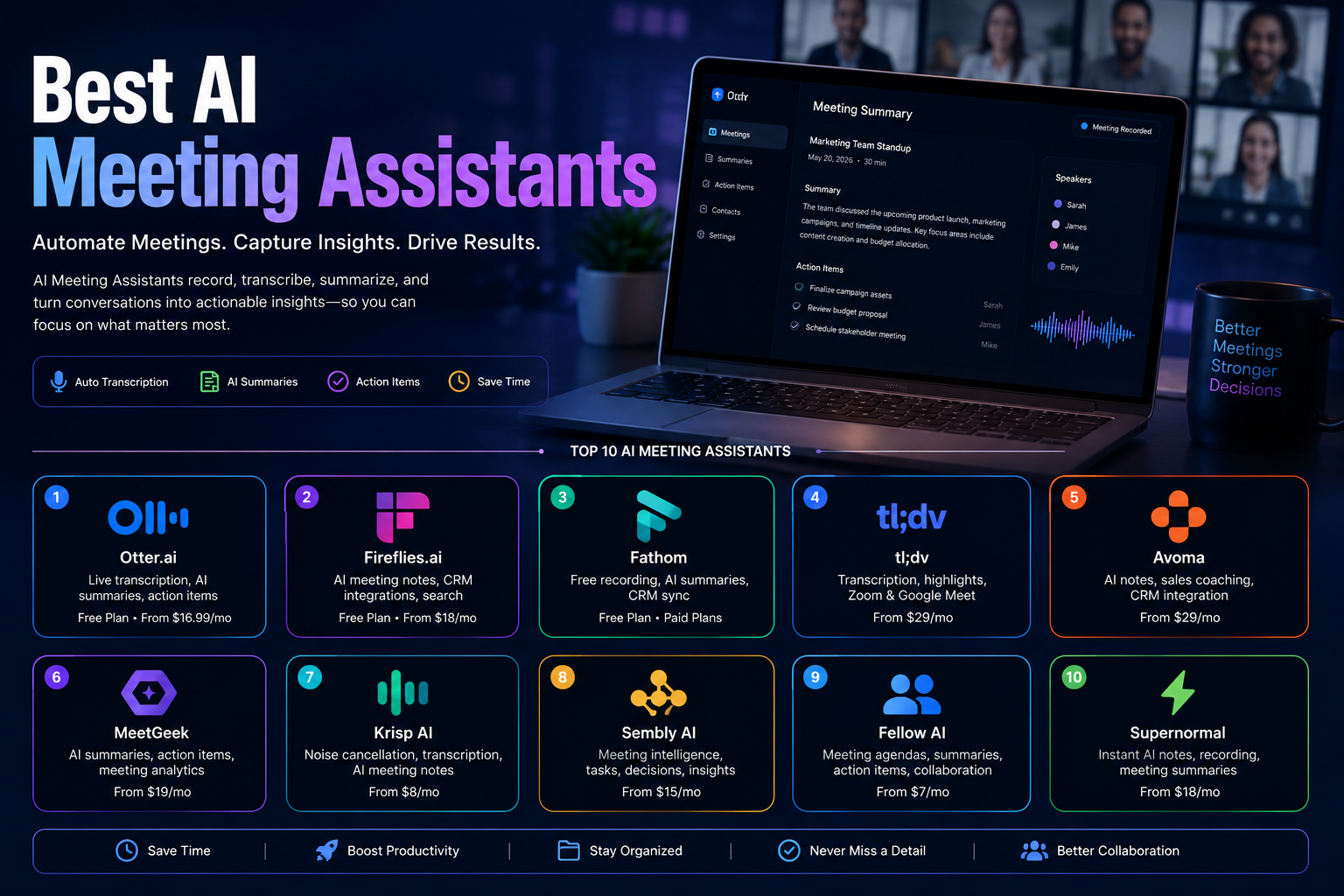
Best AI Meeting Assistants in 2026: 10 Tools Compared
Last updated: September 2026
Meetings generate a surprising amount of information: decisions, questions, customer feedback, deadlines, objections, ideas, and follow-up tasks.
The problem is that people cannot always participate fully while simultaneously taking detailed notes.
AI meeting assistants solve part of this problem by recording or capturing meetings, converting speech into text, generating summaries, identifying action items, and making conversations easier to search later.
But the market has changed considerably. Some products are primarily transcription and note-taking tools. Others are designed for sales teams, customer success, project management, or meeting management. Some can connect meeting information to CRMs and other business systems, while newer platforms are adding AI agents and automated workflows.
That means the best AI meeting assistant depends on what you actually need.
In this guide, we compare 10 popular AI meeting assistants in 2026 and explain what each one is best suited for, how their pricing works, their limitations, and what to consider before using them for business conversations.
Quick Comparison
| Tool | Best for | Free option | Paid starting point* | Main strength |
|---|---|---|---|---|
| Otter.ai | General meeting transcription | Yes | $16.99/month | Transcription and searchable meeting intelligence |
| Fireflies.ai | Meeting notes and integrations | Yes | $18/month monthly | Broad integrations and AI meeting workflows |
| Fathom | Individuals and sales calls | Yes | Paid upgrades available | Generous individual free plan |
| tl;dv | Sales and remote teams | Yes | $29/month monthly | Meeting insights and sales workflows |
| Avoma | Revenue teams | 14-day trial | $19/user/month annually | Conversation and revenue intelligence |
| MeetGeek | Automated meeting workflows | Yes | $9.99/user/month annually | Meeting automation and AI workflows |
| Krisp | Audio quality + meeting notes | Trial | $16/month monthly | Noise cancellation and AI meeting features |
| Sembly AI | Meeting intelligence | Trial | $17/month | Tasks, insights, search and automation |
| Fellow | Meeting management | Yes/plan dependent | Varies by plan | Agendas, action items and team management |
| Supernormal | AI-generated meeting work | Yes | $20/month | Notes plus AI-powered post-meeting tasks |
*Prices and limits can change. Pricing shown here reflects official information available when this article was reviewed in September 2026. Annual billing is often cheaper than monthly billing.
What Are AI Meeting Assistants?
An AI meeting assistant is software that uses artificial intelligence to capture and analyze conversations.
Depending on the product, it can:
- Record meetings
- Transcribe conversations
- Identify speakers
- Generate summaries
- Extract decisions
- Detect action items
- Create follow-up emails
- Search previous conversations
- Answer questions about meetings
- Connect meeting information to a CRM
- Automate post-meeting workflows
Most tools work with platforms such as Zoom, Google Meet, and Microsoft Teams, although the exact integrations differ.
Some products can also capture in-person meetings or uploaded audio and video files.
The important point is that AI meeting assistants are not all the same. A simple transcription tool and a sales conversation intelligence platform may both be called “AI meeting assistants,” but they solve very different problems.
Why Use an AI Meeting Assistant?
The main value is not simply generating a transcript.
A useful meeting assistant should help turn a conversation into information that can actually be used afterward.
Spend Less Time Taking Notes
Instead of trying to write down every important statement, participants can concentrate more on the discussion.
The assistant can create a transcript and summary that can be reviewed afterward.
Make Action Items Easier to Track
Many platforms can identify tasks mentioned during a meeting and associate them with participants or deadlines.
This can reduce the chance of important follow-ups disappearing after the call.
Search Previous Conversations
A searchable transcript is much more useful than an audio recording that nobody wants to replay.
Some platforms also provide AI search or chat, allowing users to ask questions about previous meetings.
Improve Team Alignment
A shared meeting record can help people who missed a meeting understand what happened without requiring another meeting just to catch up.
Connect Meetings to Existing Workflows
More advanced platforms can send information to systems such as CRMs, Slack, project management tools, or automation platforms.
This is where meeting assistants become more than digital note-takers.
How We Evaluated These Tools
There is no single benchmark that can determine the best meeting assistant for everyone.
For this comparison, the tools were evaluated according to several practical factors.
Transcription and capture
How effectively can the platform capture and transcribe meetings?
AI summaries
Does it produce useful summaries rather than simply shortening the transcript?
Action items
Can it identify tasks, decisions, and follow-ups?
Search and meeting intelligence
Can users find information across previous conversations?
Integrations
Can meeting information move into CRMs, collaboration tools, calendars, or automation platforms?
Automation
Can the platform perform actions after meetings instead of only generating notes?
Pricing
Does the free option provide meaningful usage, and is the paid pricing easy to understand?
Best-fit workflow
Does the product make more sense for general meetings, sales teams, managers, customer success teams, or enterprise organizations?
Top 10 AI Meeting Assistants in 2026
1. Otter.ai
Best for: General-purpose meeting transcription and searchable meeting intelligence
Otter.ai is one of the most established names in AI meeting transcription.
It supports Zoom, Microsoft Teams, and Google Meet and combines live transcription with speaker identification, AI chat, summaries, and meeting workflows.
Otter’s current Free plan includes 300 transcription minutes per month and three lifetime audio/video file imports. The Pro plan is listed at $16.99 per user per month on monthly billing, with a lower effective price when billed annually. Business starts at $30 per user per month on monthly billing.
What makes Otter different?
Otter is particularly strong as a general-purpose meeting knowledge tool.
It is not limited to one specific business department, which makes it useful for individuals, students, teams, sales professionals, and organizations that simply want searchable records of their conversations.
Strengths
- Live transcription
- Speaker identification
- AI meeting summaries
- Searchable meeting history
- AI chat across meetings
- Zoom, Teams, and Google Meet support
- Meeting workflows
- Salesforce and HubSpot integrations on supported plans
Limitations
The free plan has meaningful usage limits, and heavier users may need a paid subscription.
Best for
Professionals and teams looking for a general-purpose AI meeting assistant with strong transcription and search capabilities.
2. Fireflies.ai
Best for: Meeting intelligence, integrations, and automated workflows
Fireflies.ai is designed around turning conversations into searchable business information.
It provides transcription, summaries, AI-powered meeting analysis, action items, integrations, and tools for connecting meeting data to business workflows.
The Free plan is available permanently, while the Pro plan is currently $18 per user per month when billed monthly or $10 per user per month when billed annually. Business is $29 monthly or $19 annually per user.
What makes Fireflies different?
Its broad ecosystem is one of its major advantages.
Fireflies is useful when you do not want your meeting notes to remain isolated inside the meeting assistant.
It can connect meeting information to other business systems and workflows.
Strengths
- Automatic transcription
- AI summaries
- Searchable meetings
- Action item tracking
- CRM integrations
- AI meeting assistant
- Workflow integrations
- Team analytics on higher plans
Limitations
Some advanced AI features consume AI credits, so the subscription price is not necessarily the entire cost of using every AI capability heavily.
Best for
Sales teams, customer-facing teams, and businesses that want meeting data connected to other applications.
3. Fathom
Best for: Individuals, consultants, and sales professionals who want a generous free option
Fathom has built a strong reputation around easy meeting recording, transcription, summaries, and CRM workflows.
One of its biggest advantages is its individual Free plan.
According to Fathom’s current documentation, the Free plan provides unlimited recordings and storage and unlimited transcription in 38 languages. Advanced AI summaries are limited to the first five calls per month, after which the standard summary options remain available.
What makes Fathom different?
Fathom is particularly attractive to individual users who want useful meeting intelligence without immediately paying for a subscription.
Its free offering is considerably more useful for frequent individual meeting use than many limited free tiers.
Strengths
- Unlimited recordings for individuals
- Unlimited storage
- Unlimited transcription
- AI summaries
- Action items on premium functionality
- CRM integrations
- Easy setup
Limitations
Advanced AI functionality is more restricted on the Free plan.
Team and business requirements can also involve different pricing and seat rules from the individual plan.
Best for
Consultants, sales professionals, freelancers, and individuals who have many online meetings.
4. tl;dv
Best for: Sales teams and organizations that need meeting insights across conversations
tl;dv combines meeting recording and transcription with AI summaries, highlights, search, and sales-oriented features.
Its Free plan provides ongoing access to meeting recording and transcripts, while its paid Pro plan is currently listed at $29 per month when billed monthly or $18 per month when billed annually. Business pricing is higher and includes additional business intelligence capabilities.
What makes tl;dv different?
tl;dv is particularly interesting for organizations that want to extract patterns from multiple customer conversations rather than simply summarize individual calls.
That makes it more useful for sales and customer-facing teams than a basic transcription application.
Strengths
- Meeting recording
- Transcription
- AI summaries
- Search across meetings
- Sales-oriented features
- CRM workflows
- Meeting insights
- Multi-meeting intelligence
Limitations
The strongest sales and analytics capabilities are concentrated in paid plans.
Best for
Sales teams, customer success teams, and remote organizations that need more than basic transcription.
5. Avoma
Best for: Sales, customer success, and revenue teams
Avoma combines AI meeting assistance with scheduling and revenue-oriented conversation intelligence.
Its platform is designed around the entire customer conversation workflow rather than simply producing meeting notes.
Avoma currently offers a 14-day free trial of its Organization functionality. Its Startup plan starts at $19 per recorder seat per month when billed annually, while Organization is $24 annually per month on the displayed pricing and Enterprise starts at $39. Viewers and collaborators can remain free.
What makes Avoma different?
Its focus on revenue teams is the major distinction.
In addition to meeting notes, Avoma provides capabilities related to sales coaching, conversation intelligence, CRM updates, scheduling, and revenue workflows.
Strengths
- AI meeting notes
- Real-time transcription
- CRM synchronization
- Sales coaching
- Scheduling
- Conversation intelligence
- Revenue intelligence
- Enterprise controls
Limitations
Avoma can be more sophisticated than necessary for someone who only wants automatic meeting notes.
Best for
Sales organizations, customer success teams, and revenue teams.
6. MeetGeek
Best for: Meeting automation and teams that want to turn conversations into workflows
MeetGeek combines recording, transcription, summaries, meeting analytics, AI chat, integrations, and workflow automation.
Its current Basic plan is free and includes three hours of transcription per month. Pro starts at $9.99 per user per month when billed annually, with Business at $17 per user per month on annual billing.
The platform also supports more than 100 transcription languages and provides API and MCP access on its plans.
What makes MeetGeek different?
MeetGeek is increasingly positioned as more than a notetaker.
Its AI agents and workflows can use meeting information to trigger actions, making it attractive for teams that want to automate what happens after a meeting.
Strengths
- Free plan
- Zoom, Google Meet, and Teams support
- 100+ transcription languages
- AI summaries
- Meeting analytics
- AI chat
- Workflow automation
- API and MCP access
- No-bot recording options
Limitations
The free plan has a relatively small monthly transcription allowance.
Best for
Teams that want to connect meeting intelligence with automated workflows.
7. Krisp
Best for: Professionals who need both better audio and meeting intelligence
Krisp is somewhat different from dedicated meeting notetakers.
Its original strength is real-time audio enhancement and noise cancellation, but the platform also includes AI meeting notes, transcription, AI chat, integrations, and other meeting capabilities.
Krisp’s current pricing page lists Core and Advanced plans, with Advanced displayed at $30 per user per month monthly or $15 per user per month annually.
What makes Krisp different?
Audio quality is central to its value proposition.
If your meetings frequently involve background noise, poor audio environments, or inconsistent microphones, noise cancellation can improve the meeting itself before AI transcription even begins.
Strengths
- Noise cancellation
- Voice enhancement
- AI meeting notes
- Transcription
- AI chat
- Integrations
- Cross-platform support
- Useful for remote workers
Limitations
If you only need meeting transcription and summaries, a dedicated meeting intelligence platform may offer a deeper set of meeting-specific features.
Best for
Remote professionals, customer-facing employees, and people who regularly attend meetings in noisy environments.
8. Sembly AI
Best for: Meeting intelligence, action items, and structured business insights
Sembly AI combines meeting capture with summaries, tasks, AI chat, insights, search, automations, and enterprise controls.
Its current Basic plan starts at $17 per month, Pro at $29 per user per month, and MAX at $39 per user per month. Annual billing reduces those effective monthly prices. The platform also offers a free trial.
Sembly supports meetings across Google Meet, Microsoft Teams, Zoom, and Webex, with support for more than 40 languages on the listed plans.
What makes Sembly different?
Sembly puts significant emphasis on extracting structured information from meetings.
That includes tasks, risks, issues, events, insights, and meeting knowledge.
Strengths
- Transcription
- AI summaries
- Automatic task detection
- AI chat
- Meeting search
- Risk and issue detection
- Automations
- MCP access
- Enterprise security features
Limitations
Its more advanced capabilities are concentrated in paid plans.
Best for
Project managers, consultants, business teams, and organizations that need structured meeting intelligence.
9. Fellow
Best for: Meeting management, agendas, action items, and team accountability
Fellow approaches meetings from a slightly different angle.
Rather than focusing exclusively on transcription, the platform combines meeting preparation, agendas, notes, action items, and team management.
This makes it particularly relevant for managers and teams that want to improve the entire meeting process—not simply record what was said.
What makes Fellow different?
The distinction is meeting management.
A transcription-focused tool answers:
“What was said?”
A meeting-management platform also asks:
“Why are we meeting, what did we decide, and who is responsible for what happens next?”
Strengths
- Meeting agendas
- AI meeting notes
- Action items
- Calendar integrations
- Team collaboration
- Meeting organization
- Manager-oriented workflows
- Accountability features
Limitations
If your only requirement is automatic transcription, a dedicated AI notetaker may provide a more focused experience.
Best for
Managers, team leaders, HR teams, and organizations that want structured meetings and follow-through.
10. Supernormal
Best for: AI-generated meeting notes and post-meeting work
Supernormal has evolved beyond being a simple meeting notetaker.
Its 2026 pricing model is credit-based and covers AI tasks performed inside the platform. The Free plan provides 15 monthly credits with a five-credit daily usage limit. Team is $20 per month for 50 credits, while Business is $40 per month for 50 credits.
The platform can also generate presentations, images, spreadsheets, and other post-meeting outputs.
What makes Supernormal different?
Its newer model focuses on what happens after the meeting.
Instead of stopping at “here is your summary,” the platform can use meeting information as the starting point for additional work.
Strengths
- AI meeting notes
- Meeting capture
- Post-meeting AI tasks
- Document generation
- Presentation generation
- Spreadsheet generation
- MCP connectivity
- Unlimited projects
- Enterprise controls
Limitations
Its credit-based pricing means the effective cost depends on the complexity and volume of AI tasks you perform.
Best for
Professionals and teams that want AI to turn meeting information into useful deliverables.
Which AI Meeting Assistant Is Best for You?
There is no universal winner.
The right tool depends on what happens before, during, and after your meetings.
Choose Otter.ai if:
You want a strong general-purpose transcription and meeting knowledge platform.
Choose Fireflies.ai if:
You want meeting notes connected to a large ecosystem of business applications and workflows.
Choose Fathom if:
You are an individual user looking for a particularly useful free option.
Choose tl;dv if:
Your team wants meeting intelligence with a strong sales and customer-facing focus.
Choose Avoma if:
You manage sales, customer success, or revenue operations.
Choose MeetGeek if:
You want to automate actions based on meeting content.
Choose Krisp if:
Audio quality and noise cancellation are as important to you as meeting notes.
Choose Sembly AI if:
You need structured tasks, insights, search, and meeting intelligence.
Choose Fellow if:
Your main problem is meeting organization, agendas, and accountability rather than transcription alone.
Choose Supernormal if:
You want AI to turn meeting information into documents and other post-meeting work.
Free Plans vs. Free Trials
One of the easiest mistakes to make when comparing AI meeting assistants is treating every free offer as the same.
They are not.
Free forever
A free plan continues to be available without requiring a paid subscription, although it normally includes usage limits.
For example, Otter’s Basic plan is free and includes 300 monthly transcription minutes.
MeetGeek’s Basic plan is also free and provides a limited amount of monthly transcription.
Free trial
A trial gives temporary access to paid functionality.
Avoma, for example, provides a 14-day trial of its Organization plan.
Sembly also offers a free trial before requiring a paid plan.
Free individual plan
Some companies provide particularly generous free access for individual users.
Fathom’s individual Free plan includes unlimited recordings and storage and unlimited transcription, although advanced AI functionality is limited.
Before signing up, check exactly what “free” means for:
- Recording minutes
- Transcription minutes
- Storage
- AI summaries
- Number of users
- Integrations
- Meeting history
- Export options
- AI credits
How to Choose the Right AI Meeting Assistant
1. Start With Your Meeting Platform
First determine where your meetings happen most often.
If your organization primarily uses:
- Zoom
- Google Meet
- Microsoft Teams
- Webex
make sure your chosen assistant supports the platform properly.
Also check whether it joins meetings as a bot, records through a desktop application, uses a browser extension, or supports in-person recording.
2. Decide Whether You Need a Notetaker or a Workflow Platform
A basic meeting assistant may be enough if you only need:
- Recording
- Transcription
- Summary
- Action items
A more advanced platform makes sense if you need:
- CRM updates
- Sales coaching
- Automated follow-ups
- AI agents
- Meeting analytics
- Cross-meeting intelligence
- Workflow automation
3. Check Transcription Limits
Do not compare plans based only on their monthly subscription price.
A $10 plan with a small transcription allowance may be less useful than a slightly more expensive plan with substantially more usage.
4. Check How AI Features Are Billed
Some platforms bundle AI functionality into the subscription.
Others use credits or impose separate usage limits.
Fireflies, for example, uses AI credits for certain advanced AI actions, while Supernormal has moved to a credit-based model where the complexity of tasks affects consumption.
5. Check Your Required Integrations
Think about where meeting information needs to go.
You might need connections to:
- Salesforce
- HubSpot
- Slack
- Notion
- Zapier
- Make
- Google Calendar
- Outlook
- Project management software
The most sophisticated transcript is not very useful if your team has to manually copy everything into another application.
Privacy, Consent, and Security
Meeting recordings can contain confidential business information, personal information, customer data, financial details, or other sensitive material.
That makes privacy one of the most important factors when choosing an AI meeting assistant.
Before recording meetings, check:
- Whether participants need to be notified or give consent
- Where recordings and transcripts are stored
- How long data is retained
- Whether recordings are encrypted
- Whether the provider uses customer data for model training
- Whether administrators can control retention
- Whether access can be restricted
- Whether the provider offers enterprise compliance features
The legal requirements for recording conversations vary by jurisdiction and circumstances. Your organization’s policies may also impose stricter requirements than local law.
Do not assume that an AI meeting assistant automatically makes recording legally or organizationally acceptable.
How to Use AI Meeting Assistants Effectively
Review Important Summaries
AI summaries can save time, but important decisions should still be verified against the transcript or recording.
A summary can omit context or misunderstand a statement.
Turn Action Items Into Real Tasks
A task extracted from a meeting is only useful if someone actually owns it.
Where possible, connect action items to the team’s task-management system.
Create Consistent Meeting Templates
For recurring meetings, standardized summary formats can make information easier to compare.
For example, a weekly project meeting could consistently include:
- Decisions
- Blockers
- Action items
- Owners
- Deadlines
- Risks
Use Search Instead of Rewatching Meetings
Once your meetings are transcribed, search should become part of your workflow.
Instead of watching an hour-long recording, search for the specific customer, decision, product feature, or deadline you need.
Keep Humans in the Loop
The more important the decision, the more important human verification becomes.
AI should assist with information management rather than become the sole authority on what happened in a critical meeting.
Common Mistakes to Avoid
Recording Without Considering Consent
Do not assume that everyone can be recorded automatically.
Check applicable law, company policy, and meeting expectations before recording.
Treating AI Summaries as Perfect
Transcription and summarization can still make mistakes, especially with:
- Strong accents
- Background noise
- Multiple people speaking simultaneously
- Technical terminology
- Names
- Numbers
- Acronyms
Paying for Features You Do Not Need
A sales team may benefit from conversation intelligence and CRM integration.
A freelancer who only needs notes may not need those features.
Ignoring Storage and Retention
A tool can become expensive or inconvenient if your organization generates thousands of recordings without a clear retention policy.
Choosing Based Only on Transcription Accuracy
Transcription is important, but it is only one part of the product.
Consider the complete workflow:
Capture → Transcribe → Summarize → Extract → Integrate → Act
The best tool is the one that performs the steps you actually need.
Advantages and Disadvantages of AI Meeting Assistants
Advantages
- Reduce manual note-taking
- Create searchable meeting records
- Extract action items
- Improve information sharing
- Help people catch up on missed meetings
- Connect conversations to CRMs
- Support sales and customer success workflows
- Automate post-meeting tasks
- Make recurring meetings easier to manage
Disadvantages
- Transcription can contain errors
- AI summaries can miss context
- Recording can create privacy concerns
- Advanced features often require paid plans
- Usage limits vary significantly
- Some platforms use AI credits
- Meeting data creates storage and retention considerations
- Teams may become overly dependent on automatically generated notes
Frequently Asked Questions
What is an AI meeting assistant?
An AI meeting assistant is software that captures meeting conversations and uses artificial intelligence to transcribe, summarize, analyze, and organize the information.
Depending on the platform, it can also identify action items, update CRMs, answer questions about previous meetings, and automate follow-up work.
What is the best AI meeting assistant in 2026?
There is no single best choice.
Otter.ai is a strong general-purpose option, Fathom is particularly attractive to individual users, Fireflies and MeetGeek are strong for integrations and workflows, Avoma is well suited to revenue teams, and Fellow focuses more heavily on meeting management.
What is the best free AI meeting assistant?
There is no universal answer.
Fathom has a particularly generous individual free offering, while Otter and MeetGeek provide free plans with defined transcription limits.
The best choice depends on how many meetings you have and which features you need.
Can AI meeting assistants record Zoom meetings?
Many can.
Otter, Fireflies, tl;dv, MeetGeek, and other platforms support Zoom recording or capture, although the exact recording method and plan restrictions vary.
Always check the current integration and recording requirements before deploying a tool across a team.
Can AI meeting assistants work with Microsoft Teams?
Yes. Several major platforms support Microsoft Teams, including Otter, Fireflies, MeetGeek, Sembly, and other tools in this comparison.
The exact features available for Teams can vary by product and subscription.
Can AI meeting assistants replace human note-takers?
For many routine meetings, they can reduce or eliminate the need for manual note-taking.
However, that does not mean they should replace human judgment.
Important meetings still benefit from human review, especially when decisions, commitments, legal issues, customer information, or sensitive topics are involved.
Are AI meeting assistants secure?
Security varies by provider and plan.
Enterprise-oriented products may offer features such as SSO, audit logs, retention controls, compliance programs, and administrative permissions.
You should review the provider’s current security and privacy documentation before using any service for confidential meetings.
Do AI meeting assistants require a bot to join meetings?
Not always.
Some services join meetings as an AI participant, while others can record through desktop applications, browser extensions, mobile apps, or other capture methods.
If having a visible bot in customer meetings is undesirable, specifically look for a no-bot recording option.
Final Verdict
AI meeting assistants have evolved from simple transcription applications into broader meeting intelligence and workflow platforms.
The best choice depends on the problem you are trying to solve.
Otter.ai is a strong all-around choice for transcription, search, and meeting intelligence.
Fireflies.ai is particularly useful when you want meeting information connected to business applications and workflows.
Fathom stands out for individual users who want a generous free option.
tl;dv is a strong choice for sales and customer-facing teams that want deeper conversation intelligence.
Avoma is designed for organizations that need meeting intelligence alongside sales, scheduling, and revenue workflows.
MeetGeek is particularly interesting for teams that want to turn meeting content into automated actions.
Krisp is a compelling option when audio quality and noise cancellation matter alongside AI meeting notes.
Sembly AI is well suited to structured meeting intelligence, tasks, and business insights.
Fellow is the better fit when the main goal is improving the entire meeting process, including agendas, action items, and accountability.
Supernormal is increasingly focused on turning meetings into useful post-meeting work rather than stopping at a summary.
There is no reason to choose a tool simply because it claims to be the “best AI meeting assistant.”
Start with your actual workflow.
If you only need transcripts, choose a strong transcription-focused platform.
If you need sales intelligence, look at revenue-oriented tools.
If you need automated follow-up, prioritize workflow capabilities.
And if your meetings contain confidential information, put privacy, consent, security, and data retention near the top of your decision criteria.
The best AI meeting assistant is ultimately the one that saves your team time without creating more work, risk, or complexity than it removes.
Related Articles
Explore more AI software guides to improve your productivity and business workflows: