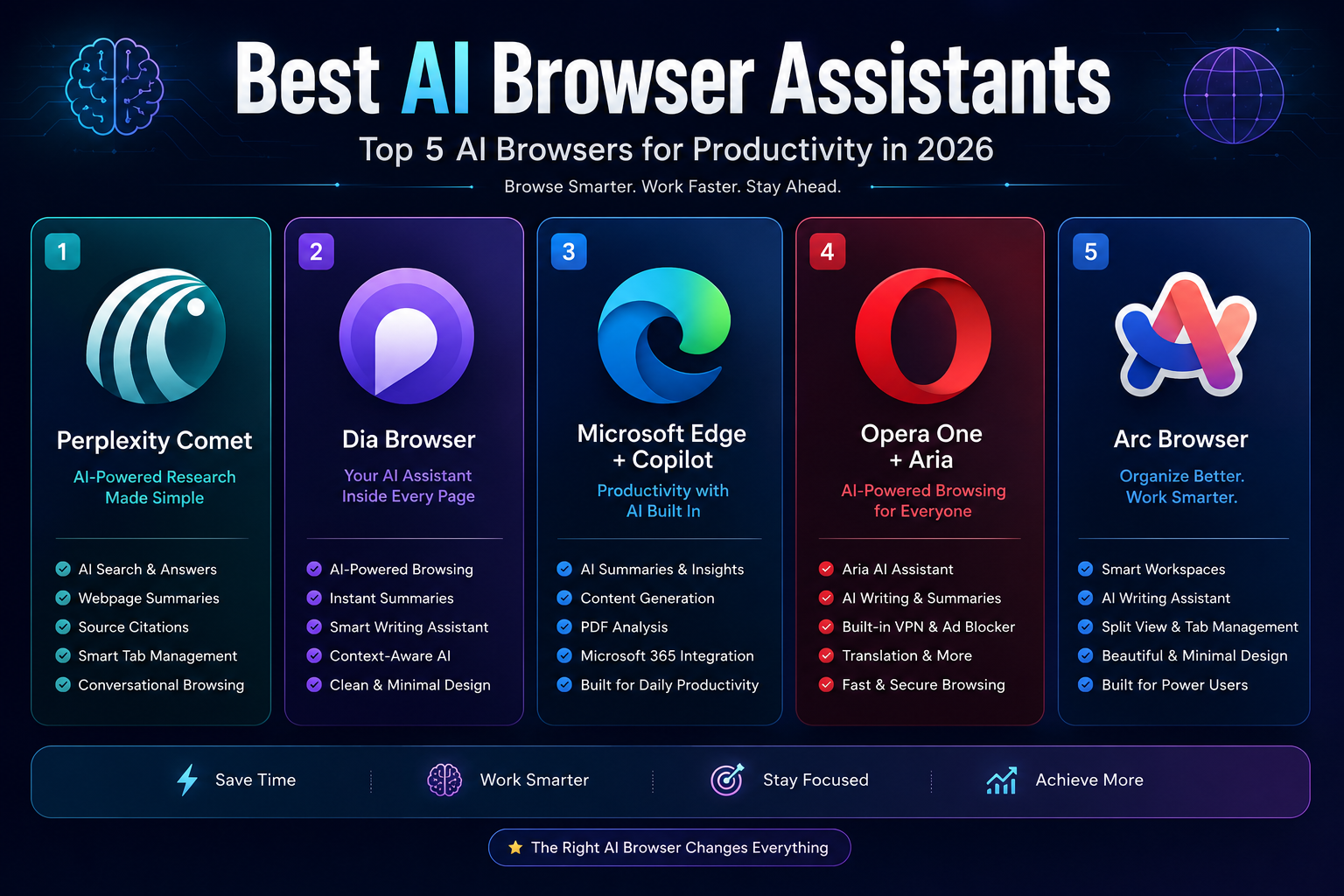
Best AI Browser Assistants in 2026: 5 AI Browsers Compared
Last updated: September 2026
AI is changing what a web browser can do.
A traditional browser mainly helps you access websites, manage tabs, save bookmarks, and search the web. An AI-powered browser can go further by understanding the content you are viewing, answering questions about pages, summarizing information, helping you write, analyzing documents, and in some cases carrying out browser tasks on your behalf.
But not every browser marketed as an “AI browser” works the same way.
Some focus on research and web search. Others are designed around writing and productivity. Some can interact with webpages and perform multi-step actions, while others simply provide an AI assistant in a sidebar.
That distinction matters when choosing a browser.
In this guide, we compare five notable AI browser experiences in 2026 based on their AI capabilities, everyday usefulness, platform availability, productivity features, and the amount of control they give users.
The goal is not to declare one browser universally superior. Instead, this guide explains where each option is strongest so you can choose the one that fits your workflow.
Quick Comparison
| AI Browser | Best For | AI Strength | Free Access | Main Platform |
|---|---|---|---|---|
| Perplexity Comet | Research and AI-assisted browsing | Research, summaries, browser actions | Yes, with limits depending on feature/account | Windows, macOS |
| Dia | AI-assisted work and contextual browsing | Context, writing, connected tools | Free browser; AI plans available | macOS |
| Microsoft Edge + Copilot | Everyday productivity | Research, summaries, PDFs, agentic browsing | Edge is free; some advanced Copilot features require paid access | Windows, macOS, mobile |
| Opera + Opera AI | Free everyday AI browsing | Page context, summaries, file analysis, generation | Yes | Windows, macOS, Linux, mobile |
| Arc + Arc Max | Tab and workspace organization | Lightweight AI features and browsing organization | Yes | Windows, macOS |
AI features, availability, usage limits, and pricing can change. Check the provider’s current plan and feature documentation before making a decision.
What Is an AI Browser Assistant?
An AI browser assistant is an artificial intelligence system integrated into a browser or browsing environment.
Instead of opening a separate chatbot every time you need help, the AI can work with the information already visible in your browser.
Depending on the product, you may be able to:
- Summarize a webpage.
- Ask questions about an article.
- Analyze a PDF or document.
- Compare information across multiple pages.
- Rewrite or generate text.
- Translate content.
- Search the web using natural language.
- Organize tabs and browsing sessions.
- Connect information from other applications.
- Perform certain browser actions.
The important difference is context.
A standalone chatbot may require you to copy and paste information into a conversation. A browser-based assistant can sometimes use the current page, open tabs, browser history, or connected services as context.
However, this also means you should pay attention to what information the AI is allowed to access.
The 5 Best AI Browser Assistants in 2026
1. Perplexity Comet — Best for AI-Powered Research
Best for: Researchers, students, marketers, writers, and professionals who spend significant time researching online.
Perplexity Comet is a Chromium-based browser built around Perplexity’s AI technology. Rather than treating AI as a separate chatbot, Comet places AI directly into the browsing workflow.
It can use webpage context, summarize content, answer questions, search for information, and perform certain browser actions.
Perplexity’s documentation describes Comet as an AI-native browser with features including an assistant panel, webpage summaries, natural-language browser commands, personal search, Gmail connectivity, and support for Chrome extensions.
Why Comet Stands Out
The biggest advantage of Comet is the combination of research and browser interaction.
For example, instead of opening several websites and manually collecting information, you can ask Comet to investigate a topic across multiple pages and help organize what it finds.
Comet can also perform certain actions on webpages, including clicking, typing, and interacting with websites under user supervision. Its documentation gives examples such as comparing products, researching multiple websites, organizing information, and completing supported forms.
That makes it more than a browser with a chatbot attached.
Key Features
- AI-powered web search
- Webpage summarization
- Context-aware AI assistant
- Natural-language browser commands
- Research across multiple websites
- Browser task automation
- Gmail and Google Calendar connectivity
- Chrome extension support
- Built-in ad blocking
- Voice interaction
- Browser memory and personalization options
Comet is available for Windows and macOS, with minimum system requirements documented by Perplexity.
What to Consider
Comet’s most advanced capabilities can involve access to information such as browsing context, open tabs, connected accounts, or other data needed to complete a task.
That is useful, but it also means users should understand the permissions they are granting before allowing an AI assistant to perform actions on their behalf.
For sensitive activities, Perplexity provides enterprise controls such as browser policies and agent permission controls for organizations.
Best For
Choose Comet if your main goal is researching, comparing, summarizing, and interacting with information on the web.
2. Dia — Best for Contextual AI Workflows
Best for: Writers, professionals, researchers, and users who want AI to understand their browsing and connected work context.
Dia takes a different approach from traditional browsers.
Rather than making AI simply another sidebar tool, Dia is designed around the idea that the browser itself can become an intelligent workspace.
Its current plans distinguish between the free browser and paid AI experiences. The free version includes browser features such as profiles, tab groups, split view, tracking protection, and synchronization. AI features are available through paid plans.
Why Dia Stands Out
Dia is particularly interesting for people whose work is spread across multiple applications.
Its current AI experience can work with information from tabs and connected tools such as Slack, Notion, Google Calendar, Gmail, Microsoft Outlook, GitHub, and Figma, depending on the feature and plan.
Instead of asking an AI to answer a question using only one webpage, you can use it to bring together information from different parts of your workflow.
For example, an AI-assisted workflow could involve checking a calendar, reviewing related documents, and preparing information for an upcoming meeting.
Key Features
- AI conversations with webpage context
- Context from connected tools
- Tab groups and workspace organization
- Split view
- Profiles
- AI-assisted reports and recaps on higher plans
- Meeting preparation features
- Cross-device synchronization
- Built-in ad and tracking protection
Pricing and Availability
Dia currently offers:
- Better Browser: Free
- Better Answers: $20/month
- Better Days: $100/month
The higher plans provide progressively more AI usage and additional features such as reports, decks, daily briefings, and meeting workflows.
One important limitation is platform availability. Dia is currently available on macOS 14 or later with Apple M1 or newer, while the Windows version is still in development.
Best For
Dia is a strong choice if you want a browser that combines AI, tabs, documents, communication tools, and work context into one environment.
It is less attractive if you simply want a free AI browser.
3. Microsoft Edge + Copilot — Best for Everyday Productivity
Best for: Microsoft users, students, professionals, and organizations already using Microsoft services.
Microsoft Edge is one of the most practical choices for users who want AI features without moving to a completely new browser ecosystem.
Copilot is integrated into Edge and can work with webpages, PDFs, videos, and open tabs.
Microsoft’s documentation says Copilot in Edge can summarize webpages, videos, and PDFs, answer questions about what you’re viewing, and use relevant browsing context when responding.
Why Edge Stands Out
The main advantage isn’t simply the AI assistant itself.
It is the combination of browser + Microsoft ecosystem + AI.
For people already using Microsoft 365, Windows, Outlook, or other Microsoft services, Edge can fit naturally into an existing workflow.
Microsoft has also introduced more agentic browsing capabilities.
With Browse with Copilot, Copilot can perform browser actions such as clicking, typing, navigating pages, and completing supported tasks. Users can observe the process and interrupt it when necessary.
However, availability of these advanced capabilities varies by account, subscription, region, and rollout stage.
Key Features
- Copilot built into Edge
- Webpage summaries
- PDF analysis
- Video summarization
- Questions about open pages
- Multi-tab context
- Writing assistance
- Microsoft 365 integration
- AI-assisted browser actions
- Mobile support
Important Privacy Consideration
Because Copilot can use browsing context, users should understand what information is being shared with the AI.
Microsoft explains that Edge Copilot may use information such as the current webpage, page title, open tabs, browsing history, and recent conversation context depending on the request and settings. Users can also control whether Copilot is allowed to use browsing context.
For agentic browsing, Microsoft specifically warns users against using the feature for sensitive information such as financial activity, government identifiers, medical records, or highly confidential data.
Best For
Edge is a particularly strong option if you want AI assistance inside a familiar browser and already use Microsoft’s ecosystem.
4. Opera + Opera AI — Best Free AI Browser Experience
Best for: Everyday users, students, creators, and anyone who wants built-in AI without paying for a separate AI subscription.
Opera has evolved its built-in AI assistant from Aria AI into Opera AI.
The current Opera AI experience can understand the context of open pages and tab groups, summarize information, analyze files, generate content, create images, and translate selected webpage text.
Why Opera Stands Out
Opera’s biggest advantage is accessibility.
The company currently promotes Opera AI as free and available without requiring users to create an account for basic AI access.
That makes it particularly attractive for people who want to experiment with browser-based AI without immediately subscribing to another service.
Key Features
- Opera AI assistant
- Context-aware answers
- Page and tab-group summaries
- File and document analysis
- Image generation
- Text generation
- Translation
- Voice input and output
- Built-in ad blocker
- Free VPN
- ChatGPT and Gemini access through the sidebar
Opera also supports AI features across its broader browser ecosystem, including mobile experiences.
Limitations
Opera’s AI experience is broad rather than focused entirely on autonomous research or complex browser agents.
If your primary requirement is advanced multi-step web automation, a browser such as Comet or a suitable agentic feature in Edge may be a better fit.
Best For
Opera is one of the strongest choices if you want free, built-in AI features for everyday browsing.
5. Arc + Arc Max — Best for Browser Organization
Best for: Power users, creators, developers, researchers, and people who regularly work with many tabs.
Arc approaches productivity differently.
Instead of competing primarily on AI capabilities, it focuses heavily on changing how people organize and navigate the browser.
Its Arc Max package adds several AI-powered features, including webpage previews, automatic tab title cleanup, smarter download naming, and direct access to ChatGPT from the command bar.
Why Arc Stands Out
Arc is useful for people who consider browser organization a major productivity problem.
Its workspace-oriented design can help separate projects, websites, and ongoing tasks instead of leaving everything in one long row of tabs.
Arc Max then adds lightweight AI features on top of that experience.
Key Features
- Spaces and workspace organization
- Split views
- Tab management
- Arc Max
- AI webpage previews
- Automatic tab-title cleanup
- Smart download naming
- ChatGPT access from the command bar
- Chromium-based compatibility
Arc continues to receive Chromium and security updates; its release notes show ongoing maintenance through 2026.
An Important Distinction
Arc should not be confused with a fully autonomous AI browser.
Its AI functionality is useful, but the browser’s strongest selling point remains organization and workflow design, rather than autonomous research.
For AI-heavy research, Comet is likely a better fit. For organizing a large number of projects and tabs, Arc can be more compelling.
Best For
Choose Arc if your biggest browser problem is managing information, tabs, and multiple projects efficiently.
AI Browser Assistants Compared by Use Case
There is no single best browser for everyone.
Your ideal choice depends on what you actually want the AI to do.
| If You Want To… | Consider |
|---|---|
| Research across the web | Perplexity Comet |
| Automate browser tasks | Comet or Edge with Browse with Copilot |
| Work across connected apps | Dia |
| Use free built-in AI | Opera |
| Work inside Microsoft’s ecosystem | Edge + Copilot |
| Organize large numbers of tabs | Arc |
| Summarize webpages | Comet, Edge, Opera, or Dia |
| Analyze documents and PDFs | Edge, Opera, or Comet |
| Combine AI with a productivity workspace | Dia or Arc |
These recommendations are based on the documented capabilities and current positioning of each browser rather than a generic star-rating system.
What Makes an AI Browser Different From a Normal Browser?
The difference is not simply that an AI browser has a chatbot.
A useful AI browser can understand context.
For example, imagine you are researching a software product.
With a traditional browser, you might:
- Search Google.
- Open several websites.
- Read product pages.
- Copy pricing information.
- Open another AI tool.
- Paste the information.
- Ask the AI to compare the products.
An AI-assisted browser can potentially reduce several of those steps.
You may be able to ask the browser to:
Compare these products, summarize their differences, and identify which one fits a specific requirement.
The exact capability depends on the browser.
Some tools only summarize what is open. Others can search across multiple pages. More advanced agentic browsers can interact with websites and perform actions.
That is why it is important to look beyond the phrase “AI browser.”
How to Choose the Right AI Browser
1. Start With Your Main Workflow
Before choosing a browser, identify the task that consumes the most time.
Is it:
- Research?
- Writing?
- Reading?
- Comparing products?
- Managing tabs?
- Analyzing documents?
- Online learning?
- Business research?
- Repetitive web tasks?
The best browser is the one that reduces friction in your most common workflow.
2. Look at What the AI Can Actually Access
An AI assistant can only work with the information available to it.
Some browsers can access:
- The current webpage
- Open tabs
- Search results
- Uploaded documents
- Browser history
- Connected applications
- Calendar information
- Other workspace data
More context can make an AI assistant more useful, but it can also create additional privacy considerations.
3. Distinguish Chat From Automation
This is one of the most important differences between AI browsers.
AI chat
The assistant answers questions or generates content.
Contextual AI
The assistant understands the webpage, tabs, or documents you are viewing.
Agentic browsing
The assistant can actually interact with websites by clicking, typing, navigating, or completing supported actions.
These are not the same capability.
If automation is your main goal, look specifically for agentic browser features, not simply an AI chat box.
4. Check Platform Availability
A browser may look excellent on paper but still be unsuitable if it does not support your device.
Check whether it works on:
- Windows
- macOS
- Linux
- Android
- iOS
Also check whether the AI features are available on every platform.
For example, Dia’s current desktop availability is centered on macOS, while its Windows version is still being developed.
5. Understand the Pricing Model
“Free” does not always mean that every AI feature is free.
A browser may provide:
- A completely free AI assistant
- A free browser with paid AI features
- A free trial
- Limited monthly AI usage
- Premium agentic features
- Enterprise-only capabilities
Always check the current plan before choosing a browser for professional use.
Privacy and Security: What You Should Check
AI browsers can be extremely useful because they can access more context than traditional browsers.
That is also why privacy deserves more attention.
Before using an AI browser for work, check:
What data can the AI access?
Can it read your current page, open tabs, history, files, email, or connected applications?
Is information stored?
Review the provider’s documentation to understand what happens to conversations, browsing context, uploaded files, and other information.
Can you control memory?
Some AI browsers offer memory features that can be enabled, disabled, reviewed, or deleted.
Can the AI take actions?
If an assistant can click, type, submit forms, or interact with websites, understand when those permissions are active.
What happens with sensitive information?
Avoid giving an AI browser unnecessary access to confidential information, financial accounts, personal documents, passwords, or other sensitive material.
Microsoft, for example, specifically advises caution with sensitive information when using agentic browsing features in Edge.
The general rule is simple:
The more an AI browser can see and do, the more carefully you should review its permissions and privacy controls.
Practical Ways to Use an AI Browser
Summarize Long Pages
If you are researching a lengthy article or report, ask the browser to identify:
- The main argument
- Important facts
- Key statistics
- Conclusions
- Questions that require further research
A summary should help you decide whether the full document deserves a closer read. It should not automatically replace the original source.
Compare Multiple Sources
Instead of reading several pages independently, ask the AI to organize their main differences.
For example:
“Compare the pricing, features, and limitations mentioned on these pages.”
Always check the original pages before relying on important information.
Analyze PDFs and Documents
Some AI browser environments can analyze PDFs, documents, and other files.
This can be useful for:
- Extracting key points
- Finding specific information
- Comparing documents
- Creating summaries
- Explaining technical material
Rewrite Content
Browser AI can help with tasks such as:
- Rewriting an email
- Improving grammar
- Changing tone
- Creating an outline
- Summarizing notes
- Generating a first draft
Human review remains important, especially when accuracy or professional communication matters.
Research Before Writing
For content creators and marketers, AI browsers can reduce repetitive research work.
A useful workflow is:
- Search for primary sources.
- Open several relevant pages.
- Ask the AI to identify recurring themes.
- Check the original sources.
- Build your own outline.
- Write original content.
- Fact-check important claims.
This approach is much safer than asking an AI to generate an article without checking the underlying information.
Common Mistakes to Avoid
Choosing a Browser Because It Is Popular
Popularity does not necessarily mean that the browser matches your workflow.
A research-focused user may benefit more from Comet than from a browser chosen mainly for tab management.
Assuming Every AI Feature Is Free
Some browsers have free AI features while charging for higher usage or advanced capabilities.
Always check the current plan.
Giving an AI Too Much Access
Don’t connect sensitive accounts simply because an AI feature makes it convenient.
Give the browser only the access it actually needs.
Treating AI Answers as Automatically Correct
AI systems can misunderstand webpages, misinterpret context, or produce incorrect conclusions.
For important information, verify the answer against the original source.
Confusing AI Chat With AI Agents
A chatbot answering a question is not the same thing as an agent navigating a website.
If automation is important to you, check whether the browser can actually perform the actions you need.
Ignoring Platform Limitations
A browser may offer excellent features on desktop but have fewer capabilities on mobile.
Always check the version you will actually use.
Advantages and Limitations of AI Browsers
Advantages
AI browser assistants can:
- Reduce repetitive research work.
- Summarize lengthy webpages.
- Answer questions using browsing context.
- Help with writing and editing.
- Analyze documents.
- Compare information across pages.
- Reduce the need to switch between applications.
- Automate certain browser tasks.
- Improve tab and workspace organization.
Limitations
They also have important limitations:
- AI responses can contain errors.
- Features differ significantly between browsers.
- Advanced AI functions may require subscriptions.
- Privacy policies vary by provider.
- Agentic browsing can introduce additional security considerations.
- Some features are limited to particular platforms or regions.
- AI may misunderstand complex webpages or ambiguous instructions.
The best way to use these tools is to treat them as productivity assistants rather than unquestionable authorities.
Frequently Asked Questions
What Is the Best AI Browser in 2026?
There is no universal winner.
Perplexity Comet is a strong choice for research and AI-assisted browsing. Dia is interesting for contextual work across connected applications. Microsoft Edge with Copilot is particularly useful for users in the Microsoft ecosystem. Opera offers broad free AI features, while Arc is strongest when browser organization is the priority.
Which AI Browser Is Best for Research?
Perplexity Comet is one of the strongest choices for research-focused browsing because AI search, webpage context, summaries, and browser actions are integrated into the same environment.
However, important research should still be checked against primary sources.
Which AI Browser Is Best for Free AI Features?
Opera is one of the most attractive choices if free access is your priority. Opera currently describes its built-in Opera AI as free and available without requiring an account for basic use.
Is Dia Browser Free?
The Dia browser itself has a free plan, but its AI capabilities are provided through paid plans.
The current plans list Better Browser as free, Better Answers at $20 per month, and Better Days at $100 per month.
Is Microsoft Edge With Copilot Free?
Microsoft Edge itself is free to use, and Copilot features are available in Edge. However, some advanced Copilot capabilities depend on the user’s account, subscription, region, or rollout status.
For example, Microsoft’s current documentation says consumer Browse with Copilot is rolling out to Microsoft 365 Premium subscribers in the US, with additional markets to follow.
Can AI Browsers Automate Tasks?
Some can.
Agentic browser features can potentially navigate webpages, click buttons, enter information, compare pages, and complete supported workflows.
Comet documents browser actions such as clicking, typing, and completing certain multi-step tasks. Microsoft Edge also provides Browse with Copilot for supported users and scenarios.
Because these features can interact with websites, users should supervise important actions and avoid giving agents unnecessary access to sensitive information.
Can AI Browsers Replace Search Engines?
Not completely.
AI browsers can change how you search and interact with information, but traditional search engines remain useful for discovering websites, checking primary sources, comparing results, and finding information the AI may not have surfaced.
In many cases, the best workflow is a combination of search, AI assistance, and direct source verification.
Are AI Browser Assistants Safe?
They can be useful and secure when configured appropriately, but no browser should automatically be trusted with every type of information.
Before using an AI browser, review:
- Privacy settings
- Data permissions
- Connected accounts
- Memory settings
- AI access to browser context
- Agent permissions
- Data retention policies
The more powerful the AI becomes, the more important these controls become.
Final Verdict
AI browsers are moving beyond simple webpage viewing.
The most useful products in 2026 are increasingly combining search, browsing context, AI reasoning, writing assistance, document analysis, and automation into a single workflow.
But the best choice depends on what you actually need.
Our category picks
Best for AI-powered research: Perplexity Comet
Best for contextual AI workflows: Dia
Best for Microsoft users: Microsoft Edge + Copilot
Best for free built-in AI: Opera
Best for browser organization: Arc
If your work involves researching information across many websites, Comet is the most compelling choice in this comparison.
If you want AI to work across your browser and connected productivity tools, Dia is worth considering.
If you already rely heavily on Microsoft products, Edge with Copilot offers a natural workflow.
For users who simply want useful AI features without adding another paid subscription, Opera is one of the easiest options to try.
And if your biggest productivity problem is managing dozens of tabs and projects, Arc remains an interesting alternative.
Ultimately, don’t choose an AI browser because it has the longest feature list. Choose the one that removes the most friction from the way you work.
Related AI Guides
Explore more AI tools and productivity resources on AI Tools for Marketers.