Best AI Product Photography Tools in 2026: 5 Tools Worth Trying
— Updated September 2026
Creating professional product photography used to mean cameras, lighting equipment, studio space, editing software, and sometimes a professional photographer. AI has changed that workflow.
Today, an online seller can start with a relatively simple product photo and use AI to remove the background, improve lighting, generate a new scene, create lifestyle images, or prepare multiple variations for marketing.
But there is an important distinction: not every AI image editor is a good product photography tool.
For ecommerce, the product itself has to remain accurate. A beautiful AI-generated image is not useful if it changes the shape of a product, alters its color, removes important details, or creates packaging text that does not match the real item.
That is why this guide focuses on tools that are useful specifically for product images, ecommerce listings, catalogs, advertising creatives, and marketing content.
Our Top Picks
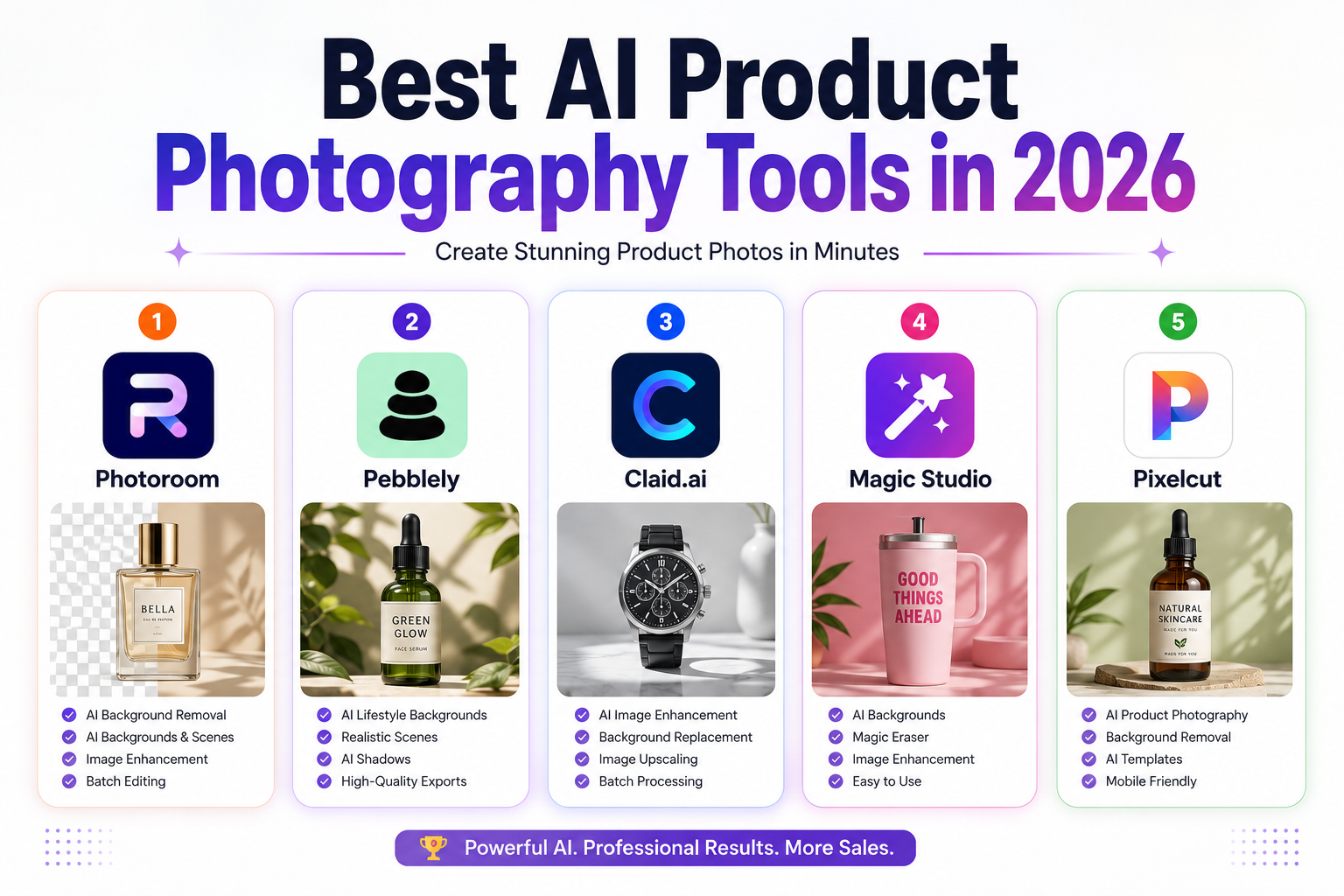
After comparing the main workflows offered by these platforms, these are the five tools worth considering:
| Tool | Best for | Main strength | Free option |
|---|---|---|---|
| Photoroom | Ecommerce sellers | Complete product-image workflow | Yes |
| Pebblely | Lifestyle product scenes | Fast AI-generated backgrounds | Limited/free access |
| Claid.ai | Ecommerce teams | Image enhancement and automation | Free trial |
| Magic Studio | Quick image editing | Simple AI editing | Yes |
| Pixelcut | Small sellers and creators | Mobile-friendly ecommerce workflow | Yes |
Our overall choice: Photoroom
Best for lifestyle scenes: Pebblely
Best for larger catalogs and automation: Claid.ai
Best for simple editing: Magic Studio
Best for mobile-first sellers: Pixelcut
These recommendations are based on the tools’ current capabilities and intended workflows rather than simply choosing the platform with the longest feature list.
What Is AI Product Photography?
AI product photography refers to using artificial intelligence to create or modify images of products for ecommerce and marketing.
Depending on the platform, AI can help with tasks such as:
- Removing backgrounds
- Generating new backgrounds
- Creating lifestyle scenes
- Improving image resolution
- Correcting lighting
- Adding or adjusting shadows
- Removing unwanted objects
- Expanding an image
- Creating multiple image variations
- Processing large numbers of product images
The important point is that AI does not eliminate the need for good source photography.
A clear, well-lit photo of the actual product generally gives AI a much better starting point than a blurry or heavily compressed image.
Why Use AI for Product Photography?
AI product photography is most useful when it solves a specific production problem.
1. Reduce Production Time
Traditional product photography can require setup, shooting, transferring files, editing, and exporting.
AI can reduce several of those steps. For example, a seller can photograph a product against a simple background and then generate several presentation styles without physically rebuilding a studio for every variation.
This is particularly useful for businesses that add new products frequently.
2. Create More Variations
One product may need different images for:
- Product listings
- Social media
- Paid advertising
- Email campaigns
- Landing pages
- Seasonal promotions
AI makes it easier to create variations while keeping the original product as the visual reference.
3. Improve Consistency
Large catalogs often suffer from inconsistent photography.
One product might have a white background, another a gray background, and another a lifestyle scene.
A consistent editing workflow can make a catalog look more professional.
4. Lower the Cost of Small Photo Shoots
AI does not necessarily replace professional photography.
However, for many small businesses, it can reduce the need for repeated photography sessions when the goal is simply to create additional marketing variations.
5. Test Creative Concepts Faster
Instead of producing one expensive creative, marketers can create several concepts and test which presentation works best with their audience.
That makes AI particularly useful for advertising and social-media content.
The 5 Best AI Product Photography Tools in 2026
1. Photoroom — Best Overall for Ecommerce
Photoroom is one of the strongest all-around options for sellers who need to create and edit product images quickly.
Its workflow goes beyond basic background removal. Depending on the plan and feature availability, users can work with AI backgrounds, product editing, retouching, shadows, resizing, and other ecommerce-oriented tools.
Photoroom also offers different plans for individuals, small businesses, larger catalogs, and enterprise customers. Its current pricing structure uses AI credits and export limits rather than the simple flat pricing shown in many older articles.
What makes Photoroom useful?
The biggest advantage is workflow.
Instead of using one application for background removal, another for retouching, and another for resizing, many common ecommerce tasks can be handled in one environment.
Key features
- Background removal
- AI backgrounds
- AI product editing
- Retouching
- AI shadows
- Image resizing
- Batch workflows
- Product-focused editing tools
- Mobile and web workflows
- Higher-volume plans
Pros
- Strong ecommerce focus
- Easy for beginners
- Broad set of product-image tools
- Useful for both individual sellers and larger teams
Cons
- Advanced usage can require a paid plan
- AI credits and export limits need to be considered
- Some advanced features depend on the selected plan
Best for
Shopify sellers, marketplace merchants, small businesses, agencies, and ecommerce teams.
Our take
If you want one platform to handle most of your everyday product-image workflow, Photoroom is the safest overall choice in this list.
2. Pebblely — Best for AI Lifestyle Product Images
Pebblely takes a more focused approach.
Instead of simply cleaning up a product photo, it is designed around turning product images into marketing visuals with AI-generated environments.
You upload your product image, choose or describe the type of environment you want, and the platform generates a new presentation around the product.
This can be especially useful for products that need lifestyle imagery but do not justify a full photoshoot for every campaign.
Pebblely’s current pricing page lists a Lite plan at $9/month, Basic at $19/month, and Pro at $39/month when billed monthly. The plans differ primarily by the number of images that can be generated.
What makes Pebblely different?
Its main strength is speed.
A seller can take one product image and explore multiple environments without manually building every scene.
Key features
- AI-generated product backgrounds
- Lifestyle scenes
- Custom prompts
- Background themes
- Product-image generation
- Multiple image sizes
- Bulk generation
- Reference images
- Commercial-use options
Pebblely also states that generated images are owned by the user, subject to its terms.
Pros
- Very simple workflow
- Strong focus on product scenes
- Useful for social media and marketing
- Multiple variations can be created quickly
Cons
- Generation limits depend on the plan
- AI-generated environments may still require quality checking
- Not necessarily the best choice if your main requirement is advanced catalog automation
Best for
Small ecommerce brands, marketers, product launches, social-media campaigns, and lifestyle advertising.
Our take
Choose Pebblely when the main problem is:
“I have a product photo, but I need better-looking environments around it.”
3. Claid.ai — Best for Ecommerce Image Automation
Claid.ai is aimed more heavily at businesses that need image processing at scale.
Its platform includes tools for enhancement, background removal, AI Photoshoot, AI editing, upscaling, shadows, and other image-generation workflows.
One important difference from simpler consumer tools is its credit-based model. Claid explains that individual operations consume different numbers of credits depending on the operation and quality level.
Its current pricing page also offers a free option/trial and paid plans designed for higher-volume usage, with business plans available for organizations requiring custom workflows.
Why businesses may choose Claid
If you manage hundreds or thousands of product images, the ability to process images consistently can matter more than having the easiest consumer interface.
Key features
- AI image enhancement
- Background removal
- AI Photoshoot
- AI editing
- Image upscaling
- AI shadows
- API access
- Batch-oriented workflows
- Ecommerce image processing
- Business solutions
Pros
- Strong focus on ecommerce
- Suitable for larger image volumes
- Automation and API capabilities
- Multiple AI image operations
Cons
- Credit-based pricing can take time to understand
- More advanced workflows may be unnecessary for casual sellers
- Better suited to businesses than people looking for a simple photo editor
Best for
Ecommerce companies, agencies, marketplaces, developers, and businesses processing large product catalogs.
Our take
Claid.ai becomes more interesting as the number of products and images increases.
For a store with ten products, a simple editor may be enough. For a business processing thousands of images, automation becomes much more important.
4. Magic Studio — Best for Simple AI Editing
Magic Studio focuses on making AI image editing accessible without requiring professional editing software.
Its free plan currently provides basic access and a limited number of AI generations, while the Pro plan adds features such as unlimited AI generations, higher-resolution downloads, watermark-free exports, and selected bulk-editing capabilities.
Key features
- Background removal
- Object removal
- AI background generation
- Image editing
- Image enhancement
- AI-powered cleanup
- Batch editing for selected tools
- Web and mobile access
Pros
- Easy to understand
- Fast editing
- Free option available
- Useful for basic ecommerce images
Cons
- Not as focused on large-scale ecommerce workflows
- Advanced users may need more specialized tools
- Pro features are required for heavier usage
Best for
Small businesses, freelancers, creators, and sellers who need straightforward AI editing.
Our take
Magic Studio makes sense if you don’t need an elaborate ecommerce production system and simply want to clean up and improve product images quickly.
5. Pixelcut — Best for Mobile-First Sellers
Pixelcut is particularly useful for entrepreneurs who create product content from a phone.
Its current Pro plan includes features such as AI credits, background removal, upscaling, batch exports, and commercial licensing, while its Business plan provides higher usage limits and additional team capacity.
Pixelcut also offers an API for businesses that want to integrate image processing into their own applications or workflows.
Key features
- Background removal
- AI-generated backgrounds
- Image upscaling
- Magic Eraser
- Generative Fill
- Image expansion
- Batch exports
- Mobile apps
- Team features
- API
Pros
- Strong mobile workflow
- Easy for beginners
- Useful for social-media content
- Good selection of AI editing tools
- Scales beyond individual editing through its API
Cons
- Credit limits should be considered
- Some advanced functionality requires a subscription
- Large enterprise catalogs may need a more specialized workflow
Best for
Etsy sellers, Shopify merchants, creators, social-media marketers, and small businesses.
Our take
Pixelcut is a particularly practical option when your workflow starts with a smartphone rather than a professional photography setup.
AI Product Photography Tools Compared
The best tool depends on what you actually need.
| If your priority is… | Consider |
|---|---|
| Complete ecommerce workflow | Photoroom |
| Lifestyle backgrounds | Pebblely |
| Large-scale processing | Claid.ai |
| Simple AI editing | Magic Studio |
| Mobile-first content creation | Pixelcut |
There is no universal winner.
A small Etsy seller may get more value from Pixelcut or Photoroom, while an ecommerce company managing a large catalog may care more about Claid’s automation capabilities.
How We Would Choose Between Them
Instead of asking “Which AI tool is the best?”, ask:
What part of my product photography workflow is taking the most time?
If removing backgrounds is the problem
Look at Photoroom, Pixelcut, or Magic Studio.
If creating lifestyle scenes is the problem
Start with Pebblely.
If image enhancement and scale are the priority
Consider Claid.ai.
If you create most content from your phone
Pixelcut is worth testing.
If you want one general-purpose ecommerce solution
Photoroom is the strongest starting point.
What to Look for Before Paying
Don’t choose a tool only because its website shows impressive AI-generated images.
Test it using your own products.
A useful evaluation process is:
- Upload three to five representative products.
- Test background removal.
- Generate at least two different environments.
- Check whether product colors remain accurate.
- Inspect small details such as labels, packaging, logos, and edges.
- Export the images at the resolution you actually need.
- Compare the results with your current workflow.
- Calculate the cost per usable image.
That final step is often overlooked.
A $20 subscription is not automatically cheaper than a $40 subscription if the more expensive tool produces usable images much faster.
How to Create Better AI Product Photos
Start With a Good Source Image
AI can improve an image, but it cannot always fix a poor source photo.
Use:
- Good lighting
- Sharp focus
- A clear view of the product
- Accurate colors
- Minimal obstruction
- Sufficient resolution
Protect Product Accuracy
This is one of the most important rules of AI product photography.
Do not allow AI to make your product look different from the item customers will actually receive.
Pay particular attention to:
- Product shape
- Colors
- Logos
- Labels
- Packaging
- Buttons
- Text
- Materials
- Product proportions
If the AI invents or changes an important detail, replace the image or correct it before publishing.
Use Lifestyle Images as Supporting Images
Lifestyle scenes can make a product more attractive, but they should not necessarily replace straightforward product images.
For ecommerce listings, customers often need to see what the actual product looks like.
A good image set can combine:
- Clean product shot
- Detail shot
- Lifestyle image
- Size/context image
- Packaging or included-items image
Keep Your Visual Style Consistent
Choose a recognizable visual direction for your store.
For example:
- Similar lighting
- Similar background style
- Consistent spacing
- Consistent crop
- Consistent color treatment
Consistency can make even a small store look more professional.
Common AI Product Photography Mistakes
1. Making the Product Look Too Perfect
AI can create beautiful scenes, but excessive editing can make the product look unrealistic.
2. Changing the Product’s Actual Color
If customers receive a different-looking product, the image can create confusion and returns.
3. Trusting AI-Generated Text
AI image generation can still produce incorrect text or alter small packaging details.
Always inspect labels, logos, measurements, and other important information.
4. Using AI Images That Misrepresent the Product
Marketing images should represent what customers can actually buy.
A visually impressive image is not worth sacrificing accuracy.
5. Optimizing Only for Appearance
A beautiful image can still be a poor ecommerce asset if the file is unnecessarily large or poorly suited to the platform where it will be published.
AI Product Photography vs. Traditional Photography
AI is not automatically a replacement for professional photography.
| Situation | AI may be enough | Professional photography may be better |
|---|---|---|
| Simple ecommerce catalog | ✓ | |
| Social-media creatives | ✓ | |
| Background variations | ✓ | |
| Advertising concepts | ✓ | |
| High-end fashion campaign | ✓ | |
| Complex physical setup | ✓ | |
| Exact technical product documentation | ✓ | |
| Images requiring absolute physical accuracy | ✓ |
The most practical approach for many businesses may be hybrid photography:
Take accurate photographs of the real product, then use AI for background creation, cleanup, variations, and marketing concepts.
Are AI Product Photography Tools Worth It?
For many online sellers, yes—but the value depends on volume.
If you sell only a few products and already have professional photography, an AI subscription may not make a major difference.
If you regularly create product images for dozens or hundreds of products, the time savings can become much more significant.
The biggest benefit is not necessarily “better photos.”
It is the ability to produce and test more visual content with less manual work.
Frequently Asked Questions
What is the best AI product photography tool in 2026?
For a general ecommerce workflow, Photoroom is our top pick because it combines product-focused editing with AI features and workflows designed for ecommerce sellers.
However, the best option depends on your needs.
What is the best AI tool for lifestyle product photos?
Pebblely is one of the strongest choices when your primary goal is generating different lifestyle environments around an existing product image.
Is there a free AI product photography tool?
Yes. Several platforms offer free plans, free trials, or limited free usage.
For example, Photoroom has a free plan with limitations, Magic Studio offers a free tier, and Pixelcut provides a free plan with limited features.
Free limits can change, so check the official pricing page before relying on a specific allowance.
Can AI replace a product photographer?
Not in every situation.
AI is excellent for editing, variations, background generation, and certain ecommerce workflows. But professional photography can still be preferable when exact physical representation, complex lighting, models, or high-end campaign production is important.
Can AI product photography change my product?
Yes, this is one of the main risks to watch.
AI-generated scenes can sometimes modify small details or produce inaccurate text, shapes, colors, or materials.
Always compare the final image with the real product before publishing.
Are AI-generated product photos good for Amazon and Shopify?
They can be useful, but sellers should follow the image requirements and policies of the specific marketplace.
AI should improve presentation without making claims or showing product characteristics that are not actually present.
How much does AI product photography cost?
Pricing varies considerably.
For example, Pebblely currently lists plans starting at $9/month, while Pixelcut lists a free plan and a Pro plan starting at $10/month when billed monthly, with lower effective pricing on annual billing. Photoroom and Claid use more complex plans involving credits and/or usage limits.
Because AI pricing changes frequently, compare the current official pricing page before subscribing.
Final Verdict
AI product photography has become a practical part of modern ecommerce rather than simply a novelty.
The biggest advantage is flexibility. A seller can start with an accurate photograph of a real product and use AI to create additional backgrounds, marketing variations, enhancements, and promotional assets without repeating the entire photography process.
Our recommendations are:
Photoroom — Best overall ecommerce workflow
Pebblely — Best for lifestyle product scenes
Claid.ai — Best for larger-scale image processing
Magic Studio — Best for straightforward AI editing
Pixelcut — Best for mobile-first sellers
But don’t choose based on the feature list alone.
Upload your own products and test the actual output.
Check accuracy, image quality, generation limits, export quality, commercial-use terms, and the cost per usable image. The best tool is the one that produces reliable images for your specific catalog—not necessarily the one with the most AI features.
Editorial Methodology
To make this comparison more useful than a simple list of AI tools, we evaluated each platform according to five practical criteria:
- Product-photo capabilities: How well the platform handles common ecommerce image tasks.
- AI generation: Whether it can create useful backgrounds, scenes, or product variations.
- Editing workflow: How easy it is to improve an existing product photo.
- Scale: Whether the platform is suitable for processing multiple products or larger catalogs.
- Value: Whether the available plans and usage limits make sense for the intended user.
Features and pricing can change over time, so readers should verify current details on the official product pages before purchasing.
Sources
The product information in this article was checked against the companies’ official websites and documentation, including Photoroom, Pebblely, Claid.ai, Magic Studio, and Pixelcut.
For Google’s content-quality guidance, see Google Search Central’s documentation on helpful, reliable, people-first content.
Related Articles
Continue exploring the best AI tools for eCommerce and marketing: