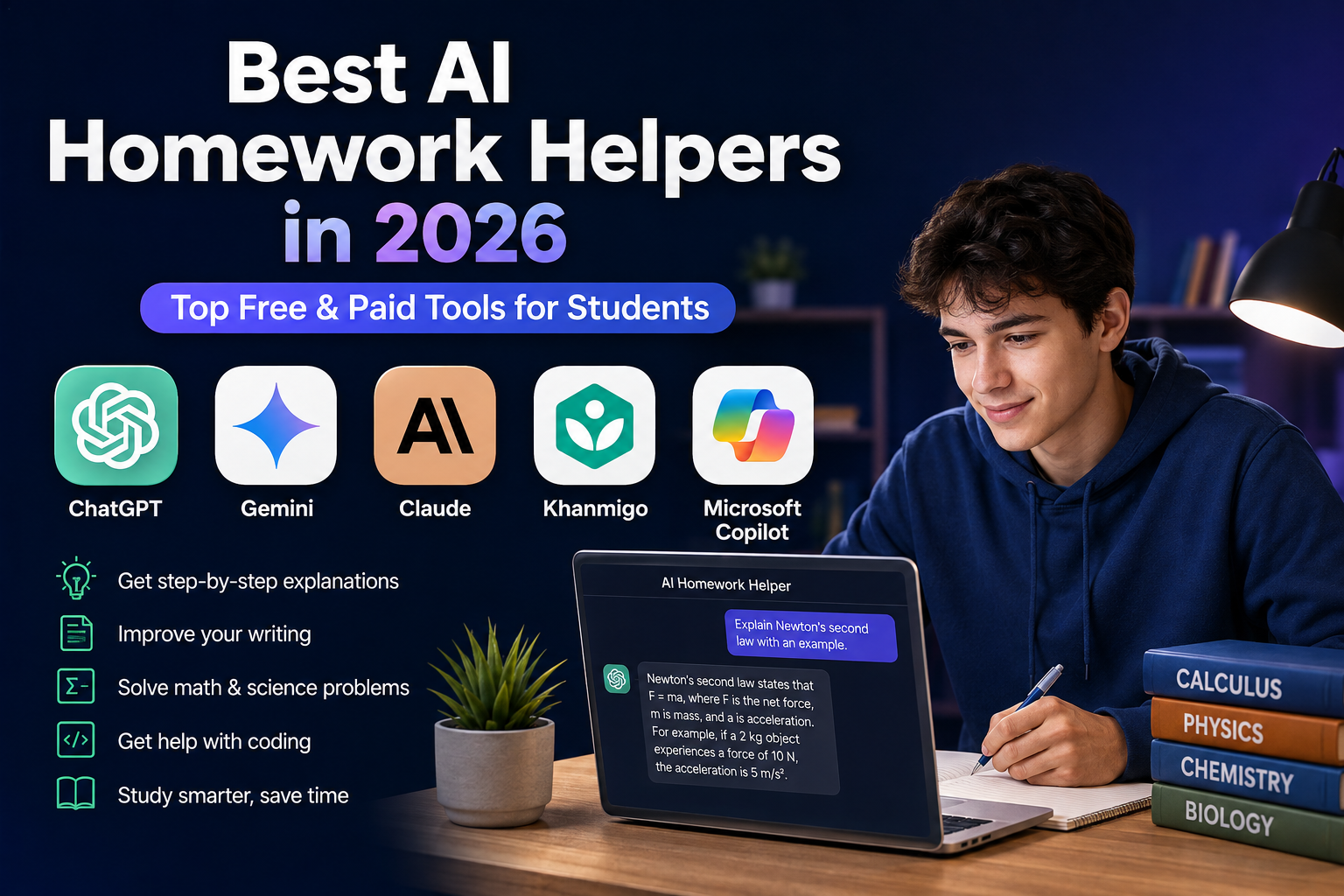
Best AI Homework Helpers in 2026: 5 Tools for Smarter Studying
— Updated September 2026
Homework can be difficult for a simple reason: getting an answer is often much easier than understanding how to reach it.
A challenging algebra problem, a confusing science concept, a long research assignment, or a programming error can leave students searching through dozens of websites before finding an explanation that actually makes sense.
AI homework helpers have changed that process. Modern AI learning tools can explain concepts step by step, analyze notes and documents, create practice questions, help organize research, review writing, and guide students through problems.
But there is an important distinction between an AI answer generator and an AI learning assistant.
The most useful tools are not necessarily the ones that produce an answer fastest. A better homework assistant helps you understand the reasoning behind the answer, identify mistakes, ask follow-up questions, and practice the concept yourself.
In this guide, we compare five widely used AI tools for students:
- ChatGPT
- Google Gemini
- Claude
- Khanmigo
- Microsoft Copilot
Rather than assigning arbitrary star ratings, we compare them according to practical factors such as tutoring features, subject coverage, document support, study tools, ease of use, and access to free or paid features.
Editorial note: This comparison is based primarily on current official product documentation and pricing/access information available in September 2026. We did not conduct a controlled benchmark across every subject, so the rankings should be viewed as practical recommendations rather than laboratory test results.
Quick Comparison
| AI Homework Helper | Best For | Free Access | Main Strength |
|---|---|---|---|
| ChatGPT | General homework and tutoring | Yes | Step-by-step learning and broad subject coverage |
| Google Gemini | Research and Google users | Yes | Guided learning and Google ecosystem integration |
| Claude | Writing and long documents | Yes | Clear explanations and document-focused work |
| Khanmigo | Guided educational tutoring | Limited/paid depending on access | Learning-first tutoring |
| Microsoft Copilot | Microsoft 365 users | Yes in eligible education accounts | Study tools and Microsoft integration |
The best option depends on what you actually need. A student looking for math tutoring may choose differently from someone writing a research paper or studying from a large set of class notes.
What Is an AI Homework Helper?
An AI homework helper is an artificial intelligence tool designed to support students with learning and academic tasks.
Depending on the platform, it may help with:
- Mathematics
- Science
- History
- Literature
- Languages
- Computer science
- Research
- Essay planning
- Note summarization
- Exam preparation
- Practice questions
- Flashcards
- Document analysis
Some tools work like general-purpose chatbots, while others are specifically designed around educational methods.
The difference matters.
A tool that simply generates an essay or gives you the final answer can save time, but it may not improve your understanding. A tutoring-oriented tool can instead ask questions, provide hints, explain concepts, and check whether you understand the material.
That is why this comparison gives significant weight to learning support, not simply answer generation.
How We Compared These AI Homework Helpers
There is no single feature that determines whether an AI tool is useful for students.
For this comparison, we considered:
1. Learning and tutoring support
Can the tool explain concepts instead of simply producing an answer?
2. Subject coverage
Does it work across mathematics, science, writing, coding, humanities, and other subjects?
3. Document and image support
Can students work with notes, PDFs, worksheets, screenshots, or other study materials?
4. Practice and revision
Can the platform create quizzes, flashcards, explanations, or other study activities?
5. Ease of use
Can a student start asking questions without a complicated setup?
6. Cost and availability
Does the tool offer useful free access, and what additional capabilities require payment?
Because AI products change frequently, pricing and availability should always be checked on the provider’s current website before subscribing.
1. ChatGPT — Best Overall AI Homework Helper
ChatGPT is one of the most flexible options for students because it can support many different types of learning within the same conversation.
Its Study Mode is particularly relevant to homework. Instead of simply returning an answer, Study Mode can ask guiding questions, explain concepts in stages, check understanding, create practice questions, and work through homework problems step by step. It can also work with uploaded course materials such as notes, worksheets, slides, PDFs, and images when those capabilities are available to the user.
This makes ChatGPT useful for both quick questions and longer study sessions.
For example, a student struggling with algebra can ask for an explanation of a particular concept, work through an example, attempt a similar problem, and then ask for feedback.
The same approach can be used for biology, chemistry, history, programming, writing, economics, and many other subjects.
What ChatGPT Can Help With
- Step-by-step homework explanations
- Mathematics
- Science
- Programming
- Essay planning
- Writing feedback
- Research assistance
- Study guides
- Practice questions
- Flashcards
- Summarizing notes
- PDF and document analysis
- Image-based questions
- Exam preparation
- Language learning
Why ChatGPT Stands Out
The biggest advantage is versatility.
You don’t need one application for mathematics, another for writing, and another for study questions. ChatGPT can handle many different learning workflows.
Study Mode also makes the platform more suitable for learning than simply asking for final answers. OpenAI says Study Mode is designed to encourage active participation and deeper understanding through guided questions, explanations, and knowledge checks.
Pros
- Broad subject coverage
- Step-by-step tutoring
- Study Mode
- Supports uploaded study materials
- Useful for writing and coding
- Flexible conversational learning
- Free access is available
Cons
- AI responses can still contain mistakes
- Some advanced capabilities depend on the user’s plan
- Students need to verify important information
- It can be tempting to use it as an answer generator instead of a tutor
Best For
Students who want one flexible AI assistant for homework, studying, writing, research, and exam preparation.
Pricing
ChatGPT offers a free tier, with additional capabilities available through paid plans. Because plans and limits can change, check the current ChatGPT pricing page before publishing exact prices.
2. Google Gemini — Best for Research and Google Users
Google Gemini is another strong choice for students, particularly those already using Google’s ecosystem.
Gemini has increasingly added features designed specifically for learning. Google’s official documentation describes Guided Learning, which can help students work through educational questions and use uploaded files or images as part of the learning process.
Google also offers Gemini for Education, a version designed for educational environments. Google says it can support learning, research, personalized experiences, and educational workflows, while Workspace integrations connect AI capabilities with tools such as Docs, Sheets, Slides, and Gmail.
This makes Gemini particularly interesting for students whose schoolwork already revolves around Google Workspace.
What Gemini Can Help With
- Homework explanations
- Research
- Summarizing documents
- Studying from uploaded material
- Brainstorming
- Practice questions
- Writing assistance
- Coding
- Image-based questions
- Google Workspace workflows
- Study guides
Why Gemini Stands Out
Its biggest advantage is the combination of AI assistance and Google’s productivity ecosystem.
For example, a student researching a school project may use Gemini to organize ideas and summarize material, then continue working in Google Docs or other Workspace applications.
Gemini also has dedicated learning features rather than being limited to general-purpose chat. Google says students can use Gemini in educational contexts for activities such as learning, quizzes, flashcards, and study guides.
Pros
- Strong research capabilities
- Useful learning features
- Google Workspace integration
- Supports files and images
- Suitable for many academic subjects
- Free access is available
Cons
- Feature availability can vary by account and region
- Some advanced capabilities require specific Google plans or education access
- AI-generated information still needs verification
Best For
Students who use Google Workspace heavily and want AI assistance integrated with research and study workflows.
Pricing
Gemini has free access, while additional features and higher limits can depend on Google’s consumer or education plans. Google also provides Gemini for Education through eligible Google Workspace for Education environments.
3. Claude — Best for Writing and Long Documents
Claude is particularly useful for students who spend a lot of time reading, writing, analyzing documents, or organizing complex information.
It can be useful for tasks such as:
- Understanding difficult reading
- Summarizing notes
- Improving essay structure
- Reviewing drafts
- Explaining complex passages
- Organizing research
- Brainstorming arguments
- Working with lengthy documents
- Programming assistance
For writing-heavy subjects, Claude can be valuable because students can use it as an editor and discussion partner rather than simply asking it to produce a finished assignment.
For example, instead of asking an AI to write an entire history essay, a student could provide their own thesis and ask the AI to identify weaknesses in the argument, suggest questions to investigate, or explain where additional evidence might be necessary.
That approach provides more educational value than copying a generated essay.
Key Features
- Conversational explanations
- Writing assistance
- Document analysis
- Research organization
- Brainstorming
- Coding support
- Summarization
- Follow-up questions
- Editing and revision
Pros
- Strong for writing-heavy assignments
- Useful with lengthy material
- Clear conversational responses
- Good brainstorming and editing capabilities
- Useful for research workflows
Cons
- Not designed specifically as a dedicated school tutoring platform
- Students should verify factual claims
- Some advanced features require paid access
Best For
College and university students working with essays, research material, reports, programming, and long documents.
Pricing
Claude offers free access alongside paid plans. Exact limits and pricing can change, so check Anthropic’s current pricing information before subscribing.
4. Khanmigo — Best for Guided Learning
Khanmigo takes a different approach from general-purpose AI assistants.
Developed by Khan Academy, it is designed specifically around education. Khan Academy describes Khanmigo as an AI-powered tutor that guides learners toward answers rather than simply giving them the answer.
That distinction is important.
Suppose a student is stuck on a mathematics problem. Instead of immediately revealing the solution, Khanmigo can guide the learner through questions and hints designed to encourage independent problem-solving.
Khanmigo is also connected to Khan Academy’s educational content library, which covers areas including mathematics, science, coding, humanities, and social studies.
Key Features
- Guided tutoring
- Step-by-step learning
- Mathematics support
- Science learning
- Coding
- Writing practice
- Humanities
- Interactive questioning
- Khan Academy content integration
Pros
- Education-first design
- Encourages independent thinking
- Strong guided tutoring approach
- Connected to Khan Academy’s learning content
- Useful across multiple school subjects
Cons
- Access depends on the learner’s age, location, and account setup
- Some learner access requires a parent or guardian
- Less general-purpose than ChatGPT or Gemini
Khan Academy states that independent Khan Academy learning content remains free, while Khanmigo access for learners and families has separate eligibility and payment requirements.
Best For
Students who want an AI tutor that focuses on learning the process rather than simply producing answers.
Pricing
Khanmigo pricing and eligibility can vary by user type and region. Check Khan Academy’s current Khanmigo information before subscribing.
5. Microsoft Copilot — Best for Microsoft 365 Users
Microsoft Copilot is especially useful for students who already work with Microsoft Word, PowerPoint, Excel, OneNote, and other Microsoft products.
Microsoft has also introduced a Study and Learn Agent specifically designed for learning. According to Microsoft, it can help students understand and practice material through guided conversations, quizzes, flashcards, matching exercises, and fill-in-the-blank activities. It can also work with students’ own documents, slides, and PDFs.
That makes Copilot more than a general productivity assistant.
For eligible education users, Microsoft says Copilot Chat is available at no additional cost, while the more advanced Microsoft 365 Copilot is available as an add-on.
Key Features
- Study and Learn Agent
- Homework assistance
- Practice questions
- Flashcards
- Document support
- Writing assistance
- Research
- Microsoft 365 integration
- Presentation support
- Data analysis
- Coding assistance
Pros
- Strong Microsoft 365 integration
- Dedicated learning agent
- Practice and quiz features
- Useful with documents
- Free Copilot Chat for eligible education users
Cons
- Some features require an eligible Microsoft account or education license
- Access differs between personal and school accounts
- Advanced Microsoft 365 features may require paid licensing
Best For
Students who already use Microsoft 365 and want AI study assistance inside the Microsoft ecosystem.
Which AI Homework Helper Should You Choose?
There is no single winner for every student.
Use this simple guide:
Choose ChatGPT if:
- You want an all-purpose study assistant
- You need help across many subjects
- You want step-by-step tutoring
- You work with PDFs, images, notes, or worksheets
- You want one flexible AI learning tool
Choose Gemini if:
- You use Google Workspace
- Your schoolwork involves Google Docs or Drive
- You want research and learning features
- You frequently work with Google services
Choose Claude if:
- You write many essays
- You work with lengthy documents
- You need help understanding complicated reading
- You want an AI writing and research assistant
Choose Khanmigo if:
- Learning matters more than getting the answer quickly
- You prefer guided tutoring
- You want a tool designed specifically for education
- You use Khan Academy’s learning resources
Choose Copilot if:
- You use Microsoft 365
- You work frequently in Word or PowerPoint
- You want built-in study and practice tools
- Your school provides Microsoft Education access
How to Use AI Homework Helpers Without Hurting Your Learning
AI becomes much more useful when you change the way you ask for help.
Instead of:
“Give me the answer.”
Try:
“Explain how I should approach this problem, but don’t give me the final answer yet.”
Or:
“Show me the first step, then let me try the next step.”
You can also ask:
“Quiz me on this topic one question at a time.”
This turns an AI assistant into a practice partner instead of an answer machine.
1. Explain What You Already Know
Tell the AI where you are stuck.
For example:
“I understand how to calculate the derivative, but I don’t understand why the chain rule applies here.”
That gives the AI much more useful context than simply pasting a question.
2. Ask for Different Explanations
If the first explanation doesn’t make sense, change the approach.
Try:
- “Explain it more simply.”
- “Give me an analogy.”
- “Show me a real-world example.”
- “Explain this as if I’m learning it for the first time.”
- “Give me a practice question.”
Good tutoring often requires more than one explanation.
3. Ask AI to Test You
One of the best uses of AI is active recall.
Ask it to:
- Explain the topic.
- Give you a question.
- Wait for your answer.
- Tell you what you got right.
- Explain your mistakes.
- Give you another question.
This is much more useful than reading a generated summary repeatedly.
4. Use Your Own Notes
If your AI tool supports file uploads, give it the relevant class material.
You can ask:
“Create a study guide from these notes.”
Then follow up with:
“Now quiz me without showing the answers.”
This makes the AI’s help more relevant to the material you are actually studying.
How to Check AI Homework Answers
AI systems can make mistakes.
Even when an explanation sounds confident, that does not guarantee it is correct.
For important schoolwork, use several checks.
For mathematics
Recalculate the result yourself.
For science
Compare important facts with your textbook, class notes, or another reliable source.
For history
Check dates, names, events, and quotations against reputable references.
For research assignments
Verify sources and make sure the cited information actually supports the claim.
For writing
Make sure the final work reflects your own ideas and follows your instructor’s requirements.
The goal is not to distrust AI. It is to understand that AI is a tool, not an infallible authority.
Common Mistakes Students Make With AI
1. Copying the Final Answer
Copying an answer without understanding it may help you finish an assignment, but it does little to improve your knowledge.
Use the answer as a starting point for learning.
2. Asking AI to Do Everything
If AI writes your entire assignment, solves every problem, and creates every presentation, you may finish faster while learning less.
Use AI selectively.
3. Not Checking the Result
AI can make factual, mathematical, or reasoning errors.
Always review important answers.
4. Ignoring School AI Policies
Different schools, teachers, and universities have different rules.
Some assignments may permit AI for brainstorming or tutoring but prohibit submitting AI-generated text as your own work.
Always follow the rules for your particular course.
5. Asking Poorly Defined Questions
Compare:
Weak prompt:
“Explain chemistry.”
Better prompt:
“I’m studying high-school chemistry and I’m confused about how ionic bonds form. Explain the concept using a simple example, then give me three practice questions.”
The second prompt gives the AI enough context to provide useful tutoring.
Advantages of AI Homework Helpers
When used appropriately, AI learning tools can offer several benefits.
- Immediate explanations
- Personalized learning
- Step-by-step guidance
- Practice questions
- Study material summaries
- Writing feedback
- Coding assistance
- Help with difficult concepts
- Support outside normal classroom hours
- Ability to ask unlimited follow-up questions within usage limits
Perhaps the biggest advantage is that students can ask the same question several different ways until the concept finally makes sense.
Limitations of AI Homework Helpers
AI also has important limitations.
Accuracy is not guaranteed
AI can produce incorrect information.
It cannot replace teachers
Teachers understand classroom context, curriculum requirements, and individual student progress in ways a general AI system cannot fully reproduce.
Overuse can reduce independent thinking
If students always ask AI for the solution before attempting a problem themselves, they may lose opportunities to practice reasoning.
Features vary
File uploads, models, study tools, usage limits, and pricing can differ between plans, regions, and account types.
Academic policies matter
A technically impressive AI answer may still be inappropriate for an assignment if the instructor prohibits AI assistance.
Frequently Asked Questions
What is the best AI homework helper in 2026?
There is no universal winner.
ChatGPT is one of the strongest all-purpose options because it combines broad subject coverage with Study Mode and support for different learning workflows. Gemini is particularly useful for Google users, Claude for writing and long documents, Khanmigo for education-focused tutoring, and Copilot for students using Microsoft 365.
What is the best AI homework helper for math?
ChatGPT and Khanmigo are strong choices for students who want explanations rather than only final answers.
The most important feature is not simply whether an AI can calculate an answer. It is whether it can help you understand the method and then practice it independently.
Are AI homework helpers free?
Many major AI platforms provide some form of free access, but the available features and usage limits vary.
For example, ChatGPT has a free tier, Gemini offers free access, and eligible education users can access Microsoft Copilot Chat at no additional cost.
Khanmigo has separate access rules for learners and families.
Always check the provider’s current terms before paying for a subscription.
Can AI help with college homework?
Yes.
AI can assist college students with studying, research, programming, writing, mathematics, document analysis, exam preparation, and understanding difficult concepts.
However, university policies regarding AI-generated work can differ significantly, so students should check their course requirements.
Is using AI for homework cheating?
Not automatically.
Using AI to explain a difficult concept, generate practice questions, or help you understand class material can be very different from submitting AI-generated work as your own.
The important question is how the tool is being used and what your school or instructor allows.
Can AI replace a teacher?
No.
AI can provide explanations and practice at any time, but teachers provide human judgment, mentorship, classroom context, feedback, encouragement, and support that AI cannot fully replace.
AI works best as a supplement to education rather than a replacement for teachers.
How can I make AI explain homework instead of just giving me answers?
Tell it explicitly.
For example:
“Act as a tutor. Don’t give me the final answer immediately. Ask me questions and guide me through the problem one step at a time.”
This approach can turn a general AI chatbot into a much more useful study partner.
Final Verdict
AI homework helpers have become useful study tools, but the best one is not necessarily the tool that gives you an answer fastest.
The most valuable AI assistant is the one that helps you understand, practice, and eventually solve problems independently.
ChatGPT is our strongest all-around recommendation because its Study Mode is designed around step-by-step learning, questions, explanations, and knowledge checks.
Google Gemini is a strong option for students who already use Google services and want AI-powered learning features within that ecosystem.
Claude is particularly useful for writing, research, and working through substantial amounts of text.
Khanmigo stands out for its education-first approach and emphasis on guiding students toward answers rather than simply revealing them.
Microsoft Copilot is especially attractive to Microsoft 365 users because its education offering includes learning-focused features such as the Study and Learn Agent.
Whichever tool you choose, use it as a learning partner rather than a shortcut. Ask questions, challenge the answers, verify important information, and make sure you can explain the material yourself.
That is where AI can provide the most value: not simply helping you finish today’s homework, but helping you become better at learning tomorrow.
Methodology and Pricing Note
AI products change quickly. Features, plan limits, eligibility requirements, and prices may change after this article is published.
The product information in this guide was checked against official provider documentation in September 2026. We intentionally avoid fixed star ratings because a meaningful rating would require controlled first-hand testing across the same subjects and tasks.
For the most accurate pricing and availability, readers should verify the provider’s current official plan information before subscribing.
Related Articles
Explore more AI software designed to improve learning and productivity: