Best AI SEO Reporting Tools in 2026: 5 Platforms Compared
Updated September 2026
SEO reporting has changed significantly.
A modern SEO report should do more than display keyword rankings, traffic charts, and a list of backlinks. It should help you understand what changed, why it changed, what impact it had, and what should happen next.
That becomes even more important as search visibility expands beyond traditional Google results. AI-generated answers, AI Overviews, AI search engines, and other answer-focused experiences are becoming additional places where brands can be discovered, mentioned, or cited.
But there is an important distinction:
The best SEO reporting tool is not necessarily the tool with the most charts or the most AI features.
A good reporting platform should make reliable data easier to understand and turn it into useful decisions.
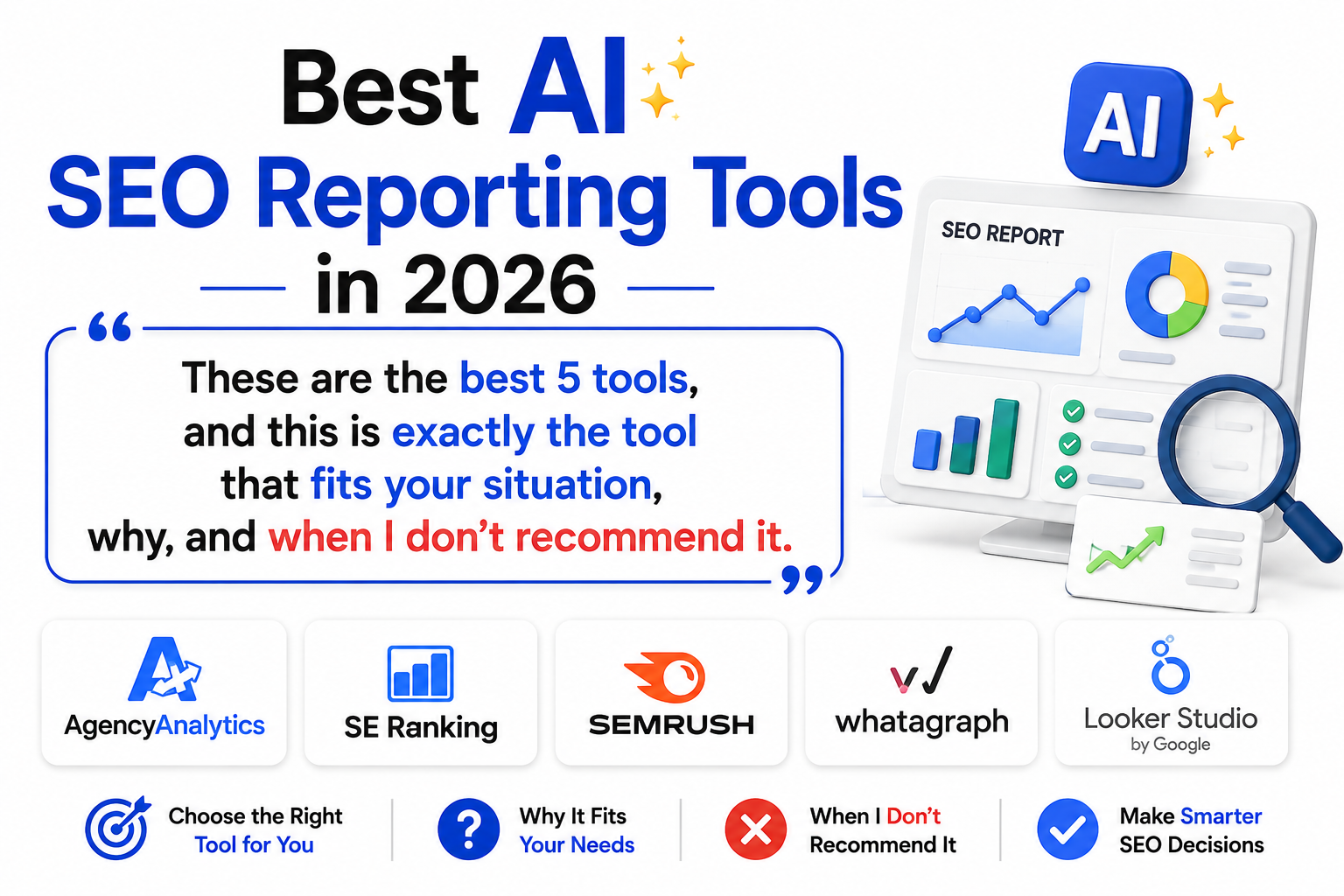
For this comparison, we looked at five different approaches to SEO reporting:
- AgencyAnalytics — best for agencies and automated client reporting
- SE Ranking — best for combining SEO reporting with AI search visibility
- Semrush — best for advanced SEO research and reporting
- Whatagraph — best for AI-assisted report creation and cross-channel reporting
- Looker Studio — best for flexible, low-cost custom dashboards
These products are not direct substitutes for one another. Some are reporting-first platforms, some are SEO platforms with strong reporting, and one is primarily a customizable data visualization tool.
The right choice depends on what you actually need your reports to accomplish.
Quick Comparison
| Tool | Best for | AI capabilities | Reporting strength | SEO depth | Main advantage |
|---|---|---|---|---|---|
| AgencyAnalytics | SEO agencies | AI summaries, Ask AI, insights | Excellent | Strong | Automated client reporting |
| SE Ranking | SEO + AI visibility | AI search visibility and workflows | Very strong | Strong | SEO and AI visibility together |
| Semrush | Advanced SEO teams | AI visibility, analysis and reporting | Strong | Excellent | Deep SEO data |
| Whatagraph | Cross-channel reporting | AI report generation | Excellent | Moderate | Build reports with prompts |
| Looker Studio | Custom dashboards | Limited in the standard product | Excellent for custom builds | Depends on data sources | Flexibility and low software cost |
A simple way to choose
- Running an SEO agency? Start with AgencyAnalytics.
- Want SEO and AI search visibility together? Consider SE Ranking.
- Need deep SEO research behind your reports? Choose Semrush.
- Want AI to help build reports? Look at Whatagraph.
- Want maximum customization with minimal software cost? Start with Looker Studio.
What Are AI SEO Reporting Tools?
AI SEO reporting tools combine traditional SEO data with automation, analysis, or artificial intelligence to make reporting faster and more useful.
Traditional SEO reporting might show:
- Organic clicks
- Impressions
- Keyword rankings
- Backlinks
- Organic landing pages
- Conversions
- Technical SEO issues
AI-assisted reporting can go one step further by helping you:
- Summarize large amounts of data
- Identify unusual changes
- Highlight important trends
- Generate report commentary
- Compare performance periods
- Surface potential opportunities
- Monitor AI-search visibility
- Create dashboards or reports faster
However, AI does not automatically make a report accurate.
An AI-generated explanation is only as reliable as the data behind it. Significant changes should still be checked by an SEO professional before being presented as a conclusion.
That distinction is important because automation and analysis are not the same thing.
How We Evaluated These SEO Reporting Tools
We did not rank the tools simply by the number of features they advertise.
Instead, we considered the following factors:
Reporting and dashboards
Can the platform turn SEO data into understandable reports and dashboards?
Automation
Can reports be scheduled, refreshed, approved, or distributed without rebuilding them manually?
SEO data
Does the platform provide useful information about rankings, organic search, backlinks, technical SEO, competitors, or other SEO signals?
AI capabilities
Does AI actually improve reporting or analysis, rather than simply appearing as a marketing label?
AI search visibility
Can the platform help measure how brands appear in AI-generated search experiences?
Agency features
Does it support white-label reports, client portals, permissions, templates, and multi-client workflows?
Flexibility
Can you adapt the reporting system to different clients, websites, data sources, and business goals?
Ease of use
Can an SEO professional or marketer produce useful reports without spending excessive time configuring the system?
This is an editorial comparison, not a controlled laboratory benchmark. Rankings reflect the best fit for different use cases rather than a claim that one platform is objectively superior for every business.
1. AgencyAnalytics — Best for SEO Agencies
Best for: SEO agencies, freelancers, and marketing teams managing multiple clients
Main strength: Automated client reporting
SEO reporting: Excellent
AI assistance: Strong
Agency features: Excellent
AgencyAnalytics is the strongest choice on this list when the central problem is client reporting at scale.
Rather than positioning itself purely as an SEO research platform, AgencyAnalytics focuses heavily on bringing marketing data into one reporting environment and turning it into client-facing dashboards and reports.
The platform currently supports more than 85 integrations and includes features such as automated reporting, white-label branding, client portals, AI summaries, Ask AI, anomaly detection, forecasting, goals, and custom metrics.
Why AgencyAnalytics stands out
SEO agencies often work with data from multiple platforms.
A typical client report may require information from:
- Google Analytics
- Google Search Console
- Rank tracking
- Backlink tools
- SEO audit tools
- Advertising platforms
- Social media
- Conversion tracking
Collecting all of that manually can become one of the least productive parts of agency work.
AgencyAnalytics is designed to centralize those sources and present the information in reusable dashboards and reports.
Its AI reporting features can also summarize report data, highlight trends, and help identify notable changes.
That makes the platform particularly useful when the agency already has the data and needs a better way to organize, explain, and distribute it.
Who should choose AgencyAnalytics?
AgencyAnalytics makes the most sense if you:
- Manage multiple SEO clients
- Need recurring reports
- Want white-label reporting
- Need client-facing dashboards
- Want automated report delivery
- Use multiple marketing platforms
- Want to reduce manual reporting work
It is especially attractive for agencies where reporting is a recurring operational task rather than an occasional activity.
Who probably should not choose it?
If you manage one small website and only need basic organic traffic and search performance data, AgencyAnalytics may provide more infrastructure than you need.
Likewise, it should not be treated as a complete replacement for specialized SEO research platforms.
For example, an agency may use Semrush or Ahrefs for deep SEO research and AgencyAnalytics for client-facing reporting.
That can be a better workflow than trying to force one platform to do everything.
Key features
- Automated reports
- White-label dashboards
- Client portals
- AI Summary
- Ask AI
- Trend analysis
- Anomaly detection
- Forecasting
- Goal tracking
- Custom metrics
- SEO rank tracking options
- Backlink reporting
- Google Analytics integration
- Google Search Console integration
- 85+ integrations
- Scheduled report delivery
Pros
- Excellent agency workflow
- Strong automation
- White-label capabilities
- Client portals
- Large integration ecosystem
- AI-assisted summaries and analysis
- Good reporting templates
- Useful for multi-client operations
Cons
- More useful for agencies than individual website owners
- Not designed to replace deep SEO research platforms
- Costs scale with client count and selected add-ons
- Some SEO capabilities are separate from the core reporting workflow
Pricing
AgencyAnalytics currently advertises usage-based pricing starting at $20 per client per month when billed annually, with the exact cost depending on the number of clients and billing arrangement. The platform also offers a 14-day free trial. Its current pricing page lists AI insights and analysis among the included features, while rank tracking and AI visibility monitoring can be available as add-ons.
Because pricing structures can change, check the current plan before purchasing.
Our verdict
AgencyAnalytics is our first choice for SEO agencies that want to automate recurring client reporting.
It is less about discovering every possible SEO insight from scratch and more about creating a reliable system for turning marketing data into professional, repeatable client reports.
2. SE Ranking — Best for SEO + AI Search Visibility
Best for: SEO agencies, consultants, and teams that want traditional SEO and AI visibility data
Main strength: Combining SEO workflows with AI-search visibility
Reporting: Very strong
SEO capabilities: Strong
AI visibility: Excellent
SE Ranking is particularly interesting in 2026 because SEO reporting increasingly needs to account for more than conventional Google rankings.
Its ecosystem now includes AI-search visibility capabilities that can track how brands appear across AI-driven search experiences.
SE Ranking’s AI visibility infrastructure can provide information such as brand mentions, citations, positions, share of voice, and competitor comparisons across supported AI engines.
That gives SEO teams another layer of visibility beyond traditional keyword rankings.
Why we picked SE Ranking
Traditional SEO reporting can answer questions such as:
- How many keywords are ranking?
- How did rankings change?
- How much organic traffic did the site receive?
- Which pages gained visibility?
- What technical problems exist?
AI visibility reporting introduces additional questions:
- Is the brand mentioned in AI-generated answers?
- Which competitors are being mentioned instead?
- Which prompts trigger brand visibility?
- Which sources are being cited?
- Is AI visibility improving over time?
SE Ranking is well positioned for teams that want these two areas connected.
Its AI visibility data can also be accessed programmatically through its API, making it possible to incorporate AI-search information into dashboards and reporting workflows.
Who should choose SE Ranking?
Choose SE Ranking if you:
- Run an SEO agency
- Manage multiple SEO projects
- Need rank tracking
- Want technical SEO tools
- Need competitor research
- Want AI visibility monitoring
- Need reporting and automation
- Want API access for custom workflows
It can be particularly useful for agencies that want to explain both traditional search performance and emerging AI-search visibility to clients.
Who should avoid it?
If your only requirement is building completely custom dashboards from dozens of unrelated business data sources, Looker Studio may offer more flexibility.
If you need an extremely broad marketing ecosystem covering SEO, PPC, content, market research, and many other areas, Semrush may be a better fit.
And if your biggest problem is simply creating beautiful client reports from data you already have, AgencyAnalytics may be more reporting-focused.
Key features
- SEO reporting
- Rank tracking
- Website audits
- Competitor research
- Backlink analysis
- AI search visibility
- Brand mentions
- AI citations
- Share-of-voice tracking
- API access
- MCP-based AI workflows
- Google Analytics integration
- Google Search Console integration
- Scheduled reporting
- Agency features
Pros
- Strong SEO platform
- AI visibility is becoming a core part of the ecosystem
- Useful for agencies
- Competitor tracking
- API access
- Good balance between SEO analysis and reporting
- Useful for organizations tracking both search and AI visibility
Cons
- Some advanced functionality depends on plan or add-ons
- Not primarily a business intelligence platform
- Reporting is not as specialized as a dedicated reporting-first platform
- AI visibility is a developing measurement category and should not be treated as equivalent to traditional organic traffic
Pricing
SE Ranking uses plan-based pricing, with available limits and features varying by package and optional AI-search functionality.
Because pricing and feature limits change, it is better to check the current plan before making a purchasing decision rather than relying on an old monthly figure.
Our verdict
SE Ranking is one of the strongest choices for marketers who want traditional SEO reporting to evolve into broader search-visibility reporting that includes AI-generated search experiences.
3. Semrush — Best for Advanced SEO Reporting
Best for: Advanced SEOs, agencies, in-house teams, and marketers who need deep SEO data
Main strength: SEO research and competitive intelligence
Reporting: Strong
SEO depth: Excellent
AI visibility: Excellent
Semrush takes a different approach from AgencyAnalytics.
AgencyAnalytics is heavily focused on reporting.
Semrush is fundamentally a large SEO and digital marketing platform that also provides reporting capabilities.
That difference matters.
If your question is:
“How can I make this client’s report look better?”
AgencyAnalytics may be the better answer.
If your question is:
“Why did this site’s organic performance change, which competitors gained visibility, and what should we investigate?”
Semrush is much more relevant.
Why Semrush stands out
Semrush provides access to extensive SEO and competitive data that can be used to investigate:
- Keyword rankings
- Organic competitors
- Keyword opportunities
- Backlinks
- Technical SEO
- Content performance
- PPC activity
- Competitor performance
- AI search visibility
Its My Reports system allows users to turn data into shareable reports, while its AI Visibility tools add reporting capabilities for brand presence across supported AI search experiences.
Semrush currently provides AI visibility measurements, competitor benchmarking, prompt tracking, and reporting options for AI-search performance.
What makes Semrush different?
The biggest advantage is the relationship between research and reporting.
A report becomes more useful when you can investigate the reason behind a change before writing the explanation.
For example:
Traffic declined 12%.
That is not enough information.
A deeper analysis might reveal:
- Three commercial pages lost rankings
- A competitor gained visibility for the same terms
- One page experienced a technical issue
- Search demand changed
- Another group of keywords increased and partially offset the decline
That type of analysis requires more than a dashboard.
It requires an underlying research platform.
Who should choose Semrush?
Semrush is a strong choice if you:
- Work professionally in SEO
- Manage competitive SEO campaigns
- Need extensive keyword data
- Analyze competitors
- Need technical SEO information
- Work with PPC as well as SEO
- Want AI visibility data
- Need reporting connected to deeper research
When should you choose something else?
If your primary need is automated agency reporting, AgencyAnalytics may be more efficient.
If you mainly need custom dashboards from your own data, Looker Studio may be sufficient.
If you primarily want AI-assisted report generation from multiple marketing channels, Whatagraph may be a better fit.
Key features
- My Reports
- Keyword research
- Competitor research
- Rank tracking
- Site Audit
- Backlink analysis
- Content research
- PPC research
- AI visibility
- Competitor AI benchmarking
- Prompt tracking
- Google Analytics integration
- Google Search Console integration
- Scheduled reporting
- Exportable reports
Pros
- Deep SEO data
- Strong competitor research
- Powerful technical SEO capabilities
- AI visibility tools
- Broad marketing ecosystem
- Strong reporting capabilities
- Useful for advanced SEO professionals
Cons
- Can be overwhelming for beginners
- More expensive than basic dashboard solutions
- Not primarily a reporting-only platform
- Users may need time to learn the ecosystem
- Some advanced capabilities may require additional products or higher-tier access
Pricing
Semrush uses subscription plans with different limits and capabilities. AI visibility and other advanced functionality can have separate product or usage considerations.
Because Semrush changes packaging and pricing over time, the current official pricing page should be checked before purchasing.
Our verdict
Choose Semrush when the quality of the report depends heavily on the quality and depth of the SEO research behind it.
For advanced SEO teams, that distinction can be more important than the visual design of the final report.
4. Whatagraph — Best for AI-Assisted Report Creation
Best for: Marketing agencies and teams reporting across multiple channels
Main strength: Fast report creation and cross-channel reporting
AI reporting: Excellent
SEO depth: Moderate
Whatagraph is a strong choice when the main problem is not finding SEO data but turning multiple marketing data sources into a usable report.
Its Whatagraph IQ feature can create reports from natural-language prompts. You can specify the data source, metrics, channel, and reporting period, and the system can generate a report structure containing widgets, metrics, and filters.
That is useful when a marketing team repeatedly creates similar reports.
Why Whatagraph is interesting
Imagine an agency needs a monthly report covering:
- Organic traffic
- Google Ads
- Meta Ads
- Social performance
- Conversions
- Revenue
Instead of manually building every report from scratch, an AI-assisted reporting system can accelerate the initial creation process.
The benefit is not that AI magically understands the business.
The benefit is that it can reduce repetitive setup work.
Example workflow
A marketer could request a report showing:
Organic traffic, conversions, and campaign performance for the previous 30 days.
The platform can use that instruction to generate the initial report structure.
The user should still verify:
- Data sources
- Date ranges
- Metrics
- Filters
- Calculations
- Business interpretation
That last step is important.
AI-generated reports should be treated as a starting point, not an automatic substitute for human review.
Who should choose Whatagraph?
It is particularly suitable for:
- Marketing agencies
- Growth teams
- Multi-channel marketers
- Businesses combining SEO and paid advertising
- Teams producing recurring reports
- Users who value speed and report automation
When should you avoid it?
If you primarily need deep SEO research, Whatagraph should not replace a specialist SEO platform such as Semrush or Ahrefs.
Its strength is reporting and data consolidation.
Key features
- AI-assisted report creation
- Whatagraph IQ
- Marketing dashboards
- Multi-channel reporting
- Templates
- Data connectors
- Custom metrics
- Filters
- Widgets
- Automated reporting
- Report customization
- AI-assisted report styling
Pros
- AI-assisted report creation
- Fast report setup
- Strong multi-channel orientation
- Useful templates
- Flexible reporting
- Good for recurring marketing reports
Cons
- Not an SEO research platform
- Advanced reporting setups can require configuration
- May be unnecessary for a simple one-site SEO dashboard
- Costs can be higher than building a basic dashboard yourself
Pricing
Whatagraph’s pricing depends on the selected plan and reporting requirements. Because plans and packaging can change, verify the current offering directly before purchasing.
Our verdict
Whatagraph is a strong option when your biggest reporting problem is assembling data from multiple marketing channels rather than performing deep SEO research.
5. Looker Studio — Best for Flexible Custom SEO Dashboards
Best for: Website owners, freelancers, marketers, and teams that want customizable dashboards
Main strength: Flexibility
Software cost: Free for the standard product
SEO depth: Depends on connected data sources
Looker Studio takes a completely different approach.
It is not an SEO platform.
It is a data visualization and reporting environment that allows you to connect data sources and create customizable dashboards.
That is exactly why it deserves a place on this list.
If you already have reliable SEO data and don’t need another large SEO subscription, Looker Studio can be a practical reporting layer.
Google describes the standard product as a no-cost tool for creating customizable reports and dashboards, with support for a variety of data sources.
Why Looker Studio is useful for SEO
A basic SEO dashboard could combine:
- Google Search Console
- Google Analytics
- Google Sheets
- Google Ads
- Other supported connectors
You can then build your own reporting layout.
For example:
Page 1
Executive summary
Page 2
Organic traffic
Page 3
Search Console performance
Page 4
Top landing pages
Page 5
Keyword data
Page 6
Conversions
Page 7
Technical SEO information
The advantage is control.
You decide what the client sees.
The hidden cost
The standard product may be free, but building a sophisticated reporting system takes time.
You may need to:
- Connect data sources
- Configure fields
- Create calculated metrics
- Build charts
- Design filters
- Maintain connectors
- Troubleshoot data issues
- Update dashboards
That means the real cost can be time rather than software fees.
Who should choose Looker Studio?
Choose it if you:
- Have a small number of websites
- Want custom dashboards
- Already use Google Analytics and Search Console
- Have a limited reporting budget
- Enjoy working with data
- Want control over the report structure
Who should choose something else?
If you don’t want to build and maintain dashboards, AgencyAnalytics or Whatagraph will usually be more convenient.
If you need deep SEO research, use a dedicated SEO platform.
If you need enterprise-level BI capabilities, Google’s paid enterprise products may be more appropriate than the standard Looker Studio experience.
Key features
- Custom dashboards
- Drag-and-drop report builder
- Interactive charts
- Data blending
- Google data integrations
- Google Search Console connections
- Google Analytics connections
- Google Sheets
- Community connectors
- Sharing and collaboration
- Scheduled reporting options
Pros
- No-cost standard product
- Highly customizable
- Strong Google ecosystem integration
- Flexible dashboards
- Good for small businesses
- Useful for internal reporting
Cons
- Requires setup
- Can require technical knowledge
- Connector problems can become frustrating
- Does not provide its own comprehensive SEO database
- AI is not the primary purpose of the standard product
Google also offers a paid Pro version with additional organizational capabilities and AI-related functionality, so the standard product should not be confused with the broader Looker/Google Cloud product family.
Our verdict
Looker Studio is the best starting point when you want a custom SEO reporting dashboard without committing to another full SEO platform.
Which AI SEO Reporting Tool Should You Choose?
There is no universal winner.
Your best choice depends on the problem you are trying to solve.
If You Run an SEO Agency
Choose: AgencyAnalytics
Choose AgencyAnalytics when your biggest challenge is:
- Managing many clients
- Building recurring reports
- Maintaining white-label dashboards
- Automating delivery
- Combining data from different marketing platforms
It is particularly strong as the reporting layer of an agency’s technology stack.
If You Want SEO + AI Search Visibility
Choose: SE Ranking
SE Ranking is a strong fit if you want to connect conventional SEO reporting with AI-search visibility.
This is increasingly useful because search visibility is no longer limited to traditional blue-link rankings.
AI visibility should not replace organic search metrics, but it can provide another useful measurement layer.
If You Need Deep SEO Research
Choose: Semrush
Semrush is the stronger option when the report needs to answer difficult questions about:
- Competitors
- Keywords
- Backlinks
- Technical SEO
- Content
- PPC
- AI visibility
It is especially useful when reporting and analysis are closely connected.
If You Want AI to Help Build Reports
Choose: Whatagraph
Whatagraph is a strong choice when your biggest problem is repetitive report creation.
Its AI-assisted report generation can reduce the amount of manual dashboard construction required.
If You Want a Low-Cost Custom Dashboard
Choose: Looker Studio
Looker Studio makes the most sense when:
- You already have the data
- You want customization
- You don’t mind building dashboards
- You want to keep software costs low
AgencyAnalytics vs. SE Ranking
These tools overlap, but they are built around different priorities.
Choose AgencyAnalytics if:
- You are an agency
- Client reporting is a major part of your workflow
- White-labeling is important
- Client portals are important
- Automated report delivery matters
- You combine many marketing data sources
Choose SE Ranking if:
- SEO is central to your workflow
- You need rank tracking
- You want competitor analysis
- AI visibility matters
- You want SEO and AI-search data together
- You need an SEO platform as well as reporting
Our decision
Agency reporting → AgencyAnalytics
SEO + AI visibility → SE Ranking
Semrush vs. AgencyAnalytics
These tools should not always be treated as competitors.
They can solve different parts of the same workflow.
Choose Semrush if:
You need to research and understand SEO performance.
Choose AgencyAnalytics if:
You already have the necessary data and need to organize, brand, automate, and distribute reports.
For some agencies, using both can make sense.
A simplified workflow could look like:
Semrush → research and analysis
AgencyAnalytics → client reporting
The right setup depends on the agency’s existing tools and budget.
What Should an SEO Report Actually Contain?
A good report is not the one with the most charts.
It is the one that answers the most important business questions clearly.
1. Organic Traffic
Consider reporting:
- Organic sessions
- Organic users
- Traffic trends
- Organic landing pages
- Traffic by country where relevant
Traffic should normally be interpreted alongside conversions and business objectives.
2. Search Visibility
Useful metrics include:
- Impressions
- Clicks
- CTR
- Keyword rankings
- Ranking changes
- New keywords
- Lost keywords
- Important SERP features
Don’t report hundreds of keywords simply because the tool makes it possible.
Focus on keywords that matter to the business.
3. Conversions
This is one of the most important parts of SEO reporting.
Traffic growth does not automatically mean business growth.
Depending on the website, useful conversion metrics can include:
- Leads
- Purchases
- Contact forms
- Calls
- Signups
- Demo requests
- Revenue
The exact conversion definition should match the business model.
4. Landing-Page Performance
Show which pages are producing organic visibility and valuable actions.
Useful questions include:
- Which pages gained traffic?
- Which pages lost traffic?
- Which pages generate conversions?
- Which pages rank for new keywords?
- Which pages have high impressions but low CTR?
This turns a report into something the SEO team can act on.
5. Technical SEO
Do not dump every technical issue into the executive report.
Instead, highlight problems that can materially affect search performance.
Examples include:
- Important indexing problems
- Broken pages
- Crawl problems
- Major Core Web Vitals issues
- Incorrect canonicalization
- Significant internal-linking problems
Detailed technical issues can be placed in a separate section or technical report.
6. Backlinks
Useful backlink reporting can include:
- New referring domains
- Lost referring domains
- Important new links
- Important lost links
- Link-building progress
Quality and relevance are generally more useful than simply counting links.
7. AI Search Visibility
For businesses that actively monitor AI search, consider tracking:
- Brand mentions
- Citations
- Share of voice
- Competitor visibility
- Prompts producing mentions
- Pages or domains being cited
- Changes over time
This is a developing measurement area, so avoid presenting AI visibility metrics as if they were directly equivalent to Google organic clicks.
A brand can appear in an AI answer without receiving a click, while another mention may include a citation that sends referral traffic.
The metric should therefore be interpreted in context.
How to Build an SEO Report Clients Actually Read
A report should tell a story.
Instead of sending 50 charts, organize the report around five questions.
1. What improved?
Example:
Organic clicks increased during the reporting period, while several priority commercial pages gained rankings.
The important part is not the exact wording.
It is the connection between the metric and the relevant SEO activity.
2. What declined?
Identify meaningful problems.
For example:
Three high-value pages lost visibility for important commercial queries.
3. Why did it happen?
This is where professional SEO judgment matters.
Possible explanations might include:
- Algorithm changes
- Competitor gains
- Content changes
- Technical problems
- Seasonal demand
- Search-intent changes
- New SERP features
- Changes in internal linking
Do not present a hypothesis as a confirmed fact unless the data supports it.
4. What business impact did it have?
Whenever possible, connect:
Search visibility → Traffic → Conversions → Revenue
Not every website can connect all four perfectly.
But the closer the report gets to business outcomes, the more useful it becomes.
5. What happens next?
End with clear actions.
For example:
- Refresh two declining commercial pages.
- Investigate the ranking losses.
- Improve internal links to high-priority pages.
- Test title and meta-description changes where CTR is weak.
- Monitor the affected keywords next month.
That gives the client something they can understand and evaluate.
Common SEO Reporting Mistakes
Reporting Everything
A reporting tool can generate hundreds of metrics.
That does not mean you should show them all.
A report should prioritize information that supports a decision.
Focusing Only on Rankings
Ranking position is useful, but it is not the same as business value.
A keyword can move from position 5 to position 3 without producing meaningful additional revenue.
Always consider the relationship between rankings, traffic, intent, and conversions.
Ignoring Conversions
An SEO report that celebrates traffic while ignoring leads or sales can create a misleading picture.
Where conversion tracking is available, include it.
Treating AI Visibility as a Replacement for SEO
AI search visibility is important, but it does not make traditional SEO metrics irrelevant.
A balanced report can track both:
Traditional search visibility
and
AI-search visibility
These measurements answer different questions.
Letting AI Write the Entire Explanation
AI can accelerate reporting.
It should not automatically become the final decision-maker.
If an AI summary says organic traffic fell because rankings declined, verify the underlying data before publishing that explanation.
Making the Report About the Tool
Clients usually do not care which dashboard software you used.
They care about:
What happened?
Why did it happen?
What does it mean?
What should we do next?
That should be the center of the report.
Pros and Cons of AI SEO Reporting Tools
Advantages
- Reduce repetitive reporting work
- Automate recurring reports
- Combine multiple data sources
- Speed up data analysis
- Highlight unusual changes
- Generate summaries
- Support AI-search visibility tracking
- Improve client communication
- Create reusable templates
- Make large datasets easier to understand
Disadvantages
- Premium platforms can be expensive
- AI explanations can be incomplete
- Data quality depends on the source
- Automated conclusions can be misleading
- Some platforms require significant setup
- Custom dashboards can require technical knowledge
- AI-generated content still needs human review
The biggest benefit is therefore not simply “AI.”
It is the combination of reliable data + automation + useful interpretation.
Frequently Asked Questions
What are AI SEO reporting tools?
AI SEO reporting tools help collect, organize, analyze, summarize, and present SEO data using automation or artificial intelligence.
Depending on the platform, they can include rank tracking, organic traffic, backlinks, technical SEO, conversions, competitor information, AI-search visibility, dashboards, and automated reports.
What is the best AI SEO reporting tool in 2026?
For agencies focused primarily on automated client reporting, AgencyAnalytics is our top choice.
It combines reporting automation, white-label functionality, client portals, multiple integrations, and AI-assisted analysis.
However, it is not necessarily the best option for every SEO professional.
What is the best tool for SEO and AI search reporting?
SE Ranking is our preferred option when traditional SEO and AI-search visibility need to be monitored within the same broader SEO ecosystem.
Its AI visibility capabilities can track brand mentions, citations, positions, and competitive visibility across supported AI search engines.
What is the best SEO reporting tool for advanced SEO professionals?
Semrush is our choice when deep SEO research is more important than having a reporting-only platform.
It provides extensive SEO and competitive research capabilities that can help explain the reasons behind changes shown in reports.
What is the best AI tool for creating reports automatically?
Whatagraph is particularly interesting for AI-assisted report creation.
Its IQ feature can generate a report structure from a natural-language prompt and populate it with relevant widgets, metrics, and filters based on the selected data source.
Is Looker Studio good for SEO reporting?
Yes.
Looker Studio is a strong option for users who want customizable dashboards and already have reliable data sources such as Google Analytics, Google Search Console, Google Sheets, or other supported connectors.
Its main disadvantage is that you have to spend more time building and maintaining the reporting system yourself.
Is Looker Studio really free?
The standard Looker Studio/Data Studio product is available as a no-cost reporting and visualization tool.
Google also offers paid or enterprise-oriented products and capabilities, so it is important to distinguish the standard product from Looker and other Google Cloud offerings.
Do I need an SEO reporting platform if I only manage one website?
Not necessarily.
For a small website, Google Search Console and Google Analytics may provide enough first-party data for basic performance monitoring.
A dedicated reporting platform becomes more useful when you need:
- Advanced SEO research
- Automated reporting
- AI visibility monitoring
- Competitor analysis
- Multiple websites
- Client reporting
- Custom dashboards
Can AI replace an SEO expert?
No.
AI can help summarize data, identify patterns, generate reports, and reduce repetitive work.
But SEO decisions often require context.
For example, a ranking decline could have several possible causes. Determining the most likely explanation and deciding what action to take still requires analysis and judgment.
The best use of AI is therefore to augment SEO expertise rather than replace it.
Final Verdict
The best AI SEO reporting tool in 2026 depends on the job you need it to perform.
Best for SEO Agencies: AgencyAnalytics
Choose AgencyAnalytics when your main challenge is creating, branding, scheduling, and distributing client reports efficiently.
Best for SEO + AI Visibility: SE Ranking
Choose SE Ranking when you want traditional SEO workflows combined with AI-search visibility.
Best for Advanced SEO: Semrush
Choose Semrush when you need deep SEO, competitive, technical, and AI-visibility data behind your reporting.
Best for AI-Assisted Report Creation: Whatagraph
Choose Whatagraph when you work across multiple marketing channels and want AI to reduce the manual work involved in building reports.
Best for Custom and Low-Cost Dashboards: Looker Studio
Choose Looker Studio when you already have the data and want maximum control over how it is presented.
Our Recommendation by Situation
| Your situation | Recommended tool |
|---|---|
| SEO agency with many clients | AgencyAnalytics |
| Automated white-label reporting | AgencyAnalytics |
| SEO + AI-search visibility | SE Ranking |
| Advanced SEO research | Semrush |
| Deep competitor analysis | Semrush |
| AI-assisted report creation | Whatagraph |
| Multi-channel marketing reports | Whatagraph |
| Free/custom dashboard | Looker Studio |
| One small website | Looker Studio |
| Custom internal reporting | Looker Studio |
There is no reason to force every business into the same platform.
In fact, the best reporting setup may combine multiple tools.
For example:
Semrush → SEO research
Google Analytics + Search Console → first-party performance data
AgencyAnalytics → client reporting
or:
SE Ranking → SEO + AI visibility data
Looker Studio → custom dashboard
The important thing is not how many tools you use.
It is whether the final report helps someone make a better decision.
A great SEO report does not simply show what happened. It explains what changed, puts the change into context, and makes the next action clearer.
That is where AI-assisted SEO reporting can provide real value in 2026.
Editorial Note
Tool features, pricing, integrations, and AI capabilities can change frequently. This comparison reflects the products and documentation reviewed for this article in September 2026. Always verify the current plan, limits, and supported integrations before purchasing.
This article also distinguishes between first-party website data and estimates or third-party measurements. SEO platforms can provide valuable directional insights, but their estimates should not automatically be treated as the same thing as data from a website’s own analytics or search-console account.
Related Articles
- Best AI SEO Tools in 2026
- Best AI Rank Tracking Tools in 2026
- Best AI Backlink Tools in 2026
- Best AI SEO Audit Tools in 2026
- Best AI SERP Analysis Tools in 2026
- Best AI Local SEO Tools in 2026
- Best AI GEO Tools in 2026
- Best AI AEO Tools in 2026
- Best AI Competitor Analysis Tools in 2026