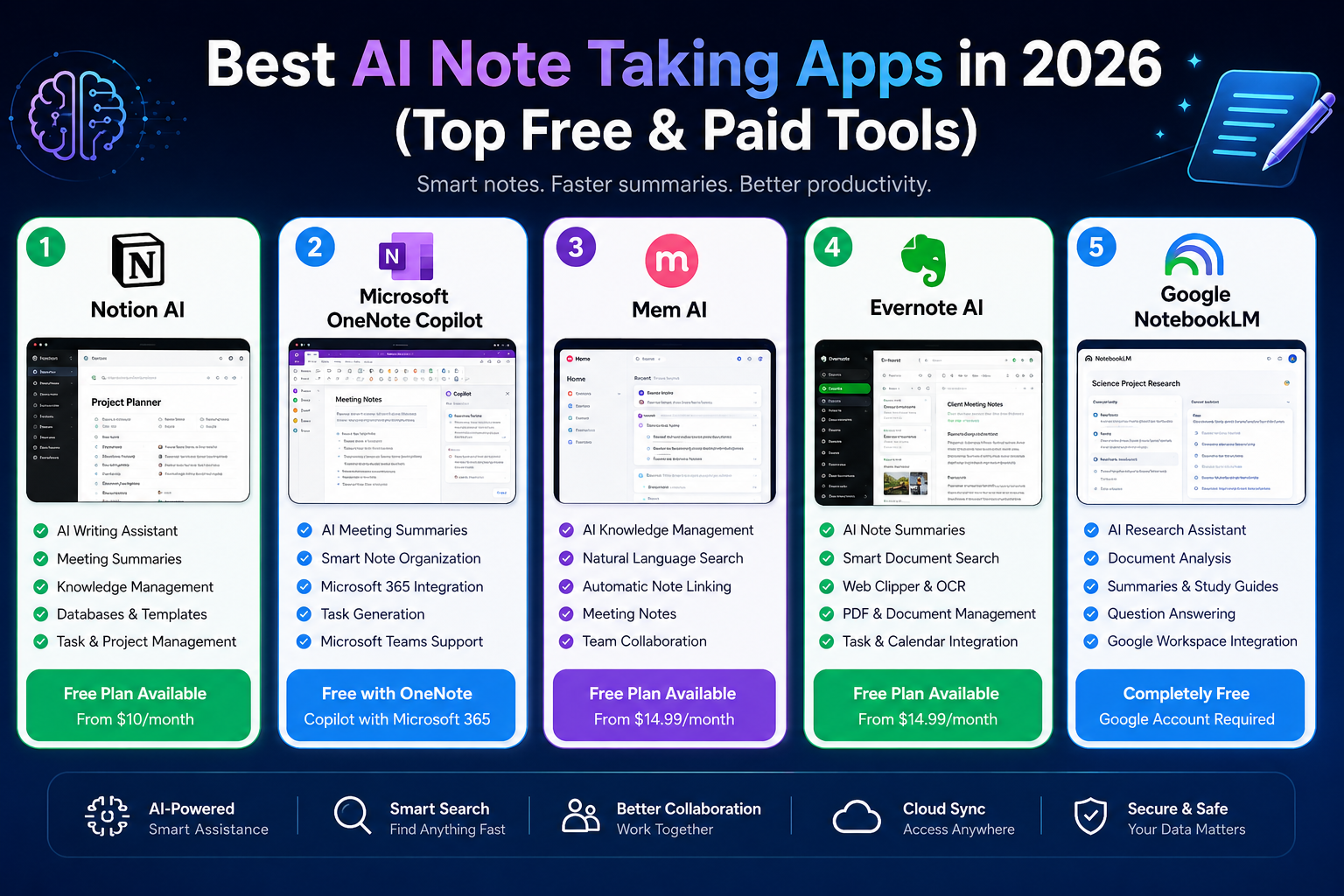
Best AI Note Taking Apps in 2026: 5 Tools Compared
Updated September 2026
Taking notes is easy. Finding, understanding, and actually using those notes later is the difficult part.
A good AI note-taking app does more than store text. Depending on the platform, it can summarize information, answer questions about your notes, transcribe conversations, analyze documents, organize knowledge, identify tasks, or help you turn scattered information into something useful.
But there is an important difference between these tools. Some are designed as complete productivity workspaces. Others focus on personal knowledge management, meeting notes, or research. Choosing the right one therefore depends less on the number of AI features and more on how you actually work.
In this guide, I compared five popular options for different workflows:
- Notion — best overall for flexible workspaces and knowledge management
- Microsoft OneNote + Copilot — best for Microsoft 365 users
- Mem — best for AI-assisted personal knowledge management
- Evernote — best for established document and note archives
- Google NotebookLM — best for researching and understanding your own documents
The goal isn’t to identify one universal winner. Instead, this comparison explains what each platform is actually good at, where it falls short, and which type of user should consider it.
Quick answer: If you want an all-purpose workspace, start with Notion. If your work already revolves around Microsoft 365, OneNote with Copilot is the more natural choice. For research based on your own documents, NotebookLM is particularly compelling. Mem is worth considering if you want AI to work more actively with your personal knowledge base, while Evernote remains useful for people with large existing note and document collections.
Quick Comparison
| App | Best For | Main Strength | Free Option | AI Focus |
|---|---|---|---|---|
| Notion | All-around productivity | Flexible workspace + databases | Yes | Writing, search, meeting notes, agents |
| OneNote + Copilot | Microsoft 365 users | Microsoft ecosystem | OneNote is available free | AI assistance and Microsoft 365 context |
| Mem | Personal knowledge management | AI-assisted memory and organization | Yes | Search, tasks, voice, knowledge |
| Evernote | Large note archives | Document organization and retrieval | Yes | Search, summaries, transcription, AI assistance |
| NotebookLM | Research and study | Source-grounded document analysis | Yes | Summaries, Q&A, research assistance |
Features and pricing can change. Always check the provider’s current plan page before subscribing.
1. Notion
Best for: people who want notes, projects, databases, documents, and AI in one workspace
Notion is difficult to classify as simply a note-taking app. Its bigger strength is that notes can become part of a larger workspace containing projects, databases, tasks, calendars, documentation, and team knowledge.
That flexibility is the main reason it ranks first in this comparison.
Why Notion stands out
The biggest advantage of Notion is not a single AI feature. It is the relationship between the AI and the information already stored in the workspace.
For example, a content team could keep its editorial calendar, research, article briefs, task lists, and published-content documentation in the same environment. AI can then work with that context instead of forcing the user to copy information between several applications.
Notion currently offers AI capabilities such as AI-powered search, document generation and editing, meeting notes, and agents. Its AI functionality is tied to the plan and usage model, so users should check the current pricing and AI allowances rather than assuming every feature is included in every plan.
What I like about Notion
1. Flexible organization
You can build a very simple notes page or a sophisticated knowledge system containing databases, relationships, properties, tasks, and documentation.
2. Strong workspace context
AI becomes more useful when your information is already organized inside the same workspace.
3. Good for teams
Teams can use Notion for internal documentation, project planning, meeting notes, and shared knowledge.
4. More than note-taking
If your real problem is managing information across multiple projects, Notion is considerably more capable than a traditional digital notebook.
Where Notion can disappoint
The same flexibility that makes Notion powerful can make it complicated.
A new user can easily spend more time designing databases and dashboards than actually using the system.
Another important consideration is AI pricing. Notion’s current documentation says that AI is included with Business and Enterprise plans, while Free and Plus users receive limited trial access to AI features.
Key features
- AI writing and editing
- AI-powered search
- Meeting notes
- Databases
- Tasks and projects
- Shared workspaces
- Templates
- Calendar
- Connected tools
- AI agents
- Knowledge management
Pricing
Notion currently offers Free, Plus, Business, and Enterprise plans. The Free plan is $0, Plus starts at $10 per member/month, and Business is listed at $20 per member/month on the current pricing page. AI availability varies by plan.
Pros
- Extremely flexible
- Excellent for combining notes and projects
- Strong collaboration
- Powerful databases
- Good AI integration
- Suitable for both individuals and teams
Cons
- Can feel complicated for beginners
- Requires some setup
- Advanced AI features are not simply included in every plan
Best for
Notion is best for students, creators, freelancers, startups, project teams, researchers, and professionals who want one workspace for information and productivity.
2. Microsoft OneNote + Copilot
Best for: users already working inside Microsoft 365
OneNote takes a different approach from Notion.
Instead of rebuilding your entire productivity system around a new platform, OneNote works particularly well for people already using Microsoft products such as Word, Outlook, Teams, OneDrive, and Excel.
The AI layer comes from Microsoft Copilot.
Why OneNote is different
OneNote is still fundamentally a notebook application. That can actually be an advantage.
If you like the familiar structure of notebooks, sections, and pages, you don’t have to learn an entirely new productivity system just to start taking advantage of AI.
Microsoft has also introduced Copilot Notebooks, which bring together references such as Word documents, PowerPoint presentations, Excel files, and Copilot conversations so users can ask questions and generate context-aware responses based on the material collected for a project.
AI capabilities
Depending on the license and rollout, Copilot can assist with tasks such as:
- Creating notes
- Summarizing information
- Generating content
- Working with Microsoft 365 information
- Answering questions about collected material
- Turning information into more structured notes
Microsoft also notes that Copilot functionality in OneNote depends on the user’s subscription and license.
The biggest advantage
If your daily workflow already involves Microsoft 365, integration is more important than having the newest-looking note-taking interface.
For example, a business user might receive an email in Outlook, attend a Teams meeting, work on a Word document, and maintain project notes in OneNote.
Keeping those activities inside one ecosystem can reduce unnecessary copying and switching between applications.
Pricing
OneNote itself is available across Microsoft’s ecosystem, while Copilot capabilities depend on the Microsoft 365 subscription and license.
For example, Microsoft’s current U.S. pricing page lists Microsoft 365 Personal at $9.99/month or $99.99/year and includes OneNote and Copilot in supported Microsoft 365 applications. Business Copilot licensing is separate and depends on the organization’s Microsoft 365 setup.
Because Microsoft offers several consumer and business licensing combinations, check the exact plan available in your country before purchasing.
Pros
- Excellent Microsoft 365 integration
- Familiar notebook structure
- Strong option for business users
- Works across Microsoft devices and services
- Copilot can work with Microsoft ecosystem context
Cons
- AI functionality depends on licensing
- Less flexible than Notion for building custom databases
- Some features vary by account and market
Best for
Microsoft 365 subscribers, business professionals, educators, students, and organizations already using Teams, Outlook, Word, OneDrive, and other Microsoft services.
3. Mem
Best for: people who want AI-assisted personal knowledge management
Mem takes a more AI-centered approach to note-taking.
Instead of asking users to carefully decide where every piece of information belongs, Mem is designed to help users work with their accumulated knowledge through AI.
This makes it particularly interesting for people who collect large numbers of ideas, notes, tasks, conversations, and pieces of information but don’t enjoy manually maintaining complex folder structures.
What makes Mem different?
The current version of Mem is much more than a basic digital notebook.
Its current plans include features such as AI messages, task and project tracking, voice mode, and connections to external sources on higher plans. The free plan currently includes 25 messages, 25 new notes per month, tracking for up to 25 notes, and three hours of Voice Mode. Mem Plus is listed at $9/month, while Pro starts at $29/month.
That pricing structure is significantly different from the older $14.99 figure shown in the original article.
Why knowledge workers may like it
Imagine collecting notes from:
- Client conversations
- Research
- Meetings
- Ideas
- Tasks
- Projects
- Personal observations
The value of such a system is not simply storing the information. The real value comes from being able to retrieve and use it later.
Mem is designed around that idea.
Its AI can help users interact with the information they have accumulated instead of forcing them to remember exactly which folder or notebook contains a particular thought.
Voice Mode
Mem also provides Voice Mode for capturing spoken information and turning it into structured notes. The amount of Voice Mode available depends on the plan.
This can be useful for people who think better by speaking than typing.
Limitations
Mem is not necessarily the best choice if you want a highly visual project-management workspace.
Notion is more flexible for building databases, dashboards, public pages, and complex team workspaces.
Mem’s strength is different: working with personal knowledge and information through AI.
Pros
- Strong AI-centered workflow
- Natural interaction with stored information
- Voice capture
- Task and project tracking
- Useful for knowledge-heavy work
- Free plan available
Cons
- Advanced plans can become expensive
- Less suitable for highly customized project dashboards
- Its workflow may take some adjustment for traditional folder-based note takers
Best for
Researchers, consultants, founders, writers, executives, knowledge workers, and people who accumulate large amounts of information.
4. Evernote
Best for: users with large collections of notes and documents
Evernote has been around much longer than many of the AI-first products in this comparison.
That history matters because many users don’t need to build a new knowledge system from scratch. They already have years of notes, documents, PDFs, web clips, images, and other information.
Evernote’s strength is helping users continue working with that archive.
AI features
Evernote currently offers several AI capabilities, including:
- AI Assistant
- Semantic Search
- AI Meeting Notes
- AI transcription
- AI editing
- AI-assisted organization
The company describes Semantic Search as a way to find related notes based on their content rather than relying solely on exact keyword matches. Its AI Assistant can also help users search, organize, and work with their notes.
Why Evernote remains relevant
One of the biggest advantages of Evernote is its document-oriented workflow.
A user can collect notes, attachments, scanned information, web content, and meeting material in one place.
This makes Evernote particularly attractive if your primary problem is managing a large archive, rather than designing an elaborate productivity workspace.
Current plan structure
Evernote currently offers Free, Starter, Advanced, and Enterprise plans. Its comparison page shows meaningful differences in note limits, notebooks, attachments, synchronization, storage, and AI functionality between plans.
For example, the current Free plan is limited to 50 notes, one notebook, and synchronization across one device, while higher plans increase those limits substantially.
Pros
- Mature note-taking platform
- Strong document organization
- Semantic search
- AI Assistant
- AI transcription
- Cross-platform applications
- Good choice for existing Evernote users
Cons
- Free plan is relatively limited
- Advanced capabilities require paid plans
- Users building a new system may find Notion more flexible
Best for
Professionals, researchers, writers, consultants, students, and long-time Evernote users with large information archives.
5. Google NotebookLM
Best for: studying, research, and understanding your own documents
NotebookLM is probably the most different product on this list.
It is better understood as an AI research and document-understanding workspace than as a traditional digital notebook.
Its main advantage is that you can provide sources and then interact with those sources using AI.
Why NotebookLM is so useful for research
Suppose you have:
- University lecture notes
- Research papers
- PDFs
- Reports
- Documentation
- Google Docs
- Other reference material
Instead of repeatedly reading every document to find specific information, you can ask questions about the material you’ve collected.
This creates a very different workflow from traditional note-taking.
You aren’t simply storing information.
You’re using AI to interrogate your information.
Example workflow
A student could create a notebook containing course materials and then ask questions such as:
- What are the main arguments in these documents?
- How do these two sources differ?
- Summarize this section.
- Create a study guide from these materials.
- What evidence supports this conclusion?
That can make NotebookLM especially useful when the user’s goal is understanding a defined collection of sources rather than managing tasks and projects.
The important limitation
NotebookLM should not be treated as a replacement for reading or verifying important information.
AI systems can still make mistakes, misunderstand context, or produce an incomplete interpretation.
For academic, professional, or other high-stakes work, users should verify important claims against the original sources.
Pros
- Excellent for document-based research
- Strong source-oriented workflow
- Useful for students
- Good for comparing multiple documents
- Easy way to interact with large collections of source material
Cons
- Not designed to replace a complete project-management workspace
- Less suitable for traditional folder/database workflows
- Best results depend on the quality and relevance of the sources provided
Best for
Students, researchers, educators, analysts, writers, and professionals who regularly work with documents and reference material.
AI Note Taking Apps Compared: Which One Should You Choose?
There is no single winner for every workflow.
The better question is:
What kind of information do you need to manage?
Choose Notion if…
You want one flexible workspace for:
- Notes
- Tasks
- Projects
- Databases
- Documentation
- Team collaboration
- Knowledge management
Notion is the strongest general-purpose choice in this comparison.
Choose OneNote + Copilot if…
Your work already revolves around:
- Microsoft 365
- Outlook
- Teams
- Word
- OneDrive
- Excel
In that situation, staying inside the Microsoft ecosystem can be more convenient than moving to another platform.
Choose Mem if…
Your main problem is remembering and retrieving information.
Mem is especially interesting for people who accumulate large quantities of personal knowledge and want AI to help them work with it.
Choose Evernote if…
You already have a large archive of notes and documents or prefer a mature document-management approach.
Choose NotebookLM if…
Your main goal is understanding a collection of documents.
For studying, research, and source-based analysis, NotebookLM is arguably the most specialized option on this list.
What Makes a Good AI Note Taking App?
Before subscribing to an AI note-taking service, don’t simply count the number of AI features.
A better evaluation considers five areas.
1. Information capture
How quickly can you get information into the system?
Look for:
- Fast note creation
- Mobile apps
- Web clipping
- Voice capture
- Document uploads
- Meeting recording or transcription
If capturing information is inconvenient, you probably won’t use the platform consistently.
2. Retrieval
A huge collection of notes is useless if you can’t find anything.
Look for:
- Keyword search
- Semantic search
- Natural-language questions
- Filters
- AI-assisted retrieval
- Search across documents
This is one of the most important differences between traditional note-taking and AI-assisted knowledge management.
3. Understanding
Some platforms simply store information.
Others can help you understand it.
Useful features include:
- Summaries
- Question answering
- Document comparison
- Key-point extraction
- Study guides
- Meeting summaries
4. Organization
AI should reduce organizational work, not create more of it.
Consider whether the platform gives you:
- Folders
- Tags
- Databases
- Linking
- Automatic organization
- Tasks
- Projects
5. Privacy and control
Notes can contain sensitive business information, personal information, research, or confidential documents.
Before uploading important material, review the provider’s privacy documentation and understand how your data is stored and processed.
For example, Notion states that its AI subprocessors are contractually prohibited from using customer data to train their models, while Evernote describes its AI features as privacy-focused.
That does not mean every platform has identical privacy practices. Always check the current policy of the specific service you intend to use.
AI Note Taking Apps for Different Types of Users
Best AI Note Taking App for Students
Google NotebookLM is one of the strongest options for students whose workflow revolves around PDFs, lecture material, research papers, and other source documents.
Notion is better if the student also needs task management, databases, project planning, and a broader personal workspace.
Best for Business Professionals
Microsoft OneNote + Copilot is particularly attractive for professionals already using Microsoft 365.
Notion can be better for teams that want a more customizable workspace.
Best for Researchers
NotebookLM is particularly useful when the work revolves around a defined collection of source documents.
Mem is more interesting when the researcher needs a persistent personal knowledge system.
Best for Content Creators
Notion is a strong option because research, content calendars, briefs, tasks, and publishing workflows can live together.
Best for Existing Note Archives
Evernote makes the most sense for people who already have substantial amounts of information stored there.
How to Get Better Results From an AI Note Taking App
Buying an AI note-taking app is only the first step.
The quality of your system depends heavily on how you use it.
Capture information while it is fresh
Don’t rely on memory.
If you have an idea during a meeting, save it immediately.
If you discover an important research source, add it immediately.
The less information you lose at the capture stage, the more useful your knowledge base becomes later.
Give notes meaningful titles
AI search can help, but clear titles still make human navigation easier.
Instead of:
Meeting
use:
Marketing Strategy Meeting — September 2026
Small improvements like this make long-term archives easier to maintain.
Don’t over-organize
A common mistake is creating dozens of folders, tags, and categories.
The goal is not to build the most complicated system.
The goal is to build a system you will actually maintain.
Use AI as an assistant, not an authority
AI-generated summaries can save time, but they should not automatically be treated as perfect.
For important information, compare the AI’s output with the original note or source document.
Review important information
A knowledge base becomes more valuable when it is maintained.
Delete obsolete information.
Update important documents.
Connect related notes.
Turn useful information into tasks or projects.
Are AI Note Taking Apps Worth It?
For many users, yes—but the value depends on the workflow.
If you only need a place to write short personal notes, a basic notes application may be enough.
An AI note-taking app becomes much more valuable when you regularly deal with:
- Long meetings
- Research
- Large document collections
- Multiple projects
- Team knowledge
- Repetitive documentation
- Large personal knowledge bases
The more information you manage, the more useful AI-assisted retrieval and summarization can become.
However, paying for AI does not automatically improve productivity. If you rarely take notes or only maintain a handful of simple lists, an expensive AI subscription may provide little additional value.
Common Mistakes When Choosing an AI Note Taking App
Choosing the app with the most features
More features don’t necessarily mean a better experience.
A simple tool that fits your workflow can be more useful than a powerful platform you rarely use.
Ignoring the AI limits
“AI included” does not necessarily mean unlimited AI usage.
Check:
- Message limits
- AI credits
- Transcription limits
- Storage
- Number of notes
- Number of connected sources
These limits can make a significant difference after the initial trial period.
Choosing based only on price
The cheapest application isn’t necessarily the best value.
Consider how much time the tool can save you and whether it actually solves your problem.
Uploading sensitive information without checking privacy policies
AI note-taking platforms can become repositories for highly valuable information.
Understand how the provider handles your data before uploading confidential material.
Frequently Asked Questions
What is an AI note-taking app?
An AI note-taking app is software that combines traditional note storage with artificial intelligence features such as summarization, search, transcription, document analysis, writing assistance, or knowledge retrieval.
The exact capabilities vary considerably between platforms.
What is the best AI note-taking app overall?
For the broadest range of workflows, Notion is our overall pick because it combines notes with databases, projects, tasks, collaboration, and AI capabilities.
However, “best overall” does not mean best for everyone.
NotebookLM may be better for document-based research, while OneNote + Copilot may be more convenient for Microsoft 365 users.
What is the best AI note-taking app for students?
Google NotebookLM is particularly strong for students working with lecture notes, PDFs, and research documents.
Notion is a better all-around choice if you also need task management and a broader study workspace.
Is there a free AI note-taking app?
Yes.
Several platforms offer free access or free tiers, although AI features and usage limits vary.
Notion has a Free plan with limited AI trial access, Mem offers a Free plan with defined monthly limits, Evernote has a Free plan, and NotebookLM offers a free experience.
Always check the current provider pricing because limits can change.
Can AI organize my notes automatically?
Some platforms can assist with organization, retrieval, task identification, or linking information.
However, the degree of automation varies considerably.
AI can reduce manual work, but you should not assume that every application will automatically create a perfect knowledge structure.
Can AI note-taking apps transcribe meetings?
Yes, some can.
Notion provides AI Meeting Notes, Evernote offers AI transcription, Mem includes Voice Mode, and Microsoft’s ecosystem provides AI-assisted meeting and note workflows depending on the applicable product and license.
Are AI-generated notes always accurate?
No.
AI-generated summaries and transcriptions can contain mistakes.
For routine meetings, minor errors may be easy to correct. For academic research, business decisions, or important documentation, verify important information against the original material.
Is my data safe in an AI note-taking app?
Security and privacy practices differ by provider.
Before uploading sensitive information, review the service’s privacy policy, security documentation, data retention practices, and AI data-use policies.
Final Verdict
The best AI note-taking app in 2026 depends on what you want the application to do after you have captured the information.
If you want a flexible workspace that combines notes, databases, projects, and collaboration, Notion is the strongest all-around option.
If your organization already relies heavily on Microsoft 365, OneNote with Copilot is a logical choice because it fits naturally into the tools you already use.
If your priority is personal knowledge management and AI-assisted interaction with your information, Mem is worth exploring.
If you have years of notes and documents to organize, Evernote remains a practical choice.
And if your primary goal is studying, researching, and asking questions about a collection of documents, Google NotebookLM is one of the most specialized options available.
My recommendations at a glance
Best overall: Notion
Best for Microsoft users: OneNote + Copilot
Best for personal knowledge: Mem
Best for existing note archives: Evernote
Best for research and study: Google NotebookLM
The important thing is not to choose the platform with the longest feature list.
Choose the one that matches the way you already capture, organize, and use information.
That is what ultimately determines whether an AI note-taking app becomes a useful productivity system—or just another subscription you stop using after a few weeks.
Sources and Official Documentation
- Google AdSense eligibility requirements
- Google AdSense content quality guidance
- Google Search Central — Helpful, reliable, people-first content
- Google Search Central — AI-generated content guidance
- Notion pricing and plans
- Notion AI
- Microsoft OneNote
- Microsoft Copilot licensing information
- Mem pricing
- Evernote plans
- Evernote AI features
- Google NotebookLM
Related Articles
Continue exploring the best AI productivity software with these expert guides: