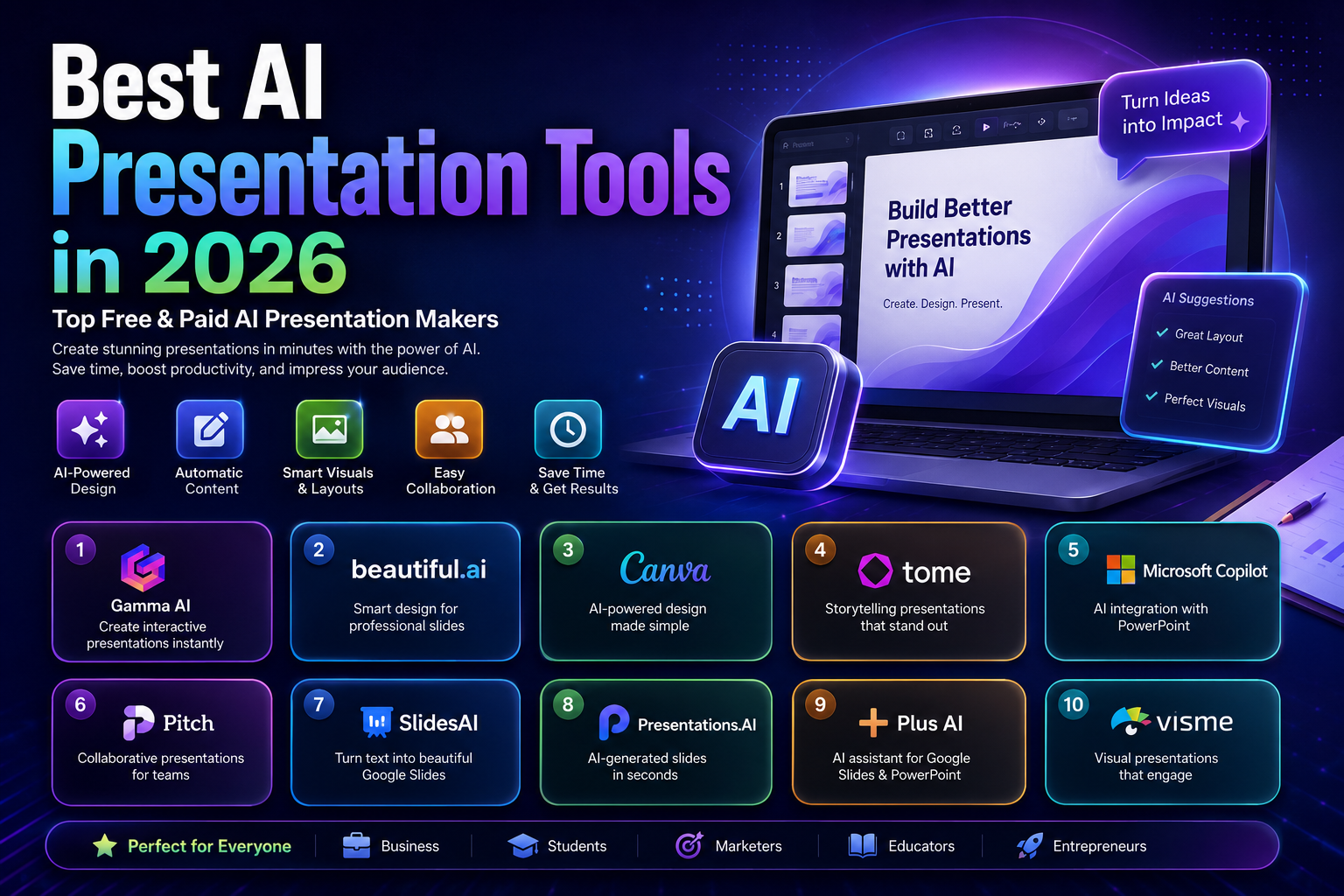
Best AI Presentation Tools in 2026: 10 Tools for Creating Better Slides Faster
Creating a presentation can take far more time than the actual presentation itself. You may need to research a topic, organize ideas, write slide content, choose visuals, format layouts, create charts, and then make everything look consistent.
AI presentation tools can reduce much of that manual work.
Modern presentation makers can turn a prompt, outline, document, or existing content into a structured deck. Depending on the platform, they can also help with layouts, visuals, rewriting, charts, speaker notes, collaboration, and PowerPoint or Google Slides workflows.
But not every AI presentation tool is designed for the same job.
Some are optimized for quickly generating a complete deck. Others are better for business presentations, branded content, collaborative teams, Google Slides, PowerPoint, or visual storytelling.
This guide compares the best AI presentation tools in 2026 and explains what each one is actually good at, where its limitations matter, and which type of user should consider it.
Important: AI-generated presentations are drafts, not automatically finished work. Always review facts, numbers, sources, images, and slide structure before presenting.
Quick Comparison
| Tool | Best For | Free Option | Main Strength |
|---|---|---|---|
| Gamma | Fast AI-generated decks | Yes | Prompt-to-presentation workflow |
| Beautiful.ai | Business presentations | Trial | Automated slide layouts |
| Canva | Design flexibility | Yes | Design ecosystem and AI features |
| Microsoft Copilot | PowerPoint users | No standalone free version | Native PowerPoint workflow |
| Pitch | Teams and startups | Yes | Collaboration and sharing |
| SlidesAI | Google Slides & PowerPoint | Yes | Works inside familiar presentation apps |
| Presentations.AI | Fast deck creation | Limited/free options may vary | AI-first presentation workflow |
| Plus AI | PowerPoint & Google Slides | Trial | AI inside existing slide software |
| Visme | Visual reports and presentations | Yes | Data visualization and branded content |
| Prezi AI | Dynamic visual storytelling | Free option | Nonlinear presentation format |
The best choice depends on what you need to accomplish. There is no single AI presentation maker that is ideal for every workflow.
What Are AI Presentation Tools?
AI presentation tools are software platforms that use artificial intelligence to help create and edit presentations.
Instead of starting with an empty slide, you can provide a topic, prompt, outline, notes, or source material and let the software generate an initial structure.
Depending on the platform, AI can help with:
- Presentation outlines
- Slide titles and text
- Layout selection
- Visual suggestions
- Images and graphics
- Charts and diagrams
- Speaker notes
- Rewriting and summarization
- Translation
- Branding
- Presentation editing
For example, Microsoft describes its PowerPoint AI workflow as a way to create presentations from prompts or files and then review and refine the generated slides.
The important distinction is that AI presentation software assists with the presentation-building process; it does not remove the need for human judgment.
How We Evaluated These AI Presentation Tools
Rather than ranking tools simply by how attractive their templates look, this comparison focuses on the factors that matter when you actually need to create and deliver a presentation.
We considered:
1. AI generation
How effectively the platform can turn a topic, prompt, document, or outline into a usable presentation.
2. Design quality
Whether the generated slides have coherent layouts, spacing, typography, and visual hierarchy.
3. Editing and customization
How much control you have after the AI generates the first draft.
4. PowerPoint and Google Slides compatibility
Whether you can continue working in the presentation software you already use.
5. Collaboration
Whether teams can comment, edit, share, and manage presentations together.
6. Visual capabilities
Support for images, charts, diagrams, illustrations, and other visual elements.
7. Pricing and usage limits
Whether the free version is genuinely useful and what restrictions apply to paid plans.
8. Practical use case
Most importantly, which type of user benefits most from each platform.
Pricing and features change frequently, so the prices mentioned below should be treated as current reference points rather than permanent rates.
1. Gamma
Best for: Fast AI-generated presentations, business decks, and people who want to start from a prompt rather than a blank slide.
Gamma is one of the strongest choices for users who want to move quickly from an idea to a structured presentation.
Its workflow is built around generating content and presentation structure with AI rather than manually constructing every slide.
Gamma’s current free plan allows users to create presentations and export them to formats including PDF, PPTX, PNG, and Google Slides. The free tier has limits, including a maximum of 10 slides per prompt, while paid plans increase generation limits and add additional AI and customization capabilities.
Why Gamma stands out
- Fast prompt-to-presentation workflow
- Modern presentation layouts
- AI-assisted content generation
- Export options including PPTX and PDF
- Useful for business and educational presentations
- Easy way to turn an idea into a structured first draft
Limitations
Gamma’s workflow is different from traditional PowerPoint editing. Users who need extremely precise control over every individual slide may prefer software built around conventional slide editing.
Choose Gamma if
You want to describe what you need and get a usable presentation structure quickly without spending a lot of time designing the first version manually.
2. Beautiful.ai
Best for: Professional business presentations and users who want layouts to remain visually consistent.
Beautiful.ai takes a design-first approach. Instead of giving users complete freedom to position every object manually, its intelligent slide system helps maintain layouts as content changes.
That makes it particularly useful for business teams that regularly create presentations and want consistency without manually adjusting every element.
The current Pro plan is listed at $12 per month when billed annually, and Beautiful.ai also offers a 14-day trial of Pro or Team features. Its Pro plan includes unlimited slides, AI-powered content generation, PowerPoint import/export, analytics, and presentation templates.
Why Beautiful.ai stands out
- Automated layout management
- Professional business-oriented designs
- AI content generation
- PowerPoint import/export
- Brand and presentation consistency
- Useful for recurring business decks
Limitations
The same design automation that makes Beautiful.ai easy to use can feel restrictive if you want complete pixel-level control over every slide.
Choose Beautiful.ai if
Your priority is creating clean, professional business presentations without constantly fixing alignment and layout problems.
3. Canva
Best for: Beginners, marketers, educators, creators, and anyone who wants presentation design plus a broader visual-content platform.
Canva is more than an AI presentation maker. Its presentation workflow sits inside a much larger design ecosystem that includes social graphics, documents, videos, images, marketing materials, and other content formats.
Canva’s Magic Design can analyze content and suggest presentation layouts and templates. Users can then customize the result with their own text, images, videos, and other assets.
Canva currently offers a free plan, while Pro and Business plans provide additional premium assets and AI usage.
Why Canva stands out
- Very accessible for beginners
- Large template and asset ecosystem
- AI-assisted design
- Drag-and-drop editing
- Strong visual customization
- Useful beyond presentations
- Team collaboration options
Limitations
Because Canva provides so many design features, users looking specifically for highly automated presentation generation may find its workflow less specialized than dedicated AI presentation platforms.
Choose Canva if
You want one platform for presentations and other visual content rather than a tool dedicated exclusively to slide generation.
4. Microsoft Copilot in PowerPoint
Best for: PowerPoint users, businesses, and organizations already working inside Microsoft 365.
Microsoft Copilot has a major advantage: it works directly within PowerPoint.
Instead of generating a presentation somewhere else and then rebuilding it in PowerPoint, eligible users can use Copilot to create, edit, summarize, and refine presentations within the PowerPoint workflow.
Microsoft says Copilot can create presentations from prompts or files, generate slide content, add slides, rewrite content, and help refine an existing deck.
It can also use an existing Word document as source material when creating a presentation.
Why Copilot stands out
- Native PowerPoint workflow
- Generate presentations from prompts
- Work from existing documents
- Add and rewrite slides
- Summarize presentations
- Useful for existing Microsoft 365 users
- Keeps the presentation in a familiar environment
Limitations
Copilot in PowerPoint is not a free replacement for PowerPoint. Availability depends on the applicable Microsoft 365 and Copilot licensing. Microsoft states that Copilot in PowerPoint is not included with the free version of PowerPoint.
Choose Copilot if
You already use PowerPoint and want AI assistance without moving your workflow to another presentation platform.
5. Pitch
Best for: Startups, marketing teams, collaborative presentations, and teams that share presentations with clients.
Pitch combines presentation creation with collaboration and sharing features.
Its free plan currently includes unlimited presentations, custom templates, basic sharing links, and a limited amount of AI credits. Paid plans increase AI credits and add additional collaboration and sharing capabilities.
Why Pitch stands out
- Team-oriented presentation workflow
- Real-time collaboration
- Custom templates
- AI-assisted slide creation
- Sharing and presentation analytics on higher plans
- Useful for sales and client presentations
Limitations
Pitch is particularly attractive for collaborative teams, but some advanced sharing, analytics, and workspace features are tied to paid plans.
Choose Pitch if
You create presentations with other people and need more than a simple slide generator.
6. SlidesAI
Best for: Google Slides and PowerPoint users who want AI assistance inside familiar presentation software.
SlidesAI takes a different approach from many AI-first presentation platforms.
Instead of asking users to completely change their presentation workflow, it works with Google Slides, PowerPoint, ChatGPT, and its web application. Users can start from text, notes, prompts, or documents and then refine the generated deck.
The current Basic plan is free but has usage limits. Paid individual plans provide substantially higher presentation and AI-credit limits.
Why SlidesAI stands out
- Google Slides integration
- PowerPoint integration
- Web application
- Can start from text, notes, prompts, or documents
- AI rewriting and refinement
- PPTX and PDF export
- Useful for students and professionals
Limitations
The free plan is designed for limited usage rather than unlimited presentation creation.
Choose SlidesAI if
You already work in Google Slides or PowerPoint and want AI assistance without completely changing your presentation workflow.
7. Presentations.AI
Best for: Users who want an AI-first workflow for generating presentation decks quickly.
Presentations.AI focuses on automating much of the initial presentation-building process.
The main attraction is speed: instead of beginning with a blank canvas, users can provide a topic or source material and use AI to create the initial presentation structure.
Why Presentations.AI can be useful
- AI-first presentation workflow
- Fast deck generation
- Automated slide structures
- Useful for business and professional presentations
- Collaboration features
- Designed around reducing manual slide creation
Limitations
AI-generated decks still need human editing, particularly when the presentation contains company-specific information, financial data, technical claims, or important statistics.
Pricing and feature availability can change, so check the current plan details before choosing it for a long-term workflow.
Choose Presentations.AI if
Your main priority is quickly creating a first draft and refining it afterward.
8. Plus AI
Best for: Professionals who want AI directly inside Google Slides or Microsoft PowerPoint.
Plus AI is designed to work with presentation software rather than forcing users into a completely separate presentation environment.
It supports AI presentation creation, individual slide generation, rewriting, and remixing.
Its current pricing page lists a 7-day trial with 1,000 AI credits. The Basic plan is listed at $10 per user per month when billed annually and includes both Google Slides and PowerPoint support.
Why Plus AI stands out
- Google Slides support
- PowerPoint support
- Generate complete presentations
- Generate individual slides
- Rewrite existing slides
- Remix content into different layouts
- Useful for professional workflows
Limitations
AI actions consume credits, so frequent users need to pay attention to their monthly usage rather than looking only at the subscription price.
Choose Plus AI if
You want AI features inside the presentation tools you already use.
9. Visme
Best for: Visual reports, presentations, infographics, charts, and branded business content.
Visme is particularly interesting for users who need more than conventional slides.
The platform combines presentations with infographics, reports, charts, interactive content, and other forms of visual communication.
Visme currently offers a free Basic plan. Its Starter plan is listed at $12.25 per month per person when billed annually, while Pro is listed at $24.75 per month per person when billed annually.
Its paid plans add capabilities such as premium assets, PowerPoint export, brand tools, analytics, collaboration, and additional AI credits.
Why Visme stands out
- Presentations
- Infographics
- Charts and data visualization
- Brand controls
- Interactive content
- Collaboration
- Multiple export formats
- AI design and writing features
Limitations
Visme offers a large number of features, so new users may need more time to learn the platform than they would with a simpler presentation generator.
Choose Visme if
Your presentations rely heavily on charts, visual storytelling, infographics, or branded content.
10. Prezi AI
Best for: Dynamic presentations and users who prefer a more visual, non-linear presentation style.
Prezi takes a different approach from traditional slide-by-slide presentation software.
Instead of relying exclusively on a sequence of static slides, Prezi’s presentation format is designed around movement, visual relationships, and zooming between ideas.
Its AI features can help users turn content into presentation structures and accelerate the creation process.
Why Prezi AI stands out
- Dynamic visual presentation style
- Useful for storytelling
- AI-assisted presentation creation
- Strong visual navigation
- Different from traditional PowerPoint-style decks
Limitations
The nontraditional format is not ideal for every business environment. Teams that need conventional PPTX-based workflows may prefer PowerPoint, Gamma, or SlidesAI.
Choose Prezi AI if
You want your presentation to feel more like a visual story than a traditional sequence of slides.
Why Some Popular AI Presentation Tools Are Missing
A good 2026 comparison should not simply copy lists from older articles.
For example, Tome should not be included in a current list of active AI presentation makers.
Tome’s official documentation states that Tome Slides was discontinued on April 30, 2025, after which users could no longer access the presentation product.
That is an important distinction because older articles can continue ranking in search results long after a product has changed or disappeared.
When choosing an AI tool, always check whether the product is currently active rather than relying on an old review.
AI Presentation Tools: What Actually Matters?
A long feature list does not necessarily mean a better presentation tool.
The following factors usually matter more.
1. Output quality
The AI should produce a logical structure rather than simply filling slides with generic text.
A good presentation has a clear beginning, progression, and conclusion.
2. Editing control
AI generation is only the first step.
You should be able to:
- Rewrite text
- Change layouts
- Replace images
- Edit charts
- Move sections
- Adjust branding
- Delete unnecessary slides
3. Export compatibility
If your employer, school, client, or event requires PowerPoint, make sure the tool can produce an editable PowerPoint file.
A beautiful web presentation is not necessarily useful if you cannot deliver it in the required format.
4. Brand controls
Businesses should look for:
- Brand colors
- Fonts
- Logos
- Templates
- Locked layouts
- Consistent visual styles
5. Collaboration
For teams, look for:
- Comments
- Shared workspaces
- Permissions
- Version history
- Real-time editing
- Presentation analytics
6. AI usage limits
A tool may advertise a free plan while allowing only a small number of AI generations.
Always look at the actual limits rather than judging a product only by whether it says “Free.”
Free vs. Paid AI Presentation Tools
Are Free AI Presentation Tools Good Enough?
They can be.
A free plan may be sufficient if you only create presentations occasionally.
For example, Gamma currently offers a free tier, Canva offers a free plan, Pitch has a free plan, SlidesAI has a free tier, and Visme offers a Basic plan at no cost.
However, free plans commonly impose restrictions on things such as:
- AI generations
- Credits
- Export formats
- Premium templates
- Brand controls
- Storage
- Collaboration
- Advanced editing
The exact limits vary by provider.
When Is a Paid Plan Worth It?
A paid plan becomes more useful when presentations are part of your regular work.
You may benefit from paying when you need:
- Frequent AI generation
- Higher usage limits
- Premium templates
- Brand management
- Advanced collaboration
- PowerPoint workflows
- Better export options
- Team administration
Do not subscribe simply because a tool has more features. Choose a paid plan when the additional capabilities solve a real problem in your workflow.
How to Choose the Best AI Presentation Tool
Use this decision framework instead of choosing a tool simply because it appears first in a ranking.
Choose Gamma if:
You want fast AI-generated presentations and a modern AI-first workflow.
Choose Beautiful.ai if:
Your priority is polished business slides and automated layout management.
Choose Canva if:
You want presentations plus a broad visual-design ecosystem.
Choose Microsoft Copilot if:
You already work heavily in PowerPoint and Microsoft 365.
Choose Pitch if:
You work with a team and care about collaboration and sharing.
Choose SlidesAI if:
You want AI assistance inside Google Slides or PowerPoint.
Choose Plus AI if:
You want AI generation and editing without leaving your existing slide software.
Choose Visme if:
Your work depends heavily on visual reports, charts, infographics, and branded content.
Choose Prezi AI if:
You want a dynamic storytelling format rather than conventional slides.
A Better Way to Test AI Presentation Tools
Instead of creating one presentation with one tool and deciding immediately, use the same test across several platforms.
Prepare a short prompt such as:
Create a 10-slide presentation explaining how small businesses can use AI to improve marketing productivity. The audience is business owners with limited technical knowledge. Include an introduction, five practical use cases, a simple comparison, implementation steps, and a conclusion.
Then test the same prompt in three or four tools.
Evaluate:
Structure
Does the presentation tell a coherent story?
Accuracy
Are the claims correct?
Repetition
Does the AI repeat the same idea across several slides?
Visual hierarchy
Can you understand the main point of each slide quickly?
Editing
How easy is it to fix problems?
Export
Does the final file work correctly in the software you need?
This gives you a much more useful comparison than simply looking at screenshots.
How to Write Better Prompts for AI Presentations
The quality of your input has a major effect on the quality of the output.
A weak prompt might be:
Create a presentation about digital marketing.
A better prompt provides context:
Create a 10-slide presentation about digital marketing for small-business owners. Focus on practical strategies that can be implemented with a limited budget. Use short slide text, one main idea per slide, and include examples, a simple comparison table, and a final action plan.
Include these elements when possible:
- Topic
- Audience
- Number of slides
- Objective
- Tone
- Key points
- Visual preferences
- Required data
- Desired conclusion
How to Improve an AI-Generated Presentation
Never assume the first generated deck is ready to present.
1. Check the facts
AI can generate incorrect statistics, dates, company information, or citations.
Verify important claims against reliable sources.
2. Remove unnecessary slides
If two slides communicate the same idea, combine or remove one.
3. Reduce text
A presentation should support your speech rather than reproduce an entire article on screen.
4. Improve the opening
The first slide should make the topic and purpose immediately clear.
5. Strengthen the conclusion
End with a clear takeaway, recommendation, decision, or next step.
6. Check visual consistency
Review:
- Fonts
- Colors
- Image styles
- Alignment
- Spacing
- Chart formats
7. Review every chart
A visually attractive chart can still communicate incorrect information if the underlying data is wrong.
Common Mistakes When Using AI Presentation Makers
Mistake 1: Generating the entire presentation and never editing it
AI-generated decks are starting points.
Your expertise is what turns a generic presentation into a useful one.
Mistake 2: Giving the AI too little context
A vague prompt often produces generic content.
Provide the audience, objective, format, and important points.
Mistake 3: Putting too much text on slides
AI can write far more than an audience needs to read.
Keep detailed explanations in speaker notes or supporting documents when appropriate.
Mistake 4: Trusting AI-generated statistics
Always verify important numbers and claims.
This is particularly important for financial, medical, scientific, legal, and business presentations.
Mistake 5: Choosing a tool without checking export options
If you need an editable PowerPoint presentation, check the export format before investing time in a platform.
Mistake 6: Ignoring licensing
Do not assume that every image, template, icon, or AI-generated asset has identical usage rights.
Review the platform’s current licensing and commercial-use terms before using assets in client or commercial work.
Advantages of AI Presentation Tools
AI presentation makers can provide meaningful benefits when used correctly.
Faster first drafts
They can reduce the time required to move from an idea to a structured presentation.
Less repetitive formatting
Automated layouts can reduce manual alignment and formatting work.
Better starting points
Users who struggle with presentation structure can use AI to generate an initial outline.
Easier content transformation
Long notes or documents can sometimes be converted into a presentation structure more quickly.
More accessible design
People without advanced graphic-design skills can create visually organized presentations.
Limitations of AI Presentation Tools
AI presentation software also has important limitations.
AI does not automatically understand your audience
A generic business presentation may not be appropriate for executives, students, customers, or technical specialists.
Generated content can contain errors
AI-generated information should be reviewed before publication or presentation.
Design quality varies
Some AI-generated layouts look polished but may not communicate the information effectively.
Human editing remains important
The final presentation should reflect the presenter’s knowledge, goals, brand, and audience.
Pricing models can be complicated
Credits, AI generations, exports, seats, and premium assets can make simple price comparisons misleading.
Frequently Asked Questions
What is the best AI presentation tool in 2026?
There is no universal winner.
Gamma is a strong choice for fast AI-generated decks, Beautiful.ai is well suited to professional business presentations, Canva is excellent for flexible visual design, and Microsoft Copilot is particularly useful for people already working in PowerPoint.
What is the best free AI presentation maker?
Several platforms offer free plans, including Gamma, Canva, Pitch, SlidesAI, and Visme. However, free plans have different usage and export restrictions, so the best option depends on what you need to create.
Can AI create an entire PowerPoint presentation?
Yes.
AI tools can generate complete presentation drafts, including slide structure and content. Microsoft Copilot, for example, can create a presentation from a prompt or referenced file and then allow users to edit and refine the result.
Can AI presentation tools create presentations from documents?
Yes. Several tools can use documents or existing content as the starting point for a presentation.
Microsoft Copilot can reference files when creating slides, while other platforms provide document-to-presentation workflows.
Are AI-generated presentations ready to present immediately?
Usually not.
Even a well-designed AI deck should be reviewed for:
- Accuracy
- Relevance
- Repetition
- Visual consistency
- Data quality
- Sources
- Audience suitability
Can I export AI presentations to PowerPoint?
Many tools support PowerPoint export, but the quality and editability of the exported file can vary.
If PPTX compatibility is important to you, test the export before committing to a platform.
Are AI presentation tools worth paying for?
They can be, especially if you create presentations frequently.
The value comes from saving time and improving workflow—not simply from having access to more AI features.
Is Gamma better than Canva for presentations?
It depends on the task.
Gamma is more focused on AI-first presentation creation, while Canva provides a much broader design environment. If your priority is quickly generating a presentation from a prompt, Gamma may be the more natural choice. If you need extensive visual customization and other design formats, Canva may be a better fit.
Final Verdict
AI presentation tools are becoming useful assistants for turning ideas, documents, and outlines into structured visual communication.
But the biggest mistake is treating AI presentation software as a replacement for presentation expertise.
The strongest workflow is usually:
Plan → Generate → Review → Edit → Verify → Present
For most users, the right choice depends on the existing workflow:
- Best for fast AI presentation generation: Gamma
- Best for professional automated layouts: Beautiful.ai
- Best for flexible visual design: Canva
- Best for PowerPoint users: Microsoft Copilot
- Best for collaborative teams: Pitch
- Best for Google Slides and PowerPoint integration: SlidesAI
- Best for AI inside existing presentation software: Plus AI
- Best for visual reports and infographics: Visme
- Best for dynamic storytelling: Prezi AI
Before paying for any platform, test it with a real presentation you actually need to create. Compare the generated structure, editing experience, export quality, usage limits, and final result.
The best AI presentation maker is not necessarily the one with the most features. It is the one that reduces the most work in your specific presentation workflow without creating more editing work later.
Related Articles
Continue exploring the best AI software with these expert guides: