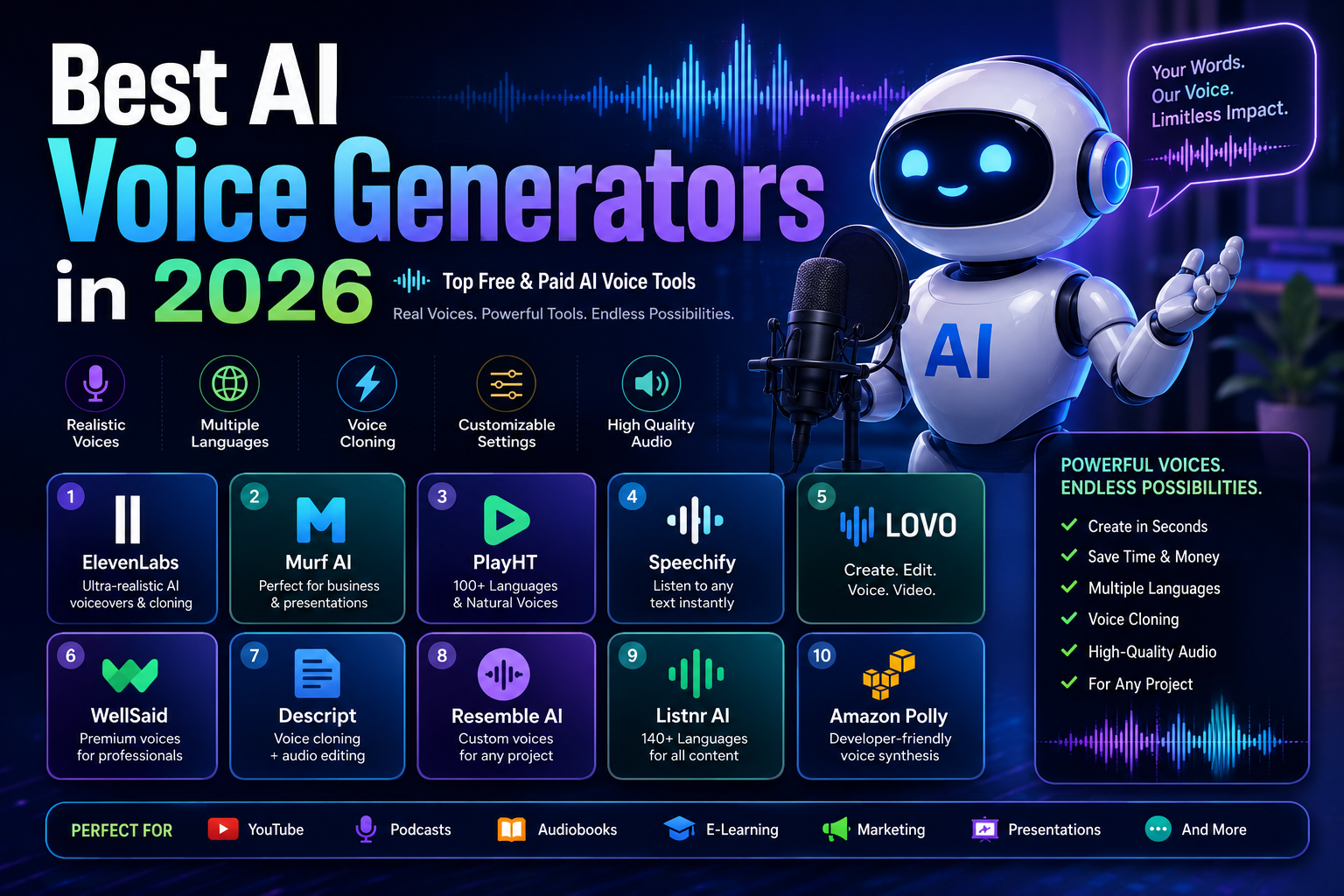
Best AI Voice Generators in 2026 (Top Free & Paid AI Voice Tools)
Last updated: September 2026
AI voice generators have changed the way creators, businesses, educators, and developers produce spoken content.
Instead of recording every sentence with a microphone or hiring a voice actor for every project, you can now turn a written script into natural-sounding speech, adjust pronunciation and delivery, and create multiple versions of the same voiceover.
But not every AI voice generator is designed for the same job.
Some platforms focus on highly realistic narration and voice cloning. Others are built around video editing, e-learning, business presentations, accessibility, or developer APIs. Pricing also varies considerably, and a plan that looks inexpensive may become costly when you need higher character limits, additional languages, commercial rights, or API usage.
This guide compares 10 AI voice generators in 2026 based on their main use cases, voice capabilities, customization, commercial considerations, pricing approach, and suitability for different types of users.
Important: AI voice features, pricing, usage limits, languages, and licensing terms can change frequently. The information in this guide reflects the products and public information available when it was reviewed in September 2026. Check the provider’s current terms and pricing before purchasing a plan.
Quick Comparison
| AI Voice Tool | Best For | Free Access | Voice Cloning | API | Main Strength |
|---|---|---|---|---|---|
| ElevenLabs | Realistic voiceovers | Yes | Yes | Yes | Natural speech |
| Murf AI | Business and presentations | Limited | Plan-dependent | Yes | Voiceover workflow |
| PlayHT | Voice generation and APIs | Limited | Yes | Yes | Voice variety |
| Speechify | Text-to-speech and reading | Yes | Limited/plan-dependent | Yes | Accessibility and reading |
| LOVO AI | Video creators | Limited | Yes | Yes | Voice + content creation |
| WellSaid Labs | Enterprise narration | Trial | Yes/plan-dependent | Yes | Professional business voice |
| Descript | Podcast and video editing | Yes | Yes | Yes | Text-based editing |
| Resemble AI | Custom voices and developers | Trial/limited | Yes | Yes | Voice customization |
| Listnr | Marketing and content | Limited | Yes | Yes | Content workflows |
| Amazon Polly | Developers and applications | Free tier | No | Yes | Scalable TTS API |
Quick recommendations:
- Best for realistic AI voiceovers: ElevenLabs
- Best for business presentations: Murf AI
- Best for voice APIs: PlayHT
- Best for reading and accessibility: Speechify
- Best for video creators: LOVO AI
- Best for enterprise narration: WellSaid Labs
- Best for podcast and video editing: Descript
- Best for custom voice development: Resemble AI
- Best for marketing content: Listnr
- Best for developers: Amazon Polly
What Is an AI Voice Generator?
An AI voice generator is software that converts written text into spoken audio using artificial intelligence and text-to-speech technology.
Modern systems can do considerably more than simply read text aloud. Depending on the platform, users may be able to control pronunciation, speaking speed, pauses, tone, emotion, accent, or delivery style.
Some tools can also create a synthetic version of a person’s voice through voice cloning.
Common applications include:
- YouTube narration
- Podcasts
- Audiobooks
- Online courses
- E-learning
- Product demonstrations
- Marketing videos
- Advertisements
- Corporate training
- Accessibility tools
- Video games
- Virtual assistants
- Customer-service applications
- Mobile and web applications
The right tool depends on what you are trying to create.
A YouTube creator may care most about realism and editing, while a software developer may care more about API reliability, supported languages, latency, and usage-based pricing.
How We Compared These AI Voice Generators
A useful comparison should go beyond counting voices or languages.
For this guide, the tools are evaluated around the factors that can materially affect a real project.
Voice Quality
How natural does the generated speech sound, particularly in pronunciation, pauses, rhythm, and intonation?
Voice Control
Can users adjust speed, emphasis, style, pronunciation, or emotional delivery?
Voice Cloning
Does the platform provide cloning capabilities, and what restrictions or verification processes apply?
Language Support
Does the tool support the languages and accents required by your audience?
Editing Workflow
Does it include editing features, or is it primarily a text-to-speech engine?
Commercial Use
Can generated audio be used in commercial projects under the plan you are considering?
API and Developer Support
For applications and automated workflows, does the service provide an API and usage-based access?
Pricing Structure
Is the service subscription-based, usage-based, or a combination of both?
This approach is more useful than simply declaring one platform “the best,” because different users have very different requirements.
1. ElevenLabs
ElevenLabs is one of the most prominent AI voice platforms for realistic speech generation.
Its product ecosystem covers text-to-speech, voice cloning, dubbing, speech-to-speech, and developer APIs, making it suitable for both individual creators and larger production workflows.
The platform offers a free tier, while paid plans provide higher usage and additional capabilities. Because pricing and included features can change, users should check the current pricing page before subscribing.
Best for
- YouTube creators
- Video narration
- Podcasts
- Audiobooks
- Voice cloning
- Dubbing
- Developers
Why ElevenLabs stands out
Its primary strength is natural-sounding speech.
For projects where the voice itself is a major part of the audience experience, realistic pronunciation, pacing, and delivery can matter more than simply having the largest number of features.
ElevenLabs also provides tools for creating and managing custom voices and integrating speech generation into applications.
Advantages
- High-quality speech generation
- Voice cloning
- Multilingual capabilities
- Dubbing features
- Developer API
- Suitable for both creators and developers
Limitations
- Higher usage can require a paid subscription.
- Commercial and voice-cloning rights depend on the applicable plan and terms.
- AI-generated speech should still be reviewed before publication.
Best choice if:
You want high-quality, realistic narration and may also need voice cloning or developer integrations.
2. Murf AI
Murf AI focuses on AI voiceovers for presentations, training, marketing, e-learning, and business content.
Instead of functioning only as a text-to-speech engine, Murf provides a broader voiceover workflow that helps users create and edit narrated content.
Best for
- Business presentations
- Training videos
- E-learning
- Marketing
- Corporate communication
- Explainer videos
Why Murf stands out
Murf is particularly useful for users who want to create a polished voiceover without building a technical workflow.
Its editor-oriented approach makes it practical for presentations and business content where timing, script editing, and narration need to work together.
Advantages
- Business-focused workflow
- Large voice selection
- Voice customization
- Voiceover editing
- Collaboration features
- Useful for presentations and training
Limitations
- Some advanced capabilities require paid access.
- It may be more than you need if you only want a simple TTS API.
- Plan limits and commercial rights should be checked before production use.
Best choice if:
You are creating business, training, presentation, or marketing voiceovers.
3. PlayHT
PlayHT is an AI voice platform focused on text-to-speech, voice cloning, multilingual speech, and developer applications.
Its combination of a web interface and API makes it useful for both content creators and teams building speech functionality into products.
Best for
- Podcasts
- Audiobooks
- Voiceovers
- Developers
- Voice applications
- Multilingual content
Why PlayHT stands out
PlayHT is particularly interesting when you need more than a downloadable voiceover.
Developers can use its speech technology through APIs, while creators can use the platform to generate spoken content without building their own text-to-speech infrastructure.
Advantages
- AI voice generation
- Voice cloning
- API access
- Multilingual capabilities
- Multiple voice options
- Suitable for applications and content
Limitations
- Usage limits depend on the plan.
- Some advanced voice capabilities may require paid access.
- Commercial rights should be checked against the specific subscription.
Best choice if:
You need AI voice generation with developer/API capabilities.
4. Speechify
Speechify is primarily known for converting written content into spoken audio.
It is especially useful for people who want to listen to documents, web pages, books, and other text rather than create professional voiceovers from scratch.
Best for
- Reading documents
- Students
- Professionals
- Accessibility
- Listening to articles
- Personal productivity
Why Speechify stands out
Its strongest use case is turning written information into audio for consumption.
That makes it different from tools designed primarily for YouTube narration, voice cloning, or professional voice production.
Advantages
- Easy to use
- Useful for documents and articles
- Mobile support
- Multiple voices
- Adjustable reading speed
- Strong accessibility use case
Limitations
- It is not primarily a professional voice-production platform.
- Voice customization may be less extensive than specialist voice-generation services.
- Premium capabilities require a subscription.
Best choice if:
You want to listen to written content naturally rather than build a complex voiceover production workflow.
5. LOVO AI
LOVO AI combines AI voice generation with tools aimed at video and content production.
This makes it particularly relevant to creators who want voiceovers as part of a broader content workflow.
Best for
- YouTube videos
- Social media
- Marketing
- E-learning
- Presentations
- Video creators
Why LOVO stands out
The advantage of LOVO is the combination of voice generation and content-creation features.
For a creator producing narrated videos, having voice and video-related functionality in the same environment can simplify production.
Advantages
- AI voice generation
- Voice cloning
- Multilingual capabilities
- Video-related workflow
- Content creation features
- Creator-friendly interface
Limitations
- Advanced features may require a paid plan.
- It may be unnecessary for users who only need an API.
- Commercial licensing should be reviewed for the specific plan.
Best choice if:
You create videos and want voice generation integrated into the production process.
6. WellSaid Labs
WellSaid Labs focuses heavily on professional and enterprise voice applications.
Its platform is designed for organizations that need consistent narration across training, educational, and corporate content.
Best for
- Corporate training
- E-learning
- Enterprise content
- Professional narration
- Large teams
Why WellSaid Labs stands out
Consistency is especially important for business training and educational content.
Instead of requiring a new recording every time a sentence changes, organizations can use synthetic narration to update content while maintaining a consistent voice style.
Advantages
- Professional voice quality
- Business-oriented workflow
- Consistent narration
- Collaboration features
- Enterprise use cases
- Commercial applications
Limitations
- Generally positioned toward professional users.
- Pricing can be higher than creator-focused alternatives.
- Free access is limited compared with some consumer tools.
Best choice if:
Your organization needs consistent professional narration across business or training content.
7. Descript
Descript is more than an AI voice generator.
It is an audio and video editing platform built around a text-based editing workflow. Users can edit spoken content by working with a transcript, while AI features can assist with voice generation and other production tasks.
Best for
- Podcasters
- YouTubers
- Video creators
- Screen recordings
- Audio editing
- Content teams
Why Descript stands out
Its main advantage is the combination of editing and AI voice functionality.
If your workflow already involves editing podcasts or videos, having transcription, editing, recording, and AI voice capabilities in one environment can reduce the need to move between multiple applications.
Advantages
- Text-based audio/video editing
- Transcription
- Voice generation
- Voice cloning
- Screen recording
- Creator-oriented workflow
Limitations
- It is not a dedicated TTS platform in the same sense as an API-first provider.
- Some AI capabilities depend on the subscription.
- Advanced production features can require time to learn.
Best choice if:
You need AI voice capabilities as part of a broader podcast or video-editing workflow.
8. Resemble AI
Resemble AI focuses on custom AI voices, voice cloning, speech generation, and developer integrations.
Its positioning makes it particularly relevant to teams that want to integrate synthetic voices into software products or specialized experiences.
Best for
- Developers
- Games
- Custom voice applications
- Customer experiences
- Voice cloning
- Enterprise projects
Why Resemble AI stands out
Rather than focusing only on generating a downloadable voiceover, Resemble AI provides technology intended for integration into applications and customized voice experiences.
Advantages
- Voice cloning
- Custom voices
- API access
- Developer-oriented features
- Multilingual support
- Useful for interactive applications
Limitations
- More technical than beginner-focused voiceover tools.
- Pricing depends heavily on usage and requirements.
- Voice cloning should only be performed with appropriate authorization.
Best choice if:
You need custom voice technology inside an application or professional workflow.
9. Listnr
Listnr is an AI voice platform aimed at creators, marketers, publishers, and businesses.
It can be used for text-to-speech, narration, podcasts, and other content formats.
Best for
- Bloggers
- Marketers
- Podcasts
- Video creators
- Content publishers
Why Listnr stands out
Listnr is useful for publishers who want to turn written content into spoken content without building their own audio-production system.
This can be particularly relevant for marketers and publishers experimenting with audio versions of existing content.
Advantages
- Text-to-speech
- Multiple languages and voices
- Content-oriented workflow
- Podcast-related features
- Voice cloning capabilities
Limitations
- Features vary between plans.
- Usage limits can affect larger projects.
- Verify current licensing terms before commercial distribution.
Best choice if:
You want to convert written marketing or publishing content into audio.
10. Amazon Polly
Amazon Polly is Amazon Web Services’ managed text-to-speech service.
Unlike creator-oriented platforms, Polly is primarily designed as a cloud service that developers can integrate into websites, applications, services, and automated systems.
Best for
- Developers
- Web applications
- Mobile applications
- Virtual assistants
- Enterprise systems
- Automated voice workflows
Why Amazon Polly stands out
Its major advantage is the AWS infrastructure and API-first approach.
Developers can generate speech programmatically instead of manually creating individual voiceover files.
Amazon Polly uses usage-based pricing rather than a traditional creator subscription model. AWS also provides a free tier subject to its current terms and limits.
Advantages
- API-first architecture
- AWS ecosystem
- Usage-based pricing
- Multiple languages and voices
- Scalable cloud infrastructure
- Suitable for applications
Limitations
- Requires technical knowledge.
- Less convenient for creators who simply want to produce a YouTube voiceover.
- Costs depend on usage and voice type.
Best choice if:
You are a developer who needs programmable text-to-speech inside an application or service.
AI Voice Generator Pricing: How to Compare Costs
AI voice pricing is difficult to compare using one simple “starting price” table.
Why?
Because providers measure usage differently.
One service may charge by characters, another by minutes, another by credits, and cloud APIs may charge according to the amount of generated speech.
Some subscriptions also separate:
- Voice cloning
- Commercial rights
- Higher-quality models
- API access
- Team features
- Additional usage
For this reason, a low monthly subscription does not necessarily mean a lower total cost.
Before choosing a plan, calculate approximately how much audio you expect to generate each month.
For example:
Monthly content volume → required characters/minutes → required plan → commercial rights → total monthly cost
This gives you a much more realistic comparison than looking only at the advertised starting price.
Free vs. Paid AI Voice Generators
Many AI voice platforms provide some form of free access, but the limitations can be significant.
What free plans are useful for
Free access is often enough for:
- Testing voice quality
- Creating short samples
- Learning the interface
- Comparing several providers
- Personal experiments
- Small projects
Why professional users may need paid plans
Paid subscriptions may provide:
- Higher generation limits
- Better voices
- Voice cloning
- Commercial rights
- More languages
- Advanced editing
- API access
- Faster processing
- Team features
The important point is to read the plan’s terms rather than assuming that every generated audio file can automatically be used commercially.
What Features Should You Look For?
The most important feature depends on your project.
Natural Speech
Listen for:
- Pronunciation
- Pauses
- Rhythm
- Intonation
- Emphasis
- Sentence endings
A voice that sounds impressive in a short demo may behave differently with a long script.
Voice Cloning
Voice cloning can be useful for maintaining consistency across content.
However, only clone a voice when you have the necessary permission or authorization.
Language and Accent Support
If you publish internationally, check the exact languages and accents available rather than relying on a generic “multilingual” claim.
Pronunciation Controls
Names, technical terms, abbreviations, and foreign words can cause problems for TTS systems.
Pronunciation controls can make a major difference in professional narration.
Commercial Licensing
This is one of the most overlooked factors.
Before publishing AI-generated audio commercially, confirm:
- Whether commercial use is permitted
- Which plan is required
- Whether cloned voices have additional restrictions
- Whether the license changes after cancellation
- Whether there are restrictions on redistribution
API Access
If you want to automatically generate audio from your own software, an API is much more important than having a large collection of voice presets.
Editing
Creators may prefer an integrated editor, while developers may prefer a clean API.
Choose according to your workflow.
How to Choose the Right AI Voice Generator
For YouTube Videos
Prioritize:
- Natural voice quality
- Pronunciation
- Speed and pacing controls
- Commercial rights
- Easy export
- Fast editing
Good starting options: ElevenLabs, LOVO AI, Murf AI, and Descript.
For Podcasts
Prioritize:
- Natural narration
- Consistent voice
- Long-form generation
- Audio editing
- Export quality
Good starting options: ElevenLabs, PlayHT, and Descript.
For Audiobooks
Long-form consistency matters more than a flashy demo.
Look for:
- Stable pronunciation
- Natural pacing
- Long-form generation
- Voice consistency
- Commercial licensing
- Editing controls
Good starting options: ElevenLabs, PlayHT, and other long-form-focused platforms.
For Business Training
Prioritize:
- Consistent narration
- Professional voices
- Team collaboration
- Commercial rights
- Easy content updates
Good starting options: Murf AI and WellSaid Labs.
For Developers
Prioritize:
- API reliability
- Documentation
- Pricing per usage
- Supported languages
- Latency
- Integration options
- Scalability
Good starting options: Amazon Polly, ElevenLabs, PlayHT, and Resemble AI.
For Accessibility and Reading
If your goal is to listen to documents, websites, or written material, a dedicated reading-focused platform may be more appropriate than a professional voiceover tool.
Good starting option: Speechify.
How to Write Better Scripts for AI Voices
The script has a major effect on the final result.
Even a high-quality voice model can sound unnatural when the input text is poorly structured.
Use Shorter Sentences
Long sentences with several clauses can make pacing harder to control.
Add Natural Punctuation
Commas, periods, question marks, and paragraph breaks can influence pauses and rhythm.
Spell Out Difficult Abbreviations When Necessary
Technical abbreviations may not always be pronounced as expected.
Check Names and Technical Terms
Proper names, brand names, locations, and specialist terminology deserve extra attention.
Write for Speech, Not Reading
A sentence that looks good on a screen is not necessarily a good sentence to hear.
Read the script aloud before generating the final audio.
Common Mistakes to Avoid
1. Choosing a Voice Only From a Short Demo
A voice may sound excellent in a 10-second sample but become tiring or unnatural in a 10-minute video.
Test a representative section of your actual script.
2. Ignoring Commercial Licensing
Do not assume that a free plan automatically gives you commercial rights.
Check the provider’s current license terms.
3. Cloning Someone Else’s Voice Without Permission
Voice cloning creates serious consent and identity concerns.
Use your own voice or a voice for which you have appropriate authorization.
4. Using the Same Delivery for Every Project
A documentary, advertisement, tutorial, audiobook, and short social video may require completely different pacing and tone.
5. Generating the Entire Script Without Reviewing It
Always listen to the final audio.
Look for:
- Mispronounced names
- Incorrect pauses
- Strange emphasis
- Unnatural pacing
- Words that need pronunciation adjustments
6. Ignoring Usage-Based Pricing
A tool that appears inexpensive can become expensive when generating large volumes of audio.
Estimate your monthly usage before choosing a plan.
AI Voice Generators: Advantages and Limitations
Advantages
- Faster voice production
- Lower barriers to creating narration
- Consistent voice output
- Multilingual content production
- Voice cloning options
- Useful for video and podcast workflows
- API-based automation
- Easy script revisions
- Useful for accessibility
Limitations
- AI voices can still make pronunciation mistakes.
- Naturalness varies by voice and language.
- Commercial licensing differs between providers.
- Voice cloning requires responsible use.
- High-volume production can become expensive.
- Some audiences may prefer human narration.
- Generated audio still needs quality control.
AI voice generation is therefore best treated as a production tool, not an automatic replacement for every human voice actor or narrator.
Frequently Asked Questions
What is an AI voice generator?
An AI voice generator uses text-to-speech technology to convert written text into spoken audio. Modern systems can provide natural pronunciation, different speaking styles, multilingual output, and other controls.
Are AI voice generators free?
Many platforms offer free plans, trials, or limited free usage.
However, free plans commonly restrict characters, minutes, voices, exports, or commercial usage.
Which AI voice generator sounds the most realistic?
There is no objective winner for every language, voice, and script.
ElevenLabs is one of the strongest options for highly realistic AI narration, but the best choice depends on the language, voice, delivery style, and project requirements.
Can I use AI-generated voices on YouTube?
Generally, AI-generated narration can be used in YouTube content when the provider’s license permits your intended use.
However, the voice license and YouTube’s own policies are separate issues. Always review both before publishing commercial content.
Can AI voice generators clone my voice?
Yes. Several platforms offer voice-cloning features.
The exact requirements vary. Some services may require verification or authorization before allowing a voice to be cloned.
Only clone a voice when you have the necessary rights or permission.
Are AI voice generators good for audiobooks?
They can be useful for some audiobook projects, especially when consistent narration and efficient production are important.
However, long-form narration should be tested carefully because pronunciation, pacing, and emotional consistency become more noticeable over longer recordings.
Which AI voice generator is best for beginners?
Murf AI, LOVO AI, and Descript are good starting points for creators who want an interface that combines voice generation with content-production features.
Which AI voice generator is best for developers?
Amazon Polly, ElevenLabs, PlayHT, and Resemble AI are strong candidates for developers because they provide API-oriented functionality.
The best option depends on pricing, latency, language support, documentation, and the requirements of your application.
Is AI voice cloning safe?
Voice cloning should be treated carefully because a person’s voice can be associated with their identity.
Use voice cloning only with appropriate authorization, avoid impersonation, and review the provider’s policies before creating or distributing cloned voices.
Are AI voices better than human voice actors?
Not universally.
AI voices can be faster, scalable, and useful for frequently updated content. Human voice actors can provide nuanced performance, personality, interpretation, and emotional delivery that may be important for certain projects.
The right choice depends on the content, audience, budget, and production requirements.
Final Verdict
AI voice generators have become practical production tools for creators, businesses, educators, publishers, and developers.
But the best platform depends heavily on what you are producing.
ElevenLabs is an excellent starting point when realistic narration and voice cloning are priorities. Murf AI is particularly well suited to business presentations, training, and structured voiceover projects. PlayHT is worth considering when multilingual speech and API access are important.
Speechify is better suited to reading and accessibility, while LOVO AI is attractive to video creators who want voice generation alongside content-production tools.
For professional organizations, WellSaid Labs focuses on consistent business narration. Descript is particularly useful when voice generation is part of a podcast or video-editing workflow. Resemble AI is a strong option for custom voices and developer applications, while Listnr targets content and marketing workflows.
For developers who need a programmable text-to-speech service rather than a creator-focused editor, Amazon Polly offers an API-first approach through AWS.
The best strategy is to start by defining your actual requirements:
content type → voice quality → language → usage volume → commercial rights → API needs → budget
Then test the same section of your real script with two or three platforms.
That is usually more informative than choosing a tool based solely on the number of voices, languages, or a promotional demo.
AI voice technology is powerful, but the quality of the final result still depends on the script, voice selection, pronunciation settings, editing, licensing, and human review.
Related Articles
Explore more expert AI software guides: