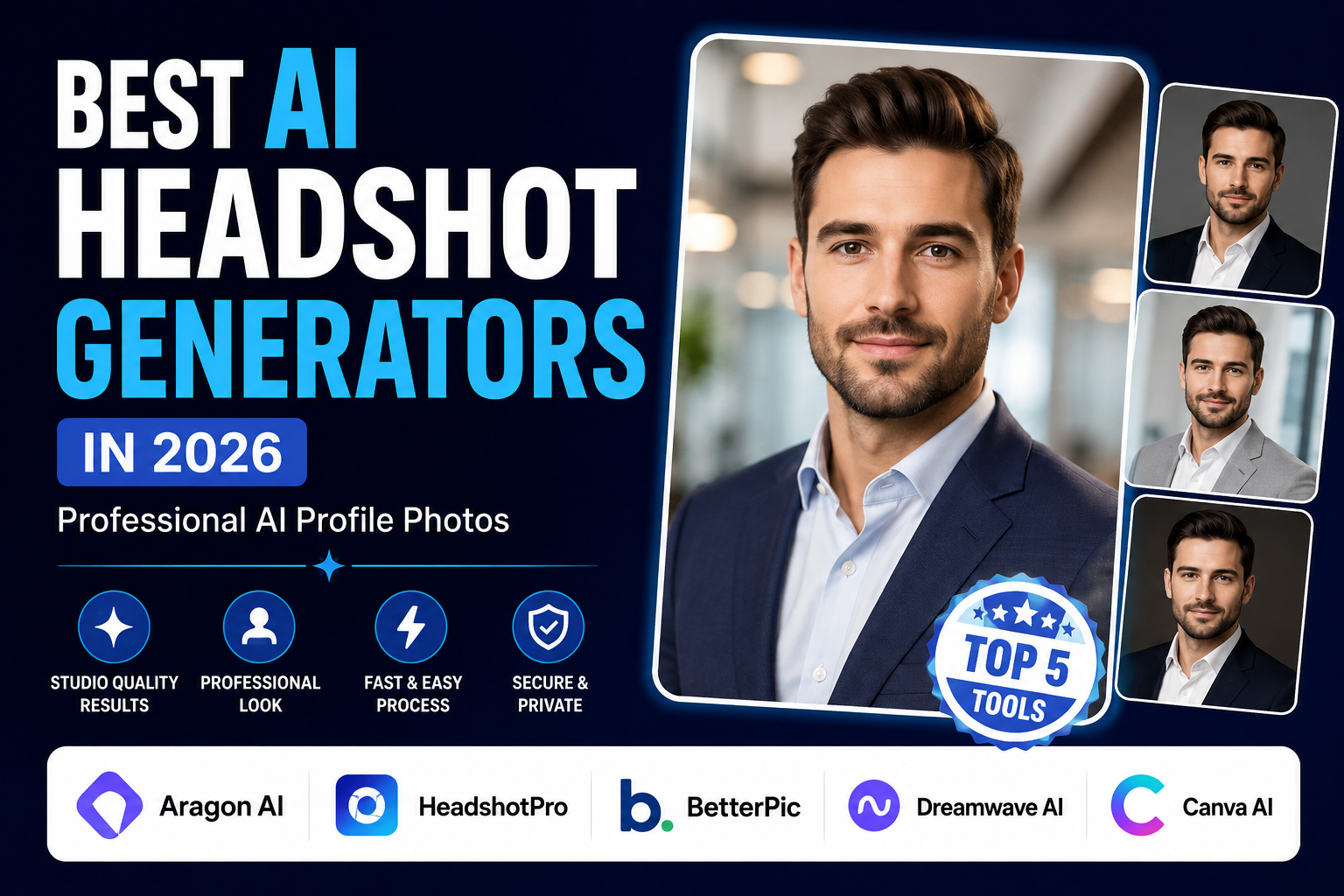
Best AI Headshot Generators in 2026: 5 Tools for Professional AI Profile Photos
Finding a professional profile photo can be surprisingly difficult. Hiring a photographer takes time and money, while ordinary selfies often don’t provide the lighting, background, or presentation needed for a strong LinkedIn profile, resume, company website, or personal brand.
That’s why AI headshot generators have become increasingly popular.
These tools use artificial intelligence to transform your existing photos into professional-looking portraits. Depending on the platform, you can generate different outfits, backgrounds, lighting styles, poses, and image variations without arranging a traditional photo session.
However, the quality and features of AI headshot tools vary significantly. Some platforms specialize in corporate headshots, while others focus on customization, team photography, or broader AI photo editing.
In this guide, we compare five of the best AI headshot generators in 2026 and explain what each one is best suited for.
Our comparison focuses on:
- Professional image quality
- Facial consistency
- Customization options
- Output resolution
- Ease of use
- Pricing
- Individual and team use cases
- Privacy considerations
Quick answer: Aragon AI is our overall pick for a dedicated professional AI headshot workflow. BetterPic is particularly useful for customization, HeadshotPro is a strong choice for teams, Dreamwave AI focuses on professional portrait generation, and Canva is the most versatile option for beginners who also need photo and design tools.
Quick Comparison: Best AI Headshot Generators
| AI Headshot Generator | Best For | Pricing | Main Strength |
|---|---|---|---|
| Aragon AI | Professional headshots | Paid packages | Dedicated professional headshot workflow |
| BetterPic | Customization | One-time packages | Multiple styles and AI editing |
| Dreamwave AI | Professional portraits | Paid | Portrait-focused generation |
| HeadshotPro | Teams & businesses | Paid packages | Team and enterprise workflows |
| Canva | Beginners | Free + paid features | AI photos + complete design tools |
Important: AI headshot pricing, features, and usage terms can change. Check the provider’s current website before purchasing.
1. Aragon AI — Best Overall AI Headshot Generator
Aragon AI is one of the more specialized platforms in this category. Rather than functioning as a general AI image generator, it focuses heavily on creating professional portraits and headshots from user-provided photos.
This makes it particularly suitable for people who need professional AI headshots for LinkedIn, resumes, company websites, speaker profiles, personal branding, and other professional applications.
Aragon’s current pricing page lists individual packages starting at $35, with higher-priced packages providing more generated images, additional outfit and background choices, and faster generation. (aragon.ai)
Why Aragon AI Is Our Top Pick
The biggest advantage of Aragon is its dedicated headshot workflow.
Instead of asking users to create a portrait from a complicated text prompt, the platform is designed around turning personal photos into a collection of professional-looking images.
That makes the process relatively straightforward:
- Upload your photos.
- Let the platform process your images.
- Select preferred styles and options where available.
- Receive multiple generated headshots.
- Choose the images that best represent you.
The ability to generate multiple variations is particularly useful because the first image isn’t necessarily the best one.
Key Features
- Professional AI headshots
- Multiple portrait variations
- Business-oriented styles
- Different outfit options
- Background choices
- High-resolution options
- Individual and team solutions
- Professional portrait workflow
Pros
- Dedicated professional headshot platform
- Multiple images from a single session
- Professional styles
- Useful for LinkedIn and business profiles
- Higher-resolution options available
Cons
- Paid service
- Not necessary if you only need basic photo editing
- Available features depend on the selected package
Aragon AI Pricing
Aragon currently lists the following individual packages:
- Basic — $35: 40 headshots
- Standard — $45: 60 headshots
- Executive — $75: 100 headshots
Higher plans provide additional outfit and background choices as well as faster generation. Prices and package details may change. (aragon.ai)
Best For
Aragon AI is a good fit for:
- Job seekers
- LinkedIn users
- Entrepreneurs
- Consultants
- Freelancers
- Executives
- Business owners
- Personal branding
Our Take
Aragon AI is the strongest overall choice if your primary goal is generating a collection of professional AI headshots rather than editing an existing photo.
2. BetterPic — Best AI Headshot Generator for Customization
BetterPic is another dedicated AI headshot platform aimed at professionals who want multiple portrait styles without organizing a traditional photo session.
One of its notable advantages is the combination of AI-generated headshots and customization options.
BetterPic currently offers individual packages using a one-time payment model, with different plans providing different numbers of headshots, styles, AI edits, and support options. (betterpic.io)
Why BetterPic Stands Out
Not everyone wants exactly the same type of professional profile photo.
A corporate executive may prefer a formal studio portrait, while a freelancer, startup founder, designer, or marketer may want something slightly more relaxed.
BetterPic is useful in these situations because it provides multiple styles rather than forcing every user into one visual format.
According to its current published plan information, the Pro package includes 60 headshots across three styles, while the Expert package provides 120 headshots across six styles and additional editing options. (betterpic.io)
Key Features
- AI professional headshots
- Multiple portrait styles
- 4K headshots
- AI editing
- Professional backgrounds
- Multiple generated variations
- Commercial license
- Human editing on selected plans
- Team options
Pros
- One-time payment model
- Multiple professional styles
- High-resolution output
- Additional AI editing
- Commercial licensing
- Useful for personal branding
Cons
- Higher plans cost more
- More customization can make the process less simple for beginners
- Not everyone needs dozens of generated images
BetterPic Pricing
Current published individual plans include:
- Basic — $35
- Pro — $39
- Expert — $79
The number of headshots, styles, edits, and support options varies by plan. Always verify current pricing before purchasing. (betterpic.io)
Best For
BetterPic is particularly suitable for:
- LinkedIn profiles
- Freelancers
- Entrepreneurs
- Consultants
- Remote workers
- Personal brands
- Professionals who want multiple styles
Our Take
BetterPic is one of the better options if customization is more important to you than simply getting the cheapest AI-generated headshot.
3. Dreamwave AI — Best for Professional AI Portraits
Dreamwave AI focuses on AI-generated professional photography and portraits.
Like other dedicated headshot platforms, it is designed to help users create polished profile images without arranging a traditional studio photography session.
It can be useful for:
- LinkedIn profiles
- Business websites
- Professional biographies
- Social media profiles
- Personal branding
- Speaker profiles
Why Consider Dreamwave AI?
When comparing AI headshot generators, it’s easy to focus too heavily on phrases such as “photorealistic” or “studio quality.”
A more useful question is:
Does the generated portrait still look like the person who uploaded the original photos?
Facial consistency is especially important for professional profile photos.
A technically impressive image isn’t useful if the AI changes recognizable features or creates a portrait that looks significantly different from the real person.
For that reason, users should compare several generated results before selecting their final AI profile photo.
What to Check in Dreamwave Results
Pay attention to:
- Facial consistency
- Eyes
- Skin texture
- Hair
- Facial proportions
- Clothing
- Lighting
- Background
- Overall resemblance
Pros
- Professional portrait-focused service
- Designed for professional photography use cases
- Multiple portrait possibilities
- Suitable for personal branding
- Simple workflow
Cons
- Paid service
- Results depend on source-photo quality
- AI portraits can still contain imperfections
- Privacy terms should be reviewed before uploading photos
Best For
Dreamwave AI may be a good option for:
- Executives
- Entrepreneurs
- Professionals
- Public speakers
- Business owners
- Personal brands
- Users prioritizing professional portrait quality
Our Take
Dreamwave AI is worth considering if your main priority is creating polished professional portraits and you are willing to compare multiple generated images before choosing one.
4. HeadshotPro — Best AI Headshot Generator for Teams
HeadshotPro takes a particularly business-focused approach to AI-generated headshots.
While individuals can use the service, one of its strongest use cases is helping organizations create professional profile photos for employees without arranging individual photography sessions.
This can be useful for:
- Company websites
- Employee directories
- LinkedIn profiles
- Email signatures
- Team pages
- Remote teams
- Corporate branding
Why HeadshotPro Stands Out
Creating professional headshots for an entire company can be difficult.
Employees may live in different cities or countries, making a single traditional photography session impractical.
HeadshotPro’s team-oriented workflow provides a way for organizations to generate professional portraits at scale.
The provider currently offers individual packages starting at $29 and also provides team and enterprise options. (headshotpro.com)
Key Features
- AI business headshots
- Multiple portrait styles
- Team workflows
- Team credits
- Company administration
- Professional backgrounds
- Multiple image variations
- Enterprise options
- High-resolution options
Privacy
Privacy deserves particular attention when a service processes employees’ photographs.
HeadshotPro currently states that uploaded photographs are not used to train its AI models and that input photos are automatically deleted after 30 days. These are provider-specific claims and should not be generalized to other AI headshot platforms. (headshotpro.com)
HeadshotPro Pricing
Current individual packages listed by the provider include:
- Basic — $29
- Professional — $39
- Executive — $59
Plans differ in image quantity, resolution, processing speed, and editing features. Team pricing is handled separately. (headshotpro.com)
Pros
- Strong team functionality
- Useful for businesses
- Individual packages available
- Multiple professional styles
- Team and enterprise options
- Clear published privacy information
Cons
- Team functionality isn’t necessary for most individual users
- Some features are limited by plan
- Results depend on uploaded source photos
Best For
HeadshotPro is particularly suitable for:
- Companies
- Startups
- Agencies
- HR departments
- Remote teams
- Consulting firms
- Corporate professionals
Our Take
If you need AI-generated headshots for multiple employees, HeadshotPro is one of the most relevant options in this comparison.
5. Canva AI Headshot Generator — Best for Beginners
Canva is different from the other platforms on this list.
Rather than focusing exclusively on AI headshots, Canva combines AI image generation and editing with a broader graphic-design platform.
That makes it particularly useful for someone who wants to generate or improve a profile photo and then immediately use it in other marketing or professional materials.
Canva’s official AI headshot tool allows users to create a professional-looking portrait from a selfie and then continue editing the result inside Canva. (canva.com)
Why Canva Is Useful
Imagine that you’ve generated a professional AI profile photo.
You may also need:
- A LinkedIn banner
- Resume
- Business card
- Website graphics
- Social media profile
- Presentation
- Portfolio
- Personal branding materials
With Canva, these tasks can be handled within the same platform.
Key Features
- AI headshot generation
- AI photo editing
- Background editing
- Magic Edit
- Magic Eraser
- Magic Expand
- Resume templates
- LinkedIn designs
- Business card templates
- Social media templates
- Brand tools
Pros
- Easy for beginners
- Free access available
- Large design ecosystem
- Useful AI editing tools
- Headshots can be incorporated into other designs
- Web and mobile access
Cons
- Less specialized than dedicated AI headshot services
- Some AI features require paid access
- Results may vary depending on the input photo
- Not specifically designed for large-scale corporate headshot production
Best For
Canva is a strong choice for:
- Students
- Job seekers
- Freelancers
- Entrepreneurs
- Small businesses
- Marketers
- Social media managers
- Beginners
Our Take
Canva is the best option here if you want an AI profile photo together with a complete set of design and photo-editing tools.
Which AI Headshot Generator Should You Choose?
The best AI headshot generator depends on what you’re trying to accomplish.
| Your Goal | Recommended Tool |
|---|---|
| Best overall professional headshots | Aragon AI |
| Multiple styles and customization | BetterPic |
| Professional AI portraits | Dreamwave AI |
| Employee and team headshots | HeadshotPro |
| Headshots + graphic design | Canva |
For LinkedIn
If you primarily need a professional LinkedIn headshot, prioritize facial consistency, natural lighting, a clean background, and an outfit that fits your industry.
Aragon AI and BetterPic are particularly relevant because they focus on professional portrait workflows.
For Businesses
If you need headshots for multiple employees, a team-focused service such as HeadshotPro can be more practical than generating portraits individually.
For Personal Branding
Entrepreneurs, creators, consultants, and freelancers may benefit from having several different professional styles.
BetterPic and Aragon are useful options to consider.
For Beginners
If you don’t want to use a dedicated headshot service and also need tools for resumes, banners, presentations, or social media graphics, Canva offers a broader workflow.
AI Headshot Generator vs. Traditional Photography
AI-generated headshots are not automatically better than professional photography.
They simply offer a different workflow.
| Factor | AI Headshots | Professional Photography |
|---|---|---|
| Studio required | No | Usually |
| Photographer required | No | Yes |
| Number of variations | Often high | Usually limited by session |
| Physical location | Simulated | Real |
| Lighting control | AI-generated | Photographer-controlled |
| Creative direction | Limited by platform | High |
| Team scalability | High | Lower |
| Authentic environment | Limited | Strong |
| Turnaround | Often faster | Depends on photographer |
For a standard online profile photo, an AI headshot can be a practical solution.
However, professional photography may still be preferable for:
- Executive portraits
- Advertising campaigns
- Editorial photography
- Environmental portraits
- Corporate branding campaigns
- Photos requiring a real location
The right choice depends on the purpose of the image.
How to Choose the Best AI Headshot Generator
Before paying for an AI headshot service, consider the following factors.
1. Facial Accuracy
The most important question is whether the AI-generated portrait actually resembles you.
Look at:
- Face shape
- Eyes
- Nose
- Mouth
- Hair
- Skin tone
- Facial proportions
Avoid choosing an image simply because it looks attractive.
2. Image Quality
Check whether the generated image has:
- Natural skin
- Realistic eyes
- Detailed hair
- Believable clothing
- Clean backgrounds
- Appropriate lighting
- Sufficient resolution
3. Customization
Depending on your profession, you may want to control:
- Clothing
- Background
- Lighting
- Pose
- Style
- Image format
More customization can be valuable for personal branding.
4. Processing Time
Some services can produce results quickly, while others require longer processing.
If you have an application deadline or need to update a profile immediately, turnaround time becomes more important.
5. Price
Don’t compare tools based only on the headline price.
Also check:
- Number of generated images
- Resolution
- Number of styles
- Editing credits
- Commercial rights
- Additional fees
- Team pricing
A $29 package with limited options may provide less value than a slightly more expensive package with substantially more useful images.
6. Privacy
Your face is biometric-related personal information, so privacy deserves serious consideration.
Before uploading photos, review:
- Data retention
- Image deletion
- AI training policies
- Third-party sharing
- Account security
- Terms of use
Never assume that because one AI headshot service deletes uploaded photos, every competing platform does the same.
How to Get Better AI Headshots
The quality of your generated portraits depends heavily on the quality of the photos you provide.
Use Clear, Recent Photos
Use photographs where your face is easy to see.
Avoid:
- Blurry images
- Heavy compression
- Strong filters
- Extremely dark photographs
- Faces covered by objects
- Group photos
Provide Different Angles
If the platform requests several photographs, don’t upload twenty nearly identical selfies.
A useful set should provide the AI with different views of your face while maintaining consistent identity.
Always follow the provider’s own upload instructions.
Avoid Heavy Filters
Beauty filters can change facial features and skin texture.
Natural source photos generally provide more reliable information about your actual appearance.
Choose Appropriate Clothing
Think about where you intend to use the headshot.
For example:
- Corporate roles → formal or business clothing
- Creative industries → polished but less formal styling
- Freelancing → professional but approachable
- Academic profiles → simple and neutral styling
Choose a Simple Background
A clean background is often easier to use across different platforms.
If you’re unsure, choose a professional neutral background rather than an overly dramatic environment.
Review Several Results
Never assume that the first generated image is the best.
Compare several portraits and look for the one that offers the best combination of:
likeness + realism + professional suitability.
Common AI Headshot Problems to Watch For
AI headshot technology has improved considerably, but generated portraits can still contain errors.
Facial Identity Changes
Sometimes AI modifies facial proportions or small features.
If the generated image looks noticeably different from you, don’t use it simply because it looks polished.
Overly Smooth Skin
Excessive skin smoothing can make the image look artificial.
A professional headshot generally benefits from natural-looking texture.
Strange Clothing Details
Inspect:
- Buttons
- Collars
- Jewelry
- Glasses
- Patterns
- Sleeves
AI-generated clothing can occasionally contain inconsistencies.
Unnatural Backgrounds
Check whether objects behind you appear distorted or physically impossible.
Simple backgrounds are often safer for professional profiles.
Excessive Retouching
A headshot should improve presentation without changing your identity.
If the image looks heavily altered, it may undermine the purpose of having a professional profile photo.
Are AI Headshots Good for LinkedIn?
Yes, an AI-generated headshot can be appropriate for LinkedIn, provided the final image accurately represents you.
The objective should be to create a polished professional representation—not to generate an entirely different appearance.
Before uploading an AI portrait to LinkedIn, ask:
Would someone who knows me recognize this as me?
If the answer is no, choose a different generated image.
For LinkedIn, prioritize:
- Accurate facial appearance
- Natural expression
- Professional clothing
- Clean background
- Appropriate lighting
- High resolution
Are AI Headshot Generators Worth It?
For many professionals, AI headshot generators can be a convenient alternative to arranging a traditional photo session.
They are particularly useful when you need:
- Several professional portraits
- Different outfits
- Multiple backgrounds
- Fast turnaround
- Affordable profile photos
- Images for personal branding
However, traditional photography remains valuable when you need:
- Real locations
- Professional creative direction
- Physical lighting
- Environmental portraits
- Advertising photography
- A complete brand photography session
Therefore, the question isn’t simply “Are AI headshots better?”
A better question is:
“Which approach fits the purpose of my photos?”
AI Headshot Generator FAQs
What is an AI headshot generator?
An AI headshot generator is software that uses artificial intelligence to create professional-looking portraits from user-provided photographs.
Depending on the service, the AI may generate different clothing, backgrounds, lighting, poses, and portrait styles.
What is the best AI headshot generator in 2026?
There isn’t one tool that is best for every user.
Aragon AI is our overall choice for a dedicated professional headshot workflow.
BetterPic is a strong choice for customization.
Dreamwave AI focuses on professional portrait generation.
HeadshotPro is particularly useful for businesses and teams.
Canva is convenient for beginners who also need broader design and editing tools.
What is the best AI headshot generator for LinkedIn?
For LinkedIn, look for a tool that produces natural-looking professional portraits while maintaining your facial identity.
Aragon AI and BetterPic are strong options to consider, but the best choice ultimately depends on your preferred style, budget, and the quality of the generated results.
How much do AI headshots cost?
Pricing varies by provider.
Current published examples include:
- Aragon AI starting at $35
- BetterPic starting at $35
- HeadshotPro starting at $29
Some providers use one-time packages, while others may offer subscriptions, credits, or separate team plans. (aragon.ai)
Always check the provider’s current pricing before purchasing.
How many photos should I upload?
There is no universal number.
Follow the upload requirements of the AI headshot service you’re using.
Generally, clear and varied photographs are more useful than many nearly identical selfies.
Are AI-generated headshots safe?
Safety and privacy depend on the provider.
Before uploading your photographs, review the company’s privacy policy and terms.
Pay particular attention to:
- How long images are stored
- Whether photos are used for AI training
- Whether images can be deleted
- Whether information is shared with third parties
Can AI headshots replace professional photography?
AI headshots can replace traditional photography for some basic professional profile-photo needs.
However, they are not a complete replacement for professional photography in every situation.
A photographer remains valuable when you need real locations, creative direction, controlled lighting, or commercial photography.
Can I use AI headshots commercially?
Commercial usage rights depend on the specific provider and package.
Before using an AI-generated portrait for advertising, marketing, or other commercial purposes, review the provider’s current licensing terms.
Final Verdict: Which AI Headshot Generator Is Best?
AI headshot generators have made it easier to create professional-looking profile photos without organizing a traditional photography session.
But the best tool depends on what you actually need.
🏆 Best Overall: Aragon AI
Aragon AI is our top choice for users who want a dedicated professional AI headshot workflow and multiple business-oriented portraits.
🎨 Best for Customization: BetterPic
BetterPic is a strong option for users who want several professional styles and additional editing capabilities.
👥 Best for Teams: HeadshotPro
HeadshotPro makes the most sense for companies, startups, agencies, and organizations that need professional headshots across multiple employees.
📸 Best for Professional Portraits: Dreamwave AI
Dreamwave AI is worth considering if your primary goal is generating polished professional portraits from your existing photos.
🧩 Best for Beginners: Canva
Canva is the most versatile choice for users who want to combine an AI profile photo with resumes, social media graphics, presentations, and other design work.
The Bottom Line
If you’re looking for the best AI headshot generator in 2026, don’t choose based solely on the number of images or the lowest price.
Instead, compare:
facial accuracy → image quality → customization → privacy → price → intended use.
A professional AI headshot should still look like you, fit the context where you will use it, and give you enough flexibility to maintain a consistent professional identity online.
Last reviewed: September 2026
Related AI Image Tools
If you’re building a professional visual presence, you may also want to explore:
These related guides can help readers move from generating a professional headshot to creating and optimizing the rest of their visual content.