
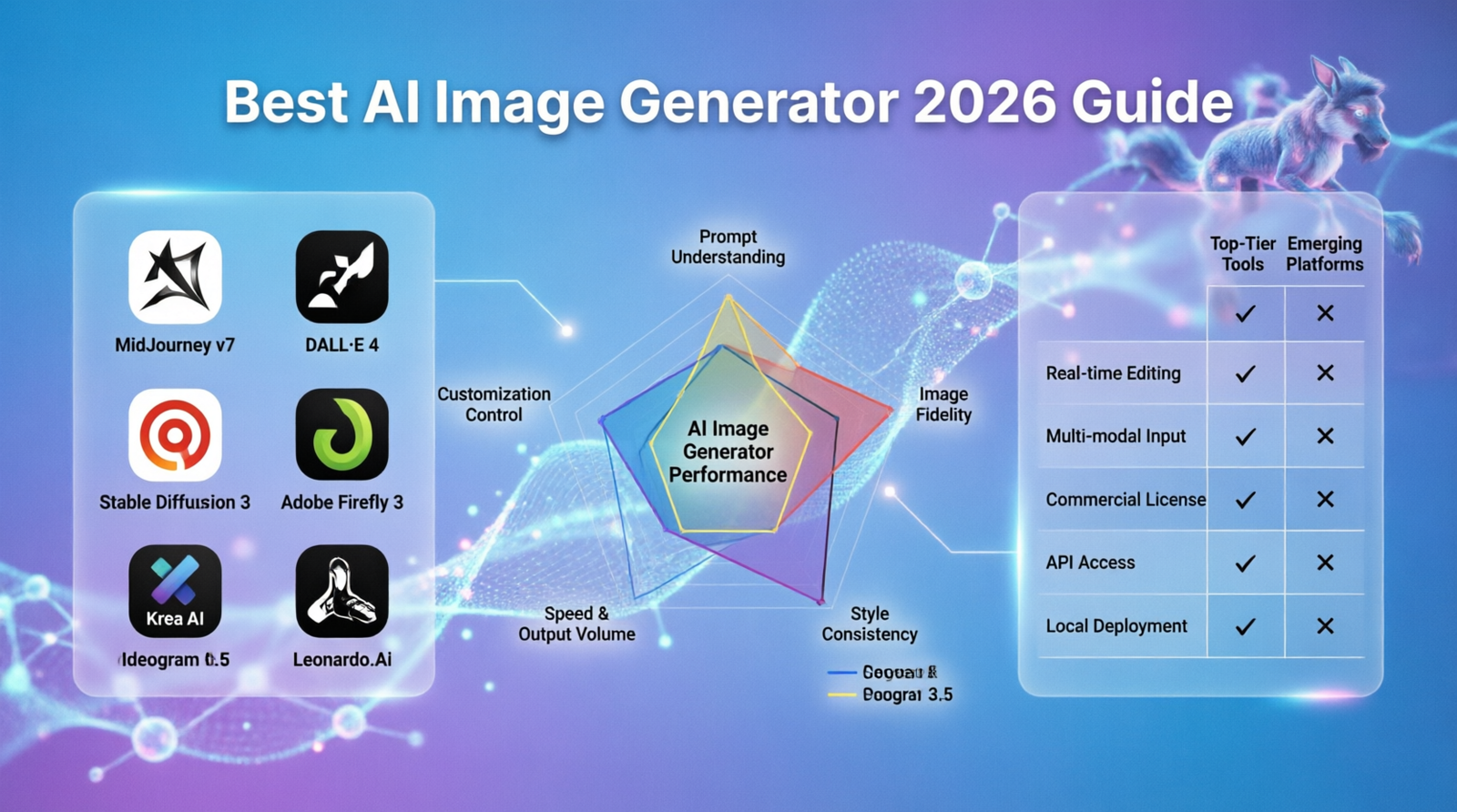
Best AI Image Generators in 2026: 5 Tools Compared
AI image generators have become practical creative tools rather than simple experiments.
Today, you can describe a product scene, create a blog illustration, generate a marketing concept, edit an existing image, or produce a visual with text without building the entire design manually.
But choosing an AI image generator is not as simple as finding the platform that produces the most impressive demo.
Different tools are designed around different workflows.
Some are easier for beginners. Some give creators more control. Some work particularly well with professional design software, while others are better suited to artistic experimentation or images containing readable text.
This guide compares five major AI image platforms based on the things that matter when choosing a tool:
- Image creation
- Editing capabilities
- Ease of use
- Creative control
- Text generation
- Professional workflow integration
- Commercial-use considerations
- Best use cases
- Limitations
The goal is not to claim that one platform is objectively the best for everyone.
It is to help you choose the tool that fits your actual creative workflow.
Quick Answer
If you want the shortest possible recommendation:
| Tool | Best for | Why consider it |
|---|---|---|
| ChatGPT Images | General-purpose image creation | Natural-language creation and conversational editing |
| Midjourney | Artistic and cinematic visuals | Strong visual style and creative direction |
| Adobe Firefly | Professional design workflows | Integration with Adobe creative tools |
| Leonardo.Ai | Creative control and assets | Customization and repeatable creative workflows |
| Ideogram | Text inside images | Strong focus on typography and text-heavy designs |
There is no universal winner.
For a blogger who wants to create article illustrations quickly, the best choice may be different from a designer producing campaign assets or an artist developing a visual concept.
What Is an AI Image Generator?
An AI image generator is a generative AI system that creates or modifies visual content from instructions such as text prompts, reference images, or editing requests.
Instead of manually creating every visual element, you describe the result you want and the model generates an image.
For example:
Create a realistic product photograph of a black smartwatch on a dark marble surface, with soft studio lighting and empty space on the left for advertising copy.
Depending on the platform, you may also be able to edit an existing image, replace elements, change the composition, remove a background, or create variations.
Common uses include:
- Blog illustrations
- Product concepts
- Advertising creatives
- Social media graphics
- Concept art
- Character designs
- Backgrounds
- Posters
- Marketing visuals
- Website graphics
- Creative experiments
However, an image generator is not necessarily the same thing as a complete design platform.
A generator creates or edits visual assets.
A broader design platform may also provide templates, typography tools, layouts, brand assets, collaboration features, and publishing tools.
That distinction becomes important when selecting a tool for professional work.
How We Compare AI Image Generators
Instead of judging these platforms only by how attractive their example images look, we use a practical framework.
1. Image creation
Can the platform consistently turn a description into a useful image?
2. Editing
Can you modify an existing image without starting completely over?
3. Control
How much control does the platform give you over style, composition, references, and customization?
4. Text
How well does it handle readable text inside generated graphics?
5. Workflow
Is the platform useful as part of a larger creative process?
6. Accessibility
Is it easy for a beginner to understand and use?
7. Commercial considerations
What should businesses and creators check before using generated content commercially?
These criteria are more useful than simply asking which model has the highest-quality demonstrations.
1. ChatGPT Images — Best Overall for General-Purpose Creation
ChatGPT Images is particularly useful for people who want to create and refine images through natural-language instructions.
OpenAI introduced ChatGPT Images 2.0 in April 2026. According to OpenAI’s documentation, the system can create new images, edit existing images, add text and details, generate transparent backgrounds, and work with different aspect ratios.
The biggest advantage is not simply image generation.
It is the conversation-based workflow.
Instead of creating an image and starting again when something is wrong, you can continue the conversation:
Make the product smaller.
Move it toward the right side.
Keep the background but change the lighting.
Add more empty space for a headline.
That makes the tool particularly convenient for creators who want to iterate without learning a complex creative interface.
What ChatGPT Images Is Good At
It can be useful for:
- Blog illustrations
- Marketing concepts
- Product scenes
- Social media visuals
- Creative experiments
- Image editing
- Images containing text
- Different aspect ratios
OpenAI also says ChatGPT Images 2.0 is available across ChatGPT tiers, although specific capabilities can vary by plan.
Strengths
- Simple natural-language workflow
- Creation and editing in the same environment
- Easy iterative refinement
- Useful for many different image types
- Supports text and transparent backgrounds
Limitations
It may not be the ideal choice for every specialist workflow.
An artist looking for a highly dedicated visual-generation environment may prefer Midjourney, while a designer already working extensively in Photoshop may get more value from Firefly.
Best For
Bloggers, marketers, content creators, small businesses, and anyone who wants a flexible general-purpose image tool.
Our Verdict
Best overall starting point for general-purpose image creation.
If you have no specific reason to choose a specialized platform, ChatGPT Images is a sensible place to begin.
2. Midjourney — Best for Artistic and Cinematic Visuals
Midjourney has become one of the most recognizable names in AI image generation, particularly among people interested in artistic and highly stylized visuals.
Its appeal is less about being a universal design application and more about the visual possibilities it provides.
It is especially attractive for projects where art direction and visual atmosphere matter.
Examples include:
- Concept art
- Cinematic scenes
- Fashion concepts
- Fantasy artwork
- Architecture concepts
- Editorial-style imagery
- Visual experimentation
Why Choose Midjourney?
Imagine that two tools can both generate a technically correct picture of a futuristic city.
One gives you a straightforward image.
The other gives you a scene with a strong visual identity, dramatic lighting, carefully controlled atmosphere, and an artistic direction that immediately feels intentional.
That difference matters for some creative projects.
Midjourney is particularly appealing when the goal is not merely:
“Create an image.”
but:
“Create an image with a specific visual personality.”
Strengths
- Strong artistic direction
- Useful for cinematic concepts
- Large creative community
- Extensive visual experimentation
- Suitable for creators who care strongly about aesthetics
Limitations
The most visually impressive tool is not automatically the most efficient tool.
If your priority is simple editing, a professional Adobe workflow, or creating text-heavy marketing graphics, another platform may be more convenient.
Privacy and commercial-use conditions also depend on Midjourney’s current plans and terms, so businesses should check the official documentation before relying on assumptions about usage rights.
Best For
Artists, designers, creative professionals, and anyone whose priority is visual style.
Our Verdict
Choose Midjourney when artistic direction matters more than having the simplest possible workflow.
3. Adobe Firefly — Best for Professional Creative Workflows
Adobe Firefly is different from a standalone image generator because it is part of a much larger creative ecosystem.
That can be a major advantage for designers and businesses already using Adobe products.
Firefly’s generative features work across Adobe applications, including Photoshop, Illustrator, Adobe Express, and other Creative Cloud workflows. Adobe’s current documentation explains that generative credits are used for Firefly-powered generative AI features, with the amount of credits depending on the plan and feature.
Why Firefly Is Different
Suppose you are designing an advertisement.
Generating the initial image is only one step.
You may also need to:
- Remove an object
- Expand the canvas
- Adjust the composition
- Create variations
- Add typography
- Prepare different formats
- Continue editing the final asset
This is where Firefly becomes particularly interesting.
Instead of treating AI generation as a separate activity, Adobe integrates generative features into a broader creative workflow.
Key Capabilities
Depending on the Adobe product and plan, Firefly supports generative features such as:
- Text-to-image generation
- Generative Fill
- Generative Expand
- Creative editing
- Text-to-vector workflows
- Generative features in Adobe applications
Adobe also provides a free way to try Firefly with limited access, while paid plans provide additional capacity.
Commercial Use
Adobe states that outputs from its Firefly AI models can be used for commercial projects, subject to the applicable terms and conditions. Adobe also distinguishes between its own Firefly models and partner models, so users should verify the conditions for the specific feature or model they use.
That distinction is important.
Do not treat every model available inside an AI platform as having identical licensing conditions.
Strengths
- Excellent Adobe integration
- Strong editing workflow
- Useful for professional production
- Generative tools available across Adobe products
- Commercial-use documentation is relatively clear for Firefly models
Limitations
The platform makes the most sense when you actually benefit from Adobe’s ecosystem.
If you only want to generate an occasional image for a blog post, a simpler tool may be more practical.
Best For
Designers, agencies, marketers, and Adobe Creative Cloud users.
Our Verdict
One of the strongest options when AI generation is part of a larger professional design workflow.
4. Leonardo.Ai — Best for Creative Control
Leonardo.Ai is aimed at creators who want more control over the image-generation process and broader creative workflows.
Rather than focusing only on simple prompt-to-image generation, Leonardo has developed features around image creation, editing, customization, and other generative media workflows.
That makes it particularly interesting for:
- Game development
- Concept art
- Character design
- Creative asset production
- Content teams
- Repeatable visual projects
Why Control Matters
Imagine you are developing a game character.
You don’t necessarily need one beautiful image.
You may need:
- Multiple poses
- Different scenes
- Consistent visual characteristics
- Variations
- Supporting assets
- Reusable styles
That is a different problem from simply generating a single image.
For these workflows, customization and consistency can be more important than producing the prettiest single output.
Strengths
- Broad creative feature set
- Useful for asset creation
- Customization options
- Suitable for repeatable visual workflows
- API options for developers
Limitations
More control usually means more things to learn.
A beginner who simply wants a blog illustration may find a conversational image generator easier.
Best For
Creators who want greater control and people building repeatable visual assets.
Our Verdict
A strong choice for creators who have outgrown basic prompt-and-generate workflows.
5. Ideogram — Best for Text-Heavy Images
Ideogram is particularly worth considering when text is an important part of the image.
This matters because a poster, advertisement, event graphic, or social-media design can fail even when the visual itself looks excellent if the text is incorrect or unreadable.
Examples include:
- Posters
- Advertisements
- Typography concepts
- Social graphics
- Promotional designs
- Thumbnail concepts
- Branding ideas
Why Typography Matters
Consider two generated advertising images.
The first has an attractive product photograph but produces incorrect lettering.
The second has slightly less impressive artwork but displays the intended headline clearly.
For many real marketing tasks, the second image is more useful.
That is why text rendering deserves to be evaluated separately from general image quality.
Strengths
- Strong focus on typography
- Useful for text-heavy graphics
- Creative editing features
- Suitable for marketing concepts
- Useful for posters and promotional visuals
Limitations
Typography is only one part of image generation.
If your project requires highly specialized artistic direction or a broader professional editing workflow, another platform may be a better fit.
Our Verdict
A particularly useful option when readable text is central to the image.
AI Image Generator Comparison
| Tool | Best For | Main Advantage | Main Limitation |
|---|---|---|---|
| ChatGPT Images | General users | Conversational creation and editing | Less specialized for certain creative workflows |
| Midjourney | Artists and designers | Strong visual style | Not necessarily the simplest workflow |
| Adobe Firefly | Professional design | Adobe ecosystem integration | Most valuable for Adobe users |
| Leonardo.Ai | Creative control | Customization and asset workflows | More features can mean a learning curve |
| Ideogram | Text-heavy graphics | Typography-focused generation | Not the universal choice for every image type |
The table should be treated as a practical starting point, not a permanent ranking.
AI image platforms change quickly.
Features, models, plans, and limits can change during the year, so check the official platform before purchasing a subscription.
Which AI Image Generator Should You Choose?
The easiest way to choose is to start with the job you need to complete.
For Blog Images
Start with ChatGPT Images.
You usually need speed, simplicity, and the ability to create an image that matches the article.
You don’t necessarily need a complicated professional workflow.
For Cinematic Artwork
Consider Midjourney.
If your priority is atmosphere, artistic direction, and visual style, it is worth testing.
For Photoshop-Based Work
Consider Adobe Firefly.
The biggest advantage is not just generation.
It is the connection between generation and professional editing.
For Game or Character Assets
Consider Leonardo.Ai.
If you need more control and repeatable visual assets, its broader workflow can be useful.
For Posters and Text-Heavy Graphics
Consider Ideogram.
If the image needs to communicate a headline or other prominent text, typography becomes a major evaluation criterion.
What Makes One AI Image Generator Better Than Another?
There is no single metric that determines quality.
A better way to think about these tools is:
Output quality × control × workflow efficiency
A platform can produce beautiful images and still be a poor choice for you if it takes too long to achieve the result you need.
For example:
A blogger
May prioritize:
- Speed
- Simplicity
- Good general image quality
A designer
May prioritize:
- Control
- Editing
- Typography
- Professional workflow
A game creator
May prioritize:
- Consistency
- Customization
- Asset generation
A marketer
May prioritize:
- Brand fit
- Text
- Multiple variations
- Production speed
The “best” tool changes with the job.
How to Write Better AI Image Prompts
A long prompt is not automatically a better prompt.
What matters is whether the prompt communicates the decisions that affect the final image.
A useful structure is:
Subject + Environment + Composition + Lighting + Style + Purpose
For example:
A premium black smartwatch on a dark marble table, luxury studio environment, product positioned on the right side with negative space on the left, soft directional lighting, realistic commercial product photography, designed for a technology blog header.
Compare that with:
A smartwatch.
The second prompt leaves many important creative decisions unspecified.
Prompt Examples for Different Projects
Blog Featured Image
A futuristic AI assistant analyzing multiple digital screens in a modern office, realistic editorial photography, clean professional environment, soft ambient lighting, wide composition, negative space for a headline, suitable for a technology blog.
Product Concept
A premium pair of wireless headphones displayed on a minimalist studio surface, realistic commercial photography, soft directional lighting, subtle shadow, clean background, high-end advertising style.
Social Media Graphic
A modern workspace with a laptop, notebook and coffee, natural morning light, editorial lifestyle photography, clean composition, balanced negative space, square social media format.
YouTube Thumbnail Concept
A content creator reacting with surprise to a futuristic AI assistant, dynamic composition, dramatic lighting, strong subject separation, clean background, space for a short headline, 16:9 format.
The goal is not to include every possible technical detail.
The goal is to communicate the decisions that actually matter.
Why You Should Generate More Than One Version
The first output is not necessarily the best output.
A practical workflow is:
Step 1: Generate several concepts
Don’t immediately publish the first result.
Step 2: Compare them
Look at:
- Composition
- Subject accuracy
- Text
- Lighting
- Brand fit
- Visual clarity
Step 3: Refine the strongest version
Change only the elements that need improvement.
Step 4: Prepare the final asset
Resize, compress, crop, or edit the image for the platform where it will be used.
This approach is usually more productive than endlessly rewriting the same prompt without evaluating the actual result.
AI Image SEO: How to Use Generated Images on a Website
Creating the image is only one part of the process.
If you publish AI-generated images on a website, you should also make them useful and accessible.
Google recommends using standard HTML image elements so images can be discovered, placing images near relevant content, using descriptive filenames, and writing useful alt text. Google also specifically warns against stuffing keywords into alt attributes.
Use a Descriptive Filename
Instead of:
IMG_4829.jpg
Use something descriptive, such as:
ai-image-generator-comparison-2026.jpg
The filename is not a magic SEO trick, but it gives Google useful contextual information.
Write Natural Alt Text
Bad:
ai image generator best ai image generator AI tools image generator
Better:
Comparison of five AI image generation tools
The second describes the image instead of turning the alt attribute into a keyword list.
Google states that useful alt text also improves accessibility for people using screen readers or browsing under limited conditions.
Place Images Near Relevant Content
Don’t insert an image merely to make an article look longer.
If a section discusses AI image generators, the image should help illustrate that section.
Google notes that surrounding text can help it understand what an image represents.
Optimize File Size
Large images can increase page weight and hurt the user experience.
Use an appropriate format, responsive sizing, and reasonable compression.
Commercial Use: What You Should Check Before Publishing an AI Image
One of the biggest mistakes is assuming:
“AI-generated means I can use it for anything.”
That’s not a safe assumption.
Before using an image commercially, check:
- The platform’s current Terms of Service.
- Your subscription level.
- Whether the specific model permits commercial use.
- Whether the image was generated privately or publicly.
- Rules concerning uploaded reference images.
- Third-party intellectual-property rights.
- Laws applicable to your jurisdiction.
These are separate questions.
A platform may give you contractual rights to an output, while copyright law may treat AI-generated material differently.
Adobe, for example, states that outputs from its Firefly AI models can be used commercially for applicable features, while also distinguishing Firefly models from partner models.
The safest approach is to verify the terms for the exact tool, model, plan, and use case.
What About Copyright?
“Who owns an AI-generated image?” is more complicated than it sounds.
There are at least two different issues:
Platform Terms
These determine what rights the service grants or assigns under its contractual terms.
Copyright Law
This determines what legal protection may apply to the resulting work in the relevant jurisdiction.
Those are not the same thing.
Human contribution can also matter when determining whether a work receives copyright protection.
For commercially important projects, don’t rely on a generic statement such as:
“AI images are copyright-free.”
That statement is far too broad.
Privacy and Confidential Projects
Another issue that deserves attention is privacy.
If you’re creating:
- Unreleased products
- Client designs
- Internal marketing campaigns
- Confidential concepts
- Private business material
check how the platform handles uploaded content and generated images.
Questions worth asking include:
- Are creations public or private?
- Is private generation available?
- How are uploaded files handled?
- Who can access generated assets?
- What do the service terms say about submitted content?
Privacy can be just as important as image quality for professional users.
Free vs. Paid AI Image Generators
Free plans are useful for testing.
They allow you to determine whether a platform actually fits your workflow before committing to a subscription.
However, free access can come with restrictions such as:
- Limited generations
- Slower processing
- Reduced access to models
- Fewer editing capabilities
- Lower priority
- Storage or privacy limitations
Paid access becomes more valuable when the tool is part of your regular production process.
The important question isn’t:
“Which tool is cheapest?”
It is:
“Which tool gives me enough value to justify its cost?”
Should You Use One AI Image Generator or Several?
For most people, starting with one tool is better.
Using five platforms at once creates unnecessary complexity.
A better approach is:
Choose one → create real projects → identify limitations → add another tool only when necessary.
For example:
A blogger may start with ChatGPT Images.
If typography becomes a recurring problem, they might test Ideogram.
A designer working in Photoshop may start with Firefly.
A creative artist may prefer Midjourney.
The goal is not to collect AI subscriptions.
The goal is to build an efficient creative workflow.
Common AI Image Generator Mistakes
1. Choosing a Tool Because It Is Popular
Popularity doesn’t mean suitability.
Start with the task.
2. Writing Extremely Long Prompts
More words do not automatically produce better results.
Focus on the important visual decisions.
3. Ignoring Composition
Describe where the main subject should appear when placement matters.
4. Forgetting the Final Format
A blog header, social post, advertisement, and thumbnail may require completely different compositions.
5. Publishing the First Result
Generate, compare, refine.
6. Ignoring Licensing
Always check current terms before commercial use.
7. Uploading Confidential Material Without Checking Privacy
Understand how the platform handles your files before submitting sensitive work.
8. Adding AI Images Without a Purpose
An article does not become more useful simply because it contains more images.
Every image should support the reader.
Can AI Image Generators Replace Designers?
For many tasks, AI can reduce the amount of manual work required.
But generating an image is not the same as designing a complete visual communication system.
Professional design still involves:
- Visual hierarchy
- Typography
- Brand consistency
- Layout
- Art direction
- Audience understanding
- Communication goals
- Human judgment
A useful way to think about the relationship is:
AI generates possibilities.
Humans decide which possibilities are worth using.
For many businesses, the strongest workflow is therefore not “AI versus designers.”
It is AI plus human direction.
Are AI-Generated Images Good for SEO?
They can support a useful webpage, but the fact that an image was generated by AI does not automatically make the page valuable.
The important question is whether the image helps the reader.
For example, a custom comparison graphic can make an explanation easier to understand.
A random AI illustration inserted between paragraphs simply to increase the number of images adds much less value.
Google’s guidance emphasizes people-first content and asks whether readers will leave the page feeling that they learned enough to accomplish their goal. Google also warns against creating content primarily to attract search traffic or merely summarizing information from other sources without adding value.
That principle applies to this article too.
Frequently Asked Questions
What is the best AI image generator in 2026?
There is no single best tool for every user.
For general-purpose creation and conversational editing, ChatGPT Images is a strong starting point.
Midjourney is particularly attractive for artistic work, Firefly for Adobe-centered workflows, Leonardo.Ai for greater creative control, and Ideogram for text-heavy graphics.
Which AI image generator is best for realistic images?
Several major platforms can produce realistic images.
The better choice depends on the type of realism you need, the amount of control you want, and how the image will be used.
Instead of choosing based only on demonstrations, test the same prompt across the platforms you’re considering.
Which AI image generator is best for text?
Ideogram is worth testing when readable text is a central requirement of the image.
Other models can also generate text, but typography-heavy designs deserve their own evaluation.
Is Midjourney worth using?
It can be, particularly if artistic style and cinematic visuals are important to your work.
Whether it is worth paying for depends on how often you use it and whether its workflow fits your projects.
Is Adobe Firefly good for businesses?
Firefly can be especially useful for businesses already using Adobe’s creative ecosystem.
Its integration with Adobe applications can reduce the friction between AI generation and professional editing.
Is Leonardo.Ai useful for game assets?
It can be a useful option for creators who need repeatable visual assets and more creative control.
The exact suitability depends on the type of assets and consistency requirements.
Can AI-generated images be used commercially?
Sometimes.
Commercial usage depends on the platform, model, subscription, content, terms, and applicable law.
Never assume that every AI-generated image has identical commercial rights.
Are AI-generated images copyrighted?
Not necessarily in the way a traditional human-created artwork is.
Copyright protection can depend on human contribution and the applicable law.
Platform terms and copyright law should be considered separately.
Can I use AI-generated images on my website?
Generally, you can publish them when your use complies with the relevant platform terms and applicable law.
You should also optimize the images for performance and accessibility.
What is the best AI image generator for bloggers?
For many bloggers, ChatGPT Images is a convenient starting point because it supports general image creation and editing through natural-language instructions.
However, a blogger who regularly creates posters or text-heavy graphics may prefer a specialized option such as Ideogram.
Final Verdict
The AI image generator market is no longer about finding one platform that wins every category.
The better question is:
Which tool removes the biggest obstacle from your creative workflow?
Our practical recommendations are:
Best Overall: ChatGPT Images
Best starting point for general image creation, editing, and conversational iteration.
Best for Artistic Work: Midjourney
A strong option when visual style and artistic direction are the priority.
Best for Professional Creative Workflows: Adobe Firefly
Particularly compelling for designers and businesses already using Adobe tools.
Best for Creative Control: Leonardo.Ai
Worth considering when customization and repeatable asset creation matter.
Best for Text in Images: Ideogram
A strong candidate for posters, advertising concepts, and other graphics where readable text is important.
The Best Strategy
Don’t subscribe to every platform.
Choose the tool that matches your primary use case and test it with real projects, not just impressive examples from the company’s website.
If it solves your problem efficiently, keep using it.
If you repeatedly encounter a limitation, then test another platform.
That approach gives you something more valuable than the newest AI model:
a creative workflow that actually works for you.
Sources and Official Documentation
For current features, plans, usage rights, and product availability, consult the official documentation before making a purchasing or licensing decision.
- OpenAI — ChatGPT Images
- OpenAI — ChatGPT Images 2.0 announcement
- Adobe — Firefly generative credits
- Adobe — Firefly plans and commercial use
- Google Search Central — Image SEO best practices
- Google Search Central — Creating helpful, reliable, people-first content
Platform features, pricing, limits, and terms can change. Verify the official documentation before relying on time-sensitive information.

One Comment