Best AI Agents in 2026: 5 AI Agents for Real-World Work
Last updated: September 2026
AI assistants are moving beyond simple question-and-answer chat.
Modern AI agents can research information, use software tools, work with files, browse websites, generate documents, automate workflows, and complete multi-step tasks with varying levels of human supervision.
But there is an important distinction between an AI chatbot and an AI agent.
A chatbot may give you an answer. An agent is designed to take that answer further by planning actions, using tools, and working toward a defined objective.
That does not mean every AI agent is fully autonomous. In practice, the amount of automation varies considerably between products. Some agents can complete tasks independently, while others require approval before taking actions that affect external systems.
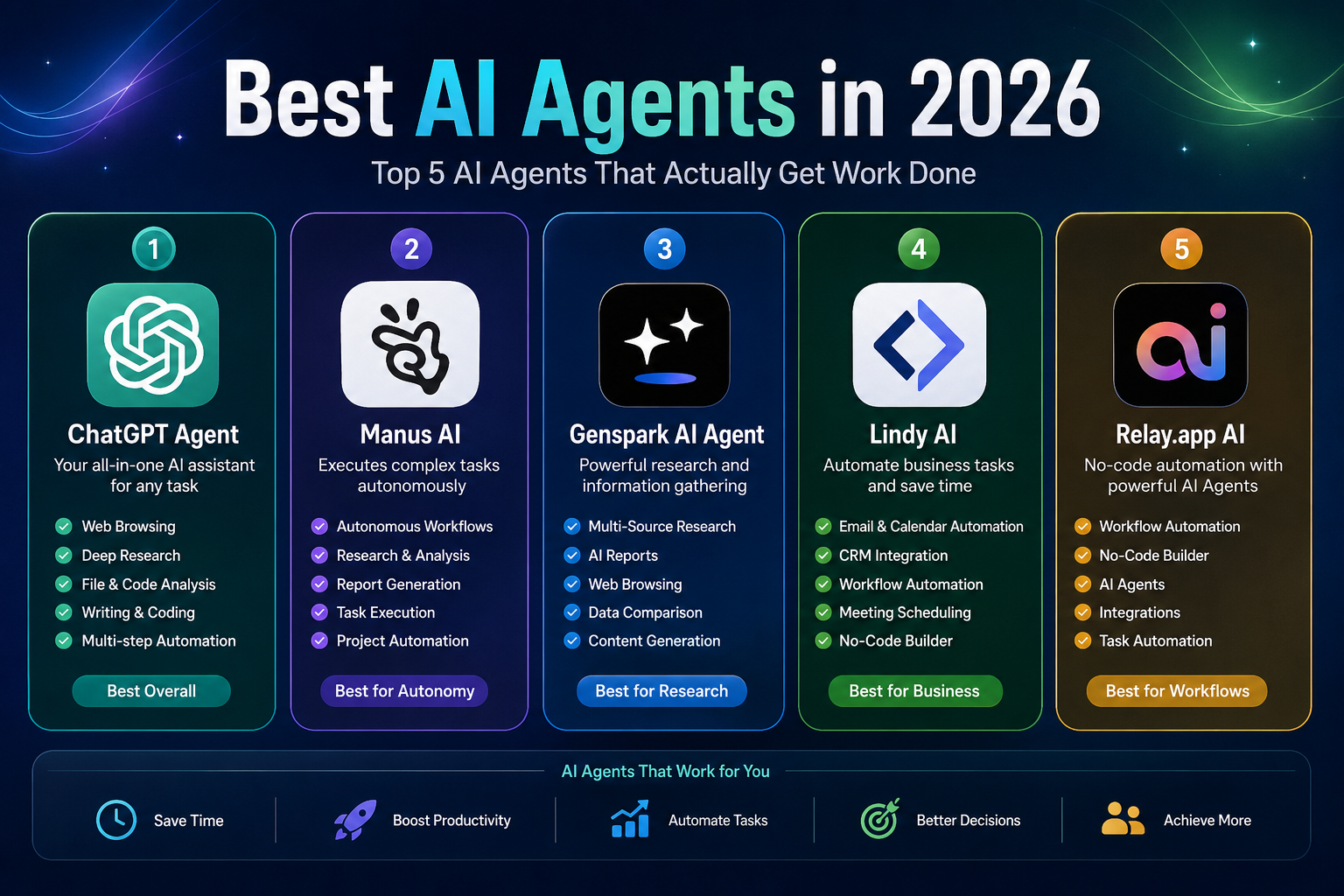
In this guide, we compare five notable AI agent platforms in 2026 and explain what each is actually good at.
Rather than ranking tools simply by the number of features they advertise, this comparison focuses on practical factors such as task execution, research, workflow automation, integrations, human oversight, pricing, and ease of use.
Quick Comparison
| AI Agent | Best For | Free Access | Main Strength |
|---|---|---|---|
| ChatGPT Work | General-purpose multi-step work | Depends on ChatGPT plan | Research, files, apps, and finished deliverables |
| Manus | Autonomous research and task execution | Yes, with limits | Agent Mode and multi-step work |
| Genspark Super Agent | Research and AI workspaces | Plan-dependent | Broad agent ecosystem and task execution |
| Lindy | Business and personal workflow automation | 7-day trial | Email, meetings, calendar, and connected apps |
| Relay.app | Structured workflow automation | Free account available | AI workflows with human approval steps |
Pricing, usage limits, models, and features change frequently. Always check the provider’s current pricing page before subscribing.
What Is an AI Agent?
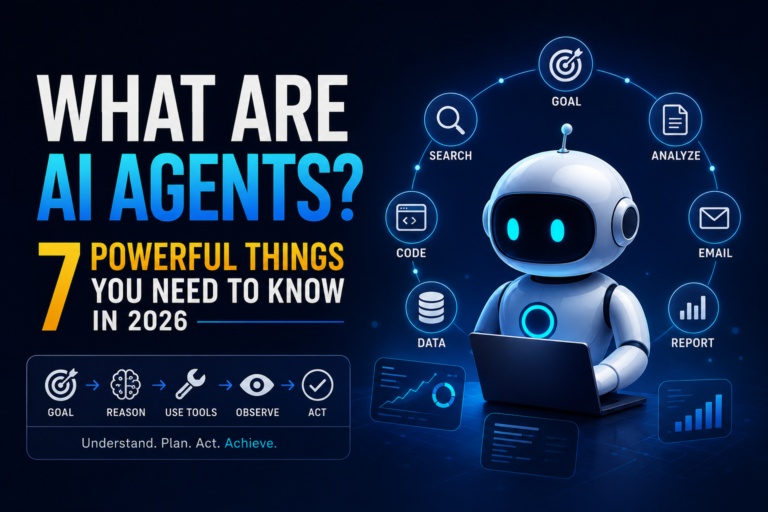
An AI agent is software that uses artificial intelligence to pursue a goal by deciding which actions or tools to use and then carrying out multiple steps.
A typical agent workflow can look like this:
- Understand the user’s objective.
- Break the objective into smaller tasks.
- Gather information.
- Use external tools or applications.
- Analyze the results.
- Produce an output or take an approved action.
- Ask the user for clarification or approval when necessary.
This is different from simply generating text.
For example, instead of asking an AI:
“What are the main competitors of this company?”
an agent-based workflow might involve:
- researching the company,
- finding competitors,
- collecting publicly available information,
- organizing the findings,
- comparing the companies,
- and producing a report.
The exact level of autonomy depends on the platform.
Some agents can perform actions directly, while others stop and ask for confirmation before important actions.
AI Agents vs. AI Chatbots
The terms are sometimes used interchangeably, but they describe different approaches.
| Capability | AI Chatbot | AI Agent |
|---|---|---|
| Answer questions | Yes | Yes |
| Generate text | Yes | Yes |
| Multi-step planning | Limited | Core capability |
| Use external tools | Sometimes | Common |
| Execute workflows | Limited | Common |
| Browse the web | Some | Often |
| Work with applications | Limited | Often |
| Take actions | Usually limited | Depending on permissions |
| Human approval | Usually unnecessary | Often available or required |
The distinction is not absolute.
Some modern AI assistants combine chatbot, research, coding, and agent capabilities in the same product.
The 5 Best AI Agents in 2026
1. ChatGPT Work — Best General-Purpose AI Agent
Best for: Professionals, researchers, developers, marketers, analysts, and users who need one system for different types of complex work.
One important correction to many older AI-agent lists is the name ChatGPT Agent.
OpenAI’s current product direction includes ChatGPT Work, an agent designed for longer, multi-step work and finished deliverables. OpenAI describes Work as being able to gather information across apps and workflows and turn a goal into outputs such as spreadsheets, slides, documents, and web applications.
The earlier ChatGPT agent capabilities remain part of OpenAI’s broader agent experience, but calling the product simply “ChatGPT Agent” without explaining the current Work experience can make a 2026 article confusing or outdated.
Why It Stands Out
ChatGPT Work is particularly interesting because it combines several capabilities that would otherwise require separate tools.
Depending on the user’s plan and available features, ChatGPT can work with files, connected applications, research workflows, coding tools, and longer-running tasks.
OpenAI describes Work as being designed for longer, multi-step work and finished deliverables, rather than only quick conversational answers.
Key Capabilities
- Multi-step task execution
- Research
- File analysis
- Data analysis
- Document creation
- Spreadsheet work
- Presentation generation
- Coding and software development
- Connected applications
- Web-based workflows
- Long-running work
OpenAI also supports agent-related capabilities through its broader ChatGPT ecosystem, including browser interaction and connected data sources.
What to Consider
The main limitation is that access to advanced capabilities depends on the ChatGPT plan and rollout status.
OpenAI’s current Business pricing, for example, distinguishes between Standard and Premium seats, with different usage limits for ChatGPT, Work, and Codex.
Therefore, users should not assume that every ChatGPT account receives identical agent capabilities.
Best For
Choose ChatGPT Work if you want a general-purpose AI agent capable of handling research, documents, data, coding, and multi-step professional tasks from one platform.
2. Manus — Best for Autonomous Task Execution
Best for: Researchers, entrepreneurs, consultants, analysts, and users who want an AI system to execute multi-step tasks.
Manus is designed specifically around agent-based task execution.
Rather than treating every interaction as a normal chat, Manus provides an Agent Mode that can work through objectives and perform multiple steps.
Its current plans include Free, Pro, and Team. Free users can access Chat Mode and Manus 1.6 Lite in Agent Mode, while Pro users receive access to Manus 1.6, Manus 1.6 Max, and Manus 1.6 Lite.
Why It Stands Out
Manus is especially useful when the task is too complicated for a single prompt.
For example, a user could give an objective that requires:
- Research
- Information gathering
- Analysis
- Writing
- Document creation
- Presentation generation
- Multiple sequential actions
Manus can then work through those stages rather than requiring the user to manually prompt every step.
Key Capabilities
- Agent Mode
- Multi-step task execution
- Research
- Advanced research
- Document creation
- Presentation generation
- Website deployment
- Scheduled tasks
- Concurrent tasks
- Different AI model options
The current Free plan provides 300 refreshed credits per day and supports one concurrent task. Paid Pro plans start at $20/month according to Manus’s current help documentation, with higher-credit plans available for heavier use.
What to Consider
Manus uses a credit-based system, so the practical amount of work you can complete depends on the task and your available credits.
This makes the service more difficult to compare with a simple unlimited subscription.
Heavy research or complex tasks can consume substantially more resources than a simple question.
Best For
Manus is a strong choice if your priority is delegating substantial multi-step tasks to an AI system rather than simply asking questions.
3. Genspark Super Agent — Best for Broad AI Workflows
Best for: Researchers, marketers, creators, entrepreneurs, and users who want multiple AI capabilities in one workspace.
Genspark has evolved from an AI search product into a broader AI workspace containing multiple specialized agents and tools.
Its current ecosystem includes AI Chat, AI Slides, AI Docs, AI Sheets, AI Image, AI Video, Genspark Code, and Super Agent, among other capabilities.
Why It Stands Out
The main advantage is breadth.
Instead of using one application for research, another for presentations, another for spreadsheets, and another for media generation, Genspark brings many of these capabilities together.
Its Super Agent can be used for more complex tasks, while the wider workspace provides specialized AI tools for different types of output.
Key Capabilities
- Super Agent
- AI research
- AI chat
- AI documents
- AI spreadsheets
- AI presentations
- AI coding
- Image generation
- Video generation
- Audio generation
- AI workspace
- Connected productivity features
Genspark also offers a team plan at $30 per seat per month, with centralized administration, usage analytics, SSO/SAML, and access to its wider agent ecosystem.
A Useful Advantage
Genspark’s ecosystem is particularly interesting for users who create different types of content.
For example, a single project could involve:
- Researching a topic.
- Turning findings into a document.
- Creating a presentation.
- Generating supporting visuals.
- Building additional content.
Instead of treating each task as a separate application, Genspark attempts to provide the tools inside one workspace.
What to Consider
Because Genspark offers many AI products and models, the pricing and credit system can be more complicated than a simple chatbot subscription.
The company also notes that model lineups and model costs can change, so users should check the live pricing information before estimating ongoing costs.
Best For
Genspark is worth considering if you want a broad AI workspace where research, documents, spreadsheets, coding, and media generation can be handled from the same environment.
4. Lindy — Best for Business Workflow Automation
Best for: Small businesses, sales teams, executives, agencies, operations teams, and professionals who want AI to handle repetitive work.
Lindy takes a different approach from general-purpose research agents.
Its focus is the user’s work life.
The platform can work with email, meetings, calendars, follow-ups, CRM systems, Slack, Notion, and many other applications.
Lindy currently offers plans such as Plus, Pro, Max, and Enterprise. The provider’s pricing page lists Plus at $29.99/month per user, Pro at $99.99/month, and Max at $199.99/month, although plan details and usage allocations can change.
Why It Stands Out
Lindy is designed for recurring workflows rather than occasional research.
Examples include:
- Managing email
- Drafting replies
- Scheduling meetings
- Preparing for meetings
- Following up after meetings
- Managing CRM information
- Running scheduled routines
- Connecting business applications
Its current platform includes thousands of integrations and supports computer use for appropriate workflows.
Key Capabilities
- Email management
- Email drafting
- Meeting scheduling
- Meeting preparation
- Meeting notes
- Follow-ups
- CRM automation
- Scheduled routines
- Connected applications
- Computer use
- Custom skills
- MCP support
- Model selection
Human Approval Matters
One of Lindy’s more important design choices is that actions with external impact can require approval.
According to its current documentation, actions such as sending an email, updating a ticket, posting to another channel, or publishing a document can wait for user approval.
This is an important distinction between automation and unrestricted autonomy.
Pricing
Lindy currently offers a 7-day free trial.
The current pricing page lists:
- Plus: $29.99/month per user
- Pro: $99.99/month per user
- Max: $199.99/month per user
- Enterprise: Custom pricing
The plans differ mainly in usage, connected inboxes, computer use, and enterprise controls.
Best For
Lindy is a strong option when your goal is automating recurring business and personal work rather than conducting one-off AI research.
5. Relay.app — Best for AI-Powered Workflow Automation
Best for: Operations teams, marketers, startups, and businesses that need structured automation with human approval.
Relay.app is different from a general-purpose autonomous agent.
It is primarily a workflow automation platform with embedded AI and human-in-the-loop steps.
That distinction makes it especially useful for businesses where some decisions should remain under human control.
Relay supports workflows connecting many applications and can use AI for tasks such as extracting information, summarizing content, classifying data, and generating text. Its platform also supports approval and decision steps when human judgment is required.
Why It Stands Out
The strongest feature is controlled automation.
Instead of telling an AI to independently run an entire business process, you can design a workflow such as:
Trigger → AI processing → Human review → Action
For example:
- A new customer email arrives.
- AI analyzes the message.
- AI categorizes the request.
- A team member reviews the suggested response.
- Relay sends or routes the approved result.
This structure can reduce automation errors while keeping people involved where they matter.
Key Capabilities
- AI-powered workflows
- Multi-step automation
- Human approval steps
- App integrations
- Data extraction
- AI classification
- AI text generation
- Conditional logic
- Scheduled workflows
- Team collaboration
Relay’s integration ecosystem includes services such as Gmail, Slack, HubSpot, Salesforce, Google Workspace, Microsoft tools, Notion, Shopify, GitHub, and many others.
What to Consider
Relay is not necessarily the best choice if you simply want an autonomous research agent.
Its strength is structured, repeatable workflows.
If you want an AI to investigate a topic and produce a report from scratch, Manus or ChatGPT Work may be more appropriate.
If you want to automate a recurring business process involving several applications, Relay can be a better fit.
Best For
Relay.app is particularly suitable for business automation where AI and human decision-making need to work together.
Which AI Agent Should You Choose?
There is no universal winner.
The right choice depends on the type of work you want the agent to perform.
| Your Main Goal | Recommended Option |
|---|---|
| General-purpose multi-step work | ChatGPT Work |
| Autonomous research and task execution | Manus |
| Broad AI workspace | Genspark |
| Email, meetings, and business automation | Lindy |
| Structured workflows with human approval | Relay.app |
AI Agents by Use Case
Best for Research
Manus and ChatGPT Work are strong choices when a task requires multiple research steps, analysis, and a finished deliverable.
Genspark is also attractive if your research needs extend into documents, spreadsheets, presentations, or other AI-generated assets.
Best for Business Automation
Lindy is the strongest fit among these five when the objective is automating email, meetings, scheduling, CRM work, and recurring business tasks.
Best for Workflow Automation
Relay.app is particularly useful when you need predictable workflows connecting multiple applications and want human approval steps built into the process.
Best for an All-Purpose AI Agent
ChatGPT Work is the most versatile choice in this comparison because it combines research, documents, data, coding, connected applications, and multi-step work.
Best for an AI Workspace
Genspark is compelling for users who want multiple AI tools and agents in one environment.
How to Choose an AI Agent
1. Define the Actual Task
Do not start with the question:
“Which AI agent is the most powerful?”
Start with:
“What do I want this agent to do?”
For example:
- Research competitors
- Prepare reports
- Manage emails
- Qualify leads
- Schedule meetings
- Create documents
- Analyze data
- Automate customer support
- Update a CRM
- Build software
The answer can immediately eliminate many unsuitable tools.
2. Understand the Level of Autonomy
AI agents can operate at different levels.
Assisted
The AI suggests what to do, but you perform the action.
Semi-autonomous
The AI completes several steps but asks for approval at important points.
Highly autonomous
The AI can perform longer workflows with limited intervention.
Higher autonomy is not automatically better.
For business processes involving money, customers, publishing, account changes, or sensitive information, controlled automation can be safer than unrestricted execution.
3. Check Integrations
An agent becomes much more useful when it can interact with the applications you already use.
Depending on your workflow, look for integrations with:
- Gmail
- Outlook
- Google Calendar
- Slack
- Notion
- HubSpot
- Salesforce
- Google Drive
- Microsoft 365
- GitHub
- Project management tools
An impressive AI model is less useful if it cannot access the systems where your work actually happens.
4. Compare Usage Limits
Many AI agents use credits, tasks, messages, or other usage limits.
This is especially important for autonomous agents because one complex task may consume considerably more resources than a simple question.
Before subscribing, check:
- Monthly credits
- Concurrent tasks
- Scheduled tasks
- Model availability
- File limits
- Research limits
- Automation limits
Do not compare subscription prices without comparing what the subscription actually includes.
5. Check Human Approval Controls
A good AI agent should not necessarily be allowed to perform every action without asking.
Look for controls that let you:
- Approve important actions
- Review generated content
- Stop a task
- Limit permissions
- Restrict connected applications
- Control access to sensitive information
These features become particularly important when an agent can interact with external systems.
How to Use AI Agents Effectively
Start With One Workflow
Do not automate your entire business on the first day.
Choose one repetitive process.
For example:
New email → classify → draft response → human approval → send
Once that workflow works reliably, expand gradually.
Give the Agent a Clear Objective
Weak instruction:
“Handle my marketing.”
Better instruction:
“Review the campaign performance data, identify the three biggest changes from last week, summarize the likely causes, and prepare a report for review.”
Clear objectives make it easier for the agent to determine what actions are necessary.
Define What the Agent Is Allowed to Do
Tell the system what it can and cannot change.
For example:
- Research freely.
- Draft documents.
- Do not send emails without approval.
- Do not make purchases.
- Do not delete files.
- Ask before modifying customer records.
This reduces the risk of unwanted actions.
Review Important Outputs
AI agents can make mistakes even when the workflow itself is technically successful.
Review:
- Financial information
- Legal documents
- Customer communications
- Business reports
- Public content
- Important research
- Data entered into business systems
Successful execution does not guarantee a correct result.
Measure the Result
The goal of automation is not simply to use AI.
Measure whether the agent actually improves the workflow.
Useful measurements include:
- Time saved
- Error rate
- Number of manual steps removed
- Cost per completed task
- Response time
- Human review time
An automation that looks impressive but creates more review work may not be a useful automation.
Privacy and Security Considerations
AI agents can potentially access much more information than a normal chatbot.
Depending on the platform and permissions, an agent may work with:
- Emails
- Documents
- Calendars
- CRM records
- Browser sessions
- Cloud storage
- Business applications
- Customer information
Before connecting an AI agent to business systems, review the provider’s privacy and security documentation.
Pay particular attention to:
Data retention
How long is information stored?
Model training
Is your data used to improve AI models?
Access controls
Can administrators restrict what the agent can access?
Human approval
Can important actions require confirmation?
Enterprise controls
Does the platform provide SSO, audit logs, role-based access, or other controls where needed?
For example, Lindy’s current Enterprise offering includes SSO, SCIM, audit logs, and HIPAA compliance with a signed BAA.
Manus’s Team offering also includes controls such as SSO, usage analytics, internal access controls, and an option to opt out of data training.
The exact protections vary by provider and plan, so never assume that a security feature applies to every subscription tier.
Common AI Agent Mistakes
Choosing the Most Powerful Agent
The most technically capable platform is not necessarily the best fit.
A simple automation tool may outperform a sophisticated autonomous agent for a repetitive business workflow.
Giving Too Much Permission
Only connect the applications and accounts the agent actually needs.
Automating High-Risk Actions Immediately
Start with low-risk workflows.
For important actions, require human approval until the system has demonstrated reliable performance.
Ignoring Usage Costs
Credit-based systems can make complex tasks more expensive than expected.
Track usage before building an important workflow around a platform.
Assuming Successful Execution Means Correct Execution
An AI agent can successfully complete every step of a workflow and still produce an incorrect result.
Always evaluate the output, not just whether the task finished.
Advantages and Limitations of AI Agents
Advantages
AI agents can:
- Automate repetitive work
- Handle multi-step processes
- Research information
- Work with documents
- Connect multiple applications
- Reduce manual data entry
- Generate reports
- Support business workflows
- Assist with coding
- Improve productivity
Limitations
They also have important limitations:
- AI outputs can be incorrect.
- Complex tasks can consume significant credits.
- Integrations vary between platforms.
- Some advanced capabilities require paid plans.
- Agents may need human approval.
- Poor instructions can produce poor workflows.
- Connected accounts create additional security considerations.
- Autonomous actions can introduce new failure points.
AI agents should therefore be treated as powerful productivity systems, not infallible digital employees.
Frequently Asked Questions
What Is an AI Agent?
An AI agent is a software system that can understand a goal, plan multiple steps, use tools, and execute actions to work toward that goal.
What Is the Difference Between an AI Agent and a Chatbot?
A chatbot primarily communicates with the user.
An AI agent can go further by using tools, interacting with applications, gathering information, and executing multiple steps.
The distinction is not absolute because modern AI platforms increasingly combine both approaches.
Which AI Agent Is Best Overall in 2026?
For broad professional use, ChatGPT Work is one of the strongest options because it combines multi-step work with research, documents, data, coding, and connected workflows. OpenAI describes Work specifically as an agent for longer tasks and finished deliverables.
However, users focused on business automation may find Lindy or Relay.app more suitable.
Which AI Agent Is Best for Research?
Manus and ChatGPT Work are strong choices for research-heavy tasks.
Genspark is also useful when research needs to continue into documents, spreadsheets, presentations, or other generated content.
Which AI Agent Is Best for Business Automation?
Lindy is a strong choice for email, meetings, scheduling, CRM, and recurring work-life automation.
Relay.app is particularly useful when you need structured workflows with human approval steps.
Are AI Agents Fully Autonomous?
Not always.
Some can complete long sequences of actions with limited intervention, while others require approval at important points.
The level of autonomy depends on the platform, task, permissions, and configuration.
Can AI Agents Replace Employees?
AI agents can automate parts of many jobs, especially repetitive digital tasks.
That does not mean they can reliably replace an entire employee or professional role.
Human judgment remains important for complex decisions, accountability, communication, and situations where context matters.
Are AI Agents Safe?
AI agents can be used safely when permissions, data access, and human approval are configured appropriately.
However, connecting an agent to email, business systems, financial services, or sensitive information creates additional risks.
Start with limited permissions and low-risk workflows, then expand access only when necessary.
Final Verdict
AI agents are becoming more useful because they can move beyond generating answers and start performing work.
But the best AI agent depends heavily on the task.
Our category picks
Best general-purpose AI agent: ChatGPT Work
Best for autonomous task execution: Manus
Best broad AI workspace: Genspark Super Agent
Best for business automation: Lindy
Best for structured workflows and human approval: Relay.app
For professionals who want one platform capable of handling many types of complex work, ChatGPT Work is the strongest all-around option in this comparison.
For users who want to delegate larger research and execution tasks, Manus is particularly interesting.
If you want an AI workspace that combines agents with documents, spreadsheets, presentations, coding, and media tools, Genspark offers a broad ecosystem.
For recurring business tasks involving email, meetings, scheduling, and connected applications, Lindy is a better fit.
And if your priority is reliable workflow automation where people remain involved in important decisions, Relay.app offers a practical human-in-the-loop approach.
The key is not to ask which AI agent has the most impressive feature list.
Ask which agent can reliably complete a useful task with less manual work and acceptable cost and risk.
That is the real measure of an AI agent’s value in 2026.
Related AI Guides
Explore more AI software guides from AI Tools for Marketers.