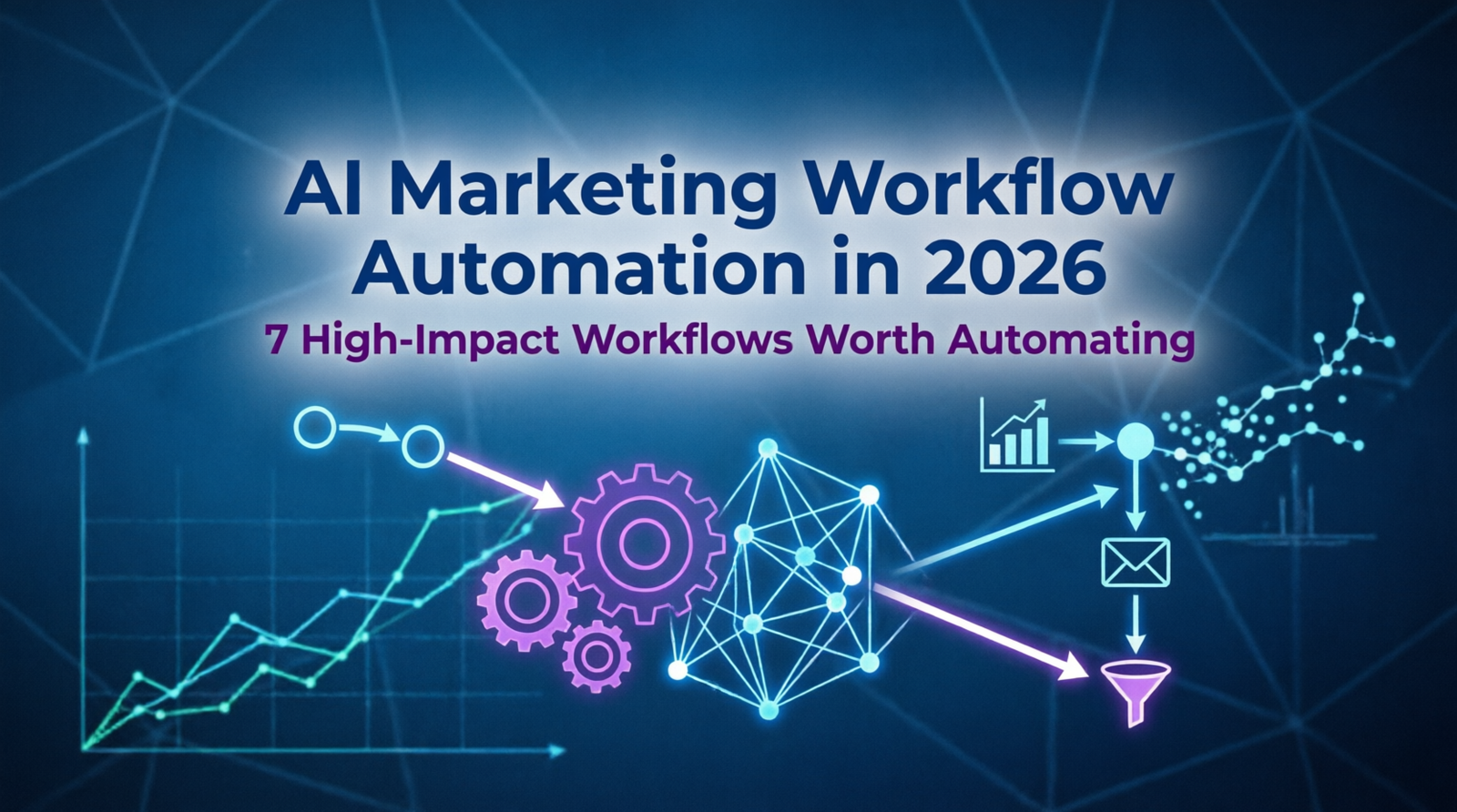
AI Marketing Workflow Automation in 2026: 7 High-Impact Workflows Worth Automating
Marketing teams do not have an AI shortage.
They have a workflow problem.
A marketer can use one tool to write emails, another to analyze keywords, another to monitor campaigns, and a CRM to manage leads—and still spend hours moving information between systems.
The result is a strange paradox: companies become better at using AI while their marketing operations remain almost as manual as before.
That manual work creates more than wasted hours. It can also lead to duplicated effort, slower decisions, disconnected data, inconsistent execution, and unnecessary spending on tools that never become part of a reliable process.
Buying another AI tool rarely fixes that problem.
The bigger opportunity is to connect data, rules, AI, validation, human judgment, business systems, and measurement into one repeatable process.
That is the difference between using AI tools and building AI-powered marketing workflows.
A practical workflow looks like:
Trigger → Data → Rules → AI → Validation → Decision → Permission → Human Review → Action → Measurement
The goal is not to put AI everywhere.
The goal is to use the lowest level of automation that can reliably solve the problem.
Use traditional automation for predictable rules.
Use AI workflows when a process requires interpretation, classification, summarization, personalization, recommendation, or generation.
Use agents when the system genuinely needs to choose tools or steps dynamically.
Keep humans involved when decisions are strategic, high-risk, difficult to reverse, or dependent on context the system cannot reliably understand.
This guide covers seven practical AI marketing workflows, when to automate them, when not to, how to measure their value, and how to build them with appropriate testing, permissions, observability, and human oversight.
Table of Contents
Quick Answer: Which AI Marketing Workflow Should You Automate First?
The best first workflow is usually not the most advanced one.
Start with a process that is:
- Frequent
- Repetitive
- Measurable
- Based on reasonably reliable data
- Low enough risk to test safely
- Expensive enough in human time to justify automation
| Marketing Problem | Best Starting Workflow | AI Role | Risk |
|---|---|---|---|
| Weekly reporting consumes hours | AI Marketing Reporting | Analysis + summarization | Low–Medium |
| Large volumes of feedback are difficult to analyze | AI Customer Feedback Analysis | Classification + pattern detection | Medium |
| Sales spends too much time reviewing leads | AI Lead Qualification | Classification + scoring | Medium |
| Older pages are losing organic visibility | AI SEO Content Refresh | Content analysis | Medium |
| Content production is slowing the team down | AI-Assisted Editorial Workflow | Research + generation + editing | Medium–High |
| Competitor research is repetitive | AI Competitor Monitoring | Change detection + analysis | Low–Medium |
| Campaigns need constant monitoring | AI Campaign Monitoring | Anomaly detection + recommendations | High |
Start Here
Need to save reporting time?
→ Start with AI Marketing Reporting.
Need to reduce sales screening?
→ Start with AI Lead Qualification.
Have thousands of reviews, tickets, or comments?
→ Start with Customer Feedback Analysis.
Have a large existing content library?
→ Start with SEO Content Refresh.
Produce content every week?
→ Consider an AI-Assisted Editorial Workflow.
Monitor several competitors?
→ Consider Competitor Monitoring.
Manage high-volume paid campaigns?
→ Consider Campaign Monitoring, but introduce stronger controls.
The key question is not:
Which AI tool should we buy?
It is:
Which marketing workflow is wasting the most valuable human time?
Find the Right Workflow in 60 Seconds
Use this decision path before building anything.
Is the task predictable?
→ Yes → Use traditional automation.
→ No → Does it require interpretation?
→ Yes → Use an AI workflow.
→ Does the system need to dynamically choose tools or steps?
→ Yes → Consider an AI agent.
→ Is the resulting action financially, legally, operationally, or reputationally risky?
→ Yes → Require human approval.
The principle is simple:
Use the simplest system that can reliably produce the required business outcome.
Who Should—and Shouldn’t—Use AI Marketing Workflow Automation?
AI workflow automation is a strong fit for businesses where marketing processes happen repeatedly and produce measurable outcomes.
Good Candidates
- SaaS marketing teams
- E-commerce businesses
- Agencies managing multiple campaigns or clients
- Content-heavy websites
- Performance marketing teams
- Marketing operations teams
- Businesses with large CRM databases
- Teams processing large volumes of customer feedback
Poor Candidates
AI automation may not be worthwhile when:
- The task happens only occasionally
- Data quality is poor
- The process is constantly changing
- There is no measurable KPI
- The workflow is already faster manually
- Human judgment is required at almost every step
- The cost of an incorrect action is extremely high
Automation should solve a bottleneck.
It should not create another one.
What Is AI Marketing Workflow Automation?
AI marketing workflow automation is the use of AI inside a structured marketing process to interpret information, generate outputs, recommend actions, or make bounded decisions while automation handles triggers, rules, system updates, and repeatable execution.
A traditional process might look like:
Lead submits form → marketer receives notification → marketer reviews lead → CRM is updated → follow-up is written → email is sent
An AI-assisted version might look like:
Lead submits form → CRM receives data → AI analyzes intent → lead is classified → CRM is updated → personalized follow-up is drafted → high-value lead is routed to sales
The difference is the intelligence layer.
Traditional automation follows explicit rules.
AI can work with less structured information and perform tasks such as:
- Classification
- Summarization
- Pattern detection
- Intent analysis
- Recommendation
- Personalization
- Generation
But AI should not replace automation where automation already works.
Deterministic Task
If a customer submits a form, send a confirmation email.
A normal automation rule is enough.
Probabilistic Task
Read the customer’s message, identify intent, assess lead quality, summarize the request, and recommend the next action.
This requires interpretation.
AI can add value here.
The rule is:
Use rules for rules. Use AI where ambiguity creates useful leverage.
Automation vs. AI Workflow vs. AI Agent
Not every automated process that uses an AI model is an AI agent.
Traditional workflows are generally deterministic: their steps are explicitly defined.
Agents are more probabilistic and can interpret context, use approved tools, and adjust how they move through a task within instructions and guardrails.
| Approach | How It Works | Best For | Typical Risk |
|---|---|---|---|
| Traditional automation | Fixed rules trigger predefined actions | Predictable repetitive tasks | Low |
| AI workflow | AI performs a bounded task inside a predefined process | Classification, analysis, summarization, generation | Low–Medium |
| AI agent | AI can select tools or actions across multiple steps | Dynamic, variable workflows | Medium–High |
| Human review | A person approves or makes a decision | Strategic or high-risk situations | Depends on task |
Traditional Automation
If X happens, do Y.
Example:
Form submitted → Send confirmation
The path is predetermined.
AI Workflow
When X happens, interpret the information and determine which predefined path applies.
Example:
Lead submitted → Analyze intent → Classify → Route
The workflow structure is known in advance.
AI performs a bounded intelligence task inside that structure.
AI Agent
Given a goal, determine which tools and steps are needed to accomplish it.
For example:
Investigate why campaign performance deteriorated.
An agent might:
- Retrieve advertising data
- Compare historical performance
- Examine creative changes
- Check landing-page signals
- Investigate conversion tracking
- Gather evidence
- Prepare a recommendation
The exact path can change based on what the system discovers.
That is the important distinction:
A workflow follows a designed path. An agent can dynamically determine parts of the path.
An agent is therefore not automatically better.
If a simple workflow reliably solves the problem, an agent may only add unnecessary complexity.
The AI Marketing Workflow Framework
Use one framework to design every workflow in this article:
- Trigger — What starts the workflow?
- Data — What information does it need?
- Rules — Which parts are deterministic?
- AI — Where does interpretation or generation add value?
- Validation — How do you check the output?
- Decision — Which path should the process take?
- Permission — What is the AI actually allowed to do?
- Human Review — Which cases require a person?
- Action — What happens in the business system?
- Measurement — How do you know it created value?
So the production architecture becomes:
Trigger → Data → Rules → AI → Validation → Decision → Permission → Human Review → Action → Measurement
This framework keeps the AI component bounded instead of turning the entire process into an opaque AI system.
Data Quality Comes Before AI
A powerful model cannot compensate for unreliable inputs.
Many AI workflow failures are actually data problems disguised as AI problems.
Common issues include:
- Duplicate CRM records
- Missing fields
- Incorrect campaign tracking
- Inconsistent naming conventions
- Outdated customer information
- Conflicting data between platforms
- Broken integrations
- Stale website information
Consider:
CRM → AI → Sales routing
If the CRM contains duplicate or incomplete records, the AI may produce a perfectly formatted but incorrect classification.
That creates a dangerous situation:
Bad data + good AI = confidently wrong workflow.
A safer architecture is:
Source → Validation → Normalization → AI
Before automating, check:
Data Completeness
Are required fields present?
Data Consistency
Do different systems use the same definitions?
Data Freshness
Is the information still current?
Data Ownership
Who is responsible when the data is wrong?
Data Access
Does the AI have enough context to make a useful decision?
Improving data quality can create more value than upgrading the AI model.
The 7 AI Marketing Workflows Worth Automating
The workflows below move from relatively straightforward opportunities toward processes requiring stronger controls.
| Workflow | Best Use | Build Time* | Complexity | Risk | Automation Potential |
|---|---|---|---|---|---|
| Marketing Reporting | Recurring reporting | 1–3 days | Medium | Low–Medium | High |
| Customer Feedback | High-volume feedback | 1–3 days | Easy–Medium | Medium | High |
| Lead Qualification | Lead routing | 2–5 days | Medium | Medium | High |
| SEO Refresh | Existing content | 3–7 days | Medium | Medium | Medium |
| Editorial Workflow | New content production | 3–7 days | Medium | Medium–High | Medium–High |
| Competitor Monitoring | Competitive intelligence | 2–5 days | Medium | Low–Medium | Medium |
| Campaign Monitoring | Performance optimization | 5–10 days | High | High | Medium |
*Build times are planning estimates, not guarantees. Integration complexity, data quality, testing requirements, and approval systems can materially change implementation time.
If you are building your first workflow, start with reporting, feedback analysis, or lead qualification before moving into campaign execution.
1. AI Marketing Reporting
Marketing reporting is one of the strongest starting points for AI workflow automation.
The Problem
Teams may pull information from:
- Google Ads
- Meta Ads
- Google Analytics
- CRM systems
- Email platforms
- E-commerce systems
- Social platforms
Collecting the numbers is not always the hardest part.
The bottleneck is often understanding:
What changed, what evidence supports the change, and what deserves attention?
Quick Decision Card
| Factor | Recommendation |
|---|---|
| Best for | Recurring reporting |
| AI role | Analysis + summarization + anomaly detection |
| Build time | 1–3 days |
| Complexity | Medium |
| Risk | Low–Medium |
| Best first step | Recommendation-only reporting |
| Human approval | Recommended for strategic conclusions |
| Primary KPI | Reporting hours per week |
Why Automate It?
Reporting is a strong candidate because the process usually repeats on a schedule, uses structured inputs, and has a clear baseline.
The goal is not to let AI invent explanations.
The goal is to reduce the time required to move from raw data to useful attention.
Workflow
Analytics data updated
↓
Automation collects metrics
↓
Data is validated
↓
AI compares current and previous periods
↓
Anomalies identified
↓
Evidence summarized
↓
Possible explanations proposed
↓
Recommendations prepared
↓
Human reviews important recommendations
Keep Facts Separate From Explanations
This distinction is critical.
Observed:
Conversion rate decreased 18%.
That is measurable.
But:
Conversion rate decreased because the landing page became slower.
That requires evidence.
A reliable workflow should separate:
Observed data → Possible explanation → Recommended action
AI should generate hypotheses without presenting unsupported explanations as facts.
Workflow Recipe
Trigger: Scheduled reporting window
Inputs: Advertising, analytics, CRM, and revenue data
AI task: Compare periods and identify anomalies
Validation: Check missing or conflicting metrics
Human checkpoint: Important recommendations
Output: Executive or channel report
Primary KPIs: Reporting time, data errors, decision speed
Automate When
- Reporting is repetitive
- Data sources are stable
- Metrics are clearly defined
- Reports follow a repeatable structure
Don’t Automate When
- Reports are produced only occasionally
- Data is unreliable
- Maintaining the workflow takes longer than producing the report manually
2. AI Customer Feedback Analysis
Customer feedback is valuable but usually unstructured.
It can appear in:
- Reviews
- Surveys
- Support tickets
- Emails
- Social comments
- Product feedback
The Problem
Reading hundreds or thousands of individual messages manually makes it difficult to detect recurring problems consistently.
AI can convert those messages into structured intelligence.
Quick Decision Card
| Factor | Recommendation |
|---|---|
| Best for | High-volume customer feedback |
| AI role | Classification + topic extraction + clustering |
| Build time | 1–3 days |
| Complexity | Easy–Medium |
| Risk | Medium |
| Best first step | Classify and group feedback |
| Human approval | Sensitive cases |
| Primary KPI | Analysis time and classification accuracy |
Why Automate It?
The value comes from turning thousands of unstructured messages into a smaller number of recurring themes that humans can investigate.
It can also help teams connect customer complaints to product decisions, support workload, retention risks, and messaging problems.
Workflow
New feedback → Validation → AI classification → Topic → Problem → Severity → Grouping → Human review
Go Beyond Sentiment
Sentiment alone is often too shallow.
A stronger system extracts:
Sentiment → Topic → Problem → Frequency → Severity → Customer Segment
For example:
Negative → Pricing → Subscription too expensive → 28 mentions → Medium severity → Small businesses
That is more actionable than simply labeling feedback “negative.”
Workflow Recipe
Trigger: New review, ticket, or survey response
Inputs: Customer message + customer/product metadata
AI task: Classify topic, sentiment, problem, and severity
Validation: Flag ambiguous or sensitive classifications
Human checkpoint: Legal, safety, product, or compensation issues
Output: Recurring customer insight report
Primary KPIs: Analysis time, classification accuracy, recurring issues identified
3. AI Lead Qualification and Routing
Lead qualification combines structured information with unstructured customer messages, making it a strong AI workflow candidate.
The Problem
Sales teams can lose significant time reviewing leads that vary widely in:
- Intent
- Fit
- Urgency
- Use case
- Purchase readiness
The workflow’s job is not to replace sales.
It is to reduce the amount of low-value manual screening before a salesperson gets involved.
Quick Decision Card
| Factor | Recommendation |
|---|---|
| Best for | Sales teams with meaningful inbound volume |
| AI role | Classification + scoring + summarization |
| Build time | 2–5 days |
| Complexity | Medium |
| Risk | Medium |
| Best first step | Score and recommend before automatic routing |
| Human approval | High-value or ambiguous leads |
| Primary KPI | Qualification time and sales acceptance rate |
Why Automate It?
This workflow has a direct connection to revenue operations: it can reduce screening time while helping sales spend more attention on leads that deserve human interaction.
Workflow
New lead
↓
CRM receives information
↓
Required fields and duplicates checked
↓
AI analyzes the lead
↓
Intent and quality classified
↓
Output validated
↓
CRM score updated
↓
High-intent lead → Sales
Medium-intent lead → Nurture
Low-intent lead → Educational content
Low confidence → Human review
Example
A visitor submits:
“We have 40 employees and need an AI automation platform for our marketing department. Can someone schedule a demo?”
The workflow might classify:
- Intent: High
- Company size: Medium
- Use case: Marketing automation
- Urgency: High
- Recommended action: Sales follow-up
Another visitor submits:
“What is AI marketing automation?”
That person may have informational intent rather than immediate buying intent.
The two leads should not automatically receive the same treatment.
Permission Progression
Start with:
Read → Analyze → Recommend
Then:
Update CRM → Route lead
Only automate more consequential actions after testing.
Primary KPIs
- Qualification time
- Sales acceptance rate
- Lead-to-opportunity conversion
- Human override rate
4. AI SEO Content Refresh
SEO content maintenance is different from creating new content.
An existing page may lose visibility because:
- Information becomes outdated
- Search intent changes
- Competitors publish stronger pages
- New questions appear
- Internal linking becomes weak
- Products or features change
- The article no longer covers the topic adequately
The better question is sometimes not:
“What should we publish next?”
but:
“Which existing page should we improve first?”
Quick Decision Card
| Factor | Recommendation |
|---|---|
| Best for | Websites with an existing content library |
| AI role | Content analysis + gap detection + recommendations |
| Build time | 3–7 days |
| Complexity | Medium |
| Risk | Medium |
| Best first step | Generate refresh recommendations |
| Human approval | Essential |
| Primary KPIs | Organic traffic, CTR, rankings, conversions |
Why Automate It?
Large content libraries create a prioritization problem.
AI can help identify which pages deserve attention first, while humans remain responsible for factual verification, search strategy, and final editorial decisions.
Workflow
Page reaches review condition
↓
Search and traffic data collected
↓
Data validated
↓
AI analyzes performance
↓
Search intent reviewed
↓
Content gaps identified
↓
Update recommendations generated
↓
Human verifies recommendations
↓
Article updated
↓
Performance monitored
Refresh Before You Create
Before publishing another article, ask:
- Is there already a page targeting this topic?
- Is that page losing traffic?
- Does it already satisfy the same search intent?
- Can it be substantially improved?
- Should overlapping pages be consolidated?
This prevents:
Creating more pages when existing pages need improvement.
What AI Can Identify
Content Decay
Traffic or rankings are declining.
Potentially Outdated Information
Facts, statistics, product details, or pricing may require verification.
Content Gaps
Important questions may be missing.
Internal-Link Opportunities
New pages may strengthen older content.
Search-Intent Changes
The type of content appearing in search may have changed.
Potential Cannibalization
Several pages may overlap enough to justify editorial review.
Google’s guidance emphasizes creating helpful, reliable, people-first content and avoiding the use of generative AI primarily to mass-produce pages without adding value.
Workflow Recipe
Trigger: Page meets traffic/ranking decay threshold
Inputs: Search Console, analytics, page content, internal links
AI task: Diagnose gaps and prepare refresh recommendations
Validation: Verify important factual claims
Human checkpoint: Strategy, facts, and final edits
Output: Updated page
Primary KPIs: Organic traffic, CTR, rankings, conversions
5. AI-Assisted Editorial Workflow
AI can reduce repetitive work in content production.
But there is a major difference between:
Using AI to accelerate editorial work
and:
Automatically publishing AI-generated content without meaningful review.
The first can be useful.
The second can create accuracy, originality, brand, and quality problems.
Quick Decision Card
| Factor | Recommendation |
|---|---|
| Best for | Content teams producing content regularly |
| AI role | Research assistance + outlining + drafting + optimization |
| Build time | 3–7 days |
| Complexity | Medium |
| Risk | Medium–High |
| Best first step | AI-assisted drafting |
| Human approval | Essential |
| Primary KPI | Production time without a decline in quality |
Why Automate It?
Editorial teams often spend substantial time on research organization, outlining, first drafts, formatting, and repetitive optimization.
AI is useful when it removes mechanical work without removing editorial judgment.
Better Workflow
Content idea
↓
Research
↓
AI creates preliminary brief
↓
Human reviews angle
↓
AI assists with draft
↓
Human adds expertise and original analysis
↓
Fact-checking
↓
SEO optimization
↓
Editorial review
↓
Publish
↓
Measure
The Wrong Workflow
Keyword → AI → Publish
The Better Workflow
Research → AI assistance → Human analysis → Evidence → Editing → Fact-checking → Publish
The objective is not maximum publishing volume.
It is:
Better content with less wasted effort.
Workflow Recipe
Trigger: New approved content brief
Inputs: Search intent, existing content, research, brand guidelines
AI task: Research assistance, outline, drafting, optimization
Validation: Fact-checking and originality review
Human checkpoint: Expertise and final approval
Output: Published content
Primary KPIs: Production time, corrections, organic performance, conversions
6. AI Competitor Monitoring
Competitive research can become a recurring intelligence workflow rather than a manual weekly task.
The Problem
Teams monitoring several competitors can spend hours checking whether anything meaningful has changed.
A monitoring workflow can track observable changes such as:
- New product pages
- Pricing changes
- New features
- New landing pages
- New content
- New offers
- Messaging changes
- Search visibility changes
Quick Decision Card
| Factor | Recommendation |
|---|---|
| Best for | Teams monitoring several competitors |
| AI role | Change detection + summarization + categorization |
| Build time | 2–5 days |
| Complexity | Medium |
| Risk | Low–Medium |
| Best first step | Alert and summarize changes |
| Human approval | Strategic interpretation |
| Primary KPI | Relevant changes detected vs. false positives |
Why Automate It?
The value is not collecting every competitor change.
It is reducing the time needed to identify changes that might actually affect your decisions.
Workflow
Competitor change detected
↓
Information collected
↓
AI summarizes change
↓
Change categorized
↓
Evidence attached
↓
Potential business implications identified
↓
Human decides whether action is required
The objective is not:
What should we copy?
Better questions are:
What changed?
What evidence supports the change?
Why might it matter?
What opportunity or risk does it reveal?
Does it justify action?
This creates a more useful chain:
Signal → Evidence → Business Implication → Decision
Workflow Recipe
Trigger: Monitored source changes
Inputs: Public pages, pricing, content, offers, product information
AI task: Summarize and categorize meaningful changes
Validation: Deduplicate changes and flag ambiguous findings
Human checkpoint: Strategic interpretation
Output: Competitive intelligence report
Primary KPIs: Relevant changes detected, false positives, research time saved
7. AI Campaign Monitoring and Optimization Recommendations
Campaign optimization is commercially important because it connects AI directly to:
- CPA
- ROAS
- CTR
- CPC
- Conversion rate
- Revenue
- Spend
But monitoring is not the same as autonomous optimization.
A safer architecture is:
Detect → Investigate → Recommend → Approve → Execute → Measure
The Problem
Performance teams can spend significant time checking campaigns for anomalies, comparing metrics, and investigating possible causes.
The goal is to automate monitoring without giving AI unrestricted control over advertising budgets.
Quick Decision Card
| Factor | Recommendation |
|---|---|
| Best for | Performance teams managing meaningful campaign volume |
| AI role | Anomaly detection + evidence gathering + recommendations |
| Build time | 5–10 days |
| Complexity | High |
| Risk | High |
| Best first step | Monitor and recommend |
| Human approval | Essential for consequential changes |
| Primary KPI | Time to detect and resolve meaningful changes |
Why Automate It?
Campaign monitoring is valuable because the workflow can continuously scan for meaningful changes while marketers spend their time investigating and deciding rather than manually checking every dashboard.
Workflow
Campaign data updated
↓
Performance metrics collected
↓
AI detects significant changes
↓
Creative, audience, landing-page, and conversion signals compared
↓
Possible causes identified
↓
Recommendation generated
↓
Human reviews recommendation
↓
Approved action executed
↓
Result measured
Example
Suppose:
- CTR falls 22%
- CPC increases 17%
- Conversion rate falls 14%
A useful workflow might report:
Observed: Performance deteriorated after the creative change.
Possible explanation: The new creative may be attracting lower-intent traffic.
Recommended action: Review creative-to-landing-page alignment before increasing spend.
The system is not claiming to know the cause with certainty.
It is connecting evidence to a testable recommendation.
Never Optimize on One Metric
A campaign could show:
CTR ↑
CPC ↓
Conversions ↓
A system optimizing only for clicks could incorrectly conclude that performance improved.
A better hierarchy is:
Revenue / Profit
↓
Qualified conversions
↓
Conversions
↓
Traffic
↓
Clicks
↓
Impressions
The closer the metric is to the actual business objective, the more useful it is for consequential optimization.
If the goal is revenue, don’t optimize blindly for clicks.
If the goal is qualified leads, don’t optimize blindly for form submissions.
If the goal is profitable acquisition, don’t optimize blindly for CTR.
Never let an AI workflow optimize for a proxy metric when the real business outcome is available.
Permission Levels
Level 1 — Observe
AI analyzes performance.
Level 2 — Recommend
AI suggests actions.
Level 3 — Draft
AI prepares changes.
Level 4 — Human Approval
A marketer approves changes.
Level 5 — Controlled Execution
Only predefined low-risk actions can run automatically.
Do not give a new workflow unrestricted permission to:
- Increase large budgets
- Pause profitable campaigns
- Delete campaigns
- Change major targeting settings
- Spend significant amounts of money
For automatically executed actions, define boundaries such as:
- Maximum budget change
- Maximum number of campaigns affected
- Allowed campaign types
- Allowed operating hours
- Actions that always require approval
- Rollback conditions
Model confidence is not business confidence.
A highly confident classification may be acceptable for a low-risk CRM update.
The same confidence does not automatically justify an unrestricted advertising-budget change.
One End-to-End Example: Build an AI Lead Qualification Workflow
The framework becomes easier to understand when applied from beginning to end.
Suppose a SaaS company receives 200 inbound leads each month.
The team currently reviews every lead manually.
1. Trigger
A new lead submits the website form.
2. Data
The workflow collects:
- Name
- Company
- Company size
- Job title
- Form answers
- Message
- Existing CRM information
3. Rules
Before AI runs:
- Reject incomplete submissions
- Check for duplicate records
- Normalize company fields
- Verify required information
4. AI Task
AI classifies:
- Intent
- Use case
- Urgency
- Lead quality
- Recommended next step
5. Validation
The system checks:
- Required output fields
- Confidence threshold
- Invalid categories
- Missing context
6. Decision
High intent + high confidence
→ Sales queue
Medium intent
→ Nurture
Low intent
→ Educational sequence
Low confidence
→ Human review
7. Permission
The AI can:
- Read approved lead information
- Classify the lead
- Update the lead score
The AI cannot:
- Send sales contracts
- Change pricing
- Delete leads
- Commit advertising spend
8. Human Review
Sales reviews:
- High-value leads
- Low-confidence classifications
- Unusual cases
9. Action
The CRM automatically routes the approved category.
10. Measurement
Track:
- Qualification time
- Sales acceptance
- Conversion
- Human override rate
- False-positive rate
- False-negative rate
This is what a production AI workflow looks like:
Not simply AI making a decision, but AI operating inside a controlled business process.
Choosing the Right AI Marketing Stack
You do not need twenty AI tools.
A practical architecture usually has several layers:
| Layer | Purpose |
|---|---|
| Data sources | Provide business and marketing information |
| CRM / database | Store customer and operational data |
| Automation platform | Connect applications and trigger workflows |
| AI model | Interpret, classify, summarize, recommend, or generate |
| Validation layer | Check outputs before important actions |
| Human approval | Control sensitive decisions |
| Analytics | Measure business outcomes |
Possible categories include:
- Automation platforms
- CRM systems
- AI models
- Analytics platforms
- Advertising platforms
- Content management systems
- Monitoring tools
Examples might include Zapier, Make, n8n, HubSpot, Salesforce, OpenAI, Claude, Gemini, Google Analytics, Search Console, Google Ads, Meta Ads, and WordPress.
But the principle remains:
Choose the workflow first. Choose the tools second.
Match the Workflow to the Tool Category
Need to connect apps and automate processes?
→ See Best AI Automation Tools in 2026
Need broader marketing capabilities?
→ See Best AI Marketing Tools in 2026
Need SEO analysis and optimization?
→ See Best AI SEO Tools in 2026
Need AI-assisted content production?
→ See Best AI Writing Tools in 2026
The ideal reader journey is:
Problem → Workflow → Architecture → Tool Category → Tool Comparison
That is more useful than recommending tools before the reader understands what they actually need.
Data Security, Privacy, and Access Control
AI workflow automation also creates a data-access problem.
The more systems a workflow connects, the more important it becomes to control what the AI can see and change.
Use a least-privilege approach:
- Give the workflow only the data it needs
- Give it only the permissions it needs
- Avoid exposing unnecessary customer information
- Separate read access from write access
- Define retention and logging policies
- Review which AI providers are approved for sensitive data
- Audit permissions after major workflow changes
| Control | Recommended Approach |
|---|---|
| Data access | Give the workflow only the data it needs |
| Permissions | Separate read access from write access |
| Sensitive data | Avoid exposing unnecessary customer information |
| Retention | Define how long workflow data is stored |
| Logging | Record important workflow actions and decisions |
| Provider access | Use approved AI providers for sensitive information |
| Permission reviews | Audit access after major workflow changes |
For example:
A lead-scoring workflow may need access to:
Company → Job title → Form answers → Message
It may not need access to:
Unrelated billing information → Internal employee records → Sensitive customer data
Security should therefore be treated as part of workflow design—not as an afterthought.
Reusable AI Workflow Blueprint
Before building a workflow, fill out this template:
| Field | What to Define |
|---|---|
| Workflow | What process are you automating? |
| Business Problem | What bottleneck are you solving? |
| Trigger | What starts the workflow? |
| Inputs | What data does it require? |
| Deterministic Rules | What should always happen? |
| AI Task | What requires interpretation or generation? |
| Validation | How will the output be checked? |
| Decision | What possible paths exist? |
| Human Approval | Which cases require a person? |
| Permission | What can the system actually change? |
| Action | What happens after approval? |
| Fallback | What happens when the workflow fails? |
| Primary KPI | What outcome determines success? |
| Rollback Condition | When should automated action stop? |
If you cannot clearly fill out these fields, the process probably needs to be redesigned before it is automated.
How Much Does AI Marketing Workflow Automation Cost?
There is no single price because the cost depends on workflow complexity.
A simple workflow might involve:
Automation platform + AI usage + one or two integrations
A production workflow may additionally require:
- CRM infrastructure
- API development
- Validation
- Monitoring
- Logging
- Human review
- Error handling
- Security controls
- Maintenance
Typical Cost Components
| Cost | What It Covers |
|---|---|
| Automation platform | Workflow execution |
| AI usage | Model/API consumption |
| Integrations | Connecting business systems |
| Data infrastructure | Storage and retrieval |
| Monitoring | Logs, alerts, failures |
| Human review | Approval and exception handling |
| Maintenance | Updates and troubleshooting |
| Development | Initial implementation |
The cheapest workflow is not necessarily the best workflow.
If a low-cost system saves only a few minutes, it may have little value.
If a workflow reliably saves dozens of hours and improves business outcomes, the economics can be very different.
Evaluate total business value, not the AI API bill alone.
No-Code vs. Low-Code vs. API-Based AI Workflows
You do not need the same technical approach for every workflow.
| Approach | Best For | Difficulty | Flexibility |
|---|---|---|---|
| No-code | Simple marketing automations | Low | Medium |
| Low-code | Multi-step marketing operations | Medium | High |
| API-based | Custom, scalable workflows | High | Very High |
| Agentic systems | Complex dynamic processes | Very High | Very High |
No-Code Example
Form → Automation platform → AI → CRM
Good for validating an idea quickly.
Low-Code Example
Webhook → n8n → Data validation → AI → CRM → Slack
Better when you need branching logic and custom validation.
API-Based Example
Application → Backend → AI API → Validation → Business API → Database
Useful when the workflow becomes business-critical.
Agentic Example
Goal → Agent → Tool selection → Data retrieval → Reasoning → Approval → Action → Evaluation
Reserve this architecture for processes where dynamic decision-making genuinely adds value.
Productionizing an AI Marketing Workflow
A workflow is not production-ready simply because the demo works.
Before giving it real permissions, establish four control layers.
1. Failure Paths
Define what happens when:
- Data is missing
- AI returns invalid output
- An API fails
- Systems disagree
- A high-risk case appears
- The workflow repeatedly fails
A basic pattern is:
Valid + low risk → Continue
Low confidence → Human review
Missing data → Request information
Invalid output → Retry or fallback
Repeated failure → Stop and escalate
High-risk action → Human approval
2. Observability
For important workflows, log:
- Trigger
- Input source
- AI model/version
- Prompt version
- Output
- Validation result
- Action taken
- Human override
- Error
- Execution cost
- Latency
The goal is to answer:
What did the system receive, decide, and actually do?
3. Versioning
In a production AI workflow, the prompt is part of the system.
Record:
- Prompt version
- Model version
- Rules version
- Data schema
A useful principle is:
Prompt + Model + Rules + Data Schema = Workflow Version
If you cannot reproduce the configuration that produced yesterday’s behavior, debugging becomes much harder.
4. Permissions and Guardrails
Use the lowest permission level that creates meaningful value:
Read → Analyze → Recommend → Draft → Human Approval → Controlled Execution
Do not confuse AI capability with authorization.
The system may be capable of taking an action without being allowed to take it.
Test Before You Automate
Do not go directly from:
Build → Production
Use:
Build → Test → Compare → Shadow → Pilot → Monitor → Expand
Step 1: Create a Test Set
Collect historical examples where the correct human decision is known.
Step 2: Run the AI
Ask the workflow to perform its intended task.
Step 3: Compare Results
Measure:
- Correct classifications
- False positives
- False negatives
- Low-confidence cases
- Human overrides
Step 4: Test Edge Cases
Pay particular attention to:
- Missing information
- Ambiguous messages
- Unusual customers
- Conflicting data
- High-value cases
Step 5: Run in Shadow Mode
Let AI make recommendations without taking production actions.
Compare:
AI recommendation vs. human decision
Step 6: Start With Limited Permissions
Only after performance is acceptable should the workflow receive permission to update systems or execute low-risk actions.
A strong test set should include routine cases, meaningful variation, missing or ambiguous information, and high-consequence or out-of-scope cases.
Monitor and Maintain the Workflow
Launching the workflow is not the end.
AI systems can degrade because:
- Source data changes
- APIs change
- Customer behavior changes
- Prompts are modified
- Models change
- Business rules change
- New edge cases appear
Track at least:
| Metric | Why It Matters |
|---|---|
| Accuracy | Measures output quality |
| Human override rate | Reveals where AI struggles |
| Failure rate | Shows reliability |
| Retry rate | Reveals instability |
| Cost per execution | Controls operating cost |
| Latency | Measures speed |
| Business KPI | Proves actual value |
Review the workflow periodically:
- Check failed executions
- Review human overrides
- Test edge cases
- Monitor AI costs
- Audit permissions
- Update business rules
- Re-test after major prompt or model changes
- Review source-data changes
- Remove unnecessary AI steps
- Check whether the workflow still creates measurable value
An AI workflow is a system to monitor, not a feature you switch on once.
How to Measure AI Marketing Workflow ROI
Do not judge automation by how impressive the technology looks.
Measure the business result.
Track Before and After
Start with a baseline.
| Metric | Before | After |
|---|---|---|
| Reporting time | 5 hrs/week | 1.5 hrs/week |
| Manual corrections | 12% | 5% |
| Report delivery | 2 days | Same day |
| Human review | 100% | 30% |
These numbers are illustrative.
The important principle is to measure the same metrics before and after implementation.
Measure Four Types of Value
1. Time Saved
How many hours did the workflow eliminate?
2. Capacity Created
How much additional productive time became available?
3. Business Impact
Did leads, revenue, conversions, or campaign efficiency improve?
4. Quality and Risk
Did errors, corrections, or missed opportunities decrease?
This distinction matters because:
Time saved is not automatically financial value.
If automation saves 15 hours but the team does nothing useful with those hours, the realized business value may be much lower than the theoretical labor value.
A stronger calculation therefore separates:
Time Saved → Capacity Created → Realized Business Value
Automation Value Framework
Automation Value = Time Value + Business Impact + Capacity Value + Error Reduction − Operating Cost
This is a practical planning framework, not a standardized accounting formula.
Total Automation Cost
Include:
Software + AI usage + integrations + monitoring + maintenance + human review + error correction + engineering
Then:
Net Value = Value Created − Total Operating Cost
For example:
A workflow saves:
15 hours/month
If one hour is valued at:
$30
Then:
15 × $30 = $450/month
Suppose total monthly operating cost is:
$100
Estimated monthly net benefit:
$450 − $100 = $350
Illustrative ROI:
($450 − $100) ÷ $100 × 100 = 350%
This is an example, not a benchmark.
A real calculation should also include implementation cost, quality changes, revenue impact, human review, and error correction.
Measure the value actually realized—not just the time theoretically saved.
Score an Automation Opportunity Before Building It
Use a simple AI Workflow Opportunity Score.
| Factor | Score |
|---|---|
| Task frequency | /5 |
| Time consumed | /5 |
| Repetitive work | /5 |
| Data reliability | /5 |
| AI suitability | /5 |
| Business impact | /5 |
| Ease of measurement | /5 |
25–35
Strong candidate
Run a controlled pilot.
18–24
Potential candidate
Test before investing heavily.
Below 18
Probably not your first project
Find a more repetitive and measurable process.
But opportunity score is only half of the decision.
Add a Risk Gate
A workflow can be highly suitable for automation while still requiring human approval.
Use this second filter:
| Opportunity | Risk | Recommended Path |
|---|---|---|
| High | Low | Pilot and automate progressively |
| High | High | Human-in-the-loop |
| Low | Low | Automate only if economics justify it |
| Low | High | Usually do not automate |
Risk should consider:
- Financial consequences
- Legal consequences
- Privacy
- Security
- Customer impact
- Brand reputation
- Reversibility
Automation suitability does not automatically equal automation permission.
When Should You NOT Use AI Automation?
AI automation is not automatically better.
1. A Simple Rule Already Solves the Problem
If:
Form submitted → Send confirmation
works perfectly with normal automation, adding AI only adds complexity.
2. Errors Are Too Expensive
Keep human approval for decisions with serious consequences.
3. The Process Is Broken
Automation does not fix a poorly designed workflow.
It simply makes the bad process run faster.
4. The Data Is Unreliable
AI cannot turn poor source data into trustworthy information.
5. There Is No Clear Success Metric
If you cannot measure the result, you cannot confidently prove the automation created value.
6. The Process Changes Constantly
Stabilize the process first.
Then automate it.
7. AI Adds More Complexity Than Value
If employees spend more time monitoring the AI system than performing the original task, the automation has failed.
Don’t Automate Yet If…
Pause before implementation if you cannot answer these questions:
- Can we describe the workflow clearly?
- Do we know what a correct output looks like?
- Do we have a baseline KPI?
- Can we define failure conditions?
- Is someone responsible for the workflow?
- Can we reverse an automated action?
- Have we tested historical examples?
- Do we know which cases require human approval?
If several answers are “no,” the workflow probably needs process design before AI automation.
The goal is not maximum automation. It is optimal automation.
AI Marketing Workflow Maturity
You do not need to jump from manual work directly to autonomous agents.
| Level | Operating Model | Example |
|---|---|---|
| 1 | Manual | Marketer performs every step |
| 2 | Rule-based | Predictable tasks are automated |
| 3 | AI-assisted | AI performs bounded interpretation |
| 4 | Human-in-the-loop | AI recommends, human approves |
| 5 | Controlled agentic | AI dynamically selects tools within guardrails |
The goal is not necessarily Level 5.
The right maturity level is the lowest level that reliably delivers the required business outcome.
What Is Changing in AI Marketing Workflows in 2026?
The important change is not simply that AI models are becoming more capable.
AI is increasingly being connected to the systems where marketing work actually happens.
A June 2026 BCG survey of 300 CMOs found a significant gap between AI ambition and workflow transformation: 96% of respondents said AI was driving end-to-end transformation of marketing, but 42% said they were still using generative AI mainly to assist humans with discrete tasks, while only 8% reported campaigns in which multiple AI agents operated autonomously. BCG argues that data foundations, orchestration, brand intelligence, and talent are important parts of closing that gap.
Google Cloud’s 2026 AI Agent Trends research similarly describes a move from one-off prompts toward agents that can understand goals, develop multi-step plans, and take actions under human guidance and oversight. It also highlights agentic workflows as a way of automating complex, multi-step business processes.
That creates several practical shifts.
From Isolated AI to Connected Workflows
AI is moving beyond individual prompts and toward processes connected to:
- CRMs
- Analytics
- Advertising platforms
- Content systems
- Customer data
- Internal business tools
The strategic shift is from isolated AI features toward connected workflows that can move information and decisions across systems.
From Generation to Decision Support
The value is increasingly in:
Analyze → Interpret → Recommend → Act
rather than generation alone.
From Full Autonomy to Controlled Autonomy
As AI systems gain the ability to perform more steps, businesses still need bounded permissions, approval checkpoints, monitoring, and rollback mechanisms when actions can affect customers, budgets, or brand reputation.
This is becoming more important as agents receive access to business systems. Google Cloud’s August 2026 security guidance notes that agents can read emails, query databases, and trigger API calls, making governance and access control central to scaling autonomous workflows.
From Model Quality to Workflow Quality
A stronger model does not automatically create a stronger business process.
The real system includes:
Data + Rules + Model + Validation + Permissions + Human Oversight + Measurement
From AI Experiments to Workflow Economics
Teams increasingly need to answer:
How much does this workflow cost?
How much time does it save?
What business outcome does it improve?
How often does a human need to intervene?
That makes workflow economics as important as model capability.
Recent research on enterprise AI adoption also suggests that organizations are still learning how to integrate AI into workflows rather than simply adopting it as a standalone productivity tool.
How to Build Your First AI Marketing Workflow
You do not need to automate your entire marketing operation.
Start with one process.
Step 1: Find a Repetitive Problem
Ask:
What task does the team repeat every week?
Good candidates include:
- Repetitive reporting
- Lead classification
- Customer-feedback categorization
- Content analysis
- Competitor monitoring
- Data transfer between systems
Step 2: Map the Existing Process
Write:
Trigger → Input → Decision → Action → Result → Measurement
If you cannot describe the process clearly, do not automate it yet.
Step 3: Separate Rules From Intelligence
Ask:
What Should Always Happen?
Use automation.
What Requires Interpretation?
Consider AI.
What Requires Judgment or Accountability?
Keep a human involved.
Step 4: Add One AI Capability
Start with one:
- Classification
- Summarization
- Recommendation
- Personalization
- Generation
Do not begin with a complicated multi-agent architecture unless the workflow actually requires it.
Step 5: Start in Recommendation Mode
A safe progression is:
AI analyzes → AI recommends → Human approves → Automation executes
Measure:
- Accuracy
- Overrides
- Edge cases
- Time saved
- Business outcome
Then increase permissions only when evidence supports it.
Step 6: Add Guardrails
Define:
- What the AI can access
- What it cannot access
- Which actions require approval
- What happens when data is missing
- What happens when output is invalid
- Maximum retry count
- Escalation rules
- Reversal process
Step 7: Establish the Baseline
Before automation, record:
- Average task time
- People involved
- Error rate
- Response time
- Output quality
- Business result
Then compare those numbers after deployment.
Without a baseline, it is easy to confuse:
AI is doing something
with:
AI is creating value.
Frequently Asked Questions
What is AI marketing workflow automation?
AI marketing workflow automation uses AI inside a structured marketing process to interpret data, generate outputs, recommend actions, or make bounded decisions while automation handles repeatable system actions.
What is the difference between an AI workflow and an AI agent?
An AI workflow normally contains a bounded AI task inside a predefined process. An agent can manage more of the workflow dynamically, including selecting tools or actions within defined instructions and guardrails.
Which AI marketing workflow should I automate first?
Start with a repetitive, measurable, relatively low-risk process such as marketing reporting, customer-feedback analysis, or lead classification.
How much does AI workflow automation cost?
Costs depend on the number of systems, AI usage, integrations, monitoring, maintenance, development, and human review required. Simple workflows can be inexpensive, while business-critical workflows may require significantly more infrastructure.
How do you measure AI workflow ROI?
Compare the value created through time savings, improved speed, reduced errors, higher conversion, increased capacity, or revenue against software, AI usage, integration, maintenance, monitoring, and human-review costs.
How do you safely deploy an AI marketing workflow?
Start with historical testing and shadow mode, validate outputs, establish failure paths, limit permissions, introduce human approval for consequential actions, and increase automation only after the workflow demonstrates reliable performance.
Final Verdict: The Best AI Workflow Is Not the One With the Most AI
The biggest mistake marketers can make in 2026 is collecting dozens of AI tools without redesigning the underlying process.
The real opportunity is not:
Which AI tool can write my next email?
It is:
How can I redesign the workflow so the right information reaches the right system, the right AI performs the right task, and humans intervene where judgment actually matters?
Start with one repetitive process.
Map it.
Separate rules from intelligence.
Add AI where interpretation is genuinely useful.
Test it against real examples.
Start in recommendation-only mode when risk is significant.
Add guardrails.
Define failure paths.
Give the system only the permissions it needs.
Monitor it after launch.
Measure the outcome.
Then expand.
The competitive advantage will not necessarily belong to the company using the most AI.
It may belong to the company that designs the best human-AI workflow.
Automate the repetitive.
Use AI for the ambiguous.
Use agents for the dynamic.
Keep humans responsible for the consequential.
Measure the business outcome—not the number of AI steps in the workflow.
Related Articles
This article should act as a pillar page for the AI Automation content cluster.
Use contextual internal links throughout the article rather than relying only on this section.
- Best AI Automation Tools in 2026 — for readers ready to choose an automation platform
- Best AI Marketing Tools in 2026 — for broader marketing AI solutions
- Best AI SEO Tools in 2026 — for SEO-specific workflows
- Best AI Writing Tools in 2026 — for AI-assisted editorial workflows
- Best AI Productivity Tools in 2026 — for broader productivity automation
- AI Agents Explained: What They Are and When to Use Them — for readers interested in agentic systems
- A2A Protocol Explained: How AI Agents Communicate — for readers exploring multi-agent systems
The ideal reader journey is:
Problem → Workflow → Decision → Tool Category → Tool Comparison
rather than:
Problem → Generic AI Explanation → End