Best AI Proposal Generators in 2026: 5 Tools for Creating Better Business Proposals
Updated September 2026
Writing a business proposal can take much longer than expected.
You may need to understand a client’s requirements, explain your solution, prepare pricing, describe deliverables, add a timeline, format the document, and then send it for approval or signature.
AI proposal software can reduce some of that manual work.
Modern proposal platforms can help generate first drafts, organize reusable content, build pricing sections, create visually consistent documents, collect electronic signatures, and track how prospects interact with proposals.
However, an AI proposal generator is not a substitute for understanding the client.
A generic proposal filled with AI-generated language can still be less effective than a shorter proposal that clearly explains the customer’s problem, the proposed solution, the expected deliverables, and the next step.
That’s why this guide focuses on more than AI writing features.
We compare five proposal platforms based on their document creation capabilities, AI assistance, pricing, collaboration, signatures, analytics, integrations, and suitability for different types of businesses.
Our current picks are:
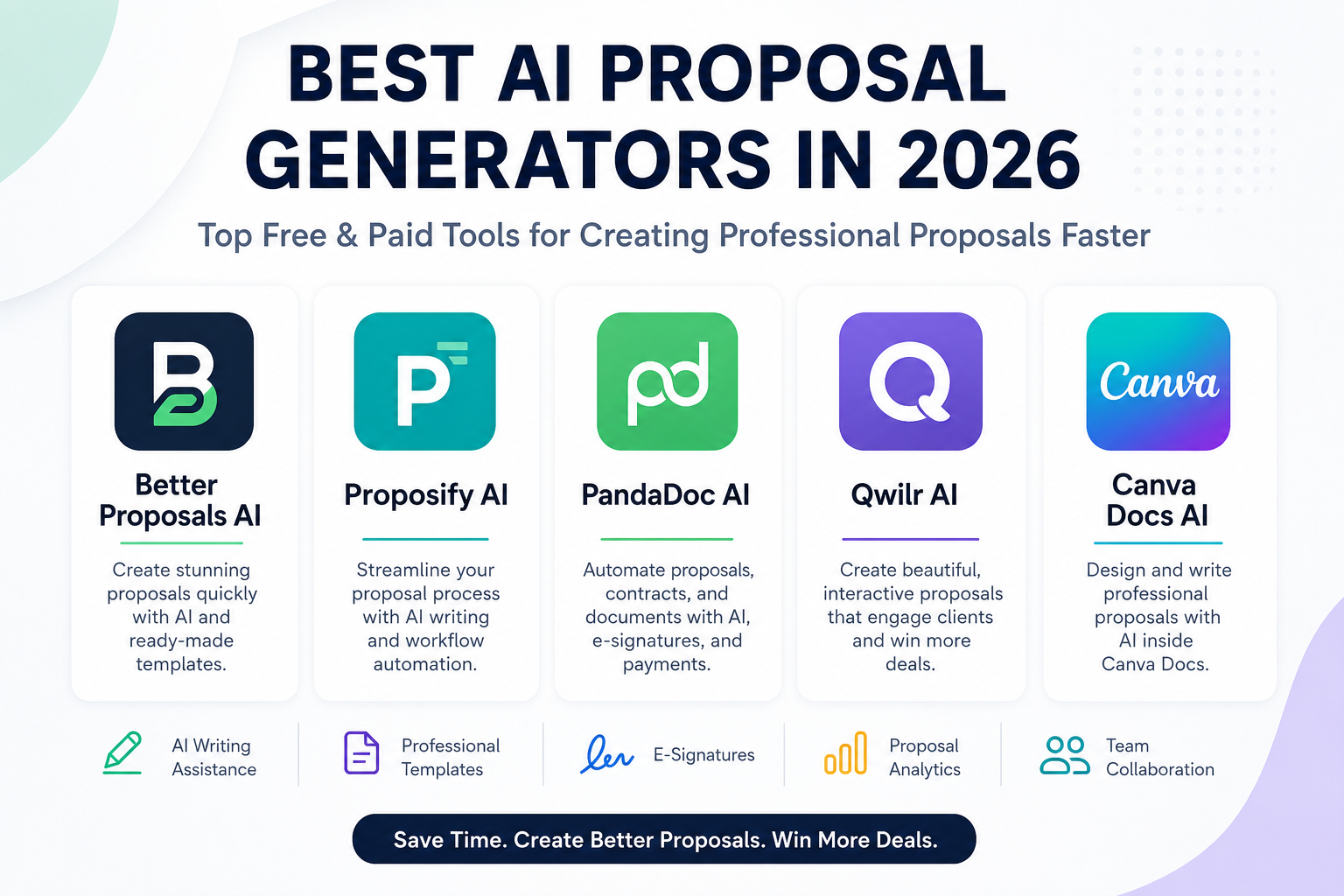
- Better Proposals — Best for freelancers and service businesses
- Proposify — Best for structured proposal workflows
- PandaDoc — Best for proposals and document automation
- Qwilr — Best for interactive proposals
- Canva Docs — Best for visually focused proposals
Pricing note: Software pricing changes frequently. Prices in this article reflect information available in September 2026 and may vary by billing cycle, region, taxes, promotions, or usage.
Quick Comparison
| Tool | Best For | Main Strength | Free Option | Starting Price |
|---|---|---|---|---|
| Better Proposals | Freelancers and agencies | Proposal creation and signatures | 14-day trial | £10/user/month annually |
| Proposify | Sales teams | Proposal workflows and tracking | 14-day trial | $19/user/month annually |
| PandaDoc | Sales and document workflows | Proposals, eSignatures and automation | Free plan | $19/user/month annually |
| Qwilr | Interactive proposals | Web-based proposals and engagement | Free trial | $35/user/month annually |
| Canva Docs | Visual proposals | Design flexibility and AI writing | Free | $0 |
A low starting price does not necessarily mean a platform is cheaper for your business. Some tools charge per user, some limit document sends, and others separate advanced automation or AI usage from the base subscription.
What Is an AI Proposal Generator?
An AI proposal generator is software that uses artificial intelligence to help create or improve business proposals.
Depending on the platform, AI may help with:
- Creating an initial proposal draft
- Rewriting sections
- Summarizing information
- Generating headlines or introductions
- Organizing proposal content
- Personalizing messaging
- Creating reusable content
- Suggesting document structure
- Assisting with follow-up communication
Dedicated proposal platforms usually go beyond AI writing.
They may also provide:
- Proposal templates
- Pricing tables
- Electronic signatures
- Client approval
- Payment collection
- Proposal analytics
- CRM integrations
- Team collaboration
- Content libraries
This distinction matters because a general AI writing tool can help you write a proposal, while dedicated proposal software can help you create, send, track, approve, and manage the document.
AI Writing Tool vs Proposal Software
Before choosing a platform, decide what you actually need.
If you only need help writing
A general AI writing assistant may be enough.
You can use it to brainstorm:
- Proposal outlines
- Executive summaries
- Service descriptions
- Client-specific messaging
- Project timelines
You would then format the document yourself.
If you need a complete proposal workflow
Dedicated proposal software is more useful.
It can help you:
- Build the proposal
- Add pricing
- Apply your branding
- Send it to the client
- Track engagement
- Collect a signature
- Sometimes collect payment
- Store the completed document
For sales teams and agencies sending proposals regularly, this workflow can save more time than AI writing alone.
The 5 Best AI Proposal Generators in 2026
1. Better Proposals — Best for Freelancers and Service Businesses
Better Proposals focuses specifically on creating, sending, tracking, and signing business proposals.
Its strength is simplicity.
Instead of building a proposal from a blank document, users can work from templates, add pricing tables, insert reusable content, collect legally binding signatures, and monitor proposal activity.
Better Proposals currently offers a 14-day free trial. Its annual pricing starts at £10 per user per month for Starter, while Premium starts at £18 and Enterprise at £33. Monthly pricing is higher.
Why Choose Better Proposals?
The platform is particularly suitable for people who regularly sell services rather than physical products.
For example:
- Freelancers
- Marketing agencies
- Consultants
- Web designers
- SEO agencies
- Creative studios
- Professional service businesses
Its pricing-table system also lets users add products or services with different billing structures, such as one-time, monthly, quarterly, or annual charges.
Key Features
- Proposal templates
- Pricing tables
- Digital signatures
- Payment integrations
- Content library
- Proposal notifications
- Analytics
- CRM integrations on higher plans
- Custom domains on higher plans
- Zapier/API functionality on higher plans
Pros
- Simple proposal workflow
- Strong pricing-table functionality
- Electronic signatures
- Useful for service businesses
- Affordable entry point
Cons
- AI is not the only reason to choose the platform
- Advanced collaboration and permissions require higher plans
- Pricing is presented in GBP on its current pricing page
Best For
Freelancers, consultants, agencies, and small service businesses.
Our Assessment
Better Proposals is a strong choice if your priority is creating and sending professional proposals without adopting a large sales-document platform.
2. Proposify — Best for Structured Proposal Workflows
Proposify is designed around proposal management rather than simply AI text generation.
It provides tools for creating, sending, tracking, and signing proposals while giving teams more control over templates, content, and sales processes.
Current Proposify pricing starts at $19 per user/month when billed annually on the Basic plan. Team starts at $41 per user/month annually, while Business uses custom pricing.
The platform currently offers a 14-day free trial without requiring a credit card.
Why Choose Proposify?
Proposify becomes more interesting when multiple people need to create proposals consistently.
For example, a sales team can maintain reusable content and standardized proposal structures instead of allowing every salesperson to build documents differently.
Key Features
- Proposal editor
- Proposal templates
- E-signatures
- Document tracking
- Content library
- CRM integrations
- Automations
- Metrics
- Pricing catalog
- Custom fields
- Variables
- Approval workflows on higher plans
- User permissions on Business
Pros
- Strong proposal workflow
- Useful for sales teams
- Reusable content
- CRM integrations
- Document tracking
- Structured team permissions
Cons
- More expensive as teams grow
- Per-user pricing can become significant
- Some advanced workflow features require higher plans
Best For
Sales teams, agencies, B2B companies, and organizations that need standardized proposal processes.
Our Assessment
Proposify makes more sense when proposal creation is a repeatable sales process, not simply a document-writing task.
3. PandaDoc — Best for Proposals and Document Automation
PandaDoc is broader than a traditional proposal generator.
It combines document creation with electronic signatures, approvals, payments, CRM integrations, and document workflows.
That makes it particularly useful when proposals are only one part of a larger sales or agreement process.
PandaDoc currently offers a free plan. Its Starter plan is $19 per user/month when billed annually, while Business is $49 per seat/month annually. Enterprise pricing is custom.
Why Choose PandaDoc?
PandaDoc is a strong option if your business needs more than proposal writing.
For example, you may need to:
- Create a proposal
- Add pricing
- Obtain signatures
- Route the document for approval
- Connect it to a CRM
- Collect payments
- Manage agreements afterward
The platform can cover several of these steps within the same ecosystem.
Key Features
- Document editor
- Proposal templates
- Electronic signatures
- Document tracking
- Pricing tables
- CRM integrations
- Content libraries
- Approval workflows
- Payments
- Deal rooms
- Web forms on eligible plans
- Workflow automation on higher plans
Pros
- Broad document workflow
- Strong e-signature functionality
- Free plan available
- CRM integrations
- Useful for sales teams
- Can handle documents beyond proposals
Cons
- Some advanced functionality requires higher plans
- Can be more platform than a freelancer needs
- Pricing is based partly on seats and plan level
Best For
Sales teams, SaaS businesses, agencies, consultants, and companies that need proposals alongside broader document workflows.
Our Assessment
PandaDoc is one of the better choices when a proposal needs to become part of a larger sales-to-signature workflow.
4. Qwilr — Best for Interactive Proposals
Qwilr takes a different approach to proposals.
Instead of treating a proposal as a static document, it creates a web-based experience that can include interactive pricing, videos, calculators, embedded content, acceptance elements, payments, and analytics.
Qwilr’s current plans start at $35 per user/month when billed annually for Starter. Growth starts at $55 per user/month with a five-user minimum, while Scale starts at $75 with a ten-user minimum.
Why Choose Qwilr?
Qwilr is particularly interesting for businesses where presentation matters.
For example:
- Creative agencies
- Marketing agencies
- Consulting firms
- Technology companies
- Professional services
- Sales teams
Instead of sending a traditional PDF, you can present the proposal as an interactive online page.
Key Features
- Interactive proposal pages
- Pricing tables
- ROI calculators
- E-signatures
- Payment collection
- Analytics
- Embedded content
- PDF export
- CRM integrations
- API access
- Automated document creation
- Smart Proposal Engine on Scale
Qwilr also offers AI-related functionality such as AI Prefill and its Smart Proposal Engine on the Scale plan.
Pros
- Modern proposal experience
- Interactive pricing
- Strong engagement features
- Analytics
- Payments and signatures
- Useful for visually driven sales processes
Cons
- More expensive than basic proposal tools
- Some features require higher plans
- May be unnecessary for simple proposals
Best For
Creative agencies, consultants, professional services, and sales teams that want interactive proposals.
Our Assessment
Qwilr is worth considering when the proposal experience itself is part of your sales presentation.
5. Canva Docs — Best for Visual Proposal Design
Canva is not a dedicated proposal-management platform in the same way as PandaDoc or Proposify.
Its advantage is design flexibility.
Canva Docs allows users to create visual documents, collaborate with others, and use AI tools such as Magic Write to help create initial drafts.
Canva specifically lists Business Proposal and Project Proposal among its document use cases.
Why Choose Canva?
Canva is useful when visual presentation matters more than advanced proposal workflow automation.
You can combine:
- Written content
- Images
- Charts
- Tables
- Brand elements
- Graphics
- Visual sections
Magic Write can help create and refine drafts, while Canva’s broader design system lets you control the appearance of the final document.
Canva Docs itself is free to use, although some features and content require paid plans. Canva’s current Free plan includes limited AI usage, while Pro provides substantially more AI access and premium design functionality.
Key Features
- Canva Docs
- Magic Write
- Proposal templates
- Charts
- Tables
- Graphics
- Brand Kit
- Collaboration
- PDF export
- Visual document design
- AI writing assistance
Pros
- Free option
- Excellent design flexibility
- Easy to learn
- Strong visual library
- Useful for branded proposals
- Good collaboration
Cons
- Not a dedicated proposal-management platform
- Less advanced sales workflow automation
- Proposal tracking and e-signature workflows are not its main focus
Best For
Freelancers, startups, marketers, educators, small businesses, and anyone who prioritizes visual presentation.
Our Assessment
Canva is a good choice when you want a beautiful proposal document rather than a complete proposal-management system.
Best AI Proposal Generator by Use Case
| If You Need… | Consider |
|---|---|
| Simple service proposals | Better Proposals |
| A structured team sales process | Proposify |
| Proposals + contracts + eSignatures | PandaDoc |
| Interactive web proposals | Qwilr |
| Highly visual proposals | Canva Docs |
There is no universal “best” platform.
The right choice depends on what happens before and after the proposal is written.
How to Choose an AI Proposal Generator
1. Define Your Proposal Workflow
Before choosing software, write down what happens when you receive a new sales opportunity.
For example:
Lead → Discovery → Proposal → Pricing → Approval → Signature → Payment
If you only need the proposal step, Canva or Better Proposals may be enough.
If you need to manage several steps in the process, a platform such as PandaDoc or Proposify may provide more value.
2. Look at AI Features Carefully
Not every platform uses AI in the same way.
AI may help with:
- First drafts
- Rewriting
- Summarization
- Personalization
- Content suggestions
- Document creation
- Data extraction
- Proposal automation
Don’t choose a platform simply because it has “AI” on the feature list.
Ask what the AI actually does and whether that capability saves you meaningful time.
3. Check Pricing Structure
Proposal software can use very different pricing models.
Look for:
- Per-user pricing
- Monthly vs annual billing
- Document limits
- Send limits
- AI usage limits
- Additional automation fees
- Payment processing fees
- API charges
For example, Proposify limits the number of proposal sends included in its plans, while document creation and editing remain unlimited.
Qwilr also separates subscription pricing from document automation usage in some workflows.
This is why the advertised monthly price isn’t always the actual cost for a high-volume sales team.
4. Consider Electronic Signatures
If clients need to sign the proposal, built-in e-signatures can eliminate an extra step.
Check:
- Number of signatures included
- Whether signatures are legally binding
- Recipient limits
- Audit trails
- Signature notifications
5. Evaluate Proposal Analytics
Analytics can show useful information such as:
- Whether the client opened the proposal
- When it was viewed
- How often it was accessed
- Whether the recipient interacted with the document
- Whether the proposal was accepted
These insights can help sales teams decide when a follow-up conversation may be appropriate.
However, analytics should be used to improve the sales process—not to assume that a client is ready to buy simply because they opened a document.
6. Check Integrations
If proposals are part of a larger sales operation, integrations become important.
Depending on the platform, you may want connections with:
- HubSpot
- Salesforce
- Pipedrive
- Zapier
- Payment systems
- Accounting software
- CRM platforms
- Collaboration tools
The best integration is the one that removes repetitive manual work from your existing process.
How to Create Better AI-Generated Proposals
AI can produce a first draft quickly, but the quality of your input has a major effect on the result.
Start With the Client’s Problem
Don’t begin with a long description of your company.
Start by explaining:
- What the client needs
- What problem they are experiencing
- Why the problem matters
- What outcome they want
This makes the proposal more relevant.
Explain the Deliverables Clearly
Tell the client exactly what they will receive.
For example:
- Website redesign
- SEO audit
- Monthly reporting
- Paid advertising management
- Consulting sessions
- Software implementation
Avoid vague phrases such as “comprehensive solutions” without explaining what they actually include.
Make Pricing Easy to Understand
A proposal should make it easy for a client to answer:
How much does this cost, and what do I get for that price?
Use clear pricing tables and explain optional services separately.
Use Specific Evidence
If you have legitimate case studies, testimonials, certifications, or measurable results, include relevant evidence.
Avoid inventing statistics or promising results that cannot be guaranteed.
Edit the AI Output
Never send an AI-generated proposal without reviewing it.
Check:
- Client name
- Company name
- Pricing
- Dates
- Deliverables
- Contract terms
- Grammar
- Claims
- Tone
- Contact information
One incorrect client name can make an otherwise professional proposal look careless.
A Useful Prompt for an AI Proposal Draft
A simple prompt can provide the AI with enough context to create a useful starting point:
Create a concise business proposal for [client/company]. The client needs [problem/service]. Our solution is [solution]. Include an executive summary, scope of work, deliverables, timeline, pricing placeholders, assumptions, and a clear next step. Use a professional and straightforward tone. Do not invent statistics, testimonials, guarantees, or client information.
The important part is the final instruction.
AI should help organize your information, not manufacture facts.
Common Mistakes to Avoid
1. Sending Generic AI Copy
A proposal that could have been sent to any company will usually feel less relevant.
Customize the document around the actual client.
2. Making the Proposal Too Long
More pages do not automatically mean more value.
Remove information that doesn’t help the client understand:
- The problem
- The solution
- The deliverables
- The price
- The next step
3. Focusing Too Much on Your Company
Clients usually care more about their problem than your company history.
Keep your company introduction relevant and concise.
4. Hiding Important Pricing Information
If the client cannot easily understand the pricing structure, the proposal creates unnecessary friction.
Use clear tables and explain optional costs.
5. Making Unsupported Promises
Avoid statements such as:
- “Guaranteed ROI”
- “Guaranteed rankings”
- “Guaranteed revenue”
- “Guaranteed results”
unless you have a legitimate contractual basis for the claim.
6. Forgetting the Next Step
Every proposal should make the next action clear.
For example:
- Approve the proposal
- Schedule a call
- Sign the agreement
- Select a package
- Contact the sales team
Don’t make the client guess what happens next.
Advantages and Disadvantages of AI Proposal Software
Advantages
- Faster first drafts
- Reusable templates
- Better document consistency
- Easier personalization
- Electronic signatures
- Proposal analytics
- Pricing tools
- Team collaboration
- CRM integrations
- Automated workflows
Disadvantages
- AI-generated content requires review
- Advanced features can become expensive
- Per-user pricing can add up
- Some platforms impose document or send limits
- Dedicated proposal platforms can be unnecessary for occasional users
- AI cannot replace knowledge of the client or the actual offer
Are AI Proposal Generators Worth It?
They can be—especially if your business sends proposals frequently.
A freelancer who creates two proposals per month may not need an expensive proposal-management platform.
An agency sending dozens of proposals every month may benefit much more from:
- Templates
- Reusable content
- Pricing catalogs
- Tracking
- Signatures
- CRM integrations
- Automated workflows
The more repetitive your proposal process becomes, the more value dedicated software can provide.
Frequently Asked Questions
What is an AI proposal generator?
An AI proposal generator is software that uses artificial intelligence to assist with writing, organizing, personalizing, or managing business proposals.
Some platforms also include pricing tools, electronic signatures, analytics, CRM integrations, and workflow automation.
Are AI proposal generators free?
Some are free or offer free trials.
For example, Canva Docs is free to use, while PandaDoc currently offers a free plan. Better Proposals, Proposify, and Qwilr provide trial options.
Free plans and trials usually have limitations, so check the current terms before choosing a platform.
Which AI proposal generator is best overall?
There isn’t one universal winner.
Better Proposals is a strong choice for freelancers and service businesses.
PandaDoc is more appropriate when proposals are part of a larger document and sales workflow.
Qwilr stands out for interactive proposals, while Canva Docs is better suited to users who prioritize visual design.
Which proposal software is best for sales teams?
Proposify and PandaDoc are both strong options for sales teams.
Proposify focuses heavily on proposal workflows, while PandaDoc extends further into documents, signatures, approvals, payments, and sales processes.
Can AI write a complete business proposal?
AI can create a useful first draft, but the final proposal should be reviewed and customized by a person who understands the client and the offer.
AI should not invent:
- Pricing
- Statistics
- Testimonials
- Case studies
- Legal terms
- Guarantees
- Client information
Use AI for structure and drafting, then add the facts and judgment that make the proposal genuinely useful.
Can AI-generated proposals help close more deals?
They can help teams create proposals faster and make the process more consistent, but no software can guarantee that a proposal will be accepted.
Deal outcomes depend on factors such as:
- The quality of the offer
- Client needs
- Pricing
- Trust
- Competition
- Timing
- Communication
- Proposal quality
A better proposal system improves the process; it does not eliminate the fundamentals of selling.
Final Verdict
AI proposal software can save time, but the most useful platforms do much more than generate text.
The right solution depends on your workflow.
Our Picks
Better Proposals — Best for freelancers, consultants, agencies, and service businesses that want a straightforward proposal workflow.
Proposify — Best for teams that need standardized proposal creation, tracking, and sales workflows.
PandaDoc — Best for businesses that want proposals combined with electronic signatures, approvals, payments, and broader document automation.
Qwilr — Best for interactive, web-based proposals where presentation and buyer engagement are important.
Canva Docs — Best for users who want visually polished proposals and strong design flexibility without paying for a dedicated proposal-management platform.
Before paying for any tool, consider your proposal volume, number of users, required integrations, signature needs, analytics requirements, and the platform’s pricing model.
Most importantly, don’t let AI make your proposals generic.
The best use of AI is to accelerate the repetitive parts of proposal creation while leaving the most important parts—understanding the client, defining the solution, validating the information, and making the final recommendation—to a human.
Editorial Methodology
We compared these platforms using criteria that matter when selecting proposal software:
- AI-assisted writing and document creation
- Proposal templates
- Pricing functionality
- Electronic signatures
- Analytics
- Collaboration
- CRM integrations
- Workflow automation
- Document management
- Ease of use
- Pricing structure
- Suitability for different business sizes
We also checked current official pricing and product documentation where available.
This article does not claim that any tool guarantees more sales or higher proposal acceptance rates. Those outcomes depend on the quality of the offer, the customer relationship, pricing, timing, and the proposal itself.
For an even stronger first-hand review, publishers should add screenshots and original testing results from their own experience with each platform. Google’s current guidance emphasizes original analysis, substantial value beyond simple summaries, and evidence of first-hand experience where appropriate.
Pricing disclaimer: Prices, features, usage limits, and plan names can change. Always verify the provider’s current pricing before purchasing.