Best AI Automation Tools in 2026: 10 Platforms Compared for Workflows, AI Agents, and Business Automation
Last updated: September 2026
AI automation has moved beyond simple “if this, then that” workflows. In 2026, automation platforms can connect business applications, transform data, call APIs, use AI models, generate content, route decisions, and in some cases operate AI agents as part of a larger workflow.
But the best automation platform is not necessarily the one with the most integrations or the most AI features.
For a small business, ease of use and predictable pricing may matter more. A developer may prefer self-hosting and code-level control. An enterprise may prioritize governance, security, robotic process automation (RPA), and integration with existing systems.
This guide compares the best AI automation tools in 2026 based on their primary strengths, workflow capabilities, AI features, technical flexibility, and typical use cases.
The goal is not to declare one universal winner. Instead, you’ll find which platform makes the most sense for different types of users and automation projects.
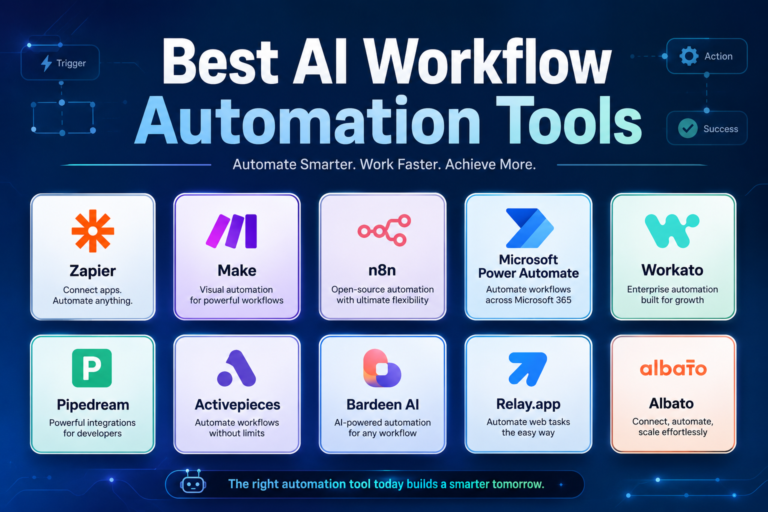
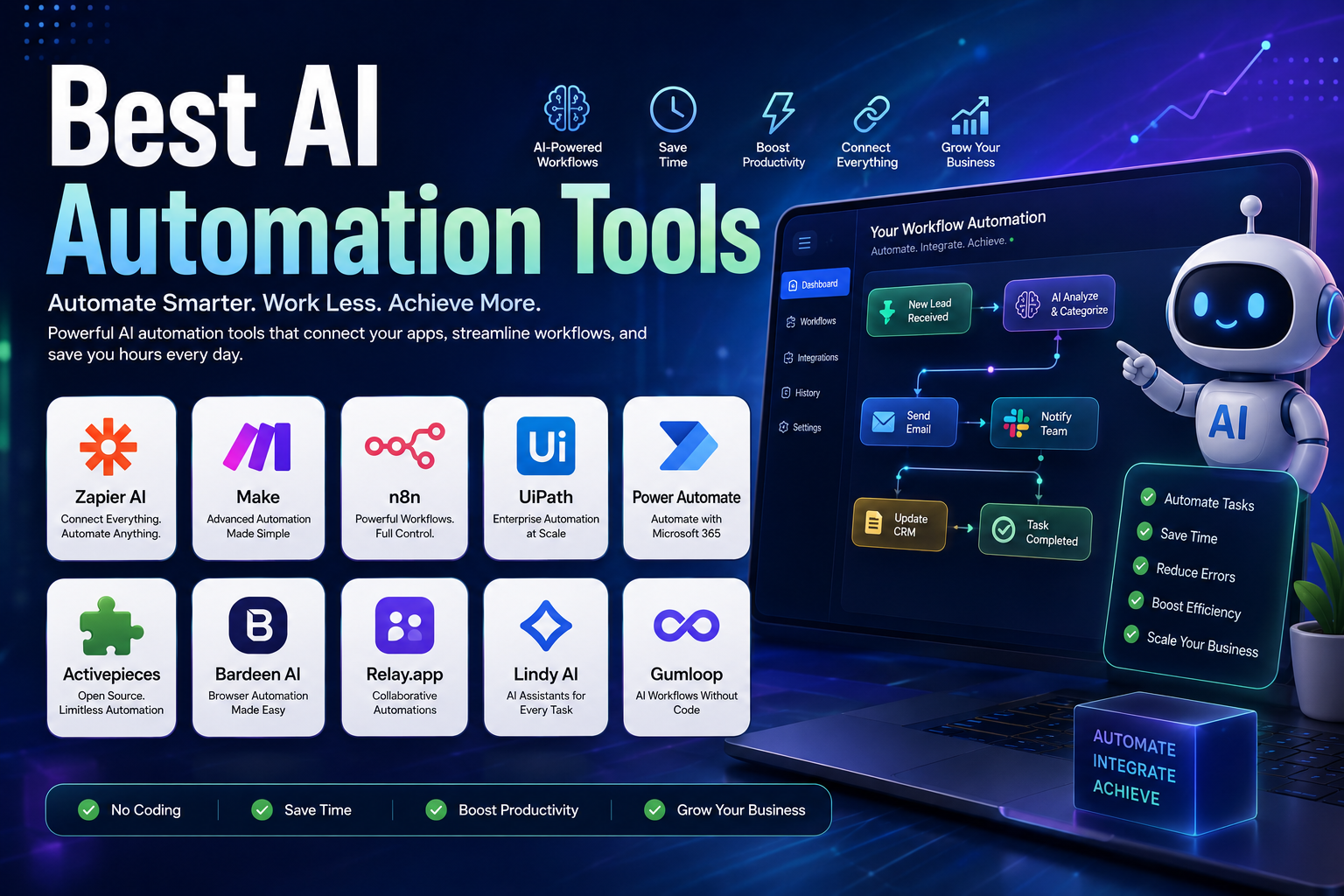
Quick answer: Zapier is a strong general-purpose choice for beginners and businesses, Make is excellent for visual and complex workflows, n8n stands out for technical users and self-hosting, Power Automate is particularly strong in Microsoft environments, UiPath is designed for enterprise automation, while Activepieces and Pipedream offer attractive options for users who want more technical control.
Quick Comparison: Best AI Automation Tools in 2026
| Tool | Best for | Free option | Technical flexibility | Standout strength |
|---|---|---|---|---|
| Zapier | General business automation | Yes | Medium | Ease of use and broad app ecosystem |
| Make | Complex visual workflows | Yes | High | Visual workflow design |
| n8n | Developers and self-hosting | Community Edition / trial options | Very high | Technical control and AI workflows |
| UiPath | Enterprise automation | Trial / entry plan | Very high | RPA and enterprise processes |
| Microsoft Power Automate | Microsoft businesses | Free trial | High | Microsoft 365 and desktop automation |
| Activepieces | Open-source automation | Yes | High | Open-source and self-hosting |
| Bardeen | Web research and GTM automation | Free allowance | Medium | Browser automation and data enrichment |
| Lindy | AI assistants | Free trial | Medium | AI assistants and business tasks |
| Gumloop | AI-powered workflows | Free option | High | AI-native workflow automation |
| Pipedream | Developers and APIs | Yes | Very high | Code, APIs, and workflow orchestration |
Important: Pricing, usage limits, included AI features, and plan structures can change frequently. Treat the pricing information below as a current guide rather than a permanent price list.
What Are AI Automation Tools?
AI automation tools are software platforms that combine workflow automation with artificial intelligence, APIs, application integrations, or AI agents.
Traditional automation generally follows predefined instructions:
Trigger → Rule → Action
For example:
New form submission → Add contact to CRM → Send confirmation email
AI-powered automation can introduce another layer:
Trigger → Analyze information → Make or assist with a decision → Take action
For example:
New customer inquiry → AI classifies the request → Extracts important details → Routes it to the correct team → Creates a CRM record → Drafts a response
This distinction matters because AI does not replace the underlying workflow. It adds capabilities such as classification, summarization, extraction, generation, reasoning, and natural-language interaction.
Depending on the platform, AI automation can be used for:
- Lead qualification
- Customer support
- Email processing
- CRM updates
- Data extraction
- Marketing workflows
- Document processing
- Reporting
- Sales operations
- Web research
- Internal business processes
- API orchestration
- AI agents
- Content workflows
- Notifications and approvals
How We Compared These AI Automation Tools
There is no single feature that determines which automation platform is best.
For this comparison, the tools are evaluated across several practical dimensions:
1. Workflow flexibility
Can the platform handle simple automations as well as multi-step workflows, conditions, branching, scheduling, and data transformation?
2. AI capabilities
Does AI help users build workflows, classify information, generate content, process documents, or operate as part of an automated process?
3. Integrations
How easily can the platform connect to the applications, APIs, databases, and services a business already uses?
4. Technical control
Does the platform support APIs, custom code, webhooks, self-hosting, or other developer-oriented features?
5. Ease of use
Can a non-technical user build useful workflows without writing code?
6. Scalability
Can the platform grow from a few personal automations to team or enterprise workflows?
7. Cost structure
Does the platform charge by tasks, operations, workflow executions, credits, users, or another usage metric?
This comparison is based on publicly available product information and official documentation. It does not assume first-hand testing of every platform, so claims such as “we tested” or “this was the fastest” are intentionally avoided.
Best AI Automation Tools in 2026
1. Zapier — Best Overall for Business Automation
Best for: Beginners, marketers, small businesses, agencies, and teams that want to connect many business applications quickly.
Zapier remains one of the easiest ways to connect business applications without building integrations from scratch.
Its automation platform supports multi-step workflows, conditional logic, webhooks, AI features, Forms, Tables, and an expanding collection of AI-oriented products.
Zapier’s current platform also includes AI capabilities such as Copilot, AI fields, Agents, Chatbots, and AI by Zapier. Its current pricing starts with a free plan, while the Professional plan starts at $19.99/month when billed annually.
Zapier also changed how AI by Zapier usage is calculated in 2026. AI steps now use model tiers that can consume different amounts of task usage, so businesses should consider AI usage when estimating total costs.
Why choose Zapier?
Zapier is particularly attractive when the main goal is:
- Connecting common SaaS applications
- Automating marketing tasks
- Updating CRM records
- Sending notifications
- Managing leads
- Automating administrative tasks
- Building workflows without coding
Advantages
- Beginner-friendly interface
- Large application ecosystem
- Multi-step workflows
- Webhooks and automation logic
- AI-assisted workflow creation
- Free plan available
- Strong fit for business users
Limitations
- Usage-based costs can become important at higher volumes.
- Advanced workflows require more planning.
- Technical users may prefer platforms offering deeper code-level control.
Best choice if: You want a straightforward automation platform and do not want to manage infrastructure.
2. Make — Best for Complex Visual Workflows
Best for: Advanced no-code users, agencies, operations teams, and businesses building detailed workflows.
Make takes a visual approach to automation. Instead of representing a workflow as a simple sequence, users can visually design scenarios with multiple branches, filters, routers, conditions, and data transformations.
Its current plans include a free tier with up to 1,000 credits per month. The Core plan starts at $12/month for 10,000 credits, while Pro starts at $21/month for the same 10,000-credit level, based on current annual pricing displayed by Make.
The important detail is that Make uses credits, and module actions generally consume credits. Therefore, the number of steps in a workflow can influence consumption.
Why choose Make?
Make is particularly useful when a workflow looks like:
Receive data → check conditions → split into different paths → transform information → call an API → update several applications → send notifications
Advantages
- Powerful visual workflow builder
- Conditional logic
- Routers and filters
- Strong customization
- Free plan
- Good balance between no-code and advanced automation
Limitations
- More complex than Zapier for beginners.
- Large scenarios can become difficult to maintain without good documentation.
- Credit usage needs to be monitored.
Best choice if: You want more workflow control than a simple trigger-and-action system provides.
3. n8n — Best for Developers and Self-Hosted AI Automation
Best for: Developers, technical teams, startups, and organizations that want more control over their automation infrastructure.
n8n is particularly interesting because it combines workflow automation with strong technical flexibility.
Users can build workflows visually while also working with APIs, custom logic, AI services, and self-hosted deployments.
n8n’s current cloud pricing is based on workflow executions rather than charging separately for every individual workflow step. Its Starter plan is currently listed at €20/month when billed annually, with 2,500 workflow executions, while the Pro plan starts at €50/month billed annually with 10,000 executions. n8n also provides a self-hosted Community Edition.
Why choose n8n?
n8n is a strong option when you need:
- Self-hosting
- API integrations
- Custom logic
- AI workflows
- Webhooks
- Database connections
- Developer control
- Complex multi-step processes
Advantages
- Strong technical flexibility
- Self-hosting option
- AI workflow capabilities
- Visual workflow editor
- Extensive integration options
- Execution-based pricing
Limitations
- Higher learning curve than beginner-focused tools.
- Self-hosting requires technical knowledge.
- Complex workflows need careful maintenance.
Best choice if: You want automation infrastructure you can customize deeply rather than a purely beginner-oriented platform.
4. UiPath — Best for Enterprise RPA and Business Processes
Best for: Large organizations, enterprise operations, finance, healthcare, government, and businesses automating repetitive desktop and document processes.
UiPath approaches automation from an enterprise perspective.
Its platform combines robotic process automation, API workflows, AI agents, document processing, and human-in-the-loop processes.
UiPath currently lists a Basic plan starting at $25/month, while Standard and Enterprise offerings use sales-based pricing. Its current platform also supports combining agents, robots, and people within automated processes.
Where UiPath stands out
UiPath is particularly relevant when automation involves:
- Legacy applications
- Desktop processes
- Document processing
- Finance workflows
- HR operations
- Enterprise approvals
- Large-scale RPA
- Human review steps
Advantages
- Strong enterprise capabilities
- RPA
- Document processing
- AI and agentic automation
- Governance features
- Large-scale deployment options
Limitations
- More complex than tools designed for individual users.
- Enterprise deployments can require implementation expertise.
- Pricing is less straightforward for larger organizations.
Best choice if: Your organization needs serious enterprise automation rather than simple SaaS integrations.
5. Microsoft Power Automate — Best for Microsoft 365 Users
Best for: Companies already using Microsoft 365, Dynamics 365, Teams, SharePoint, Excel, Outlook, and other Microsoft services.
Power Automate is Microsoft’s workflow automation platform and has a major advantage for organizations already operating inside the Microsoft ecosystem.
The current Premium plan is listed at $15 per user/month when paid yearly, while Microsoft also offers a free 30-day trial. Additional process and hosted-process licensing is available for organizations that need unattended automation.
Power Automate can handle both cloud workflows and desktop automation, making it broader than a basic SaaS connector.
Best uses
- Microsoft 365 workflows
- Approval processes
- Teams notifications
- SharePoint automation
- Excel workflows
- Outlook automation
- Desktop RPA
- Business process automation
Advantages
- Excellent Microsoft integration
- Cloud and desktop automation
- Enterprise-oriented controls
- AI and process automation capabilities
- Strong fit for Microsoft environments
Limitations
- Licensing can become complicated.
- The platform is most compelling when your organization already uses Microsoft products.
- Advanced scenarios require more configuration.
Best choice if: Your business already runs heavily on Microsoft 365.
6. Activepieces — Best Open-Source Alternative
Best for: Small businesses, developers, technical users, and teams interested in open-source automation.
Activepieces is an open-source automation platform designed around workflows, integrations, AI capabilities, and flexible deployment.
Its current free plan provides 100 credits per day, while the Plus plan is listed at $16/month when billed yearly. Activepieces also supports running the platform on its own servers.
This makes it an interesting alternative for users who want more control over where their automation environment runs.
Advantages
- Open-source foundation
- Self-hosting
- Free plan
- AI features
- API and SDK access
- Cloud or on-premises deployment
Limitations
- Smaller ecosystem than the largest automation platforms.
- Some advanced business features are reserved for higher plans.
- Technical users may get more value from it than complete beginners.
Best choice if: Open-source software and deployment flexibility are important to you.
7. Bardeen — Best for Browser Automation and Data Enrichment
Best for: Sales teams, recruiters, marketers, researchers, and users who frequently collect information from websites.
Bardeen focuses strongly on web-based automation, scraping, enrichment, and go-to-market workflows.
Its current pricing model uses credits. Bardeen lists a free monthly allowance, while its Basic plan is currently $10/month and its Premium plan is $50/month on monthly billing.
Typical use cases include:
- Lead sourcing
- Web research
- Data collection
- Enrichment
- Spreadsheet workflows
- CRM workflows
- Browser-based automation
Advantages
- Strong browser automation focus
- Data scraping
- Lead enrichment
- AI features
- Useful for sales and research workflows
Limitations
- More specialized than Zapier or Make.
- Credit consumption needs to be considered.
- Not necessarily the best choice for general enterprise workflow orchestration.
Best choice if: Your automation work starts in the browser or involves collecting and enriching web data.
8. Lindy — Best for AI Assistants
Best for: Entrepreneurs, sales teams, customer support, executives, and businesses looking for AI assistants that can perform recurring tasks.
Lindy takes a more assistant-oriented approach to automation.
Instead of thinking only in terms of traditional workflows, users can create AI assistants that handle tasks such as scheduling, email management, meeting follow-up, research, and other recurring work.
Lindy’s current pricing starts at $29.99/month per user for Plus, with higher plans available for heavier workloads. Its plans use credits to measure the amount of work performed by the AI.
Examples of Lindy-style automation
An assistant can be configured to:
- Receive information.
- Understand the request.
- Perform actions across connected services.
- Ask for approval when necessary.
- Complete the task.
Advantages
- AI assistant approach
- Scheduling automation
- Email workflows
- Meeting-related tasks
- Many integrations
- Built-in approvals
Limitations
- Costs depend on AI usage.
- Complex workflows still require careful configuration.
- It is more focused on AI assistants than traditional visual automation.
Best choice if: You want an AI assistant to perform recurring business tasks rather than simply connect two applications.
9. Gumloop — Best for AI-Native Workflow Automation
Best for: Operations teams, startups, agencies, and users building AI-heavy workflows.
Gumloop is designed around AI-powered workflows and data processing. It is particularly relevant for automation projects where AI is not simply an optional step but a central part of the workflow.
The platform has changed its pricing structure over time, so users should check the current pricing page before purchasing rather than relying on older articles or fixed historical prices. Gumloop previously announced changes that included a free tier and a simplified Pro structure.
Potential use cases
- Research automation
- Data processing
- AI classification
- Content workflows
- Lead operations
- Document processing
- Internal operations
Advantages
- AI-first approach
- Visual workflow building
- Useful for data-heavy processes
- Strong fit for AI-centric operations
Limitations
- Pricing and usage models can change.
- Advanced AI workflows require careful testing.
- May be more than a small business needs for simple automations.
Best choice if: AI reasoning and data processing are central to your automation workflow.
10. Pipedream — Best for Developers and API Automation
Best for: Developers, technical startups, API-heavy projects, and teams building custom integrations.
Pipedream is different from purely no-code platforms because it provides both visual workflow tools and code-level control.
Workflows can use triggers, prebuilt actions, HTTP requests, and custom code in languages including JavaScript, Python, Go, and Bash.
Pipedream also provides a free plan for low-volume workflows and uses compute-based credits for workflow execution rather than simply charging for every individual workflow step.
Why developers may prefer Pipedream
You can:
- Connect APIs
- Build webhook workflows
- Run custom code
- Transform data
- Build AI-powered workflows
- Connect databases
- Create integrations for applications
- Build workflows for your own users
Advantages
- Strong API support
- Custom code
- Visual workflows
- Free plan
- Developer-oriented
- Useful for AI applications
Limitations
- Less beginner-friendly than Zapier.
- Requires more technical knowledge for advanced workflows.
- Costs depend partly on compute usage.
Best choice if: Your automation project involves APIs, custom code, or software development.
Why Relay.app Is Not Included in This 2026 List
The original version of this article included Relay.app.
That recommendation is no longer appropriate.
Relay.app announced that the service would shut down, with free users scheduled to lose access on August 15, 2026 and paying customers on September 14, 2026. New signups and free-to-paid upgrades were also turned off during the wind-down.
For a current “best AI automation tools” guide, recommending a platform that is shutting down would mislead readers.
That is why Relay.app has been removed and Pipedream has been included instead.
AI Automation Pricing Comparison
Automation pricing is difficult to compare directly because providers measure usage differently.
Some charge by:
- Tasks
- Credits
- Workflow executions
- Compute time
- Users
- Bots
- AI usage
- A combination of these
Here are useful current reference points:
| Platform | Current pricing example | Pricing model |
|---|---|---|
| Zapier | Free; Professional from $19.99/month annually | Tasks |
| Make | Free; Core from $12/month | Credits |
| n8n | Starter from €20/month annually | Workflow executions |
| UiPath | Basic from $25/month | Plan/license based |
| Power Automate | Premium from $15/user/month annually | User/license based |
| Activepieces | Free; Plus from $16/month annually | Credits |
| Bardeen | Free allowance; Basic from $10/month | Credits |
| Lindy | Plus from $29.99/user/month | Credits |
| Gumloop | Free and paid options | Usage/credits |
| Pipedream | Free option plus paid plans | Compute/credits |
Prices can change, and taxes, usage limits, annual billing, and add-ons can affect the final cost. Always check the provider’s current pricing page before purchasing.
Which AI Automation Tool Is Best for You?
There is no universal winner. The better approach is to match the platform to the problem.
| Your priority | Recommended tool |
|---|---|
| Easiest general automation | Zapier |
| Complex visual workflows | Make |
| Self-hosting and technical control | n8n |
| Enterprise RPA | UiPath |
| Microsoft ecosystem | Power Automate |
| Open-source automation | Activepieces |
| Browser and web-data automation | Bardeen |
| AI assistants | Lindy |
| AI-native workflows | Gumloop |
| APIs and custom code | Pipedream |
How AI Automation Tools Actually Save Time
Automation is most valuable when it removes a repetitive bottleneck.
Consider a simple lead-generation process.
Without automation:
- Find a prospect.
- Copy the information.
- Open a spreadsheet.
- Enter the details.
- Search for additional information.
- Update the CRM.
- Send an email.
- Notify the sales team.
With a well-designed workflow, the same process could become:
New lead → collect information → enrich data → classify lead → create CRM record → draft personalized email → request approval → send → notify team
The important point is that AI does not automatically make every workflow better.
The workflow still needs:
- Clear inputs
- Reliable integrations
- Well-defined rules
- Error handling
- Human review where necessary
- Monitoring
Best AI Automation Workflows to Start With
If you’re new to automation, don’t begin with a complicated autonomous AI agent.
Start with predictable tasks.
1. Lead Management
A practical workflow might be:
New form submission → Validate information → Enrich lead → Add to CRM → Notify salesperson
2. Email Processing
For example:
New email → Classify message → Extract important information → Label → Draft response → Human approval
3. Customer Support
A workflow could:
Receive inquiry → Identify category → Retrieve relevant information → Draft response → Escalate sensitive cases
4. Content Operations
For a marketing team:
Content request → Create brief → Research → Draft → Review → Schedule → Record performance data
AI can help with classification, summarization, research, or drafting, while humans remain responsible for accuracy and final decisions.
5. Reporting
Instead of manually collecting information from several systems:
Schedule trigger → Collect data → Transform data → Generate summary → Send report
This is one of the simplest automation use cases to measure because the amount of manual work saved is relatively easy to estimate.
Free vs Paid AI Automation Tools
Free plans are useful, but they should not be treated as unlimited production environments.
Free plans are best for
- Learning automation
- Testing an idea
- Building small workflows
- Personal projects
- Low-volume tasks
- Evaluating a platform
Paid plans become useful when
- Workflow volume increases
- More applications are required
- Teams need collaboration
- Advanced features are needed
- Faster execution matters
- Security and administration become important
Before upgrading, calculate your expected usage.
A tool that costs less per month can become more expensive if your workflow requires many operations or AI credits.
What to Look for Before Choosing an AI Automation Tool
1. Integrations
First identify the applications your workflow actually needs.
For example:
- Gmail
- Google Sheets
- Slack
- Microsoft 365
- HubSpot
- Salesforce
- Shopify
- WordPress
- Notion
- Databases
- APIs
Do not choose a platform simply because it advertises thousands of integrations. Verify that the specific applications and actions you need are supported.
2. Usage-Based Pricing
This is one of the most overlooked factors.
Suppose a workflow contains ten actions.
A provider that charges per action may count those operations differently from a provider that charges once per complete execution.
Always estimate:
Expected monthly workflows × average usage per workflow = approximate monthly consumption
Then compare that number against each platform’s pricing model.
3. AI Usage Costs
AI features can introduce additional consumption.
For example, an automation may use AI to:
- Summarize a document
- Classify an email
- Extract information
- Generate a response
- Analyze a lead
- Decide which workflow branch to use
These AI operations may consume credits or tasks separately from ordinary automation.
4. Error Handling
A workflow that works 99% of the time can still create serious problems if failures are invisible.
Look for:
- Error notifications
- Retry options
- Execution history
- Logs
- Fallback actions
- Human approval
- Workflow monitoring
5. Security and Permissions
Automation platforms may receive access to email, customer records, documents, databases, and business applications.
Before connecting a sensitive service, review:
- Authentication methods
- User permissions
- Data handling
- Encryption
- Retention policies
- Audit logs
- Compliance documentation
- Available administrative controls
Do not give an automation more access than it needs.
6. Self-Hosting
Self-hosting can be valuable when data control or infrastructure flexibility is important.
Platforms such as n8n and Activepieces provide self-hosting options, while other platforms are primarily cloud-based.
Self-hosting is not automatically better, however. It also means your team may become responsible for:
- Updates
- Backups
- Infrastructure
- Monitoring
- Security
- Availability
How to Build a Reliable AI Automation
A good automation should not simply “work once.”
It should be designed to handle normal operation and predictable failures.
A practical process is:
Step 1: Define the starting event
What causes the workflow to begin?
Examples:
- New email
- Form submission
- Scheduled time
- New spreadsheet row
- Webhook
- CRM update
Step 2: Define the desired result
Be specific.
Instead of:
Automate leads.
Define:
When a new lead submits the form, create a CRM record, classify the lead, and notify the sales team.
Step 3: Identify the required applications
List every system involved.
Step 4: Add AI only where it provides value
Use AI when interpretation or generation is necessary.
Do not add an AI step simply because the platform offers one.
Step 5: Add error handling
Decide what happens when:
- An API fails
- Data is missing
- AI returns an unexpected result
- Authentication expires
- A destination application is unavailable
Step 6: Test with realistic data
Test both successful and unsuccessful cases.
Step 7: Monitor after launch
Review logs and failures regularly.
Common AI Automation Mistakes
Automating a Bad Process
Automation can make a poor process faster without making it better.
Fix the process first.
Building an Overly Complicated Workflow
A giant workflow with dozens of branches can become difficult to debug.
Where possible, divide large systems into smaller workflows with clear responsibilities.
Trusting AI Without Review
AI can make mistakes.
For important business operations, consider adding human approval before an irreversible action.
Ignoring Usage Costs
A workflow may look inexpensive during testing but become expensive at production volume.
Calculate expected usage before launching.
Giving Excessive Permissions
Only grant the accounts and services the workflow actually needs.
Forgetting Documentation
When a workflow becomes important to the business, document:
- What triggers it
- What it does
- Which applications it uses
- What happens when it fails
- Who maintains it
Are AI Automation Tools Safe?
AI automation platforms can be useful, but security depends on both the provider and how the workflow is configured.
The biggest risks often come from excessive permissions, poorly protected credentials, unreviewed AI actions, or workflows that can modify important business data without safeguards.
For sensitive workflows:
- Use strong authentication.
- Limit permissions.
- Avoid storing secrets directly inside workflow steps.
- Review connected applications.
- Enable available security controls.
- Keep audit logs where appropriate.
- Add human approval to high-impact actions.
- Review workflows periodically.
A trustworthy automation strategy is not about eliminating humans. It is about giving humans better control over the processes that machines execute.
Do You Need More Than One Automation Tool?
Usually, you should start with one.
Using five different automation platforms can create unnecessary complexity.
However, different tools can complement each other.
For example:
n8n → API processing → AI model → CRM
Or:
Power Automate → Microsoft 365 → enterprise workflow
Or:
Bardeen → web data → spreadsheet → CRM
The right combination depends on your architecture.
Avoid choosing multiple tools simply because each one advertises AI features.
AI Automation vs Traditional Automation
Traditional automation is usually deterministic.
For example:
If a customer submits a form, add the customer to a spreadsheet.
AI automation can handle less structured information:
Read the customer’s message, identify the issue, extract important details, classify urgency, and route it to the correct team.
Traditional automation is still valuable because predictable rules are often more reliable than AI.
The strongest workflows frequently combine both:
Rules for predictable actions + AI for interpretation + human review for important decisions.
Can AI Automation Replace Employees?
AI automation can reduce the amount of repetitive work employees perform, but that does not mean every workflow should be fully autonomous.
Businesses still need people for:
- Strategy
- Judgment
- Relationship management
- Creative decisions
- Quality control
- Exception handling
- Accountability
The better goal is usually task automation, not blindly replacing entire jobs.
Frequently Asked Questions
What is the best AI automation tool in 2026?
There is no single best tool for every situation. Zapier is a strong general-purpose choice, Make is excellent for visual workflows, n8n is strong for technical users and self-hosting, Power Automate works especially well for Microsoft environments, and UiPath is designed for enterprise automation.
Which AI automation tool is best for beginners?
Zapier is one of the easiest starting points because its workflow model is relatively simple and its free plan allows users to experiment before paying.
Which AI automation tool is best for developers?
n8n and Pipedream are strong options for developers.
n8n provides extensive workflow flexibility and self-hosting, while Pipedream combines workflows with APIs and custom code.
Which AI automation tool is best for Microsoft users?
Microsoft Power Automate is the natural starting point for organizations heavily invested in Microsoft 365, Teams, SharePoint, Outlook, and related Microsoft services. Its current Premium plan is listed at $15 per user/month when paid yearly.
Are AI automation tools free?
Many offer free plans or trials, but free tiers usually have usage limits.
For example, Zapier, Make, Activepieces, and Pipedream all provide ways to start without committing to a large paid subscription.
Do I need coding skills to use AI automation?
Not necessarily.
Zapier, Make, Activepieces, Bardeen, and other platforms allow users to build workflows without traditional programming.
However, coding becomes useful when you need custom APIs, advanced data processing, unusual integrations, or greater control over workflow behavior.
Can AI automation make decisions automatically?
Yes, some platforms can use AI to classify information, choose workflow paths, extract data, or operate as an AI agent.
However, important decisions should be reviewed carefully. AI output can be incorrect, ambiguous, or inappropriate for a particular situation.
Is n8n better than Zapier?
Not universally.
Zapier is generally easier for users who want quick application automation with minimal technical complexity.
n8n is more attractive when self-hosting, custom logic, APIs, and technical control are important.
The better choice depends on the workflow rather than the tool’s overall popularity.
Is Make better than Zapier?
Make can be a better fit for users who need complex visual workflows, branching, filters, and detailed process control.
Zapier can be a better fit when simplicity and fast setup are more important.
Can AI-generated automation workflows be trusted without testing?
No.
AI can help create workflows faster, but the resulting automation should still be tested with realistic inputs and failure scenarios.
For business-critical processes, include logging, error handling, and human review where appropriate.
Final Verdict
The best AI automation tool in 2026 depends on what you are trying to automate.
Zapier is a strong all-around option for businesses that want easy setup and a broad application ecosystem.
Make is a better fit when workflows become more complex and visual control matters.
n8n is one of the strongest choices for technical teams that want customization and self-hosting.
UiPath is designed for organizations dealing with enterprise processes, RPA, documents, and large-scale automation.
Microsoft Power Automate is especially compelling for companies already invested in Microsoft 365.
Activepieces provides an interesting open-source alternative for users who value deployment flexibility.
Bardeen is particularly useful for browser-based research and data workflows.
Lindy focuses more on AI assistants and recurring business tasks.
Gumloop is worth considering when AI is central to the workflow rather than just one optional automation step.
Pipedream is a strong developer-oriented choice for API-heavy workflows and custom integrations.
The most important lesson is that more AI does not automatically mean better automation.
A reliable automation system starts with a well-defined process, uses AI only where it adds value, protects sensitive information, handles errors, and remains understandable to the people responsible for it.
Start with one repetitive process, measure how much time it saves, and expand only after the workflow proves reliable
Related Articles
Explore more AI software guides to improve your productivity and business:
- Best AI Productivity Tools
- Best AI SEO Tools
- Best AI Writing Tools
- Best AI Marketing Tools
- Best AI Video Tools
- Best AI Image Generator
- Best AI Email Subject Line Generator
These articles will help you build a complete AI toolkit for content creation, marketing, workflow automation, and business growth.